Monitors / Compare
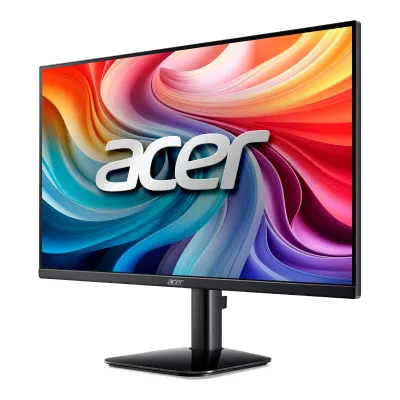
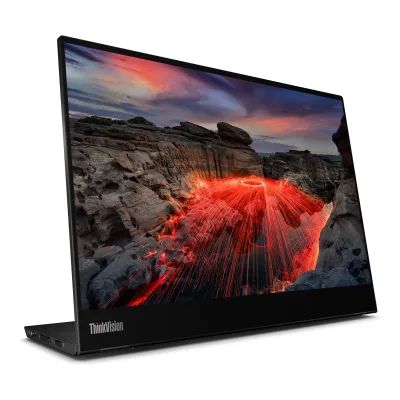
Acer KB242Y G0bi vs Lenovo ThinkVision M14t Gen 2
Product A: Acer
62 of 172 known Dell Pro 14 Plus Portable Monitor P1425
 Arzopa Z1FC
 LG UltraFine 27UP650K-W
 LG UltraFine 27US500-W
 Samsung Essential Monitor S3 S30GD 24"
 ASUS ProArt Display PA278QV
 Samsung Essential Monitor S3 S30GD 27"
 ASUS ProArt Display PA279CRV
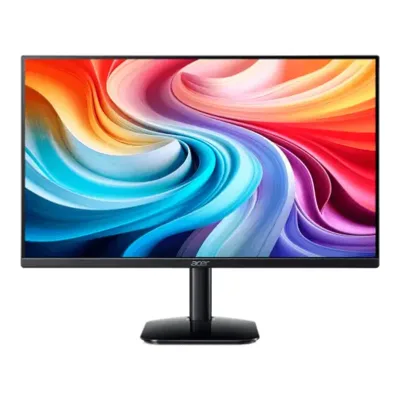 Acer KB272 G0bi
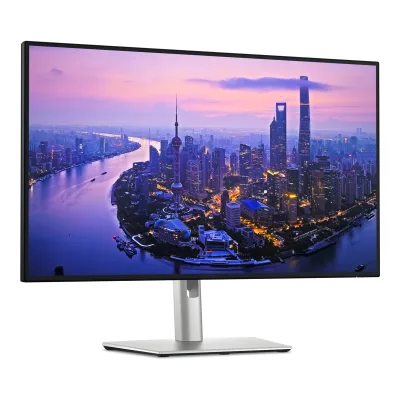 Dell UltraSharp U2725QE
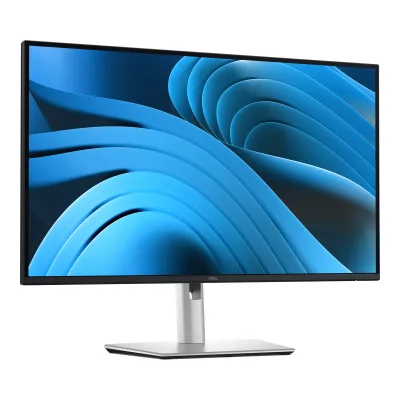 Dell Pro 27 Plus 4K USB-C Hub Monitor P2725QE
 Dell Pro 27 Plus QHD USB-C Hub Monitor P2725DE
Change Acer KB242Y G0bi
Compare the Lenovo ThinkVision M14t Gen 2 with
Dell Pro 14 Plus Portable Monitor P1425Arzopa Z1FCLG UltraFine 27UP650K-WLG UltraFine 27US500-WSamsung Essential Monitor S3 S30GD 24"ASUS ProArt Display PA278QVSamsung Essential Monitor S3 S30GD 27"ASUS ProArt Display PA279CRVAcer KB272 G0biDell UltraSharp U2725QEDell Pro 27 Plus 4K USB-C Hub Monitor P2725QEDell Pro 27 Plus QHD USB-C Hub Monitor P2725DEProduct B: Lenovo
81 of 172 knownAcer KB272 G0biDell UltraSharp U2725QESamsung Essential Monitor S3 S30GD 24" Lenovo ThinkVision P27Q-40
 Dell 27 Plus 4K USB-C Monitor S2725QC
 Dell S2725QS
 Philips 1000 series 24E1N1100ASamsung Essential Monitor S3 S30GD 27"
 LG 24U411A-B
 Samsung Essential Monitor S3 S32GF 27"
 Dell UltraSharp U3225QE
 LG 27U411A-B
Change Lenovo ThinkVision M14t Gen 2
Compare the Acer KB242Y G0bi with
Acer KB272 G0biDell UltraSharp U2725QESamsung Essential Monitor S3 S30GD 24"Lenovo ThinkVision P27Q-40Dell 27 Plus 4K USB-C Monitor S2725QCDell S2725QSPhilips 1000 series 24E1N1100ASamsung Essential Monitor S3 S30GD 27"LG 24U411A-BSamsung Essential Monitor S3 S32GF 27"Dell UltraSharp U3225QELG 27U411A-B73 of 164 fields differ
- 36 different values
- 37 known for one only
- 12 the same
- 79 missing for both
Biggest differences
Each bar uses the scale of all 179 monitors.
- Power use (max)Lower is betterA: 30WB: 9.5WLenovo is 20.5 W lower.
- Power use SDR (EU label)Lower is betterA: 18WB: 6.9WLenovo is 11.1 W lower.
- Pixel densityA: 92.6ppiB: 188.7ppiLenovo is 96.1 ppi higher.
- Refresh rateA: 120HzB: 60HzAcer is 60 Hz higher.
- Standby powerLower is betterA: 0.5WB: 0.3WLenovo is 0.2 W lower.
Refresh rate per resolution
The best rate over any port. Bars run from 0 to 1200 Hz.
2240 × 1400Native for B
ANot listed
B60Hz
1920 × 1080Native for A
A120Hz
BNot listed
Weight
0 to 15 kg
Weight with stand
A2.6kg
B0.7kg
All 172 fields
Every value links to where we found it.
General
7 of 8 differ
Series
Model numbers
KB242Y G0bi, KB242Y G0, UM.QK2AA.003, UM.QK2EE.0031Maker product pageweb.archive.org/web/20251005075556/https://www.acer.com/us-en/monitors/essential/kb2/pdp/UM.QK2AA.003Read 20 October 2026Page header: Model KB242Y G0, Part UM.QK2AA.003. The page heading also reads KB242Y G0bi.3Maker product pageacer.com/gb-en/monitors/essential/kb2/pdp/UM.QK2EE.003Read 21 October 2026Acer UK page titled KB2 - KB242Y G0 Tech Specs, part UM.QK2EE.003. Acer blocks automated fetching, so the page text was first read through a search tool and then confirmed in Arni's Chrome on 2026-10-21.
M14t Gen 2, 63FDUAT6WL, 63FD, D24140QX02Maker product pagepsref.lenovo.com/Detail/ThinkVision/ThinkVision_M14t_Gen_2Read 8 October 2026Actual dynamic PSREF exact selection identifies 63FDUAT6WL, machine type 63FD, region EMEA. Regulatory D24140QX0 is explicitly named by the matching maker support overview. Older M14t Gen 1 and non-touch M14/M14d are excluded.4Owner's manualdownload.lenovo.com/consumer/monitor/thinkvision_m14t_gen2_english_user_guide_20240506.pdfRead 10 October 2026Guide cover names machine type 63FD. Product-number page names global platform 63FD-UAR6-WW and D24140QX0. Selected UK 63FDUAT6WL is independently identified by exact PSREF and current maker page.
GTIN / EAN
Announced
Not available
Status
Available2Maker product pageweb.archive.org/web/20260309115149/https://store.acer.com/en-us/23-8-acer-kb2-essential-monitor-kb242y-g0biRead 20 October 2026Acer store page lists the monitor at 129.99 USD and In stock on the archived copy of 2026-03-09. ProductChart shows 79.99 USD at Amazon on 2026-10-20.6Spec databaseproductchart.com/monitors/51566Read 20 October 2026Price shown 79.99 USD at Amazon as of 2026-10-20.
Predecessor
Not available
Not available
Successor
Not available
Not available
Launch price (US)
Not available
Markets
US, GB, EU1Maker product pageweb.archive.org/web/20251005075556/https://www.acer.com/us-en/monitors/essential/kb2/pdp/UM.QK2AA.003Read 20 October 2026US part number UM.QK2AA.003 with a US power cord.3Maker product pageacer.com/gb-en/monitors/essential/kb2/pdp/UM.QK2EE.003Read 21 October 2026UK part number UM.QK2EE.003.4EU energy label (EPREL)eprel.ec.europa.eu/fiches/electronicdisplays/Fiche_2063658_EN.pdfRead 20 October 2026EU market per the EPREL entry.
Colours
Segment
Display
10 of 12 differ
Screen size
Viewable screen diagonal
Native resolution
1920 × 1080px2Maker product pageweb.archive.org/web/20260309115149/https://store.acer.com/en-us/23-8-acer-kb2-essential-monitor-kb242y-g0biRead 20 October 2026Screen: 23.8 inch Full HD (1920 x 1080). Screen Resolution 1920 x 1080. Acer blocks automated fetching, so the text was read from the Internet Archive copy of 2026-03-09.4EU energy label (EPREL)eprel.ec.europa.eu/fiches/electronicdisplays/Fiche_2063658_EN.pdfRead 20 October 2026Screen resolution 1 920 x 1 080 pixels.
Aspect ratio
16:91Maker product pageweb.archive.org/web/20251005075556/https://www.acer.com/us-en/monitors/essential/kb2/pdp/UM.QK2AA.003Read 20 October 2026Aspect Ratio 16:9. The US spec page gives no resolution, which is on the Acer store page.2Maker product pageweb.archive.org/web/20260309115149/https://store.acer.com/en-us/23-8-acer-kb2-essential-monitor-kb242y-g0biRead 20 October 2026Aspect Ratio 16:9.4EU energy label (EPREL)eprel.ec.europa.eu/fiches/electronicdisplays/Fiche_2063658_EN.pdfRead 20 October 2026Size ratio 16:9.
Pixel density
92.6ppi
188.7ppi
Pixel pitch
Active display area
Curved
Curvature radius
Not available
Not available
Screen surface
Matte1Maker product pageweb.archive.org/web/20251005075556/https://www.acer.com/us-en/monitors/essential/kb2/pdp/UM.QK2AA.003Read 20 October 2026Screen Surface: Anti-glare.6Spec databaseproductchart.com/monitors/51566Read 20 October 2026Spec table: Matte.8Reviewreview-rating.com/en/product/acer-kb242y-g0bi-23-8-monitor-74496Read 20 October 2026Page lists a matte anti-glare coating.
Anti-reflection coating
Anti-glare1Maker product pageweb.archive.org/web/20251005075556/https://www.acer.com/us-en/monitors/essential/kb2/pdp/UM.QK2AA.003Read 20 October 2026Screen Surface: Anti-glare.8Reviewreview-rating.com/en/product/acer-kb242y-g0bi-23-8-monitor-74496Read 20 October 2026Page lists a matte anti-glare coating.
Not available
Panel
5 of 31 differ
Panel type
Panel type (as published)
Backlight
Not available
Not available
Local dimming
Not available
Not available
Dimming zones
Not available
Not available
Panel maker
Not available
Not available
Panel part number
Not available
Not available
Panel generation
Not available
Not available
Subpixel layout
Not available
Not available
Colour depth
Not available
Colour depth method
Not available
Not available
Displayable colours
sRGB coverage
99%7Reviewlimteam.net/acer-kb242y-g0bi-23-8-ips-full-hd-monitor-review-a-long-term-users-perspectiveRead 20 October 2026Review lists 99% sRGB colour saturation. The CIE diagram and whether it is coverage or volume are not stated.8Reviewreview-rating.com/en/product/acer-kb242y-g0bi-23-8-monitor-74496Read 20 October 2026Page lists 99% sRGB.9Retailer pageamazon.com/Acer-23-8in-1920x1080-Office-Monitor/dp/B09KG5FW1GRead 20 October 2026Listing title: sRGB 99%. No CIE diagram or method.
100%2Maker product pagepsref.lenovo.com/Detail/ThinkVision/ThinkVision_M14t_Gen_2Read 8 October 2026Exact reference states 100% sRGB. Current maker datasheet separately identifies coverage ratio 100% CIE 1931, distinct from its colour-area ratio.5Maker spec sheet (PDF)psrefstuff.lenovo.com/syspool/Sys/PDF/datasheet/ThinkVision_M14t%20Gen2_datasheet_EN.pdfRead 8 October 2026Actual multi-page maker datasheet explicitly distinguishes coverage ratio 100% sRGB CIE 1931 and colour-area ratio 100%. Its passive stylus and separate active stylus/adapter footnotes corroborate the selected bundle.
DCI-P3 coverage
Not available
Not available
Adobe RGB coverage
Not available
Not available
Rec. 2020 coverage
Not available
Not available
NTSC coverage
Not available
Not available
Factory calibrated
Not available
Not available
Claimed Delta E
Not available
Not available
Paper calibration report in box
Not available
Not available
Hardware calibration support
Not available
Not available
Static contrast ratio
1,500:13Maker product pageacer.com/gb-en/monitors/essential/kb2/pdp/UM.QK2EE.003Read 21 October 2026UK page lists Native Contrast Ratio 1,500:1, read through a search tool. ProductChart also lists 1500:1. Acer US lists only the 100,000,000:1 dynamic figure.6Spec databaseproductchart.com/monitors/51566Read 20 October 2026Spec table: Contrast Ratio 1500:1.
Brightness (typical, SDR)
250nits1Maker product pageweb.archive.org/web/20251005075556/https://www.acer.com/us-en/monitors/essential/kb2/pdp/UM.QK2AA.003Read 20 October 2026Brightness 250 Nit. The conditions are not stated.2Maker product pageweb.archive.org/web/20260309115149/https://store.acer.com/en-us/23-8-acer-kb2-essential-monitor-kb242y-g0biRead 20 October 2026Brightness 250 Nit.
Brightness (maker minimum)
Not available
Not available
Peak brightness (HDR)
Not available
Not available
HDR peak test window
Not available
Not available
Full-screen brightness
Not available
Not available
HDR formats
Not available
Not available
HDR certification
Not available
Viewing angle (horizontal)
Viewing angle (vertical)
Refresh rate and motion
13 of 22 differ
Refresh rate per resolution and port
AAcer KB242Y G0bi
| Resolution | HDMI 1.4 | VGA |
|---|---|---|
| 1920 × 1080Native | 120Hz | 75Hz |
BLenovo ThinkVision M14t Gen 2
| Resolution | USB-C DisplayPort 1.2 |
|---|---|
| 2240 × 1400Native | 60Hz |
Max refresh rate
120Hz
60Hz
Max refresh rate at native resolution
120Hz
60Hz
Max refresh rate over DisplayPort
Not available
Not available
Max refresh rate over HDMI
120Hz
Not available
Max refresh rate over USB-C
Not available
60Hz
Max refresh rate at 10-bit
Not available
Not available
Native refresh rate
Overclocked refresh rate
Not available
Not available
Dual mode
Not available
Not available
Minimum fixed refresh rate
Not available
Not available
Adaptive sync technologies
Adaptive-Sync7Reviewlimteam.net/acer-kb242y-g0bi-23-8-ips-full-hd-monitor-review-a-long-term-users-perspectiveRead 20 October 2026Review lists Adaptive-Sync support (FreeSync Compatible). No FreeSync certification tier is named, so only Adaptive-Sync is stored.8Reviewreview-rating.com/en/product/acer-kb242y-g0bi-23-8-monitor-74496Read 20 October 2026Page lists Adaptive-Sync support, compatible with AMD FreeSync.9Retailer pageamazon.com/Acer-23-8in-1920x1080-Office-Monitor/dp/B09KG5FW1GRead 20 October 2026Listing title: AdaptiveSync (FreeSync Compatible).
Not available
VRR range per port
Not available
Not available
Low framerate compensation
Not available
Not available
Response time (maker GtG claim)
Not available
6ms1Maker product pagelenovo.com/gb/en/p/accessories-and-software/monitors/office/63fduat6wlRead 10 October 2026The spec table on the maker page lists Response Time as 6 ms (Extreme Mode) and 8 ms (Normal Mode). The documents do not name the method. Stored as the grey-to-grey claim at the fastest overdrive setting.4Owner's manualdownload.lenovo.com/consumer/monitor/thinkvision_m14t_gen2_english_user_guide_20240506.pdfRead 10 October 2026Table 3-1 lists response time Off 20 ms, Normal 8 ms and Extreme 6 ms. The method is not named. The 6 ms value is stored as the grey-to-grey claim at the fastest overdrive setting.
Response time (maker MPRT claim)
1ms1Maker product pageweb.archive.org/web/20251005075556/https://www.acer.com/us-en/monitors/essential/kb2/pdp/UM.QK2AA.003Read 20 October 2026Response Time 1 ms. The Acer store page headlines it as 1 ms. Reviews describe it as Visual Response Boost (VRB), a blur-reduction mode, so it is stored as the MPRT-style figure. No grey-to-grey figure is published.2Maker product pageweb.archive.org/web/20260309115149/https://store.acer.com/en-us/23-8-acer-kb2-essential-monitor-kb242y-g0biRead 20 October 2026Response Time 1 ms. Treated as the VRB figure, see the US page note.
Not available
Overdrive settings
Not available
Motion blur reduction
Not available
Blur-reduction technology
Visual Response Boost (VRB)7Reviewlimteam.net/acer-kb242y-g0bi-23-8-ips-full-hd-monitor-review-a-long-term-users-perspectiveRead 20 October 2026Review lists 1ms Visual Response Boost (VRB).8Reviewreview-rating.com/en/product/acer-kb242y-g0bi-23-8-monitor-74496Read 20 October 2026Page names Visual Response Boost (VRB).
Not available
Blur reduction works with VRR
Not available
Not available
Flicker-free (claimed)
Not available
Black frame insertion
Not available
Not available
Measured
None of 12 known
Input lag at maximum refresh rate
Not available
Not available
Input lag at 60 Hz
Not available
Not available
Average response time (measured)
Not available
Not available
Overshoot (measured)
Not available
Not available
Contrast ratio (measured)
Not available
Not available
SDR brightness (measured)
Not available
Not available
HDR brightness in a real scene (measured)
Not available
Not available
PWM flicker frequency (measured)
Not available
Not available
VRR range (measured)
Not available
Not available
Colour accuracy (measured Delta E)
Not available
Not available
Gray uniformity (measured)
Not available
Not available
Reflections (measured)
Not available
Not available
Connectivity
8 of 19 differ
Video inputs
AAcer KB242Y G0bi
| Type | Version | Count |
|---|---|---|
| HDMI | 1.4 | 1 |
| VGA | Not available | 1 |
Source1Maker product pageweb.archive.org/web/20251005075556/https://www.acer.com/us-en/monitors/essential/kb2/pdp/UM.QK2AA.003Read 20 October 2026HDMI: Yes, HDMI Version 1.4, Total Number of HDMI Ports 1, VGA: Yes. Bandwidth, DSC and HDCP are not stated.2Maker product pageweb.archive.org/web/20260309115149/https://store.acer.com/en-us/23-8-acer-kb2-essential-monitor-kb242y-g0biRead 20 October 2026Inputs: HDMI, VGA. HDMI Version 1.4.
BLenovo ThinkVision M14t Gen 2
| Type | Version | Count |
|---|---|---|
| USB-C | DisplayPort 1.2 | 2 |
HDMI ports
1
0
DisplayPort ports
0
0
Highest HDMI version
1.4
Not available
Highest DisplayPort version
Not available
Not available
HDMI features
Not available
Not available
USB-C video (DP Alt Mode)
Not available
Thunderbolt
Not available
Not available
USB upstream ports
AAcer KB242Y G0bi
Not availableBLenovo ThinkVision M14t Gen 2
| Connector | USB version | Count |
|---|---|---|
| USB-C | 2.0 | 1 |
USB downstream hub ports
AAcer KB242Y G0bi
Not availableBLenovo ThinkVision M14t Gen 2
| Connector | USB version | Count |
|---|---|---|
| USB-C | 2.0 | 1 |
KVM switch
Not available
Not available
Daisy chain (MST)
Not available
Not available
Ethernet
Not available
Not available
3.5 mm headphone output
Not available
3.5 mm microphone input
Not available
Not available
Optical out
Not available
Not available
Picture in picture
Not available
Not available
Picture by picture
Not available
Not available
Smart features
None of 4 known
Smart platform
Not available
Not available
Wi-Fi
Not available
Not available
Bluetooth
Not available
Not available
Remote control
Not available
Not available
Audio and camera
2 of 5 differ
Speakers
No6Spec databaseproductchart.com/monitors/51566Read 20 October 2026Spec table: Speakers No. Lim Team also says there are no built-in speakers.7Reviewlimteam.net/acer-kb242y-g0bi-23-8-ips-full-hd-monitor-review-a-long-term-users-perspectiveRead 20 October 2026Review of 6 August 2025: lacks built-in speakers.
Number of speakers
Not available
Not available
Speaker power per channel
Not available
Not available
Webcam
Not available
Ergonomics and controls
8 of 15 differ
Stand height adjustment
0mm7Reviewlimteam.net/acer-kb242y-g0bi-23-8-ips-full-hd-monitor-review-a-long-term-users-perspectiveRead 20 October 2026Review cons: limited ergonomic adjustment with only tilt (-5 to 25 degrees).8Reviewreview-rating.com/en/product/acer-kb242y-g0bi-23-8-monitor-74496Read 20 October 2026Page: tilt adjustment only, no height adjustment.
Tilt
Forward5°Backward25°2Maker product pageweb.archive.org/web/20260309115149/https://store.acer.com/en-us/23-8-acer-kb2-essential-monitor-kb242y-g0biRead 20 October 2026Tilt Angle -5 to 25 degrees. Stored as 5 forward and 25 backward.7Reviewlimteam.net/acer-kb242y-g0bi-23-8-ips-full-hd-monitor-review-a-long-term-users-perspectiveRead 20 October 2026Review lists tilt adjustment -5 to 25 degrees.
Swivel
Left0°Right0°7Reviewlimteam.net/acer-kb242y-g0bi-23-8-ips-full-hd-monitor-review-a-long-term-users-perspectiveRead 20 October 2026Tilt-only stand, no swivel.8Reviewreview-rating.com/en/product/acer-kb242y-g0bi-23-8-monitor-74496Read 20 October 2026Page: no swivel.
Not available
Pivot
Counterclockwise0°Clockwise0°7Reviewlimteam.net/acer-kb242y-g0bi-23-8-ips-full-hd-monitor-review-a-long-term-users-perspectiveRead 20 October 2026Tilt-only stand, no pivot.8Reviewreview-rating.com/en/product/acer-kb242y-g0bi-23-8-monitor-74496Read 20 October 2026Page: no pivot.
Counterclockwise90°Clockwise90°2Maker product pagepsref.lenovo.com/Detail/ThinkVision/ThinkVision_M14t_Gen_2Read 8 October 2026
Removable stand
Not available
Not available
VESA mount
100 x 1002Maker product pageweb.archive.org/web/20260309115149/https://store.acer.com/en-us/23-8-acer-kb2-essential-monitor-kb242y-g0biRead 20 October 2026VESA Mount Compatible: Yes. VESA Mount Standard 100 x 100.6Spec databaseproductchart.com/monitors/51566Read 20 October 2026Spec table: VESA mountable.
Security lock slot
On-screen menu controls
Not available
Desktop software
Lenovo Accessories and Display Manager2Maker product pagepsref.lenovo.com/Detail/ThinkVision/ThinkVision_M14t_Gen_2Read 8 October 2026Exact reference lists Lenovo Accessories and Display Manager, formerly Display Control Center. Windows 10/11, macOS and Windows on Arm functions vary. Model-specific user firmware updating is not established.
User firmware updates
Not available
Not available
Ambient light sensor
Not available
Not available
RGB lighting
Not available
Not available
Gaming menu features
Not available
Not available
OLED care
None of 3 known
OLED care
Not available
Not available
Burn-in covered by warranty
Not available
Not available
Burn-in warranty length
Not available
Not available
Dimensions and weight
4 of 7 differ
Dimensions with stand
Width538.7Height (lowest)424.2Height (highest)424.2Depth184.9mm(21.2 × 16.7 × 7.3 in)2Maker product pageweb.archive.org/web/20260309115149/https://store.acer.com/en-us/23-8-acer-kb2-essential-monitor-kb242y-g0biRead 20 October 2026Published in inches: height with stand 16.7, width with stand 21.21, depth with stand 7.28. Converted exactly and rounded to 0.1 mm. The stand is tilt-only, so lowest and highest heights are equal. Amazon style listings show a depth of 4.53 inch, which Acer does not state. Acer wins.
Width314.8Height (lowest)224.3Height (highest)235.3Depth96.7mm(12.4 × 8.8 to 9.3 × 3.8 in)2Maker product pagepsref.lenovo.com/Detail/ThinkVision/ThinkVision_M14t_Gen_2Read 8 October 2026Current exact selected reference names WxDxH highest position 314.8x96.4x235.3 mm and lowest position 314.8x96.7x224.3 mm. Stored depth 96.7 mm is the lowest-position value, while heights are the published position limits. Highest 235.3 mm is the current exact OEM claim, also in current July 2026 PSREF and newer maker datasheet. An older family datasheet states 234.0 mm for the same named highest-position dimension. Current exact reference takes precedence. The cause of that document difference is not established.
Dimensions without stand
Not available
Not available
Stand footprint
Not available
Not available
Weight with stand
Weight without stand
Not available
Not available
Box dimensions
Not available
Box weight
Not available
Power
8 of 13 differ
Power supply
External adapter4EU energy label (EPREL)eprel.ec.europa.eu/fiches/electronicdisplays/Fiche_2063658_EN.pdfRead 20 October 2026Power supply type External. Adapter model 1-CHEUB202-158, input 230 V, output 12.0 V. The adapter wattage is not stated.7Reviewlimteam.net/acer-kb242y-g0bi-23-8-ips-full-hd-monitor-review-a-long-term-users-perspectiveRead 20 October 2026Review: relies on an external power brick.
Adapter rating
Not available
Not available
Input voltage
Not available
Power use (max)
Power use SDR (EU label)
Power use HDR (EU label)
Not available
Not available
Standby power
Off-mode power
EU energy class SDR
C2Maker product pagepsref.lenovo.com/Detail/ThinkVision/ThinkVision_M14t_Gen_2Read 8 October 2026Exact reference explicitly names EU Energy Efficiency Level C. No unreported EPREL registration ID or rounded consumption is invented.9EU energy label (EPREL)eprel.ec.europa.eu/fiches/electronicdisplays/Fiche_1949561_EN.pdfRead 10 October 2026Item 3 of the sheet shows class C. It matches the PSREF.
EU energy class HDR
Not available
Not available
Energy per 1000 h SDR
Energy per 1000 h HDR
Not available
Not available
Certifications
5 of 9 differ
VESA ClearMR
Not available
Not available
VESA AdaptiveSync Display
Not available
Not available
TÜV certifications
Not available
TÜV Rheinland Low Blue Light, TÜV Rheinland Low Blue Light (Hardware Solution)2Maker product pagepsref.lenovo.com/Detail/ThinkVision/ThinkVision_M14t_Gen_2Read 8 October 2026
Low blue light
Not available
TCO Certified
Not available
Not available
Colour certifications
Not available
Not available
Other certifications
Not available
Eyesafe Display 2.0, RoHS compliant2Maker product pagepsref.lenovo.com/Detail/ThinkVision/ThinkVision_M14t_Gen_2Read 8 October 2026
In the box
2 of 2 differ
In the box
1 x KB242Y G0 Widescreen LCD Monitor, 1 x Power Cord (US), 1 x HDMI Cable1Maker product pageweb.archive.org/web/20251005075556/https://www.acer.com/us-en/monitors/essential/kb2/pdp/UM.QK2AA.003Read 20 October 2026Package Contents: 1 x KB242Y G0 Widescreen LCD Monitor, 1 x Power Cord (US), 1 x HDMI Cable. The EPREL sheet says the external power supply is included in the box, but the Acer list does not name it.
Monitor with integrated stand, USB-C to USB-C cable, 2 mounting clips, Passive touch pen, L-shaped dongle, Protective bag, Quick setup guide2Maker product pagepsref.lenovo.com/Detail/ThinkVision/ThinkVision_M14t_Gen_2Read 8 October 2026Exact reference and current UK maker page confirm included passive pen. Active pen 4X81H95633/4X81H95634 is sold separately. No optional active pen or AC/DC adapter is added to the supplied bundle.
Cables included
AAcer KB242Y G0bi
| Type | Count |
|---|---|
| AC power cord | 1 |
| HDMI | 1 |
BLenovo ThinkVision M14t Gen 2
| Type | Count |
|---|---|
| USB-C to USB-C cable | 1 |
Warranty
1 of 2 differ
Manufacturer warranty (source market)
Dead pixel policy
Not available
Not available
Links
Not compared
Product page
www.acer.com/us-en/monitors/essential/kb2/pdp/UM.QK2AA.0031Maker product pageweb.archive.org/web/20251005075556/https://www.acer.com/us-en/monitors/essential/kb2/pdp/UM.QK2AA.003Read 20 October 2026Acer US product page. Acer blocks automated fetching, so the text was read from the Internet Archive copy of 2025-10-05.
Spec sheet
Not available
psref.lenovo.com/syspool/Sys/PDF/ThinkVision/ThinkVision_M14t_Gen_2_Monitor/ThinkVision_M14t_Gen_2_Monitor_Spec.pdf3Maker spec sheet (PDF)psref.lenovo.com/syspool/Sys/PDF/ThinkVision/ThinkVision_M14t_Gen_2_Monitor/ThinkVision_M14t_Gen_2_Monitor_Spec.pdfRead 8 October 2026Actual July 3 2026 six-page manufacturer PSREF read alongside exact selected 63FDUAT6WL dynamic reference. Bare-panel versus assembled brightness is distinguished. Current exact typical/max claims take precedence over older guide figures, with their differences preserved in source notes.
Manual
Not available
download.lenovo.com/consumer/monitor/thinkvision_m14t_gen2_english_user_guide_20240506.pdf4Owner's manualdownload.lenovo.com/consumer/monitor/thinkvision_m14t_gen2_english_user_guide_20240506.pdfRead 10 October 2026Actual exact English M14t Gen2 user guide, internally marked First Edition June 2024. The public filename contains 20240506. Read original setup, USB data/power roles, OSD, touch and pen, mounting and electrical tables.
EPREL registration number
Both are also in the API. Back to all monitors.