Mice / Compare
Anker 2.4G Wireless Vertical Ergonomic Optical Mouse vs Logitech MX Ergo S
Product A: Anker
2.4G Wireless Vertical Ergonomic Optical Mouse
52 of 154 known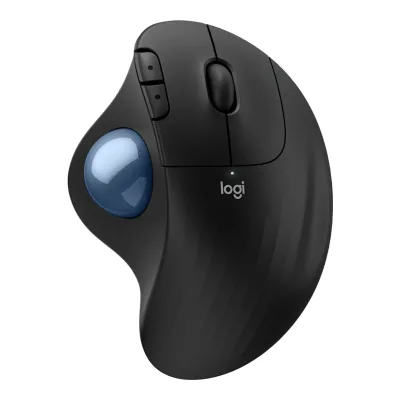 Logitech ERGO M575S Wireless Trackball Mouse
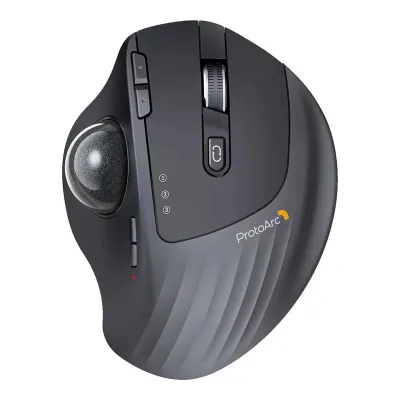 ProtoArc EM01 NL
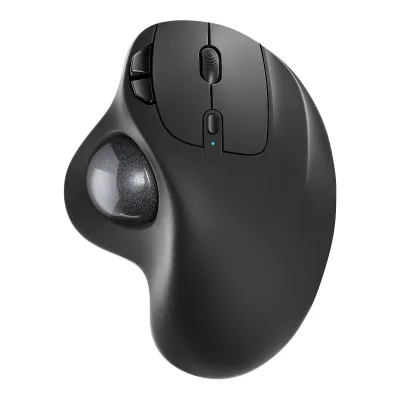 Nulea M501 Wireless Trackball Mouse
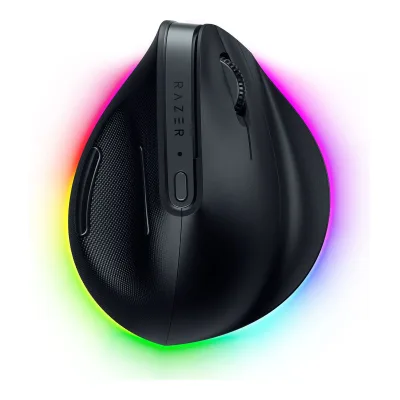 Razer Pro Click V2 Vertical Edition
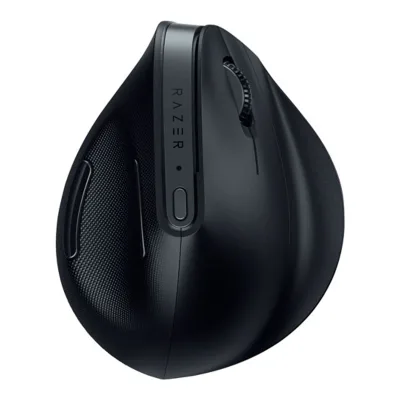 Razer Pro Click V2
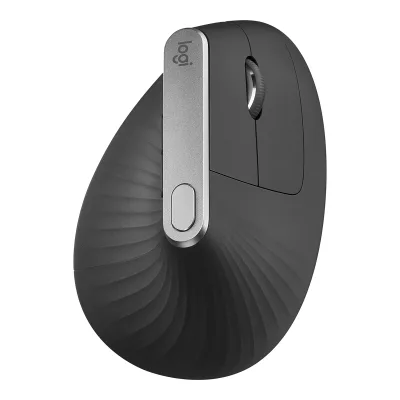 Logitech MX Vertical Advanced Ergonomic Mouse
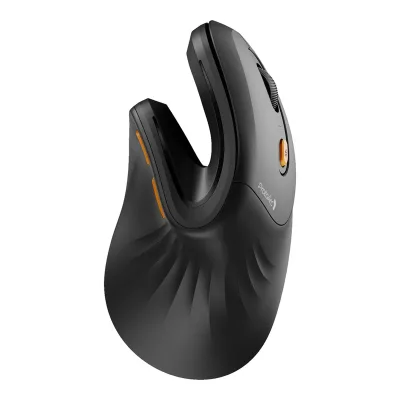 ProtoArc EM11 NL
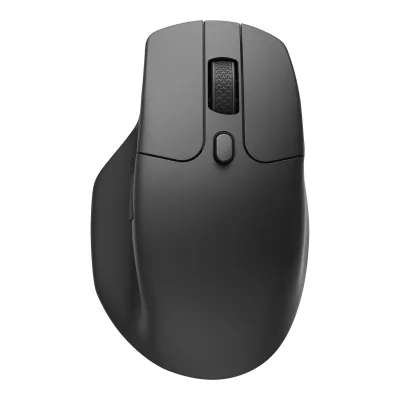 Keychron M6 Wireless Mouse
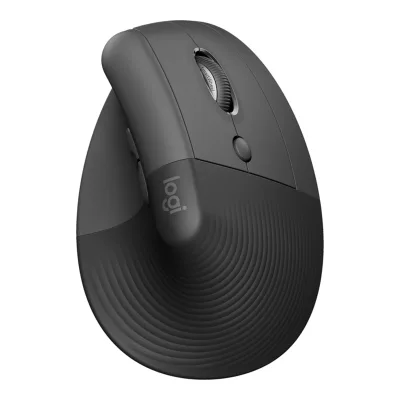 Logitech Lift Vertical Ergonomic Mouse
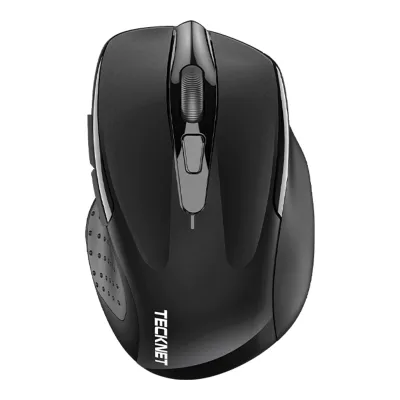 TECKNET Classic 2.4G Ergonomic Mouse M003
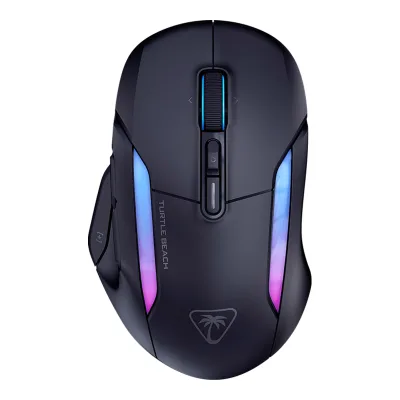 Turtle Beach Kone II Air
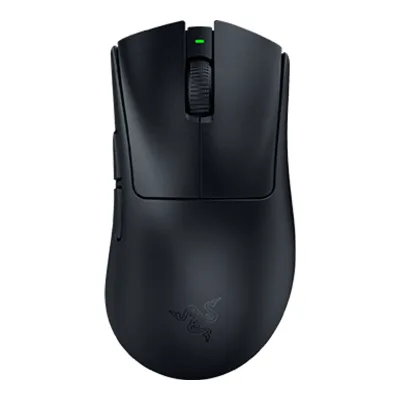 Razer DeathAdder V3 HyperSpeed
Change Anker 2.4G Wireless Vertical Ergonomic Optical Mouse
Compare the Logitech MX Ergo S with
Logitech ERGO M575S Wireless Trackball MouseProtoArc EM01 NLNulea M501 Wireless Trackball MouseRazer Pro Click V2 Vertical EditionRazer Pro Click V2Logitech MX Vertical Advanced Ergonomic MouseProtoArc EM11 NLKeychron M6 Wireless MouseLogitech Lift Vertical Ergonomic MouseTECKNET Classic 2.4G Ergonomic Mouse M003Turtle Beach Kone II AirRazer DeathAdder V3 HyperSpeedProduct B: Logitech
71 of 154 knownProtoArc EM11 NLLogitech MX Vertical Advanced Ergonomic MouseLogitech Lift Vertical Ergonomic MouseRazer Pro Click V2 Vertical EditionKeychron M6 Wireless MouseTECKNET Classic 2.4G Ergonomic Mouse M003Razer Pro Click V2Nulea M501 Wireless Trackball MouseLogitech ERGO M575S Wireless Trackball MouseProtoArc EM01 NL Amazon Basics 3-Button USB Wired Mouse
 Razer Basilisk V4 HyperSpeed
Change Logitech MX Ergo S
Compare the Anker 2.4G Wireless Vertical Ergonomic Optical Mouse with
ProtoArc EM11 NLLogitech MX Vertical Advanced Ergonomic MouseLogitech Lift Vertical Ergonomic MouseRazer Pro Click V2 Vertical EditionKeychron M6 Wireless MouseTECKNET Classic 2.4G Ergonomic Mouse M003Razer Pro Click V2Nulea M501 Wireless Trackball MouseLogitech ERGO M575S Wireless Trackball MouseProtoArc EM01 NLAmazon Basics 3-Button USB Wired MouseRazer Basilisk V4 HyperSpeed60 of 146 fields differ
- 19 different values
- 41 known for one only
- 18 the same
- 68 missing for both
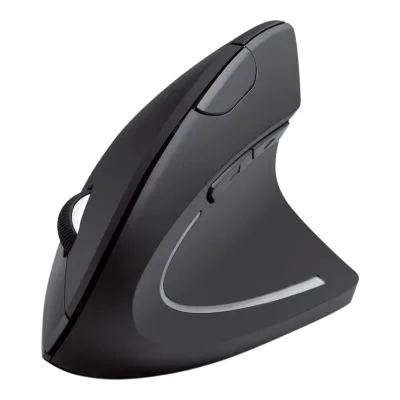
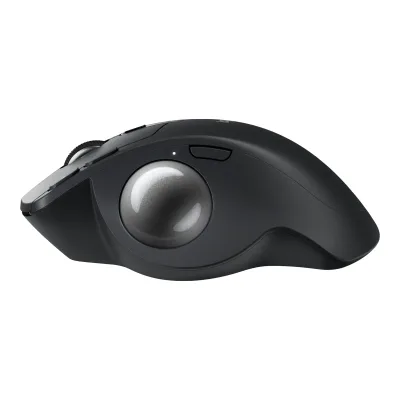
Size, drawn to scale
Front and side.
- AAnker: 62.8 × 74.8 mm
- BLogitech: 99.8 × 51.4 mm
Weight
0 to 300 g
Mouse weight (claimed)
A90g
B259g
All 154 fields
Every value links to where we found it.
General
4 of 9 differ
Series
Not available
Model numbers
A7852, A7852011, AK-98ANWVM-UBA1Maker product pageanker.com.sg/a/p/products/anker-2-4g-wireless-vertical-mouse-ergonomic-optical-a7852Read 20 October 2026Model: A7852.3Maker product pageca.store.anker.com/products/a7852Read 20 October 2026Anker store SKU A7852011, Black. The bottom label in the store gallery reads 98ANWVM-UBA, power 3 V 5 mA, model TM137G, product name Anker Wireless Vertical Mouse.6Retailer pageamazon.com/dp/B00BIFNTMCRead 20 October 2026Item details: Model Number AK-98ANWVM-UBA, Mfr Part Number AK-98ANWVM-UBA, ASIN B00BIFNTMC.
GTIN / EAN
848061006001, 848061077438, 8480610794563Maker product pageca.store.anker.com/products/a7852Read 20 October 2026Store variant barcode 848061006001 for SKU A7852011. Amazon lists two other UPCs, see the Amazon source.6Retailer pageamazon.com/dp/B00BIFNTMCRead 20 October 2026Item details: UPC 848061077438 and 848061079456, GTIN 08536692579774. The two UPCs are stored. The GTIN-14 case code is not.
Not available
Announced
Not available
Not available
Status
Available3Maker product pageca.store.anker.com/products/a7852Read 20 October 2026The Canadian Anker store shows the Black variant as sold out. The page is still published.6Retailer pageamazon.com/dp/B00BIFNTMCRead 20 October 2026The Amazon US listing is live with 53,533 ratings at 4.2 stars and a Computer Mice best-seller rank of 26 on 2026-10-20. The Anker Canada store shows it sold out.
Predecessor
Not available
Not available
Successor
Not available
Not available
Launch price (US)
Not available
Launch price (EU)
Not available
Not available
Markets
Colours
Segment
Shape
4 of 14 differ
Body shape
Maker size class
Not available
Not available
Recommended grips
Not available
Not available
Recommended hand size
Hand length (min)170Hand width (min)80mm(6.7 × 3.1 in)6Retailer pageamazon.com/dp/B00BIFNTMCRead 20 October 2026Palm Size Fit Guide image (for reference only): S under 17 cm length and under 8 cm width, M 17 to 19 cm and 8 to 10 cm, L over 19 cm and over 10 cm. Size Recommendation: M to L. So the lowest recommended size is M. The L band has no upper limit, so only the minimums are stored. Lower limits of M are inclusive. The guide labels the length Palm Length (A).
Not available
Hump position
Not available
Not available
Ring or pinky finger rest
Not available
Not available
Upper shell
Not available
Swappable parts
Not available
Not available
Adjustable weight
Not available
Not available
Maximum added weight
Not available
Not available
Vertical angle
Not available
Not available
Trackball diameter
Not available
Not available
Trackball position
Not available
Dimensions and weight
2 of 5 differ
Mouse body dimensions
Length120Maximum width62.8Maximum height74.8mm(4.7 × 2.5 × 2.9 in)2Owner's manualsalesforce-knowledge-download.s3.us-west-2.amazonaws.com/000008550/en_US/000008550.pdfRead 20 October 2026Specifications, Size: 120 x 62.8 x 74.8 mm (4.7 x 2.5 x 2.9 in). Anker's Amazon image labels the order length x width x height (4.72 x 2.47 x 2.94 in). A vertical mouse is taller than it is wide, so length 120, width 62.8 and height 74.8 are stored.3Maker product pageca.store.anker.com/products/a7852Read 20 October 2026Product dimensions: 120*62.8*74.8 mm. Same figures as the manual.
Length132.5Maximum width99.8Maximum height51.4mm(5.2 × 3.9 × 2 in)3Maker product pagesupport.logi.com/hc/en-us/articles/25066383214871-Specification-MX-Ergo-SRead 23 October 2026Maker Height is front-to-rear length and Depth is body height. Plus table repeats bare mouse dimensions.
Grip width
Not available
Not available
Mouse weight (claimed)
Box dimensions
Not available
Not available
Packed weight
Not available
Not available
Sensor
8 of 20 differ
Marketed sensor name
Not available
Published sensor brand
Not available
Physical sensor part number
Not available
Not available
Sensor type
Maximum configurable DPI
1,600DPI1Maker product pageanker.com.sg/a/p/products/anker-2-4g-wireless-vertical-mouse-ergonomic-optical-a7852Read 20 October 2026DPI: 800 / 1200 (default) / 1600 DPI. Three levels, switched with the DPI button.2Owner's manualsalesforce-knowledge-download.s3.us-west-2.amazonaws.com/000008550/en_US/000008550.pdfRead 20 October 2026Specifications: DPI 800 / 1200 (default) / 1600.
Minimum configurable DPI
800DPI1Maker product pageanker.com.sg/a/p/products/anker-2-4g-wireless-vertical-mouse-ergonomic-optical-a7852Read 20 October 2026DPI: 800 / 1200 (default) / 1600 DPI.2Owner's manualsalesforce-knowledge-download.s3.us-west-2.amazonaws.com/000008550/en_US/000008550.pdfRead 20 October 2026Specifications: DPI 800 / 1200 (default) / 1600.
DPI adjustment step
Not available
Not available
Maximum DPI stages
31Maker product pageanker.com.sg/a/p/products/anker-2-4g-wireless-vertical-mouse-ergonomic-optical-a7852Read 20 October 2026Three fixed levels (800, 1200, 1600). The maker lists no user-defined stages.2Owner's manualsalesforce-knowledge-download.s3.us-west-2.amazonaws.com/000008550/en_US/000008550.pdfRead 20 October 2026The DPI switch cycles through three levels: 800, 1200 and 1600 DPI.
Not available
Default DPI presets
800, 1,200, 1,600DPI1Maker product pageanker.com.sg/a/p/products/anker-2-4g-wireless-vertical-mouse-ergonomic-optical-a7852Read 20 October 2026The three levels are 800, 1200 (default) and 1600 DPI. They are the only values the maker lists.2Owner's manualsalesforce-knowledge-download.s3.us-west-2.amazonaws.com/000008550/en_US/000008550.pdfRead 20 October 2026Specifications: DPI 800 / 1200 (default) / 1600. Presses of the DPI switch cycle through 800, 1200 and 1600 DPI.
Not available
Separate X and Y DPI
Not available
Not available
Tracking speed (claimed)
Not available
Tracking acceleration (claimed)
Not available
Lift-off distance settings
Not available
Not available
Separate lift and landing distance
Not available
Not available
Surface calibration
Not available
Not available
Motion Sync
Not available
Not available
Angle snapping
Not available
Not available
Ripple control
Not available
Not available
Tracks on glass
Not available
Not available
Sensor position
Not available
Not available
Performance
3 of 8 differ
Documented polling rates by connection
AAnker 2.4G Wireless Vertical Ergonomic Optical Mouse
Not availableBLogitech MX Ergo S
| Data connection | Polling rate (Hz) | Receiver requirement |
|---|---|---|
| 2.4 GHz | 125 | Included Logi Bolt USB receiver |
Max polling rate
Not available
125Hz
Polling rate (wired)
Not available
Not available
Polling rate (2.4 GHz)
Not available
125Hz
Polling rate (Bluetooth)
Not available
Not available
Claimed click latency
Not available
Not available
Adjustable debounce
Not available
Not available
Minimum debounce
Not available
Not available
Measured
None of 7 known
Latency per connection (measured)
Not available
Not available
DPI deviation (measured)
Not available
Not available
Lift-off distance (measured)
Not available
Not available
Main click force (measured)
Not available
Not available
Weight (measured)
Not available
Not available
Battery life (measured)
Not available
Not available
Hand size fit
Not available
Not available
Switches
1 of 11 differ
Main switch type
Not available
Not available
Published main-switch brand
Not available
Not available
Main switch model
Not available
Not available
Main switch rated life
Not available
Hot-swap main switches
Not available
Not available
Adjustable click actuation
Not available
Not available
Separate main buttons
Not available
Not available
Side switch model
Not available
Not available
Middle click switch
Not available
Not available
Scroll encoder type
Not available
Not available
Scroll encoder
Not available
Not available
Buttons and scroll wheel
7 of 13 differ
Physical button inputs
62Owner's manualsalesforce-knowledge-download.s3.us-west-2.amazonaws.com/000008550/en_US/000008550.pdfRead 20 October 2026The At a Glance list names Left Button, Right Button, Scroll Wheel, DPI Switch, Next Page Button and Previous Page Button. The pairing step says to hold the scroll wheel and the right button, so the wheel presses. That makes 6 physical inputs by the field rule. The maker and retailers publish 5 buttons. Anker's Amazon button layout figure lists right click, left click, DPI, previous and forward and leaves out the wheel. The power slider is excluded.6Retailer pageamazon.com/dp/B00BIFNTMCRead 20 October 2026Title says 5 Buttons. The button layout image lists right click, left click, DPI control, power switch, previous and forward buttons. See the manual note for the count rule.
Programmable buttons
Side buttons
22Owner's manualsalesforce-knowledge-download.s3.us-west-2.amazonaws.com/000008550/en_US/000008550.pdfRead 20 October 2026At a Glance items 5 and 6: Next Page Button and Previous Page Button, not for Apple Mac OS. Anker's FAQ calls them thumb buttons.4Maker product pageservice.anker.com/article-description/Anker-Mouse-FAQRead 20 October 2026The FAQ calls the previous and next page buttons thumb buttons.
Side buttons on
DPI button
DPI button position
Top2Owner's manualsalesforce-knowledge-download.s3.us-west-2.amazonaws.com/000008550/en_US/000008550.pdfRead 20 October 2026The at-a-glance figure shows the DPI switch on the top of the thumb-side wall, not on the underside.6Retailer pageamazon.com/dp/B00BIFNTMCRead 20 October 2026Button layout image: the DPI control button sits on the side wall near the top, with the previous and forward buttons below it.
Not available
Profile button
Dedicated DPI-shift button
Not available
Dedicated gesture button
Scroll wheel
Not available
Scroll mode switch
Not available
Separate thumb wheel
Scroll wheel material
Not available
Not available
Build
4 of 6 differ
Shell material
Surface finish
Not available
Installed feet material
Not available
Not available
Installed skate pieces
Not available
Feet shape
Not available
Feet thickness
Not available
Not available
Cable
2 of 5 differ
Cable
Not available
Not available
Cable length
Not available
Not available
Detachable cable
Not available
Port on mouse
None3Maker product pageca.store.anker.com/products/a7852Read 20 October 2026Gallery image 3 labels the underside: power switch, battery slot (2 AAA) and receiver slot. No charging or data socket.6Retailer pageamazon.com/dp/B00BIFNTMCRead 20 October 2026The button layout image says USB charging not supported. The underside has a power switch, battery compartment and receiver slot only.
Cable host plug
Not available
Not available
Connectivity
9 of 13 differ
Connections
2.4 GHz1Maker product pageanker.com.sg/a/p/products/anker-2-4g-wireless-vertical-mouse-ergonomic-optical-a7852Read 20 October 20262.4G wireless through a USB receiver. The listing says Connectivity Technology: Wireless and lists no Bluetooth.2Owner's manualsalesforce-knowledge-download.s3.us-west-2.amazonaws.com/000008550/en_US/000008550.pdfRead 20 October 2026Setup uses a nano receiver in the computer's USB port. Pairing uses the receiver only. No Bluetooth or cable mode is described.6Retailer pageamazon.com/dp/B00BIFNTMCRead 20 October 2026Title and image: Uses 2.4 GHz wireless via a USB receiver, not Bluetooth.
Wireless technology
Not available
Bluetooth
Not available
Saved Bluetooth pairing slots
Not available
Switchable host devices
Not available
Device switching
Not available
Receiver host connector
Receiver storage in mouse
Yes1Maker product pageanker.com.sg/a/p/products/anker-2-4g-wireless-vertical-mouse-ergonomic-optical-a7852Read 20 October 2026The 2.4G USB receiver is stored in the bottom of the mouse.2Owner's manualsalesforce-knowledge-download.s3.us-west-2.amazonaws.com/000008550/en_US/000008550.pdfRead 20 October 2026Instruction step 3: remove the nano receiver and insert it into the computer's USB port.4Maker product pageservice.anker.com/article-description/Anker-Mouse-FAQRead 20 October 2026The USB receiver is located next to the battery compartment. Remove it from the mouse and plug it into the computer.
Not available
Receiver extender included
Receiver pairing shared
Not available
Not available
Wireless range
Not available
Basic mouse OS support
Windows, macOS, Linux1Maker product pageanker.com.sg/a/p/products/anker-2-4g-wireless-vertical-mouse-ergonomic-optical-a7852Read 20 October 2026Supported Systems: Windows 11 / 10 / 8 / 7 / Vista / XP, Linux, Mac OS X. The previous and next page thumb buttons are not recognized on Mac OS X. This is basic input support.2Owner's manualsalesforce-knowledge-download.s3.us-west-2.amazonaws.com/000008550/en_US/000008550.pdfRead 20 October 2026Supported Systems: Windows 10 / 8 / 7 / Vista / XP, Linux, Mac OS X. The previous and next page buttons are not for Apple Mac OS.4Maker product pageservice.anker.com/article-description/Anker-Mouse-FAQRead 20 October 2026The previous and next page thumb buttons are not recognized on macOS. Basic mouse input on macOS is supported by the maker's pages.
Consoles
Not available
Not available
Battery
8 of 17 differ
Battery type
AAA1Maker product pageanker.com.sg/a/p/products/anker-2-4g-wireless-vertical-mouse-ergonomic-optical-a7852Read 20 October 20262 AAA batteries, not included.2Owner's manualsalesforce-knowledge-download.s3.us-west-2.amazonaws.com/000008550/en_US/000008550.pdfRead 20 October 2026Specifications, Battery Type: 2 AAA batteries (not included).3Maker product pageca.store.anker.com/products/a7852Read 20 October 2026Gallery image 3: Battery Slot (2 AAA Battery 1.5 V).4Maker product pageservice.anker.com/article-description/Anker-Mouse-FAQRead 20 October 2026This mouse takes 2 AAA batteries.
Disposable battery count
21Maker product pageanker.com.sg/a/p/products/anker-2-4g-wireless-vertical-mouse-ergonomic-optical-a7852Read 20 October 2026What You Get: mouse (2 AAA batteries not included). Two AAA cells are needed.2Owner's manualsalesforce-knowledge-download.s3.us-west-2.amazonaws.com/000008550/en_US/000008550.pdfRead 20 October 2026Instruction step 2: insert 2 AAA batteries (not included) into the battery slot.
Not available
Battery capacity
Not available
User-replaceable battery
Battery life by mode (claimed)
Not available
Not available
Battery life (up to)
Not available
Battery life (normal use)
Not available
Not available
Longest battery life
Not available
Not available
Battery life at 1000 Hz
Not available
Not available
Battery life on Bluetooth
Not available
Not available
Charging port
Full charge time
Not available
Quick charge
Not available
Use while charging
Not available
Not available
Charging system compatibility
Not available
Not available
Charging dock included
Battery indicator
LED2Owner's manualsalesforce-knowledge-download.s3.us-west-2.amazonaws.com/000008550/en_US/000008550.pdfRead 20 October 2026The red indicator flashes continuously if the battery is low.5Maker product pageservice.anker.com/article-description/Why-does-my-mouse-s-LED-light-blink-redRead 20 October 2026When the battery is low the LED bar turns red and blinks every time you move the mouse.
Lighting
1 of 4 differ
Decorative RGB lighting
Decorative lighting zones
Not available
Lighting sync
Not available
Not available
DPI indicator
LED1Maker product pageanker.com.sg/a/p/products/anker-2-4g-wireless-vertical-mouse-ergonomic-optical-a7852Read 20 October 2026Red Indicator Status: one flash means 800 DPI, two flashes 1200 DPI and three flashes 1600 DPI.2Owner's manualsalesforce-knowledge-download.s3.us-west-2.amazonaws.com/000008550/en_US/000008550.pdfRead 20 October 2026Red Indicator Status: flashing once 800 DPI, twice 1200 DPI, three times 1600 DPI.5Maker product pageservice.anker.com/article-description/Why-does-my-mouse-s-LED-light-blink-redRead 20 October 2026The red LED flashes when the DPI button is pressed. The number of flashes shows the level.
Software
5 of 9 differ
Software
Not available
Configuration software platforms
Not available
Onboard memory
Not available
Not available
Onboard profiles
Not available
Not available
Macros stored onboard
Not available
Not available
Button remapping
Per-app profiles
Not available
User firmware updates
Not available
Not available
In the box
1 of 4 differ
In the box
Anker Wireless Vertical Ergonomic Optical Mouse (2 AAA batteries not included), 2.4G USB receiver (in the bottom of the mouse), Instruction manual1Maker product pageanker.com.sg/a/p/products/anker-2-4g-wireless-vertical-mouse-ergonomic-optical-a7852Read 20 October 2026What You Get: Anker Wireless Vertical Ergonomic Optical Mouse (2 AAA batteries not included), 2.4G USB receiver (in the bottom of the mouse), user guide.3Maker product pageca.store.anker.com/products/a7852Read 20 October 2026Package includes: 1 mouse (2 AAA batteries not included), 1 2.4G USB receiver (in the bottom of the mouse), 1 instruction manual.
MX Ergo S Advanced Wireless Trackball, Detachable Wedge (Plus bundle only), Logi Bolt Receiver, Document13Maker product pagesupport.logi.com/hc/en-us/articles/25066383214871-Specification-MX-Ergo-SRead 23 October 2026Union of documented standard and Plus contents. Neither includes charging cable. Variant rows specify each complete package.
Cables included
Not available
Not available
Extra skates included
Links
Not compared
Product page
anker.com.sg/a/p/products/anker-2-4g-wireless-vertical-mouse-ergonomic-optical-a78521Maker product pageanker.com.sg/a/p/products/anker-2-4g-wireless-vertical-mouse-ergonomic-optical-a7852Read 20 October 2026Anker Singapore store page for the A7852 with the full spec table. The Anker US page (anker.com/products/a7582) redirects to the Nordics store from this network and could not be read.
Spec sheet
Not available
Manual
EPREL registration number
Not available
Not available
Warranty
1 of 1 differ
Manufacturer warranty (source market)