Motherboards / Compare
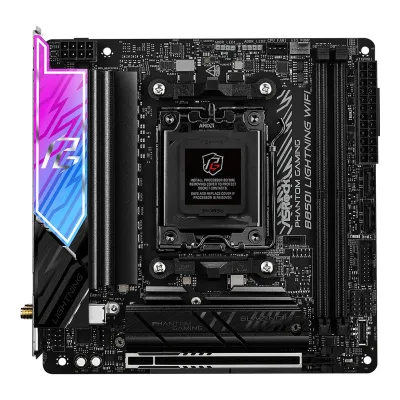
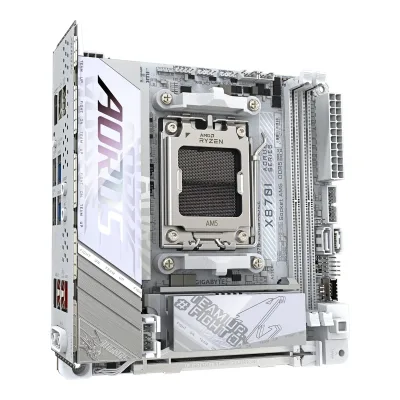
ASRock B850I Lightning WiFi vs GIGABYTE X870I AORUS PRO ICE
Product A: ASRock
56 of 78 known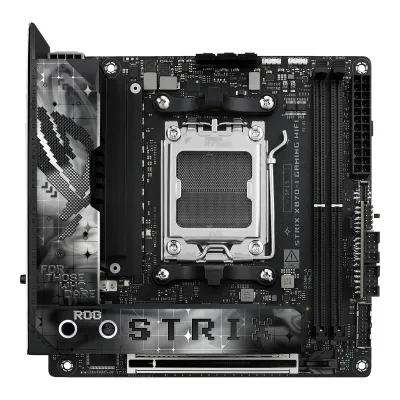 ASUS ROG STRIX X870-I GAMING WIFI
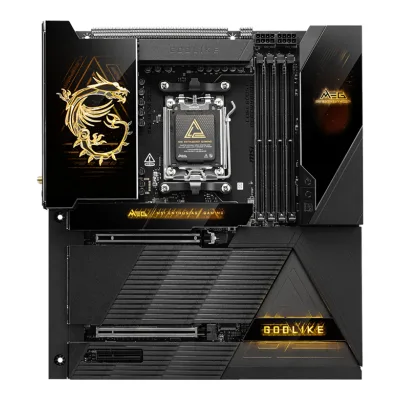 MSI MEG X870E GODLIKE
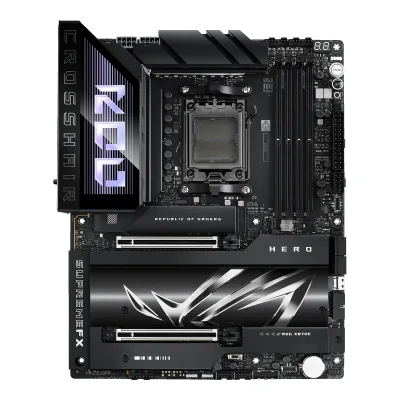 ASUS ROG Crosshair X870E Hero
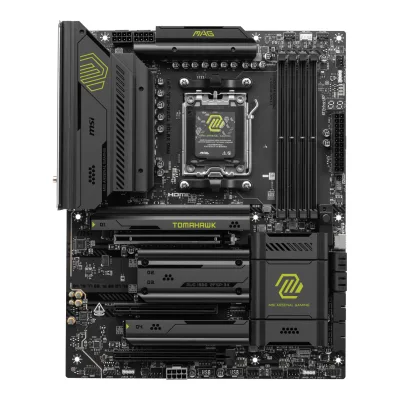 MSI MAG X870E TOMAHAWK WIFI
 ASUS ROG STRIX X870E-E GAMING WIFI
 ASUS ROG STRIX X870-A GAMING WIFI
 ASUS TUF GAMING X870-PLUS WIFI
 MSI MPG X870E CARBON WIFI
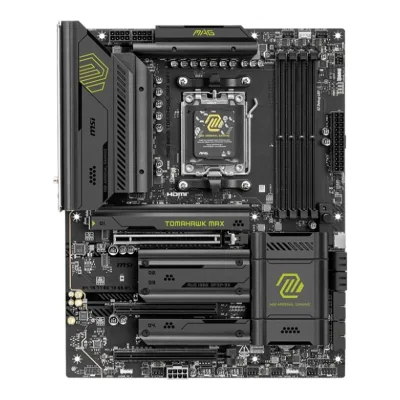 MSI MAG B850 TOMAHAWK MAX WIFI
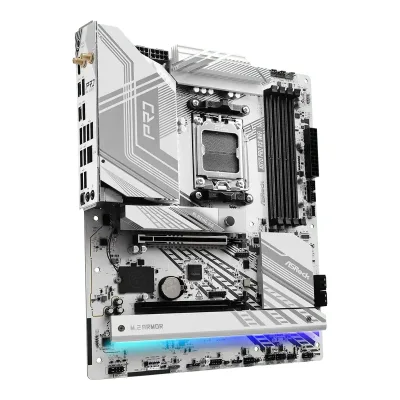 ASRock X870 Pro RS WiFi
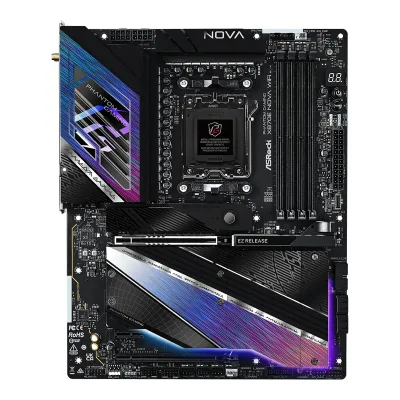 ASRock X870E Nova WiFi
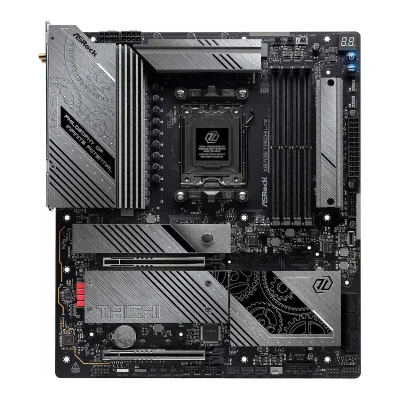 ASRock X870E Taichi Lite
Change ASRock B850I Lightning WiFi
Compare the GIGABYTE X870I AORUS PRO ICE with
ASUS ROG STRIX X870-I GAMING WIFIMSI MEG X870E GODLIKEASUS ROG Crosshair X870E HeroMSI MAG X870E TOMAHAWK WIFIASUS ROG STRIX X870E-E GAMING WIFIASUS ROG STRIX X870-A GAMING WIFIASUS TUF GAMING X870-PLUS WIFIMSI MPG X870E CARBON WIFIMSI MAG B850 TOMAHAWK MAX WIFIASRock X870 Pro RS WiFiASRock X870E Nova WiFiASRock X870E Taichi LiteProduct B: GIGABYTE
64 of 78 knownASUS ROG STRIX X870-I GAMING WIFIMSI MAG X870E TOMAHAWK WIFIMSI MAG B850 TOMAHAWK MAX WIFI ASUS TUF GAMING B850-PLUS WIFI
 GIGABYTE B850 AORUS ELITE WIFI7
 ASRock B850 Pro RS WiFi
 ASUS PRIME B840-PLUS WIFI
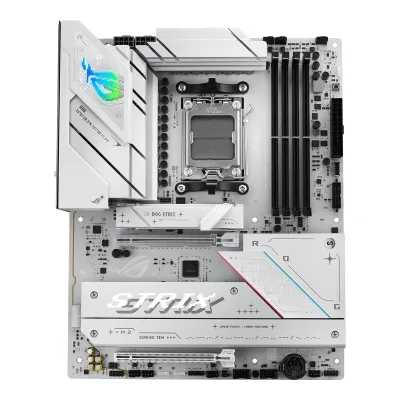 ASUS ROG STRIX B850-A GAMING WIFI
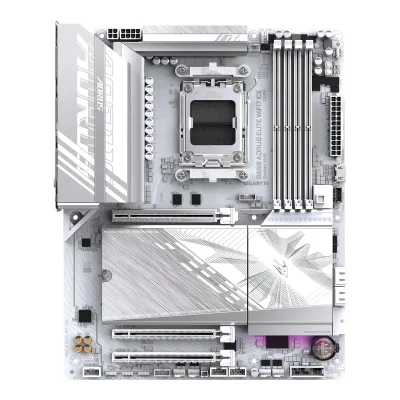 GIGABYTE B850 AORUS ELITE WIFI7 ICE
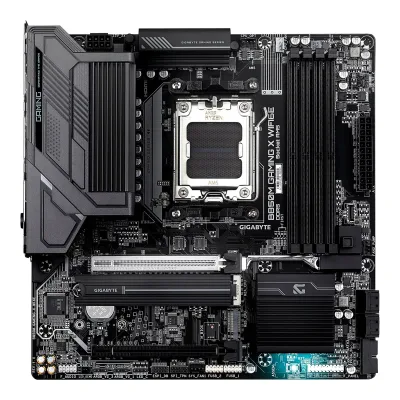 GIGABYTE B850M GAMING X WIFI6E
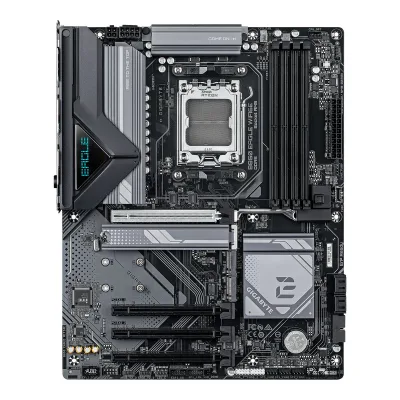 GIGABYTE B850 EAGLE WIFI6E
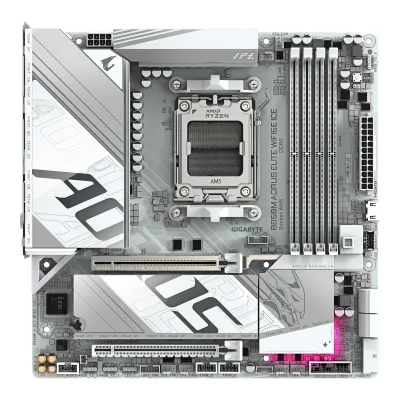 GIGABYTE B850M AORUS ELITE WIFI6E ICE
Change GIGABYTE X870I AORUS PRO ICE
Compare the ASRock B850I Lightning WiFi with
ASUS ROG STRIX X870-I GAMING WIFIMSI MAG X870E TOMAHAWK WIFIMSI MAG B850 TOMAHAWK MAX WIFIASUS TUF GAMING B850-PLUS WIFIGIGABYTE B850 AORUS ELITE WIFI7ASRock B850 Pro RS WiFiASUS PRIME B840-PLUS WIFIASUS ROG STRIX B850-A GAMING WIFIGIGABYTE B850 AORUS ELITE WIFI7 ICEGIGABYTE B850M GAMING X WIFI6EGIGABYTE B850 EAGLE WIFI6EGIGABYTE B850M AORUS ELITE WIFI6E ICE25 of 70 fields differ
- 19 different values
- 6 known for one only
- 34 the same
- 11 missing for both
Biggest differences
Each bar uses the scale of all 87 motherboards.
- Rear USB-C portsA: 1B: 2GIGABYTE has 1 more.
- Vcore stagesA: 10B: 8ASRock has 2 more.
Size, drawn to scale
Front and side.
- AASRock: 170 × 170 mm
- BGIGABYTE: 170 × 170 mm
All 78 fields
Every value links to where we found it.
General
1 of 9 differ
Series
Model numbers
GTIN / EAN
Not available
Announced
Not available
Not available
Status
Predecessor
Not available
Not available
Successor
Not available
Not available
Launch price (US)
Not available
Not available
Launch price (EU)
Not available
Not available
Markets
Not available
Not available
Colours
Not available
Not available
Segment
Board revision
Not available
Not available
Platform
1 of 4 differ
CPU socket
Chipset
Supported processors
AMD Ryzen 9000 Series, AMD Ryzen 8000 Series, AMD Ryzen 7000 Series1Owner's manualdownload.asrock.com/Manual/B850I%20Lightning%20WiFi.pdfRead 14 October 2026Specifications, page 2: AMD Socket AM5 Ryzen 9000, 8000 and 7000 Series Processors. The slot lines depend on the CPU.
AMD Ryzen 9000 Series, AMD Ryzen 8000 Series, AMD Ryzen 7000 Series1Owner's manualgzhls.at/blob/ldb/9/5/8/2/8b694ae2ac8791d818797189acf72a0dee1c.pdfRead 15 October 2026Section 2-2: AMD Socket AM5, AMD Ryzen 9000, 8000 and 7000 Series Processors. The manual points to GIGABYTE's website for the latest CPU support list. Read on 2026-10-15.
CPU overclocking
Yes4Reviewfunkykit.com/reviews/motherboards/asrock-phantom-gaming-b850i-lightning-wifi-motherboard-reviewRead 14 October 2026The review describes the AMD B850 chipset as having enhanced overclocking capabilities, quoting AMD.8Maker product pageamd.com/en/products/processors/chipsets/am5.htmlRead 14 October 2026AMD's AM5 chipset page says the B850 platform features enhanced overclocking capabilities and lists Ryzen processor overclocking enabled for B850. This is the chip maker's page, not the board maker's.
Board
1 of 5 differ
Form factor
Board dimensions
Width170Height170mm(6.7 × 6.7 in)4Reviewfunkykit.com/reviews/motherboards/asrock-phantom-gaming-b850i-lightning-wifi-motherboard-reviewRead 14 October 2026The board measures 17.0 x 17.0 cm, the Mini-ITX size.
Width170Height170mm(6.7 × 6.7 in)1Owner's manualgzhls.at/blob/ldb/9/5/8/2/8b694ae2ac8791d818797189acf72a0dee1c.pdfRead 15 October 2026Section 2-2: 17.0cm x 17.0cm.
PCB layers
81Owner's manualdownload.asrock.com/Manual/B850I%20Lightning%20WiFi.pdfRead 14 October 2026Specifications, page 2: 8 Layer PCB.4Reviewfunkykit.com/reviews/motherboards/asrock-phantom-gaming-b850i-lightning-wifi-motherboard-reviewRead 14 October 2026The 10+1+1 phase power design sits on a 8-Layer PCB.
104Retailer pagegigante.co.uk/products/gigabyte-x870i-aorus-pro-ice-amd-am5-socket-motherboard-mini-itx-2x-ddr5-slots-2x-m-2-sockets-3x-usb-c-port-fitted-i-o-shield-2-5gbe-lan-wi-fi-7-1x-hdmi-port-1x-usb-c-usb4Read 15 October 2026Copy of GIGABYTE's feature text: 10-Layer Server-Grade PCB. PCUnboxing also says 10 layers.6Reviewpcunboxing.com/en/gigabyte-x870i-aorus-pro-iceRead 15 October 2026Spec table: 10-layer PCB.
Back-connect design
RGB lighting on the board
Power delivery
3 of 6 differ
Power stage layout
10+1+12Press articlegdm.or.jp/pressrelease/2025/0110/570624Read 14 October 202610+1+1 phase power circuit using 110A SPS.4Reviewfunkykit.com/reviews/motherboards/asrock-phantom-gaming-b850i-lightning-wifi-motherboard-reviewRead 14 October 202610+1+1 Phase Power Design with 110A SPS for VCore, copied from the maker's text.
8+2+13Spec databasegeizhals.de/gigabyte-x870i-aorus-pro-ice-a3350288.htmlRead 15 October 2026VRM row: 8+2+1 with 10 virtual CPU phases (8+2).4Retailer pagegigante.co.uk/products/gigabyte-x870i-aorus-pro-ice-amd-am5-socket-motherboard-mini-itx-2x-ddr5-slots-2x-m-2-sockets-3x-usb-c-port-fitted-i-o-shield-2-5gbe-lan-wi-fi-7-1x-hdmi-port-1x-usb-c-usb4Read 15 October 2026Digital 8+2+1 phases VRM solution.5Retailer pagejib.co.th/web/product/readProduct/75262/46/MAINBOARD--%E0%B9%80%E0%B8%A1%E0%B8%99%E0%B8%9A%E0%B8%AD%E0%B8%A3%E0%B9%8C%E0%B8%94--GIGABYTE-X870I-AORUS-PRO-ICE--REV--1-1----AMD-SOCKET-AM5-DDR5-MINI-ITXRead 15 October 2026Copy of GIGABYTE's text for the Rev. 1.1 listing: digital 8+2+1 phase design.
CPU core (Vcore) power stages
83Spec databasegeizhals.de/gigabyte-x870i-aorus-pro-ice-a3350288.htmlRead 15 October 2026VRM rows: 8x 110 A PMC41430 smart power stages for VCORE, 2x 80 A PMC41410 for SOC/VCCGT and 1x 30 A MxL7630S DrMOS for the rest.5Retailer pagejib.co.th/web/product/readProduct/75262/46/MAINBOARD--%E0%B9%80%E0%B8%A1%E0%B8%99%E0%B8%9A%E0%B8%AD%E0%B8%A3%E0%B9%8C%E0%B8%94--GIGABYTE-X870I-AORUS-PRO-ICE--REV--1-1----AMD-SOCKET-AM5-DDR5-MINI-ITXRead 15 October 2026VCORE: 8 phases, SPS 110A, for the CPU cores. SOC: 2 phases, SPS 80A. MISC: 1 phase, MXL 30A.
Vcore power stage rating
110A2Press articlegdm.or.jp/pressrelease/2025/0110/570624Read 14 October 2026110A SPS is stated for the 10+1+1 phase circuit. FunkyKit's copy of the maker's text says 110A SPS for VCore and PC Unboxing says the 10 Vcore phases use 110A stages.4Reviewfunkykit.com/reviews/motherboards/asrock-phantom-gaming-b850i-lightning-wifi-motherboard-reviewRead 14 October 2026110A SPS for VCore, copied from the maker's text.5Reviewpcunboxing.com/en/asrock-b850i-lightning-wifiRead 14 October 2026The 10-phase 110A SPS is responsible for CPU Vcore.
110A5Retailer pagejib.co.th/web/product/readProduct/75262/46/MAINBOARD--%E0%B9%80%E0%B8%A1%E0%B8%99%E0%B8%9A%E0%B8%AD%E0%B8%A3%E0%B9%8C%E0%B8%94--GIGABYTE-X870I-AORUS-PRO-ICE--REV--1-1----AMD-SOCKET-AM5-DDR5-MINI-ITXRead 15 October 2026VCORE: 8 phases, SPS 110A. The same figure is in Club386's launch text and in PCUnboxing.6Reviewpcunboxing.com/en/gigabyte-x870i-aorus-pro-iceRead 15 October 2026Spec table: CPU power 8 phases at 110 A, 2 at 80 A and 1 at 30 A.8Press articleclub386.com/gigabyte-launches-x870-mini-itx-motherboard-for-299Read 15 October 2026Club386 writes an 8+2+1 110A VRM design.
VRM controller
Not available
CPU power connectors
Extra slot power connector
Memory
2 of 6 differ
Memory type
Memory slots
Max memory
Max memory speed (overclocked)
8,400MT/s3Spec databasegeizhals.de/gigabyte-x870i-aorus-pro-ice-a3350288.htmlRead 15 October 2026Data rate: DDR5-5200 (Ryzen 7000/8000G), DDR5-5600 (Ryzen 9000), max. DDR5-8400 OC. The row names no CPU family for the 8400 step.5Retailer pagejib.co.th/web/product/readProduct/75262/46/MAINBOARD--%E0%B9%80%E0%B8%A1%E0%B8%99%E0%B8%9A%E0%B8%AD%E0%B8%A3%E0%B9%8C%E0%B8%94--GIGABYTE-X870I-AORUS-PRO-ICE--REV--1-1----AMD-SOCKET-AM5-DDR5-MINI-ITXRead 15 October 2026The Rev. 1.1 listing's overclock list is 5200 up to 8400 MT/s. Search excerpts of GIGABYTE's Rev. 1.1 pages list 8800(OC) as the top step with a footnote that names Ryzen 8000 test results, so 8800 is not stored. The Overclockers review of Rev. 1.1 blocked agents and was not read. 8400 is the top of the Rev. 1.0 list and a lower step of the Rev. 1.1 list.6Reviewpcunboxing.com/en/gigabyte-x870i-aorus-pro-iceRead 15 October 2026Rated up to 8400 MT/s (O.C.). The QVL lists dual-channel modules that pass stress tests at up to 8400 MT/s with Ryzen 8000.7Spec databaseshop.aodatacloud.es/wp-content/uploads/datasheet_x870i_aorus_pro_ice.pdfRead 15 October 2026Maximum supported memory clock 8400 MHz. The datasheet title pairs Ryzen 9000 with up to 8400 MHz DDR5 (OC).10Press articlegamerant.com/gigabyte-launches-x870i-aorus-pro-ice-mini-itx-x870-motherboard-asusRead 15 October 2026Up to 8400 MT/s across two DDR5 slots.
ECC memory
CUDIMM support
Not available
Not available
Expansion slots
0 of 3 differ
Expansion slots
AASRock B850I Lightning WiFi
| Physical slot | Electrical lanes | PCIe generation | Connected to | Count |
|---|---|---|---|---|
| PCIe x16 | 16 | 5 | CPU | 1 |
BGIGABYTE X870I AORUS PRO ICE
| Physical slot | Electrical lanes | PCIe generation | Connected to | Count |
|---|---|---|---|---|
| PCIe x16 | 16 | 5 | CPU | 1 |
Full-length PCIe slots
1
1
Fastest PCIe x16 slot generation
5
5
Storage
1 of 4 differ
M.2 storage slots
AASRock B850I Lightning WiFi
| Slot | PCIe generation | PCIe lanes | Connected to | Longest drive | Takes SATA drives | Heatsink |
|---|---|---|---|---|---|---|
| M2_1 | 5 | 4 | CPU | M.2 2280 | No | Yes |
| M2_2 | 4 | 4 | Chipset | M.2 2280 | No | No |
Source1Owner's manualdownload.asrock.com/Manual/B850I%20Lightning%20WiFi.pdfRead 14 October 2026Page 4: M2_1 (Blazing M.2, CPU) takes type 2280 at PCIe Gen5x4, M2_1 runs Gen5x4 with Ryzen 9000 and 7000 and Gen4x4 with Ryzen 8000. M2_2 (Hyper M.2, chipset) takes type 2280 at PCIe Gen4x4. Pages 50 to 55 show an M.2 heatsink with screws on M2_1 and none on M2_2, which is on the back of the board. The manual names no SATA mode for either slot and no lane sharing. FunkyKit and PC Unboxing confirm M2_1 has a heatsink and M2_2 sits on the back, and PC Unboxing says both slots take 2280 only.4Reviewfunkykit.com/reviews/motherboards/asrock-phantom-gaming-b850i-lightning-wifi-motherboard-reviewRead 14 October 20261 x Blazing M.2 (PCIe Gen5x4) with heatsink and 1 x Hyper M.2 (PCIe Gen4x4) on the back of the board.5Reviewpcunboxing.com/en/asrock-b850i-lightning-wifiRead 14 October 2026M2_1 is the only PCIe Gen5 x4 slot (CPU direct) with a single-sided thermal pad to a heatsink. The Hyper M.2 slot on the back is PCIe Gen4 x4. Both take 2280 only.
BGIGABYTE X870I AORUS PRO ICE
| Slot | PCIe generation | PCIe lanes | Connected to | Longest drive | Takes SATA drives | Heatsink |
|---|---|---|---|---|---|---|
| M2A_CPU | 5 | 4 | CPU | M.2 2280 | No | Yes |
| M2C_SB | 4 | 4 | Chipset | M.2 2280 | No | No |
M.2 slots
2
2
PCIe 5.0 M.2 slots
1
1
Rear ports
4 of 5 differ
Rear ports
AASRock B850I Lightning WiFi
| Type | Version | Count | Max link rate (Gbps) | DP Alt Mode |
|---|---|---|---|---|
| USB-C | USB 3.2 Gen 2 | 1 | 10 | Yes |
| USB-A | USB 3.2 Gen 2 | 2 | 10 | Not available |
| USB-A | USB 3.2 Gen 1 | 1 | 5 | Not available |
| USB-A | USB 2.0 | 4 | 0.48 | Not available |
| HDMI | HDMI 2.1 | 1 | Not available | Not available |
| Ethernet (RJ45) | Not available | 1 | 2.5 | Not available |
| 3.5 mm audio | Not available | 2 | Not available | Not available |
| Optical S/PDIF | Not available | 1 | Not available | Not available |
BGIGABYTE X870I AORUS PRO ICE
| Type | Version | Count | Max link rate (Gbps) | Thunderbolt or USB4 | DP Alt Mode |
|---|---|---|---|---|---|
| USB-C | USB4 | 1 | 40 | USB4 | Yes |
| USB-C | USB 3.2 Gen 2 | 1 | 10 | Not available | No |
| USB-A | USB 3.2 Gen 2 | 2 | 10 | Not available | Not available |
| USB-A | USB 3.2 Gen 1 | 2 | 5 | Not available | Not available |
| USB-A | USB 2.0 | 2 | 0.48 | Not available | Not available |
| HDMI | HDMI 2.1 | 1 | Not available | Not available | Not available |
| Ethernet (RJ45) | Not available | 1 | 2.5 | Not available | Not available |
| 3.5 mm audio | Not available | 2 | Not available | Not available | Not available |
Source1Owner's manualgzhls.at/blob/ldb/9/5/8/2/8b694ae2ac8791d818797189acf72a0dee1c.pdfRead 15 October 2026Sections 2-2 and 2-6: 1 USB4 Type-C (DisplayPort), 1 Type-C with USB 3.2 Gen 2, 2 USB 3.2 Gen 2 Type-A (red), 2 USB 3.2 Gen 1, 2 USB 2.0/1.1, 1 HDMI (HDMI 2.1, 4096x2160 at 60 Hz), 1 RJ-45 up to 2.5 Gbps and 2 audio jacks. The manual does not name the USB 3.2 Gen 1 ports Type-A. The only Type-C ports are the two named above, so the USB 3.2 Gen 1 ports are stored as Type-A. The graphics outputs listed are the USB4 port and HDMI, so the USB 3.2 Gen 2 Type-C has no DisplayPort mode. The Q-Flash Plus button and two antenna connectors are not ports. The manual gives no USB power output. The USB4 40 Gbps rate is from Geizhals.3Spec databasegeizhals.de/gigabyte-x870i-aorus-pro-ice-a3350288.htmlRead 15 October 20261x USB4 with DisplayPort 1.4 (40 Gb/s), 1x USB-C (10 Gb/s), 2x USB-A (10 Gb/s), 2x USB-A (5 Gb/s), 2x USB-A 2.0 (480 Mb/s), 1x HDMI 2.1, 2x 3.5 mm audio and 1x RJ-45 (2.5GBase-T).
Rear USB ports
8
8
Rear USB-C ports
1
2
Fastest rear USB port
10Gbps
40Gbps
Thunderbolt
Not available
No
Internal connectors
3 of 5 differ
Internal USB headers
AASRock B850I Lightning WiFi
| Header | Max data rate (Gbps) | Headers | Front ports served |
|---|---|---|---|
| USB-C header | 5 | 1 | 1 |
| USB 3 header (19-pin) | 5 | 1 | 2 |
| USB 2.0 header (9-pin) | 0.48 | 1 | 2 |
BGIGABYTE X870I AORUS PRO ICE
| Header | Max data rate (Gbps) | Headers | Front ports served |
|---|---|---|---|
| USB-C header | 10 | 1 | 1 |
| USB 3 header (19-pin) | 5 | 1 | 2 |
| USB 2.0 header (9-pin) | 0.48 | 1 | 2 |
Front USB-C header speed
5Gbps
10Gbps
Fan headers
ARGB headers
RGB headers
Networking
5 of 9 differ
Ethernet controllers
Realtek RTL81253Spec databasegeizhals.de/gigabyte-x870i-aorus-pro-ice-a3350288.htmlRead 15 October 2026LAN: Realtek RTL8125BG, 2.5GBase-T. The suffix BG is left out. The Icecat datasheet copy says Realtek RTL8125. A search excerpt of the TechPowerUp review, which blocks agents, reads RTL8126 and was not used.7Spec databaseshop.aodatacloud.es/wp-content/uploads/datasheet_x870i_aorus_pro_ice.pdfRead 15 October 2026LAN controller: Realtek RTL8125.
Ethernet ports
1
1
Ethernet speed
2.5Gbps
2.5Gbps
Wi-Fi included
Wi-Fi standard
Wi-Fi bands
Max Wi-Fi channel width
Not available
Wi-Fi module
Not available
Audio
1 of 2 differ
Audio codec
DAC chip
Not available
Not available
Features
1 of 7 differ
BIOS flashback
Clear CMOS button (rear)
POST code display
Power button on the board
Dual BIOS
Pre-installed I/O shield
Yes3Spec databasegeizhals.de/gigabyte-x870i-aorus-pro-ice-a3350288.htmlRead 15 October 2026Features: I/O-Blende integriert.4Retailer pagegigante.co.uk/products/gigabyte-x870i-aorus-pro-ice-amd-am5-socket-motherboard-mini-itx-2x-ddr5-slots-2x-m-2-sockets-3x-usb-c-port-fitted-i-o-shield-2-5gbe-lan-wi-fi-7-1x-hdmi-port-1x-usb-c-usb4Read 15 October 2026The product title says Fitted I/O Shield. The Gigante photos show the shield on the board.
Tool-free features
Not available
Tool-free M.2 latch, Tool-free M.2 heatsink, PCIe slot release, Push-on antenna connector1Owner's manualgzhls.at/blob/ldb/9/5/8/2/8b694ae2ac8791d818797189acf72a0dee1c.pdfRead 15 October 2026Sections 2-5 and 2-7: PCIe EZ-Latch Plus release for the graphics card slot, an M.2 SSD clip on M2A_CPU and an M.2 EZ-Latch Click that removes the M2A_CPU heatsink without a tool. The WIFI EZ-Plug antenna connector is from Gigante and JIB.4Retailer pagegigante.co.uk/products/gigabyte-x870i-aorus-pro-ice-amd-am5-socket-motherboard-mini-itx-2x-ddr5-slots-2x-m-2-sockets-3x-usb-c-port-fitted-i-o-shield-2-5gbe-lan-wi-fi-7-1x-hdmi-port-1x-usb-c-usb4Read 15 October 2026EZ-Latch Plus: PCIe and M.2 slots with quick release and screwless design. EZ-Latch Click: M.2 heatsinks with screwless design. WIFI EZ-Plug: quick and easy design for Wi-Fi antenna installation.
Measured
None of 3 known
VRM temperature under CPU load
Not available
Not available
Power draw idle
Not available
Not available
Power draw CPU stress
Not available
Not available
In the box
1 of 1 differ
In the box
2 x Serial ATA (SATA) data cables, 2 x ASRock WiFi 2.4/5/6 GHz antennas, 2 x screws for M.2 sockets, 1 x Thermistor cable1Owner's manualdownload.asrock.com/Manual/B850I%20Lightning%20WiFi.pdfRead 14 October 2026Page 1 package contents, without the board. The manual marks each item Optional. FunkyKit adds an installation guide, a regulatory notice and two velcro straps.
User's Manual, Quick Installation Guide, One antenna, Two SATA cables, Two fan power extension cables, Computer case screws, M.2 screw, Thermal pad kit1Owner's manualgzhls.at/blob/ldb/9/5/8/2/8b694ae2ac8791d818797189acf72a0dee1c.pdfRead 15 October 2026Section 1-3. The manual says the actual items depend on the package. The motherboard itself is not listed here.
Links
Not compared
Product page
pg.asrock.com/mb/AMD/B850I%20Lightning%20WiFi/index.asp9Maker product pagepg.asrock.com/mb/AMD/B850I%20Lightning%20WiFi/index.aspRead 14 October 2026asrock.com blocks agents, so the page was not read. Its address is from the job brief. No value comes from it.
www.gigabyte.com/Motherboard/X870I-AORUS-PRO-ICE-rev-102Maker product pagegigabyte.com/Motherboard/X870I-AORUS-PRO-ICE-rev-10Read 15 October 2026The URL comes from the job and from search results. gigabyte.com blocks agents, so the page was not opened. GIGABYTE has separate pages for Rev. 1.0 and Rev. 1.1. Specifications were read from the manual and retailer copies of the maker's text.
Spec sheet
Not available
Manual
download.asrock.com/Manual/B850I%20Lightning%20WiFi.pdf1Owner's manualdownload.asrock.com/Manual/B850I%20Lightning%20WiFi.pdfRead 14 October 2026ASRock B850I Lightning WiFi User Manual, version 1.0, published November 2024, 65 pages, English PDF on download.asrock.com.
gzhls.at/blob/ldb/9/5/8/2/8b694ae2ac8791d818797189acf72a0dee1c.pdf1Owner's manualgzhls.at/blob/ldb/9/5/8/2/8b694ae2ac8791d818797189acf72a0dee1c.pdfRead 15 October 2026GIGABYTE User's Manual Rev. 1001 for the X870I AORUS PRO ICE, hosted by Geizhals. A Rev. 1101 copy exists on B&H, which blocks agents, so it was not read. The manual does not split board Rev. 1.0 and Rev. 1.1. GIGABYTE's own manual page was not opened.
EPREL registration number
Not available
Not available
Warranty
1 of 1 differ
Manufacturer warranty (source market)
Not available
3years3Spec databasegeizhals.de/gigabyte-x870i-aorus-pro-ice-a3350288.htmlRead 15 October 2026Garantie: 3 Jahre. The market is Germany.5Retailer pagejib.co.th/web/product/readProduct/75262/46/MAINBOARD--%E0%B9%80%E0%B8%A1%E0%B8%99%E0%B8%9A%E0%B8%AD%E0%B8%A3%E0%B9%8C%E0%B8%94--GIGABYTE-X870I-AORUS-PRO-ICE--REV--1-1----AMD-SOCKET-AM5-DDR5-MINI-ITXRead 15 October 2026Warranty: 3 years. The market is Thailand.7Spec databaseshop.aodatacloud.es/wp-content/uploads/datasheet_x870i_aorus_pro_ice.pdfRead 15 October 2026Warranty period: 3 years.
Both are also in the API. Back to all motherboards.