Motherboards / Compare
ASRock X870E Nova WiFi vs MSI MAG X870 TOMAHAWK WIFI
Product A: ASRock
65 of 78 known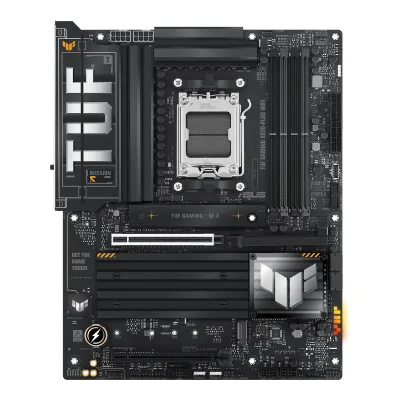 ASUS TUF GAMING X870-PLUS WIFI
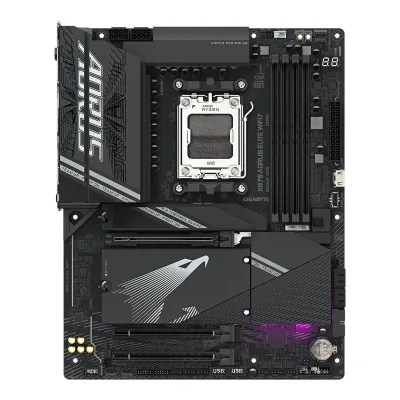 GIGABYTE X870 AORUS ELITE WIFI7
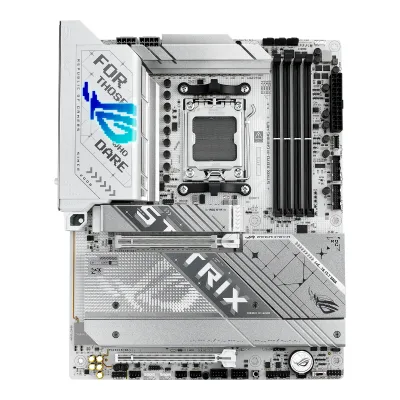 ASUS ROG STRIX X870-A GAMING WIFI
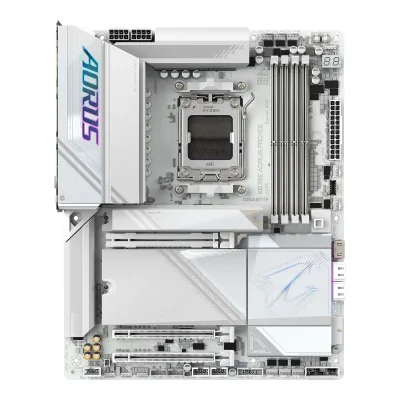 GIGABYTE X870E AORUS PRO ICE
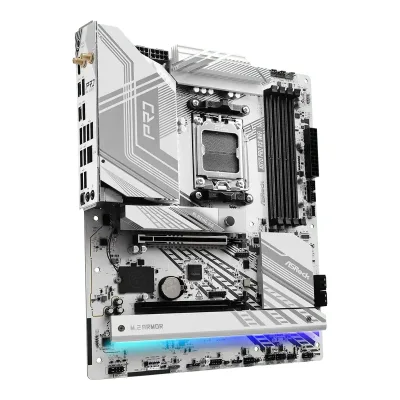 ASRock X870 Pro RS WiFi
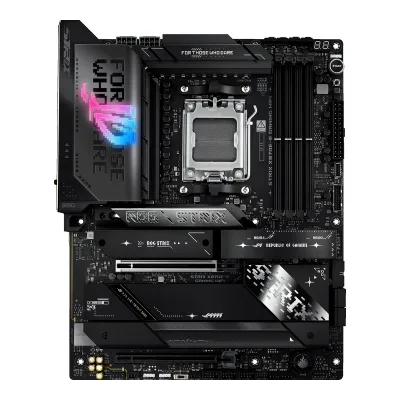 ASUS ROG STRIX X870E-E GAMING WIFI
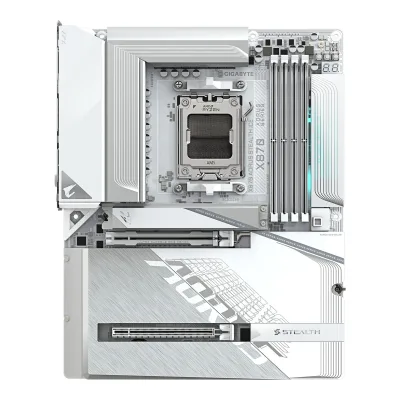 GIGABYTE X870 AORUS STEALTH ICE
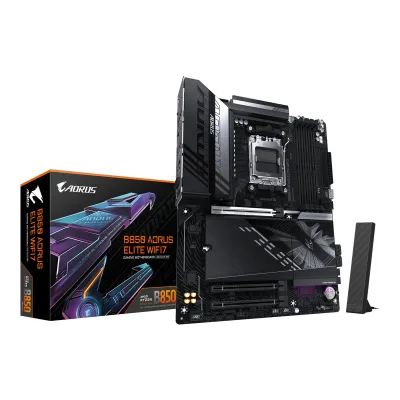 GIGABYTE B850 AORUS ELITE WIFI7
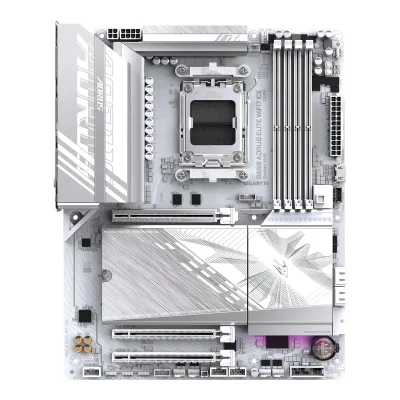 GIGABYTE B850 AORUS ELITE WIFI7 ICE
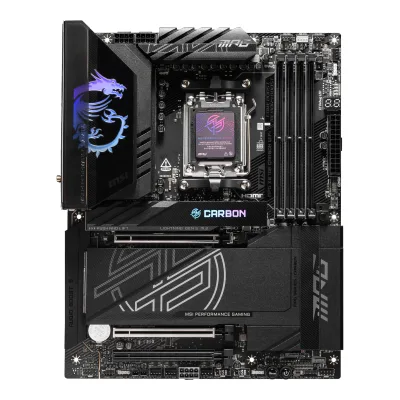 MSI MPG X870E CARBON WIFI
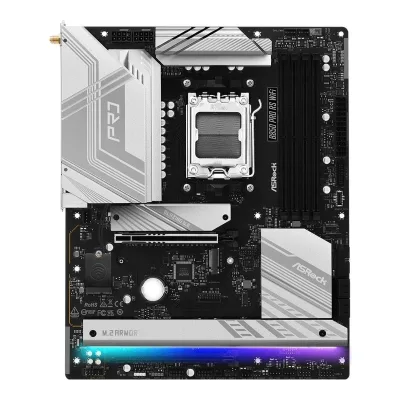 ASRock B850 Pro RS WiFi
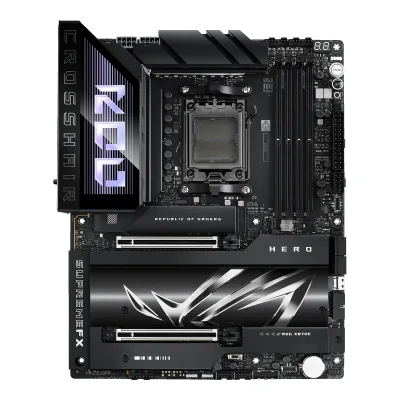 ASUS ROG Crosshair X870E Hero
Change ASRock X870E Nova WiFi
Compare the MSI MAG X870 TOMAHAWK WIFI with
ASUS TUF GAMING X870-PLUS WIFIGIGABYTE X870 AORUS ELITE WIFI7ASUS ROG STRIX X870-A GAMING WIFIGIGABYTE X870E AORUS PRO ICEASRock X870 Pro RS WiFiASUS ROG STRIX X870E-E GAMING WIFIGIGABYTE X870 AORUS STEALTH ICEGIGABYTE B850 AORUS ELITE WIFI7GIGABYTE B850 AORUS ELITE WIFI7 ICEMSI MPG X870E CARBON WIFIASRock B850 Pro RS WiFiASUS ROG Crosshair X870E HeroProduct B: MSI
62 of 78 knownGIGABYTE X870E AORUS PRO ICEASUS ROG STRIX X870-A GAMING WIFIASUS TUF GAMING X870-PLUS WIFIGIGABYTE X870 AORUS ELITE WIFI7ASUS ROG STRIX X870E-E GAMING WIFIASRock X870 Pro RS WiFiASUS ROG Crosshair X870E HeroGIGABYTE X870 AORUS STEALTH ICEMSI MPG X870E CARBON WIFIGIGABYTE B850 AORUS ELITE WIFI7GIGABYTE B850 AORUS ELITE WIFI7 ICE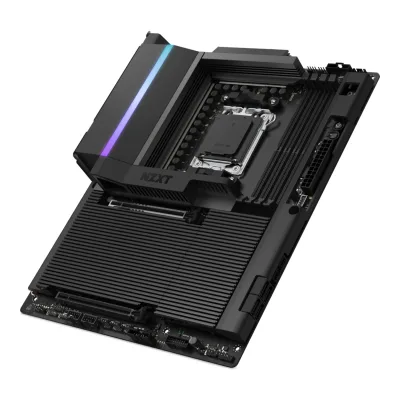 NZXT N9 X870E
Change MSI MAG X870 TOMAHAWK WIFI
Compare the ASRock X870E Nova WiFi with
GIGABYTE X870E AORUS PRO ICEASUS ROG STRIX X870-A GAMING WIFIASUS TUF GAMING X870-PLUS WIFIGIGABYTE X870 AORUS ELITE WIFI7ASUS ROG STRIX X870E-E GAMING WIFIASRock X870 Pro RS WiFiASUS ROG Crosshair X870E HeroGIGABYTE X870 AORUS STEALTH ICEMSI MPG X870E CARBON WIFIGIGABYTE B850 AORUS ELITE WIFI7GIGABYTE B850 AORUS ELITE WIFI7 ICENZXT N9 X870E32 of 70 fields differ
- 23 different values
- 9 known for one only
- 32 the same
- 6 missing for both
Biggest differences
Each bar uses the scale of all 87 motherboards.
- PCIe 5.0 M.2 slotsA: 1B: 2MSI has 1 more.
- Rear USB-C portsA: 2B: 3MSI has 1 more.
- Vcore stagesA: 20B: 14ASRock has 6 more.
- M.2 slotsA: 5B: 4ASRock has 1 more.
- Fan headersA: 7B: 8MSI has 1 more.
Size, drawn to scale
Front and side.
- AASRock: 244 × 305 mm
- BMSI: 244 × 305 mm
All 78 fields
Every value links to where we found it.
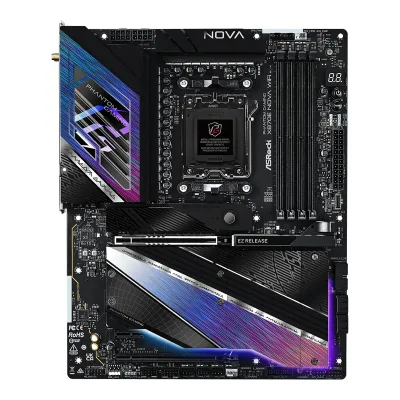
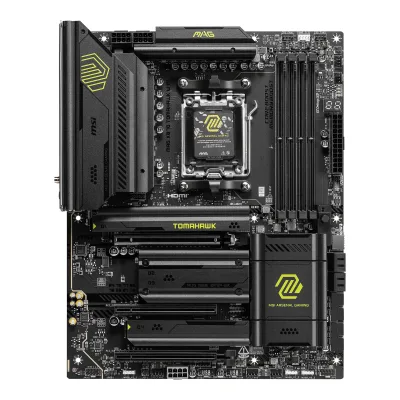
General
4 of 9 differ
Series
Model numbers
GTIN / EAN
47104839496548Retailer pageamazon.com/dp/B0DFZQJFC1Read 14 October 2026The Amazon US listing for ASIN B0DFZQJFC1 gives GTIN 04710483949654. It writes the part number as 90-MXBPX0-A0UAYAZ.9Retailer pageshop.mnetworks.dk/asrock-x870e-nova-wifi/cat-p/c/p1005037602Read 14 October 2026mnetworks.dk lists EAN 4710483949654.
Announced
Not available
Status
Not available
Predecessor
Not available
Not available
Successor
Not available
Not available
Launch price (US)
$299.995Reviewpcgamer.com/hardware/motherboards/msi-mag-x870-tomahawk-wifi-reviewRead 14 October 2026Specs list: Price $299.99 / 279.98 GBP / 548.19 AUD. US price, excl. sales tax. Tech4Gamers gives $299.6Reviewtech4gamers.com/msi-mag-x870-tomahawk-wifi-reviewRead 14 October 2026The board costs $299.
Launch price (EU)
Not available
Not available
Markets
Not available
Not available
Colours
Not available
Not available
Segment
Board revision
Not available
Not available
Platform
1 of 4 differ
CPU socket
Chipset
Supported processors
AMD Ryzen 9000 Series, AMD Ryzen 8000 Series, AMD Ryzen 7000 Series1Owner's manualdownload.asrock.com/Manual/X870E%20Nova%20WiFi.pdfRead 14 October 2026AM5 Ryzen 9000, 8000 and 7000 Series. The manual refers to ASRock's CPU support list, which was not read. Read on 2026-10-14.
AMD Ryzen 9000 Series, AMD Ryzen 8000 Series, AMD Ryzen 7000 Series1Owner's manualtrovaprezzi.it/manuali/msi_mag_x870_tomahawk_wifi.pdfRead 14 October 2026Specifications chapter, page 17: Ryzen 9000, 8000 and 7000 Series Desktop Processors. The manual refers to msi.com for the newest support status. Read on 2026-10-14.
CPU overclocking
Yes6Reviewtech4gamers.com/msi-mag-x870-tomahawk-wifi-reviewRead 14 October 2026The VRM setup can handle any Ryzen 9000 CPU, even with mild overclocking.7Reviewthefpsreview.com/2025/02/04/msi-mag-x870-tomahawk-wifi-motherboard-reviewRead 14 October 2026States the board's power delivery should be more than adequate for CPU overclocking.
Board
1 of 5 differ
Form factor
Board dimensions
PCB layers
81Owner's manualdownload.asrock.com/Manual/X870E%20Nova%20WiFi.pdfRead 14 October 2026Specifications, platform: 8 Layer PCB and 2oz Copper PCB.3Reviewfunkykit.com/reviews/motherboards/asrock-phantom-gaming-x870e-nova-wifi-motherboard-reviewRead 14 October 2026ASRock's specification as copied by Funky Kit lists an 8 Layer PCB and 2oz Copper PCB.6Reviewmigovi.com/en/asrock-x870e-nova-wifi-ryzen-9-9900x3d-reviewRead 14 October 20268-layer PCB with 2 oz copper.
83Retailer pagescan.co.uk/products/msi-mag-x870-tomahawk-wifi-amd-x870-am5-ddr5-pcie-50-4x-m2-5g-wifi7-usb-40-usb-32-aplusc-aRead 14 October 20268 layers with 2oz thickened copper.6Reviewtech4gamers.com/msi-mag-x870-tomahawk-wifi-reviewRead 14 October 2026All-black 8-layer PCB with 2oz thickened copper, server-grade IT-170.7Reviewthefpsreview.com/2025/02/04/msi-mag-x870-tomahawk-wifi-motherboard-reviewRead 14 October 2026Server-grade, eight-layered PCB with 2oz of copper.8Reviewmezha.ua/en/reviews/msi-mag-x870-tomahawk-wifi-motherboard-review-keep-the-balance/ampRead 14 October 20268-layer PCB.
Back-connect design
RGB lighting on the board
Yes3Reviewfunkykit.com/reviews/motherboards/asrock-phantom-gaming-x870e-nova-wifi-motherboard-reviewRead 14 October 2026The reviewer writes that the Nova has an RGB backlight under the 3-part heatsink at the bottom and under the IO/VRM cover.4Reviewthefpsreview.com/2024/11/14/asrock-phantom-gaming-x870e-nova-wifi-motherboard-reviewRead 14 October 2026RGB lighting on the I/O heatsink top and along the bottom and right side of the lower heatsink.
No4Reviewkitguru.net/components/motherboard/leo-waldock/msi-mag-x870-tomahawk-reviewRead 14 October 2026The board has no on-board RGB lighting whatsoever.6Reviewtech4gamers.com/msi-mag-x870-tomahawk-wifi-reviewRead 14 October 2026No on-board RGB. Only headers for RGB fans and strips.7Reviewthefpsreview.com/2025/02/04/msi-mag-x870-tomahawk-wifi-motherboard-reviewRead 14 October 2026There are no RGBs, but four RGB headers are available: three addressable and one 4-pin 12V.
Power delivery
5 of 6 differ
Power stage layout
20+2+13Reviewfunkykit.com/reviews/motherboards/asrock-phantom-gaming-x870e-nova-wifi-motherboard-reviewRead 14 October 2026Page 3 copies ASRock's list: 20+2+1 Power Phase, 110A SPS for VCore+SOC. The reviewer's text once writes 22+2+1, which is a typo against the specification.5Reviewtech4gamers.com/asrock-phantom-gaming-x870e-nova-wifi-reviewRead 14 October 202620+2+1-phase design (VCore+SoC+Misc) with 110A Dr.MOS stages for VCore and SoC.
CPU core (Vcore) power stages
203Reviewfunkykit.com/reviews/motherboards/asrock-phantom-gaming-x870e-nova-wifi-motherboard-reviewRead 14 October 2026Dr.MOS power stages. Migovi says the 20 Vcore stages are 10 phases of 2 stages each. Tech4Gamers counts 20+2+1 as VCore+SoC+Misc.6Reviewmigovi.com/en/asrock-x870e-nova-wifi-ryzen-9-9900x3d-reviewRead 14 October 202620 phases for Vcore, 2 for SoC and 1 for auxiliary. The 20 Vcore stages form a 10-phase structure with 2 stages per phase.
Vcore power stage rating
80A3Retailer pagescan.co.uk/products/msi-mag-x870-tomahawk-wifi-amd-x870-am5-ddr5-pcie-50-4x-m2-5g-wifi7-usb-40-usb-32-aplusc-aRead 14 October 202614+2+1 digital power phases with an 80A smart power stage for Vcore.4Reviewkitguru.net/components/motherboard/leo-waldock/msi-mag-x870-tomahawk-reviewRead 14 October 202680 A as stated by MSI. Mezha reads MP87670 stages and calls them 70 A.6Reviewtech4gamers.com/msi-mag-x870-tomahawk-wifi-reviewRead 14 October 202614+2+1 (Vcore, SoC, Misc) with 80A smart power stages for Vcore. The controller is read as MPS2402.
VRM controller
Not available
CPU power connectors
Extra slot power connector
Memory
3 of 6 differ
Memory type
Memory slots
Max memory
Max memory speed (overclocked)
8,400MT/s2Retailer pagecustompc.com.cy/components/motherboards/amd-motherboards/msi-mag-x870-tomahawk-wifi-motherboard-amd-x870-socket-am5-atxRead 14 October 2026Max. memory speed (OC) 8400 MT/s. KitGuru and PC Gamer give the same figure from MSI.4Reviewkitguru.net/components/motherboard/leo-waldock/msi-mag-x870-tomahawk-reviewRead 14 October 2026Max. overclocking frequency 1DPC 1R up to 8400+ MT/s, 1DPC 2R and 2DPC 1R 6400+, 2DPC 2R 4800+. The CPU family is not named in this text.5Reviewpcgamer.com/hardware/motherboards/msi-mag-x870-tomahawk-wifi-reviewRead 14 October 2026Memory support DDR5-4800 to DDR5-8400+ (OC), up to 256 GB.
ECC memory
Expansion slots
2 of 3 differ
Expansion slots
AASRock X870E Nova WiFi
| Physical slot | Electrical lanes | PCIe generation | Connected to | Count |
|---|---|---|---|---|
| PCIe x16 | 16 | 5 | CPU | 1 |
| PCIe x16 | 2 | 3 | Chipset | 1 |
| PCIe x1 | 1 | 3 | Chipset | 1 |
BMSI MAG X870 TOMAHAWK WIFI
| Physical slot | Electrical lanes | PCIe generation | Connected to | Count |
|---|---|---|---|---|
| PCIe x16 | 16 | 5 | CPU | 1 |
| PCIe x16 | 1 | 3 | Chipset | 1 |
| PCIe x16 | 4 | 4 | Chipset | 1 |
Full-length PCIe slots
2
3
Fastest PCIe x16 slot generation
5
5
Storage
3 of 4 differ
M.2 storage slots
AASRock X870E Nova WiFi
| Slot | PCIe generation | PCIe lanes | Connected to | Longest drive | Takes SATA drives | Heatsink | Shares lanes with |
|---|---|---|---|---|---|---|---|
| M2_1 | 5 | 4 | CPU | M.2 2280 | No | Yes | Not available |
| M2_2 | 4 | 4 | Chipset | M.2 2280 | No | Yes | Not available |
| M2_3 | 4 | 4 | Chipset | M.2 2280 | No | Yes | Not available |
| M2_4 | 4 | 4 | Chipset | M.2 2280 | No | Yes | Not available |
| M2_5 | 3 | 2 | Chipset | M.2 2280 | Yes | Yes | PCIE3 slot is disabled when M2_5 is used |
BMSI MAG X870 TOMAHAWK WIFI
| Slot | PCIe generation | PCIe lanes | Connected to | Longest drive | Takes SATA drives | Heatsink | Shares lanes with |
|---|---|---|---|---|---|---|---|
| M2_1 | 5 | 4 | CPU | M.2 22110 | No | Yes | Not available |
| M2_2 | 5 | 4 | CPU | M.2 2280 | No | Yes | Rear USB 40Gbps Type-C ports. Both run at PCIe 5.0 x2 when M2_2 is used. Setting M2_2 to x4 in the BIOS turns off the USB 40Gbps ports |
| M2_3 | 4 | 2 | Chipset | M.2 2280 | No | Yes | PCI_E3 slot runs at x2 when M2_3 is used. Setting PCI_E3 to x4 in the BIOS turns off M2_3 |
| M2_4 | 4 | 4 | Chipset | M.2 2280 | No | Yes | Not available |
M.2 slots
5
4
PCIe 5.0 M.2 slots
1
2
SATA ports
Rear ports
2 of 5 differ
Rear ports
AASRock X870E Nova WiFi
| Type | Version | Count | Max link rate (Gbps) | Thunderbolt or USB4 | Power out (W) | DP Alt Mode |
|---|---|---|---|---|---|---|
| USB-C | USB4 | 2 | 40 | USB4 | 15 | Yes |
| USB-A | USB 3.2 Gen 2 | 5 | 10 | Not available | Not available | Not available |
| USB-A | USB 3.2 Gen 1 | 3 | 5 | Not available | Not available | Not available |
| USB-A | USB 2.0 | 2 | 0.48 | Not available | Not available | Not available |
| HDMI | HDMI 2.1 | 1 | Not available | Not available | Not available | Not available |
| Ethernet (RJ45) | Not available | 1 | 5 | Not available | Not available | Not available |
| 3.5 mm audio | Not available | 2 | Not available | Not available | Not available | Not available |
| Optical S/PDIF | Not available | 1 | Not available | Not available | Not available | Not available |
BMSI MAG X870 TOMAHAWK WIFI
| Type | Version | Count | Max link rate (Gbps) | Thunderbolt or USB4 | DP Alt Mode |
|---|---|---|---|---|---|
| USB-C | USB4 | 2 | 40 | USB4 | Yes |
| USB-C | USB 3.2 Gen 2 | 1 | 10 | Not available | Not available |
| USB-A | USB 3.2 Gen 2 | 2 | 10 | Not available | Not available |
| USB-A | USB 3.2 Gen 1 | 3 | 5 | Not available | Not available |
| USB-A | USB 2.0 | 4 | 0.48 | Not available | Not available |
| HDMI | HDMI 2.1 | 1 | Not available | Not available | Not available |
| Ethernet (RJ45) | Not available | 1 | 5 | Not available | Not available |
| 3.5 mm audio | Not available | 2 | Not available | Not available | Not available |
| Optical S/PDIF | Not available | 1 | Not available | Not available | Not available |
Rear USB ports
12
12
Rear USB-C ports
2
3
Fastest rear USB port
40Gbps
40Gbps
Thunderbolt
No
No
Internal connectors
2 of 5 differ
Internal USB headers
AASRock X870E Nova WiFi
| Header | Max data rate (Gbps) | Headers | Front ports served |
|---|---|---|---|
| USB-C header | 20 | 1 | 1 |
| USB 3 header (19-pin) | 5 | 2 | 4 |
| USB 2.0 header (9-pin) | 0.48 | 2 | 4 |
BMSI MAG X870 TOMAHAWK WIFI
| Header | Max data rate (Gbps) | Headers | Front ports served | Power out (W) |
|---|---|---|---|---|
| USB-C header | 20 | 1 | 1 | 27 |
| USB 3 header (19-pin) | 5 | 2 | 4 | Not available |
| USB 2.0 header (9-pin) | 0.48 | 2 | 4 | Not available |
Front USB-C header speed
20Gbps
20Gbps
Fan headers
71Owner's manualdownload.asrock.com/Manual/X870E%20Nova%20WiFi.pdfRead 14 October 20262 x CPU fan, 3 x chassis fan, 1 x AIO pump and 1 x water pump fan connectors, all 4-pin.4Reviewthefpsreview.com/2024/11/14/asrock-phantom-gaming-x870e-nova-wifi-motherboard-reviewRead 14 October 2026Seven four-pin fan headers: an AIO and two CPU headers at the top and three chassis fans and a water pump header at the bottom.
ARGB headers
Networking
2 of 9 differ
Ethernet controllers
Ethernet ports
1
1
Ethernet speed
5Gbps
5Gbps
Wi-Fi included
Wi-Fi standard
Wi-Fi bands
Max Wi-Fi channel width
Wi-Fi module
Not available
Bluetooth
Audio
1 of 2 differ
Audio codec
DAC chip
Not available
Not available
Features
2 of 7 differ
BIOS flashback
Clear CMOS button (rear)
POST code display
Yes1Owner's manualdownload.asrock.com/Manual/X870E%20Nova%20WiFi.pdfRead 14 October 20261 x Dr. Debug with LED. Chapter 2.14 lists the Dr. Debug codes.4Reviewthefpsreview.com/2024/11/14/asrock-phantom-gaming-x870e-nova-wifi-motherboard-reviewRead 14 October 2026A digital Dr. Debug readout sits on the right top edge.
Power button on the board
Yes1Owner's manualdownload.asrock.com/Manual/X870E%20Nova%20WiFi.pdfRead 14 October 20261 x Power Button with LED and 1 x Reset Button with LED (layout items 8 and 9).4Reviewthefpsreview.com/2024/11/14/asrock-phantom-gaming-x870e-nova-wifi-motherboard-reviewRead 14 October 2026Onboard power and reset buttons.
No1Owner's manualtrovaprezzi.it/manuali/msi_mag_x870_tomahawk_wifi.pdfRead 14 October 2026The specifications and the special features list name no power or reset button on the board. KitGuru lists the missing power micro button as a con.4Reviewkitguru.net/components/motherboard/leo-waldock/msi-mag-x870-tomahawk-reviewRead 14 October 2026Cons: a power micro button would be nice.
Dual BIOS
Not available
Pre-installed I/O shield
Yes3Reviewfunkykit.com/reviews/motherboards/asrock-phantom-gaming-x870e-nova-wifi-motherboard-reviewRead 14 October 2026ASRock's specification as copied by Funky Kit lists a Flexible Integrated I/O Shield.4Reviewthefpsreview.com/2024/11/14/asrock-phantom-gaming-x870e-nova-wifi-motherboard-reviewRead 14 October 2026The rear I/O panel has the motherboard plate embedded for easy insertion.
Tool-free features
Tool-free M.2 latch, Tool-free M.2 heatsink, PCIe slot release1Owner's manualdownload.asrock.com/Manual/X870E%20Nova%20WiFi.pdfRead 14 October 2026Chapter 2.15 and 2.16 show the M2_1 heatsink coming off with a button and the SSD held by a hand-turned nut lock. Chapter 'Removing a Graphics Card from PCIE1 Slot' shows the EZ Release latch that frees the graphics card.4Reviewthefpsreview.com/2024/11/14/asrock-phantom-gaming-x870e-nova-wifi-motherboard-reviewRead 14 October 2026The primary M.2 slot has a quick-release latch for its heatsink and the primary PCIe slot has an EZ Release lever. All M.2 slots have tool-less hold-downs. The lower M.2 heatsinks use Phillips screws.
Tool-free M.2 latch, Tool-free M.2 heatsink, PCIe slot release1Owner's manualtrovaprezzi.it/manuali/msi_mag_x870_tomahawk_wifi.pdfRead 14 October 2026Page 22 DIY friendly list: EZ M.2 Shield Frozr II (screwless on M2_1 and M2_4 per Tech4Gamers), EZ M.2 Clip II and EZ PCIe Release. The Wi-Fi antenna connector type is not stated, so the push-on antenna option is not set.
Measured
3 of 3 differ
VRM temperature under CPU load
Not available
Power draw idle
Not available
In the box
1 of 1 differ
In the box
4 x Serial ATA (SATA) data cables, 1 x ASRock WiFi 2.4/5/6 GHz antenna, 1 x ARGB splitter cable, 3 x Thermistor cables1Owner's manualdownload.asrock.com/Manual/X870E%20Nova%20WiFi.pdfRead 14 October 2026Package contents: 4 x Serial ATA (SATA) data cables (Optional), 1 x ASRock WiFi 2.4/5/6 GHz antenna (Optional), 1 x ARGB splitter cable (Optional) and 3 x Thermistor cables (Optional).
1 x Quick installation guide, 1 x European Union regulatory notices, 1 x USB Drive, 2 x SATA Cables, 1 x EZ Front Panel Cable, 1 x 1 to 3 EZ Conn-Cable (V2), 1 x EZ Wi-Fi Antenna, 1 x Cable sticker, 3 x EZ M.2 Clip II, 1 x EZ M.2 Clip II Remover1Owner's manualtrovaprezzi.it/manuali/msi_mag_x870_tomahawk_wifi.pdfRead 14 October 2026Page 23 package contents.
Links
Not compared
Product page
Spec sheet
Not available
Not available
Manual
download.asrock.com/Manual/X870E%20Nova%20WiFi.pdf1Owner's manualdownload.asrock.com/Manual/X870E%20Nova%20WiFi.pdfRead 14 October 2026ASRock user manual X870E Nova WiFi, Version 1.0, published August 2024, from download.asrock.com. ASRock's own product pages answer with a bot check and could not be read.
EPREL registration number
Not available
Not available
Warranty
None of 1 known
Manufacturer warranty (source market)
Not available
Not available
Both are also in the API. Back to all motherboards.