Motherboards / Compare
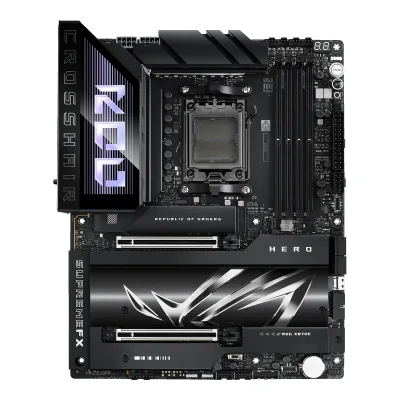
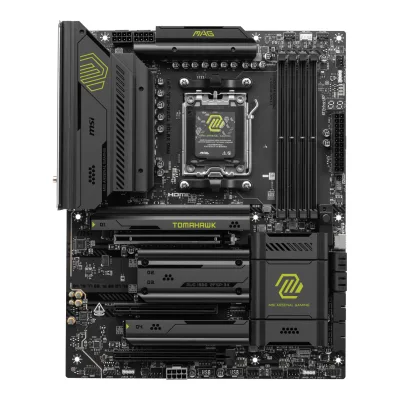
ASUS ROG Crosshair X870E Hero vs MSI MAG X870E TOMAHAWK WIFI
Product A: ASUS
69 of 78 known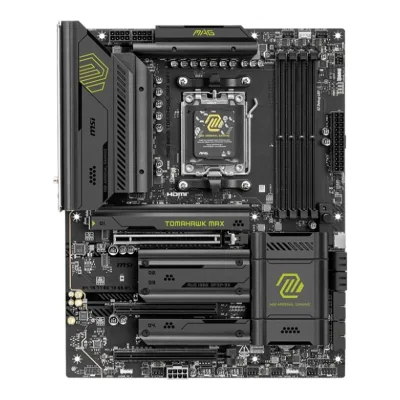 MSI MAG B850 TOMAHAWK MAX WIFI
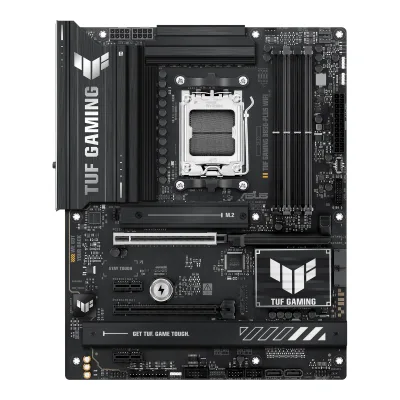 ASUS TUF GAMING B850-PLUS WIFI
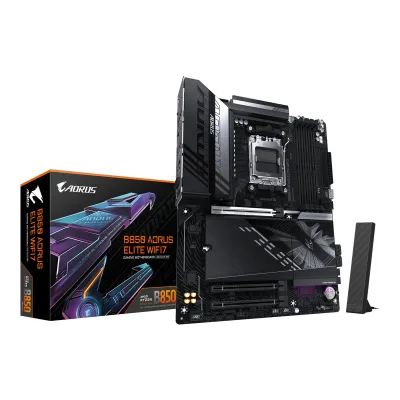 GIGABYTE B850 AORUS ELITE WIFI7
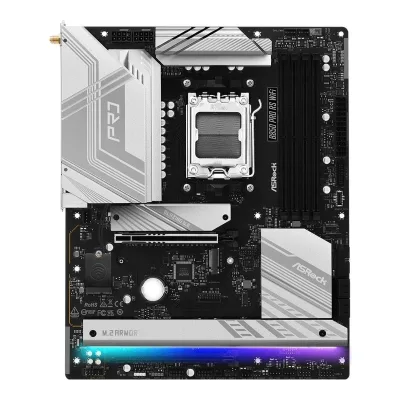 ASRock B850 Pro RS WiFi
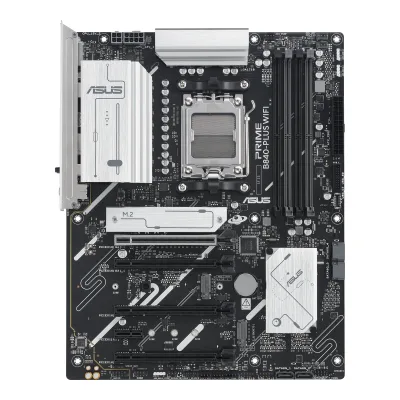 ASUS PRIME B840-PLUS WIFI
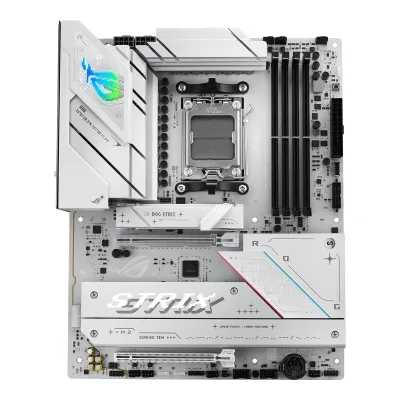 ASUS ROG STRIX B850-A GAMING WIFI
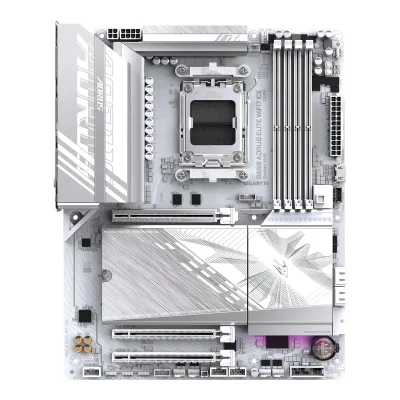 GIGABYTE B850 AORUS ELITE WIFI7 ICE
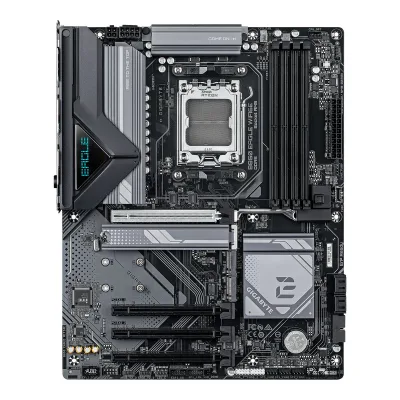 GIGABYTE B850 EAGLE WIFI6E
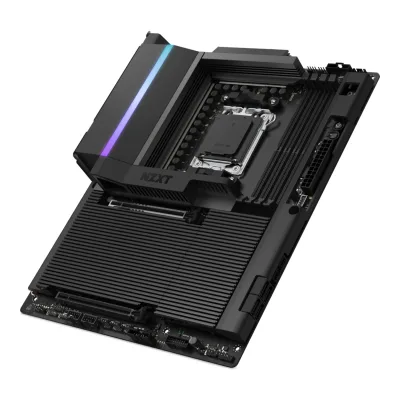 NZXT N9 X870E
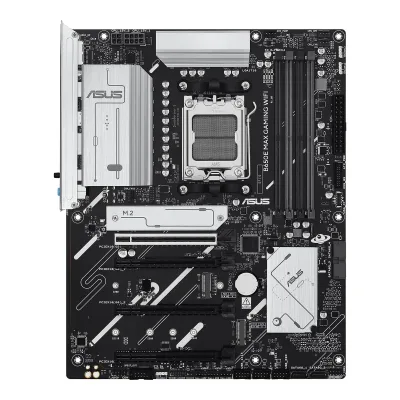 ASUS B650E MAX GAMING WIFI
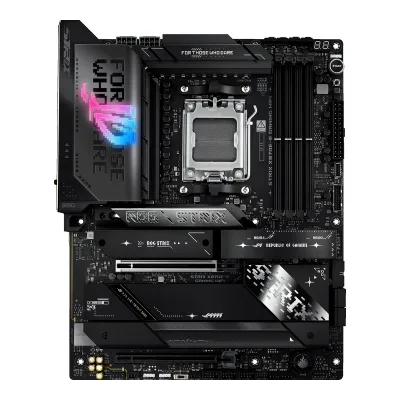 ASUS ROG STRIX X870E-E GAMING WIFI
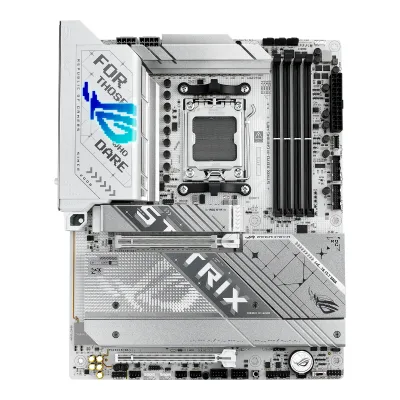 ASUS ROG STRIX X870-A GAMING WIFI
Change ASUS ROG Crosshair X870E Hero
Compare the MSI MAG X870E TOMAHAWK WIFI with
MSI MAG B850 TOMAHAWK MAX WIFIASUS TUF GAMING B850-PLUS WIFIGIGABYTE B850 AORUS ELITE WIFI7ASRock B850 Pro RS WiFiASUS PRIME B840-PLUS WIFIASUS ROG STRIX B850-A GAMING WIFIGIGABYTE B850 AORUS ELITE WIFI7 ICEGIGABYTE B850 EAGLE WIFI6ENZXT N9 X870EASUS B650E MAX GAMING WIFIASUS ROG STRIX X870E-E GAMING WIFIASUS ROG STRIX X870-A GAMING WIFIProduct B: MSI
68 of 78 knownASUS ROG STRIX X870E-E GAMING WIFIASUS ROG STRIX X870-A GAMING WIFI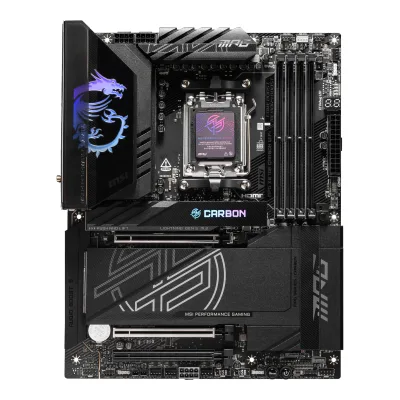 MSI MPG X870E CARBON WIFI
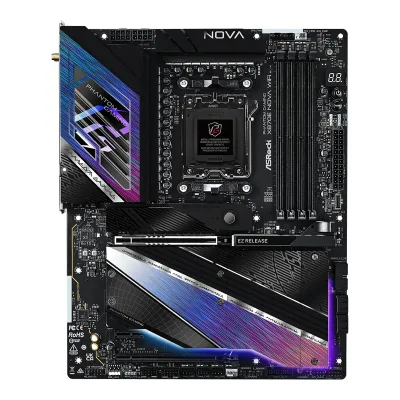 ASRock X870E Nova WiFi
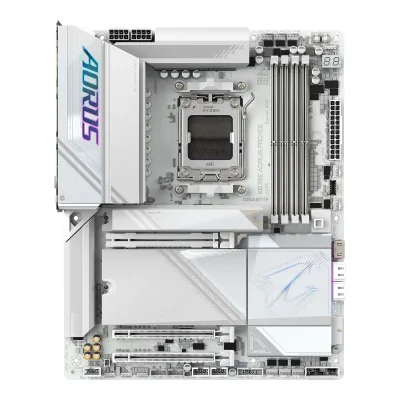 GIGABYTE X870E AORUS PRO ICE
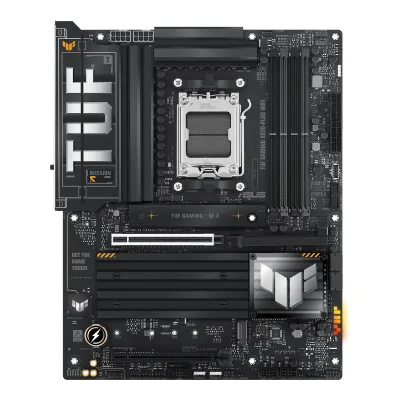 ASUS TUF GAMING X870-PLUS WIFI
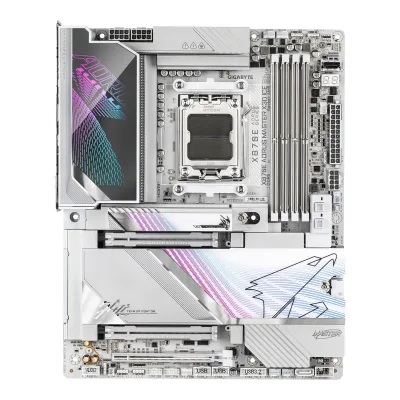 GIGABYTE X870E AORUS MASTER X3D ICENZXT N9 X870E
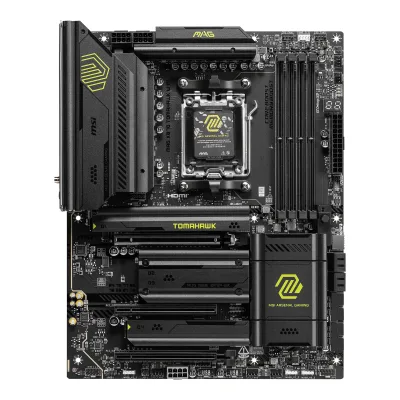 MSI MAG X870 TOMAHAWK WIFI
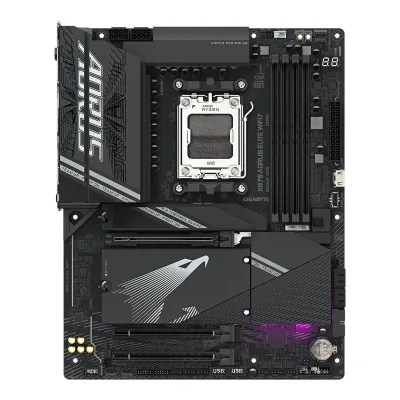 GIGABYTE X870 AORUS ELITE WIFI7
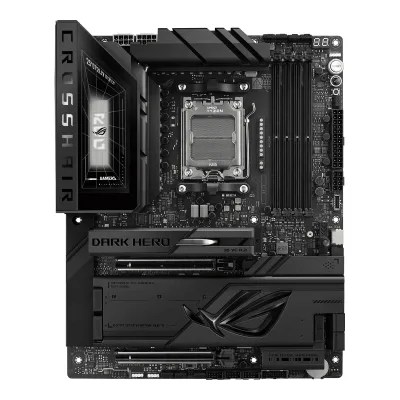 ASUS ROG Crosshair X870E Dark HeroMSI MAG B850 TOMAHAWK MAX WIFI
Change MSI MAG X870E TOMAHAWK WIFI
Compare the ASUS ROG Crosshair X870E Hero with
ASUS ROG STRIX X870E-E GAMING WIFIASUS ROG STRIX X870-A GAMING WIFIMSI MPG X870E CARBON WIFIASRock X870E Nova WiFiGIGABYTE X870E AORUS PRO ICEASUS TUF GAMING X870-PLUS WIFIGIGABYTE X870E AORUS MASTER X3D ICENZXT N9 X870EMSI MAG X870 TOMAHAWK WIFIGIGABYTE X870 AORUS ELITE WIFI7ASUS ROG Crosshair X870E Dark HeroMSI MAG B850 TOMAHAWK MAX WIFI32 of 70 fields differ
- 28 different values
- 4 known for one only
- 33 the same
- 5 missing for both
Biggest differences
Each bar uses the scale of all 87 motherboards.
- PCIe 5.0 M.2 slotsA: 3B: 2ASUS has 1 more.
- Rear USB-C portsA: 4B: 3ASUS has 1 more.
- Vcore stagesA: 18B: 14ASUS has 4 more.
- M.2 slotsA: 5B: 4ASUS has 1 more.
- Rear USB portsA: 10B: 12MSI has 2 more.
Size, drawn to scale
Front and side.
- AASUS: 244 × 305 mm
- BMSI: 244 × 305 mm
All 78 fields
Every value links to where we found it.
General
2 of 9 differ
Series
Model numbers
ROG CROSSHAIR X870E HERO, 90MB1IE0-M0EAY011Retailer pageshop.sumanet.cz/90mb1ie0-m0eay0-asus-mb-sc-am5-rog-crosshair-x870e-hero-amd-x870-4xddr5-1xhdmi-2xthunderbolt-wifiRead 15 October 2026Type designation 90MB1IE0-M0EAY0.
MAG X870E TOMAHAWK WIFI, 911-7E59-006, 911-7E59-017, 601-7E59-04S2Maker product pagede-store.msi.com/products/mag-x870e-tomahawk-wifiRead 15 October 2026MSI German store order code 911-7E59-006 (SKU in the store feed) for MSI MOTHERBOARD MAG X870E TOMAHAWK WIFI.3Maker product pageuk-store.msi.com/products/mag-x870e-tomahawk-wifiRead 15 October 2026MSI UK store order code 601-7E59-04S in the store feed.4Maker product pagees-store.msi.com/products/mag-x870e-tomahawk-wifi-placas-baseRead 15 October 2026MSI Spanish store order code 911-7E59-017.
GTIN / EAN
471138771030210Retailer pagearvutitark.ee/en/pc-components/motherboards/asus-rog-crosshair-x870e-hero-amd-x870e-socket-am5-atx-1402616Read 15 October 2026The listing gives EAN 4711387710302 for the manufacturer code 90MB1IE0-M0EAY0.11Retailer pageshop.sumanet.cz/90mb1ie0-m0eay0-asus-mb-sc-am5-rog-crosshair-x870e-hero-amd-x870-4xddr5-1xhdmi-2xthunderbolt-wifiRead 15 October 2026The listing gives GTIN (EAN) 4711387710302.
4711377291927, 8241423956602Maker product pagede-store.msi.com/products/mag-x870e-tomahawk-wifiRead 15 October 2026Barcode 4711377291927 in the store's product feed.3Maker product pageuk-store.msi.com/products/mag-x870e-tomahawk-wifiRead 15 October 2026Barcode 4711377291927.4Maker product pagees-store.msi.com/products/mag-x870e-tomahawk-wifi-placas-baseRead 15 October 2026Barcode 4711377291927 in the store's product feed.10Retailer pageamazon.com/dp/B0DT55ZJM7Read 15 October 2026Item details list UPC 824142395660 for the MAG X870E Tomahawk WiFi (ASIN B0DT55ZJM7).
Announced
Not available
Not available
Status
Available2Maker product pagede-store.msi.com/products/mag-x870e-tomahawk-wifiRead 15 October 2026The product is listed for sale at 329 EUR on 2026-10-15.10Retailer pageamazon.com/dp/B0DT55ZJM7Read 15 October 2026Listed and in stock at 267.99 USD on 2026-10-15, best sellers rank 6 in Computer Motherboards.
Predecessor
Not available
Not available
Successor
Not available
MSI MAG X870E TOMAHAWK MAX WIFI12Reviewclub386.com/msi-mag-x870e-tomahawk-max-wifi-reviewRead 15 October 2026Review of the MAG X870E Tomahawk MAX WIFI, dated 2026-01-14: the Max board has the same baseline specifications as the original X870E Tomahawk and replaces it on store shelves. Its BIOS flash is doubled to 64MB, so the 256 Mb flash here is the older chip. The older board is still on sale at retailers on 2026-10-15.
Launch price (US)
Not available
Launch price (EU)
Not available
Not available
Markets
Not available
Not available
Colours
Not available
Not available
Segment
Gaming1Maker product pagerog.asus.com/motherboards/rog-crosshair/rog-crosshair-x870e-hero/specRead 15 October 2026The page sits under ROG gaming motherboards (page title: ROG Crosshair, Gaming Motherboards).2Maker product pagerog.asus.com/motherboards/rog-crosshair/rog-crosshair-x870e-heroRead 15 October 2026The product sits in the ROG Crosshair line of ROG gaming motherboards.
Board revision
Not available
Not available
Platform
0 of 4 differ
CPU socket
Chipset
Supported processors
AMD Ryzen 9000 Series, AMD Ryzen 8000 Series, AMD Ryzen 7000 Series1Maker product pagerog.asus.com/motherboards/rog-crosshair/rog-crosshair-x870e-hero/specRead 15 October 2026CPU row: AMD Ryzen 9000 & 8000 & 7000 Series Desktop Processors. The page refers to the ASUS download center for the CPU support list. Read on 2026-10-15.
AMD Ryzen 9000 Series, AMD Ryzen 8000 Series, AMD Ryzen 7000 Series1Owner's manualtrovaprezzi.it/manuali/msi_mag_x870e_tomahawk_wifi.pdfRead 15 October 2026Specifications, CPU: AMD Ryzen 9000, 8000 and 7000 Series Desktop Processors. The manual says to check msi.com for the newest support status. Read on 2026-10-15. BIOS updates can add series later.
CPU overclocking
Board
1 of 5 differ
Form factor
Board dimensions
Width244Height305mm(9.6 × 12 in)3Owner's manualdlcdnets.asus.com/pub/ASUS/mb/SocketAM5/ROG_CROSSHAIR_X870E_HERO/E27104_ROG_CROSSHAIR_X870E_HERO_EM_V5_WEB.pdfRead 15 October 2026Specifications summary, Form Factor: ATX Form Factor, 12 inch x 9.6 inch (30.5 cm x 24.4 cm). Stored as 244 mm wide and 305 mm high.8Reviewkitguru.net/components/motherboard/leo-waldock/asus-rog-crosshair-x870e-hero-reviewRead 15 October 2026Spec list: ATX 305mm x 244mm.
PCB layers
82Maker product pagede-store.msi.com/products/mag-x870e-tomahawk-wifiRead 15 October 2026Key features, German text: 8 Schichten Server Niveau PCB mit 2 oz verdicktem Kupfer (8-layer server-grade PCB with 2 oz thickened copper). The English UK page says 8-layer PCB made by 2oz thickened copper.3Maker product pageuk-store.msi.com/products/mag-x870e-tomahawk-wifiRead 15 October 2026Key features: 8-layer PCB made by 2oz thickened copper and server-grade level material.5Reviewtomshardware.com/reviews/msi-x870e-tomahawk-wifi-motherboard-reviewRead 15 October 2026Page 1: a black 8-layer server-grade PCB.7Reviewtech4gamers.com/msi-mag-x870e-tomahawk-wifi-reviewRead 15 October 20268-layer PCB (NPG-170D) with 2oz thickened copper.
Back-connect design
RGB lighting on the board
Power delivery
5 of 6 differ
Power stage layout
18+2+22Maker product pagerog.asus.com/motherboards/rog-crosshair/rog-crosshair-x870e-heroRead 15 October 2026Overview: ROG Ultimate Power Solution 18(110A)+2(110A)+2(80A) Power Stages, and 18+2+2 power stages.6Reviewtomshardware.com/pc-components/motherboards/asus-rog-crosshair-x870e-hero-reviewRead 15 October 2026Spec table: 22 Phase (18x 110A SPS MOSFETs for Vcore).8Reviewkitguru.net/components/motherboard/leo-waldock/asus-rog-crosshair-x870e-hero-reviewRead 15 October 2026Spec list: 18+2 x110A +2x80A Vishay Smart Power Stages with Asus Digi+ ASP2205 controller.9Reviewguru3d.com/review/asus-rog-crosshair-x870e-hero-reviewRead 15 October 2026Product showcase page: an 18+2+2 phase VRM configuration with 110A power stages.
CPU core (Vcore) power stages
182Maker product pagerog.asus.com/motherboards/rog-crosshair/rog-crosshair-x870e-heroRead 15 October 2026Overview: 18+2+2 power stages, with 18 on VCORE rated 110A, 2 on SoC and 2 on MISC.8Reviewkitguru.net/components/motherboard/leo-waldock/asus-rog-crosshair-x870e-hero-reviewRead 15 October 2026Spec list: 18 Vcore stages at 110A.13Spec databasemaxmybuild.com/motherboards/asus-rog-crosshair-x870e-heroRead 15 October 2026Phase config 2x9+2+2, which is 18 stages on the Vcore rail.
145Reviewtomshardware.com/reviews/msi-x870e-tomahawk-wifi-motherboard-reviewRead 15 October 2026Page 1: 17 phases, 14 of which are dedicated to Vcore (14x 80A SPS MOSFETs for Vcore in the spec table).7Reviewtech4gamers.com/msi-mag-x870e-tomahawk-wifi-reviewRead 15 October 2026The board uses a 14+2+1 duet-rail design, with 14x 80A SPS for the CPU Vcore. In this design two stages receive the same signal from the PWM controller.
Vcore power stage rating
110A2Maker product pagerog.asus.com/motherboards/rog-crosshair/rog-crosshair-x870e-heroRead 15 October 2026Overview: VCORE (110A). The SoC stages are 110 A and the MISC stages 80 A. Each power stage has a choke rated 45 A.8Reviewkitguru.net/components/motherboard/leo-waldock/asus-rog-crosshair-x870e-hero-reviewRead 15 October 2026Spec list: 110A stages. This agrees with the maker.
80A5Reviewtomshardware.com/reviews/msi-x870e-tomahawk-wifi-motherboard-reviewRead 15 October 2026Page 1 spec table: 14x 80A SPS MOSFETs for Vcore. The text says 80A MPS MPS2433 stages and 1,120A in total.7Reviewtech4gamers.com/msi-mag-x870e-tomahawk-wifi-reviewRead 15 October 202614x 80A SPS for Vcore, MPS MP87670 stages, 1,120A in total.9Reviewnoticias3d.com/articulo/3856/msi-mag-x870e-tomahawk-wifi-review-rendimiento-precio-mejor-chipset.htmlRead 15 October 2026Review text: 14 phases of 80A smart power stages with digital control and a 14+2+1 layout.10Retailer pageamazon.com/dp/B0DT55ZJM7Read 15 October 2026About this item (MSI's text): 14 Duet Rail Power System (80A, SPS) VRM for the AMD X870E chipset.
VRM controller
ASUS ASP22056Reviewtomshardware.com/pc-components/motherboards/asus-rog-crosshair-x870e-hero-reviewRead 15 October 2026Power delivery has 22 phases, 18 of them Vcore. Power moves from the EPS connector to a Digi+ ASP2205 PWM controller, then to 18 Vishay SiC850A 110A power stages. KitGuru also names the ASP2205. ASUS is the maker of the Digi+ controllers.8Reviewkitguru.net/components/motherboard/leo-waldock/asus-rog-crosshair-x870e-hero-reviewRead 15 October 2026Spec list: Asus Digi+ ASP2205 controller.
CPU power connectors
8+8 pin1Maker product pagerog.asus.com/motherboards/rog-crosshair/rog-crosshair-x870e-hero/specRead 15 October 2026Power Related row: 2 x 8-pin +12V CPU Power connectors.2Maker product pagerog.asus.com/motherboards/rog-crosshair/rog-crosshair-x870e-heroRead 15 October 2026Overview: 8 + 8-pin ProCool II power connectors for the EPS 12V lines.
Extra slot power connector
No1Maker product pagerog.asus.com/motherboards/rog-crosshair/rog-crosshair-x870e-hero/specRead 15 October 2026Power Related row lists 1 x 8-pin PCIe Power connector. The page ties it to the front USB 20Gbps Type-C port: to support 60W the power cable must go to this connector, or only 27W is supported. It is not described as feeding the expansion slots, so it does not count.3Owner's manualdlcdnets.asus.com/pub/ASUS/mb/SocketAM5/ROG_CROSSHAIR_X870E_HERO/E27104_ROG_CROSSHAIR_X870E_HERO_EM_V5_WEB.pdfRead 15 October 2026Layout item 25 is the 8-pin PCIe Power Plug LED for PCIE_8PIN_PWR. The manual says nothing about slot power from it.
Memory
3 of 6 differ
Memory type
Memory slots
Max memory
Max memory speed (overclocked)
ECC memory
Yes1Maker product pagerog.asus.com/motherboards/rog-crosshair/rog-crosshair-x870e-hero/specRead 15 October 2026Memory row: ECC and Non-ECC, Un-buffered Memory. The note says non-ECC DDR5 supports On-Die ECC, which does not count. The manual says ECC or non-ECC DDR5 DIMMs can be installed. The page does not say that ECC runs with ECC active.3Owner's manualdlcdnets.asus.com/pub/ASUS/mb/SocketAM5/ROG_CROSSHAIR_X870E_HERO/E27104_ROG_CROSSHAIR_X870E_HERO_EM_V5_WEB.pdfRead 15 October 2026Memory configurations: You may install ECC or Non-ECC DDR5 DIMMs into the DIMM sockets.
Expansion slots
2 of 3 differ
Expansion slots
AASUS ROG Crosshair X870E Hero
| Physical slot | Electrical lanes | PCIe generation | Connected to | Count |
|---|---|---|---|---|
| PCIe x16 | 16 | 5 | CPU | 1 |
| PCIe x16 | 8 | 5 | CPU | 1 |
Source1Maker product pagerog.asus.com/motherboards/rog-crosshair/rog-crosshair-x870e-hero/specRead 15 October 2026Expansion Slots row for Ryzen 9000 and 7000: 2 x PCIe 5.0 x16 slots with Q-Release Slim (supports x16 or x8/x8 or x8/x4/x4 modes). With both slots in use each runs at x8. Tom's Hardware says both slots connect to the CPU, the top one at x16 or x8 and the bottom one at x8. Ryzen 8000 limits the slots to PCIe 4.0 and turns the second slot off.6Reviewtomshardware.com/pc-components/motherboards/asus-rog-crosshair-x870e-hero-reviewRead 15 October 2026Both reinforced PCIe slots are CPU-connected at PCIe 5.0. The top slot runs at x16 or x8 and the bottom slot runs at x8, or x4/x4 with some M.2 setups.
BMSI MAG X870E TOMAHAWK WIFI
| Physical slot | Electrical lanes | PCIe generation | Connected to | Count |
|---|---|---|---|---|
| PCIe x16 | 16 | 5 | CPU | 1 |
| PCIe x16 | 1 | 3 | Chipset | 1 |
| PCIe x16 | 4 | 4 | Chipset | 1 |
Source1Owner's manualtrovaprezzi.it/manuali/msi_mag_x870e_tomahawk_wifi.pdfRead 15 October 2026Specifications, Expansion Slots: 3x PCIe x16 slots. PCI_E1 from the CPU supports up to PCIe 5.0 x16 on Ryzen 9000 and 7000 (PCIe 4.0 x8 on Ryzen 8700, 8600 and 8400, and PCIe 4.0 x4 on Ryzen 8500 and 8300). PCI_E2 from the X870E chipset supports up to PCIe 3.0 x1. PCI_E3 from the chipset supports up to PCIe 4.0 x4. All three are full-length slots. The pre-installed Wi-Fi module sits in an M.2 Key-E slot, which is not listed.2Maker product pagede-store.msi.com/products/mag-x870e-tomahawk-wifiRead 15 October 2026Slot table: 3x PCI-E x16. PCI_E1 PCIe 5.0 x16 from the CPU, PCI_E2 PCIe 3.0 x1 and PCI_E3 PCIe 4.0 x4, both from the chipset.
Full-length PCIe slots
2
3
Fastest PCIe x16 slot generation
5
5
Storage
3 of 4 differ
M.2 storage slots
AASUS ROG Crosshair X870E Hero
| Slot | PCIe generation | PCIe lanes | Connected to | Longest drive | Takes SATA drives | Heatsink | Shares lanes with |
|---|---|---|---|---|---|---|---|
| M.2_1 | 5 | 4 | CPU | M.2 2280 | No | Yes | Not available |
| M.2_2 | 5 | 4 | CPU | M.2 2280 | No | Yes | PCIEX16_1 and PCIEX16_2. With M.2_2 in use and M.2_3 not, PCIEX16_1 runs at x8 and PCIEX16_2 is disabled |
| M.2_3 | 5 | 4 | CPU | M.2 2280 | No | Yes | PCIEX16_1 and PCIEX16_2. With M.2_3 in use and M.2_2 not, PCIEX16_1 runs at x8 and PCIEX16_2 runs at x4. With both in use, PCIEX16_1 runs at x8 and PCIEX16_2 is disabled |
| M.2_4 | 4 | 4 | Chipset | M.2 2280 | No | Yes | Not available |
| M.2_5 | 4 | 4 | Chipset | M.2 2280 | No | Yes | Not available |
Source1Maker product pagerog.asus.com/motherboards/rog-crosshair/rog-crosshair-x870e-hero/specRead 15 October 2026Storage row for Ryzen 9000 and 7000: M.2_1, M.2_2 and M.2_3 (CPU) support type 2242/2260/2280 at PCIe 5.0 x4. The AMD X870E chipset gives M.2_4 (2242/2260/2280) and M.2_5 (2280) at PCIe 4.0 x4. The lane sharing footnote is on M.2_2 and M.2_3. With Ryzen 8000 only M.2_1 works, at PCIe 4.0. The full slot list names no SATA mode. The page lists M.2 heatsinks and each of the three PCIe 5.0 slots has a backplate. The ASUS overview says heatsinks for five M.2 slots. A SlimSAS connector at PCIe 4.0 x4 is not an M.2 slot and is not listed.6Reviewtomshardware.com/pc-components/motherboards/asus-rog-crosshair-x870e-hero-reviewRead 15 October 2026The top three M.2 sockets, M.2_1/2/3, are CPU-connected at PCIe 5.0 x4 and take up to 80 mm. The bottom two take up to 80 mm and connect through the chipset at PCIe 4.0 x4. M.2_2 and M.2_3 together turn off PCIEX16_2.13Spec databasemaxmybuild.com/motherboards/asus-rog-crosshair-x870e-heroRead 15 October 2026Lists a heatsink on all M.2 slots.
BMSI MAG X870E TOMAHAWK WIFI
| Slot | PCIe generation | PCIe lanes | Connected to | Longest drive | Takes SATA drives | Heatsink | Shares lanes with |
|---|---|---|---|---|---|---|---|
| M2_1 | 5 | 4 | CPU | M.2 22110 | No | Yes | Not available |
| M2_2 | 5 | 4 | CPU | M.2 2280 | No | Yes | Rear USB 40Gbps Type-C ports. Both run at PCIe 5.0 x2 when a device is installed in M2_2. Setting M2_2 to x4 in the BIOS turns off the USB 40Gbps Type-C ports |
| M2_3 | 4 | 4 | Chipset | M.2 2280 | No | Yes | Not available |
| M2_4 | 4 | 4 | Chipset | M.2 2280 | No | Yes | Not available |
Source1Owner's manualtrovaprezzi.it/manuali/msi_mag_x870e_tomahawk_wifi.pdfRead 15 October 2026Specifications, M.2 SSD Slots: M2_1 and M2_2 from the CPU, PCIe 5.0 x4 on Ryzen 9000 and 7000. M2_3 and M2_4 from the X870E chipset, PCIe 4.0 x4. M2_1 takes 2280 and 22110, the others 2260 and 2280. M2_1 is PCIe 4.0 x4 on Ryzen 8000. M2_2 is PCIe 4.0 x4 on Ryzen 8700, 8600 and 8400 and unavailable on Ryzen 8500 and 8300. The USB 40Gbps Type-C ports and M2_2 share PCIe 5.0 x4 bandwidth (footnote). No slot lists an M.2 SATA mode. The M.2 chapter shows heatsinks on all four slots: a screwless M.2 Shield Frozr over M2_1, one screwed heatsink over M2_2 and M2_3, and a screwless one over M2_4.2Maker product pagede-store.msi.com/products/mag-x870e-tomahawk-wifiRead 15 October 2026Storage table: M.2_1 from the CPU (22110/2280), M.2_2 from the CPU (2280/2260), M.2_3 and M.2_4 from the chipset (2280/2260). The USB 40Gbps Type-C ports and M.2_2 share PCIe 5.0 x4 bandwidth.5Reviewtomshardware.com/reviews/msi-x870e-tomahawk-wifi-motherboard-reviewRead 15 October 2026The text confirms two PCIe 5.0 x4 and two PCIe 4.0 x4 sockets and that M2_2 shares bandwidth with the 40 Gbps USB ports. It also says M.2_3 borrows lanes from the bottom PCIe slot and runs at PCIe 4.0 x2. MSI's manual and spec text say M.2_3 supports up to PCIe 4.0 x4, and Tech4Gamers says there is no bandwidth sharing between the PCIe and M.2 slots. The maker's figure is stored and this conflict is not.7Reviewtech4gamers.com/msi-mag-x870e-tomahawk-wifi-reviewRead 15 October 2026All the M.2 slots come with dedicated heatsinks. The top and bottom ones are removed with a push (EZ M.2 Shield Frozr II) and the middle one has four screws. The intro says there is no bandwidth sharing between the PCIe and M.2 slots, which leaves out the maker's USB 40Gbps sharing with M2_2.9Reviewnoticias3d.com/articulo/3856/msi-mag-x870e-tomahawk-wifi-review-rendimiento-precio-mejor-chipset.htmlRead 15 October 2026Review text (Spanish): all four NVMe slots have cooling, and the main slot (22110) has an extra lower thermal pad.
M.2 slots
5
4
PCIe 5.0 M.2 slots
3
2
SATA ports
Rear ports
3 of 5 differ
Rear ports
AASUS ROG Crosshair X870E Hero
| Type | Version | Count | Max link rate (Gbps) | Thunderbolt or USB4 | DP Alt Mode |
|---|---|---|---|---|---|
| USB-C | USB4 | 2 | 40 | USB4 | Yes |
| USB-C | USB 3.2 Gen 2 | 2 | 10 | Not available | No |
| USB-A | USB 3.2 Gen 2 | 6 | 10 | Not available | Not available |
| HDMI | HDMI 2.1 | 1 | Not available | Not available | Not available |
| Ethernet (RJ45) | Not available | 1 | 5 | Not available | Not available |
| Ethernet (RJ45) | Not available | 1 | 2.5 | Not available | Not available |
| 3.5 mm audio | Not available | 2 | Not available | Not available | Not available |
| Optical S/PDIF | Not available | 1 | Not available | Not available | Not available |
BMSI MAG X870E TOMAHAWK WIFI
| Type | Version | Count | Max link rate (Gbps) | Thunderbolt or USB4 | DP Alt Mode |
|---|---|---|---|---|---|
| USB-C | USB4 | 2 | 40 | USB4 | Yes |
| USB-C | USB 3.2 Gen 2 | 1 | 10 | Not available | Not available |
| USB-A | USB 3.2 Gen 2 | 2 | 10 | Not available | Not available |
| USB-A | USB 3.2 Gen 1 | 3 | 5 | Not available | Not available |
| USB-A | USB 2.0 | 4 | 0.48 | Not available | Not available |
| HDMI | HDMI 2.1 | 1 | Not available | Not available | Not available |
| Ethernet (RJ45) | Not available | 1 | 5 | Not available | Not available |
| 3.5 mm audio | Not available | 2 | Not available | Not available | Not available |
| Optical S/PDIF | Not available | 1 | Not available | Not available | Not available |
Source1Owner's manualtrovaprezzi.it/manuali/msi_mag_x870e_tomahawk_wifi.pdfRead 15 October 2026Specifications, Back Panel Connectors: 1x HDMI, 1x USB 10Gbps Type-A from the CPU and 1x from the chipset, 3x USB 5Gbps Type-A, 2x USB 40Gbps Type-C (ASM4242, supporting DisplayPort over USB Type-C), 4x USB 2.0 Type-A, 1x USB 10Gbps Type-C, 1x 5G LAN (RJ45), 2x audio jacks (line-out and mic-in), 1x optical S/PDIF out. Onboard graphics: HDMI 2.1 with FRL up to 8K 60Hz, and USB4 ports with DisplayPort 1.4 HBR3 up to 4K 60Hz, only on processors with integrated graphics. MSI calls the 40Gbps ports USB4 and does not say Thunderbolt.2Maker product pagede-store.msi.com/products/mag-x870e-tomahawk-wifiRead 15 October 2026USB list: 4x USB 2.0 rear, 3x USB 5Gbps Type-A rear, 2x USB 10Gbps Type-A rear, 1x USB 10Gbps Type-C rear, 2x USB 40Gbps Type-C rear. HDMI 2.1 FRL up to 8K 60Hz. The USB4 ports support DisplayPort 1.4 with HBR3.
Rear USB ports
10
12
Rear USB-C ports
4
3
Fastest rear USB port
40Gbps
40Gbps
Thunderbolt
No
No
Internal connectors
2 of 5 differ
Internal USB headers
AASUS ROG Crosshair X870E Hero
| Header | Max data rate (Gbps) | Headers | Front ports served | Power out (W) |
|---|---|---|---|---|
| USB-C header | 20 | 1 | 1 | 60 |
| USB-C header | 20 | 1 | 1 | 15 |
| USB 3 header (19-pin) | 5 | 2 | 4 | Not available |
| USB 2.0 header (9-pin) | 0.48 | 2 | 4 | Not available |
BMSI MAG X870E TOMAHAWK WIFI
| Header | Max data rate (Gbps) | Headers | Front ports served | Power out (W) |
|---|---|---|---|---|
| USB-C header | 20 | 1 | 1 | 27 |
| USB 3 header (19-pin) | 5 | 2 | 4 | Not available |
| USB 2.0 header (9-pin) | 0.48 | 2 | 4 | Not available |
Front USB-C header speed
20Gbps
20Gbps
Fan headers
81Maker product pagerog.asus.com/motherboards/rog-crosshair/rog-crosshair-x870e-hero/specRead 15 October 2026Fan and Cooling Related: 1 CPU, 1 CPU OPT, 1 AIO Pump, 4 chassis fan headers and 1 W_PUMP+ header, 8 in total. Tom's Hardware also counts 8.6Reviewtomshardware.com/pc-components/motherboards/asus-rog-crosshair-x870e-hero-reviewRead 15 October 2026Spec table: 8 four-pin fan and pump headers (CPU, CPUOPT, AIO Pump, Chassis, W_PUMP+).
ARGB headers
31Maker product pagerog.asus.com/motherboards/rog-crosshair/rog-crosshair-x870e-hero/specRead 15 October 2026Miscellaneous: 3 x Addressable Gen2 headers.2Maker product pagerog.asus.com/motherboards/rog-crosshair/rog-crosshair-x870e-heroRead 15 October 2026Overview: 3 x 3-pin addressable Gen 2 RGB headers.
RGB headers
Networking
3 of 9 differ
Ethernet controllers
Realtek RTL8126, Intel I2261Maker product pagerog.asus.com/motherboards/rog-crosshair/rog-crosshair-x870e-hero/specRead 15 October 2026Ethernet row: 1 x Intel 2.5Gb Ethernet and 1 x Realtek 5Gb Ethernet. The chip names come from Tom's Hardware (Intel i-226 and Realtek 8126).6Reviewtomshardware.com/pc-components/motherboards/asus-rog-crosshair-x870e-hero-reviewRead 15 October 2026Spec table: Intel i-226 (2.5 GbE) and Realtek 8126 (5 GbE). Stored without suffix letters.8Reviewkitguru.net/components/motherboard/leo-waldock/asus-rog-crosshair-x870e-hero-reviewRead 15 October 2026Spec list: Realtek 5Gbps and Intel 2.5Gbps Ethernet.
Realtek RTL81261Owner's manualtrovaprezzi.it/manuali/msi_mag_x870e_tomahawk_wifi.pdfRead 15 October 2026Specifications: 1x Realtek 8126 5Gbps LAN controller. Tom's Hardware writes the part as 8126VB. Stored as the chip family RTL8126.5Reviewtomshardware.com/reviews/msi-x870e-tomahawk-wifi-motherboard-reviewRead 15 October 2026Page 1 spec table: Realtek 8126VB (5 GbE).7Reviewtech4gamers.com/msi-mag-x870e-tomahawk-wifi-reviewRead 15 October 2026Spec table: Realtek 8126VB 5G LAN.
Ethernet ports
2
1
Ethernet speed
5Gbps
5Gbps
Wi-Fi included
Wi-Fi standard
Wi-Fi bands
Max Wi-Fi channel width
Wi-Fi module
MediaTek MT79271Maker product pagerog.asus.com/motherboards/rog-crosshair/rog-crosshair-x870e-hero/specRead 15 October 2026Wireless row: Wi-Fi 7 (Qualcomm QCNCM865 or MediaTek MT7927). The actual module may vary, so see the label on the product. The reviewed boards had the MediaTek MT7927, so it is the base value.8Reviewkitguru.net/components/motherboard/leo-waldock/asus-rog-crosshair-x870e-hero-reviewRead 15 October 2026Spec list: Wireless: MediaTek MT7927 Wi-Fi 7, Bluetooth 5.4.
Not available
Bluetooth
5.41Maker product pagerog.asus.com/motherboards/rog-crosshair/rog-crosshair-x870e-hero/specRead 15 October 2026Wireless row: Bluetooth v5.4. The Bluetooth version may vary with the Wi-Fi module.6Reviewtomshardware.com/pc-components/motherboards/asus-rog-crosshair-x870e-hero-reviewRead 15 October 2026Spec table: BT 5.4.
Audio
2 of 2 differ
Audio codec
Realtek ALC40821Maker product pagerog.asus.com/motherboards/rog-crosshair/rog-crosshair-x870e-hero/specRead 15 October 2026Audio row: ROG SupremeFX 7.1 Surround Sound High Definition Audio CODEC ALC4082. The codec is a Realtek part (Tom's Hardware: Realtek ALC4082).6Reviewtomshardware.com/pc-components/motherboards/asus-rog-crosshair-x870e-hero-reviewRead 15 October 2026Spec table: Realtek ALC4082 w/ESS Sabre9219 DAC.
DAC chip
ESS ES92191Maker product pagerog.asus.com/motherboards/rog-crosshair/rog-crosshair-x870e-hero/specRead 15 October 2026Audio features: ESS ES9219 QUAD DAC.6Reviewtomshardware.com/pc-components/motherboards/asus-rog-crosshair-x870e-hero-reviewRead 15 October 2026Spec table: ESS Sabre9219. ASUS names it ESS ES9219.
Not available
Features
2 of 7 differ
BIOS flashback
Clear CMOS button (rear)
POST code display
Yes1Maker product pagerog.asus.com/motherboards/rog-crosshair/rog-crosshair-x870e-hero/specRead 15 October 2026ASUS Q-Design lists Q-Code and Q-LED (CPU, DRAM, VGA, Boot Device). The manual's layout lists a Q-Code LED that shows a 2-digit error code.3Owner's manualdlcdnets.asus.com/pub/ASUS/mb/SocketAM5/ROG_CROSSHAIR_X870E_HERO/E27104_ROG_CROSSHAIR_X870E_HERO_EM_V5_WEB.pdfRead 15 October 2026Layout item 21, Q-Code LED: a 2-digit error code that displays the system status.6Reviewtomshardware.com/pc-components/motherboards/asus-rog-crosshair-x870e-hero-reviewRead 15 October 2026Spec table: Diagnostics Panel with Q-Code and Q-LED.
Yes1Owner's manualtrovaprezzi.it/manuali/msi_mag_x870e_tomahawk_wifi.pdfRead 15 October 2026LED Features: 1x EZ Digi-Debug LED, with a debug code table in the Onboard LEDs chapter. It is a two-digit display. The 4 EZ Debug LEDs are single status LEDs.5Reviewtomshardware.com/reviews/msi-x870e-tomahawk-wifi-motherboard-reviewRead 15 October 2026Spec table: Diagnostics Panel with 4 Post Status LEDs and a 2-character Debug LED.9Reviewnoticias3d.com/articulo/3856/msi-mag-x870e-tomahawk-wifi-review-rendimiento-precio-mejor-chipset.htmlRead 15 October 2026Review text: the board has debug with a numeric code.
Power button on the board
Yes1Maker product pagerog.asus.com/motherboards/rog-crosshair/rog-crosshair-x870e-hero/specRead 15 October 2026Miscellaneous and Extreme OC Kit: 1 x Start button. The manual says it powers up the system or puts it to sleep or soft-off.3Owner's manualdlcdnets.asus.com/pub/ASUS/mb/SocketAM5/ROG_CROSSHAIR_X870E_HERO/E27104_ROG_CROSSHAIR_X870E_HERO_EM_V5_WEB.pdfRead 15 October 2026Layout item 19, Start button: press it to power up the system, or put the system into sleep or soft-off mode.6Reviewtomshardware.com/pc-components/motherboards/asus-rog-crosshair-x870e-hero-reviewRead 15 October 2026Spec table: internal buttons are Start, Flex, Retry and an alternate PCIe mode switch.
Dual BIOS
Pre-installed I/O shield
Tool-free features
Tool-free M.2 latch, Tool-free M.2 heatsink, PCIe slot release, Push-on antenna connector1Maker product pagerog.asus.com/motherboards/rog-crosshair/rog-crosshair-x870e-hero/specRead 15 October 2026ASUS Q-Design: M.2 Q-Latch (tool-free SSD latch), M.2 Q-Release (removes the M.2 heatsink without screws), M.2 Q-Slide, Q-Release Slim (PCIe slot release, with SafeSlot) and Q-Antenna (the antenna snaps into place).2Maker product pagerog.asus.com/motherboards/rog-crosshair/rog-crosshair-x870e-heroRead 15 October 2026Overview: Q-Release for the M.2 heatsink (a switch frees it), the new M.2 Q-Latch, PCIe Slot Q-Release Slim and Q-Antenna are described.6Reviewtomshardware.com/pc-components/motherboards/asus-rog-crosshair-x870e-hero-reviewRead 15 October 2026The review describes the Q-Release Slim PCIe slot, which releases the card without a button.
Tool-free M.2 latch, Tool-free M.2 heatsink, PCIe slot release1Owner's manualtrovaprezzi.it/manuali/msi_mag_x870e_tomahawk_wifi.pdfRead 15 October 2026Special Features, EZ DIY: EZ M.2 Clip II, EZ PCIe Release, and thermal feature M.2 Shield Frozr. Two M.2 heatsinks are screwless and the heatsink over M2_2 and M2_3 needs a screwdriver. The EZ Antenna is plugged in with a tight connection and the connector type is not stated, so the push-on antenna option is not set.2Maker product pagede-store.msi.com/products/mag-x870e-tomahawk-wifiRead 15 October 2026Key features: EZ DIY with EZ M.2 Shield Frozr II, EZ M.2 Clip II, EZ PCIe Release and EZ Antenna.7Reviewtech4gamers.com/msi-mag-x870e-tomahawk-wifi-reviewRead 15 October 2026EZ PCIe release button on the primary slot. Top and bottom M.2 heatsinks are tool-free (EZ M.2 Shield Frozr II) and the middle one is screw-secured.10Retailer pageamazon.com/dp/B0DT55ZJM7Read 15 October 2026About this item: double-sided EZ M.2 Shield Frozr II and EZ M.2 Clip II.
Measured
3 of 3 differ
VRM temperature under CPU load
Power draw idle
Power draw CPU stress
In the box
1 of 1 differ
In the box
1 x ARGB RGB extension cable, 4 x SATA 6Gb/s cables, 1 x ASUS WiFi Q-Antenna, 1 x Q-connector, 2 x M.2 Q-Latch package, 3 x M.2 Q-Slide package, 5 x M.2 rubber package, 1 x ROG stickers, 1 x ROG thank you card, 1 x ROG Bottle Opener, 1 x USB drive with utilities and drivers, 1 x Quick start guide1Maker product pagerog.asus.com/motherboards/rog-crosshair/rog-crosshair-x870e-hero/specRead 15 October 2026Accessories row: cables, miscellaneous, installation media and documentation, as listed.
Quick installation guide, European Union Regulatory Notices, USB drive, 2 x SATA cables, EZ Front Panel Cable, 1 to 3 EZ Conn-Cable (V2), EZ Wi-Fi Antenna, EZ M.2 Clip II Remover, M.2 Plate Screw1Owner's manualtrovaprezzi.it/manuali/msi_mag_x870e_tomahawk_wifi.pdfRead 15 October 2026Package Contents: motherboard, quick installation guide, EU regulatory notices, USB drive, 2 SATA cables, EZ Front Panel Cable, 1 to 3 EZ Conn-Cable (V2), EZ Wi-Fi Antenna, EZ M.2 Clip II Remover and M.2 plate screw. Tom's Hardware and Tech4Gamers also list cable stickers, which the manual leaves out.7Reviewtech4gamers.com/msi-mag-x870e-tomahawk-wifi-reviewRead 15 October 2026Unboxing: quick installation guide, EU regulatory notice, 2 SATA data cables, EZ M.2 Clip II remover, M.2 plate screw, EZ WiFi antenna, 1-to-3 EZ Conn-Cable (V2), EZ front panel cable, USB drive, cable stickers and a flyer. It confirms the maker's list.
Links
Not compared
Product page
Spec sheet
rog.asus.com/motherboards/rog-crosshair/rog-crosshair-x870e-hero/spec1Maker product pagerog.asus.com/motherboards/rog-crosshair/rog-crosshair-x870e-hero/specRead 15 October 2026The maker's Tech Specs tab, read on 2026-10-15.
storage-asset.msi.com/specSheet/it/mb/MAG%20X870E%20TOMAHAWK%20WIFI.pdf13Maker product pagemsi.com/Motherboard/MAG-X870E-TOMAHAWK-WIFIRead 15 October 2026MSI's spec sheet PDF (Italian version) and datasheet appear in web search results. They are on msi.com's file host, which was not opened, and no value comes from them.
Manual
dlcdnets.asus.com/pub/ASUS/mb/SocketAM5/ROG_CROSSHAIR_X870E_HERO/E27104_ROG_CROSSHAIR_X870E_HERO_EM_V5_WEB.pdf3Owner's manualdlcdnets.asus.com/pub/ASUS/mb/SocketAM5/ROG_CROSSHAIR_X870E_HERO/E27104_ROG_CROSSHAIR_X870E_HERO_EM_V5_WEB.pdfRead 15 October 2026ASUS user's manual E27104 (EM V5), English edition, found through the ASUS support API manual list for this model. It also covers the model number in its title.
EPREL registration number
Not available
Not available
Warranty
0 of 1 differ
Manufacturer warranty (source market)
3years6Reviewtomshardware.com/pc-components/motherboards/asus-rog-crosshair-x870e-hero-reviewRead 15 October 2026Spec table: Warranty 3 Years. The review is a US review.10Retailer pagearvutitark.ee/en/pc-components/motherboards/asus-rog-crosshair-x870e-hero-amd-x870e-socket-am5-atx-1402616Read 15 October 2026The listing gives Warranty (months) 36 in Estonia.
3years3Maker product pageuk-store.msi.com/products/mag-x870e-tomahawk-wifiRead 15 October 2026Warranty: 3-year warranty.5Reviewtomshardware.com/reviews/msi-x870e-tomahawk-wifi-motherboard-reviewRead 15 October 2026Spec table: Warranty 3 Years.7Reviewtech4gamers.com/msi-mag-x870e-tomahawk-wifi-reviewRead 15 October 2026Pros and spec notes: warranty 3 years.10Retailer pageamazon.com/dp/B0DT55ZJM7Read 15 October 2026Warranty Description: 3 Year Manufacturer.
Both are also in the API. Back to all motherboards.