Routers / Compare
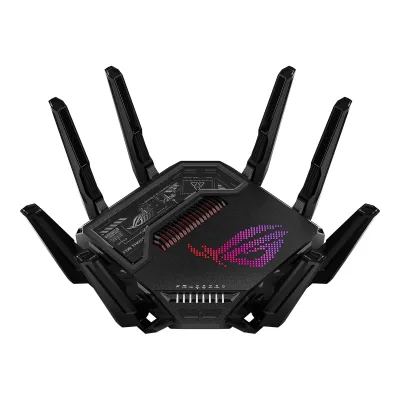
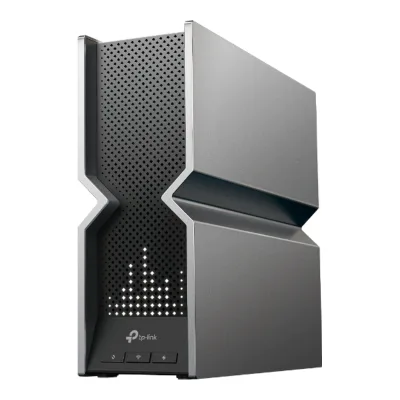
ASUS ROG Rapture GT-BE98 Pro vs TP-Link Archer BE800
Product A: ASUS
60 of 90 known
Change ASUS ROG Rapture GT-BE98 Pro
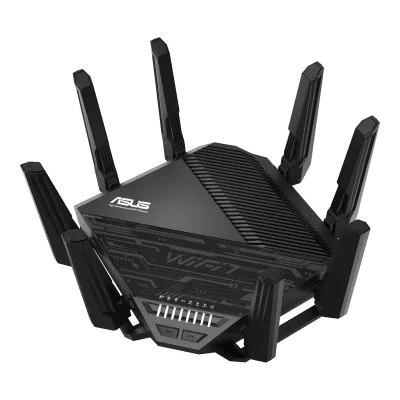
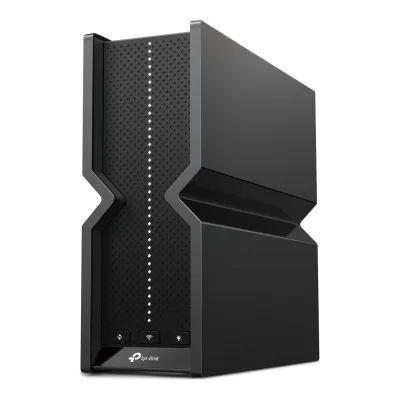
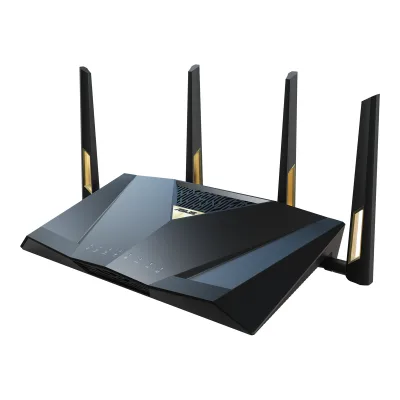
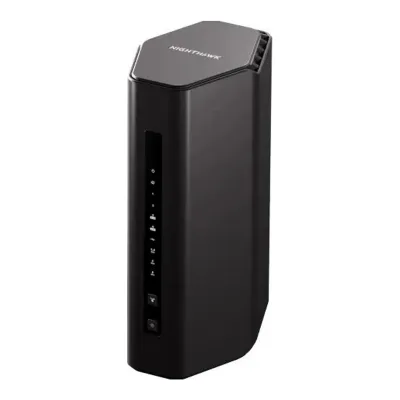
Product B: TP-Link
65 of 90 known
Change TP-Link Archer BE800
48 of 80 fields differ
- 32 different values
- 16 known for one only
- 17 the same
- 15 missing for both
Biggest differences
Each bar uses the scale of all 62 routers.
- Link rateA: 30,198MbpsB: 18,656MbpsASUS is 11,542 Mbps higher.
- Ethernet portsA: 7B: 6ASUS has 1 more.
Weight
0 to 2,000 g
All 90 fields
Every value links to where we found it.
General
5 of 9 differ
Series
Model numbers
GTIN / EAN
Announced
Not available
Status
Predecessor
Not available
Not available
Successor
Not available
Not available
Launch price (US)
$799.996Reviewdongknows.com/asus-rog-rapture-gt-be98-pro-wi-fi-7-reviewRead 16 October 2026The review's comparison table lists a US launch price of $799.99 and the text gives a suggested retail price of $800. Excluding tax. ASUS now sells it at $699.99.8Reviewtomshardware.com/networking/routers/asus-rog-rapture-gt-be98-pro-wi-fi-7-router-reviewRead 16 October 2026Review of 15 May 2024: the router is priced at $799.
Launch price (EU)
Not available
Not available
Markets
Colours
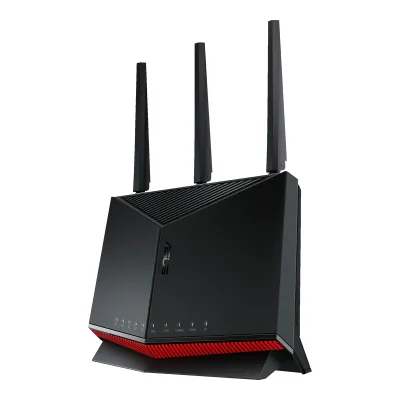
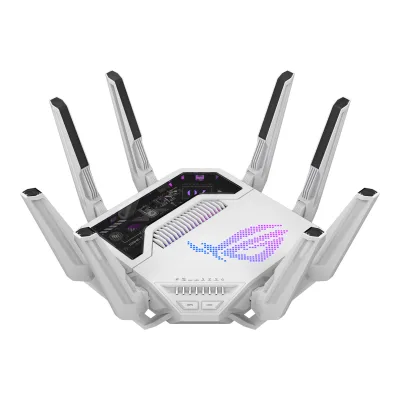
Black5Retailer pageamazon.com/dp/B0CPQYSXCWRead 16 October 2026Color BLACK.8Reviewtomshardware.com/networking/routers/asus-rog-rapture-gt-be98-pro-wi-fi-7-router-reviewRead 16 October 2026The unit is all-black, including the eight antennas.
Not available
Form factor
Segment
Wi-Fi
10 of 14 differ
Wi-Fi
Wi-Fi speed class
Wi-Fi radios
AASUS ROG Rapture GT-BE98 Pro
| Band | Wi-Fi | Streams | Max channel width (MHz) | Max link rate (Mbps) | Dedicated backhaul |
|---|---|---|---|---|---|
| 2.4 GHz | Wi-Fi 7 | 4 | 40 | 1,376 | No |
| 5 GHz | Wi-Fi 7 | 4 | 160 | 5,764 | No |
| 6 GHz | Wi-Fi 7 | 4 | 320 | 11,529 | No |
| 6 GHz | Wi-Fi 7 | 4 | 320 | 11,529 | No |
BTP-Link Archer BE800
| Band | Wi-Fi | Streams | Max channel width (MHz) | Max link rate (Mbps) | Dedicated backhaul |
|---|---|---|---|---|---|
| 2.4 GHz | Wi-Fi 7 | 4 | 40 | 1,376 | No |
| 5 GHz | Wi-Fi 7 | 4 | 160 | 5,760 | No |
| 6 GHz | Wi-Fi 7 | 4 | 320 | 11,520 | No |
Source1Maker product pagetp-link.com/us/home-networking/wifi-router/archer-be800Read 15 October 2026Specifications: 6 GHz 11520 Mbps, 5 GHz 5760 Mbps and 2.4 GHz 1376 Mbps, all 802.11be, with 12 streams in total and 4x4 MU-MIMO. 4 streams on each band add up to the 12. 320 MHz is only on 6 GHz, the 5 GHz widest channel is 160 MHz and the 2.4 GHz widest is 40 MHz per the datasheet's sensitivity table. The printed 5760 and 11520 Mbps are a little below the 802.11be 4-stream rates of 5765 and 11529 Mbps and the printed figures are stored. 2.4 GHz at 40 MHz and 4 streams is exactly 1376.2Maker spec sheet (PDF)tp-link.com/us/document/90093Read 15 October 2026Datasheet Archer BE800(US) V1: WiFi Speeds 11520 Mbps (6 GHz) + 5760 Mbps (5 GHz) + 1376 Mbps (2.4 GHz). The reception sensitivity table lists 11be EHT320 on 6 GHz, EHT160 on 5 GHz and EHT40 on 2.4 GHz, which are the widest channels. The footnote says 320 MHz is only on the 6 GHz band.
Radio bands
4
3
6 GHz band
Yes
Yes
Combined Wi-Fi link rate
30,198Mbps
18,656Mbps
Wi-Fi streams
16
12
Max Wi-Fi channel width
320MHz
320MHz
Wi-Fi features
Multi-Link Operation (MLO), 4K-QAM, OFDMA, MU-MIMO, Band steering1Maker product pagerog.asus.com/us/networking/rog-rapture-gt-be98-pro/specRead 16 October 2026Boosts Speed row: OFDMA, 4096-QAM, 20/40/80/160/320 MHz. Wireless row: MU-MIMO. MLO and band steering come from other entries.2Maker product pagerog.asus.com/us/networking/rog-rapture-gt-be98-proRead 16 October 2026The page names Multi-Link Operation and says firmware support was in development at launch. Dong Knows Tech reports MLO was added in firmware 3.0.0.6.102_34491.3Owner's manualdlcdnets.asus.com/pub/ASUS/wireless/GT-BE98_Pro/E23237_GT-BE98_PRO_UM_WEB.pdfRead 16 October 2026Section 3.16 Smart Connect steers clients to one of the four radios (2.4 GHz, 5 GHz, 6 GHz-1, 6 GHz-2). Stored as band_steering.8Reviewtomshardware.com/networking/routers/asus-rog-rapture-gt-be98-pro-wi-fi-7-router-reviewRead 16 October 2026Setup asks whether to combine all bands under one SSID and let the router choose the band for each device. This matches Smart Connect.
Multi-Link Operation (MLO), Multi-RU, 4K-QAM, OFDMA, MU-MIMO, Beamforming, Band steering1Maker product pagetp-link.com/us/home-networking/wifi-router/archer-be800Read 15 October 2026Advanced features: Multi-Link Operation (MLO), 320 MHz channel, 4K-QAM, Multi-RUs. Specifications list OFDMA, 4x4 MU-MIMO and Beamforming. Smart Connect assigns devices to the best band, stored as band steering. Tom's Guide says Smart Connect joins only the 2.4 and 5 GHz bands and the 6 GHz band stays separate.2Maker spec sheet (PDF)tp-link.com/us/document/90093Read 15 October 2026WiFi 7 Functions: Tri-Band, Multi-Link Operation (MLO), 320 MHz Bandwidth, 4K-QAM and Multi-RUs. Smart Connect intelligently assigns each device to the best Wi-Fi band.
External antennas
Internal antennas
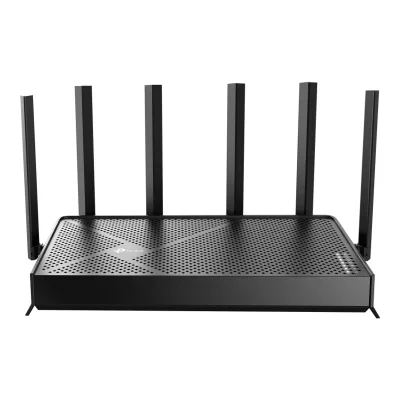
81Maker product pagetp-link.com/us/home-networking/wifi-router/archer-be800Read 15 October 20268x Internal Antennas in the overview and the specifications. One overview line also says 12x optimally positioned antennas, which contradicts the 8 printed everywhere else, so 8 is stored.8Measurementtomsguide.com/reviews/tp-link-archer-be800Read 15 October 2026Inside are the router's eight antennas and a large heat sink.
Detachable antennas
Coverage of one unit (claimed)
Not available
Connected devices per unit (claimed)
Not available
Ports and modem
4 of 9 differ
Ports
AASUS ROG Rapture GT-BE98 Pro
| Port | Count | Role | Max speed (Gbps) | Version |
|---|---|---|---|---|
| RJ45 | 1 | WAN or LAN | 10 | Not available |
| RJ45 | 1 | WAN or LAN | 2.5 | Not available |
| RJ45 | 1 | LAN | 10 | Not available |
| RJ45 | 3 | LAN | 2.5 | Not available |
| RJ45 | 1 | LAN | 1 | Not available |
| USB-A | 1 | Not available | 5 | USB 3.2 Gen 1 |
| USB-A | 1 | Not available | 0.48 | USB 2.0 |
Source1Maker product pagerog.asus.com/us/networking/rog-rapture-gt-be98-pro/specRead 16 October 2026I/O Ports row: 1 x 10Gbps for WAN/LAN, 1 x 2.5Gbps for WAN/LAN, 1 x 10Gbps for LAN, 3 x 2.5Gbps for LAN, 1 x RJ45 10/100/1000Mbps for LAN, 1 x USB 3.2 Gen1, 1 x USB 2.0. USB 3.2 Gen 1 is stored as 5 Gbps and USB 2.0 as 0.48 Gbps by the field rule. The manual names the 10G LAN6 port as the port that prioritizes gaming packets.3Owner's manualdlcdnets.asus.com/pub/ASUS/wireless/GT-BE98_Pro/E23237_GT-BE98_PRO_UM_WEB.pdfRead 16 October 2026Section 1.3 describes 10GE WAN / LAN1, 2.5GE WAN / LAN1, 2.5GE LAN2-4, 1GE LAN5, 10GE LAN6, one USB 2.0 and one USB 3.2 Gen 1 port.
BTP-Link Archer BE800
| Port | Count | Role | Max speed (Gbps) | Version |
|---|---|---|---|---|
| RJ45 | 1 | WAN or LAN | 10 | Not available |
| RJ45 or SFP+ combo | 1 | WAN or LAN | 10 | Not available |
| RJ45 | 4 | LAN | 2.5 | Not available |
| USB-A | 1 | Not available | 5 | USB 3.0 |
Source1Maker product pagetp-link.com/us/home-networking/wifi-router/archer-be800Read 15 October 2026Ethernet Ports: 1x 10 Gbps WAN/LAN, 1x 10 Gbps SFP+/RJ45 Combo WAN/LAN and 4x 2.5 Gbps LAN. USB Support: 1x USB 3.0. The datasheet footnote says the two 10 Gbps ports cannot be configured as WAN ports at the same time.11Spec databaseshop.aodatacloud.es/wp-content/uploads/datasheet_archer_be800.pdfRead 15 October 20261 USB 3.2 Gen 1 (3.1 Gen 1) Type-A port, which is 5 Gbps. TP-Link prints USB 3.0.
Ethernet ports
7
6
Multi-gig ports
6
6
Fastest WAN port
10Gbps
10Gbps
Fastest LAN port
10Gbps
10Gbps
USB ports
2
1
SFP+ port
No
Yes
Built-in modem
Not available
Not available
Modem standards
Not available
Not available
Mesh
2 of 7 differ
Mesh technologies
Units per pack
Coverage of the pack (claimed)
Not available
Not available
Identical units
Not available
Not available
Satellite model
Not available
Not available
Satellite ports
Not available
Not available
Software
5 of 7 differ
Management
Mobile app, Web interface2Maker product pagerog.asus.com/us/networking/rog-rapture-gt-be98-proRead 16 October 2026The page names the ASUS Router mobile app. The web interface comes from the manual.3Owner's manualdlcdnets.asus.com/pub/ASUS/wireless/GT-BE98_Pro/E23237_GT-BE98_PRO_UM_WEB.pdfRead 16 October 2026The manual covers the web interface at asusrouter.com.8Reviewtomshardware.com/networking/routers/asus-rog-rapture-gt-be98-pro-wi-fi-7-router-reviewRead 16 October 2026Setup works through a web browser or the Asus Router smartphone app.
Online account required
No3Owner's manualtp-link.com/us/document/21950Read 15 October 2026Chapter 4 and 5: the router has a web Quick Setup wizard. The guide says that if you do not want to register a TP-Link ID now you may click Skip to proceed. Tom's Guide also says setup starts with either a browser or the Tether app.8Measurementtomsguide.com/reviews/tp-link-archer-be800Read 15 October 2026Getting the router online starts with either a connected browser or the Tether app.
Operating modes
Router, Access point, Mesh node, Repeater, Media bridge1Maker product pagerog.asus.com/us/networking/rog-rapture-gt-be98-pro/specRead 16 October 2026Operating Mode row: Router (AiMesh router), AiMesh node, Access point, Repeater, Media bridge.3Owner's manualdlcdnets.asus.com/pub/ASUS/wireless/GT-BE98_Pro/E23237_GT-BE98_PRO_UM_WEB.pdfRead 16 October 2026Section 3.2: router mode, access point, repeater mode, media bridge and AiMesh node.
Network features
Guest network, IoT network, VLAN, IPTV, Dual WAN, LAN aggregation, QoS, Parental controls, Dynamic DNS1Maker product pagerog.asus.com/us/networking/rog-rapture-gt-be98-pro/specRead 16 October 2026Guest Network row, Parental Control row, Traffic Control row (Adaptive QoS and Traditional QoS), WAN row (Dual WAN, DDNS), LAN row (IPTV, LAN Link Aggregation). IoT network and VLAN come from the manual.3Owner's manualdlcdnets.asus.com/pub/ASUS/wireless/GT-BE98_Pro/E23237_GT-BE98_PRO_UM_WEB.pdfRead 16 October 2026Section 3.10 Guest Network Pro lists a guest network, a kid's network and an IoT network. Section 3.12.6 describes VLAN. Section 3.21.2 describes Dual WAN with failover and load balance modes. Section 3.12.4 describes IPTV.
Guest network, IoT network, IPTV, LAN aggregation, QoS, Parental controls, Dynamic DNS1Maker product pagetp-link.com/us/home-networking/wifi-router/archer-be800Read 15 October 2026Guest networks on 6, 5 and 2.4 GHz, IoT Network, IPTV (IGMP Proxy, IGMP Snooping, Bridge, Tag VLAN), QoS by Device, HomeShield Parental Controls and DDNS (TP-Link, NO-IP, DynDNS). Tag VLAN is part of the IPTV settings, so VLAN is not stored. The 4x 2.5 Gbps LAN ports are listed with a 5 Gbps aggregation speed, stored as LAN aggregation.5Maker product pagetp-link.com/us/homeshieldRead 15 October 2026Parental controls and QoS are listed as free with HomeShield. IoT Network Isolation is in the free tier.
VPN server
IPsec, OpenVPN, PPTP, WireGuard1Maker product pagerog.asus.com/us/networking/rog-rapture-gt-be98-pro/specRead 16 October 2026VPN rows: VPN Server IPSec, Open VPN, PPTP, WireGuard.
OpenVPN, PPTP, L2TP, WireGuard1Maker product pagetp-link.com/us/home-networking/wifi-router/archer-be800Read 15 October 2026VPN Server: OpenVPN, PPTP, L2TP. The page's VPN section also names WireGuard VPN and the datasheet lists WireGuard as a server. The L2TP server is L2TP/IPSec in the user guide, stored as L2TP.2Maker spec sheet (PDF)tp-link.com/us/document/90093Read 15 October 2026VPN Server: OpenVPN, PPTP, L2TP VPN Server, Wireguard VPN.3Owner's manualtp-link.com/us/document/21950Read 15 October 2026Chapter 14: OpenVPN, PPTP, L2TP/IPSec and WireGuard servers. The guide notes a firmware update may be required for some of them. User Guide REV1.0.0 of 2023.
VPN client
L2TP, OpenVPN, PPTP, WireGuard1Maker product pagerog.asus.com/us/networking/rog-rapture-gt-be98-pro/specRead 16 October 2026VPN rows: VPN Client L2TP, Open VPN, PPTP, WireGuard.
OpenVPN, PPTP, L2TP, WireGuard1Maker product pagetp-link.com/us/home-networking/wifi-router/archer-be800Read 15 October 2026VPN Client: OpenVPN, PPTP, L2TP. The page's VPN section also names WireGuard and the datasheet lists a WireGuard client.2Maker spec sheet (PDF)tp-link.com/us/document/90093Read 15 October 2026VPN Client: OpenVPN, PPTP, L2TP VPN Client, Wireguard VPN.3Owner's manualtp-link.com/us/document/21950Read 15 October 202614.5 Use VPN Client: OpenVPN, PPTP, L2TP/IPSec and WireGuard. The guide notes a firmware update may be required for the VPN client.
USB applications
File server, Media server, Printer server, Cellular modem1Maker product pagerog.asus.com/us/networking/rog-rapture-gt-be98-pro/specRead 16 October 2026USB application row: 4G / 5G Auto Mobile Tethering, and a list of file systems (HFS+, NTFS, vFAT, ext2, ext3, ext4). The WAN row also lists a 3G / 4G LTE dongle. File, media and printer server uses come from the manual.3Owner's manualdlcdnets.asus.com/pub/ASUS/wireless/GT-BE98_Pro/E23237_GT-BE98_PRO_UM_WEB.pdfRead 16 October 2026Section 3.19 USB Application covers AiDisk, Servers Center (Samba and FTP) and 3G/4G. Section 1.1 names an SMB server, a UPnP AV server and an FTP server. Section 4.3 sets up a printer server.8Reviewtomshardware.com/networking/routers/asus-rog-rapture-gt-be98-pro-wi-fi-7-router-reviewRead 16 October 2026The review used a phone on the USB 3.0 port for internet tethering and describes AiCloud access to USB storage.
File server, Media server, Time Machine1Maker product pagetp-link.com/us/home-networking/wifi-router/archer-be800Read 15 October 2026Supported Functions: FTP Server, Media Server, Samba Server. Time Machine is in the user guide.3Owner's manualtp-link.com/us/document/21950Read 15 October 2026Chapter 9: access the USB storage device locally and remotely (FTP and Samba), 9.2 Media Sharing and 9.3 Time Machine.
Security
4 of 5 differ
Wi-Fi security
WPA2-Personal, WPA3-Personal, WPA2-Enterprise, WPA3-Enterprise, Enhanced Open (OWE)1Maker product pagerog.asus.com/us/networking/rog-rapture-gt-be98-pro/specRead 16 October 2026Security row: WiFi Encryption WPA/WPA2/WPA3 Personal, WPA/WPA2/WPA3 Enterprise, Open System and OWE. OWE is Enhanced Open.
WPA2-Personal, WPA3-Personal, WPA2-Enterprise1Maker product pagetp-link.com/us/home-networking/wifi-router/archer-be800Read 15 October 2026WiFi Encryption: WPA, WPA2, WPA3, WPA/WPA2-Enterprise (802.1x).2Maker spec sheet (PDF)tp-link.com/us/document/90093Read 15 October 2026WiFi Encryption: WPA, WPA2, WPA3, WPA/WPA2-Enterprise (802.1x).
Security service
Security service cost
Basic free, full paid2Maker spec sheet (PDF)tp-link.com/us/document/90093Read 15 October 2026Footnote: HomeShield includes the Free Basic Plan. Fees apply for the Pro Plan.5Maker product pagetp-link.com/us/homeshieldRead 15 October 2026HomeShield is free with the router. The Security+ and Total Security tiers are paid upgrades. The tiers share the HomeShield name.
Automatic firmware updates
Security updates until
Not available
Smart home
1 of 5 differ
Thread border router
Not available
Not available
Matter controller
Not available
Not available
Zigbee hub
Not available
Not available
Bluetooth
Not available
Not available
Smart home platforms
Hardware
4 of 6 differ
System on chip
Not available
CPU cores
CPU clock
RAM
Flash storage
Cooling fan
No2Maker product pagerog.asus.com/us/networking/rog-rapture-gt-be98-proRead 16 October 2026The cooling text describes an aluminum top plate, heatsinks, a 2 cm stand and a vent for airflow. It mentions no fan.6Reviewdongknows.com/asus-rog-rapture-gt-be98-pro-wi-fi-7-reviewRead 16 October 2026The review says the router seemed to have no internal fan and stayed silent in testing.
Not available
Power
2 of 5 differ
Power supply
External DC adapter1Maker product pagetp-link.com/us/home-networking/wifi-router/archer-be800Read 15 October 2026Power Adapter is in the box. The user guide shows a separate I.T.E. power supply.3Owner's manualtp-link.com/us/document/21950Read 15 October 2026The FCC statement in the guide lists a separate I.T.E. Power Supply, model T150500-2-DT.
Rated power input
19.5 V, 3.33 A1Maker product pagerog.asus.com/us/networking/rog-rapture-gt-be98-pro/specRead 16 October 2026Power Supply row: DC Output 19.5 V with max. 3.33 A current. The manual gives the same figure. Dong Knows Tech prints 19 V and 3.42 A for the adapter, which differs. The maker wins.3Owner's manualdlcdnets.asus.com/pub/ASUS/wireless/GT-BE98_Pro/E23237_GT-BE98_PRO_UM_WEB.pdfRead 16 October 2026Section 1.3 notes: DC power adapter DC output +19.5V with max 3.33A current.
Included adapter output
Power use (typical, claimed)
Not available
Not available
Power use (max, claimed)
Not available
Not available
Measured
5 of 6 differ
Wi-Fi throughput (measured)
AASUS ROG Rapture GT-BE98 Pro
Not availableBTP-Link Archer BE800
| Distance (m) | Band | Connected to | Throughput (Mbps) |
|---|---|---|---|
| 4.572 | 6 GHz | Main unit | 1,824 |
Fastest Wi-Fi throughput (measured)
Not available
1,824Mbps
Wi-Fi throughput through a wall (measured)
Not available
Not available
Range (measured)
Not available
Power use under load (measured)
Not available
Dimensions and weight
3 of 4 differ
Dimensions
Not available
Width302Height96Depth262.5mm(11.9 × 3.8 × 10.3 in)1Maker product pagetp-link.com/us/home-networking/wifi-router/archer-be800Read 15 October 2026Dimensions (W x D x H): 11.9 x 10.3 x 3.8 in (302 x 262.5 x 96 mm). The antennas are internal, so there is no second size with antennas up.2Maker spec sheet (PDF)tp-link.com/us/document/90093Read 15 October 2026Dimensions (W x D x H): 302 x 262.5 x 96 mm.
Dimensions with antennas
Width350.41Height220.6Depth350.41mm(13.8 × 8.7 × 13.8 in)1Maker product pagerog.asus.com/us/networking/rog-rapture-gt-be98-pro/specRead 16 October 2026Product Dimensions row: 350.41 x 350.41 x 220.6 mm. The row does not say whether the antennas are up. ASUS prints this size for its antenna routers and the catalog stores it as the size with antennas. Dong Knows Tech prints 358.6 x 358.6 x 222.8 mm with antennas. The maker wins. The width and depth are equal because the unit is square.
Not available
Weight
Wall mountable
Not available
Not available
Certifications
1 of 1 differ
Wi-Fi Alliance certification ID
Not available
FCC ID
Not available
Not available
In the box
1 of 1 differ
In the box
GT-BE98 Pro quad-band gaming router, RJ-45 cable, Power adapter, Quick Start Guide, Warranty card1Maker product pagerog.asus.com/us/networking/rog-rapture-gt-be98-pro/specRead 16 October 2026Package Content row: GT-BE98 Pro quad-band gaming router, RJ-45 cable, Power adapter, Quick Start Guide, Warranty card.3Owner's manualdlcdnets.asus.com/pub/ASUS/wireless/GT-BE98_Pro/E23237_GT-BE98_PRO_UM_WEB.pdfRead 16 October 2026Section 1.2 lists the router, AC adapter, network cable (RJ-45) and Quick Start Guide. The spec page adds the warranty card.
Wi-Fi 7 Router Archer BE800, Power Adapter, RJ45 Ethernet Cable, Quick Installation Guide1Maker product pagetp-link.com/us/home-networking/wifi-router/archer-be800Read 15 October 2026Package Content: Wi-Fi 7 Router Archer BE800, Power Adapter, RJ45 Ethernet Cable, Quick Installation Guide.2Maker spec sheet (PDF)tp-link.com/us/document/90093Read 15 October 2026Package contents as listed.
Links
Not compared
Product page
Spec sheet
Manual
EPREL registration number
Not available
Not available
Warranty
1 of 1 differ
Manufacturer warranty (source market)
3years4Maker product pageasus.com/support/api/product.asmx/GetPDWarrantyRead 16 October 2026ASUS US support, Wireless Warranty Policy updated June 2026: the general warranty is 3 years, but it may vary depending on the place of purchase. US site.5Retailer pageamazon.com/dp/B0CPQYSXCWRead 16 October 2026Warranty Description: 3 Years Warranty. US listing.
Both are also in the API. Back to all routers.