Routers / Compare
ASUS RT-BE58U vs ASUS RT-BE96U
Product A: ASUS
57 of 90 known
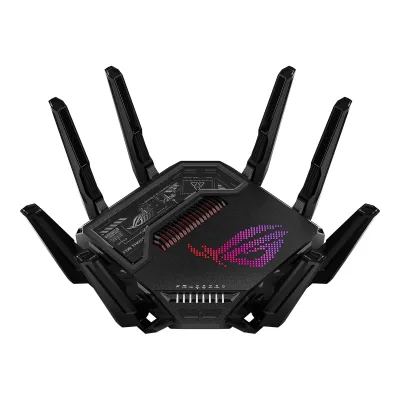
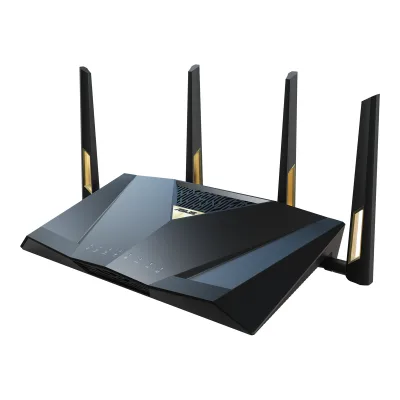
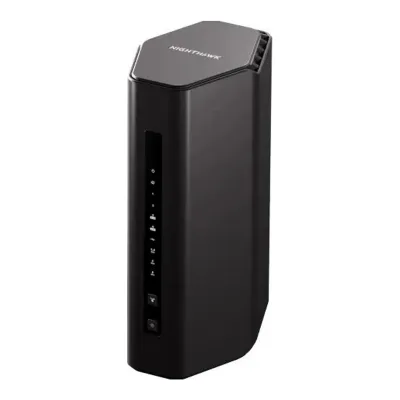
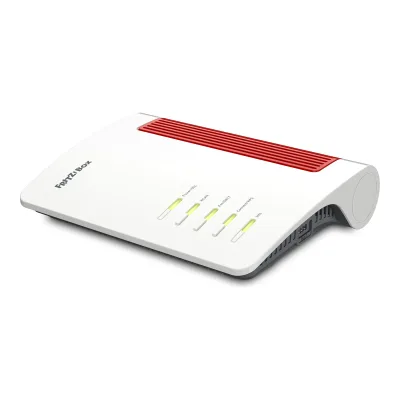
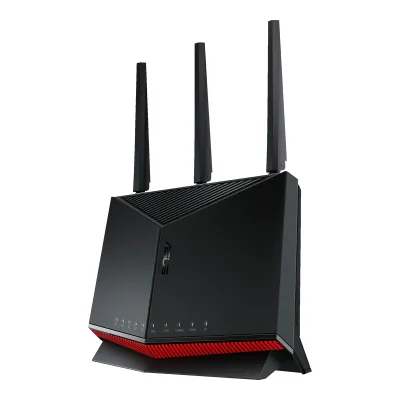
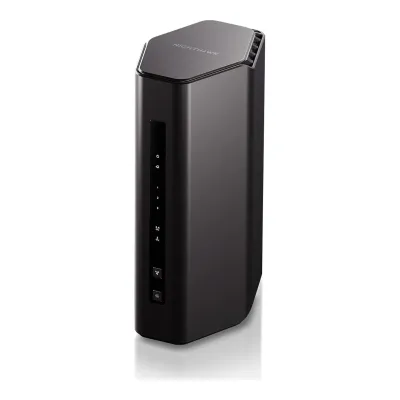
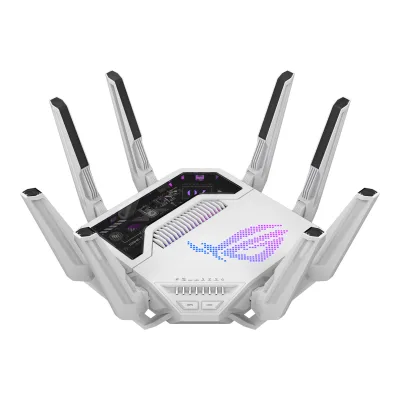
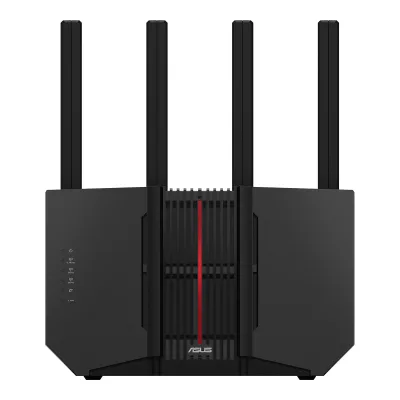
Product B: ASUS
62 of 90 known
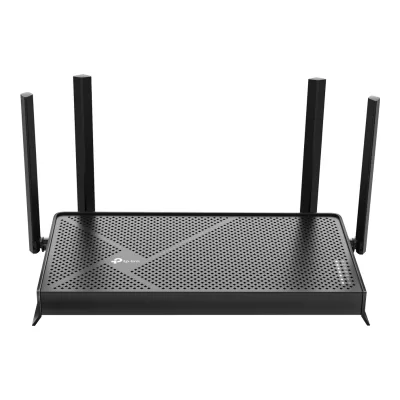
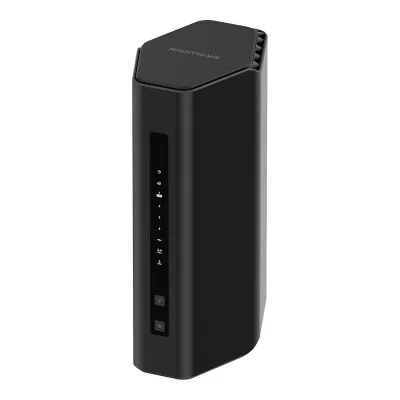
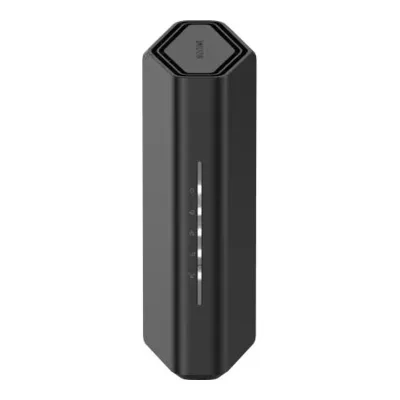
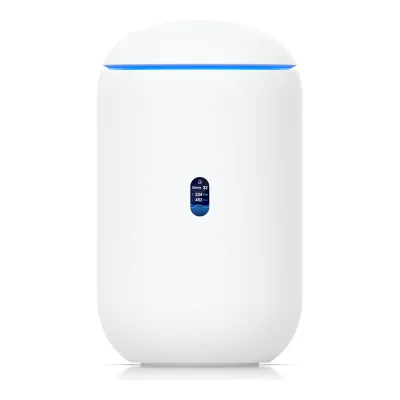
38 of 80 fields differ
- 28 different values
- 10 known for one only
- 22 the same
- 20 missing for both
Biggest differences
Each bar uses the scale of all 62 routers.
- Link rateA: 3,570MbpsB: 18,669MbpsRT-BE96U is 5.2 times higher.
- WAN portA: 2.5GbpsB: 10GbpsRT-BE96U is 4 times higher.
- CoverageA: 186m²B: 502m²RT-BE96U is 316 m² higher.
- Multi-gig portsA: 1B: 2RT-BE96U has 1 more.
- Ethernet portsA: 5B: 6RT-BE96U has 1 more.
Weight
0 to 2,000 g
All 90 fields
Every value links to where we found it.
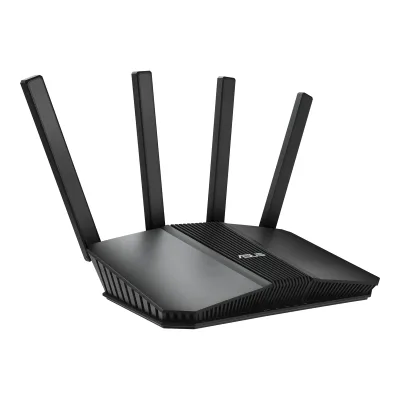
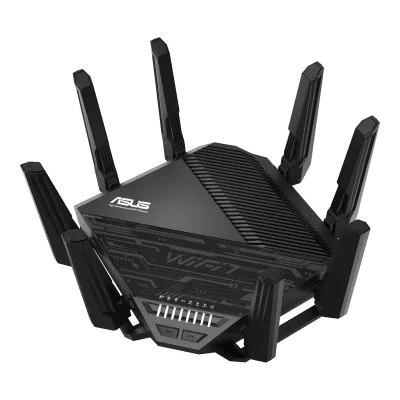
General
2 of 9 differ
Series
Not available
Not available
Model numbers
RT-BE58U, RT-BE36002Maker product pageasus.com/us/networking-iot-servers/wifi-7/all-series/rt-be58uRead 14 October 2026The page is titled RT-BE58U. Dong Knows Tech names the router RT-BE3600 as well. The maker's support pages also carry a V2 revision of the RT-BE58U with its own manual, which this entry does not cover separately.7Reviewdongknows.com/asus-rt-be58u-reviewRead 14 October 2026The hardware table is headed ASUS RT-BE58U (RT-BE3600).
RT-BE96U, 90IG0890-MX1A1V1Maker product pageasus.com/us/networking-iot-servers/wifi-routers/asus-wifi-routers/rt-be96u/techspecRead 15 October 2026Model RT-BE96U.5Maker product pageeshop.asus.com/ca-fr/90ig0890-mx1a1v-rt-be96u.htmlRead 15 October 2026ASUS Canada shop (French): part number 90IG0890-MX1A1V for the RT-BE96U. It is the Canada part number. The US part number was not found.
GTIN / EAN
Not available
Status
Predecessor
Not available
Not available
Successor
Not available
Not available
Launch price (US)
Not available
Launch price (EU)
Not available
Not available
Markets
Not available
Not available
Colours
Form factor
Segment
Wi-Fi
9 of 14 differ
Wi-Fi
Wi-Fi speed class
Wi-Fi radios
AASUS RT-BE58U
| Band | Wi-Fi | Streams | Max channel width (MHz) | Max link rate (Mbps) | Dedicated backhaul |
|---|---|---|---|---|---|
| 2.4 GHz | Wi-Fi 7 | 2 | 40 | 688 | No |
| 5 GHz | Wi-Fi 7 | 2 | 160 | 2,882 | No |
Source1Maker product pageasus.com/us/networking-iot-servers/wifi-7/all-series/rt-be58u/techspecRead 14 October 2026WiFi Data Rate: WiFi 7 5 GHz up to 2882 Mbps and 2.4 GHz up to 688 Mbps. Transmit/Receive: 5 GHz 2x2 and 2.4 GHz 2x2. Boosts Speed lists 20/40/80/160 MHz bandwidth. 2.4 GHz is stored as 40 MHz, since 688 Mbps is the 2x2 rate at 40 MHz and Dong Knows Tech lists 20/40 MHz for that band.7Reviewdongknows.com/asus-rt-be58u-reviewRead 14 October 2026Hardware table: 2.4 GHz 2x2 BE up to 688 Mbps (20/40 MHz), 5 GHz 2x2 BE up to 2882 Mbps (20/40/80/160 MHz), 6 GHz none, MLO yes.
BASUS RT-BE96U
| Band | Wi-Fi | Streams | Max channel width (MHz) | Max link rate (Mbps) | Dedicated backhaul |
|---|---|---|---|---|---|
| 2.4 GHz | Wi-Fi 7 | 4 | 40 | 1,376 | No |
| 5 GHz | Wi-Fi 7 | 4 | 160 | 5,764 | No |
| 6 GHz | Wi-Fi 7 | 4 | 320 | 11,529 | No |
Radio bands
2
3
6 GHz band
No
Yes
Combined Wi-Fi link rate
3,570Mbps
18,669Mbps
Wi-Fi streams
4
12
Max Wi-Fi channel width
160MHz
320MHz
Wi-Fi features
Multi-Link Operation (MLO), 4K-QAM, OFDMA, MU-MIMO1Maker product pageasus.com/us/networking-iot-servers/wifi-7/all-series/rt-be58u/techspecRead 14 October 2026Boosts Speed: OFDMA and 4096-QAM. Wireless row: MU-MIMO. MLO comes from the product page.2Maker product pageasus.com/us/networking-iot-servers/wifi-7/all-series/rt-be58uRead 14 October 2026Comprehensive MLO Support: Multi-Link Operation combines and switches between 2.4 and 5 GHz. The page also names 4K-QAM and 160 MHz channels.
Multi-Link Operation (MLO), 4K-QAM, OFDMA, MU-MIMO1Maker product pageasus.com/us/networking-iot-servers/wifi-routers/asus-wifi-routers/rt-be96u/techspecRead 15 October 2026Boosts Speed: OFDMA and 4096-QAM. Wireless row: MU-MIMO. MLO comes from the product page, see its entry. Multi-RU and puncturing text sits in the page source only inside an HTML comment, so those two are not stored. AFC is not named. Smart Connect is not named by ASUS.2Maker product pageasus.com/us/networking-iot-servers/wifi-routers/asus-wifi-routers/rt-be96uRead 15 October 2026Multi-link Operation: links to multiple bands at the same time. A footnote says MLO firmware was in development as of September 2023 and due in late 2023 or early 2024. Dong Knows Tech did not have MLO in its first firmware. The page also names 4K-QAM and 320 MHz channels.
External antennas
Internal antennas
Not available
Not available
Detachable antennas
No7Reviewtomsguide.com/computing/routers/asus-rt-be96u-reviewRead 15 October 2026Spec table: number of antennas and removable: 8/No. The review says the antennas can be rotated and angled but cannot be removed.10Reviewdongknows.com/asus-rt-be96u-be19000-tri-band-wi-fi-7-router-reviewRead 15 October 2026The review says the antennas are not detachable.
Coverage of one unit (claimed)
502m²7Reviewtomsguide.com/computing/routers/asus-rt-be96u-reviewRead 15 October 2026Review text: capable of covering up to 5,400 square feet. Converted to 502 m2 (501.68). Tom's Hardware prints the same figure in its spec table. ASUS prints no area on its US pages, so the claim is quoted from the reviews and may come from the retail box.9Reviewtomshardware.com/networking/routers/asus-rt-be96u-wi-fi-7-router-reviewRead 15 October 2026Spec table: Wi-Fi Coverage 5,400 square feet.
Connected devices per unit (claimed)
Not available
Not available
Ports and modem
6 of 9 differ
Ports
AASUS RT-BE58U
| Port | Count | Role | Max speed (Gbps) | Version |
|---|---|---|---|---|
| RJ45 | 1 | WAN or LAN | 2.5 | Not available |
| RJ45 | 1 | WAN or LAN | 1 | Not available |
| RJ45 | 3 | LAN | 1 | Not available |
| USB-A | 1 | Not available | 5 | USB 3.2 Gen 1 |
Source1Maker product pageasus.com/us/networking-iot-servers/wifi-7/all-series/rt-be58u/techspecRead 14 October 2026I/O Ports: 1x 2.5G for WAN/LAN, 1x 1G for WAN/LAN, 3 x 1G LAN and USB 3.2 Gen 1 x 1. USB 3.2 Gen 1 is the 5 Gbps USB rate. Dong Knows Tech lists the 2.5G port as WAN only, and the maker's WAN/LAN wording is used.7Reviewdongknows.com/asus-rt-be58u-reviewRead 14 October 2026Multi-gig port 1x 2.5 Gbps WAN and 4x gigabit LAN. USB port: 1x USB 3.0. The maker lists the USB port as USB 3.2 Gen 1.
BASUS RT-BE96U
| Port | Count | Role | Max speed (Gbps) | Version |
|---|---|---|---|---|
| RJ45 | 1 | WAN or LAN | 10 | Not available |
| RJ45 | 1 | WAN or LAN | 1 | Not available |
| RJ45 | 3 | LAN | 1 | Not available |
| RJ45 | 1 | LAN | 10 | Not available |
| USB-A | 1 | Not available | 5 | USB 3.2 Gen 1 |
| USB-A | 1 | Not available | 0.48 | USB 2.0 |
Source1Maker product pageasus.com/us/networking-iot-servers/wifi-routers/asus-wifi-routers/rt-be96u/techspecRead 15 October 2026I/O Ports: 1 x 10Gbps for WAN/LAN + 1 x RJ45 10/100/1000Mbps for WAN/LAN, 3x RJ45 10/100/1000Mbps for LAN, 1 x 10Gbps for LAN, USB 3.2 Gen1 x1 and 2.0 x1. The manual names the same ports. USB 3.2 Gen 1 is stored at 5 Gbps and USB 2.0 at 0.48 Gbps, the standard rates. ASUS does not print those rates. The 10 Gbps ports are 10GBASE-T per Dong Knows Tech.3Owner's manualdlcdnets.asus.com/pub/ASUS/wireless/RT-BE96U/E22794_RT-BE96U_UM_WEB.pdfRead 15 October 2026Section 1.3: 10GE WAN/LAN1 port, 1GE WAN/LAN1 port, LAN 2~4 ports, 10GE LAN port, one USB 3.2 Gen 1 port and one USB 2.0 port.
Ethernet ports
5
6
Multi-gig ports
1
2
Fastest WAN port
2.5Gbps
10Gbps
Fastest LAN port
2.5Gbps
10Gbps
USB ports
1
2
SFP+ port
No
No
Built-in modem
Not available
Not available
Modem standards
Not available
Not available
Mesh
0 of 7 differ
Mesh technologies
Units per pack
Coverage of the pack (claimed)
Not available
Not available
Identical units
Not available
Not available
Satellite model
Not available
Not available
Satellite ports
Not available
Not available
Ethernet backhaul
Software
3 of 7 differ
Management
Online account required
No3Owner's manualdlcdnets.asus.com/pub/ASUS/wireless/RT-BE96U/E22794_RT-BE96U_UM_WEB.pdfRead 15 October 2026Setup runs in the web GUI. The manual asks for a router login password and no ASUS account.10Reviewdongknows.com/asus-rt-be96u-be19000-tri-band-wi-fi-7-router-reviewRead 15 October 2026The pros line says there is no vendor-required login account.
Operating modes
Router, Access point, Mesh node, Repeater, Media bridge1Maker product pageasus.com/us/networking-iot-servers/wifi-7/all-series/rt-be58u/techspecRead 14 October 2026Operating Mode: wireless router mode, access point mode, media bridge mode. AiMesh lists the node role. The manual's Operation Mode page lists repeater mode.3Owner's manualdlcdnets.asus.com/pub/ASUS/wireless/RT-BE58U/E28938_RT-BE58U_UM_0923.pdfRead 14 October 2026Operation Mode page: wireless router mode, repeater mode, access point mode.7Reviewdongknows.com/asus-rt-be58u-reviewRead 14 October 2026Operating mode: router, access point, AiMesh node, repeater (extender), media bridge.
Router, Access point, Mesh node, Repeater, Media bridge1Maker product pageasus.com/us/networking-iot-servers/wifi-routers/asus-wifi-routers/rt-be96u/techspecRead 15 October 2026Operating Mode: Repeater Mode, Media Bridge Mode, Access Point Mode, AiMesh Node Mode and Wireless Router Mode.3Owner's manualdlcdnets.asus.com/pub/ASUS/wireless/RT-BE96U/E22794_RT-BE96U_UM_WEB.pdfRead 15 October 2026Section 3.3.1: wireless router mode, access point mode, repeater mode, media bridge and AiMesh node.
Network features
Guest network, IoT network, IPTV, Dual WAN, QoS, Parental controls, Dynamic DNS1Maker product pageasus.com/us/networking-iot-servers/wifi-7/all-series/rt-be58u/techspecRead 14 October 2026Guest Network (support guest network), IPTV, Dual WAN, DDNS, Parental Control (time scheduling, safe browsing), Adaptive QoS and Traditional QoS are listed. The product page lists an IoT Network and says parental controls need no subscription. VLAN is not listed.
Guest network, IoT network, IPTV, Dual WAN, WAN aggregation, LAN aggregation, QoS, Parental controls, Dynamic DNS1Maker product pageasus.com/us/networking-iot-servers/wifi-routers/asus-wifi-routers/rt-be96u/techspecRead 15 October 2026Listed: Guest Network, Parental Control, Dual WAN, WAN Aggregation, DDNS, IPTV, LAN Link Aggregation, Adaptive QoS and Traditional QoS. IoT Network comes from the Tom's Hardware review. VLAN is not listed.3Owner's manualdlcdnets.asus.com/pub/ASUS/wireless/RT-BE96U/E22794_RT-BE96U_UM_WEB.pdfRead 15 October 2026Section 3.14: Dual WAN and WAN Aggregation (WAN port plus LAN 4 port, up to 2 Gbps), DDNS and IPTV in section 3.10.4. Section 3.8 covers the guest network.9Reviewtomshardware.com/networking/routers/asus-rt-be96u-wi-fi-7-router-reviewRead 15 October 2026Software section: Guest Network Pro has presets for Kid's Network, IoT Network and a standard Guest Network. The review does not mention a fee.
VPN server
VPN client
USB applications
File server, Media server, Time Machine, Printer server, Cellular modem1Maker product pageasus.com/us/networking-iot-servers/wifi-7/all-series/rt-be58u/techspecRead 14 October 2026USB application: 4G/5G auto mobile tethering, Download Master, Media Server, Time Machine, Samba Server, FTP Server. WAN lists a 3G/4G LTE dongle. The manual covers ASUS EZ Printer Sharing.3Owner's manualdlcdnets.asus.com/pub/ASUS/wireless/RT-BE58U/E28938_RT-BE58U_UM_0923.pdfRead 14 October 2026Section 4.3 Setting up your printer server (ASUS EZ Printer Sharing).
File server, Media server, Time Machine, Printer server, Cellular modem1Maker product pageasus.com/us/networking-iot-servers/wifi-routers/asus-wifi-routers/rt-be96u/techspecRead 15 October 2026USB application: AiCloud, Download Master, AiDisk, Media Server, Time Machine, Samba Server and FTP Server. WAN lists a 3G / 4G LTE dongle. The manual adds the printer server, see its entry. The Time Machine note says macOS 26 no longer creates new backups on USB drives.3Owner's manualdlcdnets.asus.com/pub/ASUS/wireless/RT-BE96U/E22794_RT-BE96U_UM_WEB.pdfRead 15 October 2026Section 3.13 covers AiDisk, the servers center and 3G/4G. Section 4.3 sets up a printer server with ASUS EZ Printer Sharing or LPR.9Reviewtomshardware.com/networking/routers/asus-rt-be96u-wi-fi-7-router-reviewRead 15 October 2026The USB Applications tab shares files from a USB drive, sets up a printer server, uses a smartphone as internet backup and uses a drive for Time Machine backups. The pros list smartphone tethering and wireless Time Machine backups for Mac users. Time Machine runs over the USB-A 3.2 Gen 1 port.
Security
3 of 5 differ
Wi-Fi security
WPA2-Personal, WPA3-Personal, WPA2-Enterprise1Maker product pageasus.com/us/networking-iot-servers/wifi-7/all-series/rt-be58u/techspecRead 14 October 2026Security: WPA/WPA2/WPA3-Personal and WPA/WPA2-Enterprise.
WPA2-Personal, WPA3-Personal, WPA2-Enterprise, WPA3-Enterprise, Enhanced Open (OWE)1Maker product pageasus.com/us/networking-iot-servers/wifi-routers/asus-wifi-routers/rt-be96u/techspecRead 15 October 2026Security: WPA/WPA2/WPA3 Personal, WPA/WPA2/WPA3 Enterprise and Open System & OWE. A footnote says WPA/WPA2 Enterprise is not available under AiMesh mode.
Security service
Security service cost
Automatic firmware updates
Security updates until
Not available
Smart home
None of 5 known
Thread border router
Not available
Not available
Matter controller
Not available
Not available
Zigbee hub
Not available
Not available
Bluetooth
Not available
Not available
Smart home platforms
Not available
Not available
Hardware
2 of 6 differ
System on chip
Not available
Not available
CPU cores
41Maker product pageasus.com/us/networking-iot-servers/wifi-routers/asus-wifi-routers/rt-be96u/techspecRead 15 October 2026Processor: 2.6GHz quad-core processor.10Reviewdongknows.com/asus-rt-be96u-be19000-tri-band-wi-fi-7-router-reviewRead 15 October 2026Processing Power: quad-core 2.6GHz CPU, 256MB flash, 2GB DDR4 RAM.
CPU clock
RAM
Flash storage
Cooling fan
No2Maker product pageasus.com/us/networking-iot-servers/wifi-routers/asus-wifi-routers/rt-be96uRead 15 October 2026The cooling section shows a vent on top, a full-size aluminum plate, three aluminum heatsinks and a 2 cm stand, with air moving through by convection. It lists no fan.10Reviewdongknows.com/asus-rt-be96u-be19000-tri-band-wi-fi-7-router-reviewRead 15 October 2026The review says the router seemed to have no internal fan, though the reviewer did not open it.
Power
2 of 5 differ
Power supply
Rated power input
19 V, 3.42 A or 19.5 V, 3.33 A1Maker product pageasus.com/us/networking-iot-servers/wifi-routers/asus-wifi-routers/rt-be96u/techspecRead 15 October 2026Power Supply: DC Output 19 V with max. 3.42 A current, or 19.5 V with max. 3.33 A current. The manual lists the same two ratings. Stored as the DC input of the router.3Owner's manualdlcdnets.asus.com/pub/ASUS/wireless/RT-BE96U/E22794_RT-BE96U_UM_WEB.pdfRead 15 October 2026Section 1.3 notes: DC Output +19V with 3.42A current and +19.5V with 3.33A current.
Included adapter output
Power use (typical, claimed)
Not available
Not available
Power use (max, claimed)
Not available
Not available
Measured
6 of 6 differ
Wi-Fi throughput (measured)
AASUS RT-BE58U
Not availableBASUS RT-BE96U
| Distance (m) | Band | Connected to | Throughput (Mbps) |
|---|---|---|---|
| 4.572 | 6 GHz | Main unit | 1,948 |
| 15.24 | 5 GHz | Main unit | 392.7 |
| 22.86 | Not available | Main unit | 402.1 |
| 27.432 | Not available | Main unit | 31.4 |
Fastest Wi-Fi throughput (measured)
Not available
1,948Mbps
Wi-Fi throughput through a wall (measured)
Not available
Range (measured)
Not available
Power use under load (measured)
Not available
Energy use per day (measured)
Dimensions and weight
4 of 4 differ
Dimensions
Width238Height59Depth193mm(9.4 × 2.3 × 7.6 in)7Reviewdongknows.com/asus-rt-be58u-reviewRead 14 October 2026Table prints 9.37 x 7.6 x 2.32 in (23.8 x 19.3 x 5.9 cm) and does not name the antenna position. A height of 5.9 cm is only possible with the antennas folded flat, and the 238 mm width and 193 mm figure match the maker's antennas-up size. Stored as width, depth and height.
Not available
Dimensions with antennas
Width238Height193Depth147mm(9.4 × 7.6 × 5.8 in)1Maker product pageasus.com/us/networking-iot-servers/wifi-7/all-series/rt-be58u/techspecRead 14 October 2026Product Dimensions 238 x 147 x 193 mm, printed as width, depth and height. The height of 193 mm is only possible with the four antennas standing up, so this is the size with antennas up.
Weight
Wall mountable
Not available
Certifications
None of 1 known
Wi-Fi Alliance certification ID
Not available
Not available
FCC ID
Not available
Not available
Other certifications
Not available
Not available
In the box
1 of 1 differ
In the box
RT-BE58U, RJ-45 cable, Power adapter, Quick Start Guide, Warranty card1Maker product pageasus.com/us/networking-iot-servers/wifi-7/all-series/rt-be58u/techspecRead 14 October 2026Package Content: RT-BE58U, RJ-45 cable, power adapter, Quick Start Guide, warranty card.3Owner's manualdlcdnets.asus.com/pub/ASUS/wireless/RT-BE58U/E28938_RT-BE58U_UM_0923.pdfRead 14 October 2026Package contents: router, network cable (RJ-45), power adapter, Quick Start Guide. The spec page adds a warranty card.
RT-BE96U WiFi router, RJ-45 cable, Power adapter, Quick Start Guide, Warranty card1Maker product pageasus.com/us/networking-iot-servers/wifi-routers/asus-wifi-routers/rt-be96u/techspecRead 15 October 2026Package Content: RT-BE96U WiFi router, RJ-45 cable, Power adapter, Quick Start Guide, Warranty card. The manual lists the same items.3Owner's manualdlcdnets.asus.com/pub/ASUS/wireless/RT-BE96U/E22794_RT-BE96U_UM_WEB.pdfRead 15 October 2026Section 1.2: RT-BE96U Wireless Router, network cable (RJ-45), power adapter, Quick Start Guide, warranty card.
Links
Not compared
Product page
Spec sheet
Manual
EPREL registration number
Not available
Not available
Warranty
0 of 1 differ
Manufacturer warranty (source market)
Both are also in the API. Back to all routers.