Mice / Compare
ATTACK SHARK F1 Air vs Razer Viper V4 Pro
Product A: ATTACK SHARK
86 of 154 known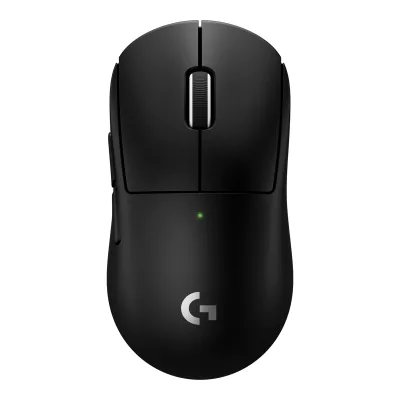 Logitech G PRO X SUPERLIGHT 2c
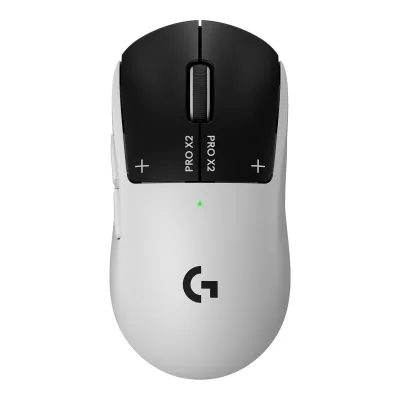 Logitech G PRO X2 SUPERSTRIKE
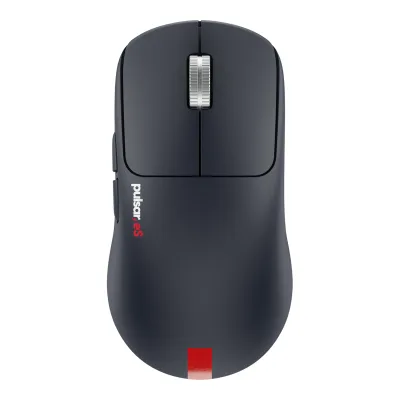 Pulsar eS FS-1
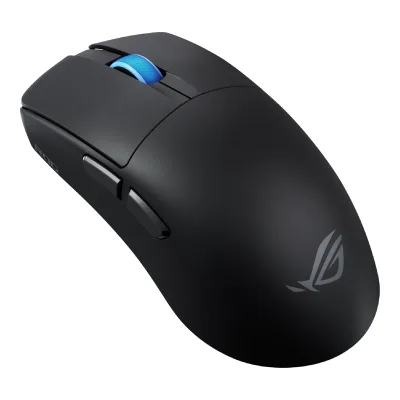 ASUS ROG Harpe II Ace
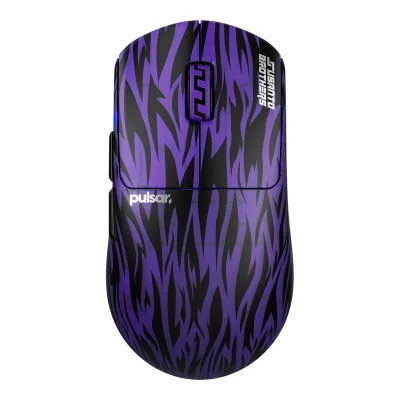 Pulsar Susanto-X 2.0 Medium
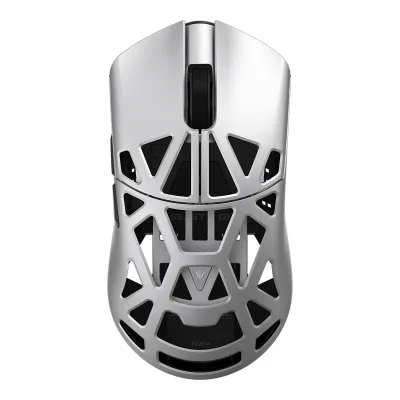 WLMOUSE Beast X V2 Med
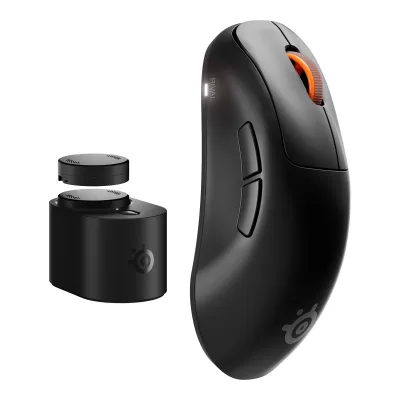 SteelSeries Rival Pro
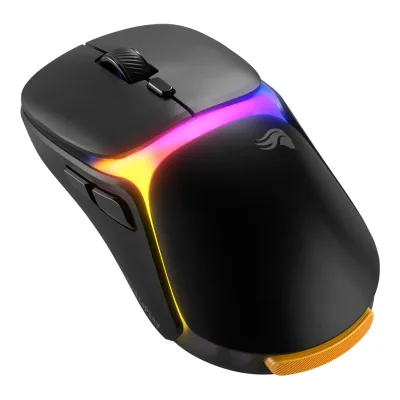 Glorious Model O3 Wireless
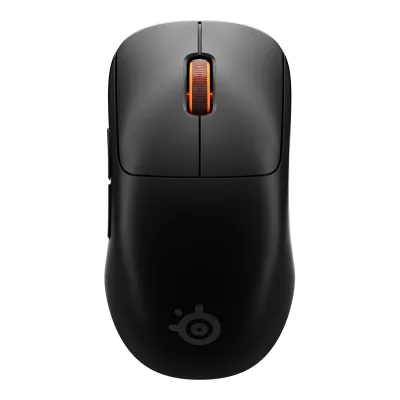 SteelSeries Sensei Pro
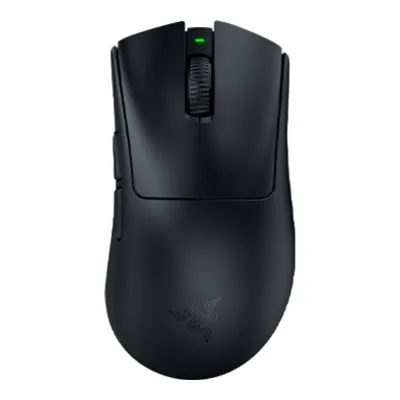 Razer DeathAdder V4 Pro
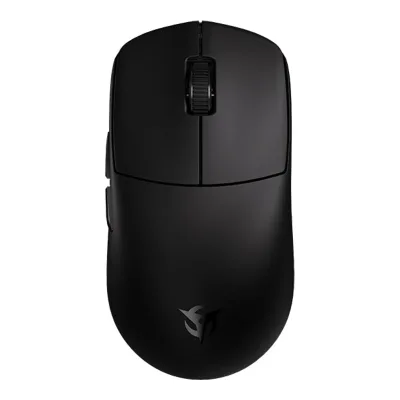 Ninjutso Sora V3
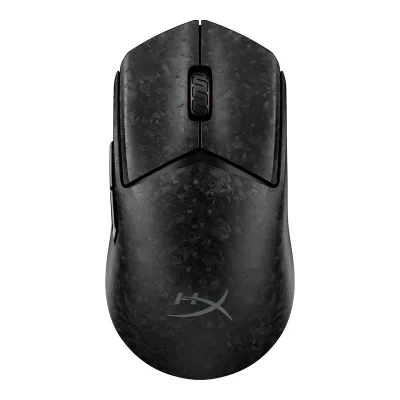 HyperX Pulsefire Haste 3 Pro Wireless Gaming Mouse
Change ATTACK SHARK F1 Air
Compare the Razer Viper V4 Pro with
Logitech G PRO X SUPERLIGHT 2cLogitech G PRO X2 SUPERSTRIKEPulsar eS FS-1ASUS ROG Harpe II AcePulsar Susanto-X 2.0 MediumWLMOUSE Beast X V2 MedSteelSeries Rival ProGlorious Model O3 WirelessSteelSeries Sensei ProRazer DeathAdder V4 ProNinjutso Sora V3HyperX Pulsefire Haste 3 Pro Wireless Gaming MouseProduct B: Razer
88 of 154 known
Change Razer Viper V4 Pro
Compare the ATTACK SHARK F1 Air with
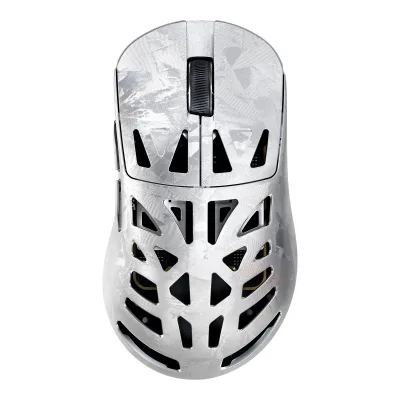
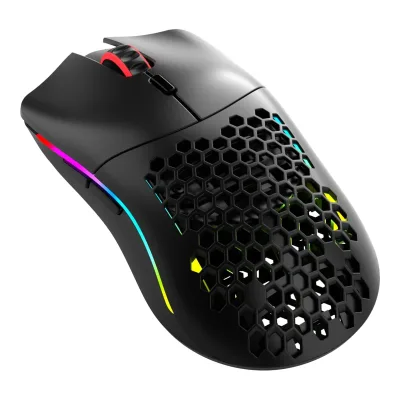
63 of 146 fields differ
- 33 different values
- 30 known for one only
- 35 the same
- 48 missing for both
Biggest differences
Each bar uses the scale of all 131 mice.
- Longest battery lifeA: 720hB: 180hATTACK SHARK is 4 times higher.
- Battery life at 1000 HzA: 720hB: 180hATTACK SHARK is 4 times higher.
Size, drawn to scale
Front and side.
- AATTACK SHARK: 61.7 × 38 mm
- BRazer: 63.9 × 39.9 mm
Weight
0 to 300 g
Mouse weight (claimed)
A43g
B49g
All 154 fields
Every value links to where we found it.
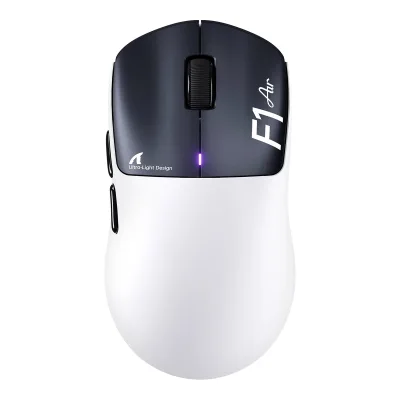
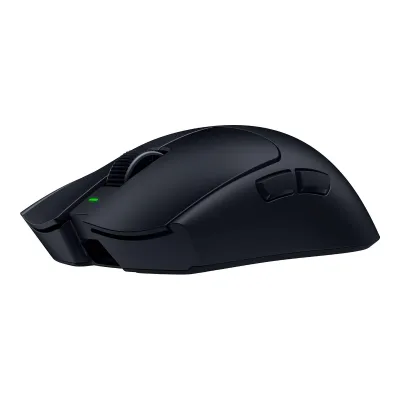
General
5 of 9 differ
Series
Not available
Model numbers
AS-F1 AIR-White & Black, AS-F1 AIR-White, AS-F1 AIR-Black1Maker product pageattackshark.com/products/attack-shark-f1-air-39g-wireless-paw3955max-gaming-mouseRead 14 October 2026Store SKUs: AS-F1 AIR-White & Black, AS-F1 AIR-White, AS-F1 AIR-Black.
RZ01-05630100-R3U1, RZ01-05630200-R3U1, RZ01-05630300-R3U1, RZ01-05630100-R3G1, RZ01-05630200-R3G1, RZ01-05630300-R3M11Maker product pagerazer.com/gaming-mice/razer-viper-v4-proRead 30 September 2026US store SKUs end in R3 U1. EU store (eu-en, de-de) SKUs end in R3 G1, the Esports Green Edition in R3 M1
GTIN / EAN
Not available
Not available
Announced
Not available
Status
Predecessor
Not available
Razer Viper V3 Pro2Press releaserazer.com/newsroom/product-news/viper-v4-pro-gigantus-v2-proRead 30 September 2026Razer's launch release says the Viper V4 Pro builds on the Viper V3 Pro and is about 9% lighter than it.13Reviewprosettings.net/reviews/razer-viper-v4-proRead 8 October 2026ProSettings reviews the Viper V4 Pro as the successor to the Viper V3 Pro.
Successor
Not available
Not available
Launch price (US)
From $159.991Maker product pagerazer.com/gaming-mice/razer-viper-v4-proRead 30 September 20262Press releaserazer.com/newsroom/product-news/viper-v4-pro-gigantus-v2-proRead 30 September 20267Maker product pagerazer.com/gaming-mice/razer-viper-v4-pro/RZ01-05630100-R3U1Read 30 September 20268Maker product pagerazer.com/gaming-mice/razer-viper-v4-pro/RZ01-05630200-R3U1Read 30 September 20269Maker product pagerazer.com/gaming-mice/razer-viper-v4-pro/RZ01-05630300-R3U1Read 30 September 202610Maker product pagerazer.com/eu-en/gaming-mice/razer-viper-v4-pro/RZ01-05630100-R3G1Read 30 September 202611Maker product pagerazer.com/eu-en/gaming-mice/razer-viper-v4-pro/RZ01-05630200-R3G1Read 30 September 202612Maker product pagerazer.com/eu-en/gaming-mice/razer-viper-v4-pro/RZ01-05630300-R3M1Read 30 September 202616Press articlephandroid.com/2026/03/24/razer-announces-the-viper-v4-pro-its-latest-gaming-mouseRead 8 October 202617Reviewcgmagonline.com/review/hardware/razer-viper-v4-pro-gaming-mouseRead 8 October 202618Reviewtweaktown.com/reviews/11398/razer-viper-v4-pro-wireless-gaming-mouse-built-for-competition/index.htmlRead 8 October 2026
Launch price (EU)
Not available
Not available
Markets
Not available
Colours
White & Black, White, Black1Maker product pageattackshark.com/products/attack-shark-f1-air-39g-wireless-paw3955max-gaming-mouseRead 14 October 2026Colour selector names, verbatim.
Black, White, Esports Green Edition1Maker product pagerazer.com/gaming-mice/razer-viper-v4-proRead 30 September 2026
Segment
Mouse type
Shape
3 of 14 differ
Body shape
Maker size class
Not available
Not available
Recommended grips
Not available
Recommended hand size
Not available
Hump position
Thumb rest
Ring or pinky finger rest
Upper shell
Swappable parts
Not available
Not available
Adjustable weight
Not available
Not available
Maximum added weight
Not available
Not available
Vertical angle
Not available
Not available
Trackball diameter
Not available
Not available
Trackball position
Not available
Not available
Dimensions and weight
2 of 5 differ
Mouse body dimensions
Length116Maximum width61.7Maximum height38mm(4.6 × 2.4 × 1.5 in)2Owner's manualdownload.attackshark.pro/ATTACKSHARK/F1Air/F1AIRUserManual.pdfRead 14 October 2026Product Introduction 15: 116*61.7*38 mm. The product page spec table says 116.1mm X 61.6mm X 38.0mm. The manual is stored. The difference is 0.1 mm.
Length127.1Maximum width63.9Maximum height39.9mm(5 × 2.5 × 1.6 in)6Maker product pagemysupport.razer.com/app/answers/detail/a_id/20775Read 30 September 2026Normal public Specs tab: 127.1 × 63.9 × 39.9 mm.7Maker product pagerazer.com/gaming-mice/razer-viper-v4-pro/RZ01-05630100-R3U1Read 30 September 2026View All Specifications dialog: 127.1×63.9×39.9 mm.
Grip width
Not available
Not available
Mouse weight (claimed)
Box dimensions
Not available
Not available
Packed weight
Not available
Not available
Sensor
13 of 20 differ
Marketed sensor name
Published sensor brand
Razer1Maker product pagerazer.com/gaming-mice/razer-viper-v4-proRead 30 September 2026Published Focus Pro 50 K Optical Sensor Gen-3 proprietary branding. Physical sensor OEM is not asserted.7Maker product pagerazer.com/gaming-mice/razer-viper-v4-pro/RZ01-05630100-R3U1Read 30 September 2026View All Specifications dialog: Focus Pro 50K Optical Sensor Gen-3.
Physical sensor part number
Not available
Sensor type
Maximum configurable DPI
Minimum configurable DPI
DPI adjustment step
Maximum DPI stages
Default DPI presets
1,200, 2,400, 3,200, 5,600, 8,000, 52,000DPI2Owner's manualdownload.attackshark.pro/ATTACKSHARK/F1Air/F1AIRUserManual.pdfRead 14 October 2026Six DPI levels: 1200 Red, 2400 Green, 3200 Blue, 5600 Yellow, 8000 Cyan, 52000 Violet. An Amazon reviewer on the maker's store says the first two levels on a retail unit run 800 then 2400, so the factory first level may differ from the manual.
400, 800, 1,600, 3,200, 6,400DPI1Maker product pagerazer.com/gaming-mice/razer-viper-v4-proRead 30 September 2026FAQ: factory DPI settings 400, 800, 1600 (default), 3200 and 64005Owner's manualdl.razerzone.com/master-guides/RazerSynapse4/VIPERV4PRO-00000229-en.pdfRead 30 September 2026Printed p 7 DPI and indicator chart: factory 400/800/1600/3200/6400 DPI shown by LED colour.
Separate X and Y DPI
Not available
Not available
Tracking speed (claimed)
Tracking acceleration (claimed)
Lift-off distance settings
0.7, 0.9, 1.2, 1.4, 1.6mm1Maker product pageattackshark.com/products/attack-shark-f1-air-39g-wireless-paw3955max-gaming-mouseRead 14 October 2026Spec table: 5-level (0.7/0.9/1.2/1.4/1.6mm).
Not available
Separate lift and landing distance
Not available
Surface calibration
Not available
Motion Sync
Not available
Not available
Angle snapping
Not available
Not available
Ripple control
Not available
Not available
Tracks on glass
Not available
Not available
Sensor position
Not available
Performance
4 of 8 differ
Documented polling rates by connection
AATTACK SHARK F1 Air
| Data connection | Polling rate (Hz) | Receiver requirement |
|---|---|---|
| USB (wired) | 125 | Not available |
| USB (wired) | 250 | Not available |
| USB (wired) | 500 | Not available |
| USB (wired) | 1,000 | Not available |
| USB (wired) | 2,000 | Not available |
| USB (wired) | 4,000 | Not available |
| USB (wired) | 8,000 | Not available |
| 2.4 GHz | 125 | Included SHARK 8K receiver |
| 2.4 GHz | 250 | Included SHARK 8K receiver |
| 2.4 GHz | 500 | Included SHARK 8K receiver |
| 2.4 GHz | 1,000 | Included SHARK 8K receiver |
| 2.4 GHz | 2,000 | Included SHARK 8K receiver |
| 2.4 GHz | 4,000 | Included SHARK 8K receiver |
| 2.4 GHz | 8,000 | Included SHARK 8K receiver |
| Bluetooth | 235 | Not available |
Source1Maker product pageattackshark.com/products/attack-shark-f1-air-39g-wireless-paw3955max-gaming-mouseRead 14 October 2026Page: up to 8000 Hz in both wired and 2.4 GHz wireless modes. Plug in the 8K receiver for 8000 Hz wireless or connect the 8K cable for 8000 Hz wired. Lower rates come from the manual.2Owner's manualdownload.attackshark.pro/ATTACKSHARK/F1Air/F1AIRUserManual.pdfRead 14 October 2026Product Introduction 7: Wired/2.4G 125/250/500/1000 (default)/2000/4000/8000 Hz, adjustable via driver. Bluetooth 235 Hz, not adjustable.
BRazer Viper V4 Pro
| Data connection | Polling rate (Hz) | Receiver requirement |
|---|---|---|
| 2.4 GHz | 125 | Included HyperSpeed Wireless Gen-2 dongle |
| 2.4 GHz | 500 | Included HyperSpeed Wireless Gen-2 dongle |
| 2.4 GHz | 1,000 | Included HyperSpeed Wireless Gen-2 dongle |
| 2.4 GHz | 2,000 | Included HyperSpeed Wireless Gen-2 dongle |
| 2.4 GHz | 4,000 | Included HyperSpeed Wireless Gen-2 dongle |
| 2.4 GHz | 8,000 | Included HyperSpeed Wireless Gen-2 dongle |
| USB (wired) | 8,000 | Not available |
Source1Maker product pagerazer.com/gaming-mice/razer-viper-v4-proRead 30 September 2026Tech specs: up to 8000 Hz in both wireless and wired modes. The dongle LED legend lists 8000, 4000, 2000, 1000, 500 and 125 Hz5Owner's manualdl.razerzone.com/master-guides/RazerSynapse4/VIPERV4PRO-00000229-en.pdfRead 30 September 2026Printed pp 9 and 19, Performance UI screenshot: radio polling options 125/500/1000/2000/4000/8000. Wired maximum 8000 independently stated in maker Specs. Lower wired choices not inferred.
Max polling rate
8,000Hz
8,000Hz
Polling rate (wired)
8,000Hz
8,000Hz
Polling rate (2.4 GHz)
8,000Hz
8,000Hz
Polling rate (Bluetooth)
235Hz
Not available
Claimed click latency
Adjustable debounce
Not available
Not available
Measured
1 of 7 differ
Latency per connection (measured)
Not available
Not available
DPI deviation (measured)
Not available
Not available
Lift-off distance (measured)
Not available
Not available
Main click force (measured)
Not available
Not available
Weight (measured)
Not available
Battery life (measured)
Not available
Not available
Hand size fit
Not available
Not available
Switches
5 of 11 differ
Main switch type
Published main-switch brand
Main switch model
Not available
Main switch rated life
100million1Maker product pagerazer.com/gaming-mice/razer-viper-v4-proRead 30 September 2026Switch lifecycle: 100-million clicks7Maker product pagerazer.com/gaming-mice/razer-viper-v4-pro/RZ01-05630100-R3U1Read 30 September 2026View All Specifications dialog: Razer Optical Mouse Switch Gen 4, 100 million.
Hot-swap main switches
Not available
Not available
Adjustable click actuation
Not available
Not available
Separate main buttons
Not available
Side switch model
Not available
Not available
Middle click switch
Not available
Not available
Scroll encoder type
Buttons and scroll wheel
5 of 13 differ
Physical button inputs
63Retailer pageamazon.com/dp/B0GMLBSSTDRead 30 September 2026Button quantity 6. PC Gamer lists 5 buttons, likely leaving out the bottom DPI button5Owner's manualdl.razerzone.com/master-guides/RazerSynapse4/VIPERV4PRO-00000229-en.pdfRead 30 September 2026Printed pp 2–3, complete body drawing: separate main plates, two left side buttons, central wheel click and bottom Power/DPI button make 6 inputs.
Programmable buttons
Side buttons
Side buttons on
DPI button
DPI button position
Not available
Bottom1Maker product pagerazer.com/gaming-mice/razer-viper-v4-proRead 30 September 2026FAQ: the button at the bottom toggles power and DPI by default and is programmable5Owner's manualdl.razerzone.com/master-guides/RazerSynapse4/VIPERV4PRO-00000229-en.pdfRead 30 September 2026Printed pp 2–3, complete body drawing: the Power/DPI button is on the bottom.
Profile button
Dedicated DPI-shift button
Dedicated gesture button
Scroll wheel
Notched6Maker product pagemysupport.razer.com/app/answers/detail/a_id/20775Read 30 September 2026Normal public Specs tab: 24-step Optical Scroll Wheel.7Maker product pagerazer.com/gaming-mice/razer-viper-v4-pro/RZ01-05630100-R3U1Read 30 September 2026View All Specifications dialog: 24-step Optical wheel.
Scroll mode switch
Separate thumb wheel
Scroll wheel material
Not available
Build
4 of 6 differ
Shell material
Plastic, polymer unspecified9Retailer pageamazon.com/dp/B0HGG18N55Read 14 October 2026Item details: Enclosure Material Plastic. The listing is the bundle with a C06 Ultra cable.
Not available
Surface finish
Not available
Installed feet material
Installed skate pieces
Feet shape
Feet thickness
Not available
Not available
Cable
1 of 5 differ
Cable
Not available
Not available
Cable length
Not available
Detachable cable
Port on mouse
Cable host plug
Connectivity
4 of 13 differ
Connections
Wireless technology
Bluetooth
Not available
Saved Bluetooth pairing slots
Not available
Not available
Switchable host devices
Not available
Not available
Device switching
Not available
Not available
Receiver host connector
Not available
Not available
Receiver storage in mouse
Not available
Not available
Receiver extender included
Yes2Owner's manualdownload.attackshark.pro/ATTACKSHARK/F1Air/F1AIRUserManual.pdfRead 14 October 20262.4G Forced Pairing drawing: the shark-fin receiver is connected to the computer through the cable, which has a USB-C end at the receiver and a USB-A plug at the computer. The maker blog calls it the Shark Fin 8K Large Receiver with a longer antenna and three status LEDs. The same single cable is used for wired mode.6Maker product pageattackshark.com/blogs/news/f1-air-8k-wireless-gaming-mouseRead 14 October 2026Blog: the Shark Fin 8K Large Receiver has a longer internal antenna and a 3-LED array for connection status, polling rate and battery. The cabled connection is shown in the manual.9Retailer pageamazon.com/dp/B0HGG18N55Read 14 October 2026Listing Q&A for the C06 Ultra bundle: connect the 2.4G receiver to the cable and keep it near the mouse for a more stable connection. This matches the cabled receiver in the manual.
Receiver pairing shared
Not available
Not available
Wireless range
Not available
Basic mouse OS support
Windows, macOS2Owner's manualdownload.attackshark.pro/ATTACKSHARK/F1Air/F1AIRUserManual.pdfRead 14 October 2026Product Introduction 20: XP, Win7, Win8, Win10, etc. Amazon lists macOS, so macOS comes from that listing.9Retailer pageamazon.com/dp/B0HGG18N55Read 14 October 2026Item details: Operating System Microsoft Windows, macOS.
Windows, macOS3Retailer pageamazon.com/dp/B0GMLBSSTDRead 30 September 2026Hardware platform: Mac, PC5Owner's manualdl.razerzone.com/master-guides/RazerSynapse4/VIPERV4PRO-00000229-en.pdfRead 30 September 2026Printed p 4 system requirements: Synapse needs Windows 11 or later, or macOS 15 or later on Apple Silicon M-series. Synapse Web is named separately by the launch release.
Consoles
Not available
Not available
Battery
6 of 17 differ
Battery type
Disposable battery count
Not available
Not available
Battery capacity
Not available
User-replaceable battery
Not available
Not available
Battery life by mode (claimed)
AATTACK SHARK F1 Air
| Connection | Polling rate (Hz) | Claimed runtime (h) |
|---|---|---|
| 2.4 GHz | 1,000 | 720 |
BRazer Viper V4 Pro
| Connection | Polling rate (Hz) | Claimed runtime (h) |
|---|---|---|
| 2.4 GHz | 1,000 | 180 |
| 2.4 GHz | 8,000 | 45 |
Battery life (up to)
Not available
Not available
Battery life (normal use)
Not available
Not available
Longest battery life
720h
180h
Battery life at 1000 Hz
720h
180h
Battery life on Bluetooth
Not available
Not available
Charging port
Full charge time
Not available
Quick charge
Not available
Not available
Use while charging
Charging system compatibility
Not available
Not available
Charging dock included
Not available
Not available
Battery indicator
LED1Maker product pagerazer.com/gaming-mice/razer-viper-v4-proRead 30 September 2026LED on the dongle shows battery level5Owner's manualdl.razerzone.com/master-guides/RazerSynapse4/VIPERV4PRO-00000229-en.pdfRead 30 September 2026Printed p 7 DPI and indicator chart: configurable dongle DPI and battery LED indicators. Status LED colours are not decorative RGB.
Lighting
1 of 4 differ
Decorative RGB lighting
Not available
Decorative lighting zones
Not available
Not available
Lighting sync
Not available
Not available
DPI indicator
Software
5 of 9 differ
Software
Configuration software platforms
Windows, macOS, Web2Press releaserazer.com/newsroom/product-news/viper-v4-pro-gigantus-v2-proRead 30 September 2026Razer Synapse Web for browser tuning without installing software3Retailer pageamazon.com/dp/B0GMLBSSTDRead 30 September 2026Razer Synapse 4 compatible on PC and Mac5Owner's manualdl.razerzone.com/master-guides/RazerSynapse4/VIPERV4PRO-00000229-en.pdfRead 30 September 2026Master Guide p 4: Windows 11 or later, macOS 15 or later on Apple Silicon M-series. Synapse Web announced separately.
Onboard memory
Not available
Onboard profiles
Not available
Macros
Macros stored onboard
Not available
Not available
Button remapping
Per-app profiles
Not available
Not available
In the box
3 of 4 differ
In the box
Mouse x 1, 8K Receiver x 1, 8K USB-C Cable x 1, Grip Tape x 11Maker product pageattackshark.com/products/attack-shark-f1-air-39g-wireless-paw3955max-gaming-mouseRead 14 October 2026What's in the box: Mouse*1, 8K Receiver *1, 8K USB-C Cable *1, Grip Tape*1. The manual also lists mouse feet and an emoticon sticker.
Razer Viper V4 Pro, Razer HyperSpeed Wireless Gen-2 dongle, USB Type A to Type C cable, Razer Mouse Grip Tape, Important product information guide5Owner's manualdl.razerzone.com/master-guides/RazerSynapse4/VIPERV4PRO-00000229-en.pdfRead 30 September 2026Master Guide pp 2–3, What’s Inside. Includes previously omitted information guide.
Cables included
AATTACK SHARK F1 Air
| Type | Cable count |
|---|---|
| 8K USB-C Cable | 1 |
BRazer Viper V4 Pro
| Type | Cable count |
|---|---|
| USB Type A to USB Type C | 1 |
Extra skates included
Not available
Grip tape
Links
Not compared
Product page
Spec sheet
www.attackshark.com/products/attack-shark-f1-air-39g-wireless-paw3955max-gaming-mouse1Maker product pageattackshark.com/products/attack-shark-f1-air-39g-wireless-paw3955max-gaming-mouseRead 14 October 2026Technical Specifications table on the product page.
Not available
Manual
EPREL registration number
Not available
Not available
Warranty
1 of 1 differ
Manufacturer warranty (source market)