Keyboards / Compare
CORSAIR K55 CORE RGB Gaming Keyboard vs Logitech Signature K650 Wireless Keyboard with Palm-rest
Product A: CORSAIR
65 of 164 known Logitech MX Mechanical
 Logitech MX Keys S
 Logitech Signature Slim Wireless Keyboard K950
 CHERRY Stream Keyboard
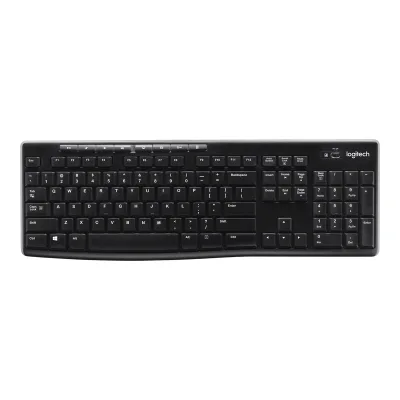 Logitech K270 Wireless Keyboard
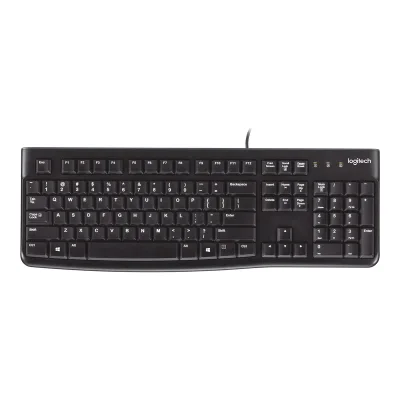 Logitech K120 Corded Keyboard
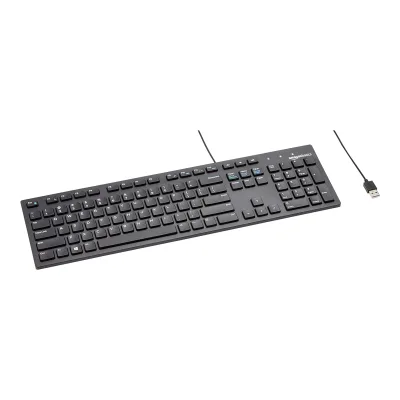 Amazon Basics Wired QWERTY Keyboard
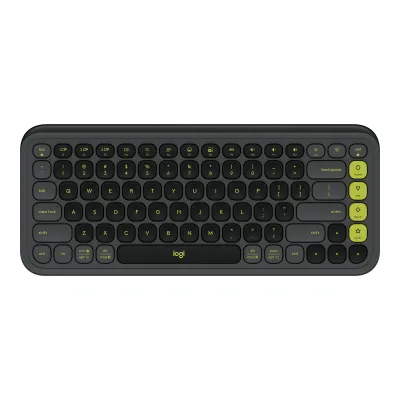 Logitech POP Icon Keys
 Logitech MX Keys Mini
 Keychron B1 Pro
 Logitech K780 Multi-Device Wireless Keyboard
 Logitech K250 Compact Bluetooth Wireless Keyboard
Change CORSAIR K55 CORE RGB Gaming Keyboard
Compare the Logitech Signature K650 Wireless Keyboard with Palm-rest with
Logitech MX MechanicalLogitech MX Keys SLogitech Signature Slim Wireless Keyboard K950CHERRY Stream KeyboardLogitech K270 Wireless KeyboardLogitech K120 Corded KeyboardAmazon Basics Wired QWERTY KeyboardLogitech POP Icon KeysLogitech MX Keys MiniKeychron B1 ProLogitech K780 Multi-Device Wireless KeyboardLogitech K250 Compact Bluetooth Wireless KeyboardProduct B: Logitech
Signature K650 Wireless Keyboard with Palm-rest
71 of 164 known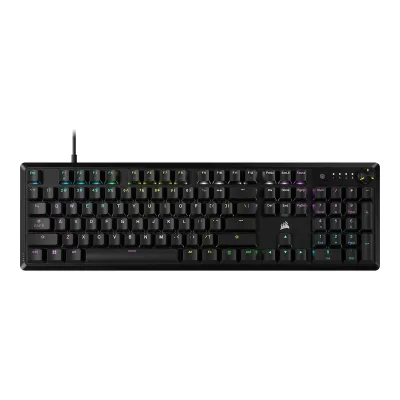 CORSAIR K70 CORE RGB
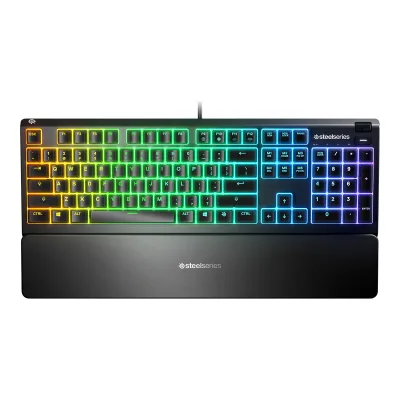 SteelSeries Apex 3
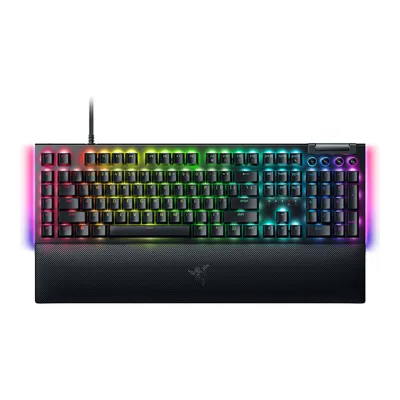 Razer BlackWidow V4
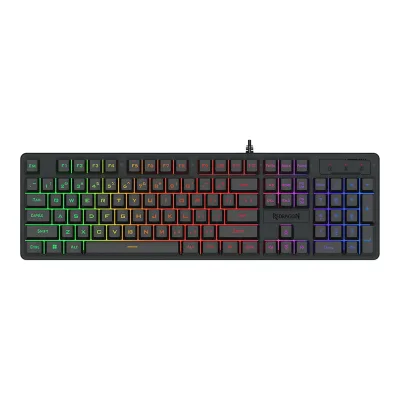 Redragon K521-R 104-Key Wired Membrane Gaming Keyboard
 Razer Huntsman V3 Pro
 Razer BlackWidow V4 X
 Logitech G915 X LIGHTSPEED
 Logitech G413 SE
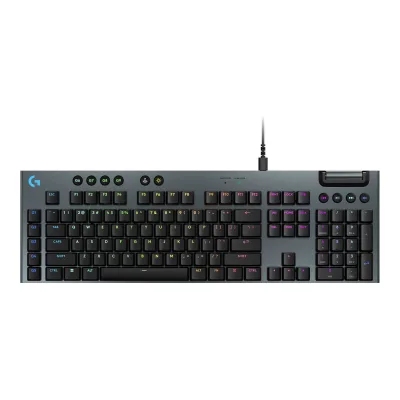 Logitech G915 X
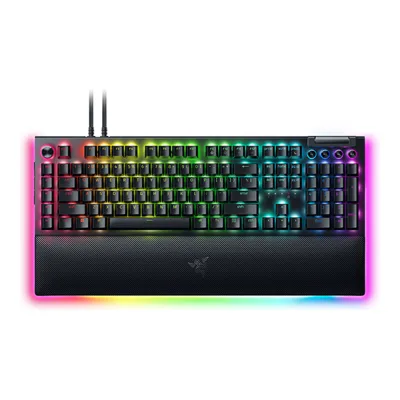 Razer BlackWidow V4 Pro
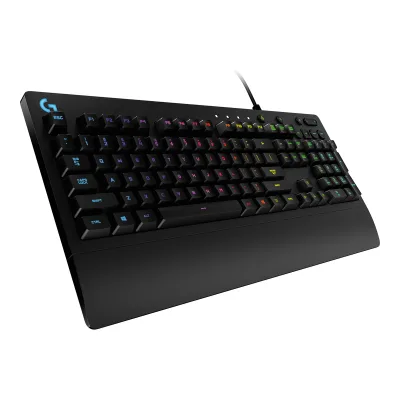 Logitech G213 Prodigy RGB Gaming Keyboard
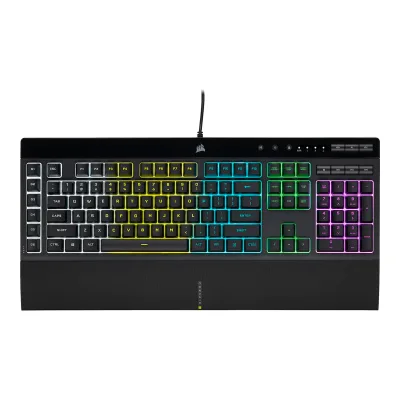 CORSAIR K55 RGB PRO Gaming Keyboard
Change Logitech Signature K650 Wireless Keyboard with Palm-rest
Compare the CORSAIR K55 CORE RGB Gaming Keyboard with
CORSAIR K70 CORE RGBSteelSeries Apex 3Razer BlackWidow V4Redragon K521-R 104-Key Wired Membrane Gaming KeyboardRazer Huntsman V3 ProRazer BlackWidow V4 XLogitech G915 X LIGHTSPEEDLogitech G413 SELogitech G915 XRazer BlackWidow V4 ProLogitech G213 Prodigy RGB Gaming KeyboardCORSAIR K55 RGB PRO Gaming Keyboard66 of 156 fields differ
- 19 different values
- 47 known for one only
- 21 the same
- 69 missing for both
All 164 fields
Every value links to where we found it.
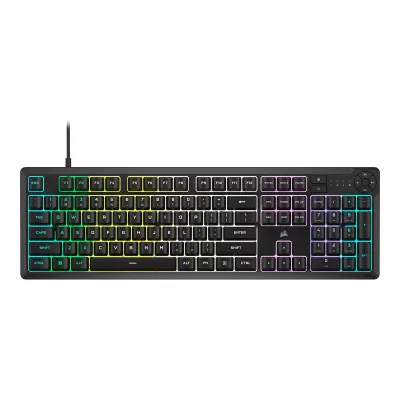
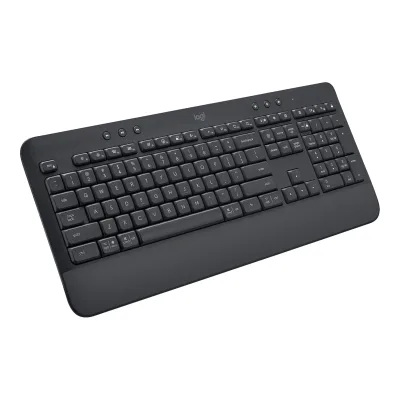
General
7 of 9 differ
Series
Model numbers
CH-9226C65-NA, CH-9226D65-NA1Maker product pagecorsair.com/us/en/p/keyboards/ch-9226c65-na/k55-core-rgb-gaming-keyboard-black-ch-9226c65-naRead 23 October 2026Black SKU CH-9226C65-NA. The colour selector offers Black and Gray. Regional layout SKUs (DE, ES, UK and others) are not stored.11Maker product pagecorsair.com/us/en/p/keyboards/ch-9226d65-na/k55-core-rgb-mechanical-gaming-keyboard-gray-ch-9226d65-naRead 23 October 2026Gray SKU CH-9226D65-NA. Tech specs are the same as the Black SKU.
920-010962, 920-010908, YR-0071, 920-010981, 920-010972, 920-010966, 920-010979, 920-010974, 920-010977, 920-010971, 920-010983, 920-010968, 920-010969, 920-010967, 920-010949, 920-010918, 920-010912, 920-010947, 920-010920, 920-010945, 920-010917, 920-010951, 920-010914, 920-010915, 920-0109131Maker product pagelogitech.com/en-us/shop/p/k650-signature-wireless-keyboard.920-010962Read 16 October 2026The US store sells two English US (QWERTY) models: 920-010962 Off-white and 920-010908 Graphite. The GB and DE stores sell 22 regional models.2Maker product pagesupport.logi.com/hc/en-us/articles/5124434379799-Specification-SIGNATURE-K650Read 16 October 2026Product information: keyboard model YR-0071, on the back of the keyboard.7Maker product pagelogitech.com/en-gb/shop/p/k650-signature-wireless-keyboardRead 16 October 2026Part numbers of the regional models on the GB store.
GTIN / EAN
840006666547, 8400066666089Retailer pagepbtech.com/au/product/KEYCOR9226C65/Corsair-K55-CORE-RGB-Gaming-Keyboard---BlackRead 23 October 2026PB Tech Australia listing: MPN CH-9226C65-NA, UPC 840006666547.10Retailer pagepbtech.com/product/KEYCOR9002/Corsair-K55-CORE-RGB-Gaming-Keyboard---GrayRead 23 October 2026PB Tech global listing: MPN CH-9226D65-NA, UPC 840006666608.
097855179531, 0978551794495Maker product pageweb.archive.org/web/20220829210844/https://www.logitech.com/en-us/products/keyboards/k650-signature-wireless-keyboard.htmlRead 16 October 2026The archive does not show barcodes. The UPC-A numbers come from the UPCitemdb entries.15Spec databaseupcitemdb.com/upc/097855179531Read 16 October 2026UPC-A 097855179531. Listing names say Signature K650 Wireless Keyboard, Off-white, 920-010962.16Spec databaseupcitemdb.com/upc/097855179449Read 16 October 2026UPC-A 097855179449. Listing names say Signature K650 Graphite, 920-010908.
Announced
Status
Predecessor
Not available
Not available
Successor
Not available
Not available
Launch price (US)
Launch price (EU)
Markets
US, CA1Maker product pagecorsair.com/us/en/p/keyboards/ch-9226c65-na/k55-core-rgb-gaming-keyboard-black-ch-9226c65-naRead 23 October 2026The same SKU is sold on the Corsair US and Canada pages.12Maker product pagecorsair.com/ca/en/p/keyboards/ch-9226c65-na/k55-core-rgb-mechanical-gaming-keyboard-black-ch-9226c65-naRead 23 October 2026Corsair Canada sells the same SKU CH-9226C65-NA.
US, GB, DE1Maker product pagelogitech.com/en-us/shop/p/k650-signature-wireless-keyboard.920-010962Read 16 October 2026US store. The GB and DE stores sell the regional models.7Maker product pagelogitech.com/en-gb/shop/p/k650-signature-wireless-keyboardRead 16 October 2026GB store.8Maker product pagelogitech.com/de-de/shop/p/k650-signature-wireless-keyboardRead 16 October 2026DE store.
Colours
Black, Gray1Maker product pagecorsair.com/us/en/p/keyboards/ch-9226c65-na/k55-core-rgb-gaming-keyboard-black-ch-9226c65-naRead 23 October 2026Page colour selector: Black, Gray.10Retailer pagepbtech.com/product/KEYCOR9002/Corsair-K55-CORE-RGB-Gaming-Keyboard---GrayRead 23 October 2026Corsair US page for CH-9226D65-NA is the Gray K55 CORE RGB with the same tech specs.11Maker product pagecorsair.com/us/en/p/keyboards/ch-9226d65-na/k55-core-rgb-mechanical-gaming-keyboard-gray-ch-9226d65-naRead 23 October 2026Page title: K55 CORE RGB Gaming Keyboard, Gray.
Segment
Sold as
Layout
3 of 12 differ
Form factor
Full size1Maker product pagelogitech.com/en-us/shop/p/k650-signature-wireless-keyboard.920-010962Read 16 October 2026The page describes a full-size layout.11Maker product pagelogitech.com/en-us/shop/p/k650-signature-wireless-keyboardRead 16 October 2026Full-size layout with function row, navigation block and number pad.12Reviewrtings.com/keyboard/reviews/logitech/signature-k650Read 16 October 2026Public featured result: size Full-size (100%).
Layout standard
Regional layouts
English US (QWERTY), Hungarian (QWERTZ), English UK (QWERTY), Swiss (QWERTZ), Czech / Slovakian (QWERTZ), Belgian (AZERTY), English International (QWERTY), Spanish (QWERTY), Danish / Norwegian / Swedish / Finnish (QWERTY), French (AZERTY), Italian (QWERTY), German (QWERTZ)1Maker product pagelogitech.com/en-us/shop/p/k650-signature-wireless-keyboard.920-010962Read 16 October 2026Layout names as the maker writes them. English US (QWERTY) is on the US store. The regional names are from the GB store.7Maker product pagelogitech.com/en-gb/shop/p/k650-signature-wireless-keyboardRead 16 October 2026Layout names as the maker writes them.
Keys in regional layout
Key legends for
Windows, macOS1Maker product pagelogitech.com/en-us/shop/p/k650-signature-wireless-keyboard.920-010962Read 16 October 2026Support Getting Started page: dual printed keys. macOS legends on the left side of the keys and Windows legends on the right.3Owner's manualsupport.logi.com/hc/en-001/articles/5124495316631-Getting-Started-SIGNATURE-K650Read 16 October 2026Multi-OS keyboard: macOS special characters on the left side of the keys and Windows special characters on the right. A Chrome layout adds a Launcher key legend on the Start key.
Numpad
Function row
Yes1Maker product pagelogitech.com/en-us/shop/p/k650-signature-wireless-keyboard.920-010962Read 16 October 2026F1 to F12 sit on the top row as secondary functions, behind default shortcut functions.11Maker product pagelogitech.com/en-us/shop/p/k650-signature-wireless-keyboardRead 16 October 2026Row of 12 function keys in the photo.
Dedicated arrow keys
Yes1Maker product pagelogitech.com/en-us/shop/p/k650-signature-wireless-keyboard.920-010962Read 16 October 2026Four arrow keys in the inverted-T block.11Maker product pagelogitech.com/en-us/shop/p/k650-signature-wireless-keyboardRead 16 October 2026Four arrow keys with the up key between left and right.
Navigation keys
Full1Maker product pagelogitech.com/en-us/shop/p/k650-signature-wireless-keyboard.920-010962Read 16 October 2026Support Getting Started page and photo: Home, End, Page Up, Page Down and Delete are dedicated keys between the main block and the number pad.3Owner's manualsupport.logi.com/hc/en-001/articles/5124495316631-Getting-Started-SIGNATURE-K650Read 16 October 2026The keyboard overview lists home, end, page up and page down as keys of the nav block.11Maker product pagelogitech.com/en-us/shop/p/k650-signature-wireless-keyboardRead 16 October 2026Home, End, Page Up and Page Down are dedicated keys.
Key stagger
Bottom row
Not available
Not available
Low profile
Not available
Not available
Switches
5 of 25 differ
Switch sensing technology
Membrane1Maker product pagelogitech.com/en-us/shop/p/k650-signature-wireless-keyboard.920-010962Read 16 October 2026FAQ: a deep-cushioned membrane rubber-dome switch system. RTINGS also lists rubber dome.12Reviewrtings.com/keyboard/reviews/logitech/signature-k650Read 16 October 2026Public featured result: switch type Rubber Dome. Rubber dome keys are stored as membrane.
Switch feel
Not available
Switch maker
Not available
Not available
Switch models
Not available
Not available
Switch stem
Not available
Not available
Actuation force
Not available
Not available
Bottom-out force
Not available
Not available
Tactile bump force
Not available
Not available
Actuation point
Not available
Not available
Total travel
Not available
Rated keystrokes
Not available
Factory-lubed switches
Not available
Not available
Adjustable actuation
Not available
Actuation range
Not available
Not available
Actuation step
Not available
Not available
Per-key actuation
Not available
Not available
Rapid trigger
Not available
Not available
Minimum rapid trigger movement
Not available
Not available
Multi-action keys
Not available
Not available
SOCD handling
Not available
Not available
Analog input
Not available
Not available
Hot-swap sockets
Not available
Compatible switches
Not available
Not available
Stabilizers
Not available
Not available
Factory-lubed stabilizers
Not available
Not available
Keycaps
1 of 5 differ
Keycap material
Not available
Legend method
Not available
Not available
Keycap profile
Not available
Not available
Keycap thickness
Not available
Not available
Shine-through legends
Not available
Not available
Performance
4 of 11 differ
Polling rate per connection
ACORSAIR K55 CORE RGB Gaming Keyboard
| Connection | Polling rate (Hz) |
|---|---|
| USB (wired) | 1,000 |
BLogitech Signature K650 Wireless Keyboard with Palm-rest
Not availableMax polling rate
1,000Hz
Not available
Polling rate (wired)
1,000Hz
Not available
Polling rate (2.4 GHz)
Not available
Not available
Polling rate (Bluetooth)
Not available
Not available
Scan rate
Not available
Not available
Input latency (claimed)
Not available
Not available
Key rollover per connection
Not available
Not available
Anti-ghosting
Not available
Adjustable debounce
Not available
Not available
Minimum debounce
Not available
Not available
Measured
1 of 7 differ
Latency per connection (measured)
Not available
Not available
Actuation point (measured)
Not available
Not available
Total travel (measured)
Not available
Not available
Operating force (measured)
Not available
Not available
Typing noise (measured)
Not available
Not available
Battery life (measured)
Not available
Not available
Connectivity
15 of 18 differ
Connections
2.4 GHz, Bluetooth1Maker product pagelogitech.com/en-us/shop/p/k650-signature-wireless-keyboard.920-010962Read 16 October 2026Specs: Bluetooth Low Energy or the included Logi Bolt USB receiver. No cable.2Maker product pagesupport.logi.com/hc/en-us/articles/5124434379799-Specification-SIGNATURE-K650Read 16 October 2026Connection type: Bluetooth Low Energy and Logi Bolt receiver. Corded or wireless: wireless.14Reviewtomsguide.com/computing/peripherals/logitech-signature-k650-reviewRead 16 October 2026Spec table: Bluetooth 5.1 and a USB receiver.
Wireless technology
Not available
Bluetooth
Not available
5.11Maker product pagelogitech.com/en-us/shop/p/k650-signature-wireless-keyboard.920-010962Read 16 October 2026Technical specifications: Bluetooth Low Energy Wireless (Bluetooth 5.1).14Reviewtomsguide.com/computing/peripherals/logitech-signature-k650-reviewRead 16 October 2026Spec table: Bluetooth 5.1 and a USB receiver.
Bluetooth device slots
Not available
11Maker product pagelogitech.com/en-us/shop/p/k650-signature-wireless-keyboard.920-010962Read 16 October 2026FAQ: no, it is intended to be paired with one device at a time. RTINGS also says there is no Bluetooth multi-device pairing.12Reviewrtings.com/keyboard/reviews/logitech/signature-k650Read 16 October 2026Public cons: no Bluetooth multi-device pairing.
Devices it can switch between
Not available
Device switching
Not available
Not available
Receiver connector
Not available
USB-A9Maker spec sheet (PDF)logitech.com/content/dam/logitech/en/business/pdf/signature-mk650-combo-for-business-data-sheet.pdfRead 16 October 2026In the box of the same business combo: Logi Bolt USB receiver (USB-A). The Logitech support page on the Logi Bolt receiver says it uses USB 2.0 Type-A. The business combo sells the same keyboard and Bolt receiver.10Maker product pagesupport.logi.com/hc/en-us/articles/4404716599447-What-type-of-USB-does-the-Logi-Bolt-receiver-useRead 16 October 2026The Logi Bolt receiver uses USB 2.0 Type-A and USB-C. The K650 package includes the Type-A model, which the business datasheet names as USB-A.
Receiver storage in keyboard
Not available
Receiver shared with other devices
Not available
Wireless range
Not available
10m1Maker product pagelogitech.com/en-us/shop/p/k650-signature-wireless-keyboard.920-010962Read 16 October 2026Technical specifications: 33 ft (10 m). Range varies with user, environment and computing conditions.2Maker product pagesupport.logi.com/hc/en-us/articles/5124434379799-Specification-SIGNATURE-K650Read 16 October 2026Wireless range: 10 m.
Detachable cable
Not available
Port on keyboard
Cable plug
Not available
Cable
Not available
Cable length
Not available
USB passthrough
Not available
Not available
Works with
Windows, macOS, Linux, ChromeOS, iOS, iPadOS, Android1Maker product pagelogitech.com/en-us/shop/p/k650-signature-wireless-keyboard.920-010962Read 16 October 2026Feature text: Windows, macOS, Linux, iPadOS, iOS and Android. Also Works With Chromebook. The support spec lists the minimum versions.2Maker product pagesupport.logi.com/hc/en-us/articles/5124434379799-Specification-SIGNATURE-K650Read 16 October 2026System requirements: Windows 10 and 11 or later, macOS 10.15 or later, Linux, Chrome OS, iPadOS 14 or later, iOS 14 or later and Android 8.0 or later.
Battery
7 of 16 differ
Battery type
Not available
AA1Maker product pagelogitech.com/en-us/shop/p/k650-signature-wireless-keyboard.920-010962Read 16 October 2026Spec: 2 AA batteries, pre-installed. The FAQ on the same page says AAA, which conflicts with the spec table, the in-the-box list and the support spec. AA is used. Tom's Guide and TechRadar also say AA.2Maker product pagesupport.logi.com/hc/en-us/articles/5124434379799-Specification-SIGNATURE-K650Read 16 October 2026Battery: 2 x AA batteries.14Reviewtomsguide.com/computing/peripherals/logitech-signature-k650-reviewRead 16 October 2026Spec table: battery 2 x AA (included).
Number of batteries
Not available
Battery capacity
Not available
Not available
User-replaceable battery
Not available
Yes1Maker product pagelogitech.com/en-us/shop/p/k650-signature-wireless-keyboard.920-010962Read 16 October 2026FAQ: not rechargeable and runs on standard batteries. The support spec says the battery is user replaceable.2Maker product pagesupport.logi.com/hc/en-us/articles/5124434379799-Specification-SIGNATURE-K650Read 16 October 2026Battery user replaceable: yes. The row label says rechargeable, but the keyboard is not rechargeable.
Battery life per mode (claimed)
ACORSAIR K55 CORE RGB Gaming Keyboard
Not availableBLogitech Signature K650 Wireless Keyboard with Palm-rest
| Lighting | Months |
|---|---|
| Off | 36 |
Source1Maker product pagelogitech.com/en-us/shop/p/k650-signature-wireless-keyboard.920-010962Read 16 October 2026Battery life: 36 months. Battery life may vary with use and computing conditions. Stored as calendar months with lighting off, since there is no backlight. No hours or polling rate are published.2Maker product pagesupport.logi.com/hc/en-us/articles/5124434379799-Specification-SIGNATURE-K650Read 16 October 2026Battery: 36 month battery life.
Longest battery life (claimed)
Not available
Not available
Battery life, lighting off
Not available
Not available
Battery life, lighting on
Not available
Not available
Battery life, backlight on (claimed)
Not available
Not available
Battery life, backlight off (claimed)
Not available
36months
Charging port
Not available
Full charge time
Not available
Not available
Quick charge
Not available
Not available
Use while charging
Not available
Not available
Solar charging
Not available
Not available
Battery indicator
Not available
LED1Maker product pagelogitech.com/en-us/shop/p/k650-signature-wireless-keyboard.920-010962Read 16 October 2026Indicator lights: Caps Lock, Connect key and Battery Status.2Maker product pagesupport.logi.com/hc/en-us/articles/5124434379799-Specification-SIGNATURE-K650Read 16 October 2026Spec page and Getting Started page: Battery Status LED, green from 100 to 6 percent and red from 5 percent.3Owner's manualsupport.logi.com/hc/en-001/articles/5124495316631-Getting-Started-SIGNATURE-K650Read 16 October 2026Battery status LED (green or red). It is red from 5 percent and below.
Build
2 of 8 differ
Case material
Plastic with certified post-consumer recycled plastic1Maker product pagelogitech.com/en-us/shop/p/k650-signature-wireless-keyboard.920-010962Read 16 October 2026Sustainability panel: certified post-consumer recycled plastic in the plastic parts, 21 percent for the Off-white keyboard. The blog post says 28 percent for Graphite. The plastic type is not stated.
Plate material
Not available
Not available
Mount style
Not available
Not available
Flex cuts in PCB
Not available
Not available
Sound dampening
Not available
Not available
Typing angles
Not available
4°, 8°9Maker spec sheet (PDF)logitech.com/content/dam/logitech/en/business/pdf/signature-mk650-combo-for-business-data-sheet.pdfRead 16 October 2026Datasheet of the Signature MK650 combo for business: the Signature K650 for Business keyboard has tilt legs with angles of +4 and +8 degrees. That keyboard has the same size, 193.5 x 457.3 x 24 mm, and weight, 700.23 g, as the K650. The consumer K650 pages do not publish tilt angles. RTINGS confirms that the K650 has incline settings. The flat angle is not stated and is not stored.12Reviewrtings.com/keyboard/reviews/logitech/signature-k650Read 16 October 2026Public text: the built-in palm rest and incline settings keep you comfortable. No angle is given.
Spill resistant
Yes1Maker product pagecorsair.com/us/en/p/keyboards/ch-9226c65-na/k55-core-rgb-gaming-keyboard-black-ch-9226c65-naRead 23 October 2026Page: 300ml spill resistance. K55 CORE withstands spills and water attacks.2Maker product pagecorsair.com/us/en/explorer/gamer/keyboards/corsair-k55-core-everything-you-need-to-knowRead 23 October 2026Article: resistance to spills up to 300ml.4Maker product pagecorsair.com/us/en/explorer/gamer/keyboards/skiff-100-vs-skiff-100-plus-vs-k55-core-whats-the-differenceRead 23 October 2026Comparison table: 300mL spill resistance for K55 CORE. It is a volume claim and not a certified IP rating.
Yes1Maker product pagelogitech.com/en-us/shop/p/k650-signature-wireless-keyboard.920-010962Read 16 October 2026Description: spill-resistant, easy-to-clean design. The archived launch page and the FAQ give up to 60 ml.5Maker product pageweb.archive.org/web/20220829210844/https://www.logitech.com/en-us/products/keyboards/k650-signature-wireless-keyboard.htmlRead 16 October 2026Footnote: spill-resistant up to 60 ml.13Reviewtechradar.com/reviews/logitech-signature-k650Read 16 October 2026Review: spill-resistant.
IP rating
Not available
Not available
Lighting
4 of 7 differ
Backlight
None1Maker product pagelogitech.com/en-us/shop/p/k650-signature-wireless-keyboard.920-010962Read 16 October 2026FAQ: no backlighting.2Maker product pagesupport.logi.com/hc/en-us/articles/5124434379799-Specification-SIGNATURE-K650Read 16 October 2026Backlighting: no.11Maker product pagelogitech.com/en-us/shop/p/k650-signature-wireless-keyboardRead 16 October 2026No backlight is listed and the photo shows no lighting.12Reviewrtings.com/keyboard/reviews/logitech/signature-k650Read 16 October 2026Public cons: no backlighting.
LED position
Not available
Not available
Lighting zones
101Maker product pagecorsair.com/us/en/p/keyboards/ch-9226c65-na/k55-core-rgb-gaming-keyboard-black-ch-9226c65-naRead 23 October 2026Page: ten-zone RGB.2Maker product pagecorsair.com/us/en/explorer/gamer/keyboards/corsair-k55-core-everything-you-need-to-knowRead 23 October 2026Table: Backlighting 10-Zone lit and per-zone programmable.4Maker product pagecorsair.com/us/en/explorer/gamer/keyboards/skiff-100-vs-skiff-100-plus-vs-k55-core-whats-the-differenceRead 23 October 2026Comparison table: K55 CORE has 10-Zone RGB.
Not available
Brightness levels
Not available
Side or underglow lighting
Not available
Not available
Lighting sensors
Not available
Not available
Controls
4 of 12 differ
Media keys
Dedicated1Maker product pagelogitech.com/en-us/shop/p/k650-signature-wireless-keyboard.920-010962Read 16 October 2026The photo and the support Getting Started page show a row of round buttons above the function row for playback and volume.2Maker product pagesupport.logi.com/hc/en-us/articles/5124434379799-Specification-SIGNATURE-K650Read 16 October 2026Special keys list: dictation, emoji, snipping tool, mute mic, browser back, refresh, new tab, close tab, Connect key, settings and print.3Owner's manualsupport.logi.com/hc/en-001/articles/5124495316631-Getting-Started-SIGNATURE-K650Read 16 October 2026The Hot Keys table lists previous track, play or pause, next track, mute, volume down and volume up as keys with no secondary function. The F-row keys are shortcuts by default and Fn plus Esc swaps them with F-keys.
Separate media buttons
41Maker product pagecorsair.com/us/en/p/keyboards/ch-9226c65-na/k55-core-rgb-gaming-keyboard-black-ch-9226c65-naRead 23 October 2026Page: four dedicated media buttons control video, music and livestreams.4Maker product pagecorsair.com/us/en/explorer/gamer/keyboards/skiff-100-vs-skiff-100-plus-vs-k55-core-whats-the-differenceRead 23 October 2026Text: K55 CORE uses four dedicated media keys and two function keys.
43Owner's manualsupport.logi.com/hc/en-001/articles/5124495316631-Getting-Started-SIGNATURE-K650Read 16 October 2026Hot Keys table lists six round hot keys. Four are for playback or mute: previous track, play or pause, next track and mute. Volume down and volume up are counted as volume keys. The photo shows them as six round buttons above the function row.11Maker product pagelogitech.com/en-us/shop/p/k650-signature-wireless-keyboardRead 16 October 2026Six round buttons above the function row, grouped as three for playback and three for sound. Four count here: previous track, play or pause, next track and mute.
Volume control
Keys1Maker product pagelogitech.com/en-us/shop/p/k650-signature-wireless-keyboard.920-010962Read 16 October 2026The same round buttons include volume down and volume up.3Owner's manualsupport.logi.com/hc/en-001/articles/5124495316631-Getting-Started-SIGNATURE-K650Read 16 October 2026Hot Keys table: mute sound, volume down and volume up.
Knobs
Not available
Programmable knob
Not available
Not available
Knob press
Not available
Not available
Separate macro keys
03Owner's manualsupport.logi.com/hc/en-001/articles/5124495316631-Getting-Started-SIGNATURE-K650Read 16 October 2026No separate macro keys are listed in the overview or the key tables.11Maker product pagelogitech.com/en-us/shop/p/k650-signature-wireless-keyboardRead 16 October 2026No separate macro keys in the photo.
Built-in screen
Touchpad
No1Maker product pagelogitech.com/en-us/shop/p/k650-signature-wireless-keyboard.920-010962Read 16 October 2026No touchpad in the maker photo or in the specs.11Maker product pagelogitech.com/en-us/shop/p/k650-signature-wireless-keyboardRead 16 October 2026No touchpad in the photo.12Reviewrtings.com/keyboard/reviews/logitech/signature-k650Read 16 October 2026Public cons: no trackpad for on-screen navigation.
Fingerprint reader
Not available
OS mode switch
Not available
Key combination1Maker product pagelogitech.com/en-us/shop/p/k650-signature-wireless-keyboard.920-010962Read 16 October 2026Support Getting Started page: hold Fn plus P for Windows, Fn plus O for macOS or Fn plus C for ChromeOS for three seconds.3Owner's manualsupport.logi.com/hc/en-001/articles/5124495316631-Getting-Started-SIGNATURE-K650Read 16 October 2026Step 4 of the Logi Bolt pairing: long-press for 3 seconds Fn plus P for Windows, Fn plus O for macOS or Fn plus C for Chrome OS. Windows is the default.
Software
3 of 10 differ
Software
Logi Options+1Maker product pagelogitech.com/en-us/shop/p/k650-signature-wireless-keyboard.920-010962Read 16 October 2026Customization app: Logi Options+, supported on Windows and macOS.2Maker product pagesupport.logi.com/hc/en-us/articles/5124434379799-Specification-SIGNATURE-K650Read 16 October 2026Software support at release: Logitech Options+.
Software runs on
Windows, macOS1Maker product pagelogitech.com/en-us/shop/p/k650-signature-wireless-keyboard.920-010962Read 16 October 2026Supported by Logi Options+ on Windows and macOS.3Owner's manualsupport.logi.com/hc/en-001/articles/5124495316631-Getting-Started-SIGNATURE-K650Read 16 October 2026Logitech Options+ download. Logitech lists Windows and macOS.
Open firmware
Not available
Not available
Onboard memory
Yes1Maker product pagecorsair.com/us/en/p/keyboards/ch-9226c65-na/k55-core-rgb-gaming-keyboard-black-ch-9226c65-naRead 23 October 2026Tech specs: On Board Memory Yes.3Owner's manualcorsair.com/us/en/explorer/gamer/keyboards/k55-coreRead 23 October 2026Hardware mode uses profiles and settings saved to onboard storage. Holding ESC for two seconds erases the onboard memory profiles.
Not available
Onboard profiles
Not available
Not available
Macros
Yes3Owner's manualcorsair.com/us/en/explorer/gamer/keyboards/k55-coreRead 23 October 2026Macro recording: macros can be recorded in iCUE software.5Press releasecorsair.com/newsroom/press-release/corsair-launches-k55-core-the-keyboard-to-start-your-winning-streakRead 23 October 2026Release: iCUE offers macro programming.
Macros stored onboard
Not available
Not available
Key remapping
Layers
Not available
Not available
User firmware updates
Ergonomics
1 of 4 differ
Wrist rest
Wrist rest material
Not available
Not available
Tenting
Not available
Not available
Tenting angles
Not available
Not available
Dimensions and weight
6 of 6 differ
Dimensions
Width451.35Depth141.15Height35mm(17.8 × 5.6 × 1.4 in)2Maker product pagecorsair.com/us/en/explorer/gamer/keyboards/corsair-k55-core-everything-you-need-to-knowRead 23 October 2026Technical specifications table: Dimensions 451.35*141.15*35 mm. The order is width, depth and height by size. The measurement conditions are not stated.7Reviewaphnetworks.com/reviews/corsair-k55-core/2Read 23 October 2026Review: 451 mm wide, 141 mm deep and 35 mm high. This matches the maker figures.
Not available
Dimensions with wrist rest
Not available
Width457.3Depth193.5Height24mm(18 × 7.6 × 0.9 in)1Maker product pagelogitech.com/en-us/shop/p/k650-signature-wireless-keyboard.920-010962Read 16 October 2026Dimensions row for the keyboard without receiver and with 2 AA batteries: width 457.3 mm, height 193.5 mm and depth 24 mm. The labels are rotated. The long side is the width, 193.5 mm is front to back and 24 mm is the thickness. The palm rest is integrated, so these are the dimensions with the palm rest. The state of the feet is not stated.2Maker product pagesupport.logi.com/hc/en-us/articles/5124434379799-Specification-SIGNATURE-K650Read 16 October 2026Keyboard row: 457.3 mm, 193.50 mm and 24 mm, labelled height, width and depth. Weight is 700.23 g without receiver and with 2 AA alkaline batteries.13Reviewtechradar.com/reviews/logitech-signature-k650Read 16 October 2026Review: 193.5 x 457.3 x 24 mm, matching the maker.
Keyboard weight
752g(1.7 lb)1Maker product pagecorsair.com/us/en/p/keyboards/ch-9226c65-na/k55-core-rgb-gaming-keyboard-black-ch-9226c65-naRead 23 October 2026Tech specs: Weight 0.752. The unit is not printed. The K55 CORE blog states 0.752 kgs, so 752 g. Older listings showed 1.035 which looks like a package figure.2Maker product pagecorsair.com/us/en/explorer/gamer/keyboards/corsair-k55-core-everything-you-need-to-knowRead 23 October 2026Technical specifications table: Weight 0.752 kgs.
Not available
Weight including wrist rest
Not available
700.23g(1.5 lb)1Maker product pagelogitech.com/en-us/shop/p/k650-signature-wireless-keyboard.920-010962Read 16 October 2026Weight 700.23 g without receiver and with 2 AA alkaline batteries. The palm rest is integrated.2Maker product pagesupport.logi.com/hc/en-us/articles/5124434379799-Specification-SIGNATURE-K650Read 16 October 2026Keyboard row: 700.23 g without receiver and with 2 AA alkaline batteries.13Reviewtechradar.com/reviews/logitech-signature-k650Read 16 October 2026Review: about 700 g, matching the maker.
Box dimensions
Not available
Width468Height203Depth32mm(18.4 × 8 × 1.3 in)2Maker product pagesupport.logi.com/hc/en-us/articles/5124434379799-Specification-SIGNATURE-K650Read 16 October 2026Retail and online box: 468 mm, 203 mm and 32 mm, labelled height, width and depth. The long side of the box fits the 457 mm keyboard, so 468 mm is stored as the width, 203 mm as the height and 32 mm as the depth.
Certifications
1 of 2 differ
Platform certifications
Not available
Other certifications
Not available
Not available
In the box
1 of 3 differ
In the box
K55 CORE RGB Gaming Keyboard, Safety Leaflet, Warranty Card1Maker product pagecorsair.com/us/en/p/keyboards/ch-9226c65-na/k55-core-rgb-gaming-keyboard-black-ch-9226c65-naRead 23 October 2026Package Contents: K55 CORE RGB Gaming Keyboard, Safety Leaflet, Warranty Card. The quick start guide is a web guide.
Signature K650 Wireless Comfort Keyboard, 2 AA batteries (pre-installed), Logi Bolt USB Receiver, User documentation1Maker product pagelogitech.com/en-us/shop/p/k650-signature-wireless-keyboard.920-010962Read 16 October 2026Package contents: Signature K650 Wireless Comfort Keyboard, 2 AA batteries (pre-installed), Logi Bolt USB Receiver and user documentation.
Cables included
Not available
Not available
Spare switches
Not available
Not available
Links
Not compared
Product page
www.corsair.com/us/en/p/keyboards/ch-9226c65-na/k55-core-rgb-gaming-keyboard-black-ch-9226c65-na1Maker product pagecorsair.com/us/en/p/keyboards/ch-9226c65-na/k55-core-rgb-gaming-keyboard-black-ch-9226c65-naRead 23 October 2026US store page, Black, SKU CH-9226C65-NA. The page shows In Stock and a Best Seller tag on the access date at a current price of 34.99 USD (original price 49.99 USD). Neither price is stored as the launch price.
Spec sheet
Not available
Manual
www.corsair.com/us/en/explorer/gamer/keyboards/k55-core3Owner's manualcorsair.com/us/en/explorer/gamer/keyboards/k55-coreRead 23 October 2026K55 CORE Quick Start Guide on corsair.com Explorer, 2024 copyright. It covers setup, factory reset, PlayStation mode, software mode, hardware mode and macro recording.
EPREL registration number
Not available
Not available
Warranty
1 of 1 differ
Manufacturer warranty (source market)
2years1Maker product pagecorsair.com/us/en/p/keyboards/ch-9226c65-na/k55-core-rgb-gaming-keyboard-black-ch-9226c65-naRead 23 October 2026Tech specs: Keyboard Warranty 2 Year.5Press releasecorsair.com/newsroom/press-release/corsair-launches-k55-core-the-keyboard-to-start-your-winning-streakRead 23 October 2026Release: two-year warranty.
Both are also in the API. Back to all keyboards.