Keyboards / Compare
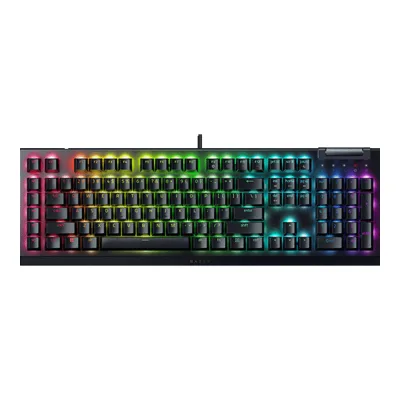
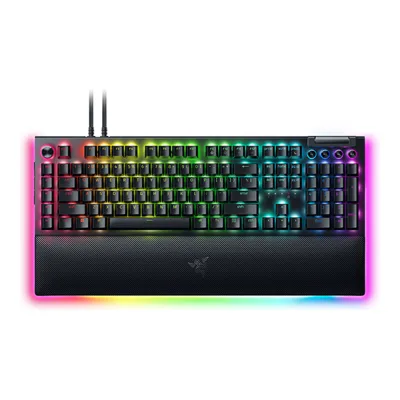
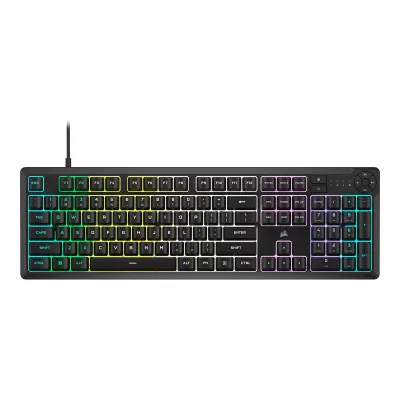
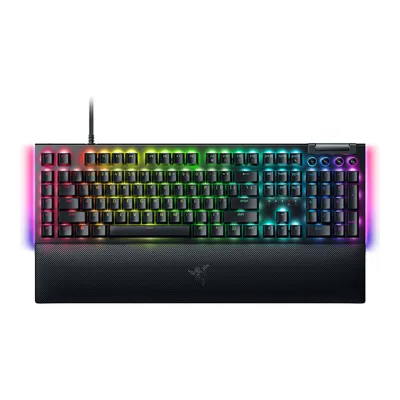
CORSAIR K55 RGB PRO Gaming Keyboard vs Razer BlackWidow V4
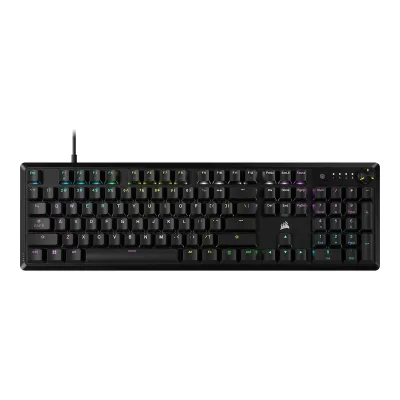
Product A: CORSAIR
61 of 164 known
Change CORSAIR K55 RGB PRO Gaming Keyboard
Compare the Razer BlackWidow V4 with
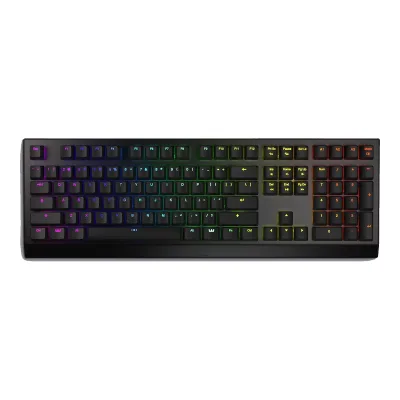
Product B: Razer
77 of 164 known
Change Razer BlackWidow V4
Compare the CORSAIR K55 RGB PRO Gaming Keyboard with
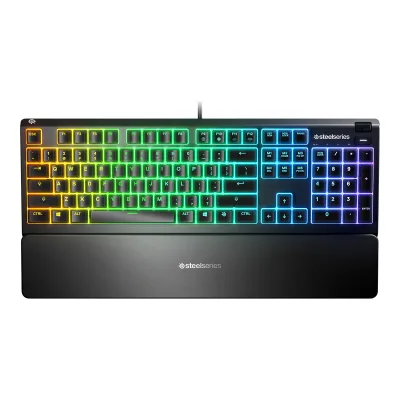
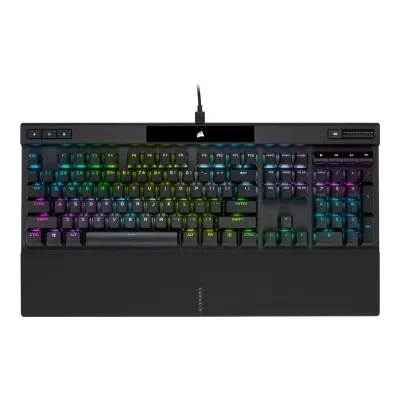
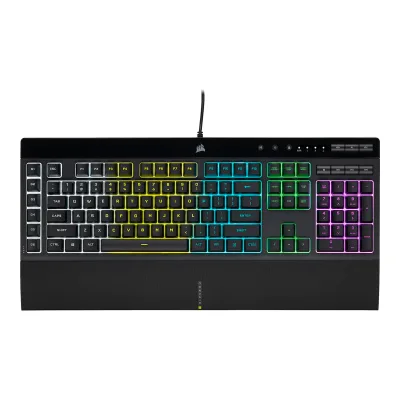
54 of 156 fields differ
- 22 different values
- 32 known for one only
- 27 the same
- 75 missing for both
Biggest differences
Each bar uses the scale of all 131 keyboards.
- Max polling rateA: 1,000HzB: 8,000HzRazer is 8 times higher.
- Polling rate (wired)A: 1,000HzB: 8,000HzRazer is 8 times higher.
All 164 fields
Every value links to where we found it.
General
4 of 9 differ
Series
Model numbers
RZ03-04690200-R3U1, RZ03-04691Maker product pagerazer.com/gaming-keyboards/razer-blackwidow-v4/RZ03-04690200-R3U1Read 7 October 2026Reference is exact Black US SKU fitted with Green Gen-3 clicky switches. Yellow-switch, regional and special-edition variants are not inherited.8Regulatory filingdl.razerzone.com/en/compliance/EU%20Declaration%20of%20Conformity%20for%20BlackWidow%20V4%20%28RZ03-0469%29.pdfRead 7 October 2026Official factory model RZ03-0469 explicitly appears with exact US Green sales code RZ03-04690200-R3U1 in declaration. Other regional codes are not mapped to guessed layouts or switches.
GTIN / EAN
Announced
Status
Predecessor
Not available
Not available
Successor
Not available
Not available
Launch price (US)
Launch price (EU)
Not available
Not available
Markets
Colours
Segment
Sold as
Layout
2 of 12 differ
Form factor
Layout standard
Regional layouts
Keys in regional layout
1041Maker product pagecorsair.com/us/en/p/keyboards/ch-9226765-na/k55-rgb-pro-gaming-keyboard-ch-9226765-naRead 15 October 2026Tech specs: Keyboard Matrix 110 Keys, with Macro Keys 6. The quick start guide diagram shows 104 typing and function keys plus G1 to G6, which is 110. Stored as 104 because macro keys are excluded. The seven media and volume keys and the M, brightness and Windows lock buttons are separate.3Owner's manualassets.corsair.com/image/upload/corsairmedia/sys_master/productcontent/49_002202_AA_AP_K55_RGB_PRO_QSG_Web.pdfRead 15 October 2026Page 1 diagram counted row by row: 104 keys without G1 to G6.
Key legends for
Numpad
Function row
Dedicated arrow keys
Navigation keys
Key stagger
Bottom row
Not available
Not available
Switches
11 of 25 differ
Switch sensing technology
Switch feel
Switch maker
Not available
Switch models
Not available
Razer Green Clicky Mechanical Switch Gen-34Maker product pagerazer.com/gaming-keyboards-accessories/razer-mechanical-switchesRead 5 October 2026Maker timeline states that Green Clicky and Yellow Linear Mechanical Switches Gen-3 were introduced with the BlackWidow V4 line in 2023. The exact selected US SKU maker page identifies Green switches.
Switch stem
Not available
Actuation force
Not available
Bottom-out force
Not available
Not available
Tactile bump force
Not available
Not available
Actuation point
Not available
Total travel
Not available
Rated keystrokes
Not available
Factory-lubed switches
Not available
Not available
Adjustable actuation
Not available
Not available
Actuation range
Not available
Not available
Actuation step
Not available
Not available
Per-key actuation
Not available
Not available
Rapid trigger
Not available
Not available
Minimum rapid trigger movement
Not available
Not available
Multi-action keys
Not available
Not available
SOCD handling
Not available
Analog input
Not available
Not available
Hot-swap sockets
Not available
Not available
Compatible switches
Not available
Not available
Stabilizers
Not available
Not available
Factory-lubed stabilizers
Not available
Keycaps
2 of 5 differ
Keycap material
Legend method
Not available
Keycap profile
Not available
Not available
Keycap thickness
Not available
Not available
Performance
3 of 11 differ
Polling rate per connection
ACORSAIR K55 RGB PRO Gaming Keyboard
| Connection | Polling rate (Hz) |
|---|---|
| USB (wired) | 1,000 |
BRazer BlackWidow V4
| Connection | Polling rate (Hz) |
|---|---|
| USB (wired) | 8,000 |
Max polling rate
1,000Hz
8,000Hz
Polling rate (wired)
1,000Hz
8,000Hz
Polling rate (2.4 GHz)
Not available
Not available
Polling rate (Bluetooth)
Not available
Not available
Scan rate
Not available
Not available
Input latency (claimed)
Not available
Not available
Key rollover per connection
Not available
Not available
Anti-ghosting
Adjustable debounce
Not available
Not available
Minimum debounce
Not available
Not available
Measured
None of 7 known
Latency per connection (measured)
Not available
Not available
Actuation point (measured)
Not available
Not available
Total travel (measured)
Not available
Not available
Operating force (measured)
Not available
Not available
Typing noise (measured)
Not available
Not available
Battery life (measured)
Not available
Not available
Weight (measured)
Not available
Not available
Connectivity
5 of 18 differ
Connections
Wireless technology
Not available
Not available
Bluetooth
Not available
Not available
Bluetooth device slots
Not available
Not available
Devices it can switch between
Not available
Not available
Device switching
Not available
Not available
Receiver connector
Not available
Not available
Receiver storage in keyboard
Not available
Not available
Receiver shared with other devices
Not available
Not available
Wireless range
Not available
Not available
Detachable cable
Port on keyboard
Cable plug
Cable
Cable length
Not available
Not available
USB passthrough
Not available
Works with
Windows, macOS2Owner's manualdl.razerzone.com/master-guides/RazerSynapse3/BLACKWIDOWV4-00000647-en.pdfRead 7 October 2026Original exact master-guide printed page 4 requirements artwork explicitly Windows 10 64-bit or higher and USB-A. Current maker model-specific Synapse for Mac supported list independently adds macOS, requiring Apple Silicon and macOS 15 Sequoia or above. No generic USB-HID compatibility inferred for Linux or consoles.10Maker product pagemysupport.razer.com/app/answers/detail/a_id/14809/kw/razer%20huntsman%20rz03-Read 7 October 2026Maker Synapse for Mac supported-device list updated August 21 2026 explicitly includes BlackWidow V4 RZ03-0469. Exact US Green SKU is identified under this model in the conformity declaration. Mac preview requires Apple Silicon and macOS 15 Sequoia or above. Original Windows key legends remain.11Maker product pagerazer.com/synapse-4-macRead 7 October 2026Current maker Mac-preview requirements: Apple Silicon chip-based Mac running macOS 15 Sequoia and above. Exact keyboard model support separately proved by supported-device table.
Battery
None of 16 known
Battery type
Not available
Not available
Number of batteries
Not available
Not available
Battery capacity
Not available
Not available
User-replaceable battery
Not available
Not available
Battery life per mode (claimed)
Not available
Not available
Longest battery life (claimed)
Not available
Not available
Battery life, lighting off
Not available
Not available
Battery life, lighting on
Not available
Not available
Battery life, backlight on (claimed)
Not available
Not available
Battery life, backlight off (claimed)
Not available
Not available
Charging port
Not available
Not available
Full charge time
Not available
Not available
Quick charge
Not available
Not available
Use while charging
Not available
Not available
Solar charging
Not available
Not available
Battery indicator
Not available
Not available
Build
4 of 8 differ
Case material
Plate material
Not available
Not available
Mount style
Not available
Not available
Flex cuts in PCB
Not available
Not available
Sound dampening
Not available
Typing angles
Not available
Not available
Spill resistant
Yes1Maker product pagecorsair.com/us/en/p/keyboards/ch-9226765-na/k55-rgb-pro-gaming-keyboard-ch-9226765-naRead 15 October 2026Page: IP42 protection guards your keyboard against spill accidents and dust buildup.4Press releasecorsair.com/newsroom/press-release/start-your-winning-streak-corsair-launches-k55-rgb-pro-and-k55-rgb-pro-xt-gaming-keyboardsRead 15 October 2026Release: IP42-rated to protect against dust and spills.
Not available
Lighting
4 of 7 differ
Backlight
LED position
Not available
Not available
Lighting zones
Not available
Brightness levels
Not available
Not available
Side or underglow lighting
Not available
Lighting sensors
Not available
Not available
Controls
5 of 12 differ
Media keys
Separate media buttons
53Owner's manualassets.corsair.com/image/upload/corsairmedia/sys_master/productcontent/49_002202_AA_AP_K55_RGB_PRO_QSG_Web.pdfRead 15 October 2026Page 1 diagram: four media hotkeys H (stop, previous, play and pause, next) and a group of three volume hotkeys G. The Corsair comparison article lists play and pause, stop, next and last track, mute, volume up and volume down. Mute is a separate button, volume up and down are volume keys. Stored as 5.7Maker product pagecorsair.com/us/en/explorer/gamer/keyboards/skiff-100-vs-skiff-100-plus-vs-k55-core-whats-the-differenceRead 15 October 2026Corsair article: seven dedicated media keys covering play and pause, stop, next and last track, mute, and volume up and down. Also lists a soft rubber palm rest with a textured surface and six dedicated macro keys.
Volume control
Knobs
Programmable knob
Not available
Not available
Knob press
Not available
Not available
Separate macro keys
Built-in screen
Not available
Touchpad
Not available
Fingerprint reader
Not available
OS mode switch
Not available
Not available
Windows key lock
Yes1Maker product pagecorsair.com/us/en/p/keyboards/ch-9226765-na/k55-rgb-pro-gaming-keyboard-ch-9226765-naRead 15 October 2026Tech specs: WIN Lock Dedicated Hotkey.3Owner's manualassets.corsair.com/image/upload/corsairmedia/sys_master/productcontent/49_002202_AA_AP_K55_RGB_PRO_QSG_Web.pdfRead 15 October 2026Page 3, Windows lock mode: press the Windows lock hotkey to disable the Windows key.
Software
6 of 10 differ
Software
Software runs on
Windows, macOS2Owner's manualdl.razerzone.com/master-guides/RazerSynapse3/BLACKWIDOWV4-00000647-en.pdfRead 7 October 2026Read manual requirements drawing names Windows 10 64-bit or higher. Basic USB input compatibility on other platforms is not inferred.10Maker product pagemysupport.razer.com/app/answers/detail/a_id/14809/kw/razer%20huntsman%20rz03-Read 7 October 2026Maker Synapse for Mac supported-device list updated August 21 2026 explicitly includes BlackWidow V4 RZ03-0469. Exact US Green SKU is identified under this model in the conformity declaration. Mac preview requires Apple Silicon and macOS 15 Sequoia or above. Original Windows key legends remain.11Maker product pagerazer.com/synapse-4-macRead 7 October 2026Razer Synapse for Mac and Razer Chroma App preview for macOS. Requires Apple Silicon and macOS 15 Sequoia or above. Not inherited from deprecated Synapse2 generic Mac support.
Open firmware
Not available
Not available
Onboard memory
Onboard profiles
Not available
Macros
Yes2Owner's manualdl.razerzone.com/master-guides/RazerSynapse3/BLACKWIDOWV4-00000647-en.pdfRead 7 October 20269Maker product pagemysupport.razer.com/app/answers/detail/a_id/13219/kw/blackwidow%20softwareRead 7 October 2026Maker expressly states On-the-Fly Macro Recording only works while Razer Synapse is installed and running. This qualifies existing recording feature. Recording condition does not alone establish whether a previously assigned sequence replays from onboard storage, so macros_onboard remains unknown.
Macros stored onboard
Yes3Owner's manualassets.corsair.com/image/upload/corsairmedia/sys_master/productcontent/49_002202_AA_AP_K55_RGB_PRO_QSG_Web.pdfRead 15 October 2026Page 4: in hardware mode macros are recorded to onboard storage.6Maker product pagecorsair.com/us/en/explorer/gamer/keyboards/how-to-customize-onboard-lighting-and-macros-on-the-k55-rgb-pro-gaming-keyboardRead 15 October 2026Corsair guide: in hardware mode macros are recorded to the G-keys, up to 50 keystrokes.
Not available
Key remapping
Not available
User firmware updates
Not available
Yes9Maker product pagemysupport.razer.com/app/answers/detail/a_id/13219/kw/blackwidow%20softwareRead 7 October 2026Maker lists user firmware update v1.5.0_r1 dated January 8 2026 for RZ03-0469 with updater instructions. The generic wireless-dongle instruction is a template error and does not change this wired model’s connection set.12Maker product pagemysupport.razer.com/app/answers/detail/a_id/13901/kw/razer%20blackwidow%20downloadRead 7 October 2026Exact maker firmware article 13901 names applicable RZ03-0469 and v1.5.0_r1 dated 8 January 2026, with user updater instructions and Mac sleep fix. Full public indexed original answer independently read after direct open yielded Oracle pre-page shell. Generic dongle instruction is template contamination, not evidence of wireless hardware. No firmware installed.
Ergonomics
1 of 4 differ
Wrist rest
Wrist rest material
Soft rubber, textured surface1Maker product pagecorsair.com/us/en/p/keyboards/ch-9226765-na/k55-rgb-pro-gaming-keyboard-ch-9226765-naRead 15 October 2026Page: soft rubber palm rest. The Corsair guide calls it a soft rubber palm rest with a textured surface.6Maker product pagecorsair.com/us/en/explorer/gamer/keyboards/how-to-customize-onboard-lighting-and-macros-on-the-k55-rgb-pro-gaming-keyboardRead 15 October 2026Corsair comparison article: soft rubber palm rest with a textured surface.
Magnetic plush leatherette1Maker product pagerazer.com/gaming-keyboards/razer-blackwidow-v4/RZ03-04690200-R3U1Read 7 October 2026
Tenting
Not available
Not available
Tenting angles
Not available
Not available
Dimensions and weight
4 of 6 differ
Dimensions
Width481Depth167Height36mm(18.9 × 6.6 × 1.4 in)9Retailer pageavadirect.com/K55-RGB-PRO-RGB-Wired-Black-Membrane-Gaming-Keyboard/Product/14013932Read 15 October 2026Listing gives 481mm x 167mm x 36mm without labels. Mapped by size: width 481, depth 167, height 36. The depth fits the keyboard without the palm rest. Tom's Guide gives 18.9 x 6.54 x 1.36 inches, which is 480.1 x 166.1 x 34.5 mm. The maker publishes no dimensions.
Width466Depth152.5Height39.6mm(18.3 × 6 × 1.6 in)2Owner's manualdl.razerzone.com/master-guides/RazerSynapse3/BLACKWIDOWV4-00000647-en.pdfRead 7 October 2026Manual Technical specifications, Without wrist rest. Maker Length along the key rows is normalized to keyboard width. Maker Width front-to-back becomes depth. Approximate values with supplied keycaps.
Dimensions with wrist rest
Not available
Keyboard weight
Not available
Weight including wrist rest
Not available
Box dimensions
Not available
Not available
Box weight
Not available
Not available
Certifications
1 of 2 differ
Platform certifications
Not available
Not available
In the box
2 of 3 differ
In the box
K55 RGB PRO Gaming Keyboard, Quick start guide, Safety leaflet, Warranty card1Maker product pagecorsair.com/us/en/p/keyboards/ch-9226765-na/k55-rgb-pro-gaming-keyboard-ch-9226765-naRead 15 October 2026Package Contents: K55 RGB PRO Gaming Keyboard, Quick start guide, Safety leaflet, Warranty card. The palm rest is listed in the specs as included and is not named separately.
BlackWidow V4, Magnetic plush leatherette wrist rest, USB Type A to Type C cable, Important Product Information Guide2Owner's manualdl.razerzone.com/master-guides/RazerSynapse3/BLACKWIDOWV4-00000647-en.pdfRead 7 October 2026What is inside section. Supplied wrist rest is identified in the device-layout legend.
Cables included
ACORSAIR K55 RGB PRO Gaming Keyboard
Not availableBRazer BlackWidow V4
| Type | Count |
|---|---|
| USB Type A to USB Type C cable | 1 |
Spare switches
Not available
Not available
Links
Not compared
Product page
Spec sheet
Not available
Not available
Manual
assets.corsair.com/image/upload/corsairmedia/sys_master/productcontent/49_002202_AA_AP_K55_RGB_PRO_QSG_Web.pdf3Owner's manualassets.corsair.com/image/upload/corsairmedia/sys_master/productcontent/49_002202_AA_AP_K55_RGB_PRO_QSG_Web.pdfRead 15 October 2026English quick start guide, pages 1 to 4 of the PDF text, copyright 2021. It covers setup, hardware and software mode, hardware lighting, macro recording and Windows lock mode.
EPREL registration number
Not available
Not available
Warranty
0 of 1 differ
Manufacturer warranty (source market)
Both are also in the API. Back to all keyboards.