Mice / Compare
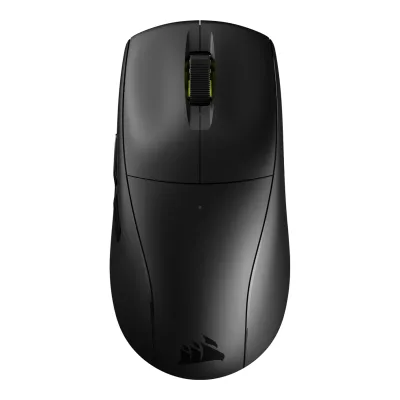
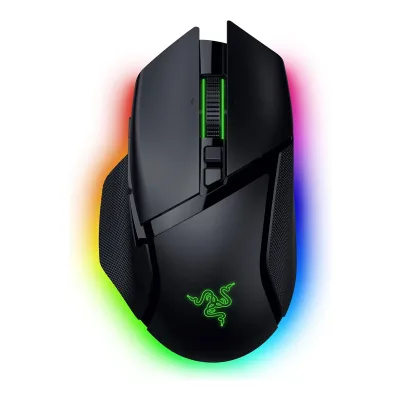
CORSAIR M75 AIR vs Razer Basilisk V3 Pro 35K
Product A: CORSAIR
113 of 154 known Logitech G PRO X SUPERLIGHT 2 DEX
 ASUS ROG Keris II Ace
 CORSAIR Scimitar Elite Wireless SE
 CORSAIR DARKSTAR WIRELESS
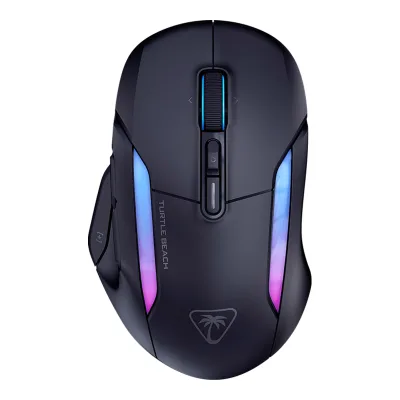 Turtle Beach Kone II Air
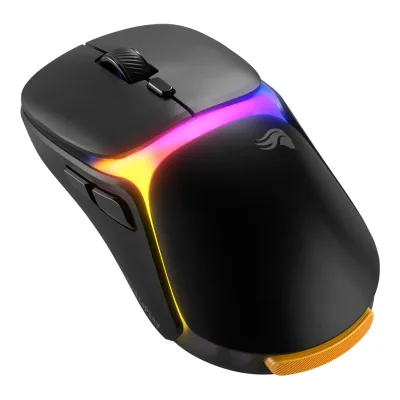 Glorious Model O3 Wireless
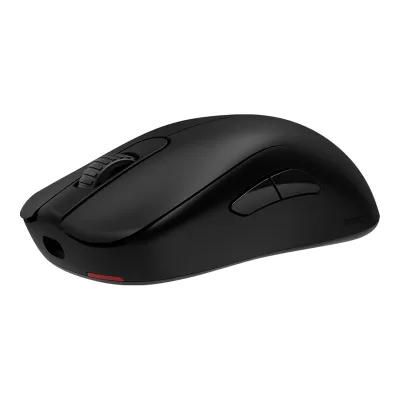 BenQ ZOWIE S2-DW
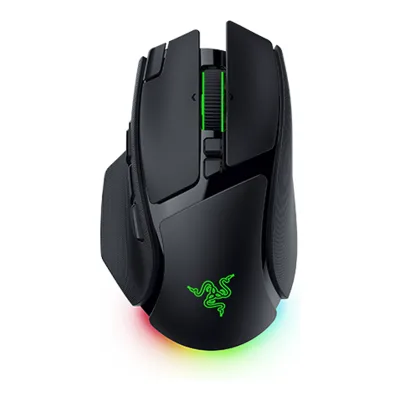 Razer Basilisk V4 Pro
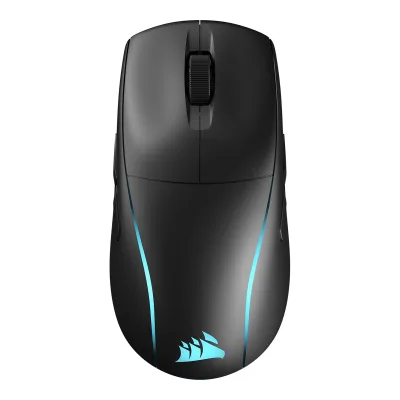 CORSAIR M75 Wireless
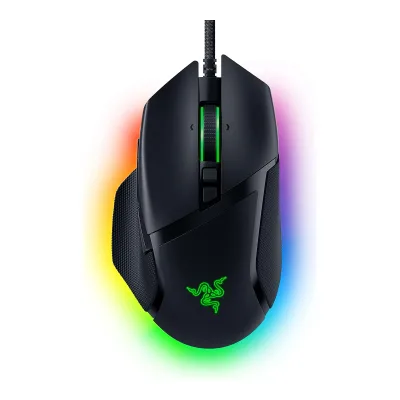 Razer Basilisk V3 35K
 Turtle Beach Command Series MC7
 HyperX Pulsefire Haste 2 Pro
Change CORSAIR M75 AIR
Compare the Razer Basilisk V3 Pro 35K with
Logitech G PRO X SUPERLIGHT 2 DEXASUS ROG Keris II AceCORSAIR Scimitar Elite Wireless SECORSAIR DARKSTAR WIRELESSTurtle Beach Kone II AirGlorious Model O3 WirelessBenQ ZOWIE S2-DWRazer Basilisk V4 ProCORSAIR M75 WirelessRazer Basilisk V3 35KTurtle Beach Command Series MC7HyperX Pulsefire Haste 2 ProProduct B: Razer
96 of 154 known Glorious Model O 2 PRO 4K/8KHz Edition
 Razer Cobra ProASUS ROG Keris II Ace
 Alienware Pro Wireless Gaming MouseLogitech G PRO X SUPERLIGHT 2 DEX
 Logitech G PRO X SUPERLIGHT 2CORSAIR DARKSTAR WIRELESS
 Razer Viper V2 Pro
 Razer Viper V3 Pro
 SteelSeries Aerox 5 Wireless
 Turtle Beach Burst II AirBenQ ZOWIE S2-DW
Change Razer Basilisk V3 Pro 35K
Compare the CORSAIR M75 AIR with
Glorious Model O 2 PRO 4K/8KHz EditionRazer Cobra ProASUS ROG Keris II AceAlienware Pro Wireless Gaming MouseLogitech G PRO X SUPERLIGHT 2 DEXLogitech G PRO X SUPERLIGHT 2CORSAIR DARKSTAR WIRELESSRazer Viper V2 ProRazer Viper V3 ProSteelSeries Aerox 5 WirelessTurtle Beach Burst II AirBenQ ZOWIE S2-DW80 of 146 fields differ
- 48 different values
- 32 known for one only
- 36 the same
- 30 missing for both
Biggest differences
Each bar uses the scale of all 131 mice.
- Max polling rateA: 1,000HzB: 8,000HzRazer is 8 times higher.
- Polling rate (2.4 GHz)A: 1,000HzB: 8,000HzRazer is 8 times higher.
- Longest battery lifeA: 100hB: 210hRazer is 110 h higher.
- Tracking speedA: 650IPSB: 750IPSRazer is 100 IPS higher.
Size, drawn to scale
Front and side.
- ACORSAIR: 65 × 41.6 mm
- BRazer: 75.4 × 42.5 mm
Weight
0 to 300 g
Mouse weight (claimed)
A60g
B112g
All 154 fields
Every value links to where we found it.
General
5 of 9 differ
Series
Model numbers
RZ01-05240100-R3U1, RZ01-05240200-R3U11Maker product pagerazer.com/gaming-mice/razer-basilisk-v3-pro-35kRead 11 October 2026US store lists Black RZ01-05240100-R3U1 and White RZ01-05240200-R3U1 as the standalone mouse. Phantom Green and Phantom White Editions, the Xbox 25 Anniversary Edition and the Mouse Dock Pro bundles are separate later listings and are left out.
GTIN / EAN
Not available
Announced
Status
Predecessor
Not available
Not available
Successor
Not available
Razer Basilisk V4 Pro9Reviewwindowscentral.com/accessories/mice/the-razer-basilisk-v4-pro-maintains-the-glowing-reputation-of-its-predecessors-as-one-of-the-best-gaming-mice-around-but-i-wish-it-didnt-have-aiRead 23 October 2026Windows Central compares the Basilisk V4 Pro with the previous Basilisk V3 Pro 35K.10Reviewbasic-tutorials.com/reviews/peripherals/razer-basilisk-v4-pro-reviewRead 23 October 2026Basic Tutorials calls the Basilisk V4 Pro the successor to the Basilisk V3 Pro 35K.
Launch price (US)
$159.993Reviewtomshardware.com/peripherals/gaming-mice/razer-basilisk-v3-pro-35k-review-youve-seen-this-beforeRead 11 October 2026Spec table: MSRP 159.99 USD.4Press articlefunkykit.com/news/razer-announces-new-basilisk-v3-pro-35k-and-basilisk-v3-35k-gaming-miceRead 11 October 2026Reproduced maker announcement: MSRP 159.99 USD.
Launch price (EU)
Markets
Colours
Segment
Shape
5 of 14 differ
Body shape
Asymmetric, right-handed1Maker product pagerazer.com/gaming-mice/razer-basilisk-v3-pro-35kRead 11 October 2026
Maker size class
Not available
Not available
Recommended grips
Not available
Recommended hand size
Not available
Not available
Hump position
Thumb rest
Ring or pinky finger rest
Upper shell
Not available
Swappable parts
Not available
Not available
Adjustable weight
Not available
Not available
Maximum added weight
Not available
Not available
Vertical angle
Not available
Not available
Trackball diameter
Not available
Not available
Trackball position
Not available
Not available
Dimensions and weight
3 of 5 differ
Mouse body dimensions
Length128Maximum width65Maximum height41.6mm(5 × 2.6 × 1.6 in)6Reviewtechpowerup.com/review/corsair-m75-air/3.htmlRead 23 October 2026Exact review introduction specification table gives body 128 x 65 x 41.6 mm. Same figures appear in KitGuru and Hardwareluxx exact-model specification tables. Reviewer measured height 41.3 mm is not substituted for the published body specification.
Length130Maximum width75.4Maximum height42.5mm(5.1 × 3 × 1.7 in)1Maker product pagerazer.com/gaming-mice/razer-basilisk-v3-pro-35kRead 11 October 2026The spec list for the standalone Black and White SKUs gives length 130.0, width 75.1, height 42.5 mm. The maker listing of the dock bundles for the same mouse, Tom's Hardware, Geektopia and the Basilisk V3 35K master guide give 75.4 mm width. 75.4 is stored.3Reviewtomshardware.com/peripherals/gaming-mice/razer-basilisk-v3-pro-35k-review-youve-seen-this-beforeRead 11 October 2026Spec table: 130 x 75.4 x 42.5 mm.
Grip width
Not available
Mouse weight (claimed)
112g(4 oz)1Maker product pagerazer.com/gaming-mice/razer-basilisk-v3-pro-35kRead 11 October 2026112 g excluding dongle and cable.3Reviewtomshardware.com/peripherals/gaming-mice/razer-basilisk-v3-pro-35k-review-youve-seen-this-beforeRead 11 October 2026Spec table: 112 g excluding cable. TechRadar gives 115 g, which conflicts with the maker figure and is not used.
Box dimensions
Not available
Not available
Packed weight
Not available
Not available
Sensor
13 of 20 differ
Marketed sensor name
Focus Pro 35K Optical Sensor Gen-21Maker product pagerazer.com/gaming-mice/razer-basilisk-v3-pro-35kRead 11 October 2026
Published sensor brand
Physical sensor part number
Not available
Sensor type
Maximum configurable DPI
Minimum configurable DPI
DPI adjustment step
Maximum DPI stages
Default DPI presets
Separate X and Y DPI
Tracking speed (claimed)
Tracking acceleration (claimed)
Lift-off distance settings
Not available
Not available
Separate lift and landing distance
Not available
Surface calibration
Motion Sync
Angle snapping
Not available
Ripple control
Not available
Not available
Tracks on glass
Not available
Performance
5 of 8 differ
Documented polling rates by connection
ACORSAIR M75 AIR
| Data connection | Polling rate (Hz) | Receiver requirement |
|---|---|---|
| USB (wired) | 125 | Not available |
| USB (wired) | 250 | Not available |
| USB (wired) | 500 | Not available |
| USB (wired) | 1,000 | Not available |
| 2.4 GHz | 125 | Included SLIPSTREAM USB-A receiver |
| 2.4 GHz | 250 | Included SLIPSTREAM USB-A receiver |
| 2.4 GHz | 500 | Included SLIPSTREAM USB-A receiver |
| 2.4 GHz | 1,000 | Included SLIPSTREAM USB-A receiver |
BRazer Basilisk V3 Pro 35K
| Data connection | Polling rate (Hz) | Receiver requirement |
|---|---|---|
| 2.4 GHz | 125 | Included HyperSpeed Wireless dongle |
| 2.4 GHz | 500 | Included HyperSpeed Wireless dongle |
| 2.4 GHz | 1,000 | Included HyperSpeed Wireless dongle |
| 2.4 GHz | 8,000 | Razer HyperPolling Wireless Dongle or Razer Mouse Dock Pro (both sold separately) |
Source1Maker product pagerazer.com/gaming-mice/razer-basilisk-v3-pro-35kRead 11 October 2026Page: 8000 Hz needs the Razer Mouse Dock Pro or the HyperPolling Wireless Dongle, both sold separately. Battery claims are given at 1000 Hz and 8000 Hz. 125 and 500 Hz come from Tom's Hardware. Wired and Bluetooth rates are not published.2Owner's manualdl.razerzone.com/master-guides/RazerSynapse4/BASILISKV3PRO35K-00000214-en.pdfRead 11 October 2026Performance screenshot of the 35K guide offers polling rate buttons 125, 500 and 1000 Hz and a smart polling switcher. The connection used is not stated. 8000 Hz needs the HyperPolling dongle or dock.3Reviewtomshardware.com/peripherals/gaming-mice/razer-basilisk-v3-pro-35k-review-youve-seen-this-beforeRead 11 October 2026Spec table lists 125 / 500 / 1,000 Hz, plus 8,000 Hz with the HyperPolling dongle. It lists 4,000 Hz with the Mouse Dock Pro, which conflicts with the maker's 8000 Hz claim. The maker figure is stored.5Reviewcgmagonline.com/review/razer-basilisk-v3-pro-35k-mouseRead 11 October 2026Polling adjustable from 125 Hz to 8000 Hz. The included dongle supports up to 1000 Hz and 8000 Hz needs the Mouse Dock Pro or HyperPoll dongle.
Max polling rate
1,000Hz
8,000Hz
Polling rate (wired)
1,000Hz
Not available
Polling rate (2.4 GHz)
1,000Hz
8,000Hz
Polling rate (Bluetooth)
Not available
Not available
Claimed click latency
Not available
Not available
Adjustable debounce
Not available
Minimum debounce
Measured
4 of 7 differ
Latency per connection (measured)
ACORSAIR M75 AIR
| Connection | Polling rate (Hz) | Test settings | Click latency (ms) |
|---|---|---|---|
| USB (wired) | 1,000 | Firmware 5.6.20 / receiver 5.4.17, Button Response Optimization off | 0.6 |
| USB (wired) | 1,000 | Firmware 5.6.20 / receiver 5.4.17, Button Response Optimization on | 9.4 |
| 2.4 GHz | 1,000 | Firmware 5.6.20 / receiver 5.4.17, Button Response Optimization off | 1 |
| 2.4 GHz | 1,000 | Firmware 5.6.20 / receiver 5.4.17, Button Response Optimization on | 10.1 |
BRazer Basilisk V3 Pro 35K
Not availableDPI deviation (measured)
Not available
Lift-off distance (measured)
Not available
Main click force (measured)
Not available
Not available
Weight (measured)
Not available
Battery life (measured)
Not available
Not available
Hand size fit
Not available
Not available
Switches
8 of 11 differ
Main switch type
Published main-switch brand
Main switch model
Not available
Optical Mouse Switches Gen-31Maker product pagerazer.com/gaming-mice/razer-basilisk-v3-pro-35kRead 11 October 2026
Main switch rated life
Adjustable click actuation
Not available
Not available
Separate main buttons
Not available
Side switch model
TTC low-profile 2-pin (blue plunger)7Reviewtechpowerup.com/review/corsair-m75-air/4.htmlRead 23 October 2026Exact teardown descriptively identifies low-profile 2-pin TTC side switches with blue plunger. Specific supplier part number is unpublished.
Not available
Middle click switch
Not available
Not available
Scroll encoder type
Scroll encoder
ChangFeng (CF), black, 12 mm7Reviewtechpowerup.com/review/corsair-m75-air/4.htmlRead 23 October 2026Exact teardown identifies a black ChangFeng (CF) encoder of 12 mm height.
Razer HyperScroll Tilt Wheel7Spec databaseeloshapes.com/mouse/compareRead 11 October 2026Database name: Razer HyperScroll Tilt Wheel.
Buttons and scroll wheel
10 of 13 differ
Physical button inputs
112Owner's manualdl.razerzone.com/master-guides/RazerSynapse4/BASILISKV3PRO35K-00000214-en.pdfRead 11 October 2026Page 2 layout: left, right, wheel (click and two tilts), scroll mode button, DPI cycle button, multi-function trigger, mouse buttons 4 and 5 and the profile button. Counted as 11.3Reviewtomshardware.com/peripherals/gaming-mice/razer-basilisk-v3-pro-35k-review-youve-seen-this-beforeRead 11 October 2026Left and right, wheel click, tilt left and right, DPI button and scroll-mode button above the wheel, three thumb buttons and a profile button on the bottom makes 11.
Programmable buttons
Side buttons
32Owner's manualdl.razerzone.com/master-guides/RazerSynapse4/BASILISKV3PRO35K-00000214-en.pdfRead 11 October 2026Multi-function trigger (F), mouse button 5 (G) and mouse button 4 (H) on the thumb side.3Reviewtomshardware.com/peripherals/gaming-mice/razer-basilisk-v3-pro-35k-review-youve-seen-this-beforeRead 11 October 2026Two thumb buttons and a trigger button on the left side wall.
Side buttons on
DPI button
DPI button position
Not available
Top2Owner's manualdl.razerzone.com/master-guides/RazerSynapse4/BASILISKV3PRO35K-00000214-en.pdfRead 11 October 2026Page 2 top-view drawing: the DPI cycle button (E) sits on top behind the wheel.3Reviewtomshardware.com/peripherals/gaming-mice/razer-basilisk-v3-pro-35k-review-youve-seen-this-beforeRead 11 October 2026DPI switch and scroll-wheel toggle sit above the tilt wheel on top.
Profile button
Yes2Owner's manualdl.razerzone.com/master-guides/RazerSynapse4/BASILISKV3PRO35K-00000214-en.pdfRead 11 October 2026Page 2 lists a profile button (N) and a profile indicator (M) on the underside.3Reviewtomshardware.com/peripherals/gaming-mice/razer-basilisk-v3-pro-35k-review-youve-seen-this-beforeRead 11 October 2026Profile switch button is on the bottom of the mouse.
Dedicated DPI-shift button
Not available
Dedicated gesture button
Not available
Scroll wheel
Scroll mode switch
Automatic1Maker product pagerazer.com/gaming-mice/razer-basilisk-v3-pro-35kRead 11 October 2026Tactile and free-spin modes are electronically actuated. Smart-Reel auto-switches by scroll speed. A scroll-mode button also exists (Tom's Hardware).2Owner's manualdl.razerzone.com/master-guides/RazerSynapse4/BASILISKV3PRO35K-00000214-en.pdfRead 11 October 2026Guide shows a scroll mode button (D) for Free-Spin and Tactile Cycling, and Synapse Smart-Reel switches modes automatically.
Separate thumb wheel
Scroll wheel material
Not available
Not available
Build
2 of 6 differ
Shell material
Plastic, polymer unspecified10Spec databaseeloshapes.com/mouse/compareRead 23 October 2026Exact database explicitly says Plastic. ABS from a retailer table is not used because that same table includes contradicted Motion Sync and 2000 Hz data.
Plastic, polymer unspecified3Reviewtomshardware.com/peripherals/gaming-mice/razer-basilisk-v3-pro-35k-review-youve-seen-this-beforeRead 11 October 2026Matte black plastic shell with glossy accents and rubberized side panels.8Retailer pageamazon.com/Razer-Basilisk-Wireless-Gaming-Mouse/dp/B0DG837JYPRead 11 October 2026Spec table: enclosure material plastic.
Surface finish
Installed feet material
Installed skate pieces
53Reviewtomshardware.com/peripherals/gaming-mice/razer-basilisk-v3-pro-35k-review-youve-seen-this-beforeRead 11 October 2026Two small corner feet, a strip under the thumb rest, a curved strip at the bottom and a strip around the sensor.6Reviewgeektopia.es/es/technology/2024/12/09/analisis/razer-basilisk-v3-pro-35k-review.htmlRead 11 October 2026Review sees five pure-PTFE pad zones on the bottom.
Feet shape
Feet thickness
Not available
Not available
Cable
0 of 5 differ
Cable
Cable length
Detachable cable
Yes1Maker product pagerazer.com/gaming-mice/razer-basilisk-v3-pro-35kRead 11 October 2026USB Type A to USB Type C cable is a separate box item. The mouse has a USB-C socket on the front (Geektopia).2Owner's manualdl.razerzone.com/master-guides/RazerSynapse4/BASILISKV3PRO35K-00000214-en.pdfRead 11 October 2026The USB Type A to USB Type C cable plugs into the USB Type C port.
Port on mouse
USB-C1Maker product pagerazer.com/gaming-mice/razer-basilisk-v3-pro-35kRead 11 October 2026Box has one USB Type A to USB Type C cable. The mouse end is USB-C.2Owner's manualdl.razerzone.com/master-guides/RazerSynapse4/BASILISKV3PRO35K-00000214-en.pdfRead 11 October 2026Page 2 lists a USB Type C port (I) on the front.
Cable host plug
Connectivity
6 of 13 differ
Connections
USB (wired), 2.4 GHz, Bluetooth4Owner's manualcorsair.com/us/en/explorer/gamer/mice/m75-air-wirelessRead 23 October 2026
Wireless technology
SLIPSTREAM WIRELESS4Owner's manualcorsair.com/us/en/explorer/gamer/mice/m75-air-wirelessRead 23 October 2026
Razer HyperSpeed Wireless1Maker product pagerazer.com/gaming-mice/razer-basilisk-v3-pro-35kRead 11 October 2026
Bluetooth
Not available
Saved Bluetooth pairing slots
Not available
Not available
Device switching
Not available
Receiver host connector
Receiver storage in mouse
Yes1Maker product pagerazer.com/gaming-mice/razer-basilisk-v3-pro-35kRead 11 October 2026FAQ: the cover puck on the bottom hides a compartment that stores the dongle.2Owner's manualdl.razerzone.com/master-guides/RazerSynapse4/BASILISKV3PRO35K-00000214-en.pdfRead 11 October 2026The wireless USB dongle compartment (O) sits under the cover puck on the underside.
Receiver extender included
Receiver pairing shared
Wireless range
Not available
Not available
Basic mouse OS support
Not available
Consoles
Not available
Not available
Battery
9 of 17 differ
Battery type
Disposable battery count
Not available
Not available
Battery capacity
Not available
Not available
User-replaceable battery
Not available
Battery life by mode (claimed)
ACORSAIR M75 AIR
| Connection | Claimed runtime (h) |
|---|---|
| 2.4 GHz | 34 |
| Bluetooth | 100 |
BRazer Basilisk V3 Pro 35K
| Connection | Polling rate (Hz) | Claimed runtime (h) |
|---|---|---|
| 2.4 GHz | 1,000 | 140 |
| 2.4 GHz | 8,000 | 28 |
| Bluetooth | Not available | 210 |
Battery life (up to)
Not available
Not available
Battery life (normal use)
Not available
Not available
Longest battery life
100h
210h
Battery life at 1000 Hz
Not available
140h
Battery life on Bluetooth
100h
210h
Charging port
Full charge time
Quick charge
Not available
Not available
Use while charging
Charging system compatibility
Not available
Razer Mouse Dock Pro with Razer Wireless Charging Puck (both sold separately). Razer HyperFlux V2 Wireless Charging System with its puck1Maker product pagerazer.com/gaming-mice/razer-basilisk-v3-pro-35kRead 11 October 2026Accessory compatibility: Mouse Dock Pro with Wireless Charging Puck, both sold separately. The page also shows the HyperFlux V2 charging system.
Charging dock included
Battery indicator
LED, Software4Owner's manualcorsair.com/us/en/explorer/gamer/mice/m75-air-wirelessRead 23 October 20269Reviewtechpowerup.com/review/corsair-m75-air/6.htmlRead 23 October 2026Physical LED is in the maker guide. Exact iCUE software test reports descriptive High/Medium/Low style battery status rather than precise percentage.
Not available
Lighting
3 of 4 differ
Decorative RGB lighting
Decorative lighting zones
Lighting sync
Not available
DPI indicator
Not available
Not available
Software
5 of 9 differ
Software
Configuration software platforms
Onboard memory
Onboard profiles
51Maker product pagerazer.com/gaming-mice/razer-basilisk-v3-pro-35kRead 11 October 2026Spec list: on-board memory with 5 profiles.2Owner's manualdl.razerzone.com/master-guides/RazerSynapse4/BASILISKV3PRO35K-00000214-en.pdfRead 11 October 2026Guide: up to 5 profiles stored on the mouse, usable without the app.
Macros
Macros stored onboard
Not available
Button remapping
Per-app profiles
Not available
In the box
2 of 4 differ
In the box
M75 AIR Gaming Mouse, USB Type-A to Type-C charging and data cable, SLIPSTREAM USB wireless receiver, Warranty guide, Safety guide5Reviewtechpowerup.com/review/corsair-m75-air/2.htmlRead 23 October 2026Exact standard package inventory gives mouse, cable, wireless dongle and warranty/safety guides. No extender, dock, spare skates or grip tape. Another exact review identifies a Corsair sticker separately.
Razer Basilisk V3 Pro 35K, HyperSpeed Wireless Dongle + USB Dongle Adapter, USB Type A to USB Type C Cable, Important Product Information Guide1Maker product pagerazer.com/gaming-mice/razer-basilisk-v3-pro-35kRead 11 October 2026Standalone Black and White SKUs.2Owner's manualdl.razerzone.com/master-guides/RazerSynapse4/BASILISKV3PRO35K-00000214-en.pdfRead 11 October 2026Guide page 3: mouse, HyperSpeed Wireless dongle with USB dongle adapter, USB Type A to USB Type C cable, Important Product Information Guide.
Cables included
ACORSAIR M75 AIR
| Type | Cable count |
|---|---|
| USB Type-A to USB Type-C braided charging and data cable | 1 |
BRazer Basilisk V3 Pro 35K
| Type | Cable count |
|---|---|
| USB Type A to USB Type C cable | 1 |
Extra skates included
Links
Not compared
Product page
Spec sheet
www.corsair.com/us/en/p/gaming-mouse/ch-931d100-na/m75-air-wireless-ultra-lightweight-gaming-mouse-ch-931d100-na1Maker product pagecorsair.com/us/en/p/gaming-mouse/ch-931d100-na/m75-air-wireless-ultra-lightweight-gaming-mouse-ch-931d100-naRead 23 October 2026Current exact product Tech Specs table and feature callouts are the specification reference. No separate original maker SKU/specification PDF was found.
Not available
Manual
www.corsair.com/us/en/explorer/gamer/mice/m75-air-wireless4Owner's manualcorsair.com/us/en/explorer/gamer/mice/m75-air-wirelessRead 23 October 2026
dl.razerzone.com/master-guides/RazerSynapse4/BASILISKV3PRO35K-00000214-en.pdf2Owner's manualdl.razerzone.com/master-guides/RazerSynapse4/BASILISKV3PRO35K-00000214-en.pdfRead 11 October 2026Official English Razer master guide, Synapse 4 edition, 38 pages. Its text layer is unreadable, so it was read through page images.
EPREL registration number
Not available
Not available
Warranty
0 of 1 differ
Manufacturer warranty (source market)