Monitors / Compare
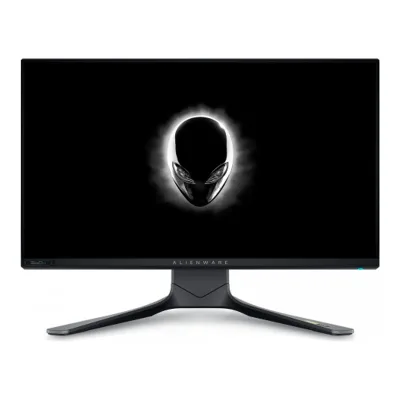
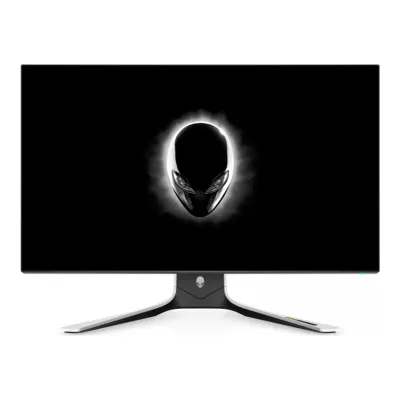
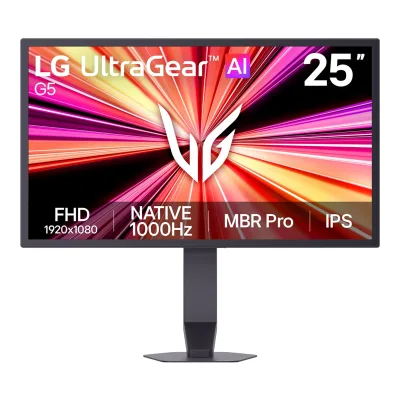
Dell Alienware AW2721D vs LG UltraGear 25G590B
Product A: Dell
118 of 172 known
Change Dell Alienware AW2721D
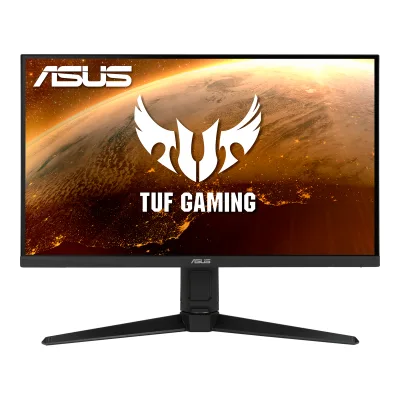
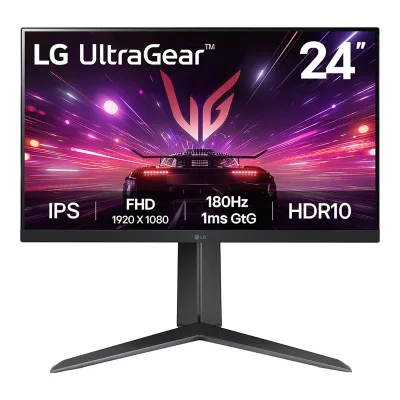
Product B: LG
105 of 172 known
Change LG UltraGear 25G590B
95 of 164 fields differ
- 58 different values
- 37 known for one only
- 29 the same
- 40 missing for both
Biggest differences
Each bar uses the scale of all 179 monitors.
- Refresh rateA: 240HzB: 1,100HzLG is 4.6 times higher.
- Power use (max)Lower is betterA: 95WB: 28WLG is 67 W lower.
- Power use SDR (EU label)Lower is betterA: 31WB: 18.1WLG is 12.9 W lower.
- Standby powerLower is betterA: 0.3WB: 0.5WDell is 0.2 W lower.
- Power use HDR (EU label)Lower is betterA: 21.7WB: 28.5WDell is 6.8 W lower.
- Pixel densityA: 108.8ppiB: 89.9ppiDell is 18.9 ppi higher.
- Brightness (typical, SDR)A: 450nitsB: 400nitsDell is 50 nits higher.
Refresh rate per resolution
The best rate over any port. Bars run from 0 to 1200 Hz.
2560 × 1440Native for A
A240Hz
BNot listed
1920 × 1080Native for B
ANot listed
B1100Hz
Size, drawn to scale
Front and side. Solid lines show the stand at its lowest. Dashed lines show it at its highest.
- ADell: 607.7 × 356 mm
- BLG: 571.8 × 333.4 mm
We have no stand height for LG, so it is drawn without its stand.
Weight
0 to 15 kg
Weight with stand
A10.9kg
B5.2kg
Weight without stand
A6.3kg
B3.5kg
Box weight
A15.5kg
B7.1kg
All 172 fields
Every value links to where we found it.
General
7 of 8 differ
Series
Model numbers
AW2721D, AW2721Db, 210-AXSW, NHR9Y, 210-AXNU, P3VP11Maker product pagedell.com/en-us/shop/alienware-27-gaming-monitor-aw2721d/apd/210-axsw/monitors-monitor-accessoriesRead 7 October 2026Exact US archive identifies manufacturer part NHR9Y, Dell part 210-AXSW, order aw2721dsap. Exact Irish archive separately identifies P3VP1/210-AXNU. Marketing AW2721D and regulatory AW2721Db preserved. Regional order references not different panel models.2Owner's manualdl.dell.com/content/manual1862413-alienware-aw2721d-monitor-user-s-guide.pdfRead 5 October 2026Own exact cover marketing/regulatory model names, not inferred from a sibling suffix.12Maker product pagedell.com/en-ie/shop/alienware-27-gaming-monitor-aw2721d/apd/210-axnu/monitors-monitor-accessoriesRead 7 October 2026Exact archived Irish offer manufacturer P3VP1 / Dell 210-AXNU / marketed AW2721D. US reference separately 210-AXSW/NHR9Y.
25G590B-B, 25G590B, 25G590B-B.AUS, 25G590B-B.AEK, 25G590B-B.AEU2Maker product pagelg.com/ca_en/monitors/gaming/25g590b-b-ausRead 14 October 2026The Canada page title and URL use 25G590B-B.AUS. The EU sheet uses 25G590B.3Maker product pagelg.com/uk/monitors/gaming/25g590b-bRead 14 October 2026Page data lists model 25G590B-B with SKU 25G590B-B.AEK.EEUK.UK.C.8Maker product pagelg.com/pl/monitory/ultragear-gaming/25g590b-bRead 14 October 2026Page data lists model 25G590B-B with SKU 25G590B-B.AEU.EEPL.PL.C. The EU sheet uses 25G590B.
GTIN / EAN
8806096933923, 88060969337253Maker product pagelg.com/uk/monitors/gaming/25g590b-bRead 14 October 2026Page data lists EAN 8806096933923 for the UK model 25G590B-B.AEK.8Maker product pagelg.com/pl/monitory/ultragear-gaming/25g590b-bRead 14 October 2026Page data lists EAN 8806096933725 for the Polish model 25G590B-B.AEU.
Announced
Not available
Status
Predecessor
Not available
Not available
Successor
Dell Alienware AW2723DF20Reviewrtings.com/monitor/reviews/dell/alienware-aw2723dfRead 23 October 2026RTINGS says the Alienware AW2723DF replaces the Alienware AW2721D.
Not available
Launch price (US)
$999.999Press articlehothardware.com/news/lg-ultragear-25g590b-preorders-openRead 14 October 2026Price 999.99 USD, pre-order direct from LG in the US, before sales tax. Guru3D and Basic Tutorials give the same figure.11Press articleguru3d.com/story/lg-ultragear-25g590b-1000hz-monitor-opens-for-preorder-atRead 14 October 2026Published 2026-08-27: US pre-orders at 999.99 USD. It lists a 24.5-inch IPS, native 1,000 Hz and an overclocked 1,100 Hz mode.
Markets
US, AT, BE, BG, HR, CY, CZ, DK, EE, FI, FR, DE, GR, HU, IS, IE, IT, LV, LI, LT, LU, MT, NL, NO, PL, PT, RO, SK, SI, ES, SE8EU energy label (EPREL)eprel.ec.europa.eu/api/products/electronicdisplays/352625Read 7 October 2026Exact AW2721D record lists historical EU/EEA markets, with EL mapped to GR and XI excluded. US maker offer proves US. This base union does not bind a single regional order code to every listed country. The 210-AXNU row retains only directly proved IE and FI.
Not available
Colours
Display
9 of 12 differ
Screen size
Viewable screen diagonal
27in(68.6 cm)2Owner's manualdl.dell.com/content/manual1862413-alienware-aw2721d-monitor-user-s-guide.pdfRead 5 October 2026
Not available
Native resolution
Aspect ratio
Pixel density
108.8ppi
89.9ppi
Pixel pitch
Active display area
Width596.7Height335.7mm(23.5 × 13.2 in)2Owner's manualdl.dell.com/content/manual1862413-alienware-aw2721d-monitor-user-s-guide.pdfRead 5 October 2026
Not available
Curved
Curvature radius
Not available
Not available
Anti-reflection coating
Panel
17 of 31 differ
Panel type
Panel type (as published)
Backlight
Not available
Local dimming
No3Maker product pagelg.com/uk/monitors/gaming/25g590b-bRead 14 October 2026The UK table lists Mini-LED Technology and Nano IPS as not applicable. PurePC confirms no local dimming.7Measurementpurepc.pl/test-lg-ultragear-25g590b-b-monitor-1000-hz-recenzja-opiniaRead 14 October 2026PurePC says the monitor has no local dimming and only a basic backlight control.
Panel maker
Not available
Panel part number
Not available
Panel generation
Not available
Not available
Subpixel layout
Not available
Not available
Colour depth
Colour depth method
Not available
Displayable colours
sRGB coverage
Not available
DCI-P3 coverage
Adobe RGB coverage
Not available
Not available
Rec. 2020 coverage
Not available
Not available
NTSC coverage
Not available
Not available
Factory calibrated
Not available
Claimed Delta E
Not available
Not available
Hardware calibration support
Yes2Maker product pagelg.com/ca_en/monitors/gaming/25g590b-b-ausRead 14 October 2026HW Calibration: HW Calibration Ready. LG Calibration Studio (True Color Pro) is listed. The manual says to install it to run calibration for the Calibration 1 and 2 picture modes.4Owner's manualgscs-b2c.lge.com/downloadFileRead 14 October 2026Picture Adjust: Calibration 1 and Calibration 2 adjust to the calibrated screen after LG Calibration Studio is run.
Static contrast ratio
Brightness (typical, SDR)
Brightness (maker minimum)
Not available
Peak brightness (HDR)
Not available
HDR peak test window
Not available
Not available
Full-screen brightness
Not available
Not available
HDR formats
HDR certification
Viewing angle (horizontal)
Refresh rate and motion
15 of 22 differ
Refresh rate per resolution and port
ADell Alienware AW2721D
| Resolution | HDMI 2.0 | DisplayPort 1.4 |
|---|---|---|
| 2560 × 1440Native | 144Hz | 240Hz8-bit, 4:4:4 |
Source2Owner's manualdl.dell.com/content/manual1862413-alienware-aw2721d-monitor-user-s-guide.pdfRead 5 October 2026Maker Resolution Specifications state native 2560 x 1440 maximum DP 240 Hz and HDMI 144 Hz. Exact TFT test independently adds DP 8-bit RGB 4:4:4 at 240 Hz and 10-bit RGB 4:4:4 maximum 144 Hz. HDMI bit-depth, chroma and DSC remain unknown.13Reviewtftcentral.co.uk/reviews/dell_alienware_aw2721dRead 7 October 2026Exact tested DisplayPort table: native maximum 240 Hz 8-bit Full RGB, and maximum 144 Hz 10-bit Full RGB at 2560 x 1440. Full RGB corresponds 4:4:4. New separate 10-bit maximum row, not an ordinary timing extrapolation. Existing HDMI 144 Hz maker row preserved without unproved bit-depth/chroma. DSC remains unstated. GPU RTX 3090. Firmware unknown.
BLG UltraGear 25G590B
| Resolution | HDMI 2.1 | DisplayPort 2.1 |
|---|---|---|
| 1920 × 1080Native | 1000Hz8-bit | 1100Hz8-bit, DSC |
Max refresh rate
240Hz
1,100Hz
Max refresh rate at native resolution
240Hz
1,100Hz
Max refresh rate over DisplayPort
240Hz
1,100Hz
Max refresh rate over HDMI
144Hz
1,000Hz
Max refresh rate over USB-C
Not available
Not available
Max refresh rate at 10-bit
144Hz
Not available
Native refresh rate
Overclocked refresh rate
Not available
Dual mode
Not available
Minimum fixed refresh rate
Not available
Not available
Adaptive sync technologies
Adaptive-Sync, HDMI VRR, FreeSync Premium, G-SYNC Compatible1Maker product pagelg.com/us/monitors/lg-25g590b-b-gaming-monitorRead 14 October 2026Key feature: NVIDIA G-SYNC Compatible / AMD FreeSync Premium. The 1100 Hz overclock does not support FreeSync Premium and G-SYNC is certified only at 1000 Hz.4Owner's manualgscs-b2c.lge.com/downloadFileRead 14 October 2026Game Adjust: Adaptive-Sync/VRR, supported interface DisplayPort (Adaptive-Sync), HDMI (VRR). FreeSync Premium and G-SYNC Compatible come from the spec tables.
VRR range per port
ADell Alienware AW2721D
| Input | Min (Hz) | Max (Hz) |
|---|---|---|
| DisplayPort | 1 | 240 |
BLG UltraGear 25G590B
Not availableLow framerate compensation
Not available
Not available
Response time (maker GtG claim)
Response time (maker MPRT claim)
Not available
Not available
Overdrive settings
Motion blur reduction
Blur-reduction technology
Not available
Blur reduction works with VRR
Flicker-free (claimed)
Not available
Black frame insertion
Not available
Not available
Measured
6 of 12 differ
Input lag at maximum refresh rate
Not available
Input lag at 60 Hz
Not available
Not available
Average response time (measured)
3.6ms14Measurementtftcentral.co.uk/images/dell_alienware_aw2721d/gaming.pngRead 7 October 2026Full 30-transition 0/50/100/150/200/255 table mean G2G 3.6 ms, native 2560 x 1440 at 240 Hz, Fast overdrive, RTX 3090. ETC M526/photosensor, traditional 10–90% optical brightness endpoints. Smaller initial subset 4.2 ms is not full mean. No gamma-corrected metric or best 0.8 ms Extreme substituted. Firmware unknown.15Measurementtftcentral.co.uk/articles/response_timeRead 7 October 2026Published January 2013 method linked by exact February 2021 review: ETC M526 plus photosensor, 10% starting / 90% target optical brightness endpoints. Actual AW2721D full chart has 30 transitions, although old generic article describes 20. No invented gamma correction.
Overshoot (measured)
2.4%14Measurementtftcentral.co.uk/images/dell_alienware_aw2721d/gaming.pngRead 7 October 2026Same full 30-transition Fast 240 Hz table Average overshoot error 2.4%. Optical overshoot amplitude as percentage of requested brightness change, averaged across transitions. This is neither worst 20.4% nor percentage of transitions with more than 15% error. Source graph uses incorrect (ms) heading in summary, but table title and published method explicitly percent. Firmware unknown.15Measurementtftcentral.co.uk/articles/response_timeRead 7 October 2026Same dated linked method defines overshoot as fraction of requested optical brightness change and averages its percentage across tested transitions. Unknown firmware kept unknown.
Not available
Contrast ratio (measured)
SDR brightness (measured)
HDR brightness in a real scene (measured)
Not available
Not available
PWM flicker frequency (measured)
Not available
Not available
VRR range (measured)
Not available
Not available
Colour accuracy (measured Delta E)
Not available
Gray uniformity (measured)
Not available
Not available
Reflections (measured)
Not available
Not available
Connectivity
8 of 19 differ
Video inputs
ADell Alienware AW2721D
| Type | Version | Count |
|---|---|---|
| DisplayPort | 1.4 | 1 |
| HDMI | 2.0 | 2 |
BLG UltraGear 25G590B
| Type | Version | Count | Max bandwidth (Gbps) | DSC |
|---|---|---|---|---|
| DisplayPort | 2.1 UHBR20 | 1 | 80 | Yes |
| HDMI | 2.1 | 2 | 48 | Not available |
Source1Maker product pagelg.com/us/monitors/lg-25g590b-b-gaming-monitorRead 14 October 2026Key feature: DP 2.1 (UHBR 20) x1, HDMI 2.1 x2. The 80 Gbps figure is the raw UHBR20 link rate. The 48 Gbps HDMI figure is the full HDMI 2.1 rate. PurePC calls the HDMI ports full-bandwidth. LG does not publish either number for this model.2Maker product pagelg.com/ca_en/monitors/gaming/25g590b-b-ausRead 14 October 2026DisplayPort YES (1ea), DP Version 2.1. HDMI YES (2ea).
HDMI ports
2
2
DisplayPort ports
1
1
Highest HDMI version
2.0
2.1
Highest DisplayPort version
1.4
2.1 UHBR20
HDMI features
Not available
USB-C video (DP Alt Mode)
USB-C power delivered
Not available
Not available
Thunderbolt
Not available
Not available
USB upstream ports
ADell Alienware AW2721D
| Connector | USB version | Count |
|---|---|---|
| USB-B | 3.2 Gen 1 | 1 |
USB downstream hub ports
ADell Alienware AW2721D
| Connector | USB version | Count |
|---|---|---|
| USB-A | 3.2 Gen 1 | 4 |
BLG UltraGear 25G590B
Not availableKVM switch
Daisy chain (MST)
Ethernet
3.5 mm headphone output
3.5 mm microphone input
Optical out
Not available
Picture in picture
Smart features
None of 4 known
Smart platform
Not available
Not available
Wi-Fi
Not available
Not available
Bluetooth
Not available
Not available
Remote control
Not available
Not available
Audio and camera
1 of 5 differ
Speakers
Number of speakers
Not available
Not available
Speaker power per channel
Not available
Not available
Webcam
Microphone
Not available
Ergonomics and controls
9 of 15 differ
Stand height adjustment
Tilt
Swivel
Left20°Right20°2Owner's manualdl.dell.com/content/manual1862413-alienware-aw2721d-monitor-user-s-guide.pdfRead 5 October 2026
Not available
Pivot
Counterclockwise90°Clockwise90°2Owner's manualdl.dell.com/content/manual1862413-alienware-aw2721d-monitor-user-s-guide.pdfRead 5 October 2026
Removable stand
Yes2Maker product pagelg.com/ca_en/monitors/gaming/25g590b-b-ausRead 14 October 2026The manual says to remove the stand before installing on a wall mount, by performing the stand attachment in reverse.4Owner's manualgscs-b2c.lge.com/downloadFileRead 14 October 2026Installing on the Wall p 7: remove the stand before installing on a wall mount.
VESA mount
Security lock slot
On-screen menu controls
Desktop software
Alienware Command Center (AWCC)2Owner's manualdl.dell.com/content/manual1862413-alienware-aw2721d-monitor-user-s-guide.pdfRead 5 October 2026Own AWCC/Alien FX section controls LED lighting effects. It does not establish software control of the display OSD.
LG Switch, LG Calibration Studio, Dual Controller2Maker product pagelg.com/ca_en/monitors/gaming/25g590b-b-ausRead 14 October 2026SW Application list: LG Calibration Studio (True Color Pro), Dual Controller. The UK table also lists LG Switch. The manual lists Monitor Driver, LG Switch, LG Calibration Studio and Dual Controller.4Owner's manualgscs-b2c.lge.com/downloadFileRead 14 October 2026Supported Drivers and Software p 11: Monitor Driver, LG Switch, LG Calibration Studio, Dual Controller.
User firmware updates
No17Maker product pagedell.com/community/en/conversations/alienware-desktops/aw2721d-firmware-update/647f99acf4ccf8a8ded1a907Read 7 October 2026Exact maker Community Manager answer January 15, 2022 says user firmware update not possible and no public update/tool exists. Current exact model driver search locates INF driver VP801/A00-00, described as supplying configuration to OS, despite generic File Format Firmware Images label. It is not a hardware updater. EPREL 8-year software/firmware availability undertaking does not document public user updater. Factory M0B102/M0B103 units do not imply user flash support.19Maker product pagedell.com/support/home/en-uk/drivers/driversdetailsRead 7 October 2026Current exact VP801/A00-00 listing is a monitor INF driver that supplies configuration to the operating system, not a monitor firmware updater. It does not contradict Dell Community Manager’s explicit 2022 denial of public user firmware updates. Factory revisions and regulatory minimum software availability do not establish a user update route.
Yes1Maker product pagelg.com/us/monitors/lg-25g590b-b-gaming-monitorRead 14 October 2026Footnote: a USB Type-C (upstream) connection to a PC is required for monitor software updates.4Owner's manualgscs-b2c.lge.com/downloadFileRead 14 October 2026The USB-C port is for software updates and the headset microphone (Connecting Peripherals p 14).
Presence sensor
Not available
Not available
RGB lighting
Yes2Maker product pagelg.com/ca_en/monitors/gaming/25g590b-b-ausRead 14 October 2026RGB LED Lighting: UltraGear Lighting. The manual lists static colours and a Cycling mode for the lighting on the back.4Owner's manualgscs-b2c.lge.com/downloadFileRead 14 October 2026General menu: UltraGear Lighting for the back of the monitor, with Static 1 to 4, Cycling and Off.
Gaming menu features
Timer, Frame Rate, Display Alignment, Dark Stabilizer2Owner's manualdl.dell.com/content/manual1862413-alienware-aw2721d-monitor-user-s-guide.pdfRead 5 October 2026
Black Stabilizer, Crosshair, FPS Counter, Dynamic Action Sync2Maker product pagelg.com/ca_en/monitors/gaming/25g590b-b-ausRead 14 October 2026Features list: Black Stabilizer, Crosshair, FPS Counter, Dynamic Action Sync.4Owner's manualgscs-b2c.lge.com/downloadFileRead 14 October 2026Game Adjust: Black Stabilizer, Crosshair, FPS Counter. Dynamic Action Sync is on the product page.
OLED care
None of 3 known
OLED care
Not available
Not available
Burn-in covered by warranty
Not available
Not available
Burn-in warranty length
Not available
Not available
Dimensions and weight
7 of 7 differ
Dimensions with stand
Width607.7Height (lowest)443.1Height (highest)555.3Depth251.9mm(23.9 × 17.4 to 21.9 × 9.9 in)2Owner's manualdl.dell.com/content/manual1862413-alienware-aw2721d-monitor-user-s-guide.pdfRead 5 October 2026Original maker guide supplies 607.7 mm width and 251.9 mm depth. October 2020 maker Reviewer’s Guide independently supplies overall compressed 443.1 mm and extended 555.3 mm heights. These are overall envelopes, distinct from 130 mm panel travel.5Maker spec sheet (PDF)items-attachments.s1.citilink.ru/1454227/5fe19e7d5f472.pdfRead 7 October 2026Printed 7 dimension illustration explicitly height with stand 443.1 mm min–555.3 mm max, and Technical Specs printed 13 compressed/extended same endpoints. Complete overall stand/display envelope, not panel travel. Guide stand-riser minimum 443.1 mm can protrude above lowered panel, so endpoint difference 112.2 mm does not replace separately published 130 mm panel adjustment. Width/depth unchanged.
Dimensions without stand
Width607.7Height356Depth82.4mm(23.9 × 14 × 3.2 in)2Owner's manualdl.dell.com/content/manual1862413-alienware-aw2721d-monitor-user-s-guide.pdfRead 5 October 2026
Width571.8Height333.4Depth43.4mm(22.5 × 13.1 × 1.7 in)2Maker product pagelg.com/ca_en/monitors/gaming/25g590b-b-ausRead 14 October 2026Dimension without Stand (W x H x D) 571.8 x 333.4 x 43.4 mm.
Stand footprint
Width465.2Depth251.9mm(18.3 × 9.9 in)2Owner's manualdl.dell.com/content/manual1862413-alienware-aw2721d-monitor-user-s-guide.pdfRead 5 October 2026Own physical table stand width 465.2 mm and depth 251.9 mm, separate from panel-body width.
Not available
Weight with stand
Weight without stand
Box dimensions
Width259.1Height524Depth741.9mm(10.2 × 20.6 × 29.2 in)11Retailer pagemultitronic.fi/en/products/3457550Read 7 October 2026Named packaging rows: Package width 259.1 mm, height 524 mm, depth 741.9 mm, packaged weight 15.5kg. These published box axes are preserved literally, not sorted by size or substituted for upright screen dimensions. Flat-packed box orientation. Clove same named rows agree. Regional EU retail packaging reference.
Width721Height159Depth481mm(28.4 × 6.3 × 18.9 in)2Maker product pagelg.com/ca_en/monitors/gaming/25g590b-b-ausRead 14 October 2026Dimension in Shipping (W x H x D) 721 x 159 x 481 mm.
Power
11 of 13 differ
Power supply
Adapter rating
Not available
Not available
Input voltage
Power use (typical)
Not available
Power use (max)
Power use SDR (EU label)
Power use HDR (EU label)
Standby power
Off-mode power
EU energy class SDR
EU energy class HDR
Energy per 1000 h SDR
Energy per 1000 h HDR
Certifications
1 of 9 differ
VESA ClearMR
Not available
Not available
VESA AdaptiveSync Display
Not available
Not available
TÜV certifications
Not available
Not available
Low blue light
ENERGY STAR
Not available
Not available
TCO Certified
Not available
Not available
EPEAT
Not available
Not available
Colour certifications
Not available
Not available
Other certifications
Not available
CE, KC (for Rep. of Korea), UL (cUL)2Maker product pagelg.com/ca_en/monitors/gaming/25g590b-b-ausRead 14 October 2026STANDARD section: CE, KC (for Rep. of Korea), UL (cUL).
In the box
2 of 2 differ
In the box
Display, Stand riser, Stand base, I/O cover, Power cable (varies by country), DisplayPort to DisplayPort cable, Mini DisplayPort to DisplayPort cable, USB 3.2 Gen 1 upstream cable, Quick setup guide, Safety, Environmental and Regulatory Information, Alienware welcome card2Owner's manualdl.dell.com/content/manual1862413-alienware-aw2721d-monitor-user-s-guide.pdfRead 5 October 2026Own exact Package Contents. Optional market items and power cable can vary. HDMI cable is not listed and electrical cable description explicitly says not included.
DisplayPort cable (version 2.1), AC/DC adapter, Power cord2Maker product pagelg.com/ca_en/monitors/gaming/25g590b-b-ausRead 14 October 2026Canada Accessory list: Adapter YES, Display Port YES (ver 2.1), Power Cord depends on country. The UK table also lists an HDMI cable (black, 1.8 m) and PurePC found an HDMI cable in its Polish box. Canada does not list one, so only the common items are stored.
Cables included
ADell Alienware AW2721D
| Type | Count |
|---|---|
| Power cable | 1 |
| DisplayPort to DisplayPort cable (1.8 m) | 1 |
| Mini DisplayPort to DisplayPort cable (1.8 m) | 1 |
| USB 3.2 Gen 1 upstream cable (1.8 m) | 1 |
BLG UltraGear 25G590B
| Type |
|---|
| DisplayPort cable (version 2.1) |
Warranty
2 of 2 differ
Manufacturer warranty (source market)
Dead pixel policy
Premium Panel Exchange: free panel replacement during the limited hardware warranty even if one bright pixel is found.5Maker spec sheet (PDF)items-attachments.s1.citilink.ru/1454227/5fe19e7d5f472.pdfRead 7 October 2026Printed 6 explicitly Premium Panel Exchange permits free panel replacement within Limited Hardware Warranty even if one bright pixel is found. US maker shop separately includes three-year Premium Panel Guarantee. No unproved dark-subpixel threshold or image-retention coverage is added.
Not available
Links
Not compared
Product page
Spec sheet
items-attachments.s1.citilink.ru/1454227/5fe19e7d5f472.pdf5Maker spec sheet (PDF)items-attachments.s1.citilink.ru/1454227/5fe19e7d5f472.pdfRead 7 October 2026Newly located maker-authored exact AW2721D October 2020 Reviewer’s Guide, 14 pages, copyright Dell, publicly hosted by retailer. Full technical table and gallery. Device.report URL was separately readable through public web but direct HTTP 403, this alternate actual PDF was HTTP 200.
Not available
Manual
dl.dell.com/content/manual1862413-alienware-aw2721d-monitor-user-s-guide.pdf2Owner's manualdl.dell.com/content/manual1862413-alienware-aw2721d-monitor-user-s-guide.pdfRead 5 October 2026Original maker URL remains the source reference. A direct fetch returned HTTP 403. The authentic 73-page AW2721D/AW2721Db guide was fetched from a public gzhls.at mirror and read. Same exact manual content, not a sibling.
EPREL registration number
Both are also in the API. Back to all monitors.