Monitors / Compare
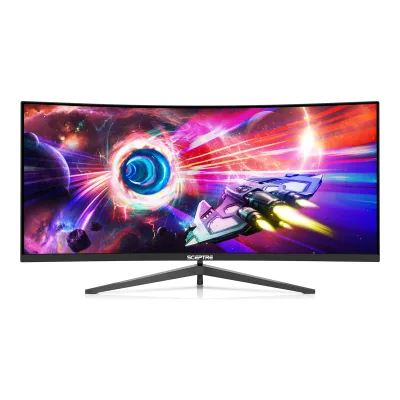
Dell Alienware AW3423DW vs Sceptre C345B-QUT168 34" Ultrawide Curved QHD 165Hz Gaming Monitor
Product A: Dell
95 of 172 known Samsung Odyssey G5 G55C 32" QHD 165Hz Curved Gaming Monitor
 AOC Q27G3XMN
 Samsung Odyssey Neo G8 G85NB
 Samsung Odyssey Neo G9 G95NC
 Sceptre E275W-FW100T 27" Full HD 100Hz Gaming Monitor
 Dell Alienware AW3225DM
 AOC C27G4ZXE
 Samsung Odyssey G5 G51F 27"
 Sceptre E225W-FW144G 22" Full HD Slim LED Monitor
 LG UltraGear evo G9 52G930B
 Dell Alienware AW3423DWF
 Dell G2724D
Change Dell Alienware AW3423DW
Compare the Sceptre C345B-QUT168 34" Ultrawide Curved QHD 165Hz Gaming Monitor with
Samsung Odyssey G5 G55C 32" QHD 165Hz Curved Gaming MonitorAOC Q27G3XMNSamsung Odyssey Neo G8 G85NBSamsung Odyssey Neo G9 G95NCSceptre E275W-FW100T 27" Full HD 100Hz Gaming MonitorDell Alienware AW3225DMAOC C27G4ZXESamsung Odyssey G5 G51F 27"Sceptre E225W-FW144G 22" Full HD Slim LED MonitorLG UltraGear evo G9 52G930BDell Alienware AW3423DWFDell G2724DProduct B: Sceptre
C345B-QUT168 34" Ultrawide Curved QHD 165Hz Gaming Monitor
80 of 172 knownDell Alienware AW3423DWF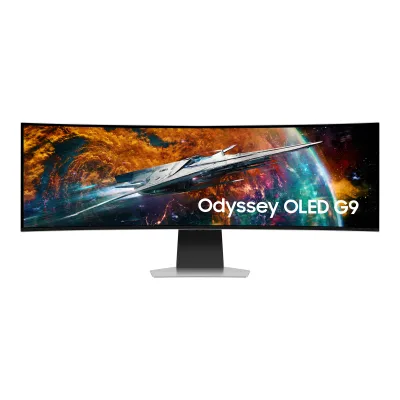 Samsung Odyssey OLED G9 G95SC
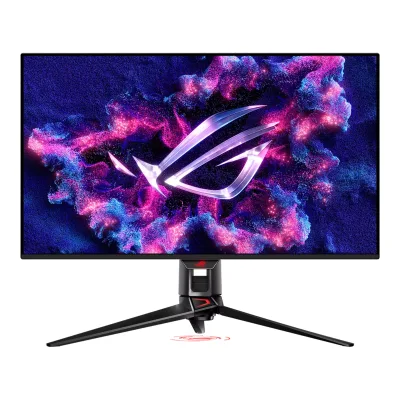 ASUS ROG Swift OLED PG32UCDM
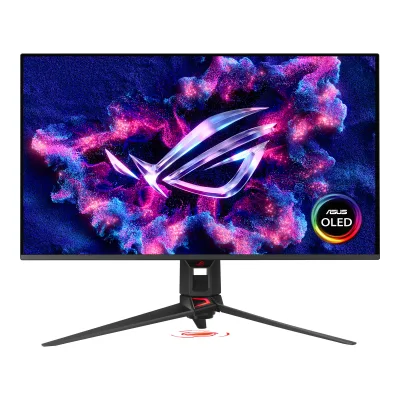 ASUS ROG Swift OLED PG32UCDM Gen3
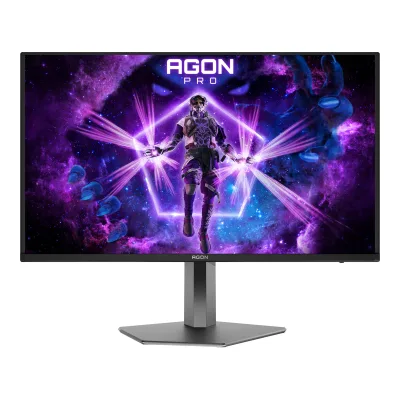 AOC AGON PRO AG326UZD2
 Dell Alienware AW3225QF
 Samsung Odyssey OLED G8 G80SD
 GIGABYTE AORUS FO32U2P
 MSI MPG 322UR QD-OLED X24
 Dell Alienware AW3425DW
 MSI MAG 272UP QD-OLED E16
 MSI MPG 321CURX QD-OLED
Change Sceptre C345B-QUT168 34" Ultrawide Curved QHD 165Hz Gaming Monitor
Compare the Dell Alienware AW3423DW with
Dell Alienware AW3423DWFSamsung Odyssey OLED G9 G95SCASUS ROG Swift OLED PG32UCDMASUS ROG Swift OLED PG32UCDM Gen3AOC AGON PRO AG326UZD2Dell Alienware AW3225QFSamsung Odyssey OLED G8 G80SDGIGABYTE AORUS FO32U2PMSI MPG 322UR QD-OLED X24Dell Alienware AW3425DWMSI MAG 272UP QD-OLED E16MSI MPG 321CURX QD-OLED94 of 164 fields differ
- 44 different values
- 50 known for one only
- 14 the same
- 56 missing for both
Biggest differences
Each bar uses the scale of all 179 monitors.
- ContrastA: 1,000,000:1B: 3,000:1Dell is 333 times higher.
- Power use (max)Lower is betterA: 200WB: 60WSceptre is 140 W lower.
- Brightness (typical, SDR)A: 250nitsB: 400nitsSceptre is 150 nits higher.
- Power use (typical)Lower is betterA: 47.6WB: 55WDell is 7.4 W lower.
Refresh rate per resolution
The best rate over any port. Bars run from 0 to 1200 Hz.
3440 × 1440Native for both
A175Hz
B165Hz
Size, drawn to scale
Front and side. Solid lines show the stand at its lowest. Dashed lines show it at its highest.
- ADell: 815.3 × 364.2 mm
- BSceptre: 807.7 × 363 mm
Weight
0 to 15 kg
Weight with stand
A10.37kg
B6.18kg
Weight without stand
A6.92kg
B5.46kg
Box weight
A15.9kg
B9.2kg
All 172 fields
Every value links to where we found it.
General
4 of 8 differ
Series
Not available
Model numbers
AW3423DW, AW3423DWb1Maker product pagedell.com/en-us/shop/alienware-34-curved-qd-oled-gaming-monitor-aw3423dw/apd/210-bcye/monitors-monitor-accessoriesRead 5 October 2026Exact marketing model AW3423DW and regulatory AW3423DWb verified on original manual title.9Owner's manualgzhls.at/blob/ldb/2/1/7/0/fbce7ce809c07f99b0da4de9342fc3ad9b6b.pdfRead 5 October 2026Original exact Dell AW3423DW / AW3423DWb user guide on a readable public mirror. Original Dell download was read successfully, but later independent direct requests returned 403. Bundle-era printed materials are not transferred from this earlier mirror.
Announced
Not available
Not available
Predecessor
Not available
Not available
Successor
Dell Alienware AW3425DW10Reviewtftcentral.co.uk/news/dell-alienware-aw3425dw-officially-released-with-34-ultrawide-240hz-qd-oled-panelRead 23 October 2026TFTCentral says the Alienware AW3425DW is the successor to the AW3423DW and the AW3423DWF.
Not available
Launch price (US)
Not available
Not available
Launch price (EU)
Not available
Not available
Colours
Lunar Light3Reviewpcmonitors.info/reviews/dell-alienware-aw3423dwRead 5 October 2026Exact review explicitly calls the maker colour scheme Lunar Light.8Maker spec sheet (PDF)edsystem.sk/fileshare/products/datasheet/del/alienware-34-curved-qd-oled-gaming-monitor-aw3423dw-spec-sheet%28617882%29.pdfRead 5 October 2026Exact two-page original Dell specification sheet hosted on a public distributor mirror states Lunar Light.
Segment
Display
6 of 12 differ
Screen size
34.18in(86.8 cm)2Owner's manualdl.dell.com/content/manual9259641-alienware-aw3423dw-monitor-user-s-guide.pdfRead 5 October 2026Manual viewable diagonal 868.21 mm / 34.18 inches. Maker rounded 34-inch class is distinct.9Owner's manualgzhls.at/blob/ldb/2/1/7/0/fbce7ce809c07f99b0da4de9342fc3ad9b6b.pdfRead 5 October 2026
Viewable screen diagonal
Native resolution
Aspect ratio
Pixel density
109.1ppi
109.7ppi
Pixel pitch
Not available
Not available
Active display area
Not available
Not available
Curved
Curvature radius
Screen surface
Anti-reflection coating
Touchscreen
Not available
Not available
Panel
20 of 31 differ
Panel type
Panel type (as published)
Backlight
Local dimming
Not available
Not available
Dimming zones
Not available
Not available
Panel maker
Not available
Panel part number
Not available
Not available
Panel generation
Not available
Not available
Subpixel layout
Not available
Colour depth
Colour depth method
Not available
Displayable colours
sRGB coverage
Not available
DCI-P3 coverage
99.3%2Owner's manualdl.dell.com/content/manual9259641-alienware-aw3423dw-monitor-user-s-guide.pdfRead 5 October 2026Manual DCI-P3 99.3%. Separate 149% sRGB volume is omitted.9Owner's manualgzhls.at/blob/ldb/2/1/7/0/fbce7ce809c07f99b0da4de9342fc3ad9b6b.pdfRead 5 October 2026
Not available
Adobe RGB coverage
Not available
Not available
Rec. 2020 coverage
Not available
Not available
NTSC coverage
Not available
Not available
Factory calibrated
Yes6Press articletftcentral.co.uk/news/dell-alienware-aw3423dw-with-34-qd-oled-panel-and-175hz-refresh-rateRead 5 October 20268Maker spec sheet (PDF)edsystem.sk/fileshare/products/datasheet/del/alienware-34-curved-qd-oled-gaming-monitor-aw3423dw-spec-sheet%28617882%29.pdfRead 5 October 2026
Not available
Claimed Delta E
23Reviewpcmonitors.info/reviews/dell-alienware-aw3423dwRead 5 October 2026Claimed factory average Delta E 2000 <= 2 in Creator preset with sRGB or DCI-P3 selected, supported by photographed factory certificate. Independent measured values are separate.8Maker spec sheet (PDF)edsystem.sk/fileshare/products/datasheet/del/alienware-34-curved-qd-oled-gaming-monitor-aw3423dw-spec-sheet%28617882%29.pdfRead 5 October 2026Original Dell maker sheet claims factory Delta E < 2. Review report gives the more specific average Delta E 2000 Creator sRGB/DCI-P3 scope.
Not available
Paper calibration report in box
Yes2Owner's manualdl.dell.com/content/manual9259641-alienware-aw3423dw-monitor-user-s-guide.pdfRead 5 October 2026Package Contents explicitly lists the factory calibration report.3Reviewpcmonitors.info/reviews/dell-alienware-aw3423dwRead 5 October 2026Exact Calibration section photographs and explicitly discusses the included paper factory report.9Owner's manualgzhls.at/blob/ldb/2/1/7/0/fbce7ce809c07f99b0da4de9342fc3ad9b6b.pdfRead 5 October 2026
Not available
Hardware calibration support
Not available
Not available
Static contrast ratio
Brightness (typical, SDR)
Brightness (maker minimum)
Not available
Not available
Peak brightness (HDR)
1,000nits2Owner's manualdl.dell.com/content/manual9259641-alienware-aw3423dw-monitor-user-s-guide.pdfRead 5 October 2026Manual HDR peak 1000 nits. Window/APL, mode and duration are unstated.9Owner's manualgzhls.at/blob/ldb/2/1/7/0/fbce7ce809c07f99b0da4de9342fc3ad9b6b.pdfRead 5 October 2026
Not available
HDR peak test window
Not available
Not available
Full-screen brightness
Not available
Not available
HDR formats
Not available
HDR certification
DisplayHDR True Black 4006Press articletftcentral.co.uk/news/dell-alienware-aw3423dw-with-34-qd-oled-panel-and-175hz-refresh-rateRead 5 October 2026
Not available
Viewing angle (horizontal)
Refresh rate and motion
14 of 22 differ
Refresh rate per resolution and port
ADell Alienware AW3423DW
| Resolution | HDMI 2.0 | DisplayPort 1.4 |
|---|---|---|
| 3440 × 1440Native | 100Hz | 175Hz8-bit, 4:4:4 |
Source3Reviewpcmonitors.info/reviews/dell-alienware-aw3423dwRead 5 October 2026Maker native maximum DP 175 Hz and HDMI 100 Hz is explicit in Resolution Specifications. Review independently gives full-range RGB 10-bit maximum DP 144 Hz and HDMI 60 Hz. Native DP 175 Hz at 8-bit is corroborated by TFT. Compression and lower-resolution maxima remain unproved.4Owner's manualdl.dell.com/content/manual9259641-alienware-aw3423dw-monitor-user-s-guide.pdfRead 5 October 2026Resolution Specifications expressly gives native maximum DP 175 Hz and HDMI 100 Hz. Independent review supplies colour-specific maxima.9Owner's manualgzhls.at/blob/ldb/2/1/7/0/fbce7ce809c07f99b0da4de9342fc3ad9b6b.pdfRead 5 October 2026Exact resolution table gives native maximum DP 175 Hz and HDMI 100 Hz. Bit-depth maxima are independently supplied by the review.
BSceptre C345B-QUT168 34" Ultrawide Curved QHD 165Hz Gaming Monitor
| Resolution | HDMI 2.0 | DisplayPort 1.4 |
|---|---|---|
| 3440 × 1440Native | 100Hz | 165Hz |
Max refresh rate
175Hz
165Hz
Max refresh rate at native resolution
175Hz
165Hz
Max refresh rate over DisplayPort
175Hz
165Hz
Max refresh rate over HDMI
100Hz
100Hz
Max refresh rate over USB-C
Not available
Not available
Max refresh rate at 10-bit
144Hz
Not available
Native refresh rate
Overclocked refresh rate
Not available
Not available
Dual mode
Not available
Not available
Minimum fixed refresh rate
Not available
Not available
Adaptive sync technologies
G-SYNC Ultimate, Adaptive-Sync2Owner's manualdl.dell.com/content/manual9259641-alienware-aw3423dw-monitor-user-s-guide.pdfRead 5 October 20263Reviewpcmonitors.info/reviews/dell-alienware-aw3423dwRead 5 October 2026Exact FreeSync discussion verifies generic DP Adaptive-Sync using Radeon RX 580 and HDMI Adaptive-Sync with Xbox Series S/X. This does not prove FreeSync certification.9Owner's manualgzhls.at/blob/ldb/2/1/7/0/fbce7ce809c07f99b0da4de9342fc3ad9b6b.pdfRead 5 October 2026
VRR range per port
ADell Alienware AW3423DW
| Input | Min (Hz) | Max (Hz) |
|---|---|---|
| DisplayPort | 1 | 175 |
| HDMI | 1 | 100 |
BSceptre C345B-QUT168 34" Ultrawide Curved QHD 165Hz Gaming Monitor
Not availableLow framerate compensation
Not available
Response time (maker GtG claim)
0.1ms2Owner's manualdl.dell.com/content/manual9259641-alienware-aw3423dw-monitor-user-s-guide.pdfRead 5 October 20269Owner's manualgzhls.at/blob/ldb/2/1/7/0/fbce7ce809c07f99b0da4de9342fc3ad9b6b.pdfRead 5 October 2026
Not available
Response time (maker MPRT claim)
Not available
Overdrive settings
Not available
Not available
Motion blur reduction
Blur-reduction technology
Not available
Blur reduction works with VRR
Not available
Not available
Flicker-free (claimed)
Black frame insertion
Not available
Measured
1 of 12 differ
Input lag at 60 Hz
Not available
Not available
Average response time (measured)
Not available
Not available
Overshoot (measured)
Not available
Not available
Contrast ratio (measured)
Not available
Not available
SDR brightness (measured)
Not available
Not available
HDR brightness in a real scene (measured)
Not available
Not available
PWM flicker frequency (measured)
Not available
Not available
VRR range (measured)
Not available
Not available
Colour accuracy (measured Delta E)
Not available
Not available
Gray uniformity (measured)
Not available
Not available
Reflections (measured)
Not available
Not available
Connectivity
10 of 19 differ
Video inputs
ADell Alienware AW3423DW
| Type | Version | Count | HDCP |
|---|---|---|---|
| DisplayPort | 1.4 | 1 | 2.2 |
| HDMI | 2.0 | 2 | 2.2 |
BSceptre C345B-QUT168 34" Ultrawide Curved QHD 165Hz Gaming Monitor
| Type | Version | Count |
|---|---|---|
| HDMI | 2.0 | 2 |
| DisplayPort | 1.4 | 2 |
HDMI ports
2
2
DisplayPort ports
1
2
Highest HDMI version
2.0
2.0
Highest DisplayPort version
1.4
1.4
HDMI features
Not available
Not available
USB-C video (DP Alt Mode)
USB-C power delivered
Not available
Not available
Thunderbolt
Not available
Not available
USB upstream ports
ADell Alienware AW3423DW
| Connector | USB version | Count |
|---|---|---|
| USB-B | 3.2 Gen 1 | 1 |
BSceptre C345B-QUT168 34" Ultrawide Curved QHD 165Hz Gaming Monitor
Not availableUSB downstream hub ports
ADell Alienware AW3423DW
| Connector | USB version | Count |
|---|---|---|
| USB-A | 3.2 Gen 1 | 4 |
BSceptre C345B-QUT168 34" Ultrawide Curved QHD 165Hz Gaming Monitor
Not availableDaisy chain (MST)
Not available
Not available
3.5 mm headphone output
Yes2Owner's manualdl.dell.com/content/manual9259641-alienware-aw3423dw-monitor-user-s-guide.pdfRead 5 October 2026Physical headphone output is separate from rear line-out, which the manual says is not headphone-capable.9Owner's manualgzhls.at/blob/ldb/2/1/7/0/fbce7ce809c07f99b0da4de9342fc3ad9b6b.pdfRead 5 October 2026
3.5 mm microphone input
Not available
Optical out
Not available
Picture in picture
Not available
Picture by picture
Not available
Smart features
None of 4 known
Smart platform
Not available
Not available
Wi-Fi
Not available
Not available
Bluetooth
Not available
Not available
Remote control
Not available
Not available
Audio and camera
3 of 5 differ
Speakers
Number of speakers
Not available
Speaker power per channel
Not available
Webcam
Not available
Not available
Microphone
Not available
Not available
Ergonomics and controls
12 of 15 differ
Stand height adjustment
Tilt
Swivel
Left20°Right20°2Owner's manualdl.dell.com/content/manual9259641-alienware-aw3423dw-monitor-user-s-guide.pdfRead 5 October 20269Owner's manualgzhls.at/blob/ldb/2/1/7/0/fbce7ce809c07f99b0da4de9342fc3ad9b6b.pdfRead 5 October 2026
Not available
Pivot
Counterclockwise5°Clockwise5°2Owner's manualdl.dell.com/content/manual9259641-alienware-aw3423dw-monitor-user-s-guide.pdfRead 5 October 2026Own manual slant adjustment +/-5 degrees is limited rotation from neutral, not portrait pivot.3Reviewpcmonitors.info/reviews/dell-alienware-aw3423dwRead 5 October 2026Exact review expressly states clockwise/anticlockwise slant 5 degrees. The monitor cannot rotate into portrait. Field help counts maximum rotational movement from neutral.9Owner's manualgzhls.at/blob/ldb/2/1/7/0/fbce7ce809c07f99b0da4de9342fc3ad9b6b.pdfRead 5 October 2026Exact mechanical table slant adjustment -5 to +5 degrees. This is limited rotation, not portrait pivot.
Removable stand
VESA mount
VESA adapter needed
Yes2Owner's manualdl.dell.com/content/manual9259641-alienware-aw3423dw-monitor-user-s-guide.pdfRead 5 October 2026Wall-mount assembly uses the included VESA adapter. Purchased arm or bracket is separate.9Owner's manualgzhls.at/blob/ldb/2/1/7/0/fbce7ce809c07f99b0da4de9342fc3ad9b6b.pdfRead 5 October 2026
Not available
Security lock slot
Yes2Owner's manualdl.dell.com/content/manual9259641-alienware-aw3423dw-monitor-user-s-guide.pdfRead 5 October 20269Owner's manualgzhls.at/blob/ldb/2/1/7/0/fbce7ce809c07f99b0da4de9342fc3ad9b6b.pdfRead 5 October 2026
Not available
On-screen menu controls
Desktop software
Alienware Command Center (AWCC)2Owner's manualdl.dell.com/content/manual9259641-alienware-aw3423dw-monitor-user-s-guide.pdfRead 5 October 2026Original manual AWCC section describes AlienFX LED lighting control. It does not establish software control of the display OSD.9Owner's manualgzhls.at/blob/ldb/2/1/7/0/fbce7ce809c07f99b0da4de9342fc3ad9b6b.pdfRead 5 October 2026
Not available
User firmware updates
Not available
Ambient light sensor
Not available
Not available
Presence sensor
Not available
Not available
RGB lighting
Yes2Owner's manualdl.dell.com/content/manual9259641-alienware-aw3423dw-monitor-user-s-guide.pdfRead 5 October 2026AlienFX adjusts RGB colours across four lighting zones. A power LED alone is not the proof.9Owner's manualgzhls.at/blob/ldb/2/1/7/0/fbce7ce809c07f99b0da4de9342fc3ad9b6b.pdfRead 5 October 2026
Not available
Gaming menu features
Timer, Frame Rate Counter, Dark Stabilizer, Creator Mode2Owner's manualdl.dell.com/content/manual9259641-alienware-aw3423dw-monitor-user-s-guide.pdfRead 5 October 20269Owner's manualgzhls.at/blob/ldb/2/1/7/0/fbce7ce809c07f99b0da4de9342fc3ad9b6b.pdfRead 5 October 2026
OLED care
3 of 3 differ
OLED care
Pixel Refresh, Panel Refresh2Owner's manualdl.dell.com/content/manual9259641-alienware-aw3423dw-monitor-user-s-guide.pdfRead 5 October 2026Pixel Refresh after four cumulative hours. Panel Refresh after 1500 hours. No DWF sibling features are transferred.9Owner's manualgzhls.at/blob/ldb/2/1/7/0/fbce7ce809c07f99b0da4de9342fc3ad9b6b.pdfRead 5 October 2026
Not available
Burn-in covered by warranty
Not available
Dimensions and weight
7 of 7 differ
Dimensions with stand
Width815.25Height (lowest)415.57Height (highest)525.57Depth305.71mm(32.1 × 16.4 to 20.7 × 12 in)2Owner's manualdl.dell.com/content/manual9259641-alienware-aw3423dw-monitor-user-s-guide.pdfRead 5 October 2026Physical characteristics labels extended and compressed display height.9Owner's manualgzhls.at/blob/ldb/2/1/7/0/fbce7ce809c07f99b0da4de9342fc3ad9b6b.pdfRead 5 October 2026
Width807.7Height (lowest)456.2Height (highest)456.2Depth218.4mm(31.8 × 18 × 8.6 in)1Maker product pagesceptre.com/Monitors/Gaming-Series/C345B-QUT168-34-Ultrawide-Curved-Quad-HD-165Hz-Gaming-Monitor-product1462category12category100.htmlRead 15 October 202631.80 x 17.96 x 8.6 in (W x H x D), converted to mm. The stand has tilt only, so the height has one value.
Dimensions without stand
Width815.25Height364.15Depth137.11mm(32.1 × 14.3 × 5.4 in)2Owner's manualdl.dell.com/content/manual9259641-alienware-aw3423dw-monitor-user-s-guide.pdfRead 5 October 20269Owner's manualgzhls.at/blob/ldb/2/1/7/0/fbce7ce809c07f99b0da4de9342fc3ad9b6b.pdfRead 5 October 2026
Stand footprint
Width430.72Depth305.71mm(17 × 12 in)2Owner's manualdl.dell.com/content/manual9259641-alienware-aw3423dw-monitor-user-s-guide.pdfRead 5 October 20269Owner's manualgzhls.at/blob/ldb/2/1/7/0/fbce7ce809c07f99b0da4de9342fc3ad9b6b.pdfRead 5 October 2026
Not available
Weight with stand
Weight without stand
Box dimensions
Not available
Width908.1Height496.1Depth181.1mm(35.8 × 19.5 × 7.1 in)1Maker product pagesceptre.com/Monitors/Gaming-Series/C345B-QUT168-34-Ultrawide-Curved-Quad-HD-165Hz-Gaming-Monitor-product1462category12category100.htmlRead 15 October 2026Carton Box Dimension 35.75 x 19.53 x 7.13 in (W x H x D), converted to mm (908.05 mm rounded to 908.1).
Power
8 of 13 differ
Power supply
Adapter rating
Not available
Not available
Input voltage
Power use (typical)
47.6W2Owner's manualdl.dell.com/content/manual9259641-alienware-aw3423dw-monitor-user-s-guide.pdfRead 5 October 2026Electrical table Pon 47.6 W uses the Energy Star method. EU on-mode 42.3 W is separate.9Owner's manualgzhls.at/blob/ldb/2/1/7/0/fbce7ce809c07f99b0da4de9342fc3ad9b6b.pdfRead 5 October 2026
Power use (max)
Power use SDR (EU label)
42.3W5EU energy label (EPREL)eprel.ec.europa.eu/api/products/electronicdisplays/1049154Read 5 October 2026Base API response version 2 has lastVersion false and states 42.3 W. Fresh canonical exact-model EPREL fiche independently confirms 42.3 W SDR, separate from Pon 47.6 W.7EU energy label (EPREL)eprel.ec.europa.eu/fiches/electronicdisplays/Fiche_1049154_EN.pdfRead 5 October 2026Freshly downloaded canonical exact AW3423DW product information sheet states SDR on-mode 42.3 W.
Not available
Power use HDR (EU label)
42.6W5EU energy label (EPREL)eprel.ec.europa.eu/api/products/electronicdisplays/1049154Read 5 October 2026Base API version 2 states 42.6 W HDR. Fresh canonical exact-model fiche independently confirms the same value.7EU energy label (EPREL)eprel.ec.europa.eu/fiches/electronicdisplays/Fiche_1049154_EN.pdfRead 5 October 2026Freshly downloaded canonical exact AW3423DW product information sheet states HDR on-mode 42.6 W.
Not available
Standby power
Off-mode power
EU energy class SDR
G5EU energy label (EPREL)eprel.ec.europa.eu/api/products/electronicdisplays/1049154Read 5 October 20267EU energy label (EPREL)eprel.ec.europa.eu/fiches/electronicdisplays/Fiche_1049154_EN.pdfRead 5 October 2026
Not available
EU energy class HDR
G5EU energy label (EPREL)eprel.ec.europa.eu/api/products/electronicdisplays/1049154Read 5 October 20267EU energy label (EPREL)eprel.ec.europa.eu/fiches/electronicdisplays/Fiche_1049154_EN.pdfRead 5 October 2026
Not available
Energy per 1000 h SDR
Not available
Not available
Energy per 1000 h HDR
Not available
Not available
Certifications
2 of 9 differ
VESA ClearMR
Not available
Not available
VESA AdaptiveSync Display
Not available
Not available
TÜV certifications
Not available
Not available
Low blue light
Hardware2Owner's manualdl.dell.com/content/manual9259641-alienware-aw3423dw-monitor-user-s-guide.pdfRead 5 October 2026Product Features identifies TÜV Rheinland Low Blue Light Hardware Solution at default settings.9Owner's manualgzhls.at/blob/ldb/2/1/7/0/fbce7ce809c07f99b0da4de9342fc3ad9b6b.pdfRead 5 October 2026
ENERGY STAR
Not available
Not available
TCO Certified
Not available
Not available
EPEAT
Not available
Not available
Colour certifications
Not available
Not available
Other certifications
Not available
In the box
2 of 2 differ
In the box
Display, Stand riser, Stand base, I/O cover, VESA adapter, M4 screws (4), Power cable (varies by country), DisplayPort to DisplayPort 1.4 cable (1.8 m), Mini-DisplayPort to DisplayPort 1.4 cable (1.8 m), HDMI 2.0 cable (1.8 m), USB 3.2 Gen 1 upstream cable (1.8 m), Quick Setup Guide, Safety, Environmental, and Regulatory Information, Factory calibration report2Owner's manualdl.dell.com/content/manual9259641-alienware-aw3423dw-monitor-user-s-guide.pdfRead 5 October 2026Maker bundle can vary by market. Since October 2022 a sticker replaces the welcome card, so neither is asserted as universal. Country-specific power cord is qualified.
Monitor, Display neck, Display base, Power cable, AC power adapter, DisplayPort cable, Sceptre screw driver, Wall mount spacers x 4, Metal plate for wall mount, Neck screw cover, Base screws x 2, Neck screws x 1, User manual, Warranty card1Maker product pagesceptre.com/Monitors/Gaming-Series/C345B-QUT168-34-Ultrawide-Curved-Quad-HD-165Hz-Gaming-Monitor-product1462category12category100.htmlRead 15 October 2026What's in the Box: monitor, neck, stand, power cable, AC power adapter, DisplayPort cable, screw driver, 4 wall mount spacers, stand screws, user manual, warranty card. The manual's Package Contents also lists a metal plate for wall mount, a neck screw cover, 2 base screws and 1 neck screw.
Cables included
ADell Alienware AW3423DW
Not availableBSceptre C345B-QUT168 34" Ultrawide Curved QHD 165Hz Gaming Monitor
| Type | Count |
|---|---|
| DisplayPort cable | 1 |
| Power cable | Not available |
Warranty
2 of 2 differ
Manufacturer warranty (source market)
Dead pixel policy
Not available
SCEPTRE sets the limit on the LCD at 3 dead pixels in a cluster adjacent to each other, or 5 dead pixels in a combination of color and brightness. Any number of dead or bad pixels under the limit is considered to be within the normal performance specification of the LCD and is not considered defective.2Owner's manualsceptre.com/g_clump/pub/Manuals/GamingSeries/SCEPTRE%20C345B-QUT168%20(MS34G7))user%20manual-6CX0002618-2022.12.02%20US%20v2.pdfRead 15 October 2026Limited Product Warranty p 36, Dead Pixel Policy, verbatim.
Links
Not compared
Product page
www.dell.com/en-us/shop/alienware-34-curved-qd-oled-gaming-monitor-aw3423dw/apd/210-bcye/monitors-monitor-accessories1Maker product pagedell.com/en-us/shop/alienware-34-curved-qd-oled-gaming-monitor-aw3423dw/apd/210-bcye/monitors-monitor-accessoriesRead 5 October 2026
www.sceptre.com/Monitors/Gaming-Series/C345B-QUT168-34-Ultrawide-Curved-Quad-HD-165Hz-Gaming-Monitor-product1462category12category100.html1Maker product pagesceptre.com/Monitors/Gaming-Series/C345B-QUT168-34-Ultrawide-Curved-Quad-HD-165Hz-Gaming-Monitor-product1462category12category100.htmlRead 15 October 2026
Spec sheet
Not available
Not available
Manual
dl.dell.com/content/manual9259641-alienware-aw3423dw-monitor-user-s-guide.pdf2Owner's manualdl.dell.com/content/manual9259641-alienware-aw3423dw-monitor-user-s-guide.pdfRead 5 October 2026Original exact maker PDF successfully downloaded and read for this record. Later direct independent requests returned HTTP 403. Original-access availability can vary.
www.sceptre.com/g_clump/pub/Manuals/GamingSeries/SCEPTRE%20C345B-QUT168%20(MS34G7))user%20manual-6CX0002618-2022.12.02%20US%20v2.pdf2Owner's manualsceptre.com/g_clump/pub/Manuals/GamingSeries/SCEPTRE%20C345B-QUT168%20(MS34G7))user%20manual-6CX0002618-2022.12.02%20US%20v2.pdfRead 15 October 2026Sceptre C34 Display User Manual for C345B-QUT168 (MS34G7), file dated 2022.12.02, linked from the product page. The link on the page has a stray closing bracket in the file name.
Both are also in the API. Back to all monitors.