Monitors / Compare
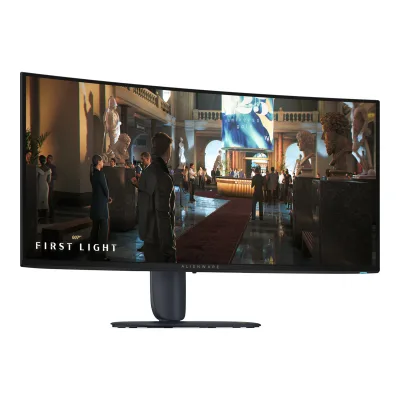
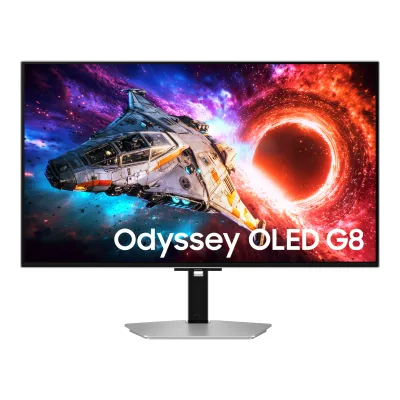
Dell Alienware AW3426DW vs Samsung Odyssey OLED G8 G80SH 32"
Product A: Dell
124 of 172 known ASUS ROG Swift OLED PG32UCDM Gen3
 BenQ MOBIUZ EX321UZ
 Samsung Odyssey OLED G8 G80SH 27"
 MSI MPG 341CQR QD-OLED X36
 AOC AGON PRO AG326UZD2
 MSI MPG 322UR QD-OLED X24
 HP HyperX OMEN OLED 34
 BenQ MOBIUZ EX271UZ
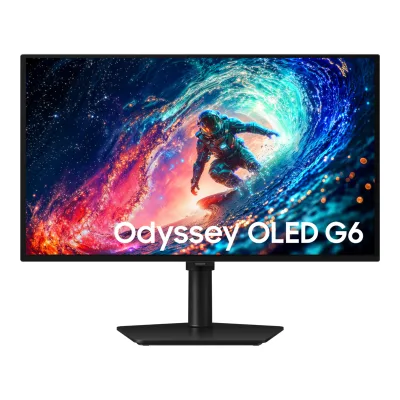 Samsung Odyssey OLED G6 G61SH
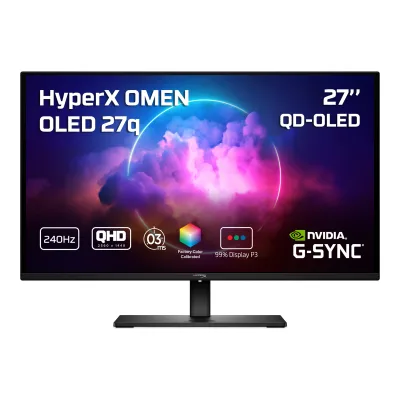 HP HyperX OMEN OLED 27q
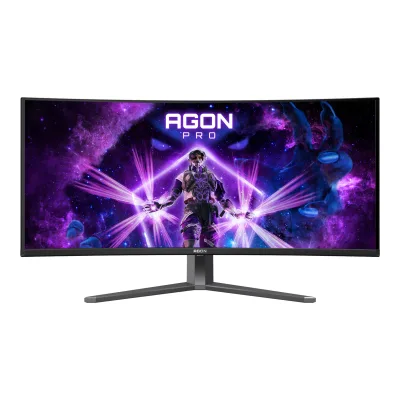 AOC AGON PRO AGP346UCSD
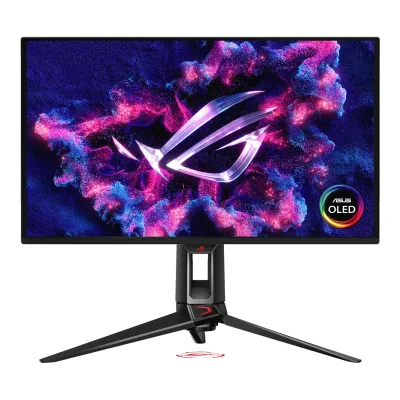 ASUS ROG Swift OLED PG27UCDM
Change Dell Alienware AW3426DW
Compare the Samsung Odyssey OLED G8 G80SH 32" with
ASUS ROG Swift OLED PG32UCDM Gen3BenQ MOBIUZ EX321UZSamsung Odyssey OLED G8 G80SH 27"MSI MPG 341CQR QD-OLED X36AOC AGON PRO AG326UZD2MSI MPG 322UR QD-OLED X24HP HyperX OMEN OLED 34BenQ MOBIUZ EX271UZSamsung Odyssey OLED G6 G61SHHP HyperX OMEN OLED 27qAOC AGON PRO AGP346UCSDASUS ROG Swift OLED PG27UCDMProduct B: Samsung
90 of 172 knownMSI MPG 322UR QD-OLED X24MSI MPG 341CQR QD-OLED X36 ASUS ROG Swift OLED PG34WCDNAOC AGON PRO AG326UZD2HP HyperX OMEN OLED 34AOC AGON PRO AGP346UCSDASUS ROG Swift OLED PG32UCDM Gen3
 Dell Alienware AW2726DMSamsung Odyssey OLED G8 G80SH 27"BenQ MOBIUZ EX321UZHP HyperX OMEN OLED 27qSamsung Odyssey OLED G6 G61SH
Change Samsung Odyssey OLED G8 G80SH 32"
Compare the Dell Alienware AW3426DW with
MSI MPG 322UR QD-OLED X24MSI MPG 341CQR QD-OLED X36ASUS ROG Swift OLED PG34WCDNAOC AGON PRO AG326UZD2HP HyperX OMEN OLED 34AOC AGON PRO AGP346UCSDASUS ROG Swift OLED PG32UCDM Gen3Dell Alienware AW2726DMSamsung Odyssey OLED G8 G80SH 27"BenQ MOBIUZ EX321UZHP HyperX OMEN OLED 27qSamsung Odyssey OLED G6 G61SH94 of 164 fields differ
- 47 different values
- 47 known for one only
- 31 the same
- 39 missing for both
Biggest differences
Each bar uses the scale of all 179 monitors.
- Peak brightness (HDR)A: 1,300nitsB: 1,000nitsDell is 300 nits higher.
- Power use (max)Lower is betterA: 190WB: 240WDell is 50 W lower.
- Pixel densityA: 109.7ppiB: 137.7ppiSamsung is 28 ppi higher.
- Refresh rateA: 280HzB: 240HzDell is 40 Hz higher.
Refresh rate per resolution
The best rate over any port. Bars run from 0 to 1200 Hz.
3840 × 2160Native for B
A120Hz
B240Hz
3440 × 1440Native for A
A280Hz
BNot listed
Size, drawn to scale
Front and side. Solid lines show the stand at its lowest. Dashed lines show it at its highest.
- ADell: 814.2 × 361.6 mm
- BSamsung: 719.7 × 414.7 mm
We have no stand height for Samsung, so it is drawn without its stand.
Weight
0 to 15 kg
Weight with stand
A7.91kg
B7.8kg
Weight without stand
A4.88kg
B5.3kg
Box weight
A12.92kg
B10.7kg
All 172 fields
Every value links to where we found it.
General
6 of 8 differ
Series
Model numbers
GTIN / EAN
Not available
Not available
Status
Not available
Predecessor
Successor
Not available
Not available
Launch price (US)
Not available
Launch price (EU)
Not available
Not available
Markets
US, EU1Maker product pagedell.com/en-us/shop/monitors/apd/alienware-34-280hz-qd-oled-gaming-monitor-aw3426dw/aw3426dw/-Read 5 October 2026Current U.S. maker listing and June 27 European sales report linked below.9Measurementtftcentral.co.uk/reviews/dell-alienware-aw3426dwRead 5 October 2026Where to buy section reports availability in U.S. and Europe, corroborating current maker U.S. listing and June 27 actual European sale report.
Not available
Colours
Segment
Display
12 of 12 differ
Screen size
Viewable screen diagonal
Native resolution
Aspect ratio
Pixel density
109.7ppi
137.7ppi
Pixel pitch
Not available
Active display area
Width796.36Height333.36mm(31.4 × 13.1 in)2Owner's manualdl.dell.com/content/manual12353199-alienware-34-280hz-qd-oled-gaming-monitor-aw3426dw-user-s-guide.pdfRead 5 October 2026p11, Table 5, active area horizontal and vertical.
Width699.48Height394.73mm(27.5 × 15.5 in)4Owner's manualorg.downloadcenter.samsung.com/downloadfile/ContentsFile.aspxRead 5 October 2026Printed page 41 own direct metric display area, preferred over lower-precision API inches. Printed 0.1814 mm pitch does not exactly match active raster, so pitch is omitted without an undocumented reserve explanation.
Curved
Curvature radius
Not available
Screen surface
Anti-reflection coating
Panel
12 of 31 differ
Panel type
Panel type (as published)
Backlight
Not available
Local dimming
Not available
Not available
Dimming zones
Not available
Not available
Panel maker
Not available
Panel part number
Not available
Not available
Panel generation
Subpixel layout
Not available
Colour depth
Not available
Colour depth method
Not available
Not available
Displayable colours
sRGB coverage
Not available
Not available
DCI-P3 coverage
Adobe RGB coverage
Not available
Not available
Rec. 2020 coverage
Not available
Not available
NTSC coverage
Not available
Not available
Factory calibrated
Claimed Delta E
Not available
Paper calibration report in box
Not available
Not available
Hardware calibration support
Not available
Static contrast ratio
Brightness (typical, SDR)
Brightness (maker minimum)
Not available
Peak brightness (HDR)
HDR peak test window
Full-screen brightness
Not available
Not available
HDR formats
HDR certification
Viewing angle (horizontal)
Viewing angle (vertical)
Refresh rate and motion
10 of 22 differ
Refresh rate per resolution and port
ADell Alienware AW3426DW
| Resolution | HDMI 2.1 | DisplayPort 1.4 |
|---|---|---|
| 3840 × 2160 | 120Hz | Not available |
| 3440 × 1440Native | 280HzDSC | 280HzDSC |
Source2Owner's manualdl.dell.com/content/manual12353199-alienware-34-280hz-qd-oled-gaming-monitor-aw3426dw-user-s-guide.pdfRead 5 October 2026p11 Connectivity directly states native up to 280 Hz on DP 1.4 and HDMI 2.1 FRL. p12 Maximum resolution says DSC enabled. Maker page lists HDMI native 280 with DSC. Bit depth and chroma for these maxima are not established. TFTCentral Console Gaming explicitly tests maximum virtual 4K120 HDMI input in Console Mode, downscaled to the native panel, with DSC/bit depth/chroma unspecified. Lower-resolution preset timings on pp13-14 are not treated as maxima.8Maker product pagedell.com/en-us/shop/monitors/apd/alienware-34-280hz-qd-oled-gaming-monitor-aw3426dw/aw3426dw/-Read 5 October 2026Interface/Port Details explicitly lists native 3440x1440 up to 280 Hz with DSC on HDMI 2.1 FRL.9Measurementtftcentral.co.uk/reviews/dell-alienware-aw3426dwRead 5 October 2026Console Gaming table explicitly tests maximum accepted virtual 4K120 input over HDMI 2.1 in Console Mode. It is downscaled to native 3440x1440, not displayed at native 4K. Lower-resolution esports mode port-specific maxima are not established and omitted.
BSamsung Odyssey OLED G8 G80SH 32"
| Resolution | USB-C |
|---|---|
| 3840 × 2160Native | 240Hz |
Max refresh rate
280Hz
240Hz
Max refresh rate at native resolution
280Hz
240Hz
Max refresh rate over DisplayPort
280Hz
Not available
Max refresh rate over HDMI
280Hz
Not available
Max refresh rate over USB-C
Not available
240Hz
Max refresh rate at 10-bit
Not available
Not available
Native refresh rate
Overclocked refresh rate
Not available
Not available
Dual mode
Minimum fixed refresh rate
Not available
Not available
Adaptive sync technologies
FreeSync Premium Pro, G-SYNC Compatible, VESA AdaptiveSync Display, HDMI VRR2Owner's manualdl.dell.com/content/manual12353199-alienware-34-280hz-qd-oled-gaming-monitor-aw3426dw-user-s-guide.pdfRead 5 October 2026p11, Table 5, exact VRR certification and HDMI protocol names. Generic Adaptive-Sync is not substituted for VESA certification.
VRR range per port
Not available
Not available
Low framerate compensation
Yes2Owner's manualdl.dell.com/content/manual12353199-alienware-34-280hz-qd-oled-gaming-monitor-aw3426dw-user-s-guide.pdfRead 5 October 2026p7 and p11 exact-model FreeSync Premium Pro certification. AMD official tier definition requires LFC. Compatible GPU and supported FreeSync mode are required. No per-port range is inferred.11Maker product pageamd.com/en/resources/support-articles/faqs/DH3-013.htmlRead 5 October 2026Overview / FreeSync Premium Pro explicitly includes support for low framerate compensation. Exact-model manual supplies the qualifying tier. Compatible GPU, enabled FreeSync and supported preset are required.
Response time (maker GtG claim)
Response time (maker MPRT claim)
Not available
Not available
Overdrive settings
Not available
Not available
Motion blur reduction
Not available
Blur-reduction technology
Not available
Not available
Blur reduction works with VRR
Not available
Not available
Flicker-free (claimed)
Measured
5 of 12 differ
Input lag at maximum refresh rate
Not available
Input lag at 60 Hz
Not available
Average response time (measured)
Not available
Overshoot (measured)
Not available
Not available
Contrast ratio (measured)
Not available
Not available
SDR brightness (measured)
Not available
HDR brightness in a real scene (measured)
Not available
Not available
PWM flicker frequency (measured)
Not available
Not available
VRR range (measured)
Not available
Not available
Colour accuracy (measured Delta E)
Not available
Gray uniformity (measured)
Not available
Not available
Reflections (measured)
Not available
Not available
Connectivity
10 of 19 differ
Video inputs
ADell Alienware AW3426DW
| Type | Version | Count | DSC | HDCP |
|---|---|---|---|---|
| DisplayPort | 1.4 | 1 | Yes | 1.4, 2.3 |
| HDMI | 2.1 | 2 | Yes | 1.4, 2.3 |
Source2Owner's manualdl.dell.com/content/manual12353199-alienware-34-280hz-qd-oled-gaming-monitor-aw3426dw-user-s-guide.pdfRead 5 October 2026p11, Table 5, complete Connectivity inventory. HDMI DSC capability is explicit in the manufacturer page and sheet. No bandwidth is inferred from the version.8Maker product pagedell.com/en-us/shop/monitors/apd/alienware-34-280hz-qd-oled-gaming-monitor-aw3426dw/aw3426dw/-Read 5 October 2026Interface/Port Details explicitly lists two HDMI inputs with DSC and HDCP 1.4/2.3.
BSamsung Odyssey OLED G8 G80SH 32"
| Type | Version | Count | Max bandwidth (Gbps) | DSC | HDCP |
|---|---|---|---|---|---|
| DisplayPort | 2.1 UHBR20 | 1 | 80 | Yes | 2.2 |
| HDMI | 2.1 | 2 | Not available | Not available | 2.2 |
| USB-C | Not available | 1 | Not available | Not available | 2.2 |
Source2Maker product pagesamsung.com/us/gapi/v1/bridge/cacheable/bridge-dataRead 8 October 2026Own physical counts, input versions and HDCP 2.2. DP UHBR20 80 Gbps is directly stated by exact U.S. launch footnote. Own manual page 33 separately proves DisplayPort DSC capability. USB-C video is explicitly confirmed by own manual page 34. Unknown HDMI bandwidth, bit depth, HDMI/USB-C DSC and per-mode compression are omitted.3Press releasenews.samsung.com/us/samsung-launches-next-gen-odyssey-viewfinity-movingstyle-essential-monitors-including-industrys-first-6k-gaming-monitorRead 5 October 2026Exact G80SH footnote 3 explicitly DP 2.1 UHBR20 up to 80 Gbps. Its uncompressed-visuals wording does not separately prove every native signal condition, so no DSC false is stored.4Owner's manualorg.downloadcenter.samsung.com/downloadfile/ContentsFile.aspxRead 5 October 2026Own printed page 33 explicitly supports the DisplayPort DSC on/off setting for S32HG80*S. This establishes DisplayPort DSC capability only. It does not prove compression state for a particular native maximum mode.
HDMI ports
2
2
DisplayPort ports
1
1
Highest HDMI version
2.1
2.1
Highest DisplayPort version
1.4
2.1 UHBR20
HDMI features
VRR, ALLM, CEC2Owner's manualdl.dell.com/content/manual12353199-alienware-34-280hz-qd-oled-gaming-monitor-aw3426dw-user-s-guide.pdfRead 5 October 2026p11, Table 5, HDMI 2.1 VRR. TFTCentral Console Gaming separately tests ALLM and CEC, mapped to its source. eARC is not borrowed from another Alienware model.7Measurementtftcentral.co.uk/reviews/dell-alienware-aw3426dwRead 5 October 2026Console Gaming table explicitly shows affirmative check icons for HDMI-CEC auto switch and Auto Low Latency Mode (ALLM), tested on this exact model. Native VRR is independently stated by the manual.
Not available
USB-C video (DP Alt Mode)
USB-C power delivered
Not available
Thunderbolt
Not available
Not available
USB upstream ports
ADell Alienware AW3426DW
| Connector | Count |
|---|---|
| USB-B | 1 |
BSamsung Odyssey OLED G8 G80SH 32"
| Connector | Count |
|---|---|
| USB-C | 1 |
USB downstream hub ports
ADell Alienware AW3426DW
| Connector | Count |
|---|---|
| USB-A | 1 |
| USB-C | 1 |
BSamsung Odyssey OLED G8 G80SH 32"
| Connector | USB version | Count |
|---|---|---|
| USB-A | 3.2 Gen 1 | 2 |
KVM switch
Daisy chain (MST)
Ethernet
3.5 mm headphone output
3.5 mm microphone input
Optical out
Picture in picture
Picture by picture
Smart features
1 of 4 differ
Smart platform
Not available
Not available
Wi-Fi
Not available
Not available
Bluetooth
Not available
Not available
Audio and camera
1 of 5 differ
Speakers
Number of speakers
Not available
Not available
Speaker power per channel
Not available
Not available
Webcam
Ergonomics and controls
11 of 15 differ
Stand height adjustment
Tilt
Swivel
Pivot
Not available
Removable stand
VESA mount
VESA adapter needed
Security lock slot
Not available
On-screen menu controls
Desktop software
Alienware Command Center (AWCC)2Owner's manualdl.dell.com/content/manual12353199-alienware-34-280hz-qd-oled-gaming-monitor-aw3426dw-user-s-guide.pdfRead 5 October 2026p12 AWCC: Yes. Dell Display and Peripheral Manager compatibility is N/A and not included.
Not available
User firmware updates
Ambient light sensor
Not available
Presence sensor
Not available
RGB lighting
Not available
Gaming menu features
Timer, Frame Rate, Display Alignment, Dark Stabilizer, Console Mode, Esports Mode, Esports Image Setting, AlienVision2Owner's manualdl.dell.com/content/manual12353199-alienware-34-280hz-qd-oled-gaming-monitor-aw3426dw-user-s-guide.pdfRead 5 October 2026p7 product features and Game menu pp40-45. Functions, not ordinary picture presets.
Black Equalizer, Virtual AIM Point, Super Arena Gaming UX2Maker product pagesamsung.com/us/gapi/v1/bridge/cacheable/bridge-dataRead 8 October 2026Exact Specs entry LS32HG802SNXZA. Exact own three named features. Ultrawide modes from the LCD G80HS/G80HF are excluded.
OLED care
2 of 3 differ
OLED care
Screen Saver, Logo Brightness, Pixel Refresh4Owner's manualorg.downloadcenter.samsung.com/downloadfile/ContentsFile.aspxRead 5 October 2026Printed pages 34-35 apply Panel Care and these controls to own OLED model. Ten-minute static screen saver is automatic. No WOLED-specific image cleaning controls are imported.
Burn-in covered by warranty
Dimensions and weight
7 of 7 differ
Dimensions with stand
Width814.15Height (lowest)445.08Height (highest)555.08Depth232mm(32.1 × 17.5 to 21.9 × 9.1 in)2Owner's manualdl.dell.com/content/manual12353199-alienware-34-280hz-qd-oled-gaming-monitor-aw3426dw-user-s-guide.pdfRead 5 October 2026p16, Table 12, Dimensions with stand, compressed and extended.
Dimensions without stand
Width814.15Height361.55Depth111.23mm(32.1 × 14.2 × 4.4 in)2Owner's manualdl.dell.com/content/manual12353199-alienware-34-280hz-qd-oled-gaming-monitor-aw3426dw-user-s-guide.pdfRead 5 October 2026p16, Table 12, Dimensions without stand.
Stand footprint
Width270Depth232mm(10.6 × 9.1 in)2Owner's manualdl.dell.com/content/manual12353199-alienware-34-280hz-qd-oled-gaming-monitor-aw3426dw-user-s-guide.pdfRead 5 October 2026p16, Table 12, Base width and depth.
Not available
Weight with stand
Weight without stand
Box dimensions
Not available
Width815Height185Depth495mm(32.1 × 7.3 × 19.5 in)2Maker product pagesamsung.com/us/gapi/v1/bridge/cacheable/bridge-dataRead 8 October 2026Exact Specs entry LS32HG802SNXZA. Own explicit shipping W x H x D metric. Flat-packed orientation retained.
Box weight
Power
9 of 13 differ
Power supply
Adapter rating
Not available
Not available
Input voltage
Power use (typical)
Not available
Not available
Power use (max)
Power use SDR (EU label)
Not available
Power use HDR (EU label)
Not available
Standby power
Off-mode power
EU energy class SDR
Not available
EU energy class HDR
Not available
Energy per 1000 h SDR
Not available
Energy per 1000 h HDR
Not available
Certifications
4 of 9 differ
VESA ClearMR
Not available
Not available
VESA AdaptiveSync Display
Not available
Not available
TÜV certifications
Low Blue Light (Hardware Solution)2Owner's manualdl.dell.com/content/manual12353199-alienware-34-280hz-qd-oled-gaming-monitor-aw3426dw-user-s-guide.pdfRead 5 October 2026p8 exact named hardware certification. Spec sheet states no Eye Comfort certification, so no Eye Comfort tier is inferred.
Not available
Low blue light
ENERGY STAR
Not available
Not available
TCO Certified
Not available
Not available
EPEAT
Not available
Not available
Colour certifications
Not available
Other certifications
In the box
2 of 2 differ
In the box
Display, Stand riser, Stand base, Power cable (varies by country or region), HDMI 2.1 FRL cable (1.80 m), DisplayPort to DisplayPort 1.4 cable (1.80 m), USB Type-A to Type-B 5Gbps cable (1.80 m), Microfiber cloth, QR Card, Safety, Environmental, and Regulatory Information, Alienware Sticker2Owner's manualdl.dell.com/content/manual12353199-alienware-34-280hz-qd-oled-gaming-monitor-aw3426dw-user-s-guide.pdfRead 5 October 2026pp6-7 Package contents. Some components may vary by country or be optional. No calibration paper report is asserted from absence.
Monitor, Stand, External AC adapter, Power cable, HDMI cable, DisplayPort cable, USB-C cable2Maker product pagesamsung.com/us/gapi/v1/bridge/cacheable/bridge-dataRead 8 October 2026Exact Specs entry LS32HG802SNXZA. Exact own U.S. Accessory list includes HDMI, DP and USB-C. German bundle omits HDMI and is not inherited. Core stand/adapter assembly is in own manual.
Cables included
ADell Alienware AW3426DW
| Type | Count |
|---|---|
| Power cable | 1 |
| HDMI 2.1 FRL cable (1.80 m) | 1 |
| DisplayPort to DisplayPort 1.4 cable (1.80 m) | 1 |
| USB Type-A to Type-B 5Gbps cable (1.80 m) | 1 |
Source2Owner's manualdl.dell.com/content/manual12353199-alienware-34-280hz-qd-oled-gaming-monitor-aw3426dw-user-s-guide.pdfRead 5 October 2026p6 Package contents, each pictured once. p10 explicitly one shipped HDMI cable. Current U.S. package list confirms one DP, HDMI and USB cable.8Maker product pagedell.com/en-us/shop/monitors/apd/alienware-34-280hz-qd-oled-gaming-monitor-aw3426dw/aw3426dw/-Read 5 October 2026U.S. Package Contents lists one DP, one HDMI and one USB upstream cable.
BSamsung Odyssey OLED G8 G80SH 32"
| Type |
|---|
| Power cable (1.5 m) |
| HDMI cable |
| DisplayPort cable |
| USB Type-C cable |
Warranty
2 of 2 differ
Manufacturer warranty (source market)
Not available
Dead pixel policy
Free panel replacement during the Limited Hardware Warranty if one bright pixel is found1Maker product pagedell.com/en-us/shop/monitors/apd/alienware-34-280hz-qd-oled-gaming-monitor-aw3426dw/aw3426dw/-Read 5 October 2026U.S. Premium Panel Exchange policy in the product page warranty section.
Not available
Links
Not compared
Product page
www.dell.com/en-us/shop/monitors/apd/alienware-34-280hz-qd-oled-gaming-monitor-aw3426dw/aw3426dw/-1Maker product pagedell.com/en-us/shop/monitors/apd/alienware-34-280hz-qd-oled-gaming-monitor-aw3426dw/aw3426dw/-Read 5 October 2026Exact model U.S. product page.
www.samsung.com/us/monitors/gaming/32-inch-odyssey-oled-g8-g80sh-4k-gaming-monitor-sku-ls32hg802snxza1Maker product pagesamsung.com/us/monitors/gaming/32-inch-odyssey-oled-g8-g80sh-4k-gaming-monitor-sku-ls32hg802snxzaRead 5 October 2026Exact U.S. 32-inch LS32HG802SNXZA reference. The 27-inch G80SH and LCD G80HS/G80HF are different hardware.
Spec sheet
katalog.atcomp.cz/katalog/D-M-AW3426DW/aw3426dw-fact-spec-sheet.pdf3Maker spec sheet (PDF)katalog.atcomp.cz/katalog/D-M-AW3426DW/aw3426dw-fact-spec-sheet.pdfRead 5 October 2026Public mirror of Dell two-page exact-model fact/spec sheet, both pages read.
images.samsung.com/is/content/samsung/assets/de/display/pdf/Datenblatt_Gaming_Monitor_LS32HG800SUXEN.pdf5Maker spec sheet (PDF)images.samsung.com/is/content/samsung/assets/de/display/pdf/Datenblatt_Gaming_Monitor_LS32HG800SUXEN.pdfRead 5 October 2026Official Samsung Germany April 22, 2026 four-page exact 32-inch G80SH LS32HG800SUXEN. Hardware metrics agree with own U.S. SKU. Regional warranty/GTIN/accessory rows are not inherited.
Manual
dl.dell.com/content/manual12353199-alienware-34-280hz-qd-oled-gaming-monitor-aw3426dw-user-s-guide.pdf2Owner's manualdl.dell.com/content/manual12353199-alienware-34-280hz-qd-oled-gaming-monitor-aw3426dw-user-s-guide.pdfRead 5 October 2026Dell User Guide June 2026 Rev. A00. Direct official access can return 403 or a connection error. The complete matching PDF was retrieved and read from the public mirror https://gzhls.at/blob/ldb/a/b/4/2/5851a0c277195b486d1b3cb45e833ec5af72.pdf. The web reader also returned identical text for the official URL.
org.downloadcenter.samsung.com/downloadfile/ContentsFile.aspx4Owner's manualorg.downloadcenter.samsung.com/downloadfile/ContentsFile.aspxRead 5 October 2026Exact North American LS32HG802SNXZA support PDF also linked by Canada for that same SKU. BN81-29068A-02 June 24, 2026. Only own S32HG80*S OLED rows, not LCD *E rows, are used.
Both are also in the API. Back to all monitors.