Routers / Compare
Amazon eero 6+ vs TP-Link Deco BE85
Product A: Amazon
60 of 90 known
Change Amazon eero 6+
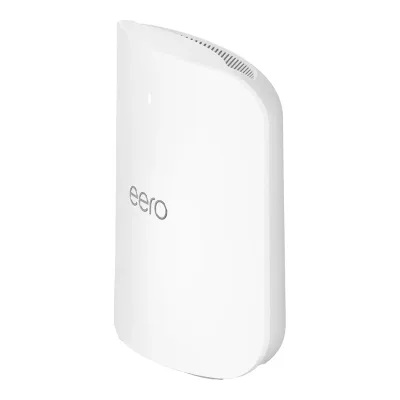
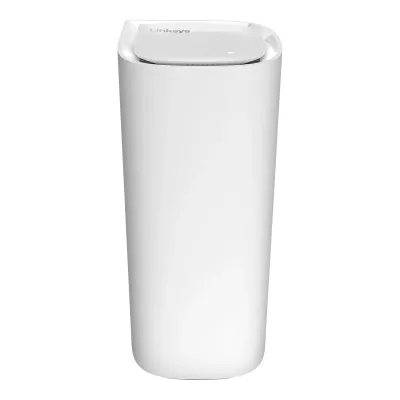
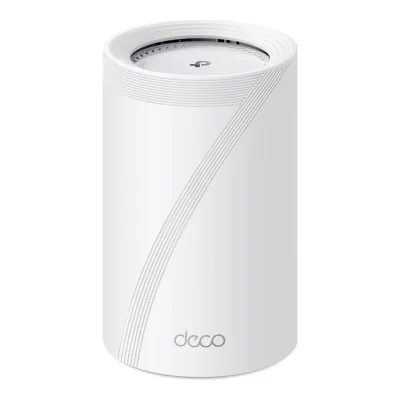
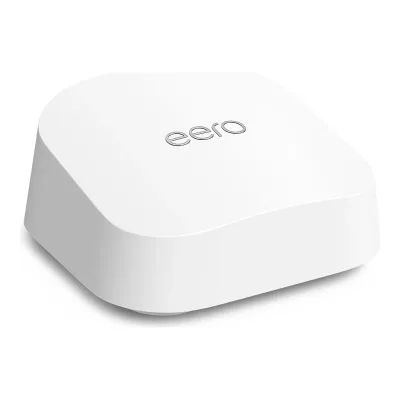
Product B: TP-Link
68 of 90 known
Change TP-Link Deco BE85
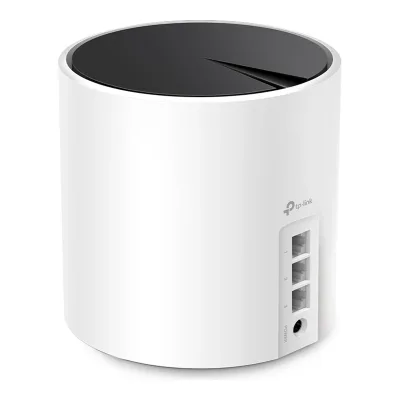
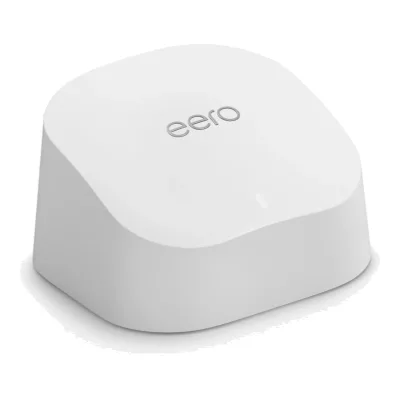
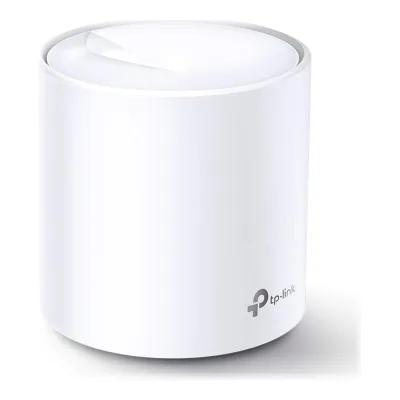
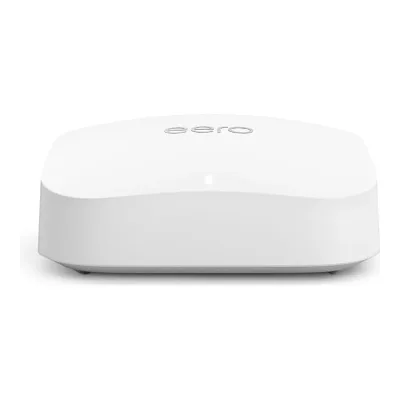
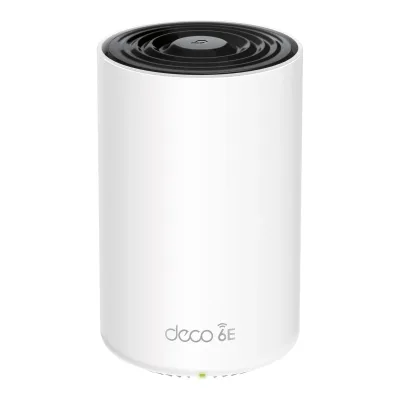
59 of 80 fields differ
- 35 different values
- 24 known for one only
- 12 the same
- 9 missing for both
Biggest differences
Each bar uses the scale of all 62 routers.
- Multi-gig portsA: 0B: 4TP-Link has 4 more.
- WAN portA: 1GbpsB: 10GbpsTP-Link is 10 times higher.
- Link rateA: 2,976MbpsB: 21,553MbpsTP-Link is 7.2 times higher.
- Ethernet portsA: 2B: 4TP-Link has 2 more.
Size, drawn to scale
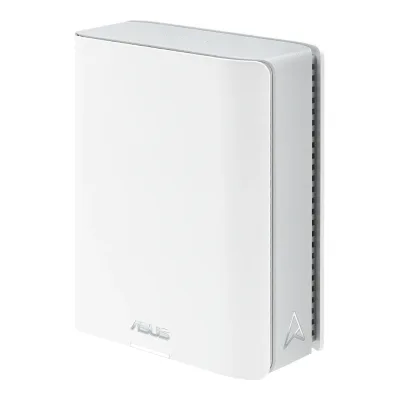
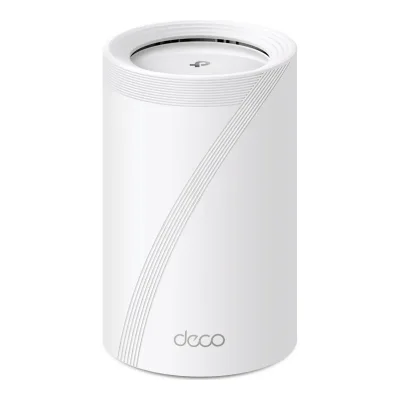
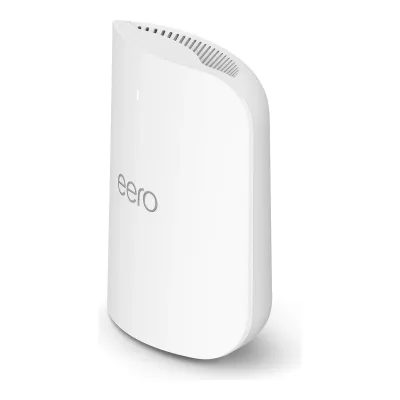
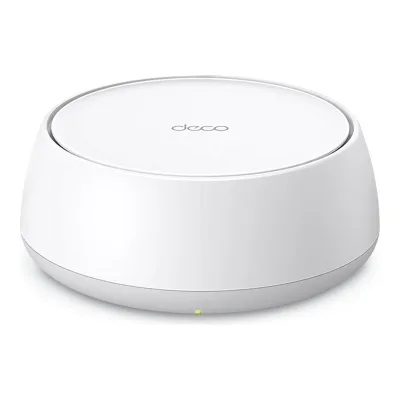
Front and side.
- AAmazon: 99.4 × 65.8 mm
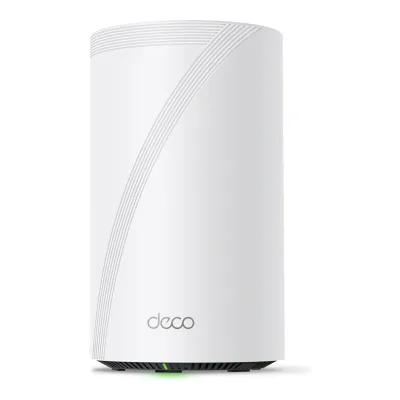
- BTP-Link: 128 × 236 mm
All 90 fields
Every value links to where we found it.
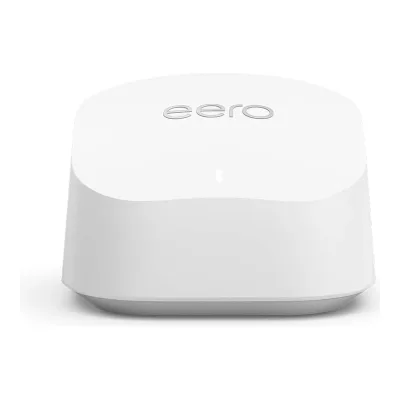
General
5 of 9 differ
Series
Model numbers
Deco BE85, Deco BE85(1-pack), Deco BE85(2-pack), Deco BE85(3-pack)1Maker product pagetp-link.com/us/deco-mesh-wifi/product-family/deco-be85Read 16 October 2026The US page is titled Deco BE85 and Deco 7 Elite BE22000 and sells 1, 2 and 3 packs. The support page lists hardware versions V1.60, V2.60 and V3. Package Content names Deco BE85 (1-pack), (2-pack) and (3-pack). Amazon lists the manufacturer part numbers as Deco BE85(2-pack) and Deco BE85(3-pack). The UK and EU sell a BE19000 model of the same name with 5760 Mbps on 5 GHz, which is a different regional spec and is not covered here.
GTIN / EAN
Not available
840030706929, 8400307069058Retailer pageamazon.com/dp/B0C4W31L4NRead 16 October 2026Item details of the 3-pack listing: UPC 840030706905, Mfr Part Number Deco BE85(3-pack).9Retailer pageamazon.com/dp/B0C4W1L4B3Read 16 October 2026Item details of the 2-pack listing: UPC 840030706929, Mfr Part Number Deco BE85(2-pack). No US 1-pack GTIN was found.
Announced
Status
Predecessor
Amazon eero 619Reviewtechradar.com/reviews/eero-6-plusRead 15 October 2026Review of 8 May 2023: the Eero 6+ top speed of 3.0Gbps is almost twice that of its predecessor, the eero 6. Amazon still sells the eero 6.
Not available
Successor
Not available
Not available
Launch price (US)
Markets
US, DE5Press releasepress.aboutamazon.com/2022/3/eero-introduces-its-fastest-mesh-wifi-systems-eero-pro-6e-and-eero-6Read 15 October 2026US pricing and availability on eero.com, Amazon.com and retailers. The German release gives the DE market.6Press releasepress.aboutamazon.com/de/2022/5/eero-pro-6e-und-eero-6-eero-stellt-seine-bisher-schnellsten-mesh-wlan-systeme-vorRead 15 October 2026Available in Germany on Amazon.de.
Colours
Form factor
Wi-Fi
12 of 14 differ
Wi-Fi
Wi-Fi speed class
Wi-Fi radios
AAmazon eero 6+
| Band | Wi-Fi | Streams | Max channel width (MHz) | Max link rate (Mbps) | Dedicated backhaul |
|---|---|---|---|---|---|
| 2.4 GHz | Wi-Fi 6 | 2 | 40 | 574 | No |
| 5 GHz | Wi-Fi 6 | 2 | 160 | 2,402 | No |
Source1Maker product pageeero.com/support/articles/eero-6-plusRead 15 October 2026Hardware Specifications: dual-band 2x2/2x2 SU-MIMO, 2.4 GHz 2x2 and 5 GHz 2x2, channel width 20, 40, 80, 160 MHz. The 160 MHz width is on 5 GHz only, see the compliance page. The page prints no link rate. Wired or wireless speeds up to 940 Mbps is a throughput figure, so it is not stored. The product comparison page says MU/SU-MIMO for the router, but this page says SU-MIMO, so MU-MIMO is not stored.3Maker product pageeero.com/legal/complianceRead 15 October 2026Dual-band 2.4 GHz: 20, 40 MHz and 5 GHz: 20, 40, 80, 160 MHz, Wi-Fi 6 (IEEE 802.11a/b/g/n/ac/ax).18Reviewandroidcentral.com/eero-6-plus-reviewRead 15 October 2026Review of 23 June 2022 on firmware 6.10.2-71: 160MHz support takes the maximum connection speed from 1201 Mbps up to 2402 Mbps on Wi-Fi 6 devices. This is the 2x2 5 GHz rate at 160 MHz. No source prints a 2.4 GHz rate and The Ambient prints 600 Mbps rounded. The stored 574 Mbps is the 802.11ax rate for 2 streams at 40 MHz, the same figure the eero 6 fact sheet prints for its 2x2 2.4 GHz radio. With the 5 GHz rate it adds up to 2976, which fits the AX3000 class.
BTP-Link Deco BE85
| Band | Wi-Fi | Streams | Max channel width (MHz) | Max link rate (Mbps) | Dedicated backhaul |
|---|---|---|---|---|---|
| 2.4 GHz | Wi-Fi 7 | 4 | 40 | 1,376 | No |
| 5 GHz | Wi-Fi 7 | 4 | 240 | 8,647 | No |
| 6 GHz | Wi-Fi 7 | 4 | 320 | 11,530 | No |
Source1Maker product pagetp-link.com/us/deco-mesh-wifi/product-family/deco-be85Read 16 October 2026WiFi Speeds row (V3 page): 6 GHz 11530 Mbps, 5 GHz 8647 Mbps and 2.4 GHz 1376 Mbps, all 802.11be. The V2.6 datasheet and the press release print 11520 and 8640 Mbps, and Dong Knows Tech prints the same. The 802.11be rates for 4 streams are 11529 Mbps at 320 MHz and 8647 Mbps at 240 MHz, so the V3 page figures are stored. WiFi Capacity row: 4x4 MU-MIMO and 12 Streams, so 4 streams per band. The footnote says 320 MHz is only on 6 GHz and that 160 and 240 MHz may not be available on 5 GHz in some regions, so 240 MHz is the widest 5 GHz channel. Dong Knows Tech lists 20/40 MHz on 2.4 GHz, 20/40/160/240 MHz on 5 GHz and 20/40/160/320 MHz on 6 GHz. Every radio serves devices. A 6 GHz dedicated backhaul is an option in the app, so dedicated_backhaul is false.2Maker spec sheet (PDF)tp-link.com/us/document/19783Read 16 October 2026Datasheet Deco BE85(US) V2.6: Signal Rate 11520 Mbps (6 GHz) + 8640 Mbps (5 GHz) + 1376 Mbps (2.4 GHz), 12 Streams, 2.4 GHz 802.11b/g/n/ax/be, 5 GHz 802.11a/n/ac/ax/be and 6 GHz 802.11ax/be. The page figures are stored, see its entry.14Reviewdongknows.com/tp-link-deco-be85-wi-fi-7-mesh-system-reviewRead 16 October 2026Hardware table: 2.4 GHz 4x4 BE up to 1376 Mbps (20/40 MHz), 5 GHz 4x4 BE up to 8640 Mbps (20/40/160/240 MHz), 6 GHz 4x4 BE up to 11520 Mbps (20/40/160/320 MHz).
Radio bands
2
3
6 GHz band
No
Yes
Combined Wi-Fi link rate
2,976Mbps
21,553Mbps
Wi-Fi streams
4
12
Max Wi-Fi channel width
160MHz
320MHz
Wi-Fi features
Not available
Multi-Link Operation (MLO), Multi-RU, 4K-QAM, OFDMA, MU-MIMO, Band steering1Maker product pagetp-link.com/us/deco-mesh-wifi/product-family/deco-be85Read 16 October 2026Advanced Features row: Multi-Link Operation (MLO), 320 MHz Channel, 4K-QAM, Multi-RUs. WiFi Capacity row: 4x4 MU-MIMO and OFDMA. The Very High Tri-Band entry says devices are distributed to different bands. Dong Knows Tech says the 2.4 GHz and 5 GHz bands share one network through Smart Connect, so band_steering covers those two bands.2Maker spec sheet (PDF)tp-link.com/us/document/19783Read 16 October 2026Features: Multi-Link Operation (MLO), 320 MHz Bandwidth, 4K-QAM, Multi-RU, MU-MIMO, OFDMA, BSS Color.13Reviewtomsguide.com/reviews/tp-link-deco-be85Read 16 October 2026The app sets up a combined 2.4 and 5 GHz network and a separate 6 GHz network, so band steering covers 2.4 and 5 GHz only. The review says the 6 GHz link can be a dedicated backhaul in the advanced settings.14Reviewdongknows.com/tp-link-deco-be85-wi-fi-7-mesh-system-reviewRead 16 October 2026The 2.4 GHz and 5 GHz bands share one main network through Smart Connect.
External antennas
01Maker product pageeero.com/support/articles/eero-6-plusRead 15 October 2026Features list a 2x2 antenna array. The Android Central review says all antennas are internal, which is the source of the stored count.18Reviewandroidcentral.com/eero-6-plus-reviewRead 15 October 2026All antennas are internal, with a status light on top, two gigabit Ethernet ports and one USB-C port on the back.
Internal antennas
Not available
Detachable antennas
Coverage of one unit (claimed)
Not available
Connected devices per unit (claimed)
751Maker product pageeero.com/support/articles/eero-6-plusRead 15 October 2026Supports up to 75+ simultaneous connected devices. Stored as 75, the plus sign is dropped.2Maker product pageeero.com/shop/eero-6-plusRead 15 October 2026eero 6+ supports 75+ devices, with each router providing 1,500 sq. ft. of coverage.
Ports and modem
7 of 9 differ
Ports
AAmazon eero 6+
| Port | Count | Role | Max speed (Gbps) |
|---|---|---|---|
| RJ45 | 2 | WAN or LAN | 1 |
Source1Maker product pageeero.com/support/articles/eero-6-plusRead 15 October 2026Hardware Specifications: 2 auto-sensing 1 GbE ports. Either port can take the internet connection on the primary unit, as Android Central and TechRadar (2x Gigabit Ethernet WAN/LAN) describe.3Maker product pageeero.com/legal/complianceRead 15 October 2026Wired connectivity: two auto-sensing 1 Gigabit Ethernet ports.
BTP-Link Deco BE85
| Port | Count | Role | Max speed (Gbps) | Version |
|---|---|---|---|---|
| RJ45 or SFP+ combo | 1 | WAN or LAN | 10 | Not available |
| RJ45 | 1 | WAN or LAN | 10 | Not available |
| RJ45 | 2 | WAN or LAN | 2.5 | Not available |
| USB-A | 1 | Not available | 5 | USB 3.0 |
Source1Maker product pagetp-link.com/us/deco-mesh-wifi/product-family/deco-be85Read 16 October 2026Ethernet Ports per Deco unit, WAN/LAN auto-sensing: 1x 10 Gbps, 1x 10 Gbps SFP+/RJ45 combo and 2x 2.5 Gbps. USB Support: 1x USB 3.0 port with FTP, media and Samba server. The footnote says all WAN/LAN ports work as either WAN or LAN and only one port can be WAN at a time. The user guide says only one port of the combo pair can be used at a time.2Maker spec sheet (PDF)tp-link.com/us/document/19783Read 16 October 2026Ethernet Port: 1x 10 Gbps RJ45/SFP+ combo port + 1x 10 Gbps port + 2x 2.5 Gbps ports per unit (WAN/LAN auto-sensing). 1x USB 3.0 port.
Ethernet ports
2
4
Multi-gig ports
0
4
Fastest WAN port
1Gbps
10Gbps
Fastest LAN port
1Gbps
10Gbps
USB ports
0
1
SFP+ port
No
Yes
Built-in modem
Not available
Not available
Modem standards
Not available
Not available
Mesh
2 of 7 differ
Mesh technologies
TrueMesh2Maker product pageeero.com/shop/eero-6-plusRead 15 October 2026Patented TrueMesh software, combined with TrueRoam and TrueChannel.16Maker product pageeero.com/en-NZ/technologyRead 15 October 2026TrueMesh connects every eero to every other eero in range on both the 2.4 GHz and the 5 GHz bands.
Deco Mesh1Maker product pagetp-link.com/us/deco-mesh-wifi/product-family/deco-be85Read 16 October 2026WiFi Range row: TP-Link Mesh Technology with optional Ethernet backhaul and AI-Driven Mesh. The datasheet calls it Deco Mesh and says all Deco models work together.2Maker spec sheet (PDF)tp-link.com/us/document/19783Read 16 October 2026Deco Mesh forms a unified network with a single network name. All Deco models can work together.
Units per pack
1, 2, 32Maker product pageeero.com/shop/eero-6-plusRead 15 October 2026Pack size options: 1-pack, 2-pack and 3-pack, plus a 1-pack with an extender that is not stored.5Press releasepress.aboutamazon.com/2022/3/eero-introduces-its-fastest-mesh-wifi-systems-eero-pro-6e-and-eero-6Read 15 October 2026Coverage and prices are given for 1, 2 and 3-packs of the eero 6+.
Coverage of the pack (claimed)
140 to 420m²1Maker product pageeero.com/support/articles/eero-6-plusRead 15 October 20265Press releasepress.aboutamazon.com/2022/3/eero-introduces-its-fastest-mesh-wifi-systems-eero-pro-6e-and-eero-6Read 15 October 20266Press releasepress.aboutamazon.com/de/2022/5/eero-pro-6e-und-eero-6-eero-stellt-seine-bisher-schnellsten-mesh-wlan-systeme-vorRead 15 October 2026
Not available
Identical units
Satellite model
Not available
Not available
Satellite ports
Not available
Not available
Ethernet backhaul
Yes1Maker product pagetp-link.com/us/deco-mesh-wifi/product-family/deco-be85Read 16 October 2026Optional Ethernet backhaul links the Deco units. The datasheet says the second 10G port can serve as a wired backhaul and that wired and wireless backhaul can run at once.2Maker spec sheet (PDF)tp-link.com/us/document/19783Read 16 October 2026Wireless and Wired Combined Backhaul: the second 10G port can serve as a wired backhaul between Deco units.
Software
5 of 7 differ
Management
Mobile app1Maker product pageeero.com/support/articles/eero-6-plusRead 15 October 2026The eero 6+ requires the Android or iOS eero App for setup and network management.13Maker product pageeero.com/support/articles/do-i-need-a-password-to-sign-in-to-my-eero-appRead 15 October 2026Setup and management run in the eero app. The compliance page lists a supported iOS or Android device as required for setup.
Mobile app1Maker product pagetp-link.com/us/deco-mesh-wifi/product-family/deco-be85Read 16 October 2026Management Features: Deco App. The page's web server entry is a service port. Dong Knows Tech calls the web interface limited and says it cannot manage the hardware alone.3Owner's manualtp-link.com/us/document/90026Read 16 October 2026Setup and use are described through the Deco app for iOS and Android.
Online account required
Yes1Maker product pageeero.com/support/articles/eero-6-plusRead 15 October 2026Setup and management need the eero app, which signs in to an eero account, see the sign-in article.13Maker product pageeero.com/support/articles/do-i-need-a-password-to-sign-in-to-my-eero-appRead 15 October 2026The eero app signs in to an eero account with a login code sent by text or email, or with a linked Amazon account. Android Central lists the need for an online account among the 6+ drawbacks.
Yes3Owner's manualtp-link.com/us/document/90026Read 16 October 2026Setup step 2: log in or sign up with a TP-Link ID in the Deco app. Dong Knows Tech says the app requires a login account for setup and ongoing management.14Reviewdongknows.com/tp-link-deco-be85-wi-fi-7-mesh-system-reviewRead 16 October 2026The app requires a login account for setup and ongoing management.
Operating modes
Router, Access point, Mesh node1Maker product pageeero.com/support/articles/eero-6-plusRead 15 October 2026Can be used as either a primary router or as a mesh access point for an existing eero network. The bridge mode article adds access point use behind another router.15Maker product pageeero.com/support/articles/what-is-bridge-modeRead 15 October 2026Bridge mode disables routing and wifi capabilities of the device, so it works as a modem or access point. Stored as access_point.
Network features
Guest network, Parental controls11Maker product pagesupport.eero.com/hc/en-us/articles/207895123-How-do-I-share-my-eero-network-with-guestsRead 15 October 2026eero lets you share your wifi with a separate guest network that you create and manage in the eero app.12Maker product pageeero.com/support/articles/what-are-profilesRead 15 October 2026All eero users can use Profiles to group devices by user and schedule when those devices can connect to the internet. Content filters and app blocking need eero Plus and are not covered by the stored value.
Guest network, IoT network, IPTV, QoS, Parental controls, Dynamic DNS1Maker product pagetp-link.com/us/deco-mesh-wifi/product-family/deco-be85Read 16 October 2026Guest Network row (one guest network per band), IoT network and device isolation, QoS by device and HomeShield QoS, parental controls (profiles, family time, pause the Internet), IGMP proxy and snooping for IPTV, DDNS (TP-Link). The HomeShield page lists IoT network isolation, parental controls and QoS in its free tier. Bridge Tag VLAN is part of the IPTV settings, so VLAN is not stored.2Maker spec sheet (PDF)tp-link.com/us/document/19783Read 16 October 2026Software: Guest Network 2.4 GHz x1, 5 GHz x1 and 6 GHz x1, IoT Network x1, MLO Network x1. Highlights: Quality of Service (QoS) and Private IoT Network.
VPN server
Not available
VPN client
Not available
USB applications
Not available
Security
4 of 5 differ
Wi-Fi security
WPA2-Personal, WPA3-Personal3Maker product pageeero.com/legal/complianceRead 15 October 2026Profiles, WPA3 (eero Labs feature) and WPA2 wireless encryption.16Maker product pageeero.com/en-NZ/technologyRead 15 October 2026WPA3 is an optional eero Labs feature. WPA2 is the default.
WPA2-Personal, WPA3-Personal, Enhanced Open (OWE)1Maker product pagetp-link.com/us/deco-mesh-wifi/product-family/deco-be85Read 16 October 2026WiFi Encryption: WPA-Personal, WPA2-Personal, WPA3-Personal. Enhanced Open comes from the Wi-Fi Alliance listing.2Maker spec sheet (PDF)tp-link.com/us/document/19783Read 16 October 2026Wireless Security: WPA/WPA2-PSK/WPA3 encryptions.10Certification listprf.cert.wi-fi.org/products/downloadRead 16 October 2026Listed with WPA2-Personal, WPA3-Personal and Wi-Fi Enhanced Open. Wi-Fi CERTIFIED 7 is listed.
Security service
Security service cost
Automatic firmware updates
Security updates until
Smart home
5 of 5 differ
Thread border router
Yes2Maker product pageeero.com/shop/eero-6-plusRead 15 October 2026Built-in smart home hub for Thread devices. The Thread article confirms border routing.8Maker product pagesupport.eero.com/hc/articles/360000104706Read 15 October 2026The eero 6+ is listed among the models that support Thread border routing and are Thread 1.3.0 compliant.
Not available
Matter controller
Yes1Maker product pageeero.com/support/articles/eero-6-plusRead 15 October 2026Features: Matter controller.3Maker product pageeero.com/legal/complianceRead 15 October 2026Matter controller supported.9Maker product pageeero.com/support/articles/does-eero-support-matterRead 15 October 2026The eero 6+ is listed among the Matter-compatible controllers.
Not available
Zigbee hub
Yes1Maker product pageeero.com/support/articles/eero-6-plusRead 15 October 2026Features: Zigbee controller and Supports Smart Home Hub (SHH).2Maker product pageeero.com/shop/eero-6-plusRead 15 October 2026Built-in smart home hub to control Thread, Zigbee and Matter-enabled devices with Alexa.3Maker product pageeero.com/legal/complianceRead 15 October 2026Smart home connectivity: 802.15.4 radio (Zigbee, Thread).
Not available
Bluetooth
Not available
Hardware
6 of 6 differ
System on chip
Not available
CPU cores
CPU clock
RAM
Flash storage
Power
3 of 5 differ
Power supply
Rated power input
Not available
Not available
Included adapter output
Not available
Power use (typical, claimed)
Not available
Not available
Power use (max, claimed)
Not available
51W1Maker product pagetp-link.com/us/deco-mesh-wifi/product-family/deco-be85Read 16 October 2026Power Consumption (without power adapter): 51 W max. The V2.6 datasheet gives the same figure.2Maker spec sheet (PDF)tp-link.com/us/document/19783Read 16 October 2026Power Consumption (without power adapter): 51 W max.
Measured
6 of 6 differ
Wi-Fi throughput (measured)
AAmazon eero 6+
Not availableBTP-Link Deco BE85
| Distance (m) | Connected to | Throughput (Mbps) |
|---|---|---|
| 4.572 | Main unit | 1,736 |
| 15.24 | Main unit | 790.4 |
| 22.86 | Main unit | 179.2 |
| 27.432 | Main unit | 42.6 |
Fastest Wi-Fi throughput (measured)
Not available
1,736Mbps
Wi-Fi throughput through a wall (measured)
Not available
Range (measured)
Not available
Power use under load (measured)
Not available
Energy use per day (measured)
Not available
Dimensions and weight
2 of 4 differ
Dimensions
Width99.4Height65.8Depth97mm(3.9 × 2.6 × 3.8 in)1Maker product pageeero.com/support/articles/eero-6-plusRead 15 October 2026Size 3.9 x 3.8 x 2.6 in (99.4 x 97 x 65.8 mm). The same figures are on the compliance page and the Amazon listing. The product comparison page prints 3.82 x 3.92 x 2.35 in (97 x 99.4 x 59.7 mm) for the router, which no other source repeats. The size is stored as 99.4 wide, 97 deep and 65.8 high, the order used for the eero 6.3Maker product pageeero.com/legal/complianceRead 15 October 2026Dimensions 3.9 x 3.8 x 2.6 in. (99.4 x 97 x 65.8 mm).
Width128Height236Depth128mm(5 × 9.3 × 5 in)1Maker product pagetp-link.com/us/deco-mesh-wifi/product-family/deco-be85Read 16 October 20265.04 x 5.04 x 9.29 in (128 x 128 x 236 mm), width x depth x height.
Dimensions with antennas
Not available
Not available
Weight
Not available
Wall mountable
Not available
Not available
Certifications
1 of 1 differ
Wi-Fi Alliance certification ID
Not available
FCC ID
Not available
Not available
Other certifications
Not available
In the box
None of 1 known
In the box
Not available
Not available
Links
Not compared
Product page
Spec sheet
Manual
Not available
EPREL registration number
Not available
Not available
Warranty
1 of 1 differ
Manufacturer warranty (source market)
1year1Maker product pageeero.com/support/articles/eero-6-plusRead 15 October 2026The eero 6+ is backed by a limited 1-year warranty. The legal warranty page gives 1 year too, and only the eero 7 family has 3 years.17Maker product pageeero.com/legal/warrantyRead 15 October 2026Limited warranty North America: one year from retail purchase for new products. Only the eero Outdoor 7, Max 7, Pro 7, 7, Signal, PoE 7 and a power adapter have three years. The eero shop page repeats 3-year warranty in a generic block and one-year warranty in the product text, so the legal page is used.
2years6Maker product pagetp-link.com/us/support/replacement-warrantyRead 16 October 2026Warranty periods for products purchased on or after 9/1/2023 list 2 years for Whole Home Wi-Fi, Mesh Wi-Fi and Deco. US site. Tom's Guide and Amazon also say two years.8Retailer pageamazon.com/dp/B0C4W31L4NRead 16 October 2026Warranty Description: 2 year manufacturer. US listing.13Reviewtomsguide.com/reviews/tp-link-deco-be85Read 16 October 2026Its two year warranty and lifetime support.
Both are also in the API. Back to all routers.