Routers / Compare
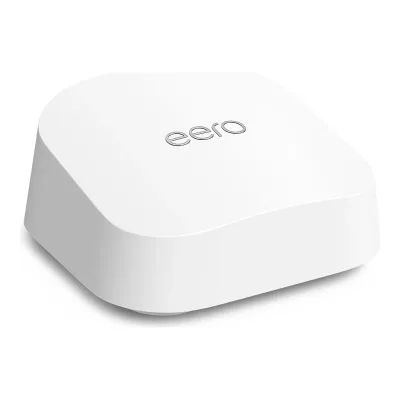
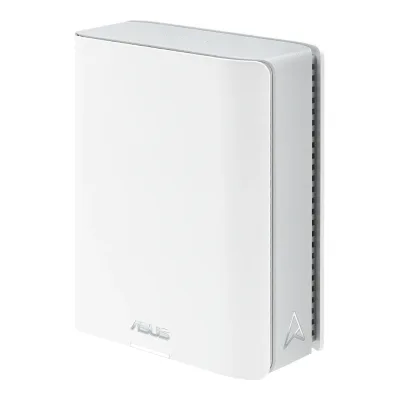
Amazon eero 6 vs TP-Link Deco X20
Product A: Amazon
60 of 90 known
Change Amazon eero 6
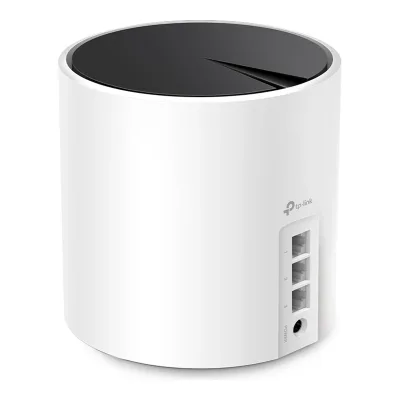
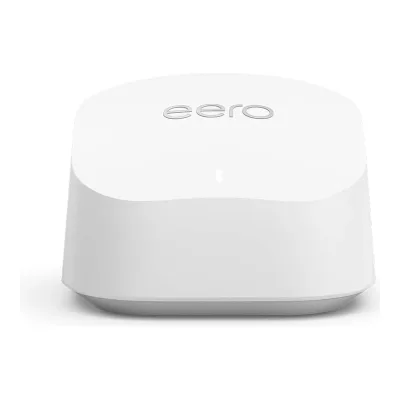
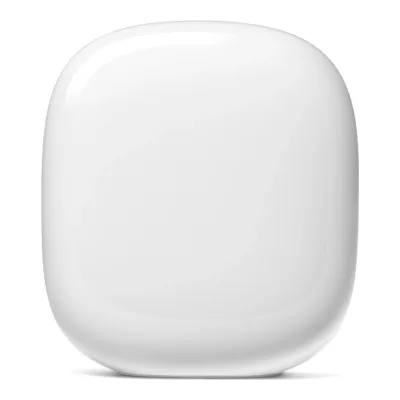
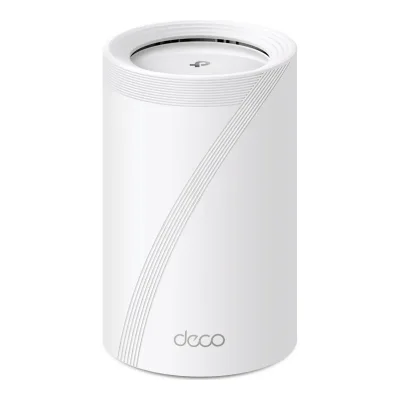
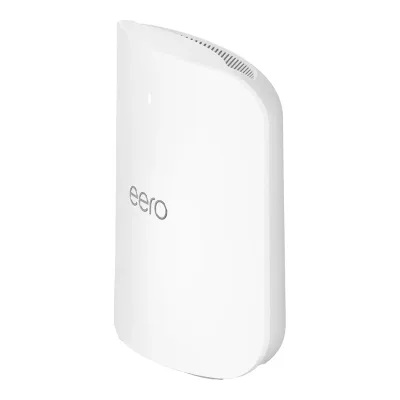
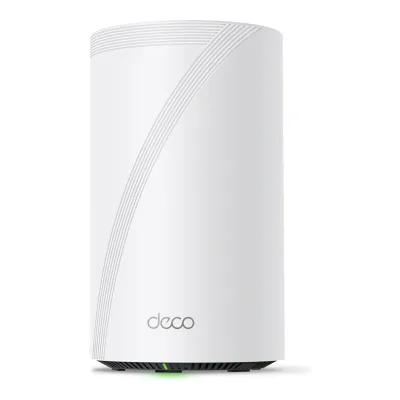
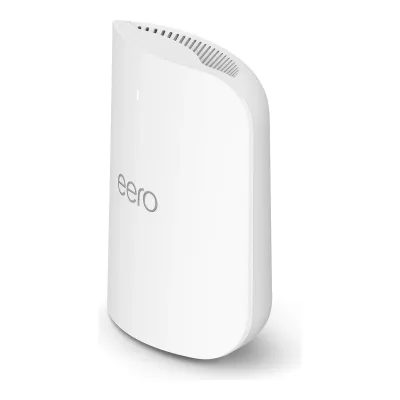
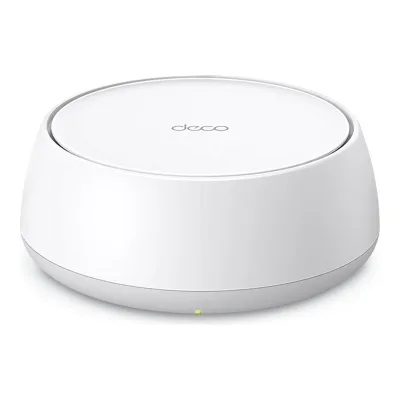
Product B: TP-Link
58 of 90 known
Change TP-Link Deco X20
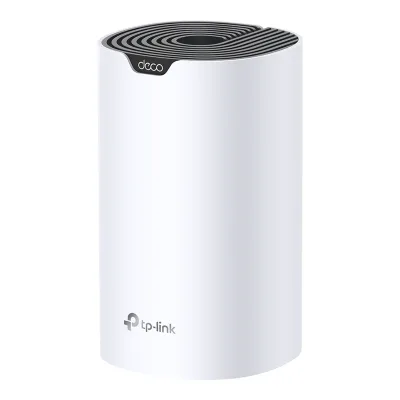
40 of 80 fields differ
- 16 different values
- 24 known for one only
- 26 the same
- 14 missing for both
Biggest differences
Each bar uses the scale of all 62 routers.
- CoverageA: 140m²B: 204m²TP-Link is 64 m² higher.
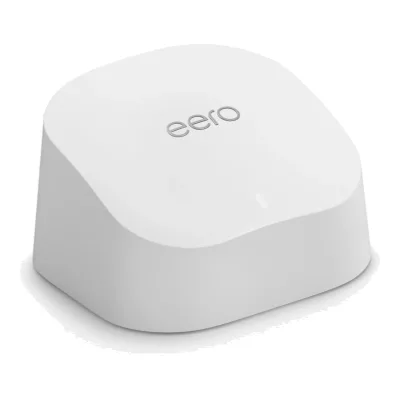
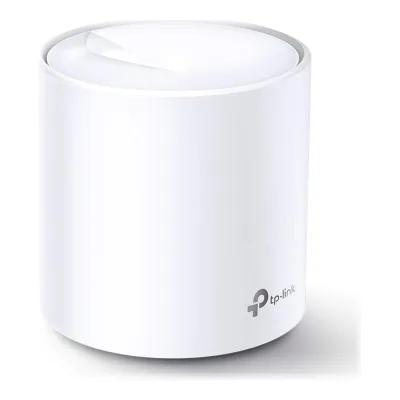
Size, drawn to scale
Front and side.
- AAmazon: 99.3 × 61.5 mm
- BTP-Link: 110 × 114 mm
All 90 fields
Every value links to where we found it.
General
4 of 9 differ
Series
Model numbers
N010001, N0111112Maker spec sheet (PDF)snapav.com/wcsstore/ExtendedSitesCatalogAssetStore/attachments/documents/Networking/SupportDocuments/eero-6-fact-sheet.pdfRead 15 October 2026SKU numbers: 1 pack N011111. The hardware model N010001 comes from the maker's model number and compliance pages.4Maker product pagesupport.eero.com/hc/en-us/articles/115005333406-What-are-the-model-numbers-for-eero-and-eero-BeaconRead 15 October 2026Model number table: eero 6 N010001.5Maker product pageeero.com/legal/complianceRead 15 October 2026Product specifications block: device name eero 6, model N010001. The eero 6 Extender block is Q010001.
Deco X20, Deco X20(1-pack), Deco X20(2-pack), Deco X20(3-pack)1Maker product pagetp-link.com/us/home-networking/deco/deco-x20Read 23 October 2026The page is titled Deco X20, AX1800 Whole Home Mesh Wi-Fi 6 System, and sells 1, 2 and 3 packs. The maker sells several hardware versions (V1 to V5) under this name. The spec rows on this page match the current V5 datasheet (2 internal antennas), so the product describes the current US hardware. Earlier versions differ, for example the V1 US datasheet lists 4 internal antennas and a 12 V 1.5 A adapter.6Retailer pageamazon.com/dp/B08D67556WRead 23 October 2026Mfr Part Number Deco X20(1-pack).7Retailer pageamazon.com/dp/B08D5X9GWCRead 23 October 2026Mfr Part Number Deco X20(2-pack).8Retailer pageamazon.com/dp/B085Z35GY6Read 23 October 2026Mfr Part Number Deco X20(3-pack).
GTIN / EAN
Not available
840030701122, 840030701115, 8400307003306Retailer pageamazon.com/dp/B08D67556WRead 23 October 2026Amazon US 1-pack listing (sold with TP-Link as manufacturer): Model Number Deco X20(1-pack), UPC 840030701122.7Retailer pageamazon.com/dp/B08D5X9GWCRead 23 October 2026Amazon US 2-pack listing: Model Number Deco X20(2-pack), UPC 840030701115.8Retailer pageamazon.com/dp/B085Z35GY6Read 23 October 2026Amazon US 3-pack listing: Model Number Deco X20(3-pack), UPC 840030700330, Global Trade Identification Number 00840030700330.
Announced
Status
Predecessor
Not available
Not available
Successor
Amazon eero 6+21Reviewtechradar.com/reviews/eero-6-plusRead 23 October 2026TechRadar's review says the Eero 6+ is an update of the original Eero 6 and almost twice as fast as its predecessor.
Not available
Launch price (US)
Not available
Launch price (EU)
Not available
Not available
Markets
US, CA6Press releasepress.aboutamazon.com/2020/9/wi-fi-6-is-here-amazon-introduces-all-new-eero-6-series-mesh-wifi-systems-starting-at-129Read 15 October 2026US release. The Canadian release of the same day covers Canada.7Press releasepress.aboutamazon.com/2020/9/wi-fi-6-is-here-amazon-introduces-all-new-eero-6-series-mesh-wifi-systems-starting-at-179Read 15 October 2026Canadian release: available for pre-order on 2020-09-24 and later in the year.
Not available
Colours
Form factor
Wi-Fi
6 of 14 differ
Wi-Fi
Wi-Fi speed class
Wi-Fi radios
AAmazon eero 6
| Band | Wi-Fi | Streams | Max channel width (MHz) | Max link rate (Mbps) | Dedicated backhaul |
|---|---|---|---|---|---|
| 2.4 GHz | Wi-Fi 6 | 2 | 40 | 574 | No |
| 5 GHz | Wi-Fi 6 | 2 | 80 | 1,201 | No |
Source1Maker product pageeero.com/shop/eero-6Read 15 October 2026Wifi connectivity: dual-band radios, simultaneous 2.4 GHz and 5 GHz, 2x2/2x2 MU/SU-MIMO. The shop page prints no rates. The rates and widths come from the fact sheet and the support comparison.2Maker spec sheet (PDF)snapav.com/wcsstore/ExtendedSitesCatalogAssetStore/attachments/documents/Networking/SupportDocuments/eero-6-fact-sheet.pdfRead 15 October 2026Technical specifications: Wi-Fi 6, 2 radios, dual-band, 2x2/2x2 MU/SU-MIMO, 4 spatial streams, channel width 20, 40, 80 MHz, antenna 2.4 GHz 2x2 and 5 GHz 2x2, peak PHY rates 2.4 GHz 574 Mbps and 5 GHz 1201 Mbps. The widths per band are 40 MHz at 2.4 GHz and 80 MHz at 5 GHz, since those are the widths that give the printed rates with 2 streams.3Maker product pageeero.com/support/articles/eero-mesh-wifi-product-comparisonRead 15 October 2026eero 6 router: dual-band, 2x2/2x2 MU/SU-MIMO, 2.4 GHz 2x2, 5 GHz 2x2, wireless speeds up to 900 Mbps, channel width 20, 40, 80 MHz.
BTP-Link Deco X20
| Band | Wi-Fi | Streams | Max channel width (MHz) | Max link rate (Mbps) | Dedicated backhaul |
|---|---|---|---|---|---|
| 2.4 GHz | Wi-Fi 6 | 2 | 40 | 574 | No |
| 5 GHz | Wi-Fi 6 | 2 | 80 | 1,201 | No |
Source1Maker product pagetp-link.com/us/home-networking/deco/deco-x20Read 23 October 2026The page prints 1201 Mbps on 5 GHz and 574 Mbps on 2.4 GHz and says 4 Streams in total, with Dual-Band. It prints no per-band streams or channel widths. The only split that gives 4 streams in total is 2 streams on each band: 574 Mbps is 2 streams at 40 MHz on 2.4 GHz (4 streams would need a 20 MHz channel and leave none for 5 GHz) and 1201 Mbps is 2 streams at 80 MHz on 5 GHz (1 stream at 160 MHz would make the total 3). Expert Reviews confirms 2x2 MIMO and no 160 MHz support on the 5 GHz radio. No band is a dedicated backhaul: the page lists one Dual-Band system and Tom's Guide says there is no dedicated backhaul channel.2Maker spec sheet (PDF)tp-link.com/us/document/110981Read 23 October 2026Deco X20_V5_Datasheet, Wireless: Signal Rate 574 Mbps on 2.4 GHz, 1201 Mbps on 5 GHz. Wireless Standards 802.11a/n/ac/ax on 5 GHz and 802.11b/g/n/ax on 2.4 GHz. The datasheet prints no streams or widths.10Reviewtomsguide.com/reviews/tp-link-deco-x20Read 23 October 2026The review says the Deco X20 is dual-band and has no dedicated second 5 GHz backhaul channel. It lists four internal antennas, which matches the V1 hardware and not the V5 datasheet.11Reviewexpertreviews.co.uk/technology/wifi-home-networking/tp-link-deco-x20-reviewRead 23 October 2026Review published 23 April 2021: each node has a single 5 GHz radio with a claimed 1,201 Mbps, no 160 MHz support and 2x2 MIMO.
Radio bands
2
2
6 GHz band
No
No
Combined Wi-Fi link rate
1,775Mbps
1,775Mbps
Wi-Fi streams
4
4
Max Wi-Fi channel width
80MHz
80MHz
Wi-Fi features
OFDMA, MU-MIMO, Beamforming, Band steering1Maker product pageeero.com/shop/eero-6Read 15 October 2026Wifi connectivity: WMM, Tx Beamforming and OFDMA, with 2x2/2x2 MU/SU-MIMO. The fact sheet lists band steering as an eero Labs feature, see its entry.2Maker spec sheet (PDF)snapav.com/wcsstore/ExtendedSitesCatalogAssetStore/attachments/documents/Networking/SupportDocuments/eero-6-fact-sheet.pdfRead 15 October 2026Other wifi features: WMM, Tx Beamforming, OFDMA. Band steering: Yes, eero Labs feature. It is an optional Labs feature.
OFDMA, MU-MIMO, Beamforming1Maker product pagetp-link.com/us/home-networking/deco/deco-x20Read 23 October 2026Beamforming, MU-MIMO and OFDMA are listed in the WiFi Capacity and WiFi Range rows. BSS Color and 1024-QAM are named in the text but are no option here. The page says Dual-Band distributes devices to different bands, but Expert Reviews says there is no band-splitting option, so band steering is not stored.11Reviewexpertreviews.co.uk/technology/wifi-home-networking/tp-link-deco-x20-reviewRead 23 October 2026The review says the only thing missing is a band-splitting option.
External antennas
Not available
Internal antennas
Not available
Detachable antennas
Not available
Coverage of one unit (claimed)
140m²3Maker product pageeero.com/support/articles/eero-mesh-wifi-product-comparisonRead 15 October 2026Up to 1,500 sq. ft. per device. The maker's own m2 figure comes from the Canadian launch release.7Press releasepress.aboutamazon.com/2020/9/wi-fi-6-is-here-amazon-introduces-all-new-eero-6-series-mesh-wifi-systems-starting-at-179Read 15 October 2026Canadian release of 2020-09-24: a single eero 6 covers up to 140 square meters. The two-pack covers up to 280 and the three-pack up to 460 square meters. The Canadian prices are in dollars of that market and are not stored.
204m²6Retailer pageamazon.com/dp/B08D67556WRead 23 October 2026The listing's Item Highlight says covers up to 2200 sq. ft. for the 1-pack. Converted to 204 m2 (204.4). The maker's own page prints no 1-pack area, only 1-3 bedroom houses.7Retailer pageamazon.com/dp/B08D5X9GWCRead 23 October 2026Item Highlight: covers up to 4000 sq. ft. for the 2-pack. The maker's page says the same. Converted to 372 m2 (371.6) in the 2-pack row.8Retailer pageamazon.com/dp/B085Z35GY6Read 23 October 2026Item Highlight: covers up to 5800 sq. ft. for the 3-pack. The maker's page says the same. Converted to 539 m2 (538.8) in the 3-pack row.
Connected devices per unit (claimed)
751Maker product pageeero.com/shop/eero-6Read 15 October 2026Wi-Fi 6 supports 75+ devices. Stored as 75 and the plus sign is kept here.2Maker spec sheet (PDF)snapav.com/wcsstore/ExtendedSitesCatalogAssetStore/attachments/documents/Networking/SupportDocuments/eero-6-fact-sheet.pdfRead 15 October 2026Support for speeds up to 900 Mbps even as you add 75+ devices. Stored as 75.3Maker product pageeero.com/support/articles/eero-mesh-wifi-product-comparisonRead 15 October 202675+ devices.
Ports and modem
0 of 9 differ
Ports
AAmazon eero 6
| Port | Count | Role | Max speed (Gbps) |
|---|---|---|---|
| RJ45 | 2 | WAN or LAN | 1 |
Source1Maker product pageeero.com/shop/eero-6Read 15 October 2026Wired connectivity: dual auto-sensing gigabit ports for WAN and/or LAN connectivity.2Maker spec sheet (PDF)snapav.com/wcsstore/ExtendedSitesCatalogAssetStore/attachments/documents/Networking/SupportDocuments/eero-6-fact-sheet.pdfRead 15 October 2026Ethernet: 2 x 1 auto-sensing Gigabit ports, RJ-45.3Maker product pageeero.com/support/articles/eero-mesh-wifi-product-comparisonRead 15 October 2026Router: two ethernet ports, wired speeds up to 1 Gbps. The eero 6 Extender has no ethernet ports.
BTP-Link Deco X20
| Port | Count | Role | Max speed (Gbps) |
|---|---|---|---|
| RJ45 | 2 | WAN or LAN | 1 |
Source1Maker product pagetp-link.com/us/home-networking/deco/deco-x20Read 23 October 2026Ethernet Ports: 2x Gigabit Ports per Deco unit, with WAN/LAN auto-sensing. There is no USB port.2Maker spec sheet (PDF)tp-link.com/us/document/110981Read 23 October 2026Ethernet Port: 2 Gigabit ports per Deco unit (WAN/LAN auto-sensing).
Ethernet ports
2
2
Multi-gig ports
0
0
Fastest WAN port
1Gbps
1Gbps
Fastest LAN port
1Gbps
1Gbps
USB ports
0
0
SFP+ port
No
No
Built-in modem
Not available
Not available
Modem standards
Not available
Not available
Mesh
4 of 7 differ
Mesh technologies
TrueMesh1Maker product pageeero.com/shop/eero-6Read 15 October 2026Our TrueMesh technology intelligently routes traffic to reduce drop-offs.19Maker product pageeero.com/en-NZ/technologyRead 15 October 2026eero's own mesh software is called TrueMesh. Every eero connects to every other eero in range on both the 2.4 GHz and the 5 GHz bands.
Units per pack
1, 2, 31Maker product pageeero.com/shop/eero-6Read 15 October 2026The shop sells a 1-pack, a 2-pack of 2 routers, a 3-pack with 1 router and 2 extenders and a 1-pack extender. The launch release sold the 1, 2 and 3 packs, see its entry.6Press releasepress.aboutamazon.com/2020/9/wi-fi-6-is-here-amazon-introduces-all-new-eero-6-series-mesh-wifi-systems-starting-at-129Read 15 October 2026A single eero 6 covers up to 1,500 sq. ft. The two-pack covers up to 3,000 sq. ft. and includes an eero 6 router and an eero 6 extender. The three-pack covers up to 5,000 sq. ft. and includes an eero 6 and two eero 6 extenders.
Coverage of the pack (claimed)
140 to 460m²2Maker spec sheet (PDF)snapav.com/wcsstore/ExtendedSitesCatalogAssetStore/attachments/documents/Networking/SupportDocuments/eero-6-fact-sheet.pdfRead 15 October 20266Press releasepress.aboutamazon.com/2020/9/wi-fi-6-is-here-amazon-introduces-all-new-eero-6-series-mesh-wifi-systems-starting-at-129Read 15 October 20267Press releasepress.aboutamazon.com/2020/9/wi-fi-6-is-here-amazon-introduces-all-new-eero-6-series-mesh-wifi-systems-starting-at-179Read 15 October 2026
Identical units
No3Maker product pageeero.com/support/articles/eero-mesh-wifi-product-comparisonRead 15 October 2026The page lists the eero 6 router and the eero 6 Extender as two models. The extender is wireless-only and can only be added to an existing eero network. The 3-pack has 1 router and 2 extenders, so the units are not identical. The shop now also sells a 2-pack of 2 routers.6Press releasepress.aboutamazon.com/2020/9/wi-fi-6-is-here-amazon-introduces-all-new-eero-6-series-mesh-wifi-systems-starting-at-129Read 15 October 2026The launch two-pack and three-pack include extenders, which are a separate model.
Yes1Maker product pagetp-link.com/us/home-networking/deco/deco-x20Read 23 October 2026Package Content lists 1, 2 or 3 identical Deco X20 units. Tom's Guide says each unit is set up as host or satellite during installation.10Reviewtomsguide.com/reviews/tp-link-deco-x20Read 23 October 2026Each Deco X20 unit is set up as the host or a satellite in the installation process.
Satellite model
Q0100013Maker product pageeero.com/support/articles/eero-mesh-wifi-product-comparisonRead 15 October 2026The eero 6 Extender is the wireless-only satellite. Its model number is on the model numbers page.4Maker product pagesupport.eero.com/hc/en-us/articles/115005333406-What-are-the-model-numbers-for-eero-and-eero-BeaconRead 15 October 2026Model number table: eero 6 Extender Q010001.
Not available
Satellite ports
Not available
Not available
Ethernet backhaul
Software
2 of 7 differ
Management
Mobile app1Maker product pagetp-link.com/us/home-networking/deco/deco-x20Read 23 October 2026Management Features: Deco App. Cloud Service: OTA Firmware Upgrade, TP-Link ID. The port 80/443 web server entry is a service port. Tom's Guide and Expert Reviews say the browser page at tplinkdeco.net is a status page only, so web_interface is not stored.3Owner's manualtp-link.com/us/document/110979Read 23 October 2026Setup and use are described through the Deco app for iOS and Android.4Owner's manualtp-link.com/us/document/16138Read 23 October 2026Deco App User Guide covers setup and management in the app.10Reviewtomsguide.com/reviews/tp-link-deco-x20Read 23 October 2026The browser page at tplinkdeco.net shows a network map and status. Nothing can be changed there, and the setup used the Deco app and a TP-Link ID.11Reviewexpertreviews.co.uk/technology/wifi-home-networking/tp-link-deco-x20-reviewRead 23 October 2026The system cannot be managed through a web portal. A basic console shows the state of the network and changes need the mobile app.
Online account required
Yes1Maker product pagetp-link.com/us/home-networking/deco/deco-x20Read 23 October 2026Cloud Service lists TP-Link ID. The V5 guide setup step 2 says to log in or sign up with a TP-Link ID in the Deco app.3Owner's manualtp-link.com/us/document/110979Read 23 October 2026Section 2, step 2: open the app and log in with your TP-Link ID. If you do not have one, create one first.
Operating modes
Router, Access point, Mesh node3Maker product pageeero.com/support/articles/eero-mesh-wifi-product-comparisonRead 15 October 2026Use case of the router: Gateway or extender.18Maker product pageeero.com/support/articles/what-is-bridge-modeRead 15 October 2026Bridge mode disables routing and wifi capabilities of the device, so it works as a modem or access point. Stored as access_point.
Network features
Guest network, Parental controls1Maker product pageeero.com/shop/eero-6Read 15 October 2026Security and network services: WPA2-AES, WPA3-Personal transition mode and Parental Controls. The page says to share your network easily and securely with guests.2Maker spec sheet (PDF)snapav.com/wcsstore/ExtendedSitesCatalogAssetStore/attachments/documents/Networking/SupportDocuments/eero-6-fact-sheet.pdfRead 15 October 2026Parental Controls: device/profile pause Yes. Easy password sharing for guest and home network Yes.13Maker product pagesupport.eero.com/hc/en-us/articles/207895123-How-do-I-share-my-eero-network-with-guestsRead 15 October 2026eero lets you share your wifi with a separate guest network that you create and manage in the eero app.14Maker product pageeero.com/support/articles/what-are-profilesRead 15 October 2026All eero users can use Profiles to group devices by user and schedule when those devices can connect to the internet. Content filters and app blocking need eero Plus and are not covered by the stored value.
Guest network, IPTV, QoS, Parental controls, Dynamic DNS1Maker product pagetp-link.com/us/home-networking/deco/deco-x20Read 23 October 2026Guest Network on 2.4 GHz and 5 GHz, IPTV (IGMP Proxy, IGMP Snooping, Bridge, Tag VLAN), HomeShield QoS by Device, HomeShield Parental Controls with Bedtime, Off Time and Pause the Internet, and DDNS (TP-Link) are listed. The Deco App User Guide says content filter, website blocking and a no-internet bedtime are free, and only more flexible settings need the subscription. Tag VLAN is part of the IPTV settings, so VLAN is not stored. The page lists no IoT network and no VPN.4Owner's manualtp-link.com/us/document/16138Read 23 October 2026Deco App User Guide FW1.10.0, Parental Controls: filter inappropriate content, block specific websites and a no-internet bedtime are available to all. More flexible settings, such as app blocking, need the HomeShield subscription. The QoS section (More > QoS) names no subscription. The guide covers all Deco models and says features vary by model.
VPN server
Not available
Not available
VPN client
Not available
Not available
USB applications
Not available
Not available
Security
3 of 5 differ
Wi-Fi security
WPA2-Personal, WPA3-Personal1Maker product pageeero.com/shop/eero-6Read 15 October 2026Security and network services: WPA2-AES, WPA3-Personal transition mode.2Maker spec sheet (PDF)snapav.com/wcsstore/ExtendedSitesCatalogAssetStore/attachments/documents/Networking/SupportDocuments/eero-6-fact-sheet.pdfRead 15 October 2026Security: WPA2-AES, WPA3-Personal transition mode.5Maker product pageeero.com/legal/complianceRead 15 October 2026Network security and services: WPA3, WPA2.19Maker product pageeero.com/en-NZ/technologyRead 15 October 2026WPA3 is an optional eero Labs feature, which fits the WPA3-Personal transition mode of the fact sheet.
Security service
Security service cost
Basic free, full paid1Maker product pagetp-link.com/us/home-networking/deco/deco-x20Read 23 October 2026Footnote: HomeShield includes the Free Basic Plan. Fees apply for the Pro Plan. The free and paid tiers share the name HomeShield.2Maker spec sheet (PDF)tp-link.com/us/document/110981Read 23 October 2026HomeShield includes the Free Basic Plan. Fees apply for the Pro Plan.
Automatic firmware updates
Yes2Maker spec sheet (PDF)tp-link.com/us/document/110981Read 23 October 2026Software: Online Upgrade is listed under Easy Setup by Deco App.3Owner's manualtp-link.com/us/document/110979Read 23 October 2026Section 2, step 9: set auto update time. This allows your Deco to automatically update to the latest firmware. The note says Auto Update is enabled by default for some versions.
Security updates until
Not available
Smart home
4 of 5 differ
Thread border router
Not available
Matter controller
Not available
Zigbee hub
Yes1Maker product pageeero.com/shop/eero-6Read 15 October 2026eero 6 features a built-in Zigbee smart home hub that works with Alexa.2Maker spec sheet (PDF)snapav.com/wcsstore/ExtendedSitesCatalogAssetStore/attachments/documents/Networking/SupportDocuments/eero-6-fact-sheet.pdfRead 15 October 2026Smart home hub: Yes (Zigbee). Thread: OpenThread.
Not available
Bluetooth
5.01Maker product pageeero.com/shop/eero-6Read 15 October 2026Smart home connectivity: Bluetooth Low Energy 5.0.2Maker spec sheet (PDF)snapav.com/wcsstore/ExtendedSitesCatalogAssetStore/attachments/documents/Networking/SupportDocuments/eero-6-fact-sheet.pdfRead 15 October 2026Low power radios: 802.15.4 and Bluetooth Low Energy 5.0.
Not available
Hardware
4 of 6 differ
System on chip
Not available
Not available
CPU cores
41Maker product pageeero.com/shop/eero-6Read 15 October 2026Processor, memory, and storage: 1.2 GHz quad-core processor, 512MB RAM, 4GB flash storage.2Maker spec sheet (PDF)snapav.com/wcsstore/ExtendedSitesCatalogAssetStore/attachments/documents/Networking/SupportDocuments/eero-6-fact-sheet.pdfRead 15 October 2026Processor: 1.2 GHz quad-core processor.
Not available
CPU clock
1.2GHz1Maker product pageeero.com/shop/eero-6Read 15 October 20261.2 GHz quad-core processor.2Maker spec sheet (PDF)snapav.com/wcsstore/ExtendedSitesCatalogAssetStore/attachments/documents/Networking/SupportDocuments/eero-6-fact-sheet.pdfRead 15 October 2026Processor: 1.2 GHz quad-core processor.
Not available
RAM
512MB1Maker product pageeero.com/shop/eero-6Read 15 October 2026Published as 512MB RAM. No source prints a GB figure, so it is stored as 0.512 GB.2Maker spec sheet (PDF)snapav.com/wcsstore/ExtendedSitesCatalogAssetStore/attachments/documents/Networking/SupportDocuments/eero-6-fact-sheet.pdfRead 15 October 2026Memory: 512MB RAM.
Not available
Flash storage
4GB1Maker product pageeero.com/shop/eero-6Read 15 October 2026Published as 4GB flash storage.2Maker spec sheet (PDF)snapav.com/wcsstore/ExtendedSitesCatalogAssetStore/attachments/documents/Networking/SupportDocuments/eero-6-fact-sheet.pdfRead 15 October 2026Storage: 4GB flash storage.
Not available
Cooling fan
Not available
Not available
Power
4 of 5 differ
Power supply
Rated power input
Not available
12 V, 1.2 A2Maker spec sheet (PDF)tp-link.com/us/document/110981Read 23 October 2026Power Adapter Output: 12 V 1.2 A (US version). The EU version is 12 V 1 A and the IN version 12 V 1.5 A. The V5 guide's FCC statement names the US adapter T120120-2B4 (12 V, 1.2 A). The adapter input is 100-240 V 50-60 Hz 0.6 A. The V1 US datasheet lists 12 V 1.5 A and the V4 US datasheet 12 V 1.5 A, so the rating depends on the hardware version.3Owner's manualtp-link.com/us/document/110979Read 23 October 2026The FCC compliance statement names the I.T.E power supply model T120120-2B4. The model name encodes 12 V and 1.2 A, which matches the V5 datasheet.
Included adapter output
Power use (typical, claimed)
Not available
Not available
Power use (max, claimed)
Not available
Measured
4 of 6 differ
Wi-Fi throughput (measured)
AAmazon eero 6
Not availableBTP-Link Deco X20
| Distance (m) | Connected to | Throughput (Mbps) |
|---|---|---|
| 4.572 | Main unit | 522.1 |
| 15.24 | Main unit | 255.4 |
| 22.86 | Main unit | 112.7 |
| 27.432 | Main unit | 51.1 |
| 15.24 | Satellite | 294.5 |
| 15.24 | Satellite | 65.5 |
| 12.192 | Satellite | 150.5 |
Fastest Wi-Fi throughput (measured)
Not available
522.1Mbps
Wi-Fi throughput through a wall (measured)
Not available
Not available
Range (measured)
Not available
Power use under load (measured)
Not available
Energy use per day (measured)
Not available
Not available
Dimensions and weight
3 of 4 differ
Dimensions
Width99.3Height61.5Depth97mm(3.9 × 2.4 × 3.8 in)1Maker product pageeero.com/shop/eero-6Read 15 October 2026Published as 99.4 x 97.0 x 61.5 mm (3.91 x 3.82 x 2.42 inch). The support comparison prints 99.3 x 97 x 61.5 mm and the compliance page 99.4 x 97 x 61.4 mm. The 3.91 inch width is 99.3 mm, so 99.3 is stored. Width, depth and height follow the order of the support comparison.3Maker product pageeero.com/support/articles/eero-mesh-wifi-product-comparisonRead 15 October 2026Size 3.91 x 3.82 x 2.42 in (99.3 x 97 x 61.5 mm) for the router and the extender. The unit sits on a flat surface.
Width110Height114Depth110mm(4.3 × 4.5 × 4.3 in)1Maker product pagetp-link.com/us/home-networking/deco/deco-x20Read 23 October 2026Dimensions (W x D x H): 4.33 x 4.33 x 4.49 in (110 x 110 x 114 mm).2Maker spec sheet (PDF)tp-link.com/us/document/110981Read 23 October 2026Dimensions (W x D x H): 4.33 x 4.33 x 4.49 in (110 x 110 x 114 mm).
Dimensions with antennas
Not available
Not available
Certifications
1 of 1 differ
Wi-Fi Alliance certification ID
Not available
Not available
FCC ID
Not available
Other certifications
Not available
In the box
None of 1 known
In the box
Not available
Not available
Links
Not compared
Product page
Spec sheet
www.snapav.com/wcsstore/ExtendedSitesCatalogAssetStore/attachments/documents/Networking/SupportDocuments/eero-6-fact-sheet.pdf2Maker spec sheet (PDF)snapav.com/wcsstore/ExtendedSitesCatalogAssetStore/attachments/documents/Networking/SupportDocuments/eero-6-fact-sheet.pdfRead 15 October 2026Amazon eero 6 fact sheet of 2020, two pages, copied on a distributor site.
Manual
Not available
EPREL registration number
Not available
Not available
Warranty
1 of 1 differ
Manufacturer warranty (source market)
Both are also in the API. Back to all routers.