Motherboards / Compare
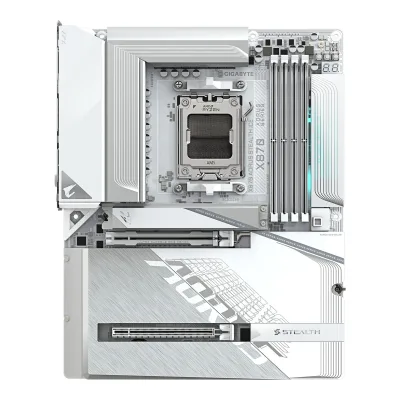
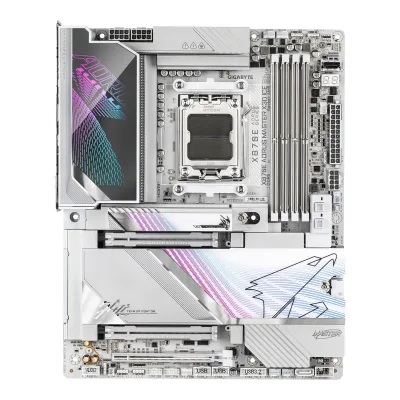
GIGABYTE X870 AORUS STEALTH ICE vs GIGABYTE X870E AORUS MASTER X3D ICE
Product A: GIGABYTE
66 of 78 known ASUS ROG Crosshair X870E Dark Hero
 MSI MPG X870E CARBON MAX WIFI
 NZXT N9 X870E
 ASRock X870 Taichi Creator
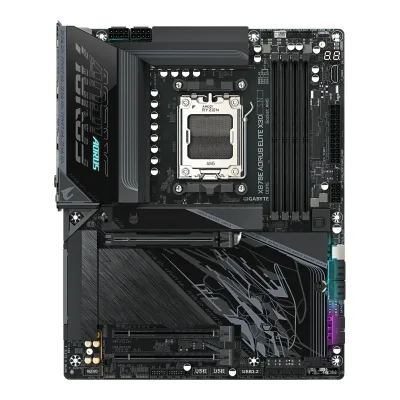 GIGABYTE X870E AORUS ELITE X3D
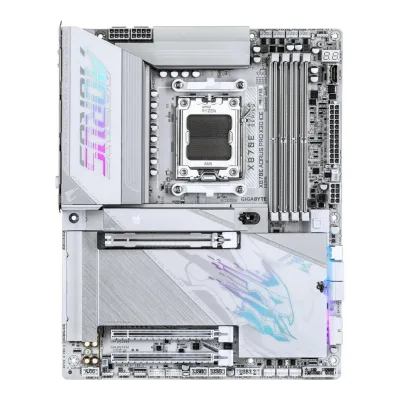 GIGABYTE X870E AORUS PRO X3D ICE
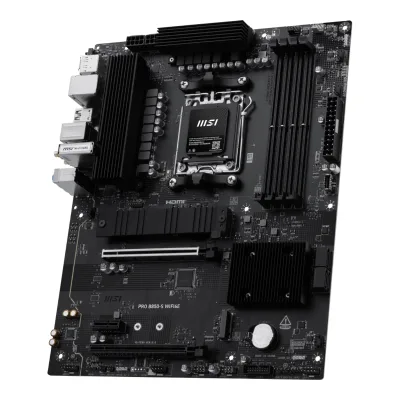 MSI PRO B850-S WIFI6E
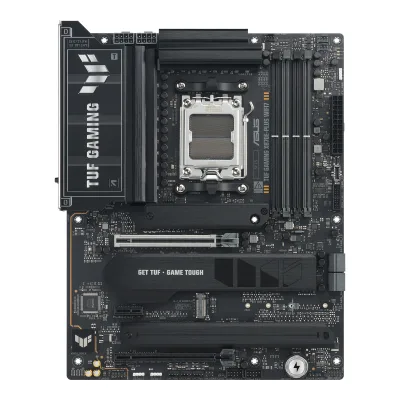 ASUS TUF GAMING X870E-PLUS WIFI7
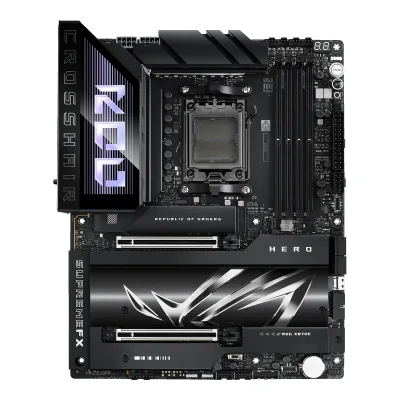 ASUS ROG Crosshair X870E Hero
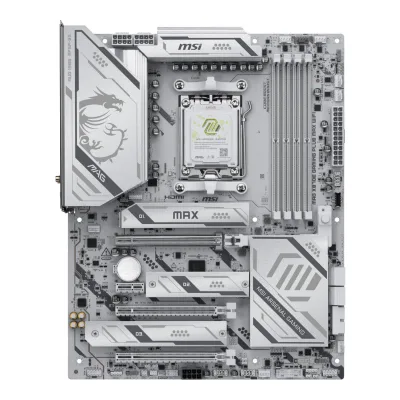 MSI MAG X870E GAMING PLUS MAX WIFI
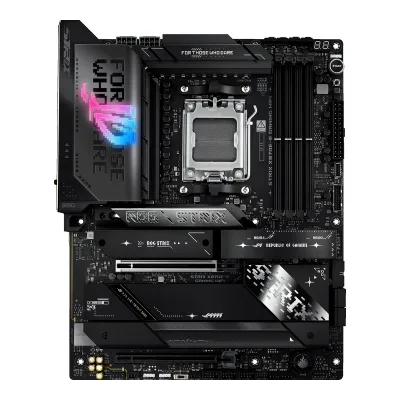 ASUS ROG STRIX X870E-E GAMING WIFI
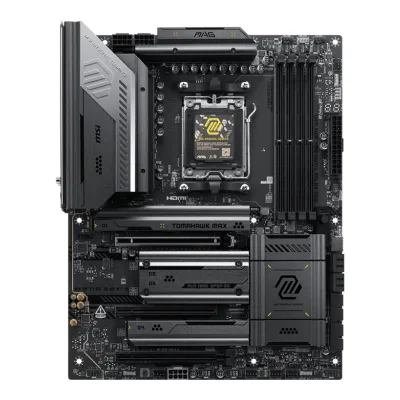 MSI MAG X870E TOMAHAWK MAX WIFI
Change GIGABYTE X870 AORUS STEALTH ICE
Compare the GIGABYTE X870E AORUS MASTER X3D ICE with
ASUS ROG Crosshair X870E Dark HeroMSI MPG X870E CARBON MAX WIFINZXT N9 X870EASRock X870 Taichi CreatorGIGABYTE X870E AORUS ELITE X3DGIGABYTE X870E AORUS PRO X3D ICEMSI PRO B850-S WIFI6EASUS TUF GAMING X870E-PLUS WIFI7ASUS ROG Crosshair X870E HeroMSI MAG X870E GAMING PLUS MAX WIFIASUS ROG STRIX X870E-E GAMING WIFIMSI MAG X870E TOMAHAWK MAX WIFIProduct B: GIGABYTE
65 of 78 known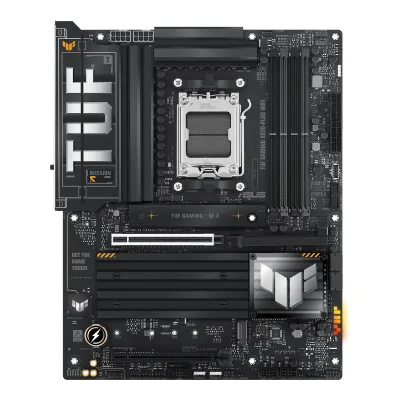 ASUS TUF GAMING X870-PLUS WIFI
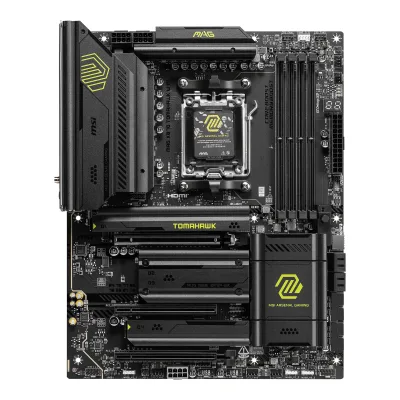 MSI MAG X870 TOMAHAWK WIFI
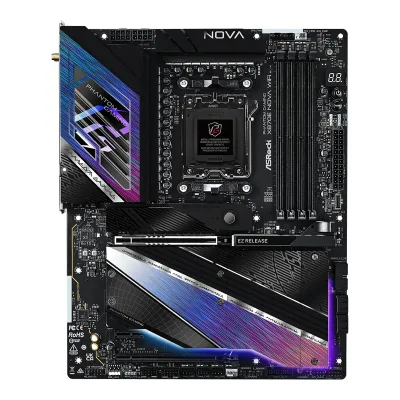 ASRock X870E Nova WiFi
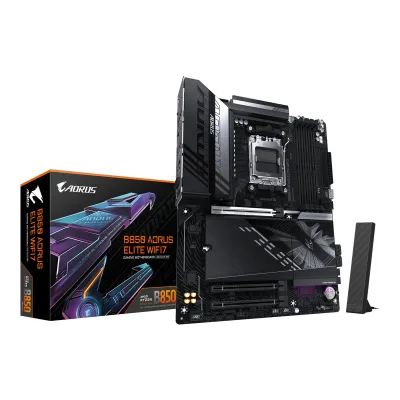 GIGABYTE B850 AORUS ELITE WIFI7NZXT N9 X870EMSI PRO B850-S WIFI6E
 GIGABYTE B850 AORUS ELITE WIFI7 ICEASUS TUF GAMING X870E-PLUS WIFI7
 GIGABYTE X870 AORUS ELITE WIFI7ASRock X870 Taichi Creator
 ASUS ROG STRIX X870-A GAMING WIFI
 GIGABYTE X870E AORUS PRO ICE
Change GIGABYTE X870E AORUS MASTER X3D ICE
Compare the GIGABYTE X870 AORUS STEALTH ICE with
ASUS TUF GAMING X870-PLUS WIFIMSI MAG X870 TOMAHAWK WIFIASRock X870E Nova WiFiGIGABYTE B850 AORUS ELITE WIFI7NZXT N9 X870EMSI PRO B850-S WIFI6EGIGABYTE B850 AORUS ELITE WIFI7 ICEASUS TUF GAMING X870E-PLUS WIFI7GIGABYTE X870 AORUS ELITE WIFI7ASRock X870 Taichi CreatorASUS ROG STRIX X870-A GAMING WIFIGIGABYTE X870E AORUS PRO ICE31 of 70 fields differ
- 26 different values
- 5 known for one only
- 33 the same
- 6 missing for both
Biggest differences
Each bar uses the scale of all 87 motherboards.
- Ethernet speedA: 5GbpsB: 10GbpsX870E AORUS MASTER X3D ICE is 5 Gbps higher.
- Rear USB-C portsA: 3B: 4X870E AORUS MASTER X3D ICE has 1 more.
- M.2 slotsA: 4B: 5X870E AORUS MASTER X3D ICE has 1 more.
- Rear USB portsA: 13B: 11X870 AORUS STEALTH ICE has 2 more.
- Vcore stagesA: 16B: 18X870E AORUS MASTER X3D ICE has 2 more.
Size, drawn to scale
Front and side.
- AX870 AORUS STEALTH ICE: 244 × 305 mm
- BX870E AORUS MASTER X3D ICE: 244 × 305 mm
All 78 fields
Every value links to where we found it.
General
3 of 9 differ
Series
Model numbers
X870 AORUS STEALTH ICE, X870 A STEALTH ICE1Owner's manualtrovaprezzi.it/manuali/gigabyte_aorus_x870_stealth_ice.pdfRead 15 October 2026Manual cover and regulatory table: X870 AORUS STEALTH ICE, short model number X870 A STEALTH ICE. The manual covers the black X870 AORUS STEALTH too, which is a separate product.
X870E AORUS MASTER X3D ICE, X870E A MASTER X ICE1Owner's manualapi.cenoteka.rs/uploads/2026/08/uputstvo-za-upotrebu-en-gigabyte-x870e-aorus-master-x3d-maticna-ploca-6a74dd72e87f3.pdfRead 14 October 2026Cover and regulatory page: X870E AORUS MASTER X3D ICE (X870E A MASTER X ICE). The regulatory page names one model number for both colours, X870E A MASTER X ICE/X870E A MASTER X. The white ICE edition has its own name, so it is one product.
GTIN / EAN
Announced
Not available
Status
Predecessor
Not available
Not available
Successor
Not available
Not available
Launch price (US)
Launch price (EU)
Not available
Not available
Markets
Not available
Not available
Colours
Not available
Segment
Board revision
Not available
Not available
Platform
1 of 4 differ
CPU socket
Chipset
Supported processors
AMD Ryzen 9000 Series, AMD Ryzen 8000 Series, AMD Ryzen 7000 Series1Owner's manualtrovaprezzi.it/manuali/gigabyte_aorus_x870_stealth_ice.pdfRead 15 October 2026Section 2-2: AMD Ryzen 9000, 8000 and 7000 Series. The manual refers to the maker's website for the CPU support list. Read on 2026-10-15.
AMD Ryzen 9000 Series, AMD Ryzen 8000 Series, AMD Ryzen 7000 Series1Owner's manualapi.cenoteka.rs/uploads/2026/08/uputstvo-za-upotrebu-en-gigabyte-x870e-aorus-master-x3d-maticna-ploca-6a74dd72e87f3.pdfRead 14 October 2026Section 2-2, CPU row: AMD Socket AM5, Ryzen 9000, 8000 and 7000 Series. The manual refers to the maker's website for the CPU support list. Read on 2026-10-14.
CPU overclocking
Board
2 of 5 differ
Form factor
Board dimensions
PCB layers
65Reviewpcunboxing.com/enRead 15 October 2026A six-layer PCB specification.7Retailer pageglobal.channelonline.com/andrew/enduser/Products/overview/M026144900Read 15 October 20266 Layer PCB, with 2x Copper PCB.
83Reviewwccftech.com/review/gigabyte-x870e-aorus-master-ice-x3d-motherboard-review-amd-x3d-keeps-on-getting-faster-aorus-top-class-designRead 14 October 2026Page 2: 8-layer PCB with the Back Drill process. Netcodex agrees.4Spec databasegeizhals.de/gigabyte-x870e-aorus-master-x3d-ice-a3590706.htmlRead 14 October 2026Besonderheiten: White build-compatible PCB. It gives no layer count.5Retailer pagenetcodex.ph/product/gigabyte-x870e-aorus-master-x3d-ice-amd-ryzen-am5-atx-motherboard-ga-x870e-a-master-x-iceRead 14 October 20268-layer server-grade PCB with 2X copper.
Back-connect design
Yes1Owner's manualtrovaprezzi.it/manuali/gigabyte_aorus_x870_stealth_ice.pdfRead 15 October 2026The manual's section 1-1 has a Rear View with the power, fan, SATA and USB header connectors on the back of the PCB. Club386 and Red Dot describe the board as back-connect.5Reviewpcunboxing.com/enRead 15 October 2026The article calls it a back-plug design.9Press articleclub386.com/gigabyte-launches-two-aorus-stealth-ice-back-connect-motherboards-for-am5-cpusRead 15 October 2026The article names the boards back-connect, with the cable headers on the rear of the PCB.
RGB lighting on the board
Yes4Reviewprofesionalreview.com/2025/07/15/x870-aorus-stealth-ice-review/ampRead 15 October 2026The DIMM slot cover has RGB lighting. pcunboxing says the lighting near the memory slots can be set in GIGABYTE Control Center, and Channel Online lists RGB FUSION. The review writes 'cubierta embellecedora provista de iluminacion RGB'.5Reviewpcunboxing.com/enRead 15 October 2026The only lighting that GCC can adjust is on the right side of the memory slots.7Retailer pageglobal.channelonline.com/andrew/enduser/Products/overview/M026144900Read 15 October 2026Notable features list RGB FUSION.
Power delivery
5 of 6 differ
Power stage layout
16+2+23Maker product pagestore.aorus.com/x870-aorus-stealth-ice-motherboardRead 15 October 2026Digital twin 16+2+2 phases VRM solution with VRM Thermal Armor Advanced. A pre-launch GIGABYTE press release, seen only in a search result, says 18+2+2, which the retail board does not match.4Reviewprofesionalreview.com/2025/07/15/x870-aorus-stealth-ice-review/ampRead 15 October 202616+2+2 phases, with the 16 Vcore phases as 8+8 in parallel.5Reviewpcunboxing.com/enRead 15 October 2026CPU power 16 (80A) + 2 (80A) + 2 phases, 16-phase SPS 80A VCORE powered by 8+8 phase parallel supplies.7Retailer pageglobal.channelonline.com/andrew/enduser/Products/overview/M026144900Read 15 October 202616+2+2 Phase Power Design, VRM Thermal Armor Advanced.
CPU core (Vcore) power stages
Vcore power stage rating
80A4Reviewprofesionalreview.com/2025/07/15/x870-aorus-stealth-ice-review/ampRead 15 October 2026Infineon PMC41410, 80A rated. pcunboxing writes 16 (80A) + 2 (80A) + 2 phases, which copies the maker's wording. The figure is stored as 80 A.5Reviewpcunboxing.com/enRead 15 October 202616-phase SPS 80A VCORE phases.
110A3Reviewwccftech.com/review/gigabyte-x870e-aorus-master-ice-x3d-motherboard-review-amd-x3d-keeps-on-getting-faster-aorus-top-class-designRead 14 October 2026Page 2: 110A phases for VCore and SOC and 90A for the two MISC phases. Geizhals says 18 x 110A for VCORE.4Spec databasegeizhals.de/gigabyte-x870e-aorus-master-x3d-ice-a3590706.htmlRead 14 October 202618 x 110 A for VCORE.5Retailer pagenetcodex.ph/product/gigabyte-x870e-aorus-master-x3d-ice-amd-ryzen-am5-atx-motherboard-ga-x870e-a-master-x-iceRead 14 October 2026Digital Twin 18+2+2 Phases (110A Smart Power Stage), copying the maker's text.
VRM controller
CPU power connectors
8+4 pin1Owner's manualtrovaprezzi.it/manuali/gigabyte_aorus_x870_stealth_ice.pdfRead 15 October 2026Section 2-2 and 2-8: one 8-pin ATX 12V connector (ATX_12V), one 4-pin ATX 12V connector (ATX_12V1) and the 24-pin ATX connector.4Reviewprofesionalreview.com/2025/07/15/x870-aorus-stealth-ice-review/ampRead 15 October 2026The review writes two 8-pin EPS connectors, which the manual does not support. The manual lists 8-pin plus 4-pin and wins.6Reviewfunkykit.com/reviews/motherboards/gigabyte-x870-aorus-stealth-ice-motherboard-review/2Read 15 October 2026Page 2 copies the maker's list: 24-pin ATX, 8-pin ATX12V and 4-pin ATX12V.
Extra slot power connector
Memory
1 of 6 differ
Memory type
Memory slots
Max memory
Max memory speed (overclocked)
8,200MT/s3Maker product pagestore.aorus.com/x870-aorus-stealth-ice-motherboardRead 15 October 2026Memory max 8200 MHz, 4 slots, 256 GB. The page does not name a CPU family or module setup. Ryzen 9000 is the newest family of the board. Retailer sheets write 8200 MT/s (O.C.).5Reviewpcunboxing.com/enRead 15 October 2026Up to 8200 MT/s (O.C.) per the QVL list with the Ryzen 9000 series.7Retailer pageglobal.channelonline.com/andrew/enduser/Products/overview/M026144900Read 15 October 2026Memory speeds 4400 MT/s up to 8200 MT/s (O.C.).
9,000MT/s2Press releaseaap.com.au/aapreleases/cision20250917ae65500Read 14 October 2026Series text: DDR5 support up to 9000+ MT/s. The release gives no CPU family or module setup. Core Ultra is not a candidate here, and Ryzen 9000 is the newest family the board supports.3Reviewwccftech.com/review/gigabyte-x870e-aorus-master-ice-x3d-motherboard-review-amd-x3d-keeps-on-getting-faster-aorus-top-class-designRead 14 October 2026Page 2: XMP and EXPO up to 9000 MT/s (OC Plus).5Retailer pagenetcodex.ph/product/gigabyte-x870e-aorus-master-x3d-ice-amd-ryzen-am5-atx-motherboard-ga-x870e-a-master-x-iceRead 14 October 2026Spec table copies the maker's: DDR5 9000+ MT/s (OC), XMP and EXPO.6Retailer pageie.computerorbit.com/products/gigabyte-x870e-aorus-master-x3d-ice-atx-am5-motherboardRead 14 October 2026Memory speed up to 9000 MHz.
ECC memory
CUDIMM support
Not available
Not available
Expansion slots
2 of 3 differ
Expansion slots
AGIGABYTE X870 AORUS STEALTH ICE
| Physical slot | Electrical lanes | PCIe generation | Connected to | Count |
|---|---|---|---|---|
| PCIe x16 | 16 | 5 | CPU | 1 |
| PCIe x16 | 4 | 4 | Chipset | 1 |
BGIGABYTE X870E AORUS MASTER X3D ICE
| Physical slot | Electrical lanes | PCIe generation | Connected to | Count |
|---|---|---|---|---|
| PCIe x16 | 16 | 5 | CPU | 1 |
| PCIe x16 | 8 | 5 | CPU | 1 |
| PCIe x16 | 4 | 4 | Chipset | 1 |
Full-length PCIe slots
2
3
Fastest PCIe x16 slot generation
5
5
Storage
2 of 4 differ
M.2 storage slots
AGIGABYTE X870 AORUS STEALTH ICE
| Slot | PCIe generation | PCIe lanes | Connected to | Longest drive | Takes SATA drives | Heatsink | Shares lanes with |
|---|---|---|---|---|---|---|---|
| M2A_CPU | 5 | 4 | CPU | M.2 22110 | No | Yes | Not available |
| M2B_CPU | 5 | 4 | CPU | M.2 22110 | No | Yes | The two rear USB4 ports. With a drive in the slot, the slot and the USB4 ports run at PCIe 5.0 x2. A BIOS setting gives the slot x4 and turns the USB4 ports off. |
| M2C_SB | 4 | 4 | Chipset | M.2 22110 | No | Yes | Not available |
| M2D_SB | 4 | 4 | Chipset | M.2 22110 | No | Yes | The PCIEX4 slot turns off when a drive is in this slot. |
Source1Owner's manualtrovaprezzi.it/manuali/gigabyte_aorus_x870_stealth_ice.pdfRead 15 October 2026Section 2-2 and 2-8. M2A_CPU takes 25110/22110/2580/2280, PCIe 5.0 x4/x2 with Ryzen 9000 and 7000, from the CPU. M2B_CPU takes 22110/2280, PCIe 5.0 x4/x2, from the CPU. It shares bandwidth with the two rear USB4 ports and is unavailable with a Ryzen 8000 Phoenix 2 processor. M2C_SB and M2D_SB take 22110/2280, PCIe 4.0 x4/x2, from the chipset. The 2-8 text says the M.2 connectors support only M.2 PCIe SSDs and the table marks M.2 SATA SSDs as not supported on all four. 22110 is stored for the 25110 and 22110 slot. The heatsink flags come from the layout and from pcunboxing and Profesional Review (see their notes).4Reviewprofesionalreview.com/2025/07/15/x870-aorus-stealth-ice-review/ampRead 15 October 2026The first M.2 slot has its own heatsink. A large aluminium block covers 3 of the 4 M.2 slots. M2B_CPU has thermal pads on both sides of the drive.5Reviewpcunboxing.com/enRead 15 October 2026M2A_CPU has an M.2 Thermal Guard L heatsink. The larger M.2 Thermal Guard Ext. heatsink covers the lower three M.2 slots. M2B_CPU also has a cooling backplate with M.2 EZ-Flex and shares bandwidth with the rear USB4 port, so it defaults to x2.
BGIGABYTE X870E AORUS MASTER X3D ICE
| Slot | PCIe generation | PCIe lanes | Connected to | Longest drive | Takes SATA drives | Heatsink | Shares lanes with |
|---|---|---|---|---|---|---|---|
| M2A_CPU | 5 | 4 | CPU | M.2 2280 | No | Yes | Not available |
| M2B_CPU | 5 | 4 | CPU | M.2 2280 | No | Yes | The slot and the two USB4 ports both run at up to x2 |
| M2C_SB | 4 | 4 | Chipset | M.2 2280 | No | Yes | Not available |
| M2D_SB | 4 | 4 | Chipset | M.2 2280 | No | Yes | The PCIe 4.0 x4 slot is disabled |
| M2E_SB | 4 | 2 | Chipset | M.2 2280 | No | Yes | Not available |
Source1Owner's manualapi.cenoteka.rs/uploads/2026/08/uputstvo-za-upotrebu-en-gigabyte-x870e-aorus-master-x3d-maticna-ploca-6a74dd72e87f3.pdfRead 14 October 2026Section 2-2 and 2-7, Ryzen 9000 values. M2A_CPU takes 2580/2280, PCIe 5.0 x4/x2. M2B_CPU takes 2280, PCIe 5.0 x4/x2, and shares bandwidth with the ASMedia USB4 controller, so both run at up to x2 when the slot is used. M2C_SB and M2D_SB take 2280 at PCIe 4.0 x4/x2 from the chipset. M2E_SB takes 2280 at PCIe 4.0 x2. Section 2-7 says the board supports only M.2 PCIe SSDs, so no slot takes SATA. The install steps show a removable motherboard heatsink on every slot. 2580 is stored as 2280, which is the 80 mm length.3Reviewwccftech.com/review/gigabyte-x870e-aorus-master-ice-x3d-motherboard-review-amd-x3d-keeps-on-getting-faster-aorus-top-class-designRead 14 October 2026Page 2: EZ-Flex pressure plates, dual-sided thermal pads, EZ-Latch heatsink removal and an M.2 Thermal Guard Ext. on the top Gen 5 slot.
M.2 slots
4
5
PCIe 5.0 M.2 slots
2
2
SATA ports
21Owner's manualtrovaprezzi.it/manuali/gigabyte_aorus_x870_stealth_ice.pdfRead 15 October 2026Section 2-2 and the block diagram: 2 x SATA 6Gb/s connectors (SATA3 0 and 1). Club386 writes 4 SATA, which the manual does not support.6Reviewfunkykit.com/reviews/motherboards/gigabyte-x870-aorus-stealth-ice-motherboard-review/2Read 15 October 2026Page 2: 2 SATA 6Gb/s ports.
Rear ports
3 of 5 differ
Rear ports
AGIGABYTE X870 AORUS STEALTH ICE
| Type | Version | Count | Max link rate (Gbps) | Thunderbolt or USB4 | DP Alt Mode |
|---|---|---|---|---|---|
| USB-C | USB4 | 2 | 40 | USB4 | Yes |
| USB-C | USB 3.2 Gen 2 | 1 | 10 | Not available | Not available |
| USB-A | USB 3.2 Gen 2 | 2 | 10 | Not available | Not available |
| USB-A | USB 3.2 Gen 1 | 4 | 5 | Not available | Not available |
| USB-A | USB 2.0 | 4 | 0.48 | Not available | Not available |
| HDMI | HDMI 2.1 | 1 | Not available | Not available | Not available |
| Ethernet (RJ45) | Not available | 1 | 5 | Not available | Not available |
| 3.5 mm audio | Not available | 2 | Not available | Not available | Not available |
| Optical S/PDIF | Not available | 1 | Not available | Not available | Not available |
Source1Owner's manualtrovaprezzi.it/manuali/gigabyte_aorus_x870_stealth_ice.pdfRead 15 October 2026Section 2-2 and 2-6: 1 HDMI (HDMI 2.1 version, 4096x2160@60 Hz), 2 USB4 Type-C ports with DisplayPort (DisplayPort 1.4 through an adapter cable or USB4 monitor, 3840x2160@240 Hz), 1 USB Type-C with USB 3.2 Gen 2, 2 USB 3.2 Gen 2 Type-A (red), 4 USB 3.2 Gen 1, 4 USB 2.0/1.1, 1 RJ-45 up to 5 Gbps, 1 optical S/PDIF out and 2 audio jacks. The manual does not name the four USB 3.2 Gen 1 ports Type-A and does not state 40 Gbps for the USB4 ports. pcunboxing lists 4 Type-A 5Gbps ports and USB4 at 40Gbps. The two antenna connectors are not ports. The Q-Flash Plus function sits on one of the USB 3.2 Gen 2 Type-A ports. The manual lists no power output for the Type-C ports. The manual's back panel list calls the Type-C port a header, which is a wording slip.5Reviewpcunboxing.com/enRead 15 October 2026Rear list: 2 USB4 Type-C 40Gbps, 1 USB 10Gbps Type-C, 2 USB 10Gbps Type-A (red), 4 USB 5Gbps Type-A, 4 USB 2.0 Type-A, HDMI 2.1, 5 Gbps RJ-45.
BGIGABYTE X870E AORUS MASTER X3D ICE
| Type | Version | Count | Max link rate (Gbps) | Thunderbolt or USB4 | DP Alt Mode |
|---|---|---|---|---|---|
| USB-C | USB4 | 2 | 40 | USB4 | Yes |
| USB-C | USB 3.2 Gen 2x2 | 1 | 20 | Not available | Not available |
| USB-C | USB 3.2 Gen 2 | 1 | 10 | Not available | Not available |
| USB-A | USB 3.2 Gen 2 | 7 | 10 | Not available | Not available |
| HDMI | HDMI 2.1 | 1 | Not available | Not available | Not available |
| Ethernet (RJ45) | Not available | 1 | 10 | Not available | Not available |
| Ethernet (RJ45) | Not available | 1 | 5 | Not available | Not available |
| 3.5 mm audio | Not available | 2 | Not available | Not available | Not available |
| Optical S/PDIF | Not available | 1 | Not available | Not available | Not available |
Rear USB ports
13
11
Rear USB-C ports
3
4
Fastest rear USB port
40Gbps
40Gbps
Thunderbolt
No
No
Internal connectors
2 of 5 differ
Internal USB headers
AGIGABYTE X870 AORUS STEALTH ICE
| Header | Max data rate (Gbps) | Headers | Front ports served |
|---|---|---|---|
| USB-C header | 20 | 1 | 1 |
| USB 3 header (19-pin) | 5 | 1 | 2 |
| USB 2.0 header (9-pin) | 0.48 | 2 | 4 |
BGIGABYTE X870E AORUS MASTER X3D ICE
| Header | Max data rate (Gbps) | Headers | Front ports served | Power out (W) |
|---|---|---|---|---|
| USB-C header | 20 | 1 | 1 | 65 |
| USB 3 header (19-pin) | 5 | 2 | 4 | Not available |
| USB 2.0 header (9-pin) | 0.48 | 2 | 4 | Not available |
Front USB-C header speed
20Gbps
20Gbps
Fan headers
81Owner's manualtrovaprezzi.it/manuali/gigabyte_aorus_x870_stealth_ice.pdfRead 15 October 2026Section 2-2: 1 CPU fan, 1 CPU fan/water cooling pump, 4 system fan and 2 system fan/water cooling pump headers, all 4-pin. That is 8 headers.6Reviewfunkykit.com/reviews/motherboards/gigabyte-x870-aorus-stealth-ice-motherboard-review/2Read 15 October 2026Page 2 copies the maker's list: 1 CPU fan, 1 CPU fan/pump, 4 system fan and 2 system fan/pump headers.
81Owner's manualapi.cenoteka.rs/uploads/2026/08/uputstvo-za-upotrebu-en-gigabyte-x870e-aorus-master-x3d-maticna-ploca-6a74dd72e87f3.pdfRead 14 October 2026Section 2-2 and 2-7: CPU_FAN, CPU_OPT, SYS_FAN1 to SYS_FAN4 and FAN8_PUMP are 7 four-pin headers on the board. The 3_FANS_1 header takes the included extension cable for three more fans (FAN5 to FAN7), each rated 2A and 24W. A header that drives several fans counts once, so the total is 8. Geizhals and Computerorbit count 10 in total, which counts the three fans on that header one by one.4Spec databasegeizhals.de/gigabyte-x870e-aorus-master-x3d-ice-a3590706.htmlRead 14 October 2026Fan and pump headers (10 total): 1 CPU, 1 CPU fan/pump, 4 fan, 3 fan via adapter and 1 fan/pump. The three fans on the adapter header count once, which gives 8.
ARGB headers
RGB headers
Networking
4 of 9 differ
Ethernet controllers
Realtek RTL81263Maker product pagestore.aorus.com/x870-aorus-stealth-ice-motherboardRead 15 October 2026Specifications: Realtek RTL8126 5GbE LAN.4Reviewprofesionalreview.com/2025/07/15/x870-aorus-stealth-ice-review/ampRead 15 October 2026LAN: Realtek RTL8126, 5 GbE.8Retailer pageshop.sumillion.com/gigabyte-x870-aorus-stealth-ice-motherboard-supports-amd-ryzen-9000-cpus-16-2-2-phases-digital-vrm-up-to-8200hz-ddr5-oc-2xpcie-5-0-2xpcie-4-0-wi-fi-7-5-gbe-lan-usb-4-x870-aorus-stealth-ice.htmlRead 15 October 20265GbE LAN (Realtek RTL8126).
Realtek RTL8126, Realtek RTL81271Owner's manualapi.cenoteka.rs/uploads/2026/08/uputstvo-za-upotrebu-en-gigabyte-x870e-aorus-master-x3d-maticna-ploca-6a74dd72e87f3.pdfRead 14 October 2026Section 2-2: Realtek 5GbE LAN chip (LAN1) and Realtek 10GbE LAN chip (LAN2). The manual names no chip model. The models come from Computerorbit and 24wireless.6Retailer pageie.computerorbit.com/products/gigabyte-x870e-aorus-master-x3d-ice-atx-am5-motherboardRead 14 October 2026LAN controller: Realtek RTL8126, RTL8127. The 24wireless article reads the 10G port as RTL8127 and the 5G port as RTL8126 from the block diagram. Suffix letters are unknown.7Press article24wireless.info/gigabyte-x870e-aorus-master-x3d-iceRead 14 October 2026Reads the 10GBASE-T port as RTL8127 and the 5GBASE-T port as RTL8126 from the block diagram. This is the author's inference.
Ethernet ports
1
2
Ethernet speed
5Gbps
10Gbps
Wi-Fi included
Wi-Fi standard
Wi-Fi bands
Max Wi-Fi channel width
Wi-Fi module
Qualcomm QCNCM8651Owner's manualtrovaprezzi.it/manuali/gigabyte_aorus_x870_stealth_ice.pdfRead 15 October 2026Section 2-2 and the regulatory table: wireless module model name QCNCM865, Qualcomm Wi-Fi 7.3Maker product pagestore.aorus.com/x870-aorus-stealth-ice-motherboardRead 15 October 2026Specifications: Qualcomm QCNCM865 Wi-Fi 7. The page writes Bluetooth 5.3.4Reviewprofesionalreview.com/2025/07/15/x870-aorus-stealth-ice-review/ampRead 15 October 2026Wi-Fi: Qualcomm QCNCM865, Wi-Fi 7, 320 MHz.8Retailer pageshop.sumillion.com/gigabyte-x870-aorus-stealth-ice-motherboard-supports-amd-ryzen-9000-cpus-16-2-2-phases-digital-vrm-up-to-8200hz-ddr5-oc-2xpcie-5-0-2xpcie-4-0-wi-fi-7-5-gbe-lan-usb-4-x870-aorus-stealth-ice.htmlRead 15 October 2026Wi-Fi 7 (Qualcomm QCNCM865).
Bluetooth
5.41Owner's manualtrovaprezzi.it/manuali/gigabyte_aorus_x870_stealth_ice.pdfRead 15 October 2026Section 2-2: BLUETOOTH 5.4, with a note that the version may change with updates. The AORUS store pages and some retailers write Bluetooth 5.3. The manual wins as the maker document.6Reviewfunkykit.com/reviews/motherboards/gigabyte-x870-aorus-stealth-ice-motherboard-review/2Read 15 October 2026Page 2 copies the maker's specification list: Qualcomm QCNCM865 Wi-Fi 7 with Bluetooth 5.4.
Audio
1 of 2 differ
Audio codec
Realtek ALC12201Owner's manualtrovaprezzi.it/manuali/gigabyte_aorus_x870_stealth_ice.pdfRead 15 October 2026Section 2-2: Realtek ALC1220 CODEC. The store pages write ALC1220-VB.3Maker product pagestore.aorus.com/x870-aorus-stealth-ice-motherboardRead 15 October 2026Specifications: Realtek ALC1220-VB, 7.1 channels.4Reviewprofesionalreview.com/2025/07/15/x870-aorus-stealth-ice-review/ampRead 15 October 2026Audio codec: Realtek ALC1220.
Features
3 of 7 differ
BIOS flashback
Clear CMOS button (rear)
POST code display
Yes1Owner's manualtrovaprezzi.it/manuali/gigabyte_aorus_x870_stealth_ice.pdfRead 15 October 2026Section 1-1 layout shows DB_PORT with the note that debug code information is in the Debug LED Codes pages (section 5-2), which list two-character codes. Section 2-7 lists four status LEDs (CPU, DRAM, VGA, BOOT). Profesional Review and pcunboxing describe a digital debug code display in the upper right corner of the board.4Reviewprofesionalreview.com/2025/07/15/x870-aorus-stealth-ice-review/ampRead 15 October 2026The upper corner has a POST panel with 4 LEDs and a digital Debug LED display, with the Power, Reset and Q-Flash Plus buttons.5Reviewpcunboxing.com/enRead 15 October 2026The upper right corner has an EZ DeBug lamp, PWR and RESET buttons, a Q-Flash Plus button and a debug code display.
Power button on the board
Dual BIOS
Pre-installed I/O shield
Not available
Yes1Owner's manualapi.cenoteka.rs/uploads/2026/08/uputstvo-za-upotrebu-en-gigabyte-x870e-aorus-master-x3d-maticna-ploca-6a74dd72e87f3.pdfRead 14 October 2026The box contents in section 1-3 list no loose I/O shield. Wccftech describes a lit Lightning I/O panel and the retailer photo shows the plate on the board.3Reviewwccftech.com/review/gigabyte-x870e-aorus-master-ice-x3d-motherboard-review-amd-x3d-keeps-on-getting-faster-aorus-top-class-designRead 14 October 2026Page 2: RGB-lit Lightning I/O panel.
Tool-free features
Tool-free M.2 latch, Tool-free M.2 heatsink, PCIe slot release, Push-on antenna connector1Owner's manualtrovaprezzi.it/manuali/gigabyte_aorus_x870_stealth_ice.pdfRead 15 October 2026Section 2-5 and 2-8: PCIe EZ-Latch Plus, M.2 EZ-Latch Plus (screwless M.2 SSD clip) and M.2 EZ-Latch Click (screwless heatsink). The WIFI EZ-Plug antenna connector is named on the AORUS store page and in Funkykit and Profesional Review.3Maker product pagestore.aorus.com/x870-aorus-stealth-ice-motherboardRead 15 October 2026Key features: EZ-Latch Plus quick-release screwless design for PCIe and M.2 slots, M.2 EZ-Latch Click heatsinks and WIFI EZ-Plug antenna design.5Reviewpcunboxing.com/enRead 15 October 2026The article lists EZ-Latch Plus and Click and the PCIe slot release.6Reviewfunkykit.com/reviews/motherboards/gigabyte-x870-aorus-stealth-ice-motherboard-review/2Read 15 October 2026Page 2: WIFI EZ-Plug, EZ-Latch Plus and EZ-Latch Click.
Tool-free M.2 latch, Tool-free M.2 heatsink, PCIe slot release1Owner's manualapi.cenoteka.rs/uploads/2026/08/uputstvo-za-upotrebu-en-gigabyte-x870e-aorus-master-x3d-maticna-ploca-6a74dd72e87f3.pdfRead 14 October 2026Section 2-5 and 2-7: PCIe EZ-Latch Plus button on the graphics card slot, M.2 EZ-Latch Plus (screwless M.2 SSD clip) and M.2 EZ-Latch Click (screwless heatsink). The manual lists one antenna and does not say whether its connector is push-on, so antenna_connector is not stored.
Measured
1 of 3 differ
Power draw idle
Not available
Not available
Power draw CPU stress
Not available
Not available
In the box
1 of 1 differ
In the box
X870 AORUS STEALTH ICE motherboard, User's Manual, Quick Installation Guide, One antenna, Two SATA cables, One G Connector, Three packs of M.2 thick/thin rubber pads1Owner's manualtrovaprezzi.it/manuali/gigabyte_aorus_x870_stealth_ice.pdfRead 15 October 2026Section 1-3. The list is shared with the black X870 AORUS STEALTH, and the manual says the actual items depend on the package.
X870E AORUS MASTER X3D ICE motherboard, User's Manual, Quick Installation Guide, One antenna, Two SATA cables, DDR Wind Blade, One fan power extension cable, One noise detection cable, Two thermistor cables, Two Velcro cable ties, One G Connector1Owner's manualapi.cenoteka.rs/uploads/2026/08/uputstvo-za-upotrebu-en-gigabyte-x870e-aorus-master-x3d-maticna-ploca-6a74dd72e87f3.pdfRead 14 October 2026Section 1-3. The list is for reference and says the actual items depend on the package. It names the ICE or the non-ICE board, and only the ICE board is listed here.
Links
Not compared
Product page
www.gigabyte.com/Motherboard/X870-AORUS-STEALTH-ICE-rev-102Maker product pagegigabyte.com/Motherboard/X870-AORUS-STEALTH-ICE-rev-10Read 15 October 2026The URL comes from the job evidence and search results. gigabyte.com blocks agents, so the page was not opened. GIGABYTE lists the board as Rev. 1.0 and Rev. 1.1. Specifications were read from the user's manual, the maker's AORUS store page, retailer sheets and reviews.
www.gigabyte.com/Motherboard/X870E-AORUS-MASTER-X3D-ICE8Maker product pagegigabyte.com/Motherboard/X870E-AORUS-MASTER-X3D-ICERead 14 October 2026The URL comes from the job evidence and search results. gigabyte.com blocks agents, so the page was not opened. Specifications were read from the user's manual, the press release, a retailer spec tab and reviews.
Spec sheet
Not available
Not available
Manual
www.trovaprezzi.it/manuali/gigabyte_aorus_x870_stealth_ice.pdf1Owner's manualtrovaprezzi.it/manuali/gigabyte_aorus_x870_stealth_ice.pdfRead 15 October 2026GIGABYTE User's Manual Rev. 1002 for X870 AORUS STEALTH ICE and X870 AORUS STEALTH (model numbers X870 A STEALTH ICE and X870 A STEALTH), 48 pages, English, hosted by trovaprezzi.it. The maker's own manual was not opened because gigabyte.com blocks agents.
api.cenoteka.rs/uploads/2026/08/uputstvo-za-upotrebu-en-gigabyte-x870e-aorus-master-x3d-maticna-ploca-6a74dd72e87f3.pdf1Owner's manualapi.cenoteka.rs/uploads/2026/08/uputstvo-za-upotrebu-en-gigabyte-x870e-aorus-master-x3d-maticna-ploca-6a74dd72e87f3.pdfRead 14 October 2026GIGABYTE User's Manual Rev. 1004 (2026), 51 pages, for X870E AORUS MASTER X3D ICE and X870E AORUS MASTER X3D, hosted by tehnoteka.rs with a retailer cover page. GIGABYTE's own file mb_manual_x870e-aorus-master-x3d-ice_1003_e.pdf returned 404 on 2026-10-14. gigabyte.com blocks agents, so the maker's page was not opened.
EPREL registration number
Not available
Not available
Warranty
0 of 1 differ
Manufacturer warranty (source market)
3years3Maker product pagestore.aorus.com/x870-aorus-stealth-ice-motherboardRead 15 October 2026Warranty 3 years on the AORUS store page (EU store).8Retailer pageshop.sumillion.com/gigabyte-x870-aorus-stealth-ice-motherboard-supports-amd-ryzen-9000-cpus-16-2-2-phases-digital-vrm-up-to-8200hz-ddr5-oc-2xpcie-5-0-2xpcie-4-0-wi-fi-7-5-gbe-lan-usb-4-x870-aorus-stealth-ice.htmlRead 15 October 2026Warranty 3 years.
Both are also in the API. Back to all motherboards.