Webcams / Compare
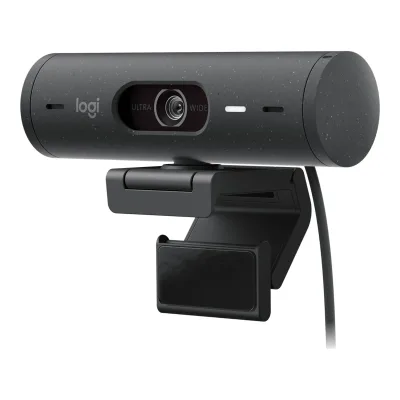
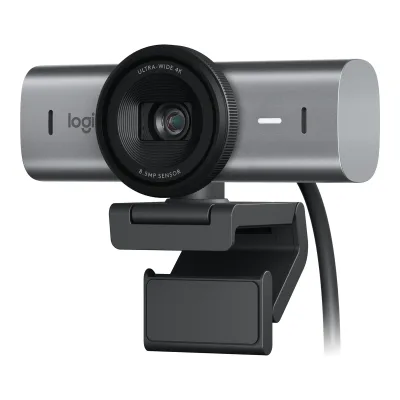
Logitech Brio 500 vs Logitech MX Brio
Product A: Logitech
43 of 68 known
Change Logitech Brio 500
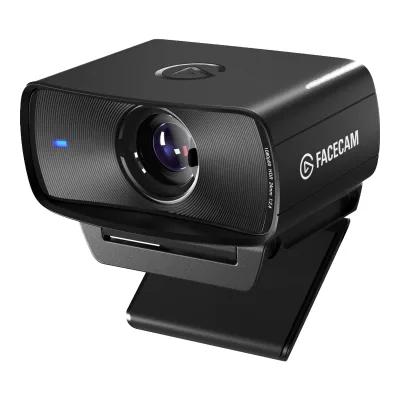
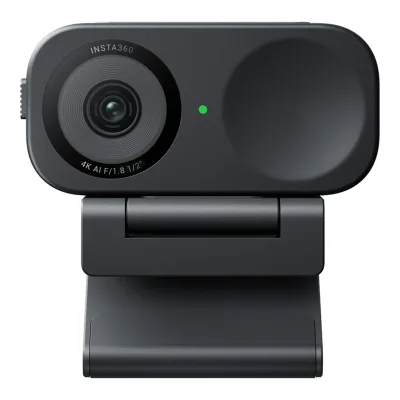
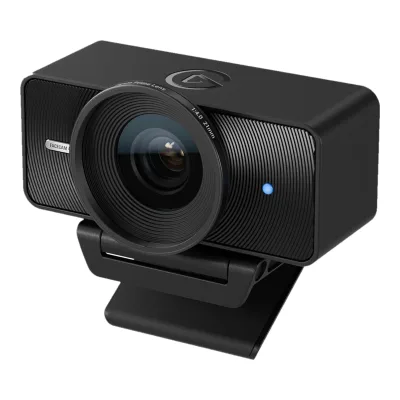
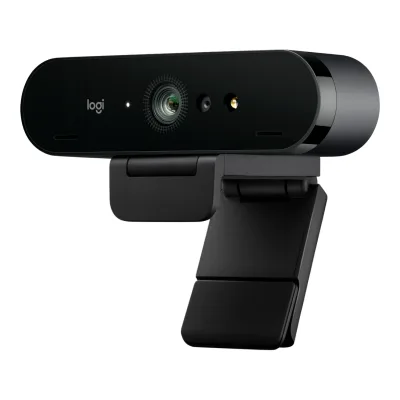
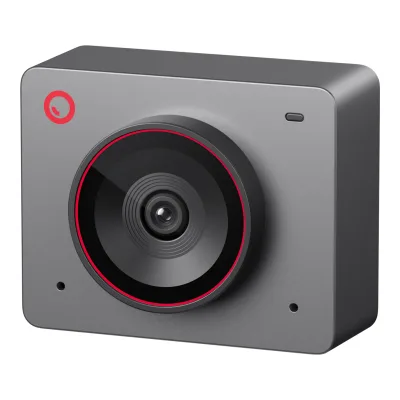
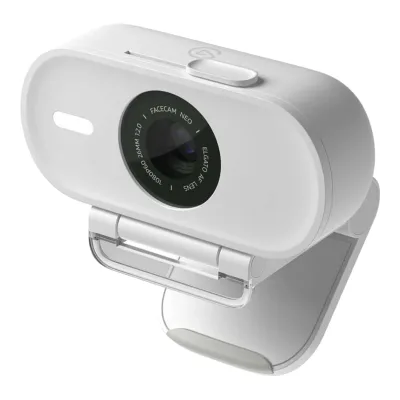
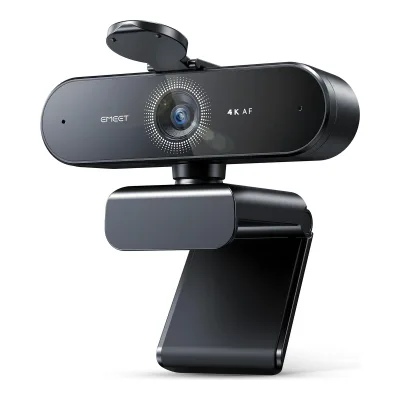
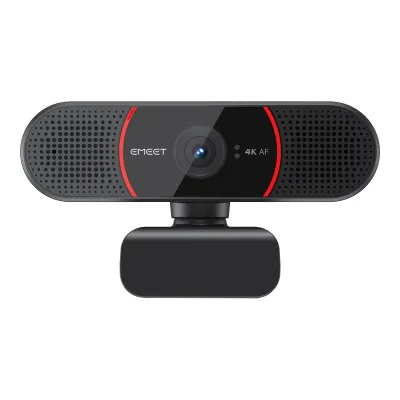
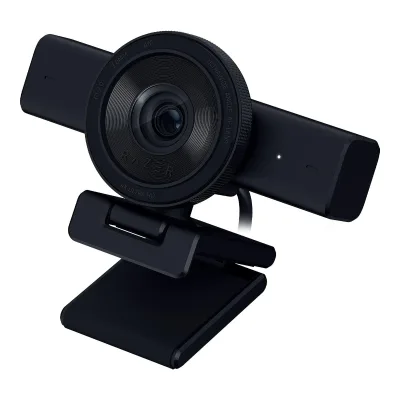
Product B: Logitech
48 of 68 known
Change Logitech MX Brio
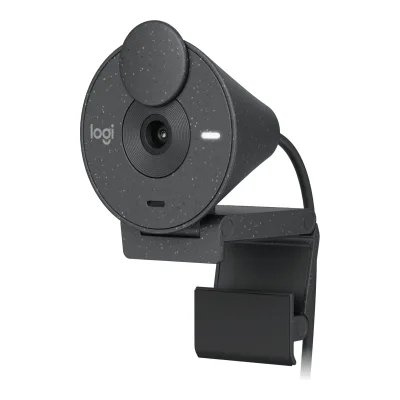
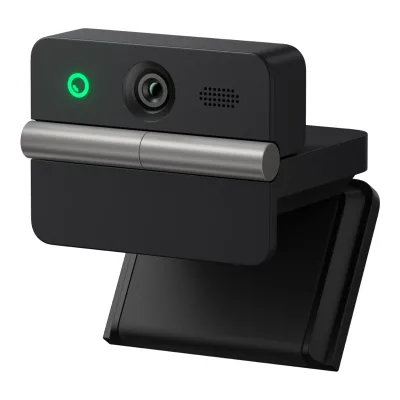
27 of 60 fields differ
- 19 different values
- 8 known for one only
- 19 the same
- 14 missing for both
Biggest differences
Each bar uses the scale of all 39 webcams.
- Sensor resolutionA: 4MPB: 8.5MPMX Brio is 4.5 MP higher.
- 1080p frame rateA: 30fpsB: 60fpsMX Brio is 30 fps higher.
Size, drawn to scale
Front and side.
- ABrio 500: 110 × 31.5 mm
- BMX Brio: 98 × 44 mm
Weight
0 to 250 g
Camera weight
A81g
B137g
Weight with mount
A121g
B176g
All 68 fields
Every value links to where we found it.
General
5 of 8 differ
Series
Model numbers
960-001493, 960-001432, 960-001422, 960-001421, 960-0014281Maker product pagelogitech.com/en-us/shop/p/brio-500-webcamRead 15 October 2026Page data lists 960-001493 for Graphite and 960-001432 for Rose2Maker product pagelogitech.com/en-eu/shop/p/brio-500-webcamRead 15 October 2026EU, UK and German pages list 960-001422 Graphite, 960-001421 Rose and 960-001428 Off-white. The technical specifications match the US page.
960-001545, 960-001550, 960-001558, 960-001554, 960-0015591Maker product pagelogitech.com/en-us/shop/p/mx-brio-4k-webcam.960-001550Read 14 October 2026US page lists Pale Gray 960-001550, Graphite 960-001545 and Black 960-001558. The UK page adds 960-001554 and 960-001559.2Maker product pagelogitech.com/en-gb/products/webcams/mx-brio-4k-webcam.960-001554.htmlRead 14 October 2026UK page lists Pale Gray 960-001554 and Graphite 960-001559
GTIN / EAN
Not available
Announced
14 September 20224Reviewtomshardware.com/reviews/logitech-brio-500Read 15 October 2026Review dated 14 September 2022. Canaltech dates the announcement to Wednesday the 14th.7Press articlecanaltech.com.br/acessorios/logitech-brio-500-lancamento-preco-ficha-tecnica-225260Read 15 October 2026Logitech announced the Brio 500 this Wednesday (14), per the article
Status
Predecessor
Not available
Successor
Not available
Not available
Launch price (US)
$129.994Reviewtomshardware.com/reviews/logitech-brio-500Read 15 October 2026Launch day review says $129. How-To Geek rounds it to $130 and Logitech's list price is 129.99, so 129.99 is stored. Price excludes tax.5Reviewhowtogeek.com/838724/logitech-brio-500-webcam-reviewRead 15 October 2026Review dated 18 October 2022: at $130, a mid-range price6Reviewtechadvisor.com/article/1066860/logitech-brio-500-webcam.htmlRead 15 October 2026The $129/GBP 129 Brio 500
Launch price (EU)
Not available
Markets
Not available
Not available
Colours
Graphite, Rose, Off-white1Maker product pagelogitech.com/en-us/shop/p/brio-500-webcamRead 15 October 2026US page offers Graphite (960-001493) and Rose (960-001432). The EU page adds Off-white.2Maker product pagelogitech.com/en-eu/shop/p/brio-500-webcamRead 15 October 2026EU page offers Graphite, Rose and Off-white
Form factor
Video
4 of 8 differ
Video modes
ALogitech Brio 500
| Width (px) | Height (px) | Max frame rate (fps) |
|---|---|---|
| 1920 | 1080 | 30 |
| 1280 | 720 | 60 |
BLogitech MX Brio
| Width (px) | Height (px) | Max frame rate (fps) |
|---|---|---|
| 3840 | 2160 | 30 |
| 1920 | 1080 | 60 |
| 1280 | 720 | 60 |
Source1Maker product pagelogitech.com/en-us/shop/p/mx-brio-4k-webcam.960-001550Read 14 October 2026Specs, Supported resolutions: 4K/30fps (3840x2160) and 1080p/60fps (1920x1080). The 720p 60 fps mode comes from Expert Reviews. Logitech does not tie a video format to each mode, so format is left out.6Reviewexpertreviews.co.uk/webcams/logitech-mx-brio-reviewRead 14 October 2026Review text: 4K at 30 fps, Full HD and HD at 60 fps
Max video resolution
1920 × 1080px
3840 × 2160px
Max frame rate at 4K
Not available
30fps
Max frame rate at 1080p
30fps
60fps
Max frame rate at any resolution
60fps
60fps
HDR video
Yes1Maker product pagelogitech.com/en-us/shop/p/brio-500-webcamRead 15 October 2026Technical Specifications: RightLight 4 with HDR. The page title is 1080p HDR Webcam.4Reviewtomshardware.com/reviews/logitech-brio-500Read 15 October 2026Spec table HDR: Yes. Logi Tune has an HDR toggle.5Reviewhowtogeek.com/838724/logitech-brio-500-webcam-reviewRead 15 October 2026Logi Tune toggles HDR on and off. The review calls it 1080p HDR.
Max frame rate with HDR
Not available
Not available
Portrait video
Not available
Not available
Sensor and lens
3 of 10 differ
Sensor optical format
Not available
Not available
Sensor
Not available
Sensor resolution
4MP1Maker product pagelogitech.com/en-us/shop/p/brio-500-webcamRead 15 October 2026Technical Specifications Camera megapixel: 4MP. Tech Advisor, EFTM and Canaltech call it a 4MP sensor.7Press articlecanaltech.com.br/acessorios/logitech-brio-500-lancamento-preco-ficha-tecnica-225260Read 15 October 20264 MP image sensor with 65, 78 and 90 degree diagonal field of view, 4x digital zoom
Pixel size
Not available
Not available
Aperture (f/)
Not available
26Reviewexpertreviews.co.uk/webcams/logitech-mx-brio-reviewRead 14 October 2026Review text: 8.5MP Sony STARVIS sensor (f/2.0 aperture). CGMagazine states f/2.0 as well. Logitech does not publish the aperture on its page.7Reviewcgmagonline.com/review/hardware/logitech-mx-brio-webcam-reviewRead 14 October 2026Review text: 4K/30fps or 1080/60fps video at f/2.0. Logitech did not state the sensor size.
Focal length (35 mm equivalent)
Not available
Not available
Lens material
Field of view (diagonal)
90°1Maker product pagelogitech.com/en-us/shop/p/brio-500-webcamRead 15 October 2026Technical Specifications Diagonal field of view (dFoV): 90/78/65 degrees. 90 is the widest setting. The setup guide names the lens 90 degrees dFOV.3Owner's manuallogitech.com/assets/66219/4/brio-500.pdfRead 15 October 2026Know your product: ultrawide-angle lens with 90 degrees dFOV
Field of view (horizontal)
Not available
Not available
Selectable fields of view
65°, 78°, 90°1Maker product pagelogitech.com/en-us/shop/p/brio-500-webcamRead 15 October 2026Technical Specifications Diagonal field of view (dFoV): 90/78/65 degrees. The setup guide lists the three settings in Logi Tune.3Owner's manuallogitech.com/assets/66219/4/brio-500.pdfRead 15 October 2026Step 8 Logi Tune: Field of View 90/78/65 degrees
Focus and zoom
1 of 4 differ
Focus
Manual focus
Yes3Owner's manuallogitech.com/assets/66219/4/brio-500.pdfRead 15 October 2026Step 8 Logi Tune lists Auto-focus as an adjustable option4Reviewtomshardware.com/reviews/logitech-brio-500Read 15 October 2026Logi Tune image adjustments: turning off autofocus makes a manual slider appear
Not available
Closest focus distance
Not available
Not available
Features
2 of 7 differ
Auto framing
Yes5Press articlefunkykit.com/news/logitech-introduces-mx-brio-its-most-advanced-webcam-designed-for-the-evolving-ways-of-working-and-streamingRead 14 October 2026RightSight autoframing is enabled through Logi Tune for enterprise customers with MX Brio 705. Expert Reviews used RightSight with the MX Brio in Logi Tune.6Reviewexpertreviews.co.uk/webcams/logitech-mx-brio-reviewRead 14 October 2026RightSight auto-framing is only available in the Logi Tune app
Gimbal pan range
Not available
Not available
Gimbal tilt range
Not available
Not available
Gesture control
Not available
Not available
IR face login
Not available
Built-in light
Not available
Not available
Other camera features
RightLight 4, RightSight 4, Show Mode1Maker product pagelogitech.com/en-us/shop/p/brio-500-webcamRead 15 October 2026Names from Key features: RightLight 4, RightSight 4. Show Mode is named in the setup guide and the page subtitle.3Owner's manuallogitech.com/assets/66219/4/brio-500.pdfRead 15 October 2026Step 7: Show Mode, tilt the camera down to show items on the desk
Show Mode, RightLight 5, RightSight1Maker product pagelogitech.com/en-us/shop/p/mx-brio-4k-webcam.960-001550Read 14 October 2026Names from the page: Show Mode, RightLight 5. RightSight comes from the launch release and Expert Reviews.6Reviewexpertreviews.co.uk/webcams/logitech-mx-brio-reviewRead 14 October 2026RightSight is available only in Logi Tune
Audio
3 of 6 differ
Built-in microphone
Microphones
23Owner's manuallogitech.com/assets/66219/4/brio-500.pdfRead 15 October 2026Know your product: dual noise reduction microphones4Reviewtomshardware.com/reviews/logitech-brio-500Read 15 October 2026Spec table Microphone: dual microphones, beamforming
21Maker product pagelogitech.com/en-us/shop/p/mx-brio-4k-webcam.960-001550Read 14 October 2026Page text: integrated dual beamforming noise-reducing mics. Digital Camera World describes a microphone at either side of the lens.9Reviewdigitalcameraworld.com/reviews/logitech-mx-brio-reviewRead 14 October 2026Spec table: 2x beamforming mics, one at either side of the lens
Stereo audio
Not available
Mic pickup range
Mic noise reduction
Mic sample rate
Not available
Not available
Connectivity
2 of 4 differ
USB
Not available
Detachable cable
No1Maker product pagelogitech.com/en-us/shop/p/brio-500-webcamRead 15 October 2026In the Box: Brio 500 with attached USB-C cable3Owner's manuallogitech.com/assets/66219/4/brio-500.pdfRead 15 October 2026Know your product: attached USB-C cable4Reviewtomshardware.com/reviews/logitech-brio-500Read 15 October 20265-foot, non-detachable USB-C cable
Cable host plug
Mounting and privacy
0 of 2 differ
Mounting
Monitor clip, Magnetic mount, Tripod thread1Maker product pagelogitech.com/en-us/shop/p/brio-500-webcamRead 15 October 2026Technical Specifications: the detachable universal mounting clip fits laptops, LCD displays or monitors. The setup guide covers the magnetic mount screw and the 1/4 inch tripod thread.3Owner's manuallogitech.com/assets/66219/4/brio-500.pdfRead 15 October 2026Know your product: magnetic thread mount screw (removable) and a 1/4-20 adaptor for 3rd party mounts. Step 9: 1/4 inch tripod thread on the bottom of the universal mounting clip. Step 4: the webcam sits on the magnet attachment point of the mount.4Reviewtomshardware.com/reviews/logitech-brio-500Read 15 October 2026Spec table Mount: magnetic monitor mount, tripod mounting point. The magnet unscrews to reveal a standard tripod mounting point.6Reviewtechadvisor.com/article/1066860/logitech-brio-500-webcam.htmlRead 15 October 2026A magnet holds the webcam in the stand
Monitor clip, Magnetic mount, Tripod thread1Maker product pagelogitech.com/en-us/shop/p/mx-brio-4k-webcam.960-001550Read 14 October 2026Specs: detachable universal mounting clip for laptops, LCD displays and monitors, and a standard 1/4 inch thread for tripods. Digital Camera World and Windows Central describe the magnetic mount.8Reviewwindowscentral.com/accessories/cameras/logitech-mx-brio-reviewRead 14 October 2026Review lists a simple magnetic mount in the box9Reviewdigitalcameraworld.com/reviews/logitech-mx-brio-reviewRead 14 October 2026Review text: the webcam attaches to a monitor mount with a strong magnet
Privacy cover
Built-in shutter1Maker product pagelogitech.com/en-us/shop/p/brio-500-webcamRead 15 October 2026Technical Specifications Privacy shutter: Integrated3Owner's manuallogitech.com/assets/66219/4/brio-500.pdfRead 15 October 2026Know your product: privacy shutter dial. Step 5: rotate the dial on the right side to open or close the shutter.4Reviewtomshardware.com/reviews/logitech-brio-500Read 15 October 2026Built-in privacy shutter that slides up when you twist the right end-cap6Reviewtechadvisor.com/article/1066860/logitech-brio-500-webcam.htmlRead 15 October 2026Physical plastic lens cover, rotated into place by twisting the end cap
Software
1 of 3 differ
Software
Onboard memory
Not available
Not available
User firmware updates
Compatibility
1 of 1 differ
Works with
Windows, macOS, ChromeOS1Maker product pagelogitech.com/en-us/shop/p/brio-500-webcamRead 15 October 2026System Requirements Compatible with: Windows 8 or later, macOS 10.10 or later, ChromeOS
Windows, macOS, ChromeOS, Linux1Maker product pagelogitech.com/en-us/shop/p/mx-brio-4k-webcam.960-001550Read 14 October 2026Specs, Compatibility: Windows 10 or later, macOS 10.15 or later, ChromeOS and Linux with basic UVC support4Maker product pagesupport.logi.com/hc/en-au/articles/20712899413783-Do-I-need-a-driver-to-use-MX-BrioRead 14 October 2026Natively supported: Windows 10 or later, macOS 10.15 or later, ChromeOS and Linux with basic UVC support only
Dimensions and weight
3 of 3 differ
Camera dimensions
Width110Height31.5Depth31.5mm(4.3 × 1.2 × 1.2 in)1Maker product pagelogitech.com/en-us/shop/p/brio-500-webcamRead 15 October 2026Dimensions, brio-500-webcam: height 31.5 mm, width 110 mm, depth 31.5 mm. Webcam with mount: 51.5 x 110 x 45 mm.3Owner's manuallogitech.com/assets/66219/4/brio-500.pdfRead 15 October 2026Dimensions, Webcam: height 31.5 mm, width 110 mm, depth 31.5 mm
Width98Height44Depth36mm(3.9 × 1.7 × 1.4 in)1Maker product pagelogitech.com/en-us/shop/p/mx-brio-4k-webcam.960-001550Read 14 October 2026Dimensions, webcam only: height 44 mm, width 98 mm, depth 36 mm
Camera weight
Weight with mount
121g(4.3 oz)1Maker product pagelogitech.com/en-us/shop/p/brio-500-webcamRead 15 October 2026Dimensions, Webcam + Mount, Weight: 121 g. The setup guide says including mount clip and cable.3Owner's manuallogitech.com/assets/66219/4/brio-500.pdfRead 15 October 2026Dimensions: weight 121 g including mount clip and cable. The mounting clip weighs 40 g. The US product page prints the clip as 4 g, which is a typo.
Certifications
1 of 2 differ
Communication certifications
Other certifications
In the box
1 of 1 differ
In the box
Brio 500 with attached USB-C cable, Mount clip with removable mount adapter, User documentation1Maker product pagelogitech.com/en-us/shop/p/brio-500-webcamRead 15 October 2026In the Box tab
MX Brio, Mount clip with removable adapter, USB-C to C 3.0 cable, User documentation1Maker product pagelogitech.com/en-us/shop/p/mx-brio-4k-webcam.960-001550Read 14 October 2026Package contents list
Links
Not compared
Product page
Spec sheet
Not available
Not available
Manual
logitech.com/assets/66219/4/brio-500.pdf3Owner's manuallogitech.com/assets/66219/4/brio-500.pdfRead 15 October 2026Brio 500 Setup Guide, 2022, English pages 3 to 9. It is the only manual Logitech publishes for the model.
Not available
EPREL registration number
Not available
Not available
Warranty
0 of 1 differ
Manufacturer warranty (source market)
1year1Maker product pagelogitech.com/en-us/shop/p/brio-500-webcamRead 15 October 2026Specs and Compatibility: 1-Year Limited Hardware Warranty on the US page. The UK and EU pages state 2 years.2Maker product pagelogitech.com/en-eu/shop/p/brio-500-webcamRead 15 October 2026EU and UK pages state a 2-Year Limited Hardware Warranty. The US page states 1 year, which is stored.
Both are also in the API. Back to all webcams.