Webcams / Compare
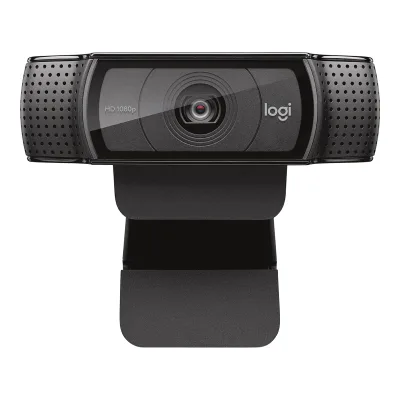
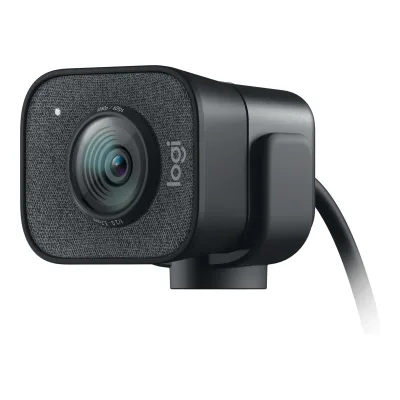
Logitech C920e Business Webcam vs Logitech StreamCam
Product A: Logitech
34 of 68 known
Change Logitech C920e Business Webcam
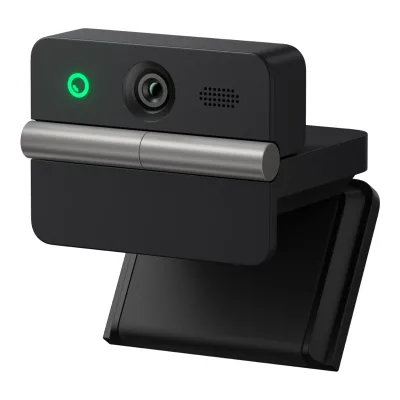
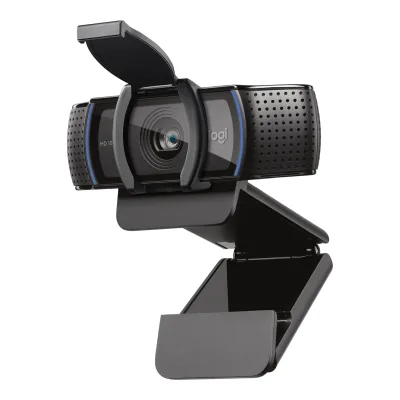
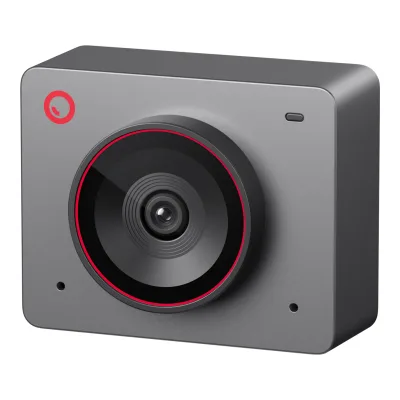
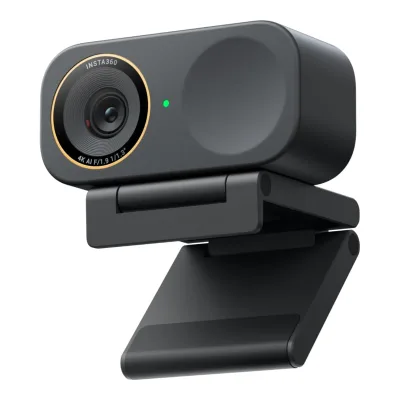
Product B: Logitech
42 of 68 known
Change Logitech StreamCam
29 of 60 fields differ
- 13 different values
- 16 known for one only
- 14 the same
- 17 missing for both
Biggest differences
Each bar uses the scale of all 39 webcams.
- 1080p frame rateA: 30fpsB: 60fpsStreamCam is 30 fps higher.
- Max frame rateA: 30fpsB: 60fpsStreamCam is 30 fps higher.
Size, drawn to scale
Front and side.
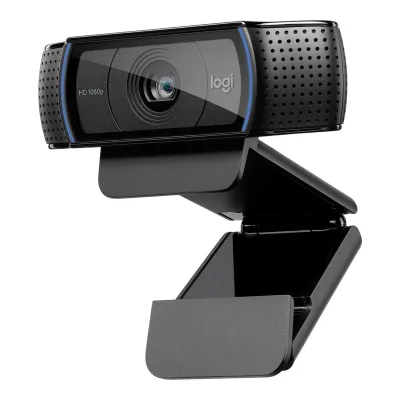
- AC920e Business Webcam: 94 × 43.3 mm
- BStreamCam: 58 × 66 mm
Weight
0 to 250 g
Camera weight
A162g
B150g
All 68 fields
Every value links to where we found it.
General
4 of 8 differ
Series
Not available
Not available
Model numbers
960-001401, 960-001360, 960-0013841Maker product pagelogitech.com/en-us/products/webcams/c920e-business-webcam.960-001401.htmlRead 15 October 2026US page SKU 960-001401, Black (TAA Compliant). It is the version with the microphones enabled out of the box. The other two numbers are the EMEA and retailer versions whose microphones are switched on in Logi Tune.3Maker product pagelogitech.com/en-gb/products/webcams/c920e-business-webcam.960-001384.htmlRead 15 October 2026The page address carries 960-001384 and the page sells part number 960-001360. Its text says the two mics are enabled with Logi Tune and its box and specs match the US page.4Maker product pagehub.sync.logitech.com/c920e/post/how-do-i-activate-the-microphones-on-my-webcam-9ZE9ZDg088Hzyn4Read 15 October 2026Logitech Sync hub: C920e comes with the built-in microphone deactivated by default. Enable it in Logi Tune, Settings, Enable Built-in-Mic. This is the mic-off version, sold under 960-001384 and 960-001360.5Retailer pageamazon.com/Logitech-Mic-Disabled-Certified-Microsoft-Compliant/dp/B08CS18WVPRead 15 October 2026Item model number 960-001384 for the Default Mic-Disabled pattern, with a Default Mic-Enabled pattern next to it9Retailer pagequill.com/logitech-c920e-hd-1080p-webcam-2-megapixels-black-960-001384/cbs/55406042.htmlRead 15 October 2026US listing title: Logitech C920e Business HD 1920 x 1080 Webcam, Black (960-001384)
960-001289, 960-001286, 960-001297, 960-0012811Maker product pagelogitech.com/en-us/shop/p/streamcam.960-001289Read 15 October 2026Page data lists StreamCam - White 960-001289 and StreamCam - Graphite 960-001286 on the US store2Maker product pagelogitech.com/en-gb/shop/p/streamcamRead 15 October 2026Page data lists White 960-001297 and Graphite 960-0012813Maker product pagelogitech.com/de-de/shop/p/streamcamRead 15 October 2026Page data lists Weiss 960-001297 and Grafit 960-001281
GTIN / EAN
097855172778, 0978551620456Retailer pagefleetnetwork.ca/logitech-960-001401-c920e-business-webcam-1080p-full-hd-3mp-30-fps-78-fov-auto-focus-dual-mics-usb-a-blackRead 15 October 2026UPC 097855172778 for 960-0014017Retailer pageebay.com/p/4050620024Read 15 October 2026Catalog entry for MPN 960001401: UPC 0097855172778, the same code with leading zeros8Retailer pageonedirect.co.uk/product/logitech-c920eRead 15 October 2026Manufacturer part number 960-001360, barcode printed as 097855162045 (labelled EAN, 12 digits)
Not available
Announced
Not available
Status
Predecessor
Not available
Not available
Successor
Not available
Not available
Launch price (US)
Not available
$169.994Press releasenews.logitech.com/press-releases/news-details/2020/Logitech-Introduces-New-Video-Streaming-Solution-for-Your-Home-Studio/default.aspxRead 15 October 2026Suggested retail price of $169.99. Excludes tax.9Owner's manualmanualslib.com/manual/2061175/Logitech-Streamcam.htmlRead 15 October 2026Manual page 3: MSRP $169. The release states 169.99.
Launch price (EU)
Not available
€1594Press releasenews.logitech.com/press-releases/news-details/2020/Logitech-Introduces-New-Video-Streaming-Solution-for-Your-Home-Studio/default.aspxRead 15 October 2026Suggested retail price of EUR 159. The release names no country. Price includes VAT as published.9Owner's manualmanualslib.com/manual/2061175/Logitech-Streamcam.htmlRead 15 October 2026Manual page 3: MSRP EUR 159
Markets
Not available
Not available
Colours
White, Graphite1Maker product pagelogitech.com/en-us/shop/p/streamcam.960-001289Read 15 October 2026White and Graphite4Press releasenews.logitech.com/press-releases/news-details/2020/Logitech-Introduces-New-Video-Streaming-Solution-for-Your-Home-Studio/default.aspxRead 15 October 2026White or graphite finish
Form factor
Video
5 of 8 differ
Video modes
ALogitech C920e Business Webcam
| Width (px) | Height (px) | Max frame rate (fps) |
|---|---|---|
| 1920 | 1080 | 30 |
| 1280 | 720 | 30 |
BLogitech StreamCam
| Width (px) | Height (px) | Max frame rate (fps) | Format |
|---|---|---|---|
| 1920 | 1080 | 60 | MJPEG |
| 1280 | 720 | 60 | Not available |
Source1Maker product pagelogitech.com/en-us/shop/p/streamcam.960-001289Read 15 October 2026Technical Specifications, Max Video Resolution: 1080p/60 fps in MJPEG. Supported resolutions: 1920x1080, 1280x720, 960x540, 848x480, 640x360, 320x240. Supported frame rate: MJPEG up to 60 fps, YUY2 and NV12 up to 30 fps. The page does not pair each lower resolution with a rate, so only the 1080p MJPEG row comes from this page. The 720p row comes from TechRadar. Logitech support says a USB-A 2.0 port limits the camera to 1080p at 30 fps.5Maker product pagesupport.logi.com/hc/en-us/articles/360035540114-How-do-I-set-up-Logitech-StreamCamRead 15 October 2026Using a USB-A 2.0 port will limit the framerate and resolution to 1080p 30 fps9Owner's manualmanualslib.com/manual/2061175/Logitech-Streamcam.htmlRead 15 October 2026Preview of the 27-page StreamCam user manual, page 3: 1080p/60fps and 720p/60fps video. The page is a hosted copy of the Logitech manual.10Reviewtechradar.com/reviews/logitech-streamcamRead 15 October 2026Spec list: Video Resolution 1080p at 60, 30 and 24 fps, 720p at 60 fps, 480p at 30 fps, 360p at 30 fps. The 480p and 360p rates conflict with Logitech's frame rate list and are not stored.
Max video resolution
1920 × 1080px
1920 × 1080px
Max frame rate at 4K
Not available
Not available
Max frame rate at 1080p
30fps
60fps
Max frame rate at any resolution
30fps
60fps
HDR video
Not available
Max frame rate with HDR
Not available
Not available
Portrait video
Not available
Yes1Maker product pagelogitech.com/en-us/shop/p/streamcam.960-001289Read 15 October 2026Page description: vertical video and portrait orientation. Logitech's getting started article says to rotate the camera 90 degrees to switch to portrait.4Press releasenews.logitech.com/press-releases/news-details/2020/Logitech-Introduces-New-Video-Streaming-Solution-for-Your-Home-Studio/default.aspxRead 15 October 2026Full HD vertical video for Instagram and Facebook stories5Maker product pagesupport.logi.com/hc/en-us/articles/360035540114-How-do-I-set-up-Logitech-StreamCamRead 15 October 2026Rotate the camera for landscape or portrait orientation6Maker product pagesupport.logi.com/hc/en-za/articles/360043221373-Getting-Started-Logitech-StreamCamRead 15 October 2026Vertical Video: simply rotate StreamCam 90 degrees to switch into Portrait9Owner's manualmanualslib.com/manual/2061175/Logitech-Streamcam.htmlRead 15 October 2026Manual page 18, Vertical Video: simply rotate StreamCam 90 degrees to switch into Portrait12Reviewwindowscentral.com/logitech-streamcam-reviewRead 15 October 2026Full support for 1080p vertical video. Rotate the camera on its mount and Logitech Capture adjusts.
Sensor and lens
1 of 10 differ
Sensor optical format
Not available
Not available
Sensor
Not available
Not available
Sensor resolution
Not available
Not available
Pixel size
Not available
Not available
Aperture (f/)
Not available
Focal length (35 mm equivalent)
Not available
Not available
Lens material
Field of view (diagonal)
78°1Maker product pagelogitech.com/en-us/shop/p/streamcam.960-001289Read 15 October 2026Technical Specifications, Field of View: 78 degrees (diagonal). No aspect ratio is named. Tom's Guide says the field of view is 78 degrees in landscape and portrait and cannot be adjusted.11Reviewtomsguide.com/reviews/logitech-streamcamRead 15 October 2026Spec list: 78 degrees diagonal. The field of view is 78 degrees in landscape and portrait and is not adjustable.
Field of view (horizontal)
Not available
Not available
Selectable fields of view
Not available
Not available
Focus and zoom
2 of 4 differ
Focus
Manual focus
Yes6Maker product pagesupport.logi.com/hc/en-za/articles/360043221373-Getting-Started-Logitech-StreamCamRead 15 October 2026Auto Focus and White Balance settings are on the video source tab of Logitech Capture12Reviewwindowscentral.com/logitech-streamcam-reviewRead 15 October 2026Logitech Capture has manual controls for things like exposure and focus
Closest focus distance
Not available
Max digital zoom
1×1Maker product pagelogitech.com/en-us/products/webcams/c920e-business-webcam.960-001401.htmlRead 15 October 2026Specs, Digital zoom: 1x. Published as 1x, which means no zoom beyond the full frame.5Retailer pageamazon.com/Logitech-Mic-Disabled-Certified-Microsoft-Compliant/dp/B08CS18WVPRead 15 October 2026Logitech comparison row, Zoom Capability: up to 1x
Not available
Features
4 of 7 differ
Auto framing
Not available
Yes1Maker product pagelogitech.com/en-us/shop/p/streamcam.960-001289Read 15 October 2026Page section Auto-framing and intelligent exposure: the smart auto-framing mode keeps you in the center of the shot. It needs Logitech Capture.4Press releasenews.logitech.com/press-releases/news-details/2020/Logitech-Introduces-New-Video-Streaming-Solution-for-Your-Home-Studio/default.aspxRead 15 October 2026AI-enabled smart framing with Logitech Capture6Maker product pagesupport.logi.com/hc/en-za/articles/360043221373-Getting-Started-Logitech-StreamCamRead 15 October 2026Auto Framing in Logitech Capture: facial tracking frames your face front and center. Manual zoom, pan and tilt are disabled while it is on.9Owner's manualmanualslib.com/manual/2061175/Logitech-Streamcam.htmlRead 15 October 2026Manual page 19, Auto Framing: facial tracking keeps your face centered
Gimbal pan range
Not available
Not available
Gimbal tilt range
Not available
Not available
Gesture control
Not available
Not available
IR face login
Not available
Built-in light
Not available
Other camera features
Smart auto-focus, Auto-framing, Intelligent exposure, Image stabilization1Maker product pagelogitech.com/en-us/shop/p/streamcam.960-001289Read 15 October 2026Page sections Smart auto-focus, Auto-framing and Intelligent exposure. Image stabilization is named in the launch release.4Press releasenews.logitech.com/press-releases/news-details/2020/Logitech-Introduces-New-Video-Streaming-Solution-for-Your-Home-Studio/default.aspxRead 15 October 2026Facial recognition smart focus and exposure, AI-enabled smart framing and image stabilization
Audio
2 of 6 differ
Built-in microphone
Microphones
21Maker product pagelogitech.com/en-us/shop/p/streamcam.960-001289Read 15 October 2026Technical Specifications, Built-in Audio: dual omnidirectional mic. The page text also says dual front-facing microphones.11Reviewtomsguide.com/reviews/logitech-streamcamRead 15 October 2026The webcam uses a dual omnidirectional mic and a noise reduction filter
Stereo audio
Yes1Maker product pagelogitech.com/en-us/shop/p/streamcam.960-001289Read 15 October 2026Technical Specifications, Built-in Audio: stereo or dual mono channel. The launch release says stereo and dual-mono audio settings.4Press releasenews.logitech.com/press-releases/news-details/2020/Logitech-Introduces-New-Video-Streaming-Solution-for-Your-Home-Studio/default.aspxRead 15 October 2026Stereo and dual-mono audio settings12Reviewwindowscentral.com/logitech-streamcam-reviewRead 15 October 2026Logitech included support for stereo and dual-mono sound
Mic pickup range
Not available
Mic noise reduction
Not available
Mic sample rate
Not available
Not available
Connectivity
2 of 4 differ
USB
Not available
USB 3.01Maker product pagelogitech.com/en-us/shop/p/streamcam.960-001289Read 15 October 2026System Requirements: USB 3.1 Gen 1 Type-C direct connection. The cable is listed as USB 3.1 Gen 1 Type-C. Logitech recommends this port for 1080p at 60 fps. USB 3.1 Gen 1 is the 5 Gbps standard, written USB 3.0.5Maker product pagesupport.logi.com/hc/en-us/articles/360035540114-How-do-I-set-up-Logitech-StreamCamRead 15 October 2026Connect to a USB-C 3.1 port. Logitech does not recommend a USB 2.0 port or adapter.8Maker spec sheet (PDF)logitech.com/assets/65762/37/streamcam.pdfRead 15 October 2026Recommended Computer Specifications: USB 3.1 Gen 1 Type-C direct connection, recommended for 1080p 60 fps. 720p 30 fps is the minimum, over USB 3.1 or USB 2 through a USB-C female to USB-A male adapter.
Detachable cable
No1Maker product pagelogitech.com/en-us/shop/p/streamcam.960-001289Read 15 October 2026In the box: Camera with 5-ft cable USB 3.1 Gen 1 Type-C. TechRadar says the cable is wired into the back of the camera.10Reviewtechradar.com/reviews/logitech-streamcamRead 15 October 2026No detachable USB-C. The cable is wired into the back of the camera. Spec list: 1.5 meters built-in cable.
Cable host plug
Cable length
1.5m1Maker product pagelogitech.com/en-us/products/webcams/c920e-business-webcam.960-001401.htmlRead 15 October 2026Specs, Cable length: 4.92 ft (1.5 m)2Maker spec sheet (PDF)logitech.com/content/dam/logitech/en/video-collaboration/pdf/c920e-datasheet.pdfRead 15 October 2026Connectivity: cable length of 5 ft (1.5 m)
Mounting and privacy
1 of 2 differ
Mounting
Monitor clip, Tripod thread1Maker product pagelogitech.com/en-us/products/webcams/c920e-business-webcam.960-001401.htmlRead 15 October 2026Specs: tripod-ready universal mounting clip fits laptops, LCD or monitors. The datasheet adds a 1/4 inch thread. Tripod not included.2Maker spec sheet (PDF)logitech.com/content/dam/logitech/en/video-collaboration/pdf/c920e-datasheet.pdfRead 15 October 2026Mounting Options: universal clip and 1/4 inch thread for tripod mounting. Tripod not included.
Monitor clip, Tripod thread1Maker product pagelogitech.com/en-us/shop/p/streamcam.960-001289Read 15 October 2026In the box: Monitor Mount and Tripod Mount. basic-tutorials.de says the tripod mount has a 1/4 inch thread and the monitor mount has none.5Maker product pagesupport.logi.com/hc/en-us/articles/360035540114-How-do-I-set-up-Logitech-StreamCamRead 15 October 2026Mount on a computer monitor or on a tripod10Reviewtechradar.com/reviews/logitech-streamcamRead 15 October 2026Spec list: L-shape joint or tripod. The review describes a monitor grip and a small desktop tripod, and says the tripod mount fits standard tripods.13Reviewbasic-tutorials.de/tests/peripherie/logitech-streamcam-testRead 15 October 2026Review dated 5 May 2020: the tripod mount has a 1/4 inch thread and the monitor mount does not. The camera fits both.
Privacy cover
Detachable cover1Maker product pagelogitech.com/en-us/products/webcams/c920e-business-webcam.960-001401.htmlRead 15 October 2026Specs: attachable privacy shutter. The datasheet calls it a detachable privacy screen that flips up and down.2Maker spec sheet (PDF)logitech.com/content/dam/logitech/en/video-collaboration/pdf/c920e-datasheet.pdfRead 15 October 2026Privacy Shutter row: attachable privacy shade. Text: a detachable privacy screen flips up and down to cover or expose the lens.
Software
1 of 3 differ
Software
Logitech Capture1Maker product pagelogitech.com/en-us/shop/p/streamcam.960-001289Read 15 October 2026Page section Enhanced control with Logitech Capture software6Maker product pagesupport.logi.com/hc/en-za/articles/360043221373-Getting-Started-Logitech-StreamCamRead 15 October 2026Logitech Capture is the companion app for the StreamCam
Onboard memory
Not available
Not available
User firmware updates
Yes1Maker product pagelogitech.com/en-us/products/webcams/c920e-business-webcam.960-001401.htmlRead 15 October 2026Page text: easy download of firmware updates in the Logi Tune Desktop app2Maker spec sheet (PDF)logitech.com/content/dam/logitech/en/video-collaboration/pdf/c920e-datasheet.pdfRead 15 October 2026Logi Tune Support row: easily update firmware
Compatibility
1 of 1 differ
Works with
Windows, macOS, ChromeOS1Maker product pagelogitech.com/en-us/products/webcams/c920e-business-webcam.960-001401.htmlRead 15 October 2026System requirements: Windows 8 or later, macOS 10.10 or later, ChromeOS, USB-A port
Windows, macOS1Maker product pagelogitech.com/en-us/shop/p/streamcam.960-001289Read 15 October 2026System Requirements: Windows and macOS. The description says Windows 10 and macOS 10.14 and above.8Maker spec sheet (PDF)logitech.com/assets/65762/37/streamcam.pdfRead 15 October 2026System Requirements: Windows 10 or above, macOS 10.14 or above
Dimensions and weight
3 of 3 differ
Camera dimensions
Width94Height43.3Depth71mm(3.7 × 1.7 × 2.8 in)1Maker product pagelogitech.com/en-us/products/webcams/c920e-business-webcam.960-001401.htmlRead 15 October 2026Specs, dimensions including fixed mounting clip: height 43.3 mm, width 94 mm, depth 71 mm2Maker spec sheet (PDF)logitech.com/content/dam/logitech/en/video-collaboration/pdf/c920e-datasheet.pdfRead 15 October 2026Including clip: 1.70 in (43.3 mm) x 3.70 in (94 mm) x 2.80 in (71 mm), height x width x depth
Width58Height66Depth48mm(2.3 × 2.6 × 1.9 in)1Maker product pagelogitech.com/en-us/shop/p/streamcam.960-001289Read 15 October 2026Dimensions, StreamCam without mount: height 66 mm, width 58 mm, depth 48 mm. With the monitor mount the height is 85 mm.13Reviewbasic-tutorials.de/tests/peripherie/logitech-streamcam-testRead 15 October 2026Technical details repeat the Logitech figures: 66 x 58 x 48 mm without mount, 85 x 58 x 48 mm with the monitor mount
Camera weight
162g(5.7 oz)1Maker product pagelogitech.com/en-us/products/webcams/c920e-business-webcam.960-001401.htmlRead 15 October 2026Specs, weight 5.71 oz (162 g), listed with the dimensions including the fixed mounting clip. The cable is listed separately, so the figure may exclude it.2Maker spec sheet (PDF)logitech.com/content/dam/logitech/en/video-collaboration/pdf/c920e-datasheet.pdfRead 15 October 20265.71 oz (162 g)
150g(5.3 oz)1Maker product pagelogitech.com/en-us/shop/p/streamcam.960-001289Read 15 October 2026Dimensions, StreamCam without mount: weight 150 g. The cable is fixed and counts in the weight.13Reviewbasic-tutorials.de/tests/peripherie/logitech-streamcam-testRead 15 October 2026Technical details repeat the Logitech figure: 150 g without mount
Weight with mount
Not available
222g(7.8 oz)1Maker product pagelogitech.com/en-us/shop/p/streamcam.960-001289Read 15 October 2026Dimensions, StreamCam with monitor mount: weight 222 g. The cable is fixed and counts in the weight.13Reviewbasic-tutorials.de/tests/peripherie/logitech-streamcam-testRead 15 October 2026Technical details repeat the Logitech figure: 222 g with the monitor mount
Certifications
1 of 2 differ
Communication certifications
Not available
Other certifications
Not available
Not available
In the box
1 of 1 differ
In the box
Webcam with attached 5 ft (1.5 m) USB-A cable, Privacy shutter, User documentation2Maker spec sheet (PDF)logitech.com/content/dam/logitech/en/video-collaboration/pdf/c920e-datasheet.pdfRead 15 October 2026What's in the box row, verbatim
Camera with 1.5 m cable USB 3.1 Gen 1 Type-C, Monitor Mount, Tripod Mount, User documentation1Maker product pagelogitech.com/en-us/shop/p/streamcam.960-001289Read 15 October 2026Package contents on the US page say a 5-ft cable. The UK page says 1.5 m. Monitor Mount, Tripod Mount and User documentation on both.2Maker product pagelogitech.com/en-gb/shop/p/streamcamRead 15 October 2026Package contents: Camera with 1.5 m cable USB 3.1 Gen 1 Type-C, Monitor Mount, Tripod Mount, User documentation
Links
Not compared
Product page
Spec sheet
www.logitech.com/content/dam/logitech/en/video-collaboration/pdf/c920e-datasheet.pdf2Maker spec sheet (PDF)logitech.com/content/dam/logitech/en/video-collaboration/pdf/c920e-datasheet.pdfRead 15 October 2026Logitech C920e datasheet published October 2021, part number 960-001401
Not available
Manual
Not available
Not available
EPREL registration number
Not available
Not available
Warranty
1 of 1 differ
Manufacturer warranty (source market)
3years1Maker product pagelogitech.com/en-us/products/webcams/c920e-business-webcam.960-001401.htmlRead 15 October 2026US page: 3-year limited hardware warranty. The EMEA page states the same.2Maker spec sheet (PDF)logitech.com/content/dam/logitech/en/video-collaboration/pdf/c920e-datasheet.pdfRead 15 October 2026Warranty: 3 years
1year1Maker product pagelogitech.com/en-us/shop/p/streamcam.960-001289Read 15 October 2026Specs and requirements: 1-Year Limited Hardware Warranty on the US page. The UK page states 2 years. The US term is stored.2Maker product pagelogitech.com/en-gb/shop/p/streamcamRead 15 October 2026UK page: 2-Year Limited Hardware Warranty. The US page states 1 year, which is stored.
Both are also in the API. Back to all webcams.