Mice / Compare
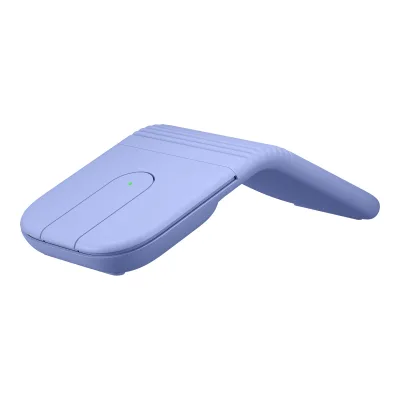
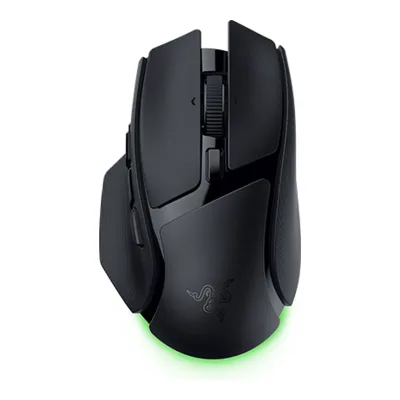
Logitech Mobi Fold vs Razer Basilisk V4 HyperSpeed
Product A: Logitech
53 of 154 known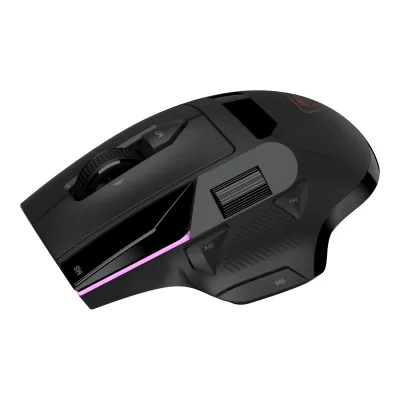 Turtle Beach Command Series MC5
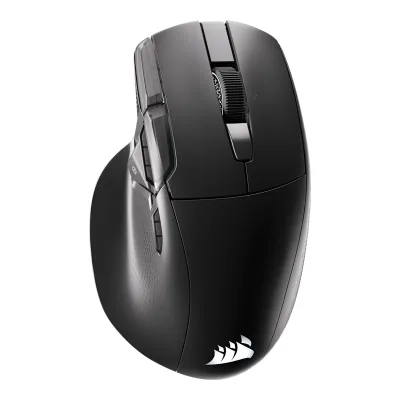 CORSAIR NIGHTSWORD v2 WIRELESS SD
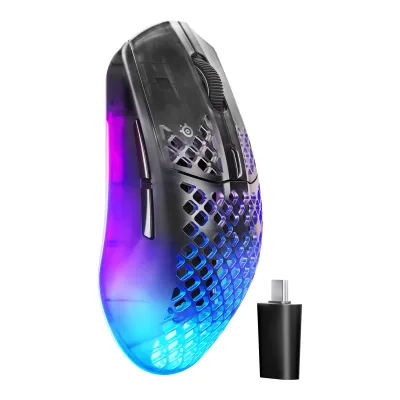 SteelSeries Aerox 3 Wireless Gen 2
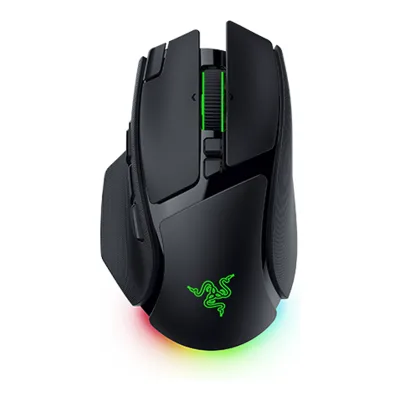 Razer Basilisk V4 Pro
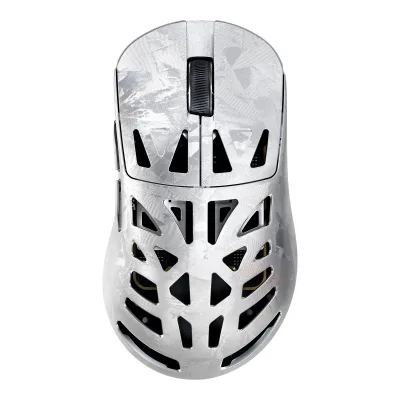 ATTACK SHARK RS6 Ultra
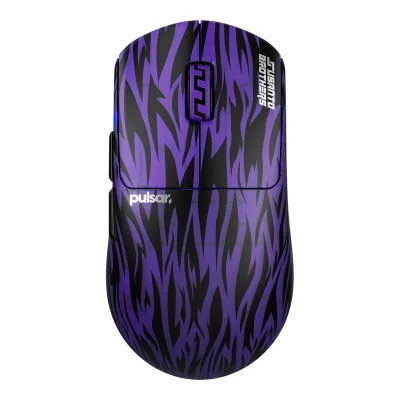 Pulsar Susanto-X 2.0 Medium
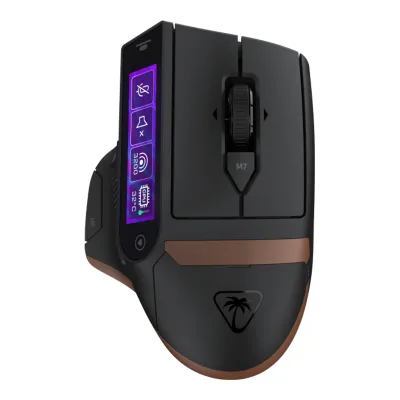 Turtle Beach Command Series MC7
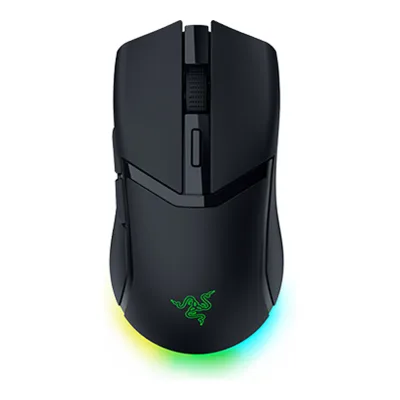 Razer Cobra HyperSpeed
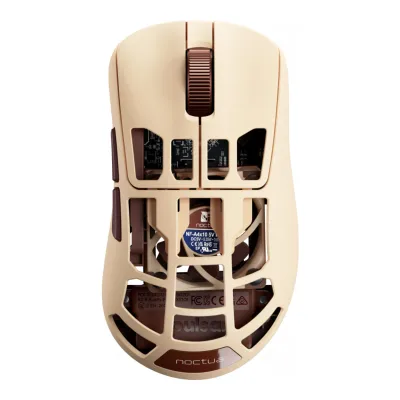 Pulsar Feinmann F01 Noctua Edition
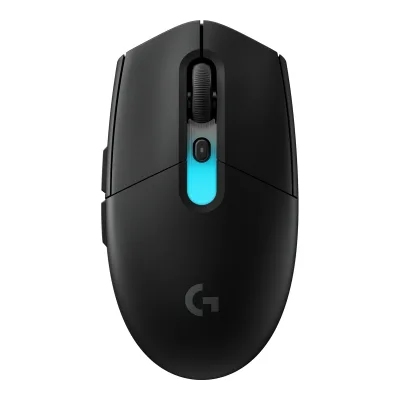 Logitech G305 X SUPERLIGHT
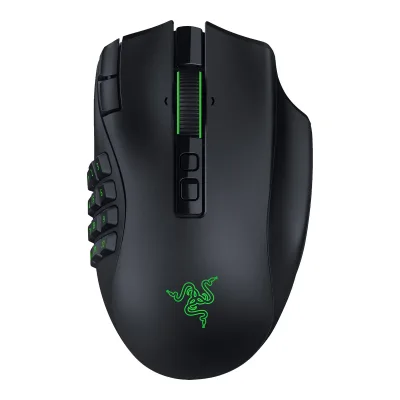 Razer Naga V3 Pro
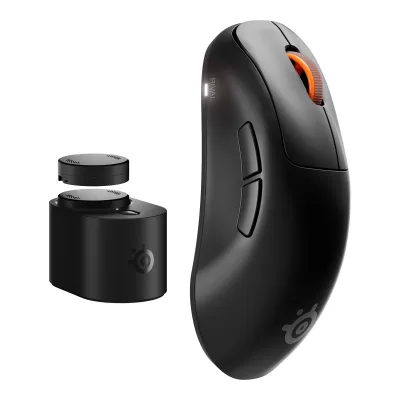 SteelSeries Rival Pro
Change Logitech Mobi Fold
Compare the Razer Basilisk V4 HyperSpeed with
Turtle Beach Command Series MC5CORSAIR NIGHTSWORD v2 WIRELESS SDSteelSeries Aerox 3 Wireless Gen 2Razer Basilisk V4 ProATTACK SHARK RS6 UltraPulsar Susanto-X 2.0 MediumTurtle Beach Command Series MC7Razer Cobra HyperSpeedPulsar Feinmann F01 Noctua EditionLogitech G305 X SUPERLIGHTRazer Naga V3 ProSteelSeries Rival ProProduct B: Razer
89 of 154 known Microsoft Surface Arc Mouse
 Logitech MX Anywhere 3S
 Logitech M196 Bluetooth Mouse
 Logitech Wireless Mouse M185
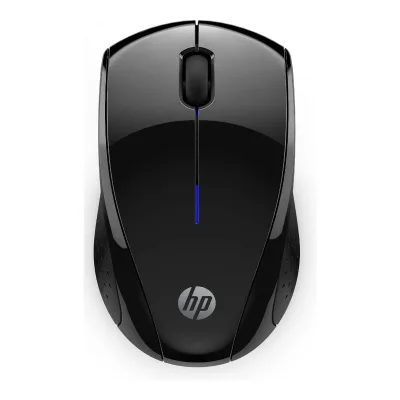 HP X3000 G3 Wireless Mouse
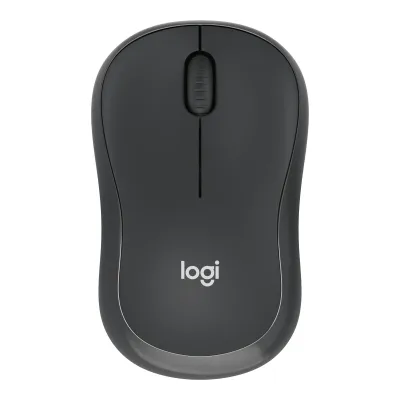 Logitech M240 Silent Bluetooth Mouse
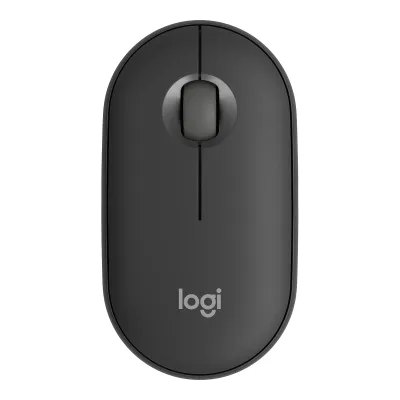 Logitech Pebble Mouse 2 M350sLogitech G305 X SUPERLIGHT
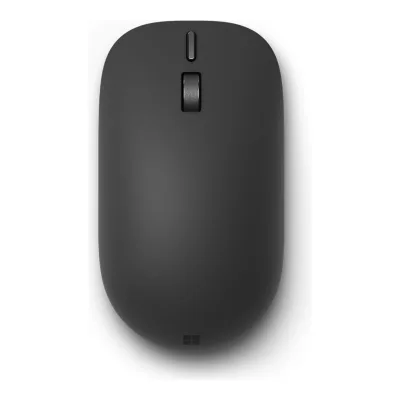 Microsoft Surface Mouse (2nd Edition)SteelSeries Aerox 3 Wireless Gen 2
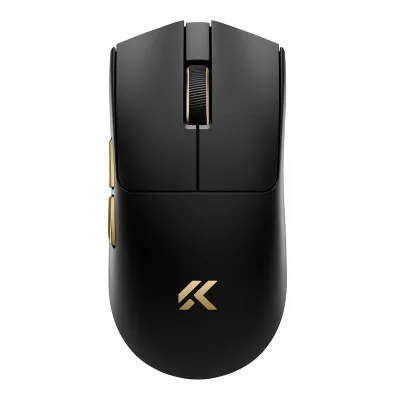 MCHOSE K7 V2 Ultra+
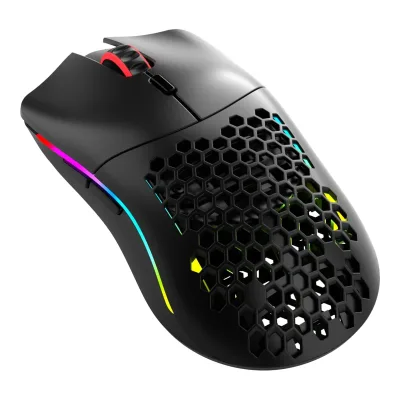 Glorious Model O Classic Wireless
Change Razer Basilisk V4 HyperSpeed
Compare the Logitech Mobi Fold with
Microsoft Surface Arc MouseLogitech MX Anywhere 3SLogitech M196 Bluetooth MouseLogitech Wireless Mouse M185HP X3000 G3 Wireless MouseLogitech M240 Silent Bluetooth MouseLogitech Pebble Mouse 2 M350sLogitech G305 X SUPERLIGHTMicrosoft Surface Mouse (2nd Edition)SteelSeries Aerox 3 Wireless Gen 2MCHOSE K7 V2 Ultra+Glorious Model O Classic Wireless87 of 146 fields differ
- 27 different values
- 60 known for one only
- 10 the same
- 49 missing for both
Size, drawn to scale
Front and side.
- ALogitech: 57 × 33 mm
- BRazer: 75.8 × 42.7 mm
Weight
0 to 300 g
Mouse weight (claimed)
A79g
B94g
All 154 fields
Every value links to where we found it.
General
7 of 9 differ
Series
Not available
Model numbers
910-007615, 910-007601, 910-007830, 910-007630, 910-007604, 910-007624, 910-007631, 910-007606, 910-007625, 910-0076321Maker product pagelogitech.com/en-us/shop/p/mobi-fold-mouseRead 14 October 2026US and Canada pages list 910-007601 Graphite, 910-007615 Lilac, 910-007830 Sand and 910-007630 Off-white. The EU, UK and Australia pages list other numbers, see the separate sources.
RZ01-05680100-R3U1, RZ01-05680200-R3U1, RZ01-05680100-R3M1, RZ01-05680200-R3M11Maker product pagerazer.com/gaming-mice/razer-basilisk-v4-hyperspeedRead 14 October 2026US store SKUs RZ01-05680100-R3U1 (Black) and RZ01-05680200-R3U1 (White).2Maker product pagerazer.com/eu-en/gaming-mice/razer-basilisk-v4-hyperspeedRead 14 October 2026EU store SKUs RZ01-05680100-R3M1 (Black) and RZ01-05680200-R3M1 (White). The EU spec table matches the US one.9Retailer pageevetech.co.za/razer-basilisk-v4-hyperspeed-wireless-gaming-mouse-black/best-deal/27037Read 14 October 2026Listing MPN RZ01-05680100-R3M1.
GTIN / EAN
8887910085318, 88879100853329Retailer pageevetech.co.za/razer-basilisk-v4-hyperspeed-wireless-gaming-mouse-black/best-deal/27037Read 14 October 2026Black RZ01-05680100-R3M1 listing shows GTIN 8887910085318.10Retailer pageevetech.co.za/razer-basilisk-v4-hyperspeed-wireless-gaming-mouse-white/best-deal/27038Read 14 October 2026White RZ01-05680200-R3M1 listing shows GTIN 8887910085332.
Announced
Status
Predecessor
Not available
Not available
Successor
Not available
Not available
Launch price (US)
$79.991Maker product pagelogitech.com/en-us/shop/p/mobi-fold-mouseRead 14 October 2026US store list price 79.99 USD, which equals the MSRP in the launch coverage.10Press articlethenextweb.com/news/logitech-mobi-fold-foldable-travel-mouseRead 14 October 2026Launch report: $79.99 in the United States and £69.99 in the UK. A business version is a separate product at a higher price.
$109.991Maker product pagerazer.com/gaming-mice/razer-basilisk-v4-hyperspeedRead 14 October 2026US store price US$109.99 for the mouse alone. Bundles with a dock cost more. PC Gamer also gives about $110.7Reviewpcgamer.com/hardware/gaming-mice/new-razer-basilisk-v4-executes-perfect-180-degree-turns-at-the-click-of-a-button-all-while-looking-like-a-power-rangers-footRead 14 October 2026Article: the HyperSpeed comes in at $110 and the Pro has a $170 MSRP.
Launch price (EU)
€79.994Maker product pagelogitech.com/en-eu/shop/p/mobi-fold-mouseRead 14 October 2026EU page list price 79.99 EUR. Launch coverage from ITdaily and FoneArena gives a suggested retail price of 79.99 EUR including VAT.7Press articlefonearena.com/blog/484786/logitech-mobi-fold-price-features.htmlRead 14 October 2026Launch text: USD 79.99 / EUR 79.99 / GBP 69.99 / CAD 119.99. The other currencies are not stored.
Markets
Colours
Segment
Shape
3 of 14 differ
Body shape
Maker size class
Not available
Not available
Recommended grips
Not available
Not available
Recommended hand size
Not available
Not available
Hump position
Not available
Thumb rest
Ring or pinky finger rest
Upper shell
Not available
Not available
Swappable parts
Not available
Not available
Adjustable weight
Not available
Not available
Maximum added weight
Not available
Not available
Vertical angle
Not available
Not available
Trackball diameter
Not available
Not available
Trackball position
Not available
Not available
Dimensions and weight
2 of 5 differ
Mouse body dimensions
Length122Maximum width57Maximum height33mm(4.8 × 2.2 × 1.3 in)1Maker product pagelogitech.com/en-us/shop/p/mobi-fold-mouseRead 14 October 2026Specs tab, open: Height 33 mm, Width 57 mm, Depth 122 mm. Read as height, width and length. The setup guide lists 122 x 57 x 33 mm in a different label order. Folded: height 21 mm, depth 66 mm, which is not stored.2Owner's manuallogitech.com/content/dam/support/mice/mobi-fold/mobi-fold-ww.pdfRead 14 October 2026Page 8 lists open 122 x 57 x 33 mm and folded 66 x 57 x 21 mm.
Length127.5Maximum width75.8Maximum height42.7mm(5 × 3 × 1.7 in)1Maker product pagerazer.com/gaming-mice/razer-basilisk-v4-hyperspeedRead 14 October 2026Spec table size: length 127.5, width 75.8, height 42.7 mm.
Grip width
Not available
Not available
Mouse weight (claimed)
79g(2.8 oz)1Maker product pagelogitech.com/en-us/shop/p/mobi-fold-mouseRead 14 October 2026Specs tab Weight 2.79 oz (79 g). The EU, UK, Canada and Australia pages also state 79 g. Engadget text says barely more than two ounces, which is not used.2Owner's manuallogitech.com/content/dam/support/mice/mobi-fold/mobi-fold-ww.pdfRead 14 October 2026Page 8 lists 79 g (2.79 oz).
Box dimensions
Not available
Not available
Packed weight
Not available
Not available
Sensor
16 of 20 differ
Marketed sensor name
Not available
Razer Focus X 33K Optical Sensor Gen-31Maker product pagerazer.com/gaming-mice/razer-basilisk-v4-hyperspeedRead 14 October 2026Spec table: Razer Focus X 33K Optical Sensor Gen-3.
Published sensor brand
Not available
Physical sensor part number
PAW32221Maker product pagelogitech.com/en-us/shop/p/mobi-fold-mouseRead 14 October 2026Specs tab Sensor Technology: PAW3222. The guide says Optical tracking (PAW3222). The chip maker and a marketed sensor name are not published.2Owner's manuallogitech.com/content/dam/support/mice/mobi-fold/mobi-fold-ww.pdfRead 14 October 2026Page 9 Sensor technology: Optical tracking (PAW3222).
Not available
Sensor type
Maximum configurable DPI
4,000DPI1Maker product pagelogitech.com/en-us/shop/p/mobi-fold-mouseRead 14 October 2026Specs tab Sensor Resolution: 4000 DPI. DPI range 400-4000 DPI in increments of 100 DPI.2Owner's manuallogitech.com/content/dam/support/mice/mobi-fold/mobi-fold-ww.pdfRead 14 October 2026Page 9: 400-4000 DPI, can be set in increments of 100 DPI.
Minimum configurable DPI
400DPI1Maker product pagelogitech.com/en-us/shop/p/mobi-fold-mouseRead 14 October 2026Specs tab DPI (Minimal and maximal value): 400-4000 DPI.2Owner's manuallogitech.com/content/dam/support/mice/mobi-fold/mobi-fold-ww.pdfRead 14 October 2026Page 9: 400-4000 DPI.
Not available
DPI adjustment step
Maximum DPI stages
Not available
Default DPI presets
800DPI1Maker product pagelogitech.com/en-us/shop/p/mobi-fold-mouseRead 14 October 2026Specs tab Nominal value: 800 DPI. The support article says the default is 800 DPI. It is the single default, not a list of presets.2Owner's manuallogitech.com/content/dam/support/mice/mobi-fold/mobi-fold-ww.pdfRead 14 October 2026Page 9 Nominal value: 800 DPI.3Maker product pagesupport.logi.com/hc/en-ca/articles/40741548652311-Getting-Started-Mobi-FoldRead 14 October 2026Default 800 DPI configuration.
Separate X and Y DPI
Not available
Tracking speed (claimed)
Not available
Tracking acceleration (claimed)
Not available
50G1Maker product pagerazer.com/gaming-mice/razer-basilisk-v4-hyperspeedRead 14 October 2026Spec table: 50 G.4Maker product pagerazer.com/technology/razer-focus-x-sensorRead 14 October 2026Comparison table: 50 G. The same table lists 500 IPS, which conflicts with the 540 IPS in the model spec table.
Lift-off distance settings
Not available
Not available
Separate lift and landing distance
Not available
Yes3Owner's manualdl.razerzone.com/master-guides/RazerSynapse4/BASILISKV4HYPERSPEED-00000235-en.pdfRead 14 October 2026Calibration: Enable Asymmetric Cut-Off sets different values for lift-off and landing distance.4Maker product pagerazer.com/technology/razer-focus-x-sensorRead 14 October 2026Comparison table: Asymmetric Cut-off 26 steps. Text: individually set a lift-off and landing distance.
Surface calibration
Not available
Yes3Owner's manualdl.razerzone.com/master-guides/RazerSynapse4/BASILISKV4HYPERSPEED-00000235-en.pdfRead 14 October 2026Calibration: the subtab optimizes the sensor to any surface. Smart Tracking sets the stop-tracking distance.4Maker product pagerazer.com/technology/razer-focus-x-sensorRead 14 October 2026Text: Smart Tracking keeps a consistent lift-off distance on different surfaces and auto-calibrates.
Motion Sync
Not available
Angle snapping
Not available
Not available
Ripple control
Not available
Not available
Tracks on glass
Not available
Sensor position
Not available
Performance
4 of 8 differ
Documented polling rates by connection
ALogitech Mobi Fold
Not availableBRazer Basilisk V4 HyperSpeed
| Data connection | Polling rate (Hz) | Receiver requirement |
|---|---|---|
| 2.4 GHz | 1,000 | Included HyperSpeed Wireless dongle |
| 2.4 GHz | 8,000 | Razer Mouse Dock V2 Pro or Razer HyperPolling Wireless Dongle (sold separately) |
Max polling rate
Not available
8,000Hz
Polling rate (wired)
Not available
Not available
Polling rate (2.4 GHz)
Not available
8,000Hz
Polling rate (Bluetooth)
Not available
Not available
Claimed click latency
Not available
Not available
Adjustable debounce
Not available
Not available
Measured
None of 7 known
Latency per connection (measured)
Not available
Not available
DPI deviation (measured)
Not available
Not available
Lift-off distance (measured)
Not available
Not available
Main click force (measured)
Not available
Not available
Weight (measured)
Not available
Not available
Battery life (measured)
Not available
Not available
Hand size fit
Not available
Not available
Switches
6 of 11 differ
Main switch type
Not available
Published main-switch brand
Not available
Main switch model
Not available
Razer Optical Mouse Switches Gen-41Maker product pagerazer.com/gaming-mice/razer-basilisk-v4-hyperspeedRead 14 October 2026Spec table: Razer Optical Mouse Switches Gen-4.
Main switch rated life
Not available
Hot-swap main switches
Not available
Not available
Adjustable click actuation
Not available
Not available
Separate main buttons
Not available
Not available
Side switch model
Not available
Not available
Middle click switch
Not available
Not available
Scroll encoder type
Not available
Scroll encoder
Not available
Razer HyperScroll Tilt Wheel6Spec databaseeloshapes.com/mouse/compareRead 14 October 2026Database: Razer HyperScroll Tilt Wheel.
Buttons and scroll wheel
9 of 13 differ
Physical button inputs
Programmable buttons
Side buttons
41Maker product pagerazer.com/gaming-mice/razer-basilisk-v4-hyperspeedRead 14 October 2026FAQ names three side buttons: AI Prompt Master, Mouse Button 5 and Mouse Button 4. The master guide also lists the Hypershift multi-function trigger on the same side. Four are stored. PC Gamer and EloShapes also count four.3Owner's manualdl.razerzone.com/master-guides/RazerSynapse4/BASILISKV4HYPERSPEED-00000235-en.pdfRead 14 October 2026What's inside: Hypershift button, AI Prompt Master button, Mouse button 5 and Mouse button 4.6Spec databaseeloshapes.com/mouse/compareRead 14 October 2026Database: 4 side buttons.7Reviewpcgamer.com/hardware/gaming-mice/new-razer-basilisk-v4-executes-perfect-180-degree-turns-at-the-click-of-a-button-all-while-looking-like-a-power-rangers-footRead 14 October 2026Article: both models feature four side buttons.8Spec databasepreisvergleich.heise.de/razer-basilisk-v4-hyperspeed-rz01-05680200-r3m1-a3964752.htmlRead 14 October 2026Price comparison spec list: 4 buttons on the left side, 2 main, 1 on top and 1 wheel click. That is 8 buttons and 10 button functions with the two tilt directions.
Side buttons on
Not available
DPI button position
Not available
Not available
Profile button
Not available
Dedicated DPI-shift button
Not available
Not available
Dedicated gesture button
Not available
Not available
Scroll wheel
Not available
Scroll mode switch
Button1Maker product pagerazer.com/gaming-mice/razer-basilisk-v4-hyperspeedRead 14 October 2026Page: switch to free-spin scrolling at the touch of a button. The guide lists a scroll mode toggle.3Owner's manualdl.razerzone.com/master-guides/RazerSynapse4/BASILISKV4HYPERSPEED-00000235-en.pdfRead 14 October 2026Using: toggle between Tactile mode and Free-Spinning mode.
Separate thumb wheel
Not available
Scroll wheel material
Not available
Not available
Build
2 of 6 differ
Shell material
Not available
Plastic, polymer unspecified6Spec databaseeloshapes.com/mouse/compareRead 14 October 2026Database: material Plastic.
Surface finish
Not available
Not available
Installed feet material
Not available
Installed skate pieces
Not available
Not available
Feet shape
Not available
Not available
Feet thickness
Not available
Not available
Cable
2 of 5 differ
Cable
Not available
Not available
Cable length
Not available
Not available
Detachable cable
Not available
Port on mouse
Cable host plug
Not available
USB-A1Maker product pagerazer.com/gaming-mice/razer-basilisk-v4-hyperspeedRead 14 October 2026Spec table: USB Type A to USB Type C cable.3Owner's manualdl.razerzone.com/master-guides/RazerSynapse4/BASILISKV4HYPERSPEED-00000235-en.pdfRead 14 October 2026Getting started: USB Type A end goes to the PC.
Connectivity
12 of 13 differ
Connections
USB (wired), 2.4 GHz, Bluetooth1Maker product pagerazer.com/gaming-mice/razer-basilisk-v4-hyperspeedRead 14 October 2026Spec table: Razer HyperSpeed Wireless, Bluetooth and Wired.3Owner's manualdl.razerzone.com/master-guides/RazerSynapse4/BASILISKV4HYPERSPEED-00000235-en.pdfRead 14 October 2026Getting started: Bluetooth mode, wired mode and 2.4 GHz mode. A slider switch selects Bluetooth, power off or HyperSpeed Wireless.8Spec databasepreisvergleich.heise.de/razer-basilisk-v4-hyperspeed-rz01-05680200-r3m1-a3964752.htmlRead 14 October 2026Price comparison spec list: 2.4 GHz wireless with a USB-A receiver, wired USB and Bluetooth LE.
Wireless technology
Bluetooth
Not available
Saved Bluetooth pairing slots
31Maker product pagelogitech.com/en-us/shop/p/mobi-fold-mouseRead 14 October 2026Specs tab Multi-device pairing: up to 3 devices. The setup guide describes three Bluetooth channels.2Owner's manuallogitech.com/content/dam/support/mice/mobi-fold/mobi-fold-ww.pdfRead 14 October 2026Page 6: the mouse can be paired with up to three different devices using the Easy-Switch button to change the Bluetooth channel.
Switchable host devices
Device switching
Button1Maker product pagelogitech.com/en-us/shop/p/mobi-fold-mouseRead 14 October 2026Key features and setup guide: Easy-Switch button on the back of the mouse.2Owner's manuallogitech.com/content/dam/support/mice/mobi-fold/mobi-fold-ww.pdfRead 14 October 2026Page 6: a short press on the Easy-Switch button selects the channel, a 3 second hold starts pairing.
Not available
Receiver host connector
Receiver storage in mouse
Not available
Receiver extender included
Not available
Yes1Maker product pagerazer.com/gaming-mice/razer-basilisk-v4-hyperspeedRead 14 October 2026Box contents: HyperSpeed Wireless dongle + USB dongle adapter. The guide says the adapter extends the reach of the dongle.3Owner's manualdl.razerzone.com/master-guides/RazerSynapse4/BASILISKV4HYPERSPEED-00000235-en.pdfRead 14 October 2026Connect: use the USB dongle adapter to extend the reach of the HyperSpeed Wireless dongle.
Receiver pairing shared
Not available
Yes1Maker product pagerazer.com/gaming-mice/razer-basilisk-v4-hyperspeedRead 14 October 2026Page: pair a compatible keyboard for a multi-device setup on a single dongle.3Owner's manualdl.razerzone.com/master-guides/RazerSynapse4/BASILISKV4HYPERSPEED-00000235-en.pdfRead 14 October 2026Multi-device pairing: the dongle supports a keyboard and mouse at the same time. The mouse must be in 2.4 GHz mode.
Wireless range
10m1Maker product pagelogitech.com/en-us/shop/p/mobi-fold-mouseRead 14 October 2026Specs tab Wireless range: 33-ft (10m). The guide says up to 10 m with an open line of sight.2Owner's manuallogitech.com/content/dam/support/mice/mobi-fold/mobi-fold-ww.pdfRead 14 October 2026Page 9 Wireless range: up to 10 m with an open line of sight.
Not available
Basic mouse OS support
Windows, macOS, Linux, ChromeOS, iPadOS, Android1Maker product pagelogitech.com/en-us/shop/p/mobi-fold-mouseRead 14 October 2026Specs tab: Windows 10, 11 or later, macOS 12 or later, iPadOS 15 or later, ChromeOS and Googlebook, Android 12 or later, Linux. The setup guide says basic functions work without software on systems other than Windows and macOS. Googlebook is not an option in the schema.
Not available
Consoles
Not available
Not available
Battery
13 of 17 differ
Battery type
Not available
Disposable battery count
Not available
Not available
Battery capacity
Not available
User-replaceable battery
Not available
Battery life by mode (claimed)
ALogitech Mobi Fold
Not availableBRazer Basilisk V4 HyperSpeed
| Connection | Polling rate (Hz) | Claimed runtime (h) |
|---|---|---|
| 2.4 GHz | 1,000 | 140 |
| Bluetooth | Not available | 225 |
Battery life (normal use)
Not available
Not available
Longest battery life
Not available
225h
Battery life at 1000 Hz
Not available
140h
Battery life on Bluetooth
Not available
225h
Charging port
USB-C1Maker product pagelogitech.com/en-us/shop/p/mobi-fold-mouseRead 14 October 2026Key features: USB-C cable. The charging cable is not included.2Owner's manuallogitech.com/content/dam/support/mice/mobi-fold/mobi-fold-ww.pdfRead 14 October 2026Page 7: USB-C charging cable (sold separately) into the charging port on the mouse.
Full charge time
Not available
Quick charge
Charge time1 minUse time22 h1Maker product pagelogitech.com/en-us/shop/p/mobi-fold-mouseRead 14 October 2026Key features: 22 hours of use with a 1-minute quick charge. The setup guide gives the same.2Owner's manuallogitech.com/content/dam/support/mice/mobi-fold/mobi-fold-ww.pdfRead 14 October 2026Page 7: 1-minute quick charge gives up to 22 hours of use, based on continuous normal working usage and excluding deep sleep mode.
Not available
Use while charging
Not available
Not available
Charging system compatibility
Not available
Razer Mouse Dock V2 Pro, Razer HyperFlux V21Maker product pagerazer.com/gaming-mice/razer-basilisk-v4-hyperspeedRead 14 October 2026Spec table: compatible with Razer HyperFlux V2, Razer Mouse Dock V2 Pro and Razer Wireless Charging Puck, all sold separately. The cover puck is swapped for the charging puck.3Owner's manualdl.razerzone.com/master-guides/RazerSynapse4/BASILISKV4HYPERSPEED-00000235-en.pdfRead 14 October 2026The cover puck is interchangeable with the Razer Wireless Charging Puck for charging via Razer Mouse Dock Pro or HyperFlux V2. Each is sold separately.
Charging dock included
Not available
Battery indicator
LED, Software2Owner's manuallogitech.com/content/dam/support/mice/mobi-fold/mobi-fold-ww.pdfRead 14 October 2026Page 7: the battery LED blinks red at 10 percent or below.3Maker product pagesupport.logi.com/hc/en-ca/articles/40741548652311-Getting-Started-Mobi-FoldRead 14 October 2026The LED on top shows battery status. Green is 100 to 10 percent, red is 9 percent or below, pulsing green while charging. Logi Options+ gives battery notifications.
Lighting
3 of 4 differ
Decorative RGB lighting
Not available
Decorative lighting zones
Not available
Lighting sync
Not available
DPI indicator
Not available
Not available
Software
5 of 9 differ
Software
Configuration software platforms
Onboard memory
Not available
Yes1Maker product pagerazer.com/gaming-mice/razer-basilisk-v4-hyperspeedRead 14 October 2026Spec table: 5 on-board memory profiles. The guide says profiles can be used on systems without the app.3Owner's manualdl.razerzone.com/master-guides/RazerSynapse4/BASILISKV4HYPERSPEED-00000235-en.pdfRead 14 October 2026Personalize: up to 5 profiles in Synapse can be used on systems without the app installed.
Onboard profiles
Not available
Macros
Not available
Yes1Maker product pagerazer.com/gaming-mice/razer-basilisk-v4-hyperspeedRead 14 October 2026FAQ: configure macros in Razer Synapse.3Owner's manualdl.razerzone.com/master-guides/RazerSynapse4/BASILISKV4HYPERSPEED-00000235-en.pdfRead 14 October 2026Macro module: record keystrokes, button presses and cursor movements.
Macros stored onboard
Not available
Not available
Button remapping
Yes1Maker product pagerazer.com/gaming-mice/razer-basilisk-v4-hyperspeedRead 14 October 2026FAQ: configure button mappings in Razer Synapse. All three side buttons can be remapped.3Owner's manualdl.razerzone.com/master-guides/RazerSynapse4/BASILISKV4HYPERSPEED-00000235-en.pdfRead 14 October 2026Remap menu: any assignment can be changed to keyboard, mouse, macro, sensitivity and other functions.
Per-app profiles
Yes1Maker product pagerazer.com/gaming-mice/razer-basilisk-v4-hyperspeedRead 14 October 2026The guide describes Linked Games, which sets a profile when a linked app starts. It needs Synapse running.3Owner's manualdl.razerzone.com/master-guides/RazerSynapse4/BASILISKV4HYPERSPEED-00000235-en.pdfRead 14 October 2026Linked Games: sets the selected profile when the linked app launches.
User firmware updates
Not available
Not available
In the box
2 of 4 differ
In the box
Mouse, User documentation1Maker product pagelogitech.com/en-us/shop/p/mobi-fold-mouseRead 14 October 2026Package contents on the specs tab, verbatim.2Owner's manuallogitech.com/content/dam/support/mice/mobi-fold/mobi-fold-ww.pdfRead 14 October 2026Page 5 What's in the box: 1. Mobi Fold, 2. User documentation.
Razer Basilisk V4 HyperSpeed, HyperSpeed Wireless Dongle + USB Dongle Adapter, USB Type A to USB Type C Cable, Important Product Information Guide1Maker product pagerazer.com/gaming-mice/razer-basilisk-v4-hyperspeedRead 14 October 2026Spec table box contents.3Owner's manualdl.razerzone.com/master-guides/RazerSynapse4/BASILISKV4HYPERSPEED-00000235-en.pdfRead 14 October 2026What's inside: mouse, dongle + USB dongle adapter, USB Type A to USB Type C cable, Important Product Information Guide.
Cables included
ALogitech Mobi Fold
Not availableBRazer Basilisk V4 HyperSpeed
| Type | Cable count |
|---|---|
| USB Type A to USB Type C cable | 1 |
Extra skates included
Grip tape
Links
Not compared
Product page
Spec sheet
Not available
Not available
Manual
EPREL registration number
Not available
Not available
Warranty
1 of 1 differ
Manufacturer warranty (source market)