Webcams / Compare
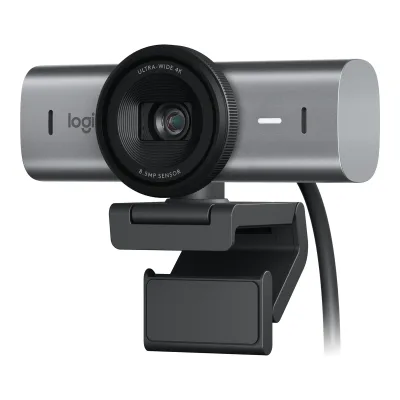
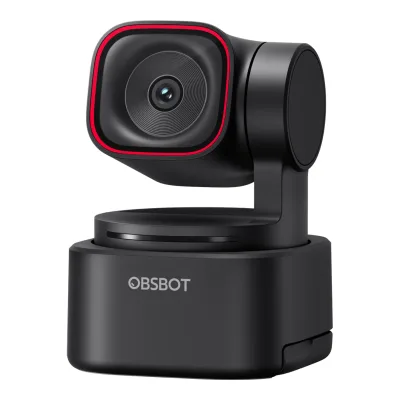
Logitech MX Brio vs OBSBOT Tiny 3 Lite
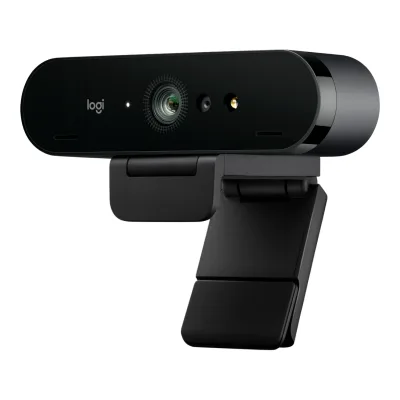
Product A: Logitech
48 of 68 known
Change Logitech MX Brio
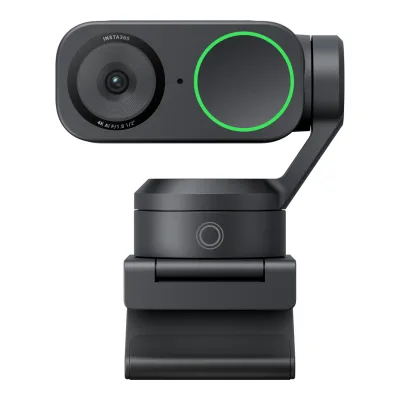
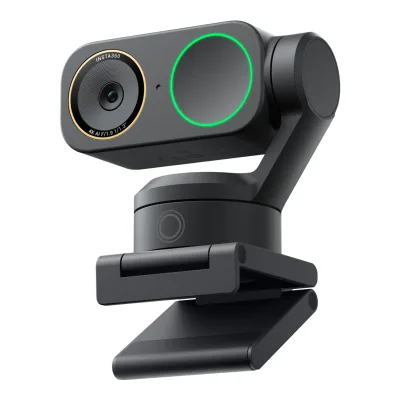
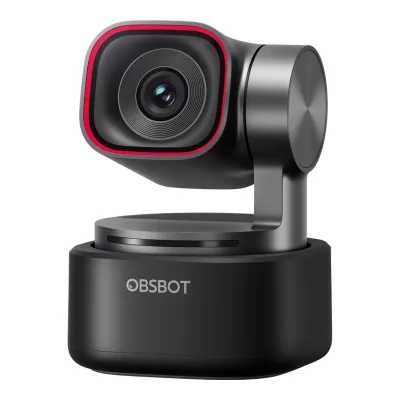
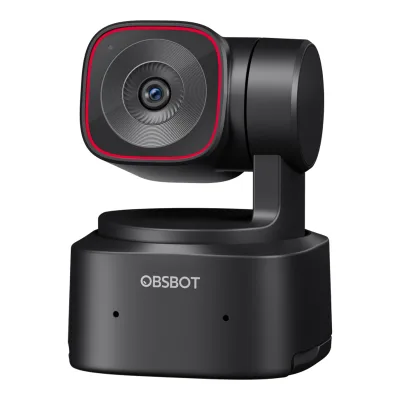
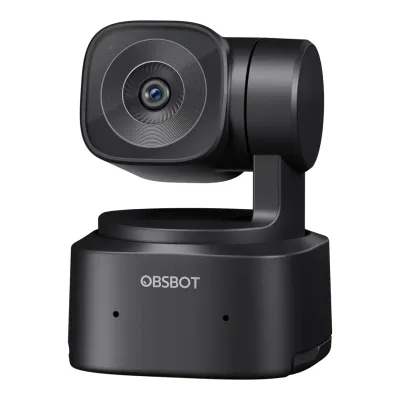
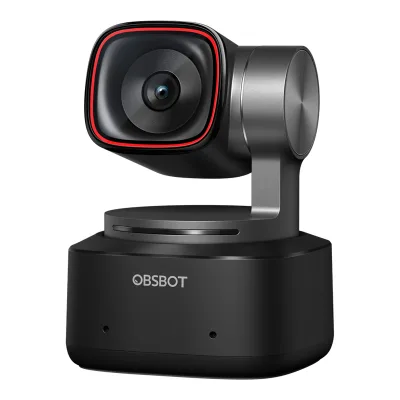
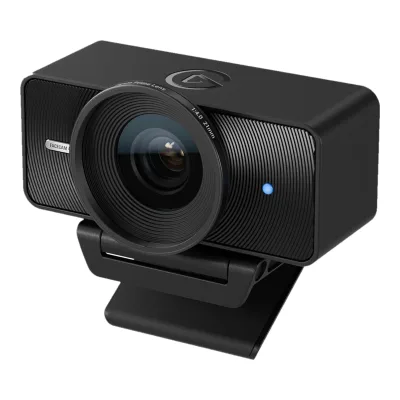
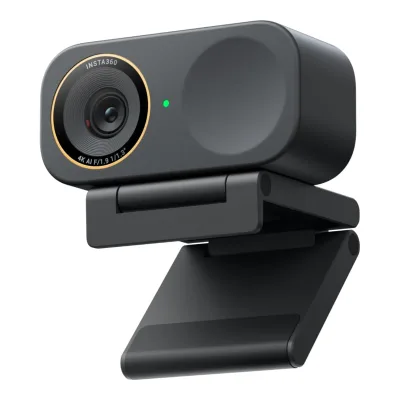
Product B: OBSBOT
52 of 68 known
Change OBSBOT Tiny 3 Lite
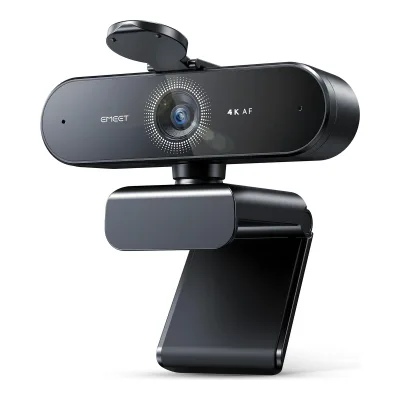
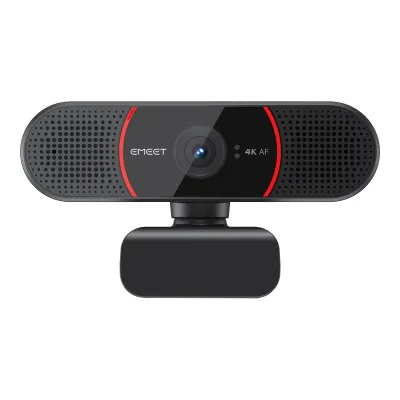
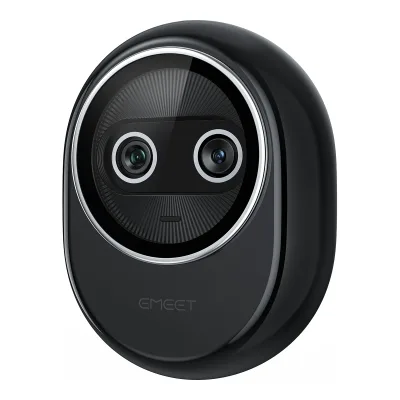
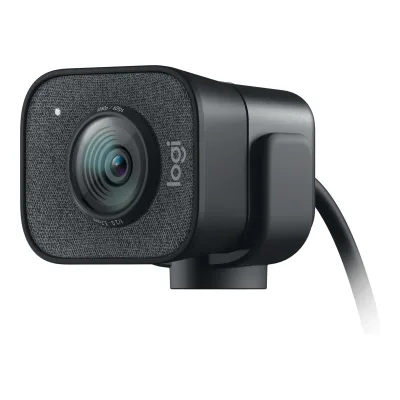
42 of 60 fields differ
- 23 different values
- 19 known for one only
- 13 the same
- 5 missing for both
Biggest differences
Each bar uses the scale of all 39 webcams.
- Sensor resolutionA: 8.5MPB: 48MPOBSBOT is 5.6 times higher.
- 1080p frame rateA: 60fpsB: 120fpsOBSBOT is 60 fps higher.
- Max frame rateA: 60fpsB: 120fpsOBSBOT is 60 fps higher.
- Field of viewA: 90°B: 72°Logitech is 18° higher.
Size, drawn to scale
Front and side.
- ALogitech: 98 × 44 mm
- BOBSBOT: 41 × 58 mm
Weight
0 to 250 g
Camera weight
A137g
B73g
All 68 fields
Every value links to where we found it.
General
5 of 8 differ
Series
Model numbers
960-001545, 960-001550, 960-001558, 960-001554, 960-0015591Maker product pagelogitech.com/en-us/shop/p/mx-brio-4k-webcam.960-001550Read 14 October 2026US page lists Pale Gray 960-001550, Graphite 960-001545 and Black 960-001558. The UK page adds 960-001554 and 960-001559.2Maker product pagelogitech.com/en-gb/products/webcams/mx-brio-4k-webcam.960-001554.htmlRead 14 October 2026UK page lists Pale Gray 960-001554 and Graphite 960-001559
GTIN / EAN
6971889231158, 76855669093810Retailer pagepood.datafox.ee/obsbot-tiny-3-lite-webcamRead 15 October 2026EAN 6971889231158. Plaza Kamera uses the same number as SKU. A Latvian retailer lists a remote bundle under another code, which is not this product.11Retailer pagemusicredone.com/products/obsbot-tiny-3-lite-ai-powered-ptz-4k-webcamRead 15 October 2026UPC 768556690938. Markertek lists GTIN 0768556690938, the same code with a leading zero.
Announced
Status
Predecessor
Logitech Brio 4K11Reviewtomshardware.com/peripherals/webcams/logitech-mx-brio-reviewRead 23 October 2026Tom's Hardware calls the Logitech MX Brio an update to the Brio 4K and names the Brio 4K as its predecessor.
Not available
Successor
Not available
Not available
Launch price (US)
$1996Reviewcgmagonline.com/review/hardware/obsbot-tiny-3-lite-webcamRead 15 October 2026Review dated 2026-01-28 gives US$199. CNET's review and The Cosmic Circus also give $199. US price excluding tax.8Reviewthecosmiccircus.com/obsbot-tiny-3-and-tiny-3-lite-camera-reviewRead 15 October 2026Review: the Tiny 3 Lite is priced at $199 USD
Launch price (EU)
€2294Maker product pageobsbot.com/store/products/tiny-3-liteRead 15 October 2026Store page EUR 229, VAT included. It matches the launch article.7Press articleifun.de/motorisierte-mini-webcams-obsbot-tiny-3-und-tiny-3-lite-starten-273295Read 15 October 2026Launch article dated 2026-01-28, German market: Tiny 3 Lite for 229 euro, both models on sale now. Price including VAT as published by OBSBOT Europe.
Markets
Not available
Not available
Colours
Graphite, Pale Gray, Black1Maker product pagelogitech.com/en-us/shop/p/mx-brio-4k-webcam.960-001550Read 14 October 2026Colour selector: Pale Gray, Graphite, Black
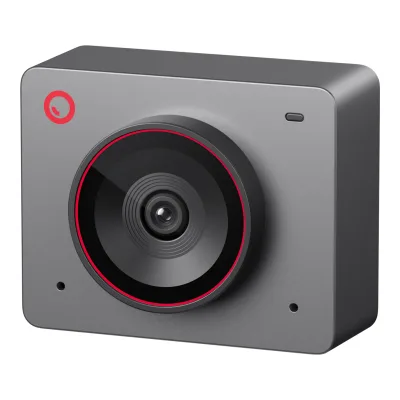
Black8Reviewthecosmiccircus.com/obsbot-tiny-3-and-tiny-3-lite-camera-reviewRead 15 October 2026Review: completely black body with a small red ring around the lens. Tech4Gamers also says black.13Retailer pagehacom.vn/webcam-obsbot-tiny-3-lite-mau-den-wcob0006Read 15 October 2026Product titled Black (Mau den)
Video
5 of 8 differ
Video modes
ALogitech MX Brio
| Width (px) | Height (px) | Max frame rate (fps) |
|---|---|---|
| 3840 | 2160 | 30 |
| 1920 | 1080 | 60 |
| 1280 | 720 | 60 |
Source1Maker product pagelogitech.com/en-us/shop/p/mx-brio-4k-webcam.960-001550Read 14 October 2026Specs, Supported resolutions: 4K/30fps (3840x2160) and 1080p/60fps (1920x1080). The 720p 60 fps mode comes from Expert Reviews. Logitech does not tie a video format to each mode, so format is left out.6Reviewexpertreviews.co.uk/webcams/logitech-mx-brio-reviewRead 14 October 2026Review text: 4K at 30 fps, Full HD and HD at 60 fps
BOBSBOT Tiny 3 Lite
| Width (px) | Height (px) | Max frame rate (fps) | Format |
|---|---|---|---|
| 3840 | 2160 | 30 | MJPEG |
| 1920 | 1080 | 120 | MJPEG |
| 1280 | 720 | 120 | MJPEG |
| 640 | 480 | 30 | YUV (unnamed subformat) |
| 640 | 360 | 30 | YUV (unnamed subformat) |
Max video resolution
3840 × 2160px
3840 × 2160px
Max frame rate at 4K
30fps
30fps
Max frame rate at 1080p
60fps
120fps
Max frame rate at any resolution
60fps
120fps
HDR video
Yes1Maker product pageobsbot.com/obsbot-tiny-3-series-4k-ptz-webcam/specsRead 15 October 2026Spec table HDR row: Support. The frame rate with HDR is not stated.2Maker product pageobsbot.com/obsbot-tiny-3-series-4k-ptz-webcamRead 15 October 2026Footnote 4: Tiny 3 Lite features high-quality HDR. DCG HDR is exclusive to the Tiny 3.3Owner's manualresource-cdn.obsbothk.com/download/obsbot-tiny-3-lite/manual/v2/OBSBOT_Tiny%203%20Lite%20User%20Manual_EN_v1.0.pdfRead 15 October 2026HDR section: off by default, enabled in OBSBOT Center
Max frame rate with HDR
Not available
Sensor and lens
8 of 10 differ
Sensor optical format
Not available
Sensor
Sensor resolution
Pixel size
Not available
Not available
Aperture (f/)
26Reviewexpertreviews.co.uk/webcams/logitech-mx-brio-reviewRead 14 October 2026Review text: 8.5MP Sony STARVIS sensor (f/2.0 aperture). CGMagazine states f/2.0 as well. Logitech does not publish the aperture on its page.7Reviewcgmagonline.com/review/hardware/logitech-mx-brio-webcam-reviewRead 14 October 2026Review text: 4K/30fps or 1080/60fps video at f/2.0. Logitech did not state the sensor size.
Focal length (35 mm equivalent)
Not available
Lens material
Not available
Field of view (diagonal)
Field of view (horizontal)
Not available
Not available
Selectable fields of view
Not available
Focus and zoom
3 of 4 differ
Focus
Manual focus
Not available
Yes1Maker product pageobsbot.com/obsbot-tiny-3-series-4k-ptz-webcam/specsRead 15 October 2026Spec table Focus Type: AF (PDAF) / MF3Owner's manualresource-cdn.obsbothk.com/download/obsbot-tiny-3-lite/manual/v2/OBSBOT_Tiny%203%20Lite%20User%20Manual_EN_v1.0.pdfRead 15 October 2026Focus section: users can disable auto focus and adjust focus in OBSBOT Center
Closest focus distance
Not available
Max digital zoom
4×1Maker product pageobsbot.com/obsbot-tiny-3-series-4k-ptz-webcam/specsRead 15 October 2026Spec table Digital Zoom: 1-4x3Owner's manualresource-cdn.obsbothk.com/download/obsbot-tiny-3-lite/manual/v2/OBSBOT_Tiny%203%20Lite%20User%20Manual_EN_v1.0.pdfRead 15 October 2026Zoom section: supports 4x digital zoom
Features
5 of 7 differ
Auto framing
Yes5Press articlefunkykit.com/news/logitech-introduces-mx-brio-its-most-advanced-webcam-designed-for-the-evolving-ways-of-working-and-streamingRead 14 October 2026RightSight autoframing is enabled through Logi Tune for enterprise customers with MX Brio 705. Expert Reviews used RightSight with the MX Brio in Logi Tune.6Reviewexpertreviews.co.uk/webcams/logitech-mx-brio-reviewRead 14 October 2026RightSight auto-framing is only available in the Logi Tune app
Yes2Maker product pageobsbot.com/obsbot-tiny-3-series-4k-ptz-webcamRead 15 October 2026Intelligent Framing section for the Tiny 3 Series: Auto Zoom, Composition Lines, Face Framing, Group Tracking. The launch release lists Auto Zoom and Face Framing for the Lite. Needs OBSBOT Center.3Owner's manualresource-cdn.obsbothk.com/download/obsbot-tiny-3-lite/manual/v2/OBSBOT_Tiny%203%20Lite%20User%20Manual_EN_v1.0.pdfRead 15 October 2026Zoom section, Auto Zoom: enabled in OBSBOT Center. Human tracking supports Full Body, Close-Up, Upper Body, Headless and Lower Body.5Press releaseobsbot.com/news/tiny-3-series-launchRead 15 October 2026Tiny 3 Lite feature list: Auto Zoom, Face Framing
Gimbal pan range
Not available
260°1Maker product pageobsbot.com/obsbot-tiny-3-series-4k-ptz-webcam/specsRead 15 October 2026Controllable range pan +/-130 degrees stored as 260. Mechanical range +/-150 degrees is not used.3Owner's manualresource-cdn.obsbothk.com/download/obsbot-tiny-3-lite/manual/v2/OBSBOT_Tiny%203%20Lite%20User%20Manual_EN_v1.0.pdfRead 15 October 2026Gimbal section: controllable pan +/-130 degrees
Gimbal tilt range
Not available
92°1Maker product pageobsbot.com/obsbot-tiny-3-series-4k-ptz-webcam/specsRead 15 October 2026Controllable range tilt 32 degrees down to 60 degrees up stored as 92. Mechanical range +/-90 degrees is not used.3Owner's manualresource-cdn.obsbothk.com/download/obsbot-tiny-3-lite/manual/v2/OBSBOT_Tiny%203%20Lite%20User%20Manual_EN_v1.0.pdfRead 15 October 2026Gimbal section: controllable tilt 32 degrees to -60 degrees
Gesture control
Not available
Yes1Maker product pageobsbot.com/obsbot-tiny-3-series-4k-ptz-webcam/specsRead 15 October 2026Spec table Auxiliary Functions: Gesture Control, Voice Control, Voice Locator, Voice Tracking3Owner's manualresource-cdn.obsbothk.com/download/obsbot-tiny-3-lite/manual/v2/OBSBOT_Tiny%203%20Lite%20User%20Manual_EN_v1.0.pdfRead 15 October 2026Gesture Control 2.0 section: toggle human tracking and zoom with hand gestures
IR face login
Not available
Built-in light
Not available
Not available
Other camera features
Show Mode, RightLight 5, RightSight1Maker product pagelogitech.com/en-us/shop/p/mx-brio-4k-webcam.960-001550Read 14 October 2026Names from the page: Show Mode, RightLight 5. RightSight comes from the launch release and Expert Reviews.6Reviewexpertreviews.co.uk/webcams/logitech-mx-brio-reviewRead 14 October 2026RightSight is available only in Logi Tune
AI Tracking 2.0, Voice Tracking, Voice Control, Voice Locator, Zone Tracking, Hand Tracking, Auto Zoom, Face Framing, Group Tracking, AI Color Tuning, Sleep Mode 2.0, Avatar & Virtual Voice2Maker product pageobsbot.com/obsbot-tiny-3-series-4k-ptz-webcamRead 15 October 2026Names from the series page sections marked for both models, the manual and the launch release: AI Tracking 2.0, Voice Tracking, Voice Control, Voice Locator, Zone Tracking, Hand Tracking, Auto Zoom, Face Framing, Group Tracking, AI Color Tuning, Sleep Mode 2.0, Avatar & Virtual Voice. Desk Mode, Whiteboard Mode and DCG HDR are Tiny 3 only and are not stored.3Owner's manualresource-cdn.obsbothk.com/download/obsbot-tiny-3-lite/manual/v2/OBSBOT_Tiny%203%20Lite%20User%20Manual_EN_v1.0.pdfRead 15 October 2026Manual sections Hand Tracking, Zone tracking in the Human Tracking section, single and group tracking mode, Voice Control and Sleep Mode5Press releaseobsbot.com/news/tiny-3-series-launchRead 15 October 2026Tiny 3 Lite feature list: AI Tracking 2.0 with individual, group, hand and object tracking, Auto Zoom, Face Framing, Voice Tracking, Voice Locator, Sleep Mode 2.0. Desk Mode and Whiteboard Mode are Tiny 3 only.
Audio
4 of 6 differ
Built-in microphone
Microphones
21Maker product pagelogitech.com/en-us/shop/p/mx-brio-4k-webcam.960-001550Read 14 October 2026Page text: integrated dual beamforming noise-reducing mics. Digital Camera World describes a microphone at either side of the lens.9Reviewdigitalcameraworld.com/reviews/logitech-mx-brio-reviewRead 14 October 2026Spec table: 2x beamforming mics, one at either side of the lens
Stereo audio
Not available
Mic pickup range
Not available
Mic noise reduction
Connectivity
2 of 4 differ
USB
Not available
Detachable cable
Cable host plug
Cable length
Mounting and privacy
2 of 2 differ
Mounting
Monitor clip, Magnetic mount, Tripod thread1Maker product pagelogitech.com/en-us/shop/p/mx-brio-4k-webcam.960-001550Read 14 October 2026Specs: detachable universal mounting clip for laptops, LCD displays and monitors, and a standard 1/4 inch thread for tripods. Digital Camera World and Windows Central describe the magnetic mount.8Reviewwindowscentral.com/accessories/cameras/logitech-mx-brio-reviewRead 14 October 2026Review lists a simple magnetic mount in the box9Reviewdigitalcameraworld.com/reviews/logitech-mx-brio-reviewRead 14 October 2026Review text: the webcam attaches to a monitor mount with a strong magnet
Monitor clip, Tripod thread3Owner's manualresource-cdn.obsbothk.com/download/obsbot-tiny-3-lite/manual/v2/OBSBOT_Tiny%203%20Lite%20User%20Manual_EN_v1.0.pdfRead 15 October 2026Placement Instructions: the built-in stand at the bottom sits on a monitor. A standard UNC 1/4-20 nut connector on the base is for a tripod. The manual names no magnet.9Reviewsmartzone.de/obsbot-tiny-3-tiny-3-lite-im-test-4k-webcams-mit-premium-anspruchRead 15 October 2026Review: the Lite has a fixed built-in mount and lacks the Tiny 3's magnetic mechanism, so no magnetic mount is stored11Retailer pagemusicredone.com/products/obsbot-tiny-3-lite-ai-powered-ptz-4k-webcamRead 15 October 2026Attachment Method: Clip, 1/4"-20 Tripod
Privacy cover
Lens turns away2Maker product pageobsbot.com/obsbot-tiny-3-series-4k-ptz-webcamRead 15 October 2026Section Manual Sleep and Device Auto Sleep: tilt the lens down for an instant physical cover. Sleep Mode 2.0 can also start automatically.3Owner's manualresource-cdn.obsbothk.com/download/obsbot-tiny-3-lite/manual/v2/OBSBOT_Tiny%203%20Lite%20User%20Manual_EN_v1.0.pdfRead 15 October 2026Sleep Mode, Manual Sleep: point the lens straight down. The indicator light goes off.
Software
1 of 3 differ
Software
OBSBOT Center1Maker product pageobsbot.com/obsbot-tiny-3-series-4k-ptz-webcam/specsRead 15 October 2026Spec table Auxiliary App: OBSBOT Center, Obsbot Live. OBSBOT Center is the desktop app.3Owner's manualresource-cdn.obsbothk.com/download/obsbot-tiny-3-lite/manual/v2/OBSBOT_Tiny%203%20Lite%20User%20Manual_EN_v1.0.pdfRead 15 October 2026OBSBOT Center software section
Onboard memory
Not available
Not available
User firmware updates
Compatibility
1 of 1 differ
Works with
Windows, macOS, ChromeOS, Linux1Maker product pagelogitech.com/en-us/shop/p/mx-brio-4k-webcam.960-001550Read 14 October 2026Specs, Compatibility: Windows 10 or later, macOS 10.15 or later, ChromeOS and Linux with basic UVC support4Maker product pagesupport.logi.com/hc/en-au/articles/20712899413783-Do-I-need-a-driver-to-use-MX-BrioRead 14 October 2026Natively supported: Windows 10 or later, macOS 10.15 or later, ChromeOS and Linux with basic UVC support only
Windows, macOS1Maker product pageobsbot.com/obsbot-tiny-3-series-4k-ptz-webcam/specsRead 15 October 2026Spec table System Requirements: Windows 10 (64-bit) or later, macOS 11.0 or later3Owner's manualresource-cdn.obsbothk.com/download/obsbot-tiny-3-lite/manual/v2/OBSBOT_Tiny%203%20Lite%20User%20Manual_EN_v1.0.pdfRead 15 October 2026System Requirements: Windows 10 (64-bit) or later, macOS 11.0 or later
Dimensions and weight
3 of 3 differ
Camera dimensions
Width98Height44Depth36mm(3.9 × 1.7 × 1.4 in)1Maker product pagelogitech.com/en-us/shop/p/mx-brio-4k-webcam.960-001550Read 14 October 2026Dimensions, webcam only: height 44 mm, width 98 mm, depth 36 mm
Camera weight
Weight with mount
Not available
Certifications
2 of 2 differ
Communication certifications
Microsoft Teams, Zoom, Google Meet, Streamlabs1Maker product pagelogitech.com/en-us/shop/p/mx-brio-4k-webcam.960-001550Read 14 October 2026Specs, Certified for: Microsoft Teams, Zoom, Google Meet, Works With Chromebook, Streamlabs. Works With Chromebook is stored under other certifications.
Not available
Other certifications
Works With Chromebook1Maker product pagelogitech.com/en-us/shop/p/mx-brio-4k-webcam.960-001550Read 14 October 2026Specs, Certified for: Works With Chromebook
Not available
In the box
1 of 1 differ
In the box
MX Brio, Mount clip with removable adapter, USB-C to C 3.0 cable, User documentation1Maker product pagelogitech.com/en-us/shop/p/mx-brio-4k-webcam.960-001550Read 14 October 2026Package contents list
OBSBOT Tiny 3 Lite, USB-C to C Cable, USB-C to USB-A Adapter4Maker product pageobsbot.com/store/products/tiny-3-liteRead 15 October 2026Contents list: OBSBOT Tiny 3 Lite, USB-C to C cable, USB-C to USB-A adapter
Links
Not compared
Product page
Spec sheet
Not available
Manual
Not available
EPREL registration number
Not available
Not available
Warranty
0 of 1 differ
Manufacturer warranty (source market)
Both are also in the API. Back to all webcams.