Mice / Compare
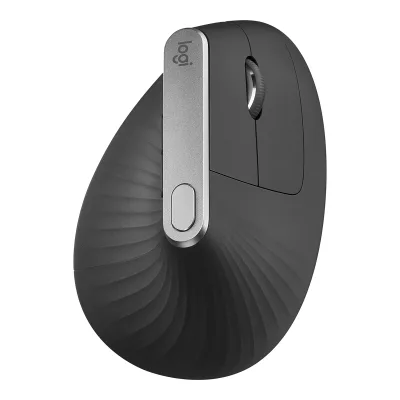
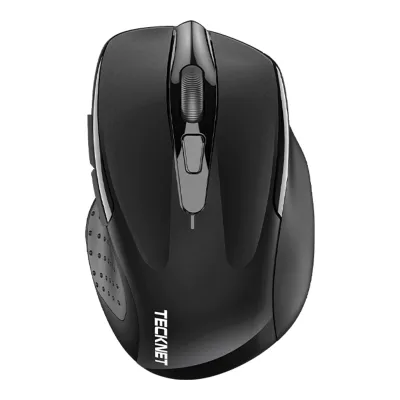
Logitech MX Vertical Advanced Ergonomic Mouse vs TECKNET Classic 2.4G Ergonomic Mouse M003
Product A: Logitech
MX Vertical Advanced Ergonomic Mouse
78 of 154 known Keychron M6 Wireless Mouse
 Razer Pro Click V2
 Anker 2.4G Wireless Vertical Ergonomic Optical Mouse
 ProtoArc EM11 NL
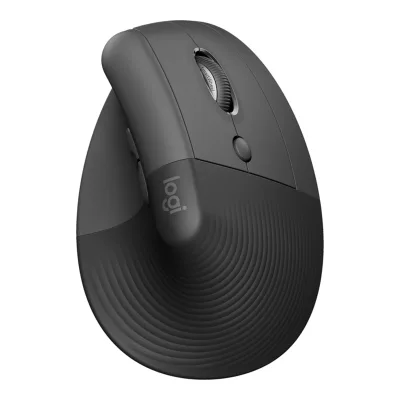 Logitech Lift Vertical Ergonomic Mouse
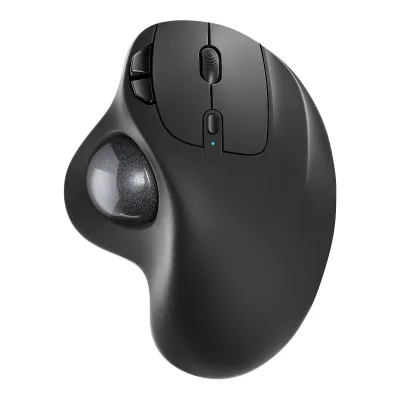 Nulea M501 Wireless Trackball Mouse
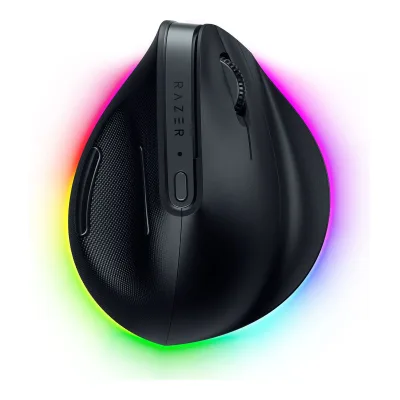 Razer Pro Click V2 Vertical Edition
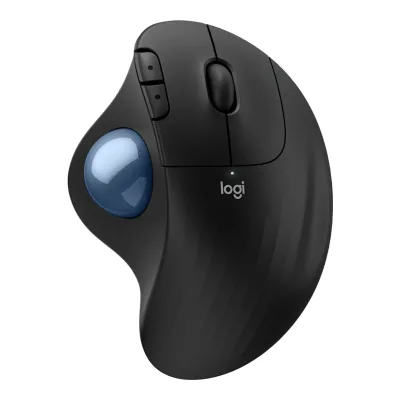 Logitech ERGO M575S Wireless Trackball Mouse
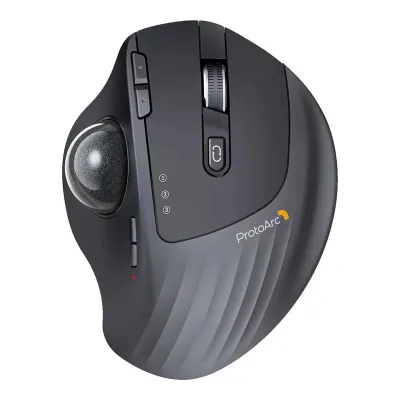 ProtoArc EM01 NL
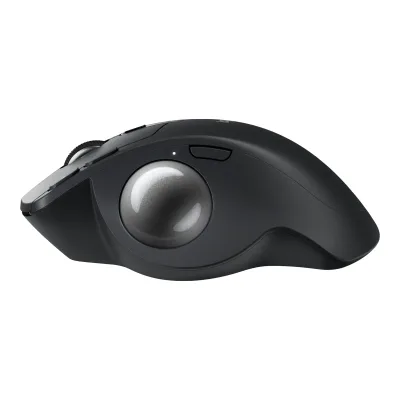 Logitech MX Ergo S
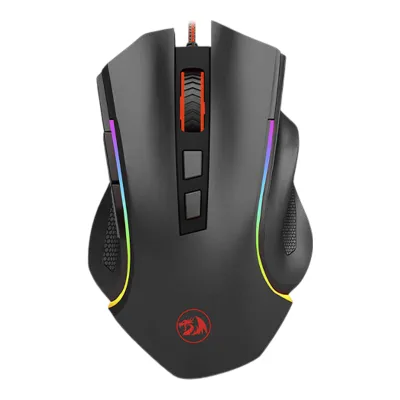 Redragon M602 Griffin
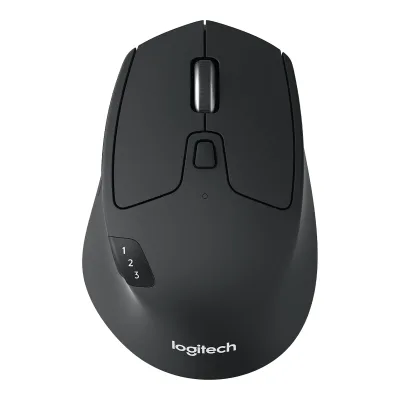 Logitech M720 Triathlon Multi-Device Wireless Mouse
Change Logitech MX Vertical Advanced Ergonomic Mouse
Compare the TECKNET Classic 2.4G Ergonomic Mouse M003 with
Keychron M6 Wireless MouseRazer Pro Click V2Anker 2.4G Wireless Vertical Ergonomic Optical MouseProtoArc EM11 NLLogitech Lift Vertical Ergonomic MouseNulea M501 Wireless Trackball MouseRazer Pro Click V2 Vertical EditionLogitech ERGO M575S Wireless Trackball MouseProtoArc EM01 NLLogitech MX Ergo SRedragon M602 GriffinLogitech M720 Triathlon Multi-Device Wireless MouseProduct B: TECKNET
Classic 2.4G Ergonomic Mouse M003
58 of 154 knownRazer Pro Click V2 Vertical EditionLogitech Lift Vertical Ergonomic MouseProtoArc EM11 NLAnker 2.4G Wireless Vertical Ergonomic Optical MouseRazer Pro Click V2Logitech MX Ergo SLogitech ERGO M575S Wireless Trackball MouseNulea M501 Wireless Trackball MouseKeychron M6 Wireless MouseProtoArc EM01 NL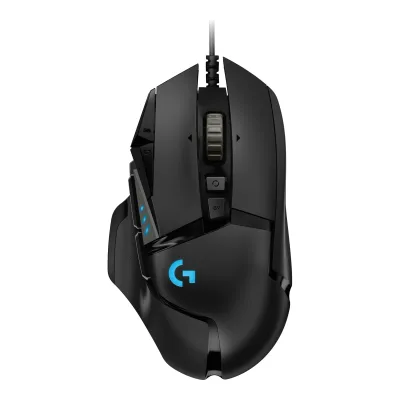 Logitech G502 HERO
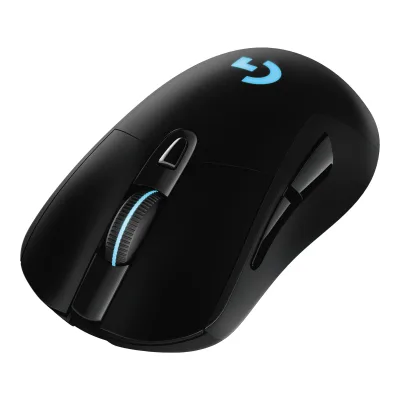 Logitech G703 LIGHTSPEED Wireless Gaming Mouse
Change TECKNET Classic 2.4G Ergonomic Mouse M003
Compare the Logitech MX Vertical Advanced Ergonomic Mouse with
Razer Pro Click V2 Vertical EditionLogitech Lift Vertical Ergonomic MouseProtoArc EM11 NLAnker 2.4G Wireless Vertical Ergonomic Optical MouseRazer Pro Click V2Logitech MX Ergo SLogitech ERGO M575S Wireless Trackball MouseNulea M501 Wireless Trackball MouseKeychron M6 Wireless MouseProtoArc EM01 NLLogitech G502 HEROLogitech G703 LIGHTSPEED Wireless Gaming Mouse61 of 146 fields differ
- 26 different values
- 35 known for one only
- 20 the same
- 65 missing for both
Biggest differences
Each bar uses the scale of all 131 mice.
- Battery life (normal use)A: 4monthsB: 24monthsTECKNET is 6 times higher.
Size, drawn to scale
Front and side.
- ALogitech: 79 × 78.5 mm
- BTECKNET: 68.1 × 37.8 mm
Weight
0 to 300 g
Mouse weight (claimed)
A125g
B85g
All 154 fields
Every value links to where we found it.
General
6 of 9 differ
Series
Not available
Model numbers
910-005447, M-R00741Maker product pagelogitech.com/en-us/shop/p/mx-vertical-ergonomic-mouse.910-005447Read 14 October 2026Part number 910-005447 on the US page. M-R0074 is the mouse model number on the support pages. 910-005448 (EMEA) and the two Asia Pacific part numbers are not mapped here.3Maker product pagesupport.logi.com/hc/en-us/articles/360023303394-MX-Vertical-Technical-SpecificationsRead 14 October 2026Product Information: mouse M-R0074, receiver R0068. Both are on the product label.
M003, M003-Black-01, M003-Blue-01, M003-Red-V5, M003-Purple-01, M003-Pink-V52Maker product pagetecknet.com/products/wireless-optical-mouse.jsonRead 16 October 2026Store product feed: variant SKUs M003-Black-01, M003-Blue-01, M003-Red-V5, M003-Purple-01 and M003-Pink-V5. The page text names the model M003.
GTIN / EAN
5056243667246, 5056243667253, 5056243667260, 5056243667277, 50562436672912Maker product pagetecknet.com/products/wireless-optical-mouse.jsonRead 16 October 2026Store product feed barcodes, one per colour.
Announced
Not available
Status
Predecessor
Not available
Not available
Successor
Not available
Not available
Launch price (US)
Not available
Launch price (EU)
Not available
Markets
Colours
Segment
Shape
1 of 14 differ
Body shape
Maker size class
Not available
Not available
Recommended grips
Not available
Not available
Recommended hand size
Not available
Not available
Hump position
Not available
Not available
Thumb rest
Ring or pinky finger rest
Not available
Not available
Upper shell
Not available
Not available
Swappable parts
Not available
Not available
Adjustable weight
Not available
Not available
Maximum added weight
Not available
Not available
Vertical angle
Not available
Trackball diameter
Not available
Not available
Trackball position
Not available
Not available
Dimensions and weight
4 of 5 differ
Mouse body dimensions
Length120Maximum width79Maximum height78.5mm(4.7 × 3.1 × 3.1 in)1Maker product pagelogitech.com/en-us/shop/p/mx-vertical-ergonomic-mouse.910-005447Read 14 October 2026The US, UK, EU, AU and CA pages list Height 120 mm, Width 79 mm, Depth 78.5 mm. The datasheet labels the same figures 78.5 mm H x 79 mm W x 120 mm L. The datasheet axes are stored because a vertical mouse is about 120 mm long front to back and about 78.5 mm tall. Rounded maker figures.2Maker spec sheet (PDF)logitech.com/content/dam/logitech/en/business/pdf/mx-vertical-advanced-ergo-mouse-data-sheet.pdfRead 14 October 2026Product Dimensions: 78.5 mm H x 79 mm W x 120 mm L.3Maker product pagesupport.logi.com/hc/en-us/articles/360023303394-MX-Vertical-Technical-SpecificationsRead 14 October 2026The table labels 120 mm Height, 79 mm Width and 78.5 mm Depth. The datasheet axes are stored, see the product page note.
Grip width
Not available
Not available
Mouse weight (claimed)
125g(4.4 oz)1Maker product pagelogitech.com/en-us/shop/p/mx-vertical-ergonomic-mouse.910-005447Read 14 October 2026Mouse Weight 4.41 oz (125 g) on the US page, 125 g on the UK, EU, AU and CA pages. The 2021 datasheet says 135 g, which Tom's Guide also repeats as 4.8 oz. The current maker pages and the support specification page agree on 125 g, so 125 g is stored. Includes the installed battery. The receiver weighs 2 g.3Maker product pagesupport.logi.com/hc/en-us/articles/360023303394-MX-Vertical-Technical-SpecificationsRead 14 October 2026Mouse weight 4.40 oz (125 g). The receiver weighs 2 g.
85g(3 oz)1Maker product pagetecknet.com/products/wireless-optical-mouseRead 21 October 2026Page Size line: Item Weight 3 ounces, converted to 85 g (rounded maker figure). The About block of the same page says 3.52 ounces, which is the outlier. The archived Amazon listing also says 3 ounces. Neither says whether the two AAA batteries are in the weight.3Retailer pageweb.archive.org/web/20210707053705/https://www.amazon.com/dp/B015X2OD52Read 16 October 2026Product details: Item Weight 3 ounces for the red M003. Same figure as the maker page Size line. The same table lists 4.55 ounces, which is another weight such as shipping, and it is not used.
Box dimensions
Width100.5Height100.5Depth155mm(4 × 4 × 6.1 in)2Maker spec sheet (PDF)logitech.com/content/dam/logitech/en/business/pdf/mx-vertical-advanced-ergo-mouse-data-sheet.pdfRead 14 October 2026Packaging Dimensions: 10.05 cm H x 10.05 cm W x 15.5 cm L. Stored as width 100.5 mm, height 100.5 mm, depth 155 mm.
Not available
Sensor
7 of 20 differ
Marketed sensor name
Not available
Published sensor brand
Not available
Not available
Physical sensor part number
Not available
Not available
Sensor type
Maximum configurable DPI
4,000DPI1Maker product pagelogitech.com/en-us/shop/p/mx-vertical-ergonomic-mouse.910-005447Read 14 October 2026Spec tab: DPI 400-4000. FAQ: 4000 DPI adjustable sensor.2Maker spec sheet (PDF)logitech.com/content/dam/logitech/en/business/pdf/mx-vertical-advanced-ergo-mouse-data-sheet.pdfRead 14 October 20263Maker product pagesupport.logi.com/hc/en-us/articles/360023303394-MX-Vertical-Technical-SpecificationsRead 14 October 2026
Minimum configurable DPI
400DPI1Maker product pagelogitech.com/en-us/shop/p/mx-vertical-ergonomic-mouse.910-005447Read 14 October 20262Maker spec sheet (PDF)logitech.com/content/dam/logitech/en/business/pdf/mx-vertical-advanced-ergo-mouse-data-sheet.pdfRead 14 October 20263Maker product pagesupport.logi.com/hc/en-us/articles/360023303394-MX-Vertical-Technical-SpecificationsRead 14 October 2026
DPI adjustment step
Not available
Maximum DPI stages
51Maker product pagetecknet.com/products/wireless-optical-mouseRead 21 October 2026Five adjustable DPI levels cycled with the DPI button. Feature image: the LED flashes 1 to 5 times for 800 to 2600 DPI.4Owner's manualfccid.io/2AK8Q-M003/User-Manual/User-Manual-5678529.pdfRead 21 October 2026Manual DPI Switch: five levels cycled with the DPI button.
Default DPI presets
1,000, 1,600DPI1Maker product pagelogitech.com/en-us/shop/p/mx-vertical-ergonomic-mouse.910-005447Read 14 October 2026Spec tab: nominal values 1000 and 1600 dpi. The Getting Started guide names them cursor speed 1 and cursor speed 2.2Maker spec sheet (PDF)logitech.com/content/dam/logitech/en/business/pdf/mx-vertical-advanced-ergo-mouse-data-sheet.pdfRead 14 October 20263Maker product pagesupport.logi.com/hc/en-us/articles/360023303394-MX-Vertical-Technical-SpecificationsRead 14 October 20264Owner's manualsupport.logi.com/hc/en-us/articles/360023459893-Getting-Started-MX-VerticalRead 14 October 2026The cursor speed switch toggles between two speeds: 1000 DPI and 1600 DPI.
800, 1,200, 1,600, 2,000, 2,600DPI1Maker product pagetecknet.com/products/wireless-optical-mouseRead 21 October 2026The five levels are the only DPI values. The manual states the default is 1200 DPI.4Owner's manualfccid.io/2AK8Q-M003/User-Manual/User-Manual-5678529.pdfRead 21 October 2026Manual DPI Switch: the mouse supports 800/1200/1600/2000/2600 DPI. The default setting is 1200 DPI. Each short press of the DPI button steps 1200 to 1600 to 2000 to 2600 and back to 800.
Separate X and Y DPI
Not available
Not available
Tracking speed (claimed)
Not available
Not available
Tracking acceleration (claimed)
Not available
Not available
Lift-off distance settings
Not available
Not available
Separate lift and landing distance
Not available
Not available
Surface calibration
Not available
Not available
Motion Sync
Not available
Not available
Angle snapping
Not available
Not available
Ripple control
Not available
Not available
Tracks on glass
Not available
Sensor position
Not available
Not available
Performance
None of 8 known
Documented polling rates by connection
Not available
Not available
Max polling rate
Not available
Not available
Polling rate (wired)
Not available
Not available
Polling rate (2.4 GHz)
Not available
Not available
Polling rate (Bluetooth)
Not available
Not available
Claimed click latency
Not available
Not available
Adjustable debounce
Not available
Not available
Minimum debounce
Not available
Not available
Measured
None of 7 known
Latency per connection (measured)
Not available
Not available
DPI deviation (measured)
Not available
Not available
Lift-off distance (measured)
Not available
Not available
Main click force (measured)
Not available
Not available
Weight (measured)
Not available
Not available
Battery life (measured)
Not available
Not available
Hand size fit
Not available
Not available
Switches
4 of 11 differ
Main switch type
Not available
Published main-switch brand
Not available
Main switch model
Not available
Main switch rated life
Not available
Hot-swap main switches
Not available
Not available
Adjustable click actuation
Not available
Not available
Separate main buttons
Not available
Not available
Side switch model
Not available
Not available
Middle click switch
Not available
Not available
Scroll encoder type
Not available
Not available
Scroll encoder
Not available
Not available
Buttons and scroll wheel
5 of 13 differ
Physical button inputs
74Owner's manualsupport.logi.com/hc/en-us/articles/360023459893-Getting-Started-MX-VerticalRead 14 October 2026Physical inputs: left click, right click, wheel click, back, forward, the top cursor speed switch and the bottom Easy-Switch button, so 7. Tom's Guide counts six and leaves out the Easy-Switch button. The schema counts it.10Reviewtomsguide.com/reviews/logitech-mx-vertical-mouseRead 14 October 2026Six buttons: left, right, clickable wheel, two thumb buttons and one on top. The Easy-Switch button on the bottom is added for the schema count.
61Maker product pagetecknet.com/products/wireless-optical-mouseRead 21 October 2026Feature image Soft Click & 6 Buttons: left and right buttons, scroll wheel, DPI shifting button, back and forward buttons.4Owner's manualfccid.io/2AK8Q-M003/User-Manual/User-Manual-5678529.pdfRead 21 October 2026Manual Technical Specifications: Button Count 6 buttons. The layout drawing names the DPI switch button, scroll wheel, left and right click, and the backward and forward buttons.
Programmable buttons
Side buttons
Side buttons on
DPI button
DPI button position
Profile button
No4Owner's manualsupport.logi.com/hc/en-us/articles/360023459893-Getting-Started-MX-VerticalRead 14 October 2026The overview and Tom's Guide describe left, right, wheel click, two thumb buttons and one top button. No dedicated profile button.10Reviewtomsguide.com/reviews/logitech-mx-vertical-mouseRead 14 October 2026
Dedicated DPI-shift button
Dedicated gesture button
Scroll wheel
Notched3Maker product pagesupport.logi.com/hc/en-us/articles/360023303394-MX-Vertical-Technical-SpecificationsRead 14 October 2026Scroll Wheel: precision wheel. The Getting Started guide says it scrolls line by line. TechRadar calls it notched.4Owner's manualsupport.logi.com/hc/en-us/articles/360023459893-Getting-Started-MX-VerticalRead 14 October 20269Reviewtechradar.com/reviews/logitech-mx-verticalRead 14 October 2026A nicely rubberized and notched scroll wheel.
Not available
Scroll mode switch
Not available
Separate thumb wheel
Build
1 of 6 differ
Shell material
Not available
Not available
Surface finish
Rubberised1Maker product pagelogitech.com/en-us/shop/p/mx-vertical-ergonomic-mouse.910-005447Read 14 October 2026Maker text: textured rubber surface for a solid and natural grip. TechRadar describes a ribbed rubberized material on the thumb and palm.4Owner's manualsupport.logi.com/hc/en-us/articles/360023459893-Getting-Started-MX-VerticalRead 14 October 2026Textured rubber panel for a soft comfortable feel and a good grip.
Not available
Installed feet material
Not available
Not available
Installed skate pieces
Not available
Not available
Feet shape
Not available
Not available
Feet thickness
Not available
Not available
Cable
3 of 5 differ
Cable
Not available
Not available
Cable length
Not available
Not available
Detachable cable
Not available
Port on mouse
Connectivity
9 of 13 differ
Connections
USB (wired), 2.4 GHz, Bluetooth1Maker product pagelogitech.com/en-us/shop/p/mx-vertical-ergonomic-mouse.910-005447Read 14 October 20262Maker spec sheet (PDF)logitech.com/content/dam/logitech/en/business/pdf/mx-vertical-advanced-ergo-mouse-data-sheet.pdfRead 14 October 2026Wireless Connectivity: Logitech Unifying USB, Bluetooth, USB-C charging cable. The USB-C cable is also a wired connection, see the Getting Started guide.3Maker product pagesupport.logi.com/hc/en-us/articles/360023303394-MX-Vertical-Technical-SpecificationsRead 14 October 2026Wired Network Support: Yes (through the charging cable). Connection type: 2.4 GHz wireless and Bluetooth Low Energy 4.2.4Owner's manualsupport.logi.com/hc/en-us/articles/360023459893-Getting-Started-MX-VerticalRead 14 October 2026Connect with the USB cable: plug the cable into the mouse to use it corded. Wireless over Bluetooth or the Unifying receiver.9Reviewtechradar.com/reviews/logitech-mx-verticalRead 14 October 2026Tested wired over USB-C, Unifying receiver and Bluetooth.
Wireless technology
Bluetooth
4.21Maker product pagelogitech.com/en-us/shop/p/mx-vertical-ergonomic-mouse.910-005447Read 14 October 2026Spec tab: Bluetooth Low Energy (BLE) 4.2. Stored as 4.2.3Maker product pagesupport.logi.com/hc/en-us/articles/360023303394-MX-Vertical-Technical-SpecificationsRead 14 October 2026
Not available
Saved Bluetooth pairing slots
Not available
Not available
Switchable host devices
31Maker product pagelogitech.com/en-us/shop/p/mx-vertical-ergonomic-mouse.910-005447Read 14 October 2026FAQ: pairs with up to 3 devices.2Maker spec sheet (PDF)logitech.com/content/dam/logitech/en/business/pdf/mx-vertical-advanced-ergo-mouse-data-sheet.pdfRead 14 October 2026Up to 3 computers paired at once and switched with Easy-Switch.4Owner's manualsupport.logi.com/hc/en-us/articles/360023459893-Getting-Started-MX-VerticalRead 14 October 2026
Device switching
Not available
Receiver host connector
Receiver storage in mouse
Yes1Maker product pagetecknet.com/products/wireless-optical-mouseRead 21 October 2026Page text: nano receiver stored at the back of the mouse.4Owner's manualfccid.io/2AK8Q-M003/User-Manual/User-Manual-5678529.pdfRead 21 October 2026Manual Receiver Connection note: the receiver can be removed and stored next to the battery compartment while not in use.
Receiver extender included
Receiver pairing shared
Not available
Wireless range
10m1Maker product pagelogitech.com/en-us/shop/p/mx-vertical-ergonomic-mouse.910-005447Read 14 October 2026Spec tab: wireless operating distance 33 ft (10 m). Logitech says range varies with the environment and computer setup.2Maker spec sheet (PDF)logitech.com/content/dam/logitech/en/business/pdf/mx-vertical-advanced-ergo-mouse-data-sheet.pdfRead 14 October 20263Maker product pagesupport.logi.com/hc/en-us/articles/360023303394-MX-Vertical-Technical-SpecificationsRead 14 October 2026
Basic mouse OS support
Windows, macOS, Linux, ChromeOS, iPadOS2Maker spec sheet (PDF)logitech.com/content/dam/logitech/en/business/pdf/mx-vertical-advanced-ergo-mouse-data-sheet.pdfRead 14 October 2026Compatibility table: Unifying receiver on Windows 7 or 10 or later, macOS 10.15 or later, Linux and Chrome OS. Bluetooth Low Energy on Windows 10 or later, macOS 10.15 or later, Linux, Chrome OS and iPadOS 13.4 or later. Basic functions work without drivers in Chrome OS and most Linux distributions.3Maker product pagesupport.logi.com/hc/en-us/articles/360023303394-MX-Vertical-Technical-SpecificationsRead 14 October 2026
Consoles
Not available
Not available
Battery
11 of 17 differ
Battery type
Li-Po1Maker product pagelogitech.com/en-us/shop/p/mx-vertical-ergonomic-mouse.910-005447Read 14 October 20262Maker spec sheet (PDF)logitech.com/content/dam/logitech/en/business/pdf/mx-vertical-advanced-ergo-mouse-data-sheet.pdfRead 14 October 2026Battery: USB-C rechargeable Li-Po (240 mAh).3Maker product pagesupport.logi.com/hc/en-us/articles/360023303394-MX-Vertical-Technical-SpecificationsRead 14 October 2026
AAA1Maker product pagetecknet.com/products/wireless-optical-mouseRead 21 October 2026Feature image: 2AAA Batteries Required (Not included).3Retailer pageweb.archive.org/web/20210707053705/https://www.amazon.com/dp/B015X2OD52Read 16 October 2026Product details: Batteries 2 AAA batteries required.4Owner's manualfccid.io/2AK8Q-M003/User-Manual/User-Manual-5678529.pdfRead 21 October 2026Manual Battery Installation: the mouse uses two AAA batteries, batteries not included. The manual recommends AAA alkaline dry cell batteries.
Disposable battery count
Not available
21Maker product pagetecknet.com/products/wireless-optical-mouseRead 21 October 2026Feature image: 2AAA Batteries Required (Not included). The archived Amazon listing says 2 AAA batteries required.3Retailer pageweb.archive.org/web/20210707053705/https://www.amazon.com/dp/B015X2OD52Read 16 October 2026Product details: Batteries 2 AAA batteries required. Average battery life 700 hours is listed in the same table.4Owner's manualfccid.io/2AK8Q-M003/User-Manual/User-Manual-5678529.pdfRead 21 October 2026Manual Battery Installation: two AAA batteries, not included.
Battery capacity
240mAh1Maker product pagelogitech.com/en-us/shop/p/mx-vertical-ergonomic-mouse.910-005447Read 14 October 2026Spec tab: rechargeable Li-Po battery (240 mAh). One section of the support specification page says 260 mAh. The page, the datasheet and the support Battery Details all say 240 mAh.2Maker spec sheet (PDF)logitech.com/content/dam/logitech/en/business/pdf/mx-vertical-advanced-ergo-mouse-data-sheet.pdfRead 14 October 20263Maker product pagesupport.logi.com/hc/en-us/articles/360023303394-MX-Vertical-Technical-SpecificationsRead 14 October 2026Battery Details: Li-Po 240 mAh. The Power Type line of the same page says LiPo 260mAh. 240 mAh is stored because three maker documents agree.
Not available
User-replaceable battery
Not available
Battery life by mode (claimed)
ALogitech MX Vertical Advanced Ergonomic Mouse
Not availableBTECKNET Classic 2.4G Ergonomic Mouse M003
| Connection | Claimed runtime (h) |
|---|---|
| 2.4 GHz | 700 |
Battery life (up to)
Not available
Not available
Battery life (normal use)
4months1Maker product pagelogitech.com/en-us/shop/p/mx-vertical-ergonomic-mouse.910-005447Read 14 October 2026FAQ: a full charge lasts up to 4 months of daily use. Datasheet: lasts up to 4 months on a full charge, which may vary with user and computing conditions.2Maker spec sheet (PDF)logitech.com/content/dam/logitech/en/business/pdf/mx-vertical-advanced-ergo-mouse-data-sheet.pdfRead 14 October 20263Maker product pagesupport.logi.com/hc/en-us/articles/360023303394-MX-Vertical-Technical-SpecificationsRead 14 October 20264Owner's manualsupport.logi.com/hc/en-us/articles/360023459893-Getting-Started-MX-VerticalRead 14 October 2026
24months1Maker product pagetecknet.com/products/wireless-optical-mouseRead 21 October 2026Page text: up to 24 months with the power-saving mode and on/off switch. Other TECKNET listings of the same mouse say 18 months, but the maker's M003 page says 24.4Owner's manualfccid.io/2AK8Q-M003/User-Manual/User-Manual-5678529.pdfRead 21 October 2026Manual 24-Month Battery Life: a battery life of up to 24 months without changing the battery. Actual life varies with user and computing conditions.
Longest battery life
Not available
700h
Battery life at 1000 Hz
Not available
Not available
Battery life on Bluetooth
Not available
Not available
Charging port
Full charge time
Not available
Not available
Quick charge
Charge time1 minUse time3 h1Maker product pagelogitech.com/en-us/shop/p/mx-vertical-ergonomic-mouse.910-005447Read 14 October 2026FAQ: 1 minute of charging gives roughly 3 hours of continuous use. The press release and Getting Started guide also say 1 minute gives 3 hours.4Owner's manualsupport.logi.com/hc/en-us/articles/360023459893-Getting-Started-MX-VerticalRead 14 October 2026Fast charge: one minute of charge gives three hours of battery.
Not available
Use while charging
Yes1Maker product pagelogitech.com/en-us/shop/p/mx-vertical-ergonomic-mouse.910-005447Read 14 October 2026FAQ: it functions normally while plugged in to charge.4Owner's manualsupport.logi.com/hc/en-us/articles/360023459893-Getting-Started-MX-VerticalRead 14 October 2026
Not available
Charging system compatibility
Not available
Not available
Charging dock included
Battery indicator
LED, Software2Maker spec sheet (PDF)logitech.com/content/dam/logitech/en/business/pdf/mx-vertical-advanced-ergo-mouse-data-sheet.pdfRead 14 October 2026Battery Indicator: Yes.4Owner's manualsupport.logi.com/hc/en-us/articles/360023459893-Getting-Started-MX-VerticalRead 14 October 2026Battery LED is green above 10 percent, red below 10 percent and breathing while charging. Options shows on-screen battery notifications.
LED1Maker product pagetecknet.com/products/wireless-optical-mouseRead 21 October 2026Feature image: red indicator for DPI, Low Battery and Power On.4Owner's manualfccid.io/2AK8Q-M003/User-Manual/User-Manual-5678529.pdfRead 21 October 2026Manual Low Power Indicator: a low power indicator LED flashes when the battery power gets low. The layout drawing labels it Low Battery Indicator.
Lighting
1 of 4 differ
Decorative RGB lighting
Decorative lighting zones
Not available
Not available
Lighting sync
Not available
Not available
DPI indicator
Software
6 of 9 differ
Software
Logi Options+2Maker spec sheet (PDF)logitech.com/content/dam/logitech/en/business/pdf/mx-vertical-advanced-ergo-mouse-data-sheet.pdfRead 14 October 2026Software: Logitech Options including Flow for Windows and macOS. The current support pages name Logi Options+ for Windows and macOS.3Maker product pagesupport.logi.com/hc/en-us/articles/360023303394-MX-Vertical-Technical-SpecificationsRead 14 October 2026Software support at release: Logi Options+ for Windows 10 and 11 or later and macOS 10.15 or later. The page says the older Logitech Options has reached end of support.
Not available
Configuration software platforms
Windows, macOS2Maker spec sheet (PDF)logitech.com/content/dam/logitech/en/business/pdf/mx-vertical-advanced-ergo-mouse-data-sheet.pdfRead 14 October 20263Maker product pagesupport.logi.com/hc/en-us/articles/360023303394-MX-Vertical-Technical-SpecificationsRead 14 October 2026
Not available
Onboard memory
Not available
Not available
Onboard profiles
Not available
Not available
Macros stored onboard
Not available
Not available
Button remapping
Per-app profiles
Not available
In the box
2 of 4 differ
In the box
Mouse, Unifying USB receiver, USB-C charging cable (USB-A to USB-C), User documentation3Maker product pagesupport.logi.com/hc/en-us/articles/360023303394-MX-Vertical-Technical-SpecificationsRead 14 October 2026What's in the box: mouse, Unifying USB receiver, USB-C charging cable (USB-A to USB-C), user documentation.
Wireless mouse (battery not included), Nano receiver (stored on the back of the mouse), User manual1Maker product pagetecknet.com/products/wireless-optical-mouseRead 21 October 2026Package contents: 1 wireless mouse (battery not included), 1 nano receiver stored on the back of the mouse, 1 user manual.
Cables included
ALogitech MX Vertical Advanced Ergonomic Mouse
| Type | Cable count |
|---|---|
| USB-A to USB-C charging cable | 1 |
BTECKNET Classic 2.4G Ergonomic Mouse M003
Not availableExtra skates included
Links
Not compared
Product page
Spec sheet
www.logitech.com/content/dam/logitech/en/business/pdf/mx-vertical-advanced-ergo-mouse-data-sheet.pdf2Maker spec sheet (PDF)logitech.com/content/dam/logitech/en/business/pdf/mx-vertical-advanced-ergo-mouse-data-sheet.pdfRead 14 October 2026Logitech Inc. data sheet, copyright 2021, English edition. A German edition has the same numbers.
Not available
Manual
support.logi.com/hc/en-us/articles/360023459893-Getting-Started-MX-Vertical4Owner's manualsupport.logi.com/hc/en-us/articles/360023459893-Getting-Started-MX-VerticalRead 14 October 2026Official Logitech Getting Started guide for the exact model. The datasheet says the quick start guide is printed inside the carton.
fccid.io/2AK8Q-M003/User-Manual/User-Manual-5678529.pdf4Owner's manualfccid.io/2AK8Q-M003/User-Manual/User-Manual-5678529.pdfRead 21 October 2026TECKNET Cordless Mouse Model M003 user manual in six languages, filed as the user manual exhibit of FCC ID 2AK8Q-M003 (grantee Shenzhen Unichain Technology, January 2022). The English pages list 6 buttons, 2.4 GHz, 16 channels, 800/1200/1600/2000/2600 DPI, USB 2.0 receiver, 3.0 V and 10 mA. The file is a print layout sheet, so the English panels are small.
EPREL registration number
Not available
Not available
Warranty
1 of 1 differ
Manufacturer warranty (source market)
1year1Maker product pagelogitech.com/en-us/shop/p/mx-vertical-ergonomic-mouse.910-005447Read 14 October 2026US page: 1-Year Limited Hardware Warranty. The datasheet gives 1 year for the US and Asia Pacific and 2 years for EMEA and Japan. The UK and EU pages say 2 years.2Maker spec sheet (PDF)logitech.com/content/dam/logitech/en/business/pdf/mx-vertical-advanced-ergo-mouse-data-sheet.pdfRead 14 October 2026U.S. and AP 1 year. EMEA and Japan 2 years.