Controllers / Compare
Nintendo Joy-Con Pair vs Sony DualSense Wireless Controller
Product A: Nintendo
73 of 151 known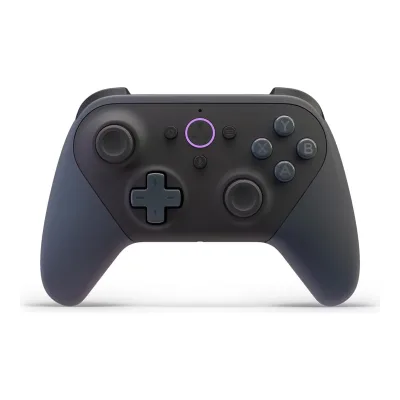 Amazon Luna Wireless Controller
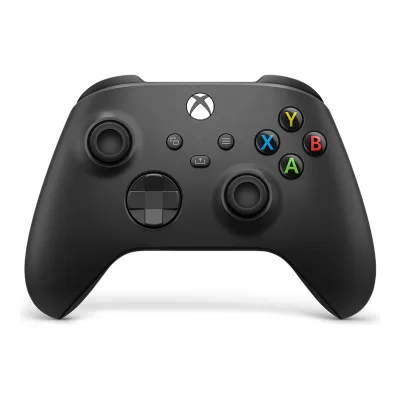 Microsoft Xbox Wireless Controller
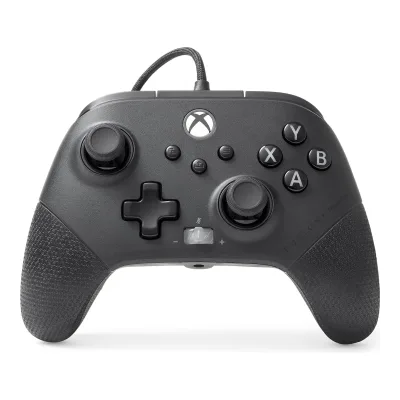 PowerA FUSION Pro 4 Wired Controller for Xbox Series X|S
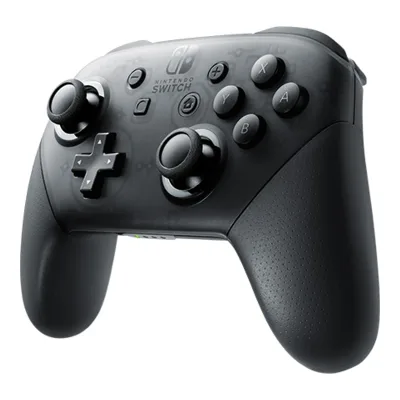 Nintendo Switch Pro Controller
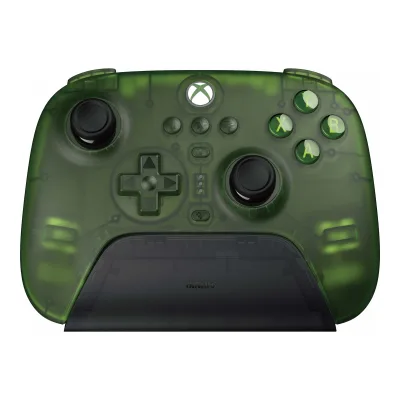 8BitDo Ultimate 3-mode Controller for Xbox
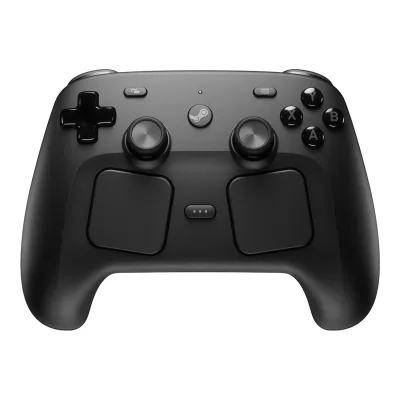 Valve Steam Controller (2026)
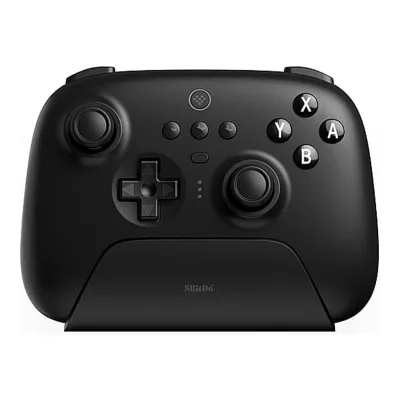 8BitDo Ultimate Bluetooth Controller
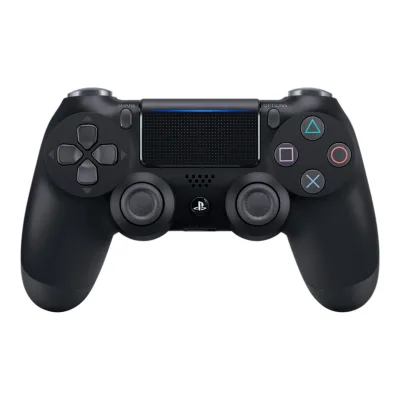 Sony DUALSHOCK 4 v2
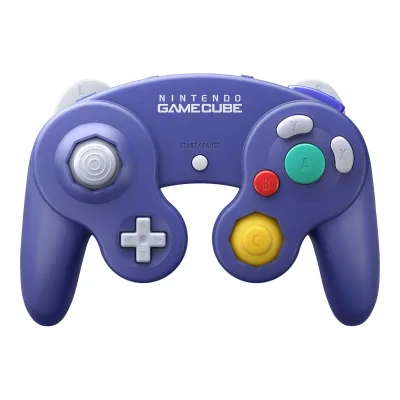 Nintendo GameCube Controller for Nintendo Switch 2
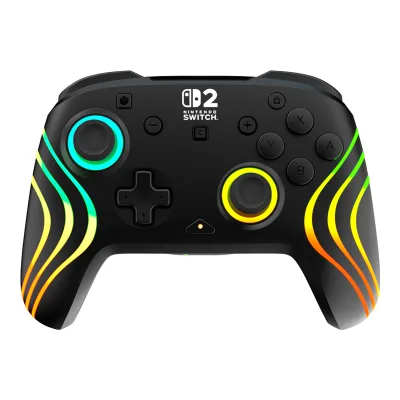 Turtle Beach Afterglow Wave Wireless Controller for Nintendo Switch 2
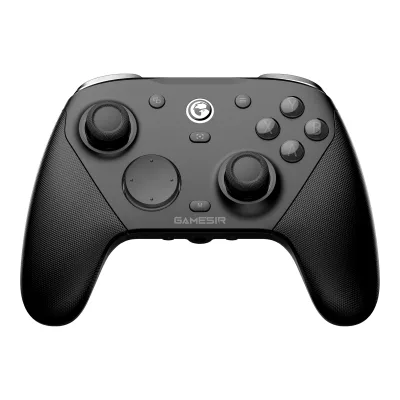 GameSir G7 Pro 8K PC
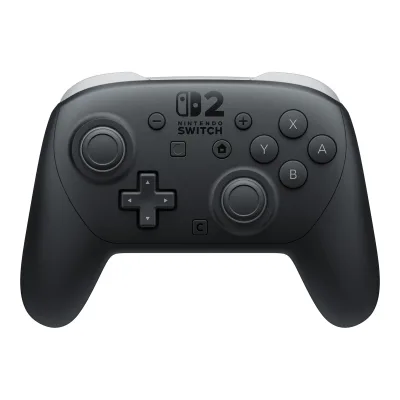 Nintendo Switch 2 Pro Controller
Change Nintendo Joy-Con Pair
Compare the Sony DualSense Wireless Controller with
Amazon Luna Wireless ControllerMicrosoft Xbox Wireless ControllerPowerA FUSION Pro 4 Wired Controller for Xbox Series X|SNintendo Switch Pro Controller8BitDo Ultimate 3-mode Controller for XboxValve Steam Controller (2026)8BitDo Ultimate Bluetooth ControllerSony DUALSHOCK 4 v2Nintendo GameCube Controller for Nintendo Switch 2Turtle Beach Afterglow Wave Wireless Controller for Nintendo Switch 2GameSir G7 Pro 8K PCNintendo Switch 2 Pro ControllerProduct B: Sony
88 of 151 known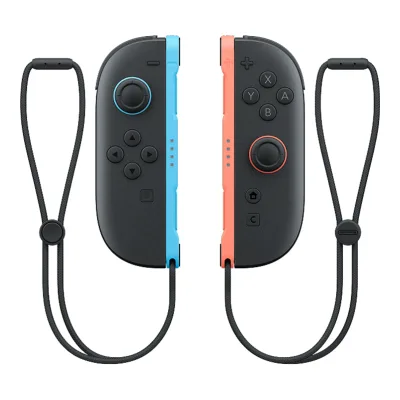 Nintendo Joy-Con 2 Pair
 HORI Split Pad ProNintendo Switch Pro ControllerSony DUALSHOCK 4 v2
 GameSir G8 Plus
 GameSir G8 Galileo
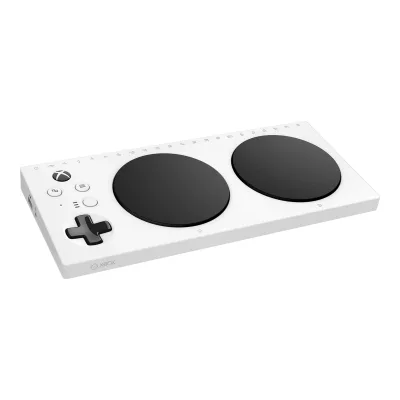 Microsoft Xbox Adaptive Controller8BitDo Ultimate 3-mode Controller for XboxGameSir G7 Pro 8K PC
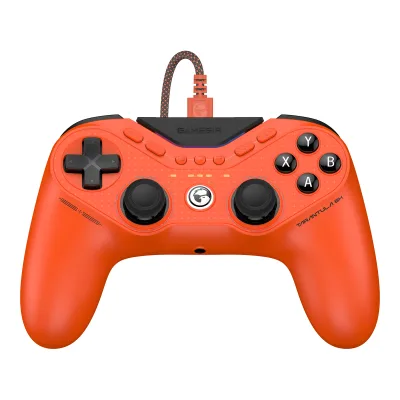 GameSir Tarantula 8K PC8BitDo Ultimate Bluetooth ControllerNintendo Switch 2 Pro Controller
Change Sony DualSense Wireless Controller
Compare the Nintendo Joy-Con Pair with
Nintendo Joy-Con 2 PairHORI Split Pad ProNintendo Switch Pro ControllerSony DUALSHOCK 4 v2GameSir G8 PlusGameSir G8 GalileoMicrosoft Xbox Adaptive Controller8BitDo Ultimate 3-mode Controller for XboxGameSir G7 Pro 8K PCGameSir Tarantula 8K PC8BitDo Ultimate Bluetooth ControllerNintendo Switch 2 Pro Controller68 of 142 fields differ
- 32 different values
- 36 known for one only
- 25 the same
- 49 missing for both
Biggest differences
Each bar uses the scale of all 73 controllers.
- Button latency Bluetooth (measured, highest average)Lower is betterA: 14.47msB: 9.03msSony is 5.44 ms lower.
Size, drawn to scale
Front and side.
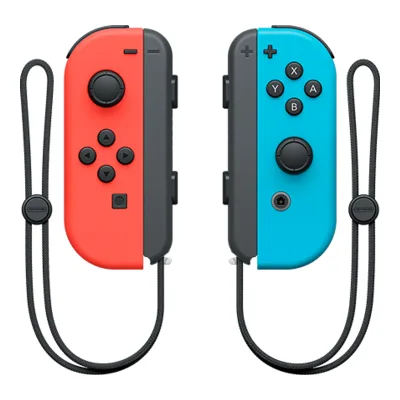
- ANintendo: 35.9 × 102 mm
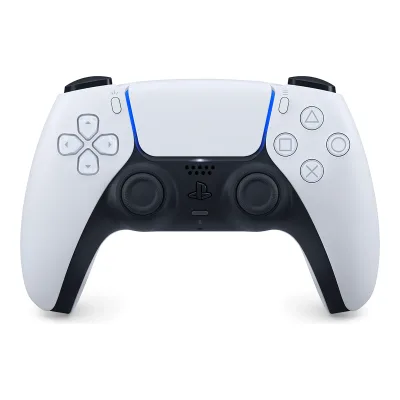
- BSony: 160 × 106 mm
All 151 fields
Every value links to where we found it.
General
9 of 11 differ
Series
Nintendo Switch2Maker product pagenintendo.com/en-gb/Hardware/Accessories/Accessories-1183144.htmlRead 10 October 2026
Not available
Model numbers
GTIN / EAN
Not available
Announced
Status
Predecessor
Not available
Successor
Nintendo Joy-Con 2 Pair10Spec databaseen.wikipedia.org/wiki/Joy-ConRead 6 October 2026A successor, the Joy-Con 2, serve as the primary controllers for the Nintendo Switch 2. The Joy-Con infobox lists Joy-Con 2 as successor.
Not available
Launch price (US)
Launch price (EU)
Not available
Colours
Grey, Neon Red/Neon Blue, Neon Yellow, Neon Green/Neon Pink, Blue/Neon Yellow, Neon Purple/Neon Orange, Pastel Pink/Pastel Yellow, Pastel Purple/Pastel Green, Pastel Pink2Maker product pagenintendo.com/en-gb/Hardware/Accessories/Accessories-1183144.htmlRead 10 October 2026Joy-Con Pair section lists Grey, Neon red/Neon blue, Neon yellow, Neon green/Neon pink, Blue/Neon yellow, Neon purple/Neon orange, Pastel Pink/Pastel Yellow and Pastel Purple/Pastel Green, the two pastel sets with release date 30/06/2023. Pair names are written as in the maker battery-revision page. Pastel Pink comes from that page.3Maker product pagenintendo.com/en-gb/Support/Nintendo-Switch-2/Information-about-upcoming-battery-related-revisions-to-some-Nintendo-products-3132901.htmlRead 6 October 2026Planned Joy-Con Pair colours: Blue/Neon Yellow, Neon Green/Neon Pink, Neon Purple/Neon Orange, Neon Red/Neon Blue, Pastel Pink, Pastel Pink/Pastel Yellow, Pastel Purple/Pastel Green. The revised European units keep the same battery capacity and weight.
White, Midnight Black, Cosmic Red, Galactic Purple, Starlight Blue, Gray Camouflage, Volcanic Red, Cobalt Blue, Sterling Silver, Chroma Indigo, Chroma Pearl, Chroma Teal, Techno Red, Remix Green, Rhythm Blue1Maker product pageplaystation.com/en-us/accessories/dualsense-wireless-controllerRead 30 September 2026Standard colours listed under "Choose your style". Limited editions (Grand Theft Auto VI, Marvel's Wolverine, 007 First Light and others) are left out
Form factor
Stick layout
Face button labels
Compatibility
3 of 9 differ
Platforms
Nintendo Switch, Nintendo Switch 22Maker product pagenintendo.com/en-gb/Hardware/Accessories/Accessories-1183144.htmlRead 10 October 2026Listed as a Nintendo Switch accessory. Switch 2 support comes from the maker compatibility page.5Maker product pagenintendo.com/en-gb/Hardware/Nintendo-Switch-2/Compatibility-with-Nintendo-Switch-accessories-2786091.htmlRead 6 October 2026Joy-Con controllers: Yes. Used by connecting wirelessly to Nintendo Switch 2. PC and mobile use is not stored, as for the Switch Pro Controller.
PS5, Windows, macOS, Linux, Android, iOS, Other1Maker product pageplaystation.com/en-us/accessories/dualsense-wireless-controllerRead 30 September 2026"Connect using a USB Type-C cable or Bluetooth technology and easily play on more devices including Windows PC and Mac computers, and Android and iOS mobile phones and tablets". Apple devices need macOS 11.3 or iOS/iPadOS 14.5 or later. PS4 is only mentioned for PS Remote Play streaming, so it is left out7Measurementgamepadla.com/sony-dualsense.htmlRead 30 September 2026Linux comes from gamepadla's verified platform list. All other platforms are on the maker page10Maker product pageplaystation.com/en-us/support/hardware/pair-dualsense-controller-bluetoothRead 8 October 2026Compatible devices table: Windows, macOS, Android, iOS/iPadOS and tvOS. Other represents tvOS. Linux remains a verified Gamepadla community compatibility claim.
Connection per platform
ANintendo Joy-Con Pair
| Platform | Connection | All features |
|---|---|---|
| Nintendo Switch | Bluetooth | Yes |
| Nintendo Switch 2 | Bluetooth | No |
BSony DualSense Wireless Controller
| Platform | Connection | All features |
|---|---|---|
| PS5 | USB (wired) | Not available |
| PS5 | Bluetooth | Not available |
| Windows | USB (wired) | Not available |
| Windows | Bluetooth | No |
| macOS | USB (wired) | No |
| macOS | Bluetooth | No |
| Android | Bluetooth | No |
| iOS | Bluetooth | No |
| Android | USB (wired) | No |
| iOS | USB (wired) | No |
Source1Maker product pageplaystation.com/en-us/accessories/dualsense-wireless-controllerRead 30 September 2026PS5 pairing uses the USB cable, then Bluetooth. Haptic feedback and adaptive triggers "may require USB connection" on PC, so full_features is left out10Maker product pageplaystation.com/en-us/support/hardware/pair-dualsense-controller-bluetoothRead 8 October 2026Official support documents USB and Bluetooth on listed PC/Mac/mobile devices. Mac and mobile lack haptic feedback, built-in microphone and speaker. Headset jack audio requires USB on PC/Mac and is unsupported on mobile. PS5 Bluetooth controller jack audio is a separate native-console route. Haptic support is game-dependent. Unknown full-feature cells remain omitted.
Official licence
Not available
Not available
Input modes
Not available
Mode switching
Not available
Not available
Native Steam Input support
Yes19Maker product pagesteamcommunity.com/groups/steamworks/announcements/detail/2924487488167580236Read 7 October 2026Official Valve November 2020 Steam Input API Adds PS5 Controller Support announcement: full LED, trackpad, rumble and gyro support. Actual public announcement body read from guest page event-store JSON, saved steam-public-body.json. Original post announced public beta rollout, current Steamworks input-source documentation separately includes DualSense gyro. Official integration, not a claim every game calls Steam Input API or that Sony hardware outputs XInput.20Maker product pagepartner.steamgames.com/doc/features/steam_controller/input_sourceRead 7 October 2026Current official Valve input-source documentation explicitly identifies PS5 DualSense gyroscope for motion controls and aim assist. Confirms current controller-specific inputs in native Steam Input integration.
Wakes the supported console
Max phone length
Not available
Not available
Works with phone case
Not available
Not available
Connectivity
6 of 15 differ
Connections
Controller Bluetooth version
Wireless receiver
Receiver connector
Not available
Not available
Wireless range (claimed)
Not available
Not available
Paired device slots
Wired connector
USB
Not available
Detachable cable
Not available
Cable length
Not available
Not available
Cable type
Not available
Not available
Claimed polling rate by connection
Not available
Not available
Polling rate wired
Not available
Not available
Polling rate wireless
Not available
Not available
Polling rate Bluetooth
Not available
Not available
Sticks
2 of 15 differ
Stick sensor
Stick module name
Not available
Not available
Stick resolution (claimed)
Not available
Not available
Default dead zone (claimed)
Not available
Not available
Adjustable dead zone
Not available
Not available
Adjustable response curve
Not available
Not available
Adjustable stick tension
Tension levels
Not available
Not available
Stick throw
Not available
Not available
Stick gate
Not available
Not available
Stick click (L3/R3)
Swappable stick tops
Not available
Not available
Stick tops included
Not available
Not available
Replaceable stick modules
Service without soldering13Reviewifixit.com/Guide/Left+Joy-Con+Joystick+Replacement/113182Read 7 October 2026Steps 10 to 12 unlock joystick ZIF cable, remove two screws and lift out module. Service needs controller disassembly but no soldering.14Reviewifixit.com/Guide/Right+Joy-Con+Joystick+Replacement/113185Read 7 October 2026Steps 11 to 13 disconnect joystick ZIF cable, remove two screws and remove joystick. Confirms right side too. Later optional Gulikit replacement steps do not describe installed Nintendo hardware.
Soldered16Reviewifixit.com/Teardown/PlayStation+5+Teardown/138280Read 7 October 2026Steps 15/18 explicitly identify joysticks soldered to mainboard. Original first-generation controller scope. Normal DualSense, not Edge user-removable modules.17Owner's manualdocuments.cdn.ifixit.com/pdf/ifixit/guide_142488_en.pdfRead 8 October 2026Original DualSense joystick replacement guide explicitly requires intermediate soldering and desoldering the module. Current guide step 30 identifies 14 solder joints per module. Factory module replacement, not aftermarket TMR performance or a manufacturer user-swappable module.
Stick calibration
Not available
Triggers
2 of 10 differ
Trigger sensor
Not available
Trigger resolution
Not available
Not available
Trigger travel
Not available
Not available
Trigger stops
Trigger stop positions
Not available
Not available
Trigger stop type
Not available
Not available
Shortest trigger travel
Not available
Not available
Adjustable trigger dead zone
Not available
Not available
Hair trigger mode
Not available
Not available
Adaptive triggers
Not available
Buttons
5 of 17 differ
Face button switches
Face button switch name
Not available
Not available
Swappable face buttons
Not available
Not available
Bumper switches
Not available
Not available
D-pad
Not available
D-pad switches
Rear grip buttons or paddles
Rear grip input type
Not available
Not available
Removable rear paddles
Not available
Not available
Additional shoulder buttons
Not available
04Owner's manualplaystation.com/content/dam/global_pdc/en/corporate/support/manuals/accessories/ps5-accessories/dualsense-wireless-controller-cfi-zct1w/CFI-ZCT1W_PS5_Wireless%20Controller_Instruction_Manual$en.pdfRead 7 October 2026Controller diagram has only standard L1/R1 shoulder buttons and L2/R2 triggers. No additional shoulders or rear grip inputs.7Measurementgamepadla.com/sony-dualsense.htmlRead 30 September 2026Verified specification: Shoulder buttons No, referring to additional shoulders beyond the normal L1/R1 and L2/R2. Standard shoulders are physically present.
On-controller remapping
Not available
Custom onboard profiles
Not available
Profile switch control
Not available
Not available
Turbo
Not available
Not available
Macros
Feedback
3 of 5 differ
Rumble
Rumble motor type
Rumble motors in grips
Trigger rumble motors
Not available
Motion and touch
7 of 12 differ
Gyroscope
Combined motion sensor axes
Gyro as mouse
Not available
Yes20Maker product pagepartner.steamgames.com/doc/features/steam_controller/input_sourceRead 7 October 2026Current official Valve Input Sources explicitly includes the PS5 DualSense gyroscope. Used with Steam Input PC gyro-to-mouse bindings, documented separately in the Gamepad Emulation guide. Host software configuration is required. No controller-native mouse protocol or PS5 desktop mouse feature claimed.22Maker product pagepartner.steamgames.com/doc/features/steam_controller/steam_input_gamepad_emulation_bestpracticesRead 7 October 2026Current Valve guide expressly permits PlayStation gyro inputs bound to mouse emulation. Steam Input on PC must be enabled and the gyro mouse binding configured. Gamepad Emulation route is for one local player and requires the game to accept simultaneous mouse and gamepad input. Exact DualSense gyro support is established by Valve Input Sources and original PS5 support announcement. This is a host implementation, not onboard controller tuning.
Touchpad
Touchpads
Not available
Clickable touchpad
Not available
NFC
IR camera
Not available
Built-in display
Light bar
Not available
RGB lighting
Not available
Not available
Lighting zones
Not available
Not available
Measured
8 of 13 differ
Measured input latency
ANintendo Joy-Con Pair
| Connection | Input | Average (ms) | Min (ms) | Max (ms) | Jitter (ms) | Polling rate (Hz) | Tested on |
|---|---|---|---|---|---|---|---|
| Bluetooth | Button | 14.47 | 6.81 | 24.33 | 4.29 | 66.78 | Windows |
BSony DualSense Wireless Controller
| Connection | Input | Average (ms) | Min (ms) | Max (ms) | Jitter (ms) | Polling rate (Hz) | Tested on |
|---|---|---|---|---|---|---|---|
| USB (wired) | Button | 7.81 | 5.83 | 9.85 | 1.07 | 249.92 | Windows |
| USB (wired) | Stick | 12.58 | 10.18 | 14.76 | 1.15 | 249.92 | Windows |
| Bluetooth | Button | 9.03 | 3.81 | 27.71 | 6.82 | 542.42 | Windows |
| Bluetooth | Stick | 13.6 | 8.1 | 39.35 | 7.37 | 542.42 | Windows |
Button latency wired (measured, highest average)
Not available
7.81ms
Button latency wireless (measured, highest average)
Not available
Not available
Button latency Bluetooth (measured, highest average)
14.47ms
9.03ms
Stick latency wired (measured, highest average)
Not available
12.58ms
Stick latency wireless (measured, highest average)
Not available
Not available
Stick latency Bluetooth (measured, highest average)
Not available
13.6ms
Measured stick tests
ANintendo Joy-Con Pair
Not availableBSony DualSense Wireless Controller
| Stick | Inner dead zone | Circularity error | Resolution steps | Centring error |
|---|---|---|---|---|
| Left | 0% | 6% | 255 | 1.2% |
| Right | 0% | 6.3% | 255 | 1.7% |
Inner dead zone (measured, worst stick)
Not available
0%
Circularity error (measured, worst stick)
Not available
6.3%
Measured battery life
Not available
Not available
Full charge time (measured)
Not available
Not available
Weight (measured)
Not available
Not available
Audio
5 of 6 differ
3.5 mm jack
Jack works over
Not available
USB (wired), Bluetooth10Maker product pageplaystation.com/en-us/support/hardware/pair-dualsense-controller-bluetoothRead 8 October 2026Current exact standard DualSense support requires USB for headset jack use with Windows PC and Mac, and excludes mobile headset jack use. Bluetooth jack audio in this connection list applies to PS5 console use, supported separately by Sony UK. It does not mean PC/Mac Bluetooth headset audio works.23Maker product pagesony.co.uk/electronics/support/articles/00302454Read 8 October 2026Sony article updated September 15, 2026 explicitly describes the DualSense Bluetooth connection to PS5 and recommends plugging compatible headphones into its 3.5 mm jack as an audio alternative. This supports the native PS5 Bluetooth controller-to-console route, not direct Bluetooth headphones paired to the console. USB jack support on PC/Mac is covered by the separate standard-controller support page.
Speaker
Microphone
Microphone mute control
Expansion port
Not available
Not available
Battery and charging
9 of 13 differ
Battery type
Batteries
Batteries included
Battery capacity
Battery energy
Claimed battery life
ANintendo Joy-Con Pair
| Hours (h) |
|---|
| 20 |
BSony DualSense Wireless Controller
Not availableLongest claimed battery life
20h
Not available
Charging connector
Not available
Full charge time (claimed)
Charging dock
Dock
Joy-Con Charging Stand (two-way)15Maker product pagenintendo.com/us/store/products/nintendo-switch-joy-con-charging-stand-two-way-120830Read 7 October 2026Joy-Con Charging Stand (two-way). Later accessory, not a launch bundle item.
DualSense charging station1Maker product pageplaystation.com/en-us/accessories/dualsense-wireless-controllerRead 30 September 2026
Play while charging
Battery indicator
LED, On screen, App4Owner's manualplaystation.com/content/dam/global_pdc/en/corporate/support/manuals/accessories/ps5-accessories/dualsense-wireless-controller-cfi-zct1w/CFI-ZCT1W_PS5_Wireless%20Controller_Instruction_Manual$en.pdfRead 7 October 2026Charge the controller: light bar slowly blinks orange while charging and turns off when complete. PS5 support separately proves on-screen battery bars. Current PlayStation Accessories screen section C explicitly shows controller battery level in the Windows app.11Maker product pageplaystation.com/en-us/support/hardware/dualsense-controller-supportRead 7 October 2026Check controller charge status: PS Control Center Accessories shows battery level. Fully charged icon displays three bars. On-screen indication is PS5 host state, separate from controller LEDs and Windows app.12Maker product pagecontroller.dl.playstation.net/controller/lang/en/2100004.htmlRead 7 October 2026Current PlayStation Accessories screen section C expressly identifies Controller battery level for a standard DualSense. Windows app indicator. Firmware update is supported, Customize column is a dash for basic DualSense and a check for Edge. No Edge profile features inherited.
Build
2 of 5 differ
Grip texture
Not available
Not available
Swappable grips
Not available
Not available
Swappable faceplate
Not available
Not available
User-replaceable parts
Joystick modules13Reviewifixit.com/Guide/Left+Joy-Con+Joystick+Replacement/113182Read 7 October 2026Joystick modules can be replaced with tools. Left guide shows removable cable and screws. This is service repair, not external hot-swapping.14Reviewifixit.com/Guide/Right+Joy-Con+Joystick+Replacement/113185Read 7 October 2026
Software
2 of 3 differ
Companion app
Not available
App platforms
Not available
User firmware updates
Dimensions and weight
2 of 2 differ
Body dimensions
Width35.9Height102Depth28.4mm(1.4 × 4 × 1.1 in)1Maker product pagenintendo.com/my/hardware/switch/modal/specs/joy-con.htmlRead 10 October 2026102 mm tall x 35.9 mm wide x 28.4 mm thick for each Joy-Con. These are single-controller dimensions, not the pair side by side. Weight is left out because the maker gives approx. 49 g for Joy-Con (L) and approx. 52.1 g for Joy-Con (R) and no pair weight.
Weight (claimed)
Not available
Certifications
1 of 1 differ
Other certifications
In the box
2 of 3 differ
In the box
Cables included
Not available
Not available
Warranty
0 of 2 differ
Manufacturer warranty (source market)
Stick drift warranty
Not available
Not available
Links
Not compared
Product page
Spec sheet
www.nintendo.com/my/hardware/switch/modal/specs/joy-con.html1Maker product pagenintendo.com/my/hardware/switch/modal/specs/joy-con.htmlRead 10 October 2026Maker Joy-Con specification table with separate Joy-Con (L) and Joy-Con (R) columns. The Japanese maker table at nintendo.com/jp/hardware/switch/modal/specs/joy-con.html gives the same values. The US tech-specs page repeats the dock size under Joy-Con, so its size row is not used.
Not available
Manual
www.nintendo.com/eu/media/downloads/support_1/nintendoswitch/NSwitch_Information_JoyCon_EUR.pdf4Owner's manualnintendo.com/eu/media/downloads/support_1/nintendoswitch/NSwitch_Information_JoyCon_EUR.pdfRead 10 October 2026Maker multilingual Joy-Con information leaflet FXA-HAC-A-JA-EUR-WWW9 [0425]. English How to Use, battery warnings and radio table read.
www.playstation.com/content/dam/global_pdc/en/corporate/support/manuals/accessories/ps5-accessories/dualsense-wireless-controller-cfi-zct1w/CFI-ZCT1W_PS5_Wireless%20Controller_Instruction_Manual$en.pdf4Owner's manualplaystation.com/content/dam/global_pdc/en/corporate/support/manuals/accessories/ps5-accessories/dualsense-wireless-controller-cfi-zct1w/CFI-ZCT1W_PS5_Wireless%20Controller_Instruction_Manual$en.pdfRead 7 October 2026
EPREL registration number
Not available
Not available
Both are also in the API. Back to all controllers.