Routers / Compare
TP-Link Deco BE67 vs Ubiquiti UniFi Express 7
Product A: TP-Link
60 of 90 known
Change TP-Link Deco BE67
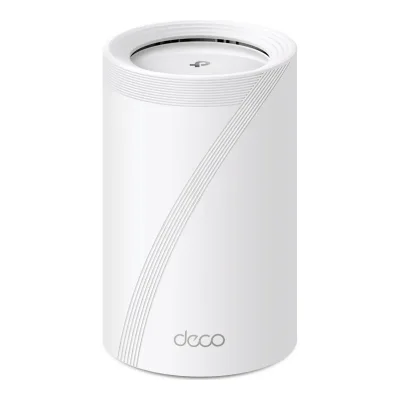
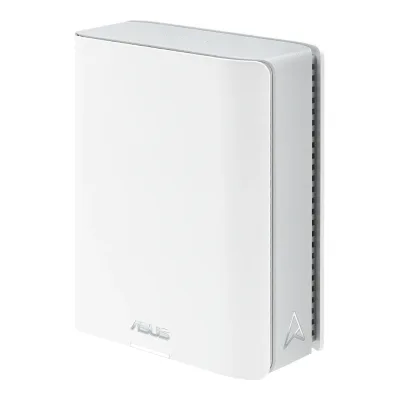
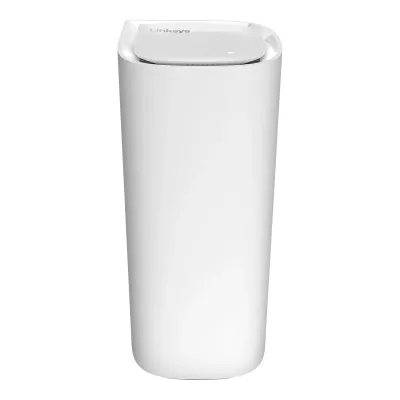
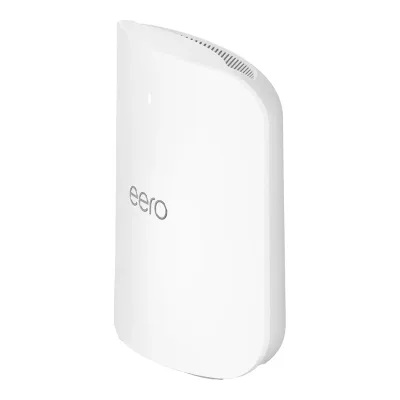
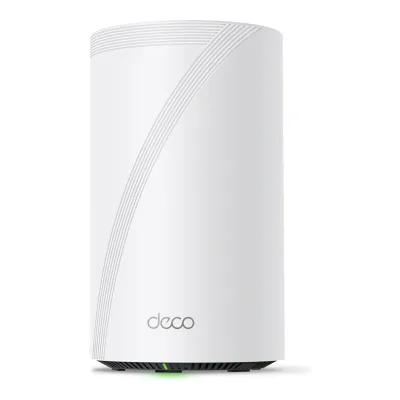
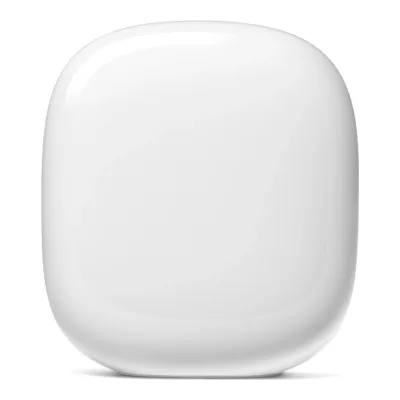
Product B: Ubiquiti
56 of 90 known
Change Ubiquiti UniFi Express 7
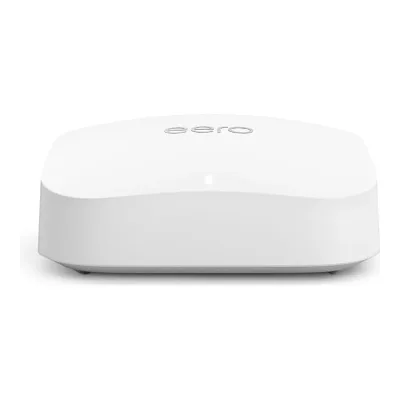
43 of 80 fields differ
- 29 different values
- 14 known for one only
- 17 the same
- 20 missing for both
Biggest differences
Each bar uses the scale of all 62 routers.
- CoverageA: 288m²B: 160m²TP-Link is 128 m² higher.
- Ethernet portsA: 3B: 2TP-Link has 1 more.
- Link rateA: 13,659MbpsB: 10,776MbpsTP-Link is 2,883 Mbps higher.
Size, drawn to scale
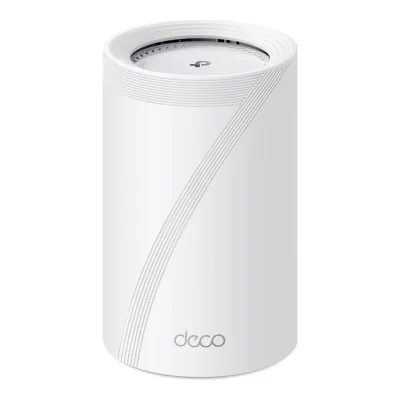
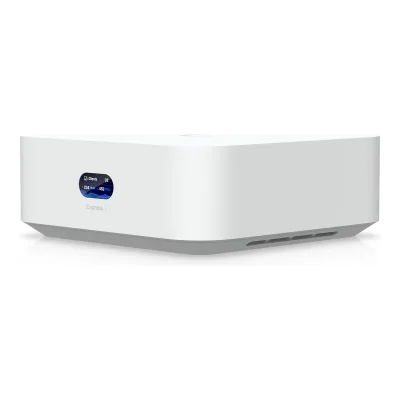
Front and side.
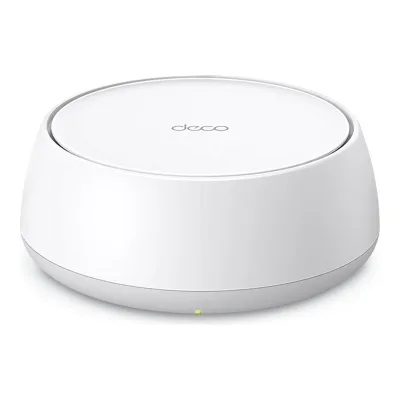
- ATP-Link: 107.5 × 176 mm
- BUbiquiti: 117 × 42.5 mm
All 90 fields
Every value links to where we found it.
General
3 of 9 differ
Series
Model numbers
Deco BE67, Deco BE67(1-pack), Deco BE67(2-pack), Deco BE67(3-pack), Deco BE68, Deco BE68(1-pack), Deco BE68(2-pack), Deco BE68(3-pack)1Maker product pagetp-link.com/us/home-networking/deco/deco-be67Read 15 October 2026The US page is titled Deco BE67, Deco 7 Pro BE14000. Its package contents row names the packs Deco BE68 (1-pack), (2-pack) and (3-pack) with the same contents. Dong Knows Tech says the BE67 and BE68 are identical and that Amazon sells the BE67 and Best Buy the BE68. The same page and datasheet cover both names, so it is one product. The Costco Deco 7 Pro BE13000 is a different product with a 5 Gbps port.
GTIN / EAN
840460603836, 840460603829, 8404606038128Maker product pageus.store.tapo.com/products/deco-7-pro-be14000-tri-band-whole-home-mesh-wifi-7-system-deco-be67-1-packRead 15 October 2026TP-Link's Tapo store product feed lists barcode 840460603836 for Deco BE67(1-Pack).9Maker product pageus.store.tapo.com/products/deco-7-pro-be14000-tri-band-whole-home-mesh-wifi-7-system-deco-be67-2-packRead 15 October 2026Tapo store product feed: barcode 840460603829 for Deco BE67(2-Pack).10Maker product pageus.store.tapo.com/products/deco-7-pro-be14000-tri-band-whole-home-mesh-wifi-7-system-deco-be67-3-packRead 15 October 2026Tapo store product feed: barcode 840460603812 for Deco BE67(3-Pack). Amazon lists the same UPC.
Announced
Not available
Not available
Status
Predecessor
Not available
Not available
Successor
Not available
Not available
Launch price (US)
Launch price (EU)
Not available
Not available
Markets
Colours
White11Retailer pageamazon.com/dp/B0FHJKS227Read 15 October 2026Additional details: Color White. Model Number Deco BE67(3-Pack).12Reviewtomshardware.com/networking/routers/tp-link-deco-be68-wi-fi-7-mesh-router-reviewRead 15 October 2026Review of the Deco BE68 (same hardware): tall plastic cylinders finished in matte white, and the Deco family is only available in white.
Not available
Form factor
Wi-Fi
10 of 14 differ
Wi-Fi
Wi-Fi speed class
Wi-Fi radios
ATP-Link Deco BE67
| Band | Wi-Fi | Streams | Max channel width (MHz) | Max link rate (Mbps) | Dedicated backhaul |
|---|---|---|---|---|---|
| 2.4 GHz | Wi-Fi 7 | 2 | 40 | 688 | No |
| 5 GHz | Wi-Fi 7 | 2 | 240 | 4,324 | No |
| 6 GHz | Wi-Fi 7 | 3 | 320 | 8,647 | No |
Source1Maker product pagetp-link.com/us/home-networking/deco/deco-be67Read 15 October 2026Rates and standards from the WiFi Speeds row. The footnote says 320 MHz is only on the 6 GHz band and 160 MHz and 240 MHz channels are on the 5 GHz band. The stream split is from Dong Knows Tech: 2.4 GHz 2x2, 5 GHz 2x2 and 6 GHz 3x3. The maker prints 3x3 MU-MIMO and 8 streams in total and no split, and the three radios add up to 7, see the doubts. The rates fit the widths: 688 Mbps is 2 streams at 40 MHz, 4324 Mbps is 2 streams at 240 MHz and 8647 Mbps is 3 streams at 320 MHz. The 2.4 GHz width is not printed by the maker, and Dong Knows Tech lists 20 and 40 MHz.3Maker spec sheet (PDF)tp-link.com/us/document/44729Read 15 October 2026Specifications, Wireless: Signal Rate 8647 Mbps (6 GHz) + 4324 Mbps (5 GHz) + 688 Mbps (2.4 GHz). Mesh protocol 802.11k/v/r. No streams or widths are printed.13Reviewdongknows.com/tp-link-deco-7-pro-be14000-deco-be67-be68-reviewRead 15 October 2026Hardware table, Deco 7 Pro BE14000 column: 2.4 GHz 2x2 BE up to 688 Mbps (20/40 MHz), 5 GHz 2x2 BE up to 4324 Mbps (20/40/160/240 MHz), 6 GHz 3x3 BE up to 8647 Mbps (20/40/160/320 MHz). The text calls 5 GHz the more modest 2x2 spec.
BUbiquiti UniFi Express 7
| Band | Wi-Fi | Streams | Max channel width (MHz) | Max link rate (Mbps) | Dedicated backhaul |
|---|---|---|---|---|---|
| 2.4 GHz | Wi-Fi 7 | 2 | 40 | 688 | No |
| 5 GHz | Wi-Fi 7 | 2 | 240 | 4,324 | No |
| 6 GHz | Wi-Fi 7 | 2 | 320 | 5,764 | No |
Source2Maker product pagetechspecs.ui.com/unifi/cloud-gateways/ux7Read 15 October 2026MIMO is 2 x 2 (DL/UL MU-MIMO) on 2.4, 5 and 6 GHz. Throughput is printed as 5.7 Gbps (6 GHz), 4.3 Gbps (5 GHz) and 688 Mbps (2.4 GHz). Data rates: 802.11be 7.3 Mbps to 5.7 Gbps (MCS0 to MCS13, NSS 1 and 2, EHT 20/40/80/160/240/320). The exact link rates are the 802.11be MCS 13 rates for 2 streams at 320 MHz (5764 Mbps) and at 240 MHz (4324 Mbps), as in the UDR7 entry. The maker prints only the rounded figures. The 2.4 GHz rate of 688 Mbps is the 802.11be rate for 2 streams at 40 MHz. Max widths come from the Dong Knows Tech table. Neither band is a dedicated backhaul, see the UX7-3 review.4Reviewdongknows.com/ubiquiti-ux7-unifi-express-7-reviewRead 15 October 2026Channel widths: 2.4 GHz 20/40 MHz, 5 GHz 20/40/160/240 MHz, 6 GHz 20/40/160/320 MHz. 2x2 BE on every band.
Radio bands
3
3
6 GHz band
Yes
Yes
Combined Wi-Fi link rate
13,659Mbps
10,776Mbps
Wi-Fi streams
7
6
Max Wi-Fi channel width
320MHz
320MHz
Wi-Fi features
Multi-Link Operation (MLO), Multi-RU, 4K-QAM, OFDMA, MU-MIMO, Band steering1Maker product pagetp-link.com/us/home-networking/deco/deco-be67Read 15 October 2026Advanced Features: Multi-Link Operation (MLO), 320 MHz Channel, 4K-QAM and Multi-RUs. WiFi Capacity: 3x3 MU-MIMO and OFDMA. WiFi Capacity also says Tri-Band distributes devices to different bands, and the product has one Wi-Fi name, which is stored as band steering. Dong Knows Tech says there is no AFC.3Maker spec sheet (PDF)tp-link.com/us/document/44729Read 15 October 2026Features: TP-Link HomeShield, Multi-Link Operation (MLO), 320 MHz Bandwidth, 4K-QAM, Multi-RU, MU-MIMO, OFDMA and BSS Color. MU-MIMO and the others need client support.12Reviewtomshardware.com/networking/routers/tp-link-deco-be68-wi-fi-7-mesh-router-reviewRead 15 October 2026The router defaults to one combined 2.4 GHz and 5 GHz network name, and a 5 GHz client can be set to always prefer 5 GHz.
Multi-Link Operation (MLO), MU-MIMO, Band steering2Maker product pagetechspecs.ui.com/unifi/cloud-gateways/ux7Read 15 October 2026MU-MIMO is listed per band as DL/UL MU-MIMO. MLO is named in the store description (true 10G Multi-Link Operation). Band steering comes from the general UniFi help article, see its note.7Reviewnascompares.com/review/unifi-express-7-review-small-yet-powerfulRead 15 October 2026MLO is supported. The review says the architecture is E-MLSR MLO, a turn-based mode and not true multi-radio aggregation. The maker's page calls it Multi-Link Operation.9Maker product pagehelp.ui.com/hc/en-us/articles/32065480092951-UniFi-WiFi-SSID-and-AP-Settings-OverviewRead 15 October 2026General UniFi Network article, not a UX7 page. Band steering encourages 2.4 GHz clients to move to 5 GHz with BSS transition frames, and default SSIDs enable it on all bands the access point supports. The page itself blocks automated access, so the text was read from a search excerpt.
External antennas
Not available
Internal antennas
Not available
Detachable antennas
Not available
Coverage of one unit (claimed)
Connected devices per unit (claimed)
Ports and modem
3 of 9 differ
Ports
ATP-Link Deco BE67
| Port | Count | Role | Max speed (Gbps) | Version |
|---|---|---|---|---|
| RJ45 | 1 | WAN or LAN | 10 | Not available |
| RJ45 | 1 | WAN or LAN | 2.5 | Not available |
| RJ45 | 1 | WAN or LAN | 1 | Not available |
| USB-A | 1 | Not available | 5 | USB 3.0 |
Source1Maker product pagetp-link.com/us/home-networking/deco/deco-be67Read 15 October 2026Ethernet Ports: 1x 10 Gbps, 1x 2.5 Gbps and 1x 1.0 Gbps per Deco unit, with WAN/LAN auto-sensing, plus 1x USB 3.0 port. Footnote: all WAN/LAN ports work as either WAN or LAN, and only one port serves as WAN at a time. USB 3.0 is stored at 5 Gbps, the standard rate. TP-Link does not print that rate.3Maker spec sheet (PDF)tp-link.com/us/document/44729Read 15 October 2026Hardware: Ethernet Port 10 Gbps port + 2.5 Gbps port + Gigabit port per unit (WAN/LAN auto-sensing), 1x USB 3.0 port.4Owner's manualtp-link.com/us/document/49406Read 15 October 2026Appearance: one Gigabit, one 2.5 Gbps and one 10 Gbps WAN/LAN port, a USB 3.0 port, a power slot and a reset button.
BUbiquiti UniFi Express 7
| Port | Count | Role | Max speed (Gbps) |
|---|---|---|---|
| RJ45 | 1 | WAN or LAN | 10 |
| RJ45 | 1 | WAN or LAN | 2.5 |
Source2Maker product pagetechspecs.ui.com/unifi/cloud-gateways/ux7Read 15 October 2026Default WAN Ports: (1) 10 GbE RJ45. Port layout: 1 x 10 GbE RJ45 (10G/5G/2.5G/1G/100M) and 1 x 2.5 GbE RJ45 (2.5G/1G/100M/10M). Max. WAN port count is 1. NASCompares says the 2.5G port can be set as the WAN port after the 10G port is set to LAN or disabled, so both ports are stored as WAN or LAN. There is no PoE and no USB port.7Reviewnascompares.com/review/unifi-express-7-review-small-yet-powerfulRead 15 October 2026The 10GBASE-T port is the WAN port. A correction in the review says the 2.5G port can be set as WAN after the 10G port is set to LAN or Disabled. Only one 2.5G LAN port, no PoE, no USB port and no internal storage.
Ethernet ports
3
2
Multi-gig ports
2
2
Fastest WAN port
10Gbps
10Gbps
Fastest LAN port
10Gbps
10Gbps
USB ports
1
0
SFP+ port
No
No
Built-in modem
Not available
Not available
Modem standards
Not available
Not available
Mesh
2 of 7 differ
Mesh technologies
Units per pack
Coverage of the pack (claimed)
288 to 753m²1Maker product pagetp-link.com/us/home-networking/deco/deco-be67Read 15 October 20262Maker product pagetp-link.com/productpages/overview/103477-3.htmlRead 15 October 20268Maker product pageus.store.tapo.com/products/deco-7-pro-be14000-tri-band-whole-home-mesh-wifi-7-system-deco-be67-1-packRead 15 October 20269Maker product pageus.store.tapo.com/products/deco-7-pro-be14000-tri-band-whole-home-mesh-wifi-7-system-deco-be67-2-packRead 15 October 202610Maker product pageus.store.tapo.com/products/deco-7-pro-be14000-tri-band-whole-home-mesh-wifi-7-system-deco-be67-3-packRead 15 October 202613Reviewdongknows.com/tp-link-deco-7-pro-be14000-deco-be67-be68-reviewRead 15 October 2026
Not available
Identical units
Yes1Maker product pagestore.ui.com/us/en/products/ux7Read 15 October 2026The packs are UX7 units. Dong Knows Tech says a pack is the same as buying several standalone UX7 units in terms of hardware setup.6Reviewdongknows.com/ubiquiti-ux7-3-unifi-whole-home-wifi-7-reviewRead 15 October 2026Buying the pack is the same as buying multiple standalone UX7 units in terms of hardware setup. The units are not pre-synced.
Satellite model
Not available
Not available
Satellite ports
Not available
Not available
Ethernet backhaul
Yes4Reviewdongknows.com/ubiquiti-ux7-unifi-express-7-reviewRead 15 October 2026A factory reset UX7 can be connected to the primary gateway with one of its network ports. Network cables are recommended for the uplink.6Reviewdongknows.com/ubiquiti-ux7-3-unifi-whole-home-wifi-7-reviewRead 15 October 2026You can choose a 2.5GbE or even a 10GbE wired backhaul. Without a cable the UX7 uses the bonded 5 GHz and 6 GHz link as backhaul, with no 2.4 GHz band in the MLO link.
Software
7 of 7 differ
Management
Mobile app1Maker product pagetp-link.com/us/home-networking/deco/deco-be67Read 15 October 2026Management Features: Deco App. The datasheet adds local and remote management in the app. Tom's Hardware and Dong Knows Tech say there is no usable browser interface, see their entries.12Reviewtomshardware.com/networking/routers/tp-link-deco-be68-wi-fi-7-mesh-router-reviewRead 15 October 2026TP-Link forces you to use the Deco app. A desktop browser is not an option.13Reviewdongknows.com/tp-link-deco-7-pro-be14000-deco-be67-be68-reviewRead 15 October 2026Hardware table: web user interface limited, and the mobile app is required to be functional.
Mobile app, Web interface4Reviewdongknows.com/ubiquiti-ux7-unifi-express-7-reviewRead 15 October 2026You can set it up and manage it with the local web server at 192.168.1.1 or with the UniFi mobile app.7Reviewnascompares.com/review/unifi-express-7-review-small-yet-powerfulRead 15 October 2026First-time setup works with the mobile application or with a desktop browser.
Online account required
Yes4Owner's manualtp-link.com/us/document/49406Read 15 October 2026Setup step 2: log in to the Deco app with a TP-Link ID. If you do not have one, create one first.13Reviewdongknows.com/tp-link-deco-7-pro-be14000-deco-be67-be68-reviewRead 15 October 2026You need the Deco mobile app and a TP-Link ID account before you can set up and use the hardware.
No4Reviewdongknows.com/ubiquiti-ux7-unifi-express-7-reviewRead 15 October 2026No Ubiquiti account is needed for the web UI or the mobile app. A vendor account adds features such as remote management, backups and Teleport VPN.7Reviewnascompares.com/review/unifi-express-7-review-small-yet-powerfulRead 15 October 2026No UI.com account is needed. The device can be set up without a UI account and even without an internet connection, with a local administrator account.
Operating modes
Router, Access point1Maker product pagetp-link.com/us/home-networking/deco/deco-be67Read 15 October 2026Working Modes: Router Mode and Access Point Mode.3Maker spec sheet (PDF)tp-link.com/us/document/44729Read 15 October 2026Software: Working Mode Router, Access Point.
Router, Access point, Mesh node, Repeater4Reviewdongknows.com/ubiquiti-ux7-unifi-express-7-reviewRead 15 October 2026Operating Roles: Wi-Fi Router, UniFi Access Point, UniFi Mesh Point, Extender. The text says it can also function as an access point or mesh extender, and the role cannot be changed once it is set up as a router.
Network features
Guest network, IoT network, IPTV, QoS, Parental controls, Dynamic DNS1Maker product pagetp-link.com/us/home-networking/deco/deco-be67Read 15 October 2026Guest Network: one network each on 6 GHz, 5 GHz and 2.4 GHz. Advanced Features: IoT network and device isolation. IPTV: IGMP Proxy, IGMP Snooping, Bridge and Tag VLAN. Quality of Service: HomeShield QoS and QoS by Device. Parental controls are HomeShield Parental Controls. Cloud Service: DDNS with TP-Link DDNS. A footnote says HomeShield includes the Free Basic Plan with fees for the Pro Plan. A separate VLAN is not listed.3Maker spec sheet (PDF)tp-link.com/us/document/44729Read 15 October 2026Software: Guest Network 2.4 GHz x1, 5 GHz x1 and 6 GHz x1, IoT Network x1 and MLO Network x1. Flow Control lists Quality of Service (QoS) and Parental Controls under HomeShield.12Reviewtomshardware.com/networking/routers/tp-link-deco-be68-wi-fi-7-mesh-router-reviewRead 15 October 2026Setup: the reviewer made a 2.4 GHz IoT network and two guest networks, one for 2.4 and 5 GHz and one for 6 GHz.
Guest network, VLAN, IPTV, QoS, Dynamic DNS2Maker product pagetechspecs.ui.com/unifi/cloud-gateways/ux7Read 15 October 2026Listed: Guest Traffic Isolation, 802.1Q VLAN, Advanced QoS and IGMP Proxy. IGMP Proxy is the IPTV feature. Multi-WAN Load Balancing is not listed, and Max. WAN Port Count is 1. The page lists Additional Internet Failover with UniFi LTE Backup, but no second WAN port, so dual WAN is not stored. Content filtering and IDS/IPS are listed but are not stored as parental controls.10Maker product pagehelp.ui.com/hc/en-us/articles/14957610078615-UniFi-Gateway-IGMP-Proxy-IPTVRead 15 October 2026IGMP Proxy forwards IPTV multicast traffic from the ISP to the LAN. The article names Next-Gen UniFi Gateways and UniFi Cloud Gateways. The UX7 spec page lists IGMP Proxy. The page blocks automated access, so the text was read from a search excerpt.11Maker product pagehelp.ui.com/hc/en-us/articles/9203184738583-UniFi-Gateway-Dynamic-DNSRead 15 October 2026General UniFi Gateway article on Dynamic DNS, not a UX7 page. UniFi supports many Dynamic DNS providers and updates are sent automatically. The UX7 runs UniFi Network as a UniFi gateway. The page blocks automated access, so the text was read from a search excerpt.
VPN server
VPN client
USB applications
File server, Media server, Time Machine1Maker product pagetp-link.com/us/home-networking/deco/deco-be67Read 15 October 2026USB Support: 1x USB 3.0 port with FTP Server, Media Server and Samba Server. Time Machine comes from Tom's Hardware.12Reviewtomshardware.com/networking/routers/tp-link-deco-be68-wi-fi-7-mesh-router-reviewRead 15 October 2026The router and each satellite have a USB 3.0 port. The Deco BE68 supports using external storage as a Time Machine backup for Macs.
Not available
Security
4 of 5 differ
Wi-Fi security
WPA2-Personal, WPA3-Personal1Maker product pagetp-link.com/us/home-networking/deco/deco-be67Read 15 October 2026WiFi Encryption: WPA-Personal, WPA2-Personal and WPA3-Personal. No Enhanced Open is listed.3Maker spec sheet (PDF)tp-link.com/us/document/44729Read 15 October 2026Wireless Security: WPA/WPA2-PSK/WPA3 encryptions. A footnote says WPA3 needs client support.
WPA2-Personal, WPA3-Personal, WPA2-Enterprise, WPA3-Enterprise, Enhanced Open (OWE)2Maker product pagetechspecs.ui.com/unifi/cloud-gateways/ux7Read 15 October 2026Wireless Security: WPA-PSK, WPA-Enterprise (WPA/WPA2/WPA3/PPSK). OWE comes from the general UniFi help article, see its note. The page does not say which of WPA2 and WPA3 apply to the personal mode.9Maker product pagehelp.ui.com/hc/en-us/articles/32065480092951-UniFi-WiFi-SSID-and-AP-Settings-OverviewRead 15 October 2026General UniFi Network article, not a UX7 page. For guest networks UniFi recommends OWE with an open network, which gives modern clients WPA3-level encryption without a password. All 6 GHz networks use OWE or WPA3.
Security service
Security service cost
Basic free, full paid1Maker product pagetp-link.com/us/home-networking/deco/deco-be67Read 15 October 2026Footnote: HomeShield includes the Free Basic Plan. Fees apply for the Pro Plan.3Maker spec sheet (PDF)tp-link.com/us/document/44729Read 15 October 2026Note: HomeShield includes the Free Basic Plan. Fees apply for the Pro Plan, and advanced features need a paid subscription.13Reviewdongknows.com/tp-link-deco-7-pro-be14000-deco-be67-be68-reviewRead 15 October 2026The cons list advanced features that cost extra. The free Basic Plan is the maker's statement.
Automatic firmware updates
Smart home
1 of 5 differ
Thread border router
Not available
Not available
Matter controller
Not available
Not available
Zigbee hub
Not available
Not available
Bluetooth
Not available
Not available
Smart home platforms
Amazon Alexa, Google Assistant1Maker product pagetp-link.com/us/home-networking/deco/deco-be67Read 15 October 2026Works with Alexa and Google Assistant. The page also shows voice control with Amazon Alexa or Google Assistant-enabled devices.
Not available
Hardware
3 of 6 differ
System on chip
Not available
Not available
CPU cores
Not available
CPU clock
Not available
RAM
Not available
Flash storage
Not available
Not available
Cooling fan
Power
4 of 5 differ
Power supply
Rated power input
Included adapter output
Power use (typical, claimed)
Not available
Not available
Power use (max, claimed)
Measured
1 of 6 differ
Wi-Fi throughput (measured)
Not available
Not available
Fastest Wi-Fi throughput (measured)
Not available
Not available
Wi-Fi throughput through a wall (measured)
Not available
Not available
Range (measured)
Not available
Not available
Power use under load (measured)
Not available
Not available
Energy use per day (measured)
Dimensions and weight
3 of 4 differ
Dimensions
Width107.5Height176Depth107.5mm(4.2 × 6.9 × 4.2 in)1Maker product pagetp-link.com/us/home-networking/deco/deco-be67Read 15 October 2026Dimensions (W x D x H): 4.23 x 4.23 x 6.93 in (107.5 x 107.5 x 176 mm). Tom's Hardware calls the unit a cylinder with a 4.23 in diameter.3Maker spec sheet (PDF)tp-link.com/us/document/44729Read 15 October 2026Hardware: Dimensions (W x D x H) 4.23 x 4.23 x 6.93 in (107.5 x 107.5 x 176 mm).
Width117Height42.5Depth117mm(4.6 × 1.7 × 4.6 in)2Maker product pagetechspecs.ui.com/unifi/cloud-gateways/ux7Read 15 October 2026Published as 117 x 117 x 42.5 mm (4.61 x 4.61 x 1.67 in). Stored as width, depth and height.
Dimensions with antennas
Not available
Not available
Weight
Not available
Wall mountable
Not available
No4Reviewdongknows.com/ubiquiti-ux7-unifi-express-7-reviewRead 15 October 2026The cons list says it is not wall-mount-ready. The maker's spec page lists no mounting.6Reviewdongknows.com/ubiquiti-ux7-3-unifi-whole-home-wifi-7-reviewRead 15 October 2026The cons list says it is compact and fanless, but not wall-mount-ready.
Certifications
1 of 1 differ
Wi-Fi Alliance certification ID
Not available
Not available
FCC ID
Not available
Not available
In the box
None of 1 known
In the box
Not available
Not available
Links
Not compared
Product page
Spec sheet
Manual
EPREL registration number
Not available
Not available
Warranty
1 of 1 differ
Manufacturer warranty (source market)
2years6Maker product pagetp-link.com/us/support/replacement-warrantyRead 15 October 2026Warranty periods for products purchased on or after 9/1/2023 list 2 years for Whole Home Wi-Fi, Mesh Wi-Fi and Deco. US site. Amazon's listing says 2 Year Manufacturer.11Retailer pageamazon.com/dp/B0FHJKS227Read 15 October 2026Warranty Description: 2 Year Manufacturer.
Not available
Both are also in the API. Back to all routers.