Gaming / Controllers
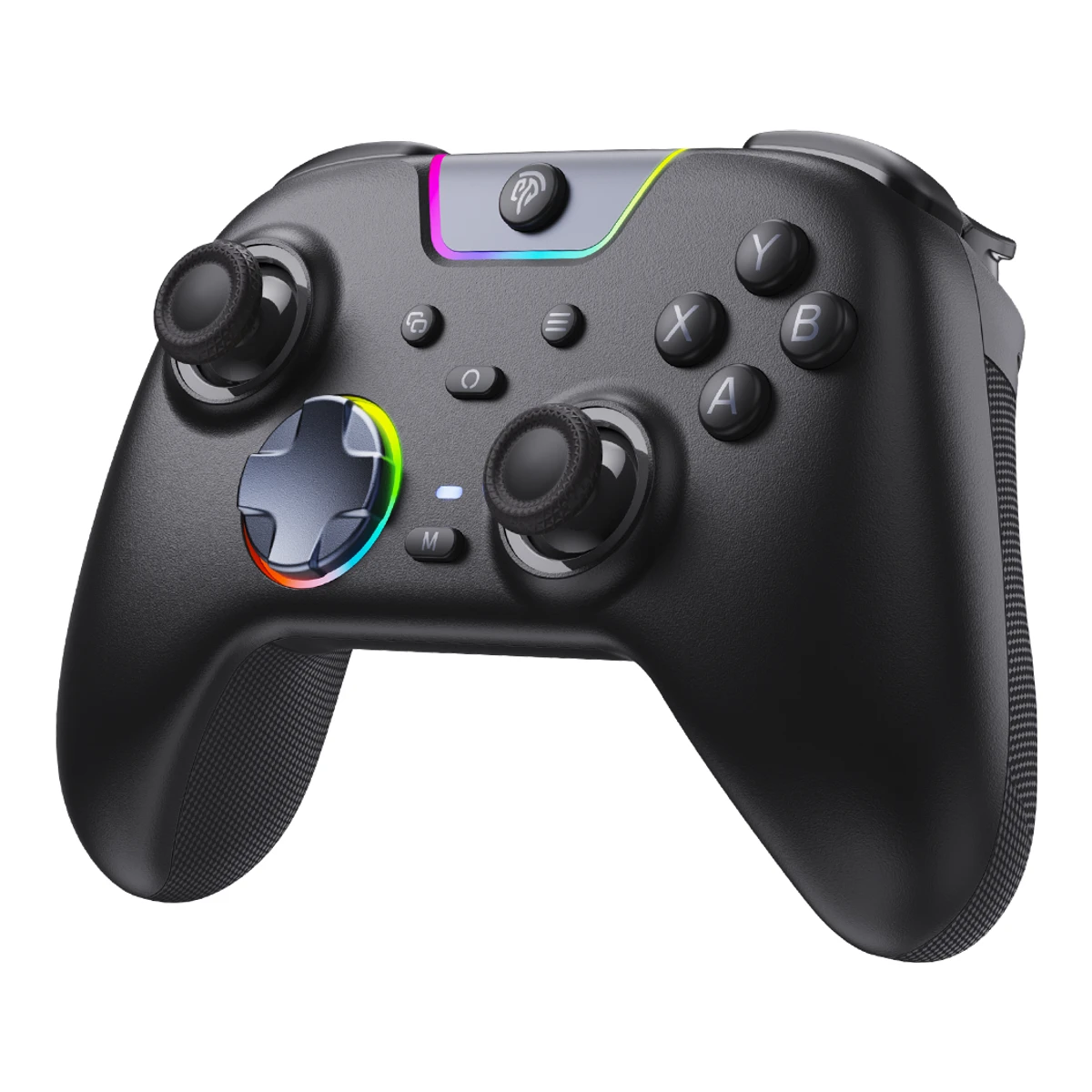
EasySMXController
X05 Pro Multiplatform Wireless Gaming Controller
Released August 2025.1Maker product pageeasysmx.com/products/easysmx-x05pro-multiplatform-wireless-gaming-controller-with-noise-canceling-buttonRead 16 October 2026Store product JSON: created 27 August 2025 and published 28 August 2025. The Outer Haven gives 26 August 2025 as its release date. Last checked 16 October 2026.
- Form factor
- Gamepad
- Platforms
- Windows, SteamOS, Nintendo Switch, Android, iOS, macOS, Linux
- Stick sensor
- Hall effect
- Connections
- USB (wired), 2.4 GHz, Bluetooth
83 of 151 fields known.
General
- Model numbers
- VG-C549, VG-C550, VG-C472, VG-C473, VG-C551, VG-C4741Maker product pageeasysmx.com/products/easysmx-x05pro-multiplatform-wireless-gaming-controller-with-noise-canceling-buttonRead 16 October 2026Public store product JSON SKUs. Black VG-C549, White VG-C550, Aurora Purple VG-C551 without dock. Black VG-C472, White VG-C473, Aurora Purple VG-C474 with the charging dock.
- GTIN / EAN
- Not available
- Announced
- Not available
- Predecessor
- Not available
- Successor
- Not available
- Launch price (EU)
- Not available
- Markets
- Not available
- Colours
- Black, White, Aurora Purple (Limited Edition)1Maker product pageeasysmx.com/products/easysmx-x05pro-multiplatform-wireless-gaming-controller-with-noise-canceling-buttonRead 16 October 2026Colour options on the page: Black, White, Aurora Purple (Limited Edition).
- Stick layout
- Offset5Measurementgamepadla.com/easysmx-x05-pro.htmlRead 16 October 2026Verified specifications: joystick positioning Asymmetric, the Xbox layout.
Compatibility
- Platforms
- Windows, SteamOS, Nintendo Switch, Android, iOS, macOS, Linux1Maker product pageeasysmx.com/products/easysmx-x05pro-multiplatform-wireless-gaming-controller-with-noise-canceling-buttonRead 16 October 2026Page lists Switch, Switch Lite, Switch OLED, Windows 7 to 11, Android and iOS. Steam Deck comes from the Wccftech review. macOS and Linux come from the Gamepadla verified list.5Measurementgamepadla.com/easysmx-x05-pro.htmlRead 16 October 2026Verified platforms: Android, iOS, Linux, macOS, Nintendo Switch, Windows.6Reviewwccftech.com/review/easysmx-x05-pro-review/ampRead 16 October 2026Review lists PC, Steam Deck, Switch, Android and iOS.
- Connection per platform
Platform Connection Windows 2.4 GHz Windows USB (wired) Nintendo Switch Bluetooth Android Bluetooth iOS Bluetooth - Official licence
- Not available
- Input modes
- XInput, DirectInput, Switch Pro2Maker product pageeasysmx.com/pages/support-about-easysmx-x05pro-controllerRead 16 October 2026FAQ Q6: in 2.4GHz mode, hold Back and Start for 3 seconds to cycle X-input (white LED) and D-input (yellow LED). A Switch (NS) mode is chosen with the mode toggle. The protocol of NS mode is not named, so switch_pro is stored.
- Mode switching
- Button combo2Maker product pageeasysmx.com/pages/support-about-easysmx-x05pro-controllerRead 16 October 2026A three position toggle picks Switch, Bluetooth or 2.4 GHz. X-input and D-input are chosen with a Back and Start combo.
- Native Steam Input support
- Not available
- Wakes the supported console
- Yes2Maker product pageeasysmx.com/pages/support-about-easysmx-x05pro-controllerRead 16 October 2026See the manual note: in Switch mode press Home to wake the console.3Owner's manualmediaexpert.pl/products/files/10/10613887/EasySMX-X05Pro-Instrukcja.pdfRead 16 October 2026Note under the Switch steps: in Switch mode press Home to wake the console.5Measurementgamepadla.com/easysmx-x05-pro.htmlRead 16 October 2026Verified specifications: Switch wake up Yes.
- Max phone length
- Not available
- Works with phone case
- Not available
Connectivity
- Connections
- USB (wired), 2.4 GHz, Bluetooth1Maker product pageeasysmx.com/products/easysmx-x05pro-multiplatform-wireless-gaming-controller-with-noise-canceling-buttonRead 16 October 2026
- Controller Bluetooth version
- Not available
- Wireless receiver
- Included1Maker product pageeasysmx.com/products/easysmx-x05pro-multiplatform-wireless-gaming-controller-with-noise-canceling-buttonRead 16 October 20262.4G receiver is in the package list.
- Receiver connector
- Not available
- Wireless range (claimed)
- Not available
- Paired device slots
- Not available
- Wired connector
- USB-C1Maker product pageeasysmx.com/products/easysmx-x05pro-multiplatform-wireless-gaming-controller-with-noise-canceling-buttonRead 16 October 2026Charging Interface: Type-C. The same port is used for wired play.2Maker product pageeasysmx.com/pages/support-about-easysmx-x05pro-controllerRead 16 October 2026Q5 wired steps use a USB cable. The pad has one Type-C port.
- USB
- Not available
- Cable length
- Not available
- Cable type
- USB-C to USB-A6Reviewwccftech.com/review/easysmx-x05-pro-review/ampRead 16 October 2026Review says the wired cable is USB-A to USB-C and is not braided.
- Claimed polling rate by connection
Connection Polling rate (Hz) USB (wired) 1,000 2.4 GHz 1,000 Bluetooth 250 - Polling rate wired
- 1,000Hz
- Polling rate wireless
- 1,000Hz
- Polling rate Bluetooth
- 250Hz
Sticks
- Stick sensor
- Hall effect1Maker product pageeasysmx.com/products/easysmx-x05pro-multiplatform-wireless-gaming-controller-with-noise-canceling-buttonRead 16 October 2026
- Stick module name
- Not available
- Stick resolution (claimed)
- Not available
- Default dead zone (claimed)
- Not available
- Adjustable response curve
- Not available
- Adjustable stick tension
- No5Measurementgamepadla.com/easysmx-x05-pro.htmlRead 16 October 2026Verified specifications: stick tension No.
- Tension levels
- Not available
- Stick throw
- Not available
- Stick gate
- Not available
- Stick click (L3/R3)
- Yes3Owner's manualmediaexpert.pl/products/files/10/10613887/EasySMX-X05Pro-Instrukcja.pdfRead 16 October 2026Diagram labels the sticks as L3 and R3 buttons.
- Swappable stick tops
- Not available
- Stick tops included
- Not available
- Replaceable stick modules
- Not available
Triggers
- Trigger sensor
- Hall effect1Maker product pageeasysmx.com/products/easysmx-x05pro-multiplatform-wireless-gaming-controller-with-noise-canceling-buttonRead 16 October 2026
- Trigger resolution
- Not available
- Trigger travel
- Not available
- Trigger stop positions
- 21Maker product pageeasysmx.com/products/easysmx-x05pro-multiplatform-wireless-gaming-controller-with-noise-canceling-buttonRead 16 October 2026Two stages, long travel and short travel.
- Trigger stop type
- Mechanical6Reviewwccftech.com/review/easysmx-x05-pro-review/ampRead 16 October 2026Review: lock switches for the triggers sit at the back. Retro Handhelds also says the user flicks a switch to shorten the travel, so the stop is mechanical.7Reviewretrohandhelds.gg/easysmx-x05-pro-reviewRead 16 October 2026Review: flick the switch to shorten the trigger travel. The travel is still long, and the pad can press a bit further.
- Shortest trigger travel
- Not available
- Adjustable trigger dead zone
- Not available
- Hair trigger mode
- Not available
- Adaptive triggers
- Not available
Buttons
- Face button switches
- Membrane5Measurementgamepadla.com/easysmx-x05-pro.htmlRead 16 October 2026Verified specifications: main buttons Membrane.7Reviewretrohandhelds.gg/easysmx-x05-pro-reviewRead 16 October 2026Spec list: face buttons Optimized Quiet membrane.
- Face button switch name
- Not available
- Swappable face buttons
- Not available
- Bumper switches
- Not available
- D-pad switches
- Mecha-tactile1Maker product pageeasysmx.com/products/easysmx-x05pro-multiplatform-wireless-gaming-controller-with-noise-canceling-buttonRead 16 October 2026Page says tactile microswitch precision. The maker's press release says metal dome switches. The two wordings differ, so mecha_tactile is stored. Gamepadla lists the D-pad as Mechanical.4Press releaseeasysmx.com/blogs/easysmx-news/easysmx-release-x05pro-quiet-controller-for-entry-to-mid-level-playersRead 16 October 2026Release text calls the D-pad an 8-directional pad with metal dome switches.5Measurementgamepadla.com/easysmx-x05-pro.htmlRead 16 October 2026Verified specifications: D-pad buttons type Mechanical.
- Rear grip buttons or paddles
- 03Owner's manualmediaexpert.pl/products/files/10/10613887/EasySMX-X05Pro-Instrukcja.pdfRead 16 October 2026Diagram shows M1 and M2 on the top edge and the trigger locks at the back. No rear grip buttons. Wccftech and Gamepadla agree.6Reviewwccftech.com/review/easysmx-x05-pro-review/ampRead 16 October 2026Review: the back has the trigger lock switches and the mode switch. No additional buttons on the back.
- Rear grip input type
- Not available
- Removable rear paddles
- Not available
- Additional shoulder buttons
- 21Maker product pageeasysmx.com/products/easysmx-x05pro-multiplatform-wireless-gaming-controller-with-noise-canceling-buttonRead 16 October 2026The two programmable buttons M1 and M2 sit on the top edge next to the bumpers.
- Additional remappable buttons
- 21Maker product pageeasysmx.com/products/easysmx-x05pro-multiplatform-wireless-gaming-controller-with-noise-canceling-buttonRead 16 October 20262 Programmable Buttons on the top.
- On-controller remapping
- Yes2Maker product pageeasysmx.com/pages/support-about-easysmx-x05pro-controllerRead 16 October 2026The manual lets users program M1 and M2 by holding M and M1 or M2, pressing the buttons to assign and saving with M1 or M2. See the manual.3Owner's manualmediaexpert.pl/products/files/10/10613887/EasySMX-X05Pro-Instrukcja.pdfRead 16 October 2026Page 6: hold M plus M1 or M2, press the buttons to assign (for example A or A and B), then press M1 or M2 to save.
- Custom onboard profiles
- Not available
- Profile switch control
- Not available
- Turbo
- Yes1Maker product pageeasysmx.com/products/easysmx-x05pro-multiplatform-wireless-gaming-controller-with-noise-canceling-buttonRead 16 October 20262Maker product pageeasysmx.com/pages/support-about-easysmx-x05pro-controllerRead 16 October 2026Q4: hold M and press A, B, X, Y, LB, RB, LT or RT to set turbo. M plus left stick changes the turbo speed.
- Macros
- Yes3Owner's manualmediaexpert.pl/products/files/10/10613887/EasySMX-X05Pro-Instrukcja.pdfRead 16 October 2026M1 and M2 can store a single button or a combination such as A and B. The Outer Haven calls them mappable macro buttons. Gamepadla lists macros as Yes.5Measurementgamepadla.com/easysmx-x05-pro.htmlRead 16 October 2026Verified specifications: macros option Yes.8Reviewtheouterhaven.net/easysmx-x05pro-gaming-controller-reviewRead 16 October 2026Review calls them mappable macro buttons.
Feedback
- Rumble
- Rumble, Trigger rumble (impulse triggers)1Maker product pageeasysmx.com/products/easysmx-x05pro-multiplatform-wireless-gaming-controller-with-noise-canceling-buttonRead 16 October 2026Page names a 2+2 motor system with independent feedback on both triggers and grips. The trigger motors are limited by native in-game support.
- Rumble motor type
- Not available
Motion and touch
- Gyroscope
- Not available
- Combined motion sensor axes
- Not available
- Gyro as mouse
- Not available
- Clickable touchpad
- Not available
- IR camera
- Not available
- Built-in display
- No5Measurementgamepadla.com/easysmx-x05-pro.htmlRead 16 October 2026Verified specifications: display No.
- Light bar
- Not available
Measured
- Measured input latency
Connection Input Average (ms) Min (ms) Max (ms) Jitter (ms) Polling rate (Hz) Tested on USB (wired) Button 4.95 2.82 7.06 1.16 987.17 Windows USB (wired) Stick 13.58 11.4 15.76 1.16 987.17 Windows 2.4 GHz Button 10.51 5.58 15.96 1.92 979.43 Windows 2.4 GHz Stick 35.82 32.15 44.23 2.27 979.43 Windows Bluetooth Button 13.96 6.3 32.47 7.15 337.61 Windows Bluetooth Stick 19.84 12.13 38.64 7.38 337.61 Windows - Button latency wired (measured, highest average)
- 4.95ms
- Button latency wireless (measured, highest average)
- 10.51ms
- Button latency Bluetooth (measured, highest average)
- 13.96ms
- Stick latency wired (measured, highest average)
- 13.58ms
- Stick latency wireless (measured, highest average)
- 35.82ms
- Stick latency Bluetooth (measured, highest average)
- 19.84ms
- Measured stick tests
Stick Inner dead zone Circularity error Resolution steps Centring error Left 0% 0.4% 256 3.5% Right 0% 0.4% 256 3.6% - Inner dead zone (measured, worst stick)
- 0%
- Circularity error (measured, worst stick)
- 0.4%
- Measured battery life
- Not available
- Full charge time (measured)
- Not available
- Weight (measured)
- Not available
Audio
- 3.5 mm jack
- No5Measurementgamepadla.com/easysmx-x05-pro.htmlRead 16 October 2026Verified specifications: audio port No.
- Jack works over
- Not available
- Speaker
- Not available
- Microphone
- Not available
- Microphone mute control
- Not available
- Expansion port
- Not available
Battery and charging
- Batteries included
- Yes3Owner's manualmediaexpert.pl/products/files/10/10613887/EasySMX-X05Pro-Instrukcja.pdfRead 16 October 2026Safety section describes a built-in battery that must not be replaced by the user.
- Battery capacity
- 1,000mAh1Maker product pageeasysmx.com/products/easysmx-x05pro-multiplatform-wireless-gaming-controller-with-noise-canceling-buttonRead 16 October 2026
- Battery energy
- Not available
- Claimed battery life
- Not available
- Longest claimed battery life
- Not available
- Charging connector
- USB-C1Maker product pageeasysmx.com/products/easysmx-x05pro-multiplatform-wireless-gaming-controller-with-noise-canceling-buttonRead 16 October 2026Charging Interface: Type-C.
- Full charge time (claimed)
- 180min2Maker product pageeasysmx.com/pages/support-about-easysmx-x05pro-controllerRead 16 October 2026The manual says charging time is about 3 hours. FAQ does not give a time. Charger and cable are not stated.3Owner's manualmediaexpert.pl/products/files/10/10613887/EasySMX-X05Pro-Instrukcja.pdfRead 16 October 2026Specification table: charging time about 3 hours. Input 5 V.
- Charging dock
- Sold separately9Maker product pageeasysmx.com/products/easysmx-x05pro-charging-dockRead 16 October 2026The maker sells the X05 Pro Charging Dock (VG-C555) as its own product. The dock bundle models VG-C472, VG-C473 and VG-C474 include it.
- Dock
- EasySMX X05 Pro Charging Dock9Maker product pageeasysmx.com/products/easysmx-x05pro-charging-dockRead 16 October 2026Product name EasySMX X05 Pro Charging Dock.
- Play while charging
- Not available
Build
- Shell material
- Not available
- Grip texture
- Skin-like anti-slip coating1Maker product pageeasysmx.com/products/easysmx-x05pro-multiplatform-wireless-gaming-controller-with-noise-canceling-buttonRead 16 October 2026Page: skin-like anti-slip grip with a sweat-resistant non-slip coating.
- Swappable grips
- Not available
- Swappable faceplate
- Not available
- User-replaceable parts
- Not available
Software
- Companion app
- Not available
- App platforms
- Not available
Dimensions and weight
Front and side, drawn to scale.
- Body dimensions
- Width157Height95Depth65mm(6.2 × 3.7 × 2.6 in)1Maker product pageeasysmx.com/products/easysmx-x05pro-multiplatform-wireless-gaming-controller-with-noise-canceling-buttonRead 16 October 2026Net Size 15.70x9.50x6.50 cm, stored as width x height x depth.
Certifications
We could not find any of these 2 fields. Show them
- FCC ID
- Not available
- Other certifications
- Not available
In the box
- In the box
- EasySMX X05 Pro gamepad, USB data cable, 2.4G receiver, Instruction manual1Maker product pageeasysmx.com/products/easysmx-x05pro-multiplatform-wireless-gaming-controller-with-noise-canceling-buttonRead 16 October 2026Package List: gamepad, USB data cable, 2.4G receiver, instruction manual. Dock bundles add the charging dock.
- Cables included
Type Count USB data cable 1
Warranty
- Manufacturer warranty (source market)
- 1.5years1Maker product pageeasysmx.com/products/easysmx-x05pro-multiplatform-wireless-gaming-controller-with-noise-canceling-buttonRead 16 October 2026Page lists an 18 months warranty with global shipping.
- Stick drift warranty
- Not available
Links
- Product page
- www.easysmx.com/products/easysmx-x05pro-multiplatform-wireless-gaming-controller-with-noise-canceling-button1Maker product pageeasysmx.com/products/easysmx-x05pro-multiplatform-wireless-gaming-controller-with-noise-canceling-buttonRead 16 October 2026
- Spec sheet
- www.easysmx.com/products/easysmx-x05pro-multiplatform-wireless-gaming-controller-with-noise-canceling-button1Maker product pageeasysmx.com/products/easysmx-x05pro-multiplatform-wireless-gaming-controller-with-noise-canceling-buttonRead 16 October 2026
- Manual
- www.mediaexpert.pl/products/files/10/10613887/EasySMX-X05Pro-Instrukcja.pdf3Owner's manualmediaexpert.pl/products/files/10/10613887/EasySMX-X05Pro-Instrukcja.pdfRead 16 October 2026Polish edition of the X05Pro manual hosted by Media Expert. 11 pages. Read in Polish. The English FAQ on the maker site gives the same steps.
- EPREL registration number
- Not available
Compare with
Pick a controller to see both side by side. Differences are marked yellow.
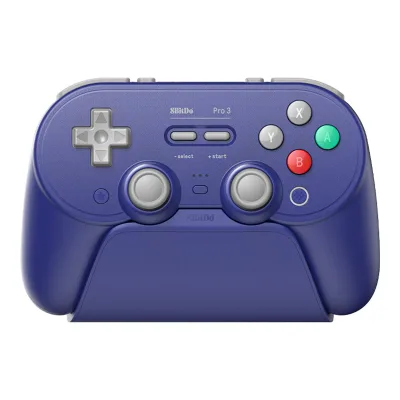
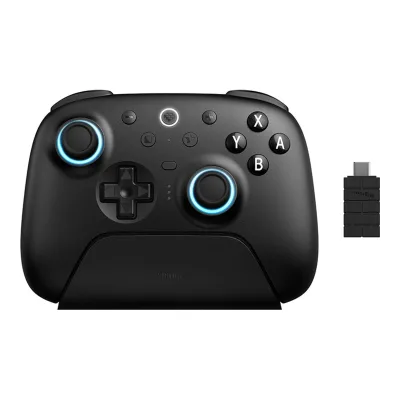
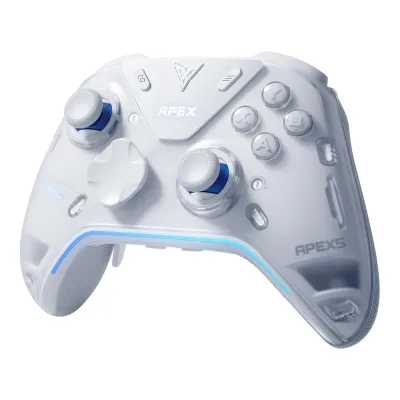
Variants
Each variant lists only what differs from the specs above.
| Model number | Launch price (US) | Colours | Charging dock |
|---|---|---|---|
| VG-C549 | $35.99 | Black | Sold separately |
| VG-C550 | $35.99 | White | Sold separately |
| VG-C551 | $39.99 | Aurora Purple (Limited Edition) | Sold separately |
| VG-C472 | Not available | Black | Included |
| VG-C473 | Not available | White | Included |
| VG-C474 | Not available | Aurora Purple (Limited Edition) | Included |
Sources
We read 9 sources for this controller. The numbers match the markers in the sheet.
- Maker product pageeasysmx.com/pages/support-about-easysmx-x05pro-controller
- Measurementgamepadla.com/easysmx-x05-pro.html
- Maker product pageeasysmx.com/products/easysmx-x05pro-charging-dock
See a wrong value? Tell us and name the field.