Gaming / Mice
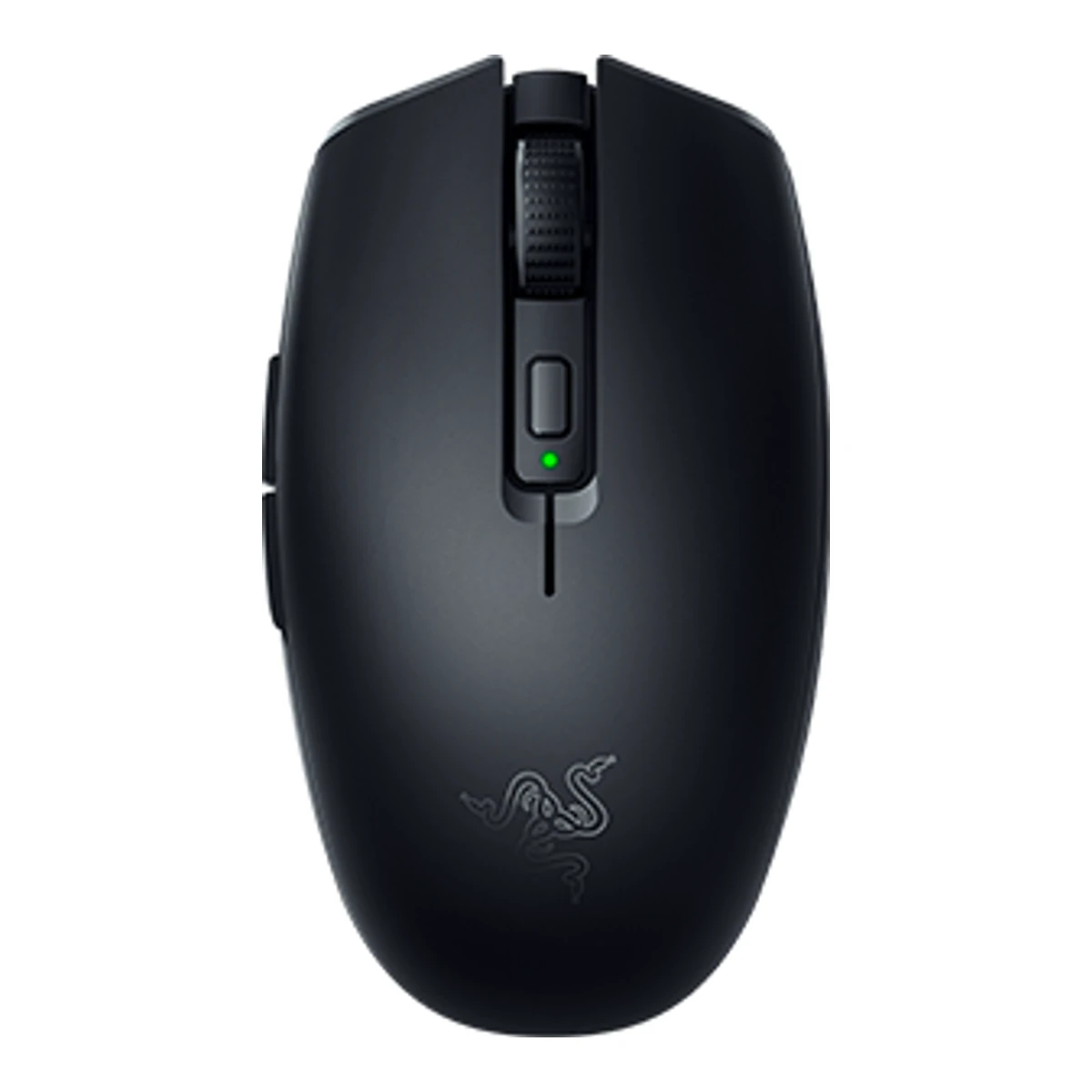
RazerGaming mouse
Orochi V2
Released April 2021.1Press releaserazer.com/newsroomRead 15 October 2026Release dated 27 April 2021. Available on Razer.com and authorized resellers from 27 April 2021 Last checked 15 October 2026.
- Mouse weight (claimed)
- Not available
- Marketed sensor name
- Razer 5G Advanced Optical Sensor
- Maximum configurable DPI
- 18,000DPI
- Max polling rate
- 1,000Hz
88 of 154 fields known.
At a glance
Longest battery life
950h
Higher than all other mice.
General
- Series
- Razer Orochi3Maker product pagerazer.com/gaming-mice/razer-orochi-v2Read 15 October 2026Page product family: Razer Orochi
- Model numbers
- RZ01-03730100-R3G1, RZ01-03730400-R3U14Retailer pageox.ee/en/product/1665666Read 15 October 2026OX.ee product code RZ01-03730100-R3G1 for the black 2021 SKU. White is RZ01-03730400. Kakaku lists the Japan white as RZ01-03730400-R3A1 and the US white part RZ01-03730400-R3U1 comes from a reseller listing
- GTIN / EAN
- 88864193332414Retailer pageox.ee/en/product/1665666Read 15 October 2026EAN 8886419333241 for RZ01-03730100-R3G1
- Announced
- 27 April 20211Press releaserazer.com/newsroomRead 15 October 2026Press release dated 27 April 2021
- Predecessor
- Not available
- Successor
- Not available
- Launch price (US)
- $69.991Press releaserazer.com/newsroomRead 15 October 2026Razer Orochi V2 US$69.99 MSRP. The Customs Edition is $89.99 and is not stored6Reviewtomshardware.com/reviews/razer-orochi-v2Read 15 October 2026Review: $70 MSRP as of writing7Reviewwindowscentral.com/razer-orochi-v2-reviewRead 15 October 2026Review: $70 in black or white, available now at Razer.com and retailers
- Launch price (EU)
- €79.991Press releaserazer.com/newsroomRead 15 October 2026Razer Orochi V2 EUR 79.99 MSRP. Tax treatment is not stated7Reviewwindowscentral.com/razer-orochi-v2-reviewRead 15 October 2026Review: 80 EUR with the 70 USD price. The press release gives 79.99 EUR MSRP
- Markets
- Not available
- Colours
- Black, White Edition, Quartz Edition1Press releaserazer.com/newsroomRead 15 October 2026Release: available as standard in Black or White. The current razer.com page also names a Quartz Edition3Maker product pagerazer.com/gaming-mice/razer-orochi-v2Read 15 October 2026Page: Black, White Edition, Quartz Edition and Razer Customs
Shape
- Body shape
- Symmetrical body1Press releaserazer.com/newsroomRead 15 October 2026Spec list: Symmetrical right-handed design
- Maker size class
- Not available
- Recommended grips
- Palm, Claw, Fingertip6Reviewtomshardware.com/reviews/razer-orochi-v2Read 15 October 2026Review: Razer set out to make a mouse for all common grip types. Windows Central says Razer optimized it for claw, palm or fingertip use. Palm gripers with large hands may find it short7Reviewwindowscentral.com/razer-orochi-v2-reviewRead 15 October 2026Review: Razer optimized it for claw, palm or fingertip use
- Recommended hand size
- Not available
- Hump position
- Back1Press releaserazer.com/newsroomRead 15 October 2026Release: a raised back arch gives a secure palm fit8Spec databaseeloshapes.com/mouse/compareRead 15 October 2026Database: back, minimal. The maker release says a raised back arch
- Ring or pinky finger rest
- No8Spec databaseeloshapes.com/mouse/compareRead 15 October 2026Database: ring finger rest No
- Upper shell
- Not available
- Swappable parts
- Top shell1Press releaserazer.com/newsroomRead 15 October 2026Release: Razer Customs top shells. The master guide says the top cover comes off to reach the battery and dongle3Maker product pagerazer.com/gaming-mice/razer-orochi-v2Read 15 October 2026Page: Razer Customs designs and a replacement parts page for mice10Reviewgizmodo.com/the-new-razer-orochi-v2-is-a-nice-little-lightweight-tr-1846773147Read 15 October 2026Review: Razer lets buyers order a customized top shell. The removable cover is thin plastic
- Adjustable weight
- Not available
- Maximum added weight
- Not available
- Vertical angle
- Not available
- Trackball diameter
- Not available
- Trackball position
- Not available
Dimensions and weight
Front and side, drawn to scale.
- Mouse body dimensions
- Length108Maximum width62.6Maximum height38.5mm(4.3 × 2.5 × 1.5 in)4Retailer pageox.ee/en/product/1665666Read 15 October 2026Razer spec table copied by the retailer: Approximate Size Length 108.0 mm, Width 62.6 mm, Height 38.5 mm. The press release and Tom's Hardware round it to 108 x 60 x 38 mm
- Grip width
- Not available
- Mouse weight (claimed)
- Not available
- Box dimensions
- Not available
- Packed weight
- Not available
Sensor
- Marketed sensor name
- Razer 5G Advanced Optical Sensor1Press releaserazer.com/newsroomRead 15 October 2026Release: ultra-responsive 5G advanced optical sensor. Tom's Hardware calls it Razer 5G
- Published sensor brand
- Razer1Press releaserazer.com/newsroomRead 15 October 2026Razer markets it as its own 5G sensor. The physical PixArt part is stored separately
- Physical sensor part number
- PAW33699Measurementtechpowerup.com/review/razer-orochi-v2Read 15 October 2026Search result excerpt of the review: the sensor is Razer's custom PAW3369. Razer publishes only the 5G name. The review page was not opened
- Sensor type
- Optical1Press releaserazer.com/newsroomRead 15 October 2026Release: 5G advanced optical sensor
- Maximum configurable DPI
- 18,000DPI2Owner's manualdl.razerzone.com/master-guides/RazerSynapse3/OROCHIV2-00000148-en.pdfRead 15 October 2026Section 3: true 18,000 DPI 5G optical sensor
- Minimum configurable DPI
- 100DPI6Reviewtomshardware.com/reviews/razer-orochi-v2Read 15 October 2026Spec table: 100 to 18,000 CPI
- DPI adjustment step
- 100DPI6Reviewtomshardware.com/reviews/razer-orochi-v2Read 15 October 2026Synapse sets each CPI level in increments of 100
- Maximum DPI stages
- 52Owner's manualdl.razerzone.com/master-guides/RazerSynapse3/OROCHIV2-00000148-en.pdfRead 15 October 2026Performance tab: up to 5 sensitivity stages
- Default DPI presets
- 400, 800, 1,600, 3,200, 6,400DPI2Owner's manualdl.razerzone.com/master-guides/RazerSynapse3/OROCHIV2-00000148-en.pdfRead 15 October 2026Section 1 and 3: default stages 400, 800, 1600 (default), 3200 and 6400
- Separate X and Y DPI
- Not available
- Tracking speed (claimed)
- 450IPS1Press releaserazer.com/newsroomRead 15 October 2026Spec list: up to 450 IPS / 40 G acceleration. The current razer.com page lists 350 IPS and 35 G for the newer SKU RZ01-0569, which is not stored
- Tracking acceleration (claimed)
- 40G1Press releaserazer.com/newsroomRead 15 October 2026Spec list: up to 450 IPS / 40 G acceleration
- Lift-off distance settings
- Not available
- Separate lift and landing distance
- Not available
- Motion Sync
- Not available
- Angle snapping
- Not available
- Ripple control
- Not available
- Tracks on glass
- Not available
- Sensor position
- Forward8Spec databaseeloshapes.com/mouse/compareRead 15 October 2026Database: forward (61%)
Performance
- Documented polling rates by connection
Data connection Polling rate (Hz) Receiver requirement 2.4 GHz 125 Included HyperSpeed wireless dongle 2.4 GHz 500 Included HyperSpeed wireless dongle 2.4 GHz 1,000 Included HyperSpeed wireless dongle - Max polling rate
- 1,000Hz
- Polling rate (wired)
- Not available
- Polling rate (2.4 GHz)
- 1,000Hz
- Polling rate (Bluetooth)
- Not available
- Claimed click latency
- Not available
- Adjustable debounce
- Not available
- Minimum debounce
- Not available
Measured
- Latency per connection (measured)
- Not available
- DPI deviation (measured)
- Not available
- Lift-off distance (measured)
- Not available
- Main click force (measured)
- Not available
- Battery life (measured)
- Not available
- Hand size fit
- Not available
Switches
- Main switch type
- Mechanical1Press releaserazer.com/newsroomRead 15 October 2026Release names 2nd-gen Razer Mechanical Mouse Switches with gold-plated contacts8Spec databaseeloshapes.com/mouse/compareRead 15 October 2026Database: mechanical switches, 60M
- Published main-switch brand
- Razer1Press releaserazer.com/newsroomRead 15 October 2026
- Main switch model
- Razer Mechanical Mouse Switches Gen-21Press releaserazer.com/newsroomRead 15 October 20262nd-gen Razer Mechanical Mouse Switches, called Gen-2 in the master guide and on the current page
- Main switch rated life
- 60million1Press releaserazer.com/newsroomRead 15 October 2026Release: up to 60 million clicks. Rating is a maker claim
- Hot-swap main switches
- Not available
- Adjustable click actuation
- Not available
- Separate main buttons
- Not available
- Side switch model
- Not available
- Middle click switch
- Not available
- Scroll encoder type
- Mechanical8Spec databaseeloshapes.com/mouse/compareRead 15 October 2026Database: TTC Black mechanical encoder, 24 steps
- Scroll encoder
- TTC Black8Spec databaseeloshapes.com/mouse/compareRead 15 October 2026Database: TTC Black
Buttons and scroll wheel
- Programmable buttons
- 62Owner's manualdl.razerzone.com/master-guides/RazerSynapse3/OROCHIV2-00000148-en.pdfRead 15 October 2026Section 3: six independently programmable buttons
- Side buttons on
- Left6Reviewtomshardware.com/reviews/razer-orochi-v2Read 15 October 2026Review: slim side buttons geared toward right-handed users with a groove on the left side
- DPI button
- Yes2Owner's manualdl.razerzone.com/master-guides/RazerSynapse3/OROCHIV2-00000148-en.pdfRead 15 October 2026
- DPI button position
- Top6Reviewtomshardware.com/reviews/razer-orochi-v2Read 15 October 2026Review: the CPI button sits south of the scroll wheel
- Dedicated DPI-shift button
- No2Owner's manualdl.razerzone.com/master-guides/RazerSynapse3/OROCHIV2-00000148-en.pdfRead 15 October 2026Section 1 labels every control. None is a dedicated DPI-shift button. Synapse can assign a Sensitivity Clutch action to a button
- Dedicated gesture button
- No2Owner's manualdl.razerzone.com/master-guides/RazerSynapse3/OROCHIV2-00000148-en.pdfRead 15 October 2026Section 1 labels every control. None is a dedicated gesture button
- Scroll wheel
- Notched4Retailer pageox.ee/en/product/1665666Read 15 October 2026Razer spec table: Tilt Scroll Wheel None6Reviewtomshardware.com/reviews/razer-orochi-v2Read 15 October 2026Review: rubber wheel with tactile steps and rows of bumps8Spec databaseeloshapes.com/mouse/compareRead 15 October 2026Database: no free spin and no side tilt
- Scroll mode switch
- Not available
- Separate thumb wheel
- No2Owner's manualdl.razerzone.com/master-guides/RazerSynapse3/OROCHIV2-00000148-en.pdfRead 15 October 2026Section 1 labels every control. There is no thumb wheel
- Scroll wheel material
- Not available
Build
- Surface finish
- Matte6Reviewtomshardware.com/reviews/razer-orochi-v2Read 15 October 2026Review: slightly textured surface that is hard to stain. Windows Central calls the finish matte7Reviewwindowscentral.com/razer-orochi-v2-reviewRead 15 October 2026Review: matte white and matte black colorways
- Installed feet material
- PTFE1Press releaserazer.com/newsroomRead 15 October 2026Release says 100% PTFE feet and the spec list says undyed PTFE. No virgin-grade claim3Maker product pagerazer.com/gaming-mice/razer-orochi-v2Read 15 October 2026Page: 100% PTFE mouse feet
- Installed skate pieces
- Not available
- Feet shape
- Not available
- Feet thickness
- Not available
Cable
- Cable
- Not available
- Cable length
- Not available
- Detachable cable
- Not available
- Cable host plug
- Not available
Connectivity
- Connections
- 2.4 GHz, Bluetooth1Press releaserazer.com/newsroomRead 15 October 2026Release: dual-mode wireless, 2.4 GHz and BLE. No wired mode
- Wireless technology
- Razer HyperSpeed Wireless1Press releaserazer.com/newsroomRead 15 October 2026Release: Razer HyperSpeed wireless technology
- Bluetooth
- 5.12Owner's manualdl.razerzone.com/master-guides/RazerSynapse3/OROCHIV2-00000148-en.pdfRead 15 October 2026Section 1 product requirements: USB-A port or Bluetooth 5.16Reviewtomshardware.com/reviews/razer-orochi-v2Read 15 October 2026Spec table: USB Type-A dongle or Bluetooth 5.1
- Saved Bluetooth pairing slots
- Not available
- Switchable host devices
- 22Owner's manualdl.razerzone.com/master-guides/RazerSynapse3/OROCHIV2-00000148-en.pdfRead 15 October 2026Slider switch selects HyperSpeed 2.4 GHz, power off or Bluetooth. Two host connections, one on the dongle and one over Bluetooth. Tom's Hardware describes switching between two PCs with the toggle6Reviewtomshardware.com/reviews/razer-orochi-v2Read 15 October 2026Review: connect the mouse to 2 PCs and switch with the wireless toggle on the underside
- Device switching
- Switch2Owner's manualdl.razerzone.com/master-guides/RazerSynapse3/OROCHIV2-00000148-en.pdfRead 15 October 2026Section 1 item K: slider switch6Reviewtomshardware.com/reviews/razer-orochi-v2Read 15 October 2026Review: toggle on the underside of the mouse
- Receiver host connector
- USB-A2Owner's manualdl.razerzone.com/master-guides/RazerSynapse3/OROCHIV2-00000148-en.pdfRead 15 October 2026Section 1: USB-A port for the wireless dongle
- Receiver storage in mouse
- Yes2Owner's manualdl.razerzone.com/master-guides/RazerSynapse3/OROCHIV2-00000148-en.pdfRead 15 October 2026Section 4: take the wireless USB dongle out from under the top cover. The razer.com FAQ says it is stored in a compartment under the cover3Maker product pagerazer.com/gaming-mice/razer-orochi-v2Read 15 October 2026Page: wireless dongle stored in a compartment under the top cover
- Receiver extender included
- No2Owner's manualdl.razerzone.com/master-guides/RazerSynapse3/OROCHIV2-00000148-en.pdfRead 15 October 2026What's inside lists the mouse, dongle, AA battery and guide. No extender
- Receiver pairing shared
- Yes1Press releaserazer.com/newsroomRead 15 October 2026Release: connect the Orochi V2 and a wireless keyboard to a single USB dongle
- Wireless range
- Not available
- Basic mouse OS support
- Not available
- Consoles
- Not available
Battery
- Disposable battery count
- 11Press releaserazer.com/newsroomRead 15 October 2026Release: only one battery is required
- Battery capacity
- Not available
- User-replaceable battery
- Yes2Owner's manualdl.razerzone.com/master-guides/RazerSynapse3/OROCHIV2-00000148-en.pdfRead 15 October 2026Section 4 Inserting the battery: remove the top cover and insert the AA battery. Low-battery notice says to replace the battery
- Battery life by mode (claimed)
Connection Claimed runtime (h) 2.4 GHz 425 Bluetooth 950 - Battery life (up to)
- Not available
- Battery life (normal use)
- Not available
- Longest battery life
- 950h
- Battery life at 1000 Hz
- Not available
- Battery life on Bluetooth
- 950h
- Full charge time
- Not available
- Quick charge
- Not available
- Use while charging
- Not available
- Charging system compatibility
- Not available
Lighting
- Decorative RGB lighting
- No2Owner's manualdl.razerzone.com/master-guides/RazerSynapse3/OROCHIV2-00000148-en.pdfRead 15 October 2026The guide and the razer.com FAQ list no lighting. The FAQ says the mouse has no Chroma RGB3Maker product pagerazer.com/gaming-mice/razer-orochi-v2Read 15 October 2026FAQ: no Chroma lighting, to maximize battery life
- Decorative lighting zones
- Not available
- Lighting sync
- Not available
Software
- Software
- Razer Synapse 32Owner's manualdl.razerzone.com/master-guides/RazerSynapse3/OROCHIV2-00000148-en.pdfRead 15 October 2026Section 5 configures the mouse in Razer Synapse. Section 3: Razer Synapse 3 enabled
- Configuration software platforms
- Windows2Owner's manualdl.razerzone.com/master-guides/RazerSynapse3/OROCHIV2-00000148-en.pdfRead 15 October 2026Synapse requirements: Windows 7 64-bit or higher
- Onboard memory
- Yes2Owner's manualdl.razerzone.com/master-guides/RazerSynapse3/OROCHIV2-00000148-en.pdfRead 15 October 2026Section 3: on-board DPI and keymap storage3Maker product pagerazer.com/gaming-mice/razer-orochi-v2Read 15 October 2026FAQ: a single onboard memory profile saves settings without software
- Onboard profiles
- 13Maker product pagerazer.com/gaming-mice/razer-orochi-v2Read 15 October 2026FAQ: a single onboard memory profile
- Macros stored onboard
- Not available
- Button remapping
- Yes2Owner's manualdl.razerzone.com/master-guides/RazerSynapse3/OROCHIV2-00000148-en.pdfRead 15 October 2026Customize subtab changes the assignment of each button
- User firmware updates
- Not available
In the box
- In the box
- Razer Orochi V2, Wireless USB dongle (stored inside the mouse), 1 x AA battery, Important Product Information Guide2Owner's manualdl.razerzone.com/master-guides/RazerSynapse3/OROCHIV2-00000148-en.pdfRead 15 October 2026Section 1 What's inside: Razer Orochi V2, 1 x AA battery, Important Product Information Guide. Part H is the wireless USB dongle
- Cables included
- Not available
Links
- Product page
- www.razer.com/gaming-mice/razer-orochi-v23Maker product pagerazer.com/gaming-mice/razer-orochi-v2Read 15 October 2026
- Spec sheet
- Not available
- Manual
- dl.razerzone.com/master-guides/RazerSynapse3/OROCHIV2-00000148-en.pdf2Owner's manualdl.razerzone.com/master-guides/RazerSynapse3/OROCHIV2-00000148-en.pdfRead 15 October 2026
- EPREL registration number
- Not available
Warranty
- Manufacturer warranty (source market)
- 2years2Owner's manualdl.razerzone.com/master-guides/RazerSynapse3/OROCHIV2-00000148-en.pdfRead 15 October 2026Section 2: 2-year limited warranty
Compare with
Pick a mouse to see both side by side. Differences are marked yellow.
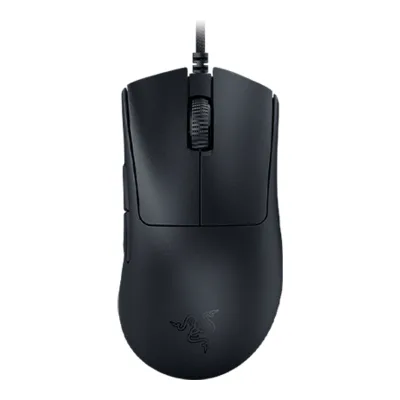
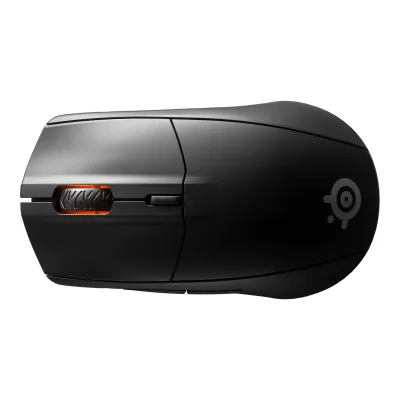
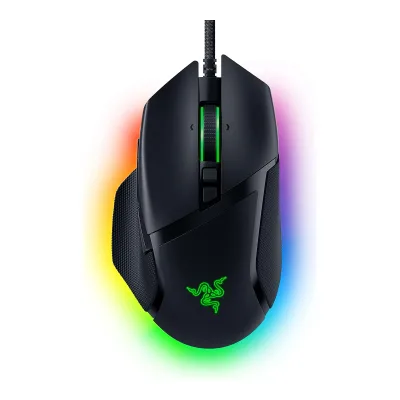
Variants
Each variant lists only what differs from the specs above.
| Model number | GTIN | Colours |
|---|---|---|
| RZ01-03730100-R3G1 | 8886419333241 | Black |
| RZ01-03730400-R3U1 | Not available | White Edition |
Sources
We read 10 sources for this mouse. The numbers match the markers in the sheet.
- Press releaserazer.com/newsroom
- Maker product pagerazer.com/gaming-mice/razer-orochi-v2
- Retailer pageox.ee/en/product/1665666
- Retailer pagekakaku.com/item/K0001356521/spec
- Spec databaseeloshapes.com/mouse/compare
- Measurementtechpowerup.com/review/razer-orochi-v2
See a wrong value? Tell us and name the field.