Gaming / Monitors
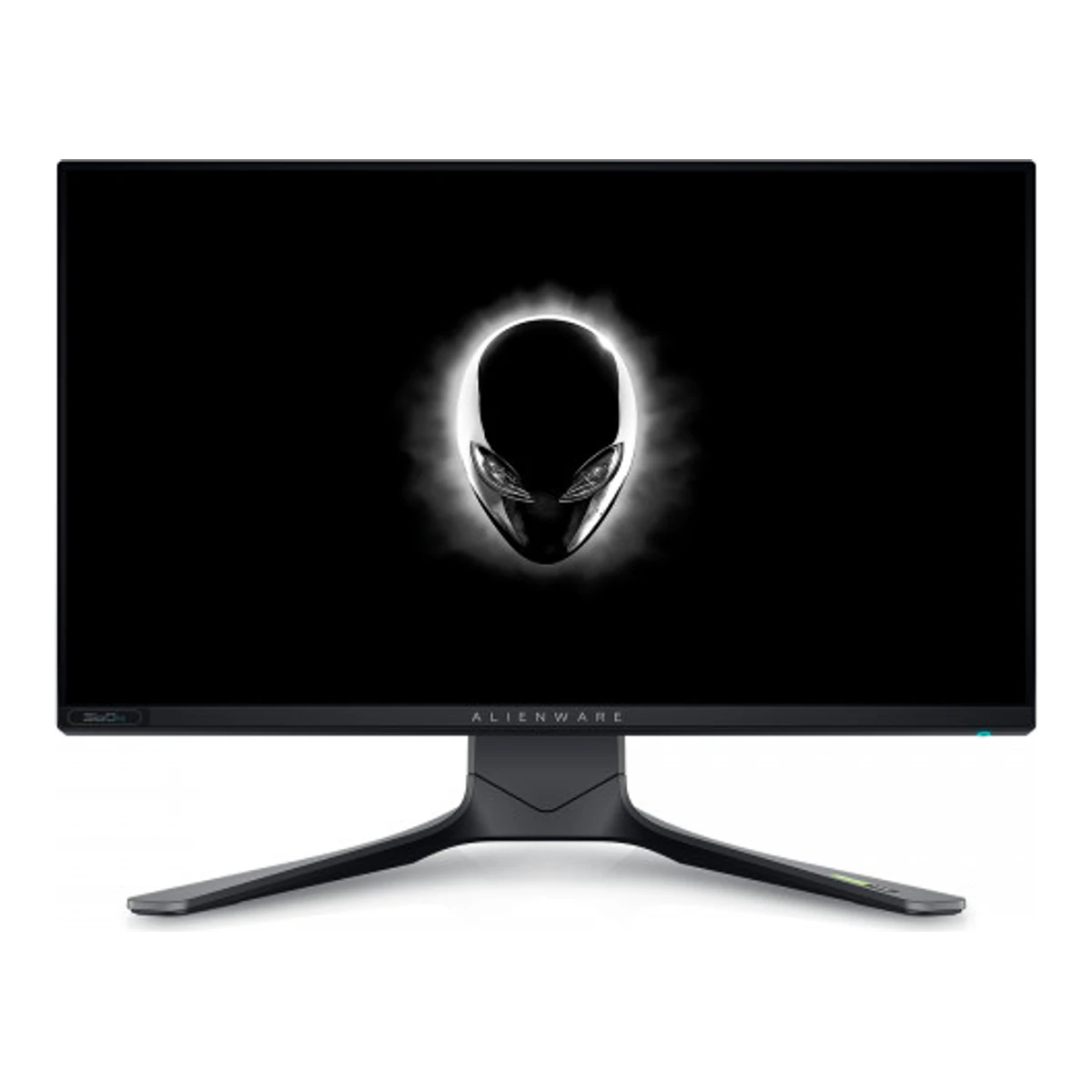
DellGaming monitor
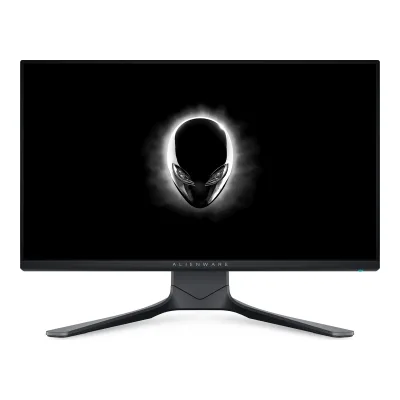
Alienware AW2521H
- Screen size
- 24.5in
- Resolution
- 1920 × 1080
- Refresh rate
- 360Hz
- Panel
- Fast IPS
106 of 172 fields known.
At a glance
Power use HDR (EU label)
Lower than all other monitors. Lower is better.
Power use SDR (EU label)
Lower than 84% of other monitors. Lower is better.
Standby power
Lower than 80% of other monitors. Lower is better.
Power use (typical)
Lower than 80% of other monitors. Lower is better.
Brightness (typical, SDR)
Higher than 78% of other monitors.
Ports
- DisplayPort 1.4
- 2 HDMI 2.0
- USB-B 3.2 Gen 1
- 4 USB-A 3.2 Gen 1
- Headphone3.5 mm out
General
- Series
- Alienware1Maker product pagedell.com/en-us/shop/alienware-25-gaming-monitor-aw2521h/apd/210-aycbRead 5 October 2026
- Model numbers
- AW2521H, AW2521Hb1Maker product pagedell.com/en-us/shop/alienware-25-gaming-monitor-aw2521h/apd/210-aycbRead 5 October 2026Exact marketing and regulatory models independently read on own original guide cover.2Owner's manualdl.dell.com/manuals/all-products/esuprt_electronics_accessories/esuprt_electronics_accessories_monitors/dell-aw2521h-monitor_user%27s-guide_en-us.pdfRead 5 October 2026Own exact cover marketing/regulatory model names, not inferred from a sibling suffix.
- Status
- Not available
- Predecessor
- Not available
- Successor
- Not available
- Launch price (EU)
- Not available
Display
- Screen size
- 24.5in(62.2 cm)2Owner's manualdl.dell.com/manuals/all-products/esuprt_electronics_accessories/esuprt_electronics_accessories_monitors/dell-aw2521h-monitor_user%27s-guide_en-us.pdfRead 5 October 2026
- Viewable screen diagonal
- 24.5in(62.2 cm)2Owner's manualdl.dell.com/manuals/all-products/esuprt_electronics_accessories/esuprt_electronics_accessories_monitors/dell-aw2521h-monitor_user%27s-guide_en-us.pdfRead 5 October 2026
- Native resolution
- 1920 × 1080px2Owner's manualdl.dell.com/manuals/all-products/esuprt_electronics_accessories/esuprt_electronics_accessories_monitors/dell-aw2521h-monitor_user%27s-guide_en-us.pdfRead 5 October 2026
- Pixel density
- 89.9ppi
- Active display area
- Width543.2Height302.6mm(21.4 × 11.9 in)2Owner's manualdl.dell.com/manuals/all-products/esuprt_electronics_accessories/esuprt_electronics_accessories_monitors/dell-aw2521h-monitor_user%27s-guide_en-us.pdfRead 5 October 2026
- Curvature radius
- Not available
- Anti-reflection coating
- Anti-glare with 3H hardness2Owner's manualdl.dell.com/manuals/all-products/esuprt_electronics_accessories/esuprt_electronics_accessories_monitors/dell-aw2521h-monitor_user%27s-guide_en-us.pdfRead 5 October 2026
Panel
- Panel type (as published)
- Fast IPS2Owner's manualdl.dell.com/manuals/all-products/esuprt_electronics_accessories/esuprt_electronics_accessories_monitors/dell-aw2521h-monitor_user%27s-guide_en-us.pdfRead 5 October 2026
- Backlight
- Edge-lit LED2Owner's manualdl.dell.com/manuals/all-products/esuprt_electronics_accessories/esuprt_electronics_accessories_monitors/dell-aw2521h-monitor_user%27s-guide_en-us.pdfRead 5 October 2026
- Dimming zones
- Not available
- Panel part number
- Not available
- Panel generation
- Not available
- Subpixel layout
- Not available
- Colour depth method
- Native10Reviewpcmonitors.info/dell/dell-alienware-aw2521h-360hz-full-hd-ips-modelRead 7 October 2026Same explicit true 8-bit panel claim. Does not derive bits from 16.7 million displayed colours.
- Displayable colours
- 16.7 million2Owner's manualdl.dell.com/manuals/all-products/esuprt_electronics_accessories/esuprt_electronics_accessories_monitors/dell-aw2521h-monitor_user%27s-guide_en-us.pdfRead 5 October 2026
- DCI-P3 coverage
- Not available
- Adobe RGB coverage
- Not available
- Rec. 2020 coverage
- Not available
- NTSC coverage
- Not available
- Paper calibration report in box
- Not available
- Hardware calibration support
- Not available
- Static contrast ratio
- 1,000:12Owner's manualdl.dell.com/manuals/all-products/esuprt_electronics_accessories/esuprt_electronics_accessories_monitors/dell-aw2521h-monitor_user%27s-guide_en-us.pdfRead 5 October 2026
- Brightness (typical, SDR)
- 400nits2Owner's manualdl.dell.com/manuals/all-products/esuprt_electronics_accessories/esuprt_electronics_accessories_monitors/dell-aw2521h-monitor_user%27s-guide_en-us.pdfRead 5 October 2026
- Brightness (maker minimum)
- Not available
- Peak brightness (HDR)
- Not available
- HDR peak test window
- Not available
- Full-screen brightness
- Not available
- HDR certification
- Not available
Refresh rate and motion
- Refresh rate per resolution and port
Refresh rate per resolution and port. The top rate is in bold. Resolution HDMI 2.0 DisplayPort 1.4 1920 × 1080Native 240Hz 360Hz Show as source table
Width (px) Height (px) Input Input version Maximum accepted rate (Hz) 1920 1080 DisplayPort 1.4 360 1920 1080 HDMI 2.0 240 - Max refresh rate
- 360Hz
- Max refresh rate at native resolution
- 360Hz
- Max refresh rate over DisplayPort
- 360Hz
- Max refresh rate over HDMI
- 240Hz
- Max refresh rate over USB-C
- Not available
- Max refresh rate at 10-bit
- Not available
- Native refresh rate
- 360Hz2Owner's manualdl.dell.com/manuals/all-products/esuprt_electronics_accessories/esuprt_electronics_accessories_monitors/dell-aw2521h-monitor_user%27s-guide_en-us.pdfRead 5 October 2026
- Overclocked refresh rate
- Not available
- Dual mode
- Not available
- Minimum fixed refresh rate
- Not available
- VRR range per port
- Not available
- Low framerate compensation
- Not available
- Response time (maker MPRT claim)
- Not available
- Overdrive settings
- Fast, Super Fast, Extreme2Owner's manualdl.dell.com/manuals/all-products/esuprt_electronics_accessories/esuprt_electronics_accessories_monitors/dell-aw2521h-monitor_user%27s-guide_en-us.pdfRead 5 October 2026
- Blur-reduction technology
- NVIDIA ULMB2Owner's manualdl.dell.com/manuals/all-products/esuprt_electronics_accessories/esuprt_electronics_accessories_monitors/dell-aw2521h-monitor_user%27s-guide_en-us.pdfRead 5 October 2026
- Blur reduction works with VRR
- No2Owner's manualdl.dell.com/manuals/all-products/esuprt_electronics_accessories/esuprt_electronics_accessories_monitors/dell-aw2521h-monitor_user%27s-guide_en-us.pdfRead 5 October 2026Own NVIDIA ULMB paragraph expressly requires Enable G-SYNC not selected in NVIDIA Control Panel.
- Flicker-free (claimed)
- Yes2Owner's manualdl.dell.com/manuals/all-products/esuprt_electronics_accessories/esuprt_electronics_accessories_monitors/dell-aw2521h-monitor_user%27s-guide_en-us.pdfRead 5 October 2026
- Black frame insertion
- Not available
Measured
- Input lag at maximum refresh rate
- Not available
- Input lag at 60 Hz
- Not available
- Average response time (measured)
- Not available
- Overshoot (measured)
- Not available
- HDR brightness in a real scene (measured)
- Not available
- PWM flicker frequency (measured)
- Not available
- VRR range (measured)
- Not available
- Gray uniformity (measured)
- Not available
- Reflections (measured)
- Not available
Connectivity
- Video inputs
Type Version Count DisplayPort 1.4 1 HDMI 2.0 2 - HDMI ports
- 2
- DisplayPort ports
- 1
- Highest HDMI version
- 2.0
- Highest DisplayPort version
- 1.4
- HDMI features
- Not available
- USB-C video (DP Alt Mode)
- No2Owner's manualdl.dell.com/manuals/all-products/esuprt_electronics_accessories/esuprt_electronics_accessories_monitors/dell-aw2521h-monitor_user%27s-guide_en-us.pdfRead 5 October 2026Own complete physical inventory has no USB-C socket.
- USB-C power delivered
- Not available
- Thunderbolt
- Not available
- USB upstream ports
Connector USB version Count USB-B 3.2 Gen 1 1 - USB downstream hub ports
Connector USB version Count USB-A 3.2 Gen 1 4 - KVM switch
- Not available
- Daisy chain (MST)
- Not available
Smart features
We could not find any of these 4 fields. Show them
- Smart platform
- Not available
- Wi-Fi
- Not available
- Bluetooth
- Not available
- Remote control
- Not available
Audio and camera
- Number of speakers
- Not available
- Speaker power per channel
- Not available
- Webcam
- Not available
- Microphone
- Not available
Ergonomics and controls
- Stand height adjustment
- 130mm2Owner's manualdl.dell.com/manuals/all-products/esuprt_electronics_accessories/esuprt_electronics_accessories_monitors/dell-aw2521h-monitor_user%27s-guide_en-us.pdfRead 5 October 2026
- Tilt
- Forward5°Backward21°2Owner's manualdl.dell.com/manuals/all-products/esuprt_electronics_accessories/esuprt_electronics_accessories_monitors/dell-aw2521h-monitor_user%27s-guide_en-us.pdfRead 5 October 2026
- Swivel
- Left20°Right20°2Owner's manualdl.dell.com/manuals/all-products/esuprt_electronics_accessories/esuprt_electronics_accessories_monitors/dell-aw2521h-monitor_user%27s-guide_en-us.pdfRead 5 October 2026
- Pivot
- Counterclockwise90°Clockwise90°2Owner's manualdl.dell.com/manuals/all-products/esuprt_electronics_accessories/esuprt_electronics_accessories_monitors/dell-aw2521h-monitor_user%27s-guide_en-us.pdfRead 5 October 2026
- Security lock slot
- Yes2Owner's manualdl.dell.com/manuals/all-products/esuprt_electronics_accessories/esuprt_electronics_accessories_monitors/dell-aw2521h-monitor_user%27s-guide_en-us.pdfRead 5 October 2026
- On-screen menu controls
- Joystick, Buttons2Owner's manualdl.dell.com/manuals/all-products/esuprt_electronics_accessories/esuprt_electronics_accessories_monitors/dell-aw2521h-monitor_user%27s-guide_en-us.pdfRead 5 October 2026
- Desktop software
- Alienware Command Center (AWCC)2Owner's manualdl.dell.com/manuals/all-products/esuprt_electronics_accessories/esuprt_electronics_accessories_monitors/dell-aw2521h-monitor_user%27s-guide_en-us.pdfRead 5 October 2026Own AWCC/AlienFX section controls LED lighting effects. It does not establish software control of the display OSD.
- User firmware updates
- Not available
- Presence sensor
- Not available
- Gaming menu features
- Timer, Frame Rate, Display Alignment, Dark Stabilizer, NVIDIA Reflex Latency Analyzer2Owner's manualdl.dell.com/manuals/all-products/esuprt_electronics_accessories/esuprt_electronics_accessories_monitors/dell-aw2521h-monitor_user%27s-guide_en-us.pdfRead 5 October 2026Own Reflex Latency Analyzer is a system-latency feature, not a monitor-only measured-lag value.
OLED care
We could not find any of these 3 fields. Show them
- OLED care
- Not available
- Burn-in covered by warranty
- Not available
- Burn-in warranty length
- Not available
Dimensions and weight
Front and side, drawn to scale. The dashed outline is the screen at its highest.
- Dimensions with stand
- Width556.3Height (lowest)421.2Height (highest)526.1Depth251.9mm(21.9 × 16.6 to 20.7 × 9.9 in)2Owner's manualdl.dell.com/manuals/all-products/esuprt_electronics_accessories/esuprt_electronics_accessories_monitors/dell-aw2521h-monitor_user%27s-guide_en-us.pdfRead 5 October 2026Own complete display width/depth are direct. Height endpoints come from the maker guide mirror listed below, which labels the overall envelope separately from the 130 mm panel travel.14Owner's manualm.media-amazon.com/images/I/C1BEKAl2z0L.pdfRead 7 October 2026Maker guide page 19 explicitly labels overall with-stand height: extended 526.1 mm, compressed 421.2 mm. Separate stand-only heights are 436.8/421.2 mm, and panel travel is separately 130 mm. Main approved literal overall endpoints without forcing their difference to equal panel travel.
- Dimensions without stand
- Width556.3Height328.2Depth84.4mm(21.9 × 12.9 × 3.3 in)2Owner's manualdl.dell.com/manuals/all-products/esuprt_electronics_accessories/esuprt_electronics_accessories_monitors/dell-aw2521h-monitor_user%27s-guide_en-us.pdfRead 5 October 2026
- Stand footprint
- Width465.2Depth251.9mm(18.3 × 9.9 in)2Owner's manualdl.dell.com/manuals/all-products/esuprt_electronics_accessories/esuprt_electronics_accessories_monitors/dell-aw2521h-monitor_user%27s-guide_en-us.pdfRead 5 October 2026Own physical table stand width 465.2 mm and depth 251.9 mm, separate from panel-body width.
- Weight with stand
- 8.1kg(17.9 lb)2Owner's manualdl.dell.com/manuals/all-products/esuprt_electronics_accessories/esuprt_electronics_accessories_monitors/dell-aw2521h-monitor_user%27s-guide_en-us.pdfRead 5 October 2026Own weight with stand assembly and cables.
- Weight without stand
- 4.5kg(9.9 lb)2Owner's manualdl.dell.com/manuals/all-products/esuprt_electronics_accessories/esuprt_electronics_accessories_monitors/dell-aw2521h-monitor_user%27s-guide_en-us.pdfRead 5 October 2026Own no-stand/no-cable weight for VESA considerations.
- Box dimensions
- Not available
Power
- EU energy class HDRE21EU energy label (EPREL)eprel.ec.europa.eu/api/product/364442/fichesRead 7 October 2026Exact AW2521H EU2019/2013 HDR classification. No automatic conversion from power.
- Adapter rating
- Not available
Certifications
- VESA ClearMR
- Not available
- VESA AdaptiveSync Display
- Not available
- TÜV certifications
- Not available
- ENERGY STAR
- Not available
- TCO Certified
- Not available
- EPEAT
- Not available
- Colour certifications
- Not available
- Other certifications
- Not available
In the box
- In the box
- Display, Stand riser, Stand base, I/O cover, Power cable (varies by country), DisplayPort to DisplayPort cable, Mini DisplayPort to DisplayPort cable, USB 3.2 Gen 1 upstream cable, Quick setup guide, Safety, Environmental and Regulatory Information, Alienware welcome card2Owner's manualdl.dell.com/manuals/all-products/esuprt_electronics_accessories/esuprt_electronics_accessories_monitors/dell-aw2521h-monitor_user%27s-guide_en-us.pdfRead 5 October 2026Own exact Package Contents. Optional market items and power cable can vary. HDMI cable is not listed and electrical cable description explicitly says not included.
- Cables included
Type Count Power cable 1 DisplayPort to DisplayPort cable 1 Mini DisplayPort to DisplayPort cable 1 USB 3.2 Gen 1 upstream cable 1
Warranty
- Manufacturer warranty (source market)
- 3years1Maker product pagedell.com/en-us/shop/alienware-25-gaming-monitor-aw2521h/apd/210-aycbRead 5 October 2026Exact US maker limited hardware warranty 3 years, with region-specific service terms.
- Dead pixel policy
- Premium Panel Exchange: zero bright pixels/subpixels. Up to 5 dark subpixels and up to 5 combined defects allowed.16Maker product pagedell.com/support/kbdoc/en-us/000126004/dell-display-pixel-guidelinesRead 7 October 2026Exact current Dell US premium-panel table covers all Alienware except listed newer exceptions, none AW2521H. Exact original AW2521H reviewer sheet independently bundles Premium Panel Exchange with 3-year Advanced Exchange Service. Defect thresholds apply during warranty. Partial subpixel anomalies excluded under policy. Bright pixels and dark subpixels distinguished.
Links
- Product page
- www.dell.com/en-us/shop/alienware-25-gaming-monitor-aw2521h/apd/210-aycb1Maker product pagedell.com/en-us/shop/alienware-25-gaming-monitor-aw2521h/apd/210-aycbRead 5 October 2026
- Spec sheet
- manuals.plus/m/242f363e5fa52a3dad16cff0500a85fa9e730e9fbce94fdbc788d08f68a4beda.pdf20Maker spec sheet (PDF)manuals.plus/m/242f363e5fa52a3dad16cff0500a85fa9e730e9fbce94fdbc788d08f68a4beda.pdfRead 7 October 2026Maker authored 2020 one-page reviewer technical specification sheet, mirrored publicly by Manuals+. Exact 360 Hz model and maker copyright verified through public PDF extraction. Direct maker-hosted current sheet not found. Some older power values differ from current guide. No older power value overrides existing guide.
- Manual
- dl.dell.com/manuals/all-products/esuprt_electronics_accessories/esuprt_electronics_accessories_monitors/dell-aw2521h-monitor_user%27s-guide_en-us.pdf2Owner's manualdl.dell.com/manuals/all-products/esuprt_electronics_accessories/esuprt_electronics_accessories_monitors/dell-aw2521h-monitor_user%27s-guide_en-us.pdfRead 5 October 2026Exact original AW2521H/AW2521Hb guide, A01 December 2020 edition. Producer downloaded and read the authentic original PDF, which the independent reviewer also read locally. Reviewer web access initially extracted the 75-page original, but a subsequent fetch timed out and independent direct download returned HTTP 403 on October 5, 2026.
Compare with
Pick a monitor to see both side by side. Differences are marked yellow.
Sources
We read 22 sources for this monitor. The numbers match the markers in the sheet.
- Maker product pagedell.com/en-us/shop/alienware-25-gaming-monitor-aw2521h/apd/210-aycb
- Press articlesohu.com/a/429136259_99974420
- Maker product pagedell.com/en-uk/shop/alienware-25-gaming-monitor-aw2521h/apd/210-aycl
- Retailer pagesenetic.co.uk/product/GAME-AW2521H
- Owner's manualm.media-amazon.com/images/I/C1BEKAl2z0L.pdf
- Maker product pagedell.com/support/kbdoc/en-us/000126004/dell-display-pixel-guidelines
- Measurementlaptopmedia.com/review/alienware-aw2521h
- Maker spec sheet (PDF)manuals.plus/m/242f363e5fa52a3dad16cff0500a85fa9e730e9fbce94fdbc788d08f68a4beda.pdf
- EU energy label (EPREL)eprel.ec.europa.eu/api/product/364442/fiches
- EU energy label (EPREL)eprel.ec.europa.eu/api/product/364442/labels
See a wrong value? Tell us and name the field.