Computers / Routers
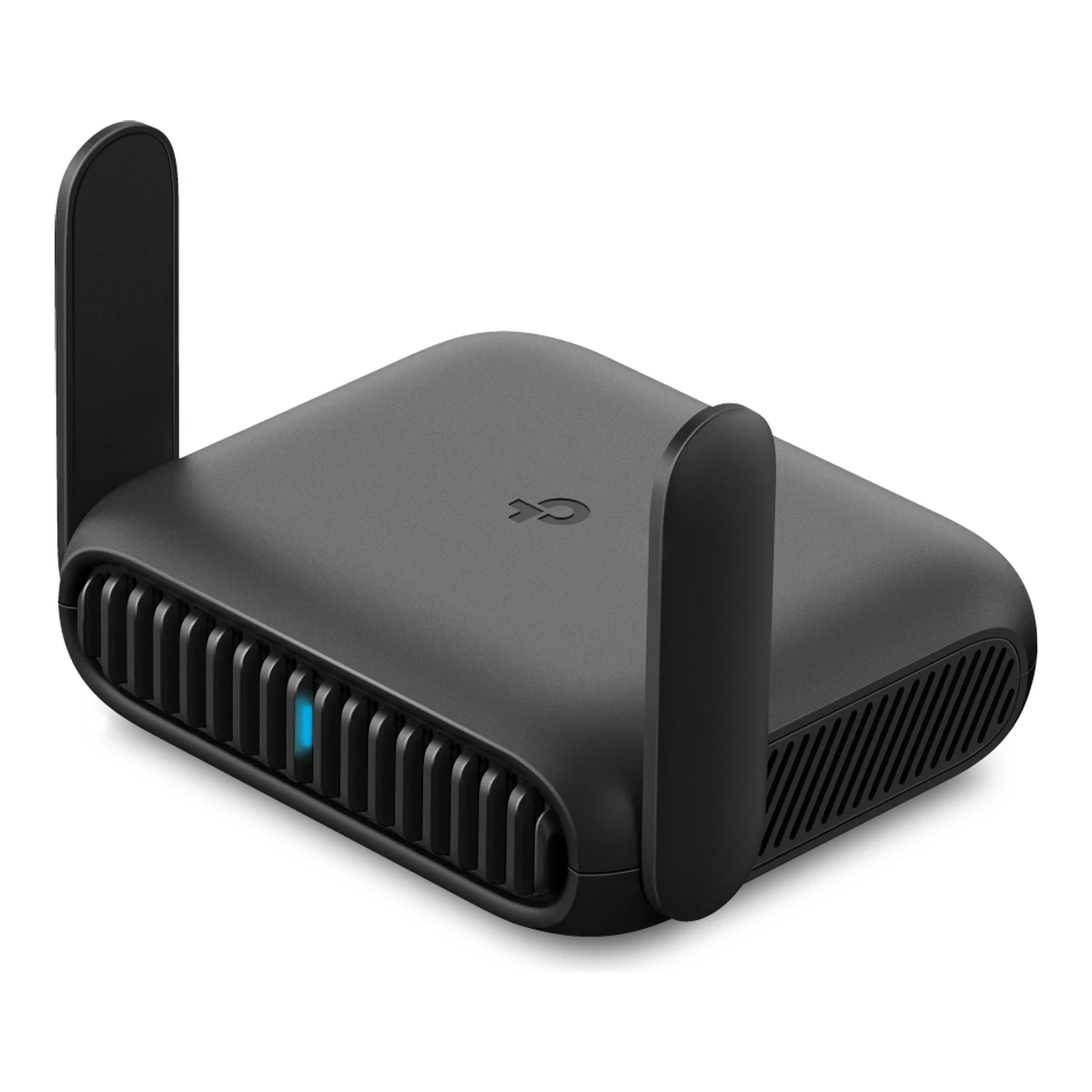
TP-LinkHome router
Roam 6 AX1500 (TL-WR1512X)
Released October 2025.5Maker product pagetp-link.com/us/support/download/tl-wr1512xRead 15 October 2026US support page for hardware V1.60: firmware 1.0.0 build 20250916 was published on 2025-10-20 and is marked First firmware released. The images on the product page carry upload dates of 2025-10-21 in their file names, and an archived Australian product page exists from 2025-11-13. Polish press reported the EU launch on 2026-07-27. The month of the first US firmware is used. Last checked 15 October 2026.
- Form factor
- Travel router
- Wi-Fi
- Wi-Fi 6
- Speed class
- AX1500
- WAN port
- 1Gbps
49 of 90 fields known.
At a glance
Ports
- 2 RJ45
- USB-A USB 3.0
General
- GTIN / EAN
- 8404606017339Retailer pageamazon.com/dp/B0GLP6QL6RRead 15 October 2026Item details: UPC 840460601733.
- Announced
- Not available
- Predecessor
- Not available
- Successor
- Not available
- Launch price (US)
- Not available
- Launch price (EU)
- Not available
- Markets
- Not available
Wi-Fi
- Wi-Fi speed class
- AX15001Maker product pagetp-link.com/us/home-networking/wifi-router/tl-wr1512xRead 15 October 2026WiFi Speeds row: AX1500.
- Wi-Fi radios
Band Wi-Fi Streams Max channel width (MHz) Max link rate (Mbps) Dedicated backhaul 2.4 GHz Wi-Fi 4 2 40 300 No 5 GHz Wi-Fi 6 2 80 1,201 No Source1Maker product pagetp-link.com/us/home-networking/wifi-router/tl-wr1512xRead 15 October 20265 GHz 1201 Mbps (802.11ax) and 2.4 GHz 300 Mbps (802.11n). The page prints 4 Streams in total and no streams or channel widths per band. The 2.4 GHz radio is 802.11n, so it is stored as Wi-Fi 4. The reception sensitivity table lists 5 GHz widths up to HE80, so 1201 Mbps at 80 MHz is 2 streams. 300 Mbps at 40 MHz is 2 streams for 802.11n. Together they give the 4 streams the maker prints. The streams and widths per band are worked out and are not printed.2Maker spec sheet (PDF)tp-link.com/us/document/107413Read 15 October 2026Signal Rate: 300 Mbps at 2.4 GHz and 1201 Mbps at 5 GHz. The 5 GHz sensitivity table covers HE20, HE40 and HE80 only.- Radio bands
- 2
- 6 GHz band
- No
- Combined Wi-Fi link rate
- 1,501Mbps
- Wi-Fi streams
- 4
- Max Wi-Fi channel width
- 80MHz
- Wi-Fi features
- Band steering1Maker product pagetp-link.com/us/home-networking/wifi-router/tl-wr1512xRead 15 October 2026WiFi Capacity: High Dual-Band, which allocates devices to different bands. Stored as band_steering together with the Smart Connect note from the support page.5Maker product pagetp-link.com/us/support/download/tl-wr1512xRead 15 October 2026Firmware 1.2.0 (build 20260430, published 2026-07-03) notes: Supported the Smart Connect function. Stored as band_steering. The product page and datasheet do not name it.
- External antennas
- 29Retailer pageamazon.com/dp/B0GLP6QL6RRead 15 October 2026Specifications: Number of Antennas 2. The comparison table lists External Antennas. The maker's product photo shows two external antennas.10Press articletelepolis.pl/tech/sprzet/tp-link-tl-wr1512x-router-podroznyRead 15 October 2026Article of 2026-07-27 on the Polish launch: two external antennas. It also gives 119 x 90 x 34 mm, 187 g and a USB 3.0 port.
- Internal antennas
- Not available
- Detachable antennas
- Not available
Ports and modem
- Ports
Port Count Role Max speed (Gbps) Version RJ45 1 WAN or LAN 1 Not available RJ45 1 LAN 1 Not available USB-A 1 Not available 5 USB 3.0 Source1Maker product pagetp-link.com/us/home-networking/wifi-router/tl-wr1512xRead 15 October 2026Ethernet Ports: 1 x Gigabit WAN Port and 1 x Gigabit LAN Port. The datasheet says the first one is a WAN/LAN port. The page USB Support row says 1 x USB 2.0 Port. That conflicts with the datasheet, the quick installation guide and the label in the maker's product photo, which all say USB 3.0. The same USB 2.0 and 12V/1.5A rows are printed on the maker's TL-WR1502X US page, so they look copied. USB 3.0 is stored.2Maker spec sheet (PDF)tp-link.com/us/document/107413Read 15 October 2026Ports: 1 x Gigabit WAN/LAN Port, 1 x Gigabit LAN Port, 1 x USB 3.0 Port and 1 x Type-C Power Port. USB 3.0 is stored at the 5 Gbps data rate. The Type-C power port is not a data port.3Maker spec sheet (PDF)tp-link.com/us/document/34444Read 15 October 2026TL-WR1512X(US) 1.0 quick installation guide, Interface Description: the WAN port is the internet port by default and can be set manually as a LAN port. One LAN port. One USB 3.0 port.- Ethernet ports
- 2
- Multi-gig ports
- 0
- Fastest WAN port
- 1Gbps
- Fastest LAN port
- 1Gbps
- USB ports
- 1
- SFP+ port
- No
- Built-in modem
- Not available
- Modem standards
- Not available
Mesh
- Mesh technologies
- Not available
- Units per pack
- 19Retailer pageamazon.com/dp/B0GLP6QL6RRead 15 October 2026Item details: Unit Count 1 Count. The package lists one router.
- Coverage of the pack (claimed)
- Not available
- Identical units
- Not available
- Satellite model
- Not available
- Satellite ports
- Not available
- Ethernet backhaul
- Not available
Software
- Management
- Mobile app, Web interface1Maker product pagetp-link.com/us/home-networking/wifi-router/tl-wr1512xRead 15 October 2026Management Features: Tether App and Webpage.3Maker spec sheet (PDF)tp-link.com/us/document/34444Read 15 October 2026Setup works with the Tether app or a web browser.4Owner's manualtp-link.com/us/document/113336Read 15 October 2026Chapter 1: log in via the Tether app or the web management page.
- Online account required
- No3Maker spec sheet (PDF)tp-link.com/us/document/34444Read 15 October 2026Setup by web browser asks only for a new router password. Binding a TP-Link ID is described as optional.
- Operating modes
- Router, Access point, Repeater, Media bridge1Maker product pagetp-link.com/us/home-networking/wifi-router/tl-wr1512xRead 15 October 2026Working Modes: Router, Access Point, Range Extender, USB Tethering, 3G/4G USB Modem, Client and Hotspot (WISP). Client mode is stored as media_bridge, see the quick installation guide.2Maker spec sheet (PDF)tp-link.com/us/document/107413Read 15 October 2026Modes: Router, USB Modem (3G/4G/5G), USB Tethering, Hotspot, Access Point, Range Extender and Client.3Maker spec sheet (PDF)tp-link.com/us/document/34444Read 15 October 2026Network Modes table: Client mode connects a wired-only device such as a smart TV, media player or game console to a Wi-Fi network. This is stored as media_bridge. The table also lists Router, USB Tethering, 3G/4G/5G USB Modem, Hotspot, Access Point and Range Extender.
- Network features
- Guest network, Dual WAN, QoS, Parental controls, Dynamic DNS1Maker product pagetp-link.com/us/home-networking/wifi-router/tl-wr1512xRead 15 October 2026Guest Network: one 5 GHz and one 2.4 GHz network. Quality of Service: QoS by Device. DDNS: TP-Link, NO-IP, DynDNS. No IPTV, VLAN or IoT network is listed for this model.2Maker spec sheet (PDF)tp-link.com/us/document/107413Read 15 October 2026Security: Guest Network and Parental Controls. Software: Parental Controls Supported, QoS by Device and DDNS (TP-Link, NO-IP, DynDNS). The basic parental controls of HomeShield are free, see the HomeShield page.5Maker product pagetp-link.com/us/support/download/tl-wr1512xRead 15 October 2026Firmware 1.2.0 notes: Supported the Load Balance function for Multi-WAN. Stored as dual_wan. Firmware 1.2.0 or later is needed.
- VPN server
- WireGuard, OpenVPN, L2TP, PPTP1Maker product pagetp-link.com/us/home-networking/wifi-router/tl-wr1512xRead 15 October 2026VPN Server: OpenVPN, PPTP, L2TP and WireGuard.2Maker spec sheet (PDF)tp-link.com/us/document/107413Read 15 October 2026VPN: PPTP/L2TP/OpenVPN/WireGuard.
- VPN client
- WireGuard, OpenVPN, L2TP, PPTP1Maker product pagetp-link.com/us/home-networking/wifi-router/tl-wr1512xRead 15 October 2026VPN Client: OpenVPN, PPTP, L2TP and WireGuard.2Maker spec sheet (PDF)tp-link.com/us/document/107413Read 15 October 2026VPN: PPTP/L2TP/OpenVPN/WireGuard. The product page lists the same four as client protocols.
- USB applications
- File server, Cellular modem2Maker spec sheet (PDF)tp-link.com/us/document/107413Read 15 October 2026The USB 3.0 port shares photos, videos and music across the home network and gives remote access through the router's FTP server. The USB Modem (3G/4G/5G) and USB Tethering modes use the same port.3Maker spec sheet (PDF)tp-link.com/us/document/34444Read 15 October 2026The USB 3.0 port connects a 3G/4G/5G USB modem, a mobile device or a USB storage device.
Security
- Wi-Fi security
- WPA2-Personal, WPA3-Personal1Maker product pagetp-link.com/us/home-networking/wifi-router/tl-wr1512xRead 15 October 2026WiFi Encryption: WPA2-PSK, WPA3-Personal and WPA/WPA2-Enterprise. Enterprise is not stored. The datasheet lists only WPA2/PSK and WPA3-Personal, and the troubleshooting guide treats enterprise as a way to join an enterprise Wi-Fi as a client.2Maker spec sheet (PDF)tp-link.com/us/document/107413Read 15 October 2026Wireless Security: WPA2/PSK, WPA3-Personal encryptions.
- Security service cost
- Basic free, full paid8Maker product pagetp-link.com/us/homeshieldRead 15 October 2026The essential HomeShield features and basic Parental Control are free with the router. Security+ and Total Security are paid tiers. The page does not list this model, so the Amazon listing is used for the link to HomeShield.9Retailer pageamazon.com/dp/B0GLP6QL6RRead 15 October 2026Legal disclaimer: HomeShield includes both basic and advanced features, and advanced features require a paid subscription.
Smart home
We could not find any of these 5 fields. Show them
- Thread border router
- Not available
- Matter controller
- Not available
- Zigbee hub
- Not available
- Bluetooth
- Not available
- Smart home platforms
- Not available
Hardware
We could not find any of these 6 fields. Show them
- System on chip
- Not available
- CPU cores
- Not available
- CPU clock
- Not available
- RAM
- Not available
- Flash storage
- Not available
- Cooling fan
- Not available
Power
- Rated power input
- 5 V, 3 A3Maker spec sheet (PDF)tp-link.com/us/document/34444Read 15 October 2026The guide recommends the provided adapter or a 5V/3A adapter. The US product page prints 12V/1.5A in its spec row and a 9V/12V power bank note. That conflicts with this guide, the label in the maker's product photo (5V 3A), the UK and Australian pages and the Amazon listing, so 5 V, 3 A is stored. The adapter's own rating is not published.9Retailer pageamazon.com/dp/B0GLP6QL6RRead 15 October 2026About this item: power the router via the USB-C port using the included adapter or any 5V/3A PD power source.
- Included adapter output
- Not available
- Power use (typical, claimed)
- Not available
- Power use (max, claimed)
- Not available
Measured
We could not find any of these 6 fields. Show them
- Wi-Fi throughput (measured)
- Not available
- Fastest Wi-Fi throughput (measured)
- Not available
- Wi-Fi throughput through a wall (measured)
- Not available
- Range (measured)
- Not available
- Power use under load (measured)
- Not available
- Energy use per day (measured)
- Not available
Dimensions and weight
Front and side, drawn to scale.
- Dimensions
- Width119Height34Depth90.3mm(4.7 × 1.3 × 3.6 in)1Maker product pagetp-link.com/us/home-networking/wifi-router/tl-wr1512xRead 15 October 2026Dimensions (W x D x H): 119 x 90.3 x 34 mm (4.7 x 3.6 x 1.3 in). The datasheet says this includes the antennas and foot pad. It does not say if the antennas are folded. Older maker pages for this model printed 104 x 90 x 28 mm.2Maker spec sheet (PDF)tp-link.com/us/document/107413Read 15 October 20264.9 x 3.6 x 1.3 in (119 x 90.3 x 34 mm, including antenna and foot pad). The inch figure for the width is printed as 4.9 and does not match 119 mm, so the metric figure is stored. The product page prints 4.7 in.
- Dimensions with antennas
- Not available
- Wall mountable
- Not available
Certifications
- Wi-Fi Alliance certification ID
- Not available
- FCC ID
- Not available
In the box
- In the box
- Wi-Fi 6 Portable Router TL-WR1512X, RJ45 Ethernet Cable, Power Adapter, USB Cable, Quick Installation Guide, Wi-Fi Info Card2Maker spec sheet (PDF)tp-link.com/us/document/107413Read 15 October 2026Package Contents: Wi-Fi 6 Portable Router TL-WR1512X, RJ45 Ethernet Cable, Power Adapter, USB Cable, Quick Installation Guide and Wi-Fi Info Card.
Links
- Product page
- www.tp-link.com/us/home-networking/wifi-router/tl-wr1512x1Maker product pagetp-link.com/us/home-networking/wifi-router/tl-wr1512xRead 15 October 2026
- Spec sheet
- www.tp-link.com/us/document/1074132Maker spec sheet (PDF)tp-link.com/us/document/107413Read 15 October 2026TL-WR1512X V1 datasheet for hardware version V1.60, copyright 2025.
- Manual
- www.tp-link.com/us/document/1133364Owner's manualtp-link.com/us/document/113336Read 15 October 2026Portable Router User Guide (For web), listed under Manual on the TL-WR1512X support page. The guide is shared by the maker's portable routers and says features vary by model, so it is not used for model-specific features.
- EPREL registration number
- Not available
Warranty
- Manufacturer warranty (source market)
- 2years7Maker product pagetp-link.com/us/support/replacement-warrantyRead 15 October 2026US warranty page: Wi-Fi Router products bought on or after 2023-09-01 have a 2 year warranty term. The Amazon US listing says 2 Year Manufacturer.9Retailer pageamazon.com/dp/B0GLP6QL6RRead 15 October 2026Warranty Description: 2 Year Manufacturer.
Compare with
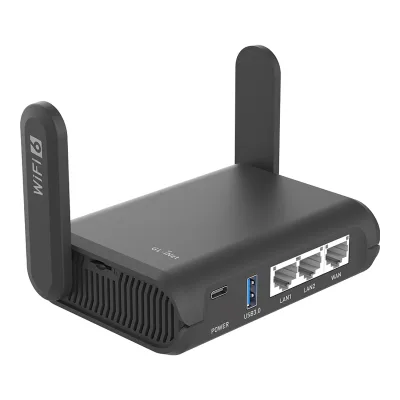
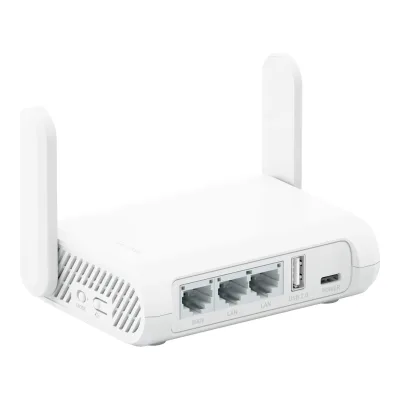
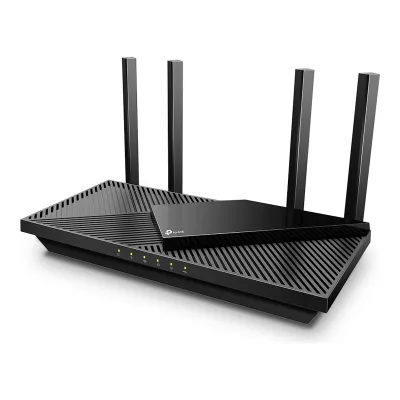
Pick a router to see both side by side. Differences are marked yellow.
Sources
We read 10 sources for this router. The numbers match the markers in the sheet.
- Maker product pagetp-link.com/us/home-networking/wifi-router/tl-wr1512x
- Maker spec sheet (PDF)tp-link.com/us/document/107413
- Maker spec sheet (PDF)tp-link.com/us/document/34444
- Owner's manualtp-link.com/us/document/113336
- Maker product pagetp-link.com/us/support/download/tl-wr1512x
- Maker product pagetp-link.com/us/support/replacement-warranty
- Maker product pagetp-link.com/us/homeshield
- Retailer pageamazon.com/dp/B0GLP6QL6R
See a wrong value? Tell us and name the field.