Motherboards / Compare
ASRock X870E Taichi Lite vs ASUS ROG STRIX X870-A GAMING WIFI
Product A: ASRock
65 of 78 known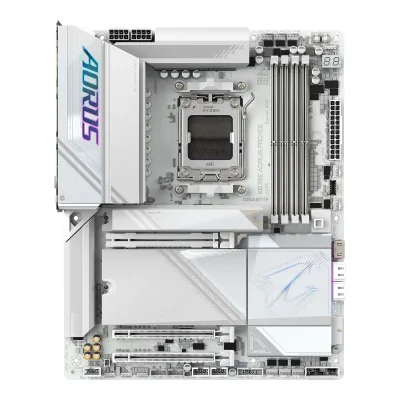 GIGABYTE X870E AORUS PRO ICE
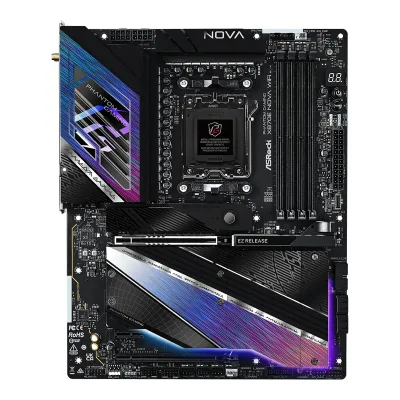 ASRock X870E Nova WiFi
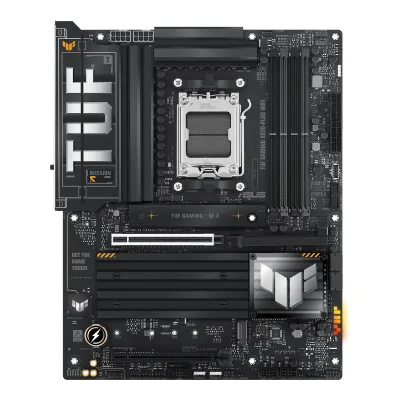 ASUS TUF GAMING X870-PLUS WIFI
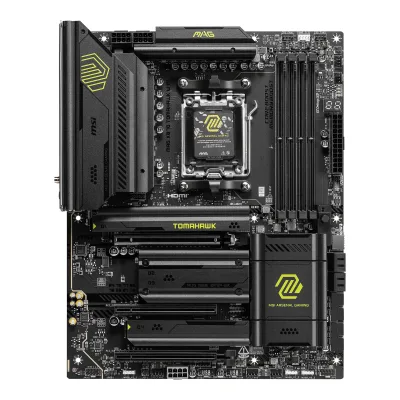 MSI MAG X870 TOMAHAWK WIFI
 GIGABYTE X870 AORUS ELITE WIFI7
 ASUS ROG STRIX X870E-E GAMING WIFI
 ASRock X870 Pro RS WiFi
 ASUS ROG Crosshair X870E Hero
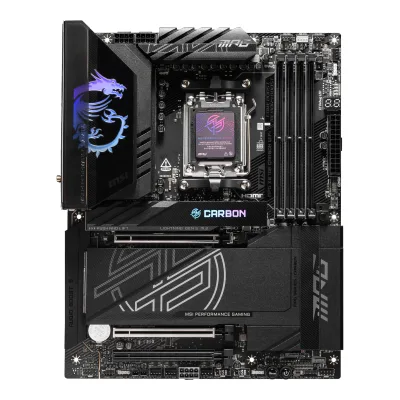 MSI MPG X870E CARBON WIFI
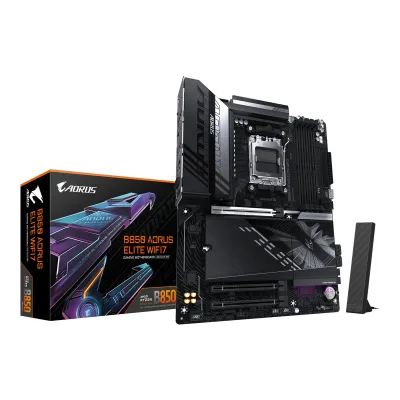 GIGABYTE B850 AORUS ELITE WIFI7
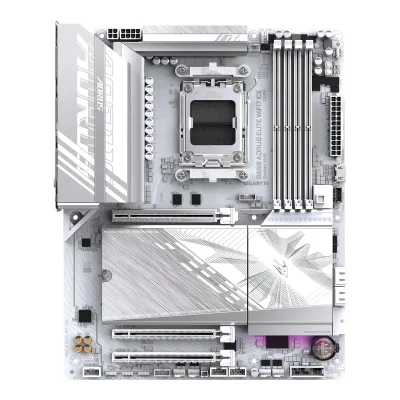 GIGABYTE B850 AORUS ELITE WIFI7 ICE
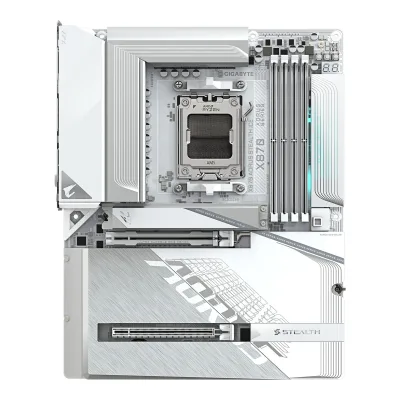 GIGABYTE X870 AORUS STEALTH ICE
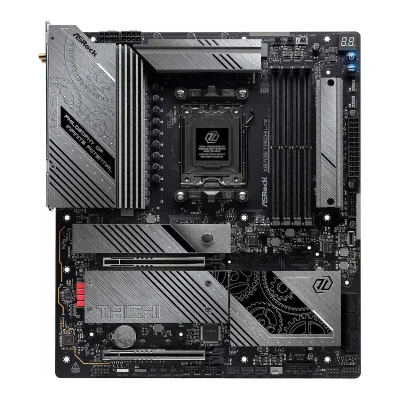
Change ASRock X870E Taichi Lite
Compare the ASUS ROG STRIX X870-A GAMING WIFI with
GIGABYTE X870E AORUS PRO ICEASRock X870E Nova WiFiASUS TUF GAMING X870-PLUS WIFIMSI MAG X870 TOMAHAWK WIFIGIGABYTE X870 AORUS ELITE WIFI7ASUS ROG STRIX X870E-E GAMING WIFIASRock X870 Pro RS WiFiASUS ROG Crosshair X870E HeroMSI MPG X870E CARBON WIFIGIGABYTE B850 AORUS ELITE WIFI7GIGABYTE B850 AORUS ELITE WIFI7 ICEGIGABYTE X870 AORUS STEALTH ICEProduct B: ASUS
66 of 78 known MSI MEG X870E GODLIKEASRock X870E Nova WiFiGIGABYTE X870E AORUS PRO ICEASUS ROG STRIX X870E-E GAMING WIFIASUS TUF GAMING X870-PLUS WIFI
 ASUS ROG STRIX X870-I GAMING WIFIMSI MAG X870 TOMAHAWK WIFIGIGABYTE X870 AORUS ELITE WIFI7ASUS ROG Crosshair X870E HeroMSI MPG X870E CARBON WIFIASRock X870 Pro RS WiFi
 NZXT N9 X870E
Change ASUS ROG STRIX X870-A GAMING WIFI
Compare the ASRock X870E Taichi Lite with
MSI MEG X870E GODLIKEASRock X870E Nova WiFiGIGABYTE X870E AORUS PRO ICEASUS ROG STRIX X870E-E GAMING WIFIASUS TUF GAMING X870-PLUS WIFIASUS ROG STRIX X870-I GAMING WIFIMSI MAG X870 TOMAHAWK WIFIGIGABYTE X870 AORUS ELITE WIFI7ASUS ROG Crosshair X870E HeroMSI MPG X870E CARBON WIFIASRock X870 Pro RS WiFiNZXT N9 X870E33 of 70 fields differ
- 25 different values
- 8 known for one only
- 32 the same
- 5 missing for both
Biggest differences
Each bar uses the scale of all 87 motherboards.
- Ethernet speedA: 5GbpsB: 2.5GbpsASRock is 2.5 Gbps higher.
- PCIe 5.0 M.2 slotsA: 1B: 2ASUS has 1 more.
- Vcore stagesA: 24B: 16ASRock has 8 more.
- Rear USB-C portsA: 2B: 3ASUS has 1 more.
Size, drawn to scale
Front and side.
- AASRock: 267 × 305 mm
- BASUS: 244 × 305 mm
All 78 fields
Every value links to where we found it.
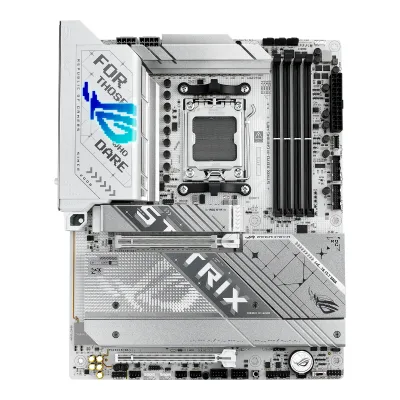
General
4 of 9 differ
Series
Model numbers
X870E Taichi Lite, 90-MXBPA0-A0UAYZ5Retailer pagescan.co.uk/products/asrock-x870e-taichi-lite-amd-x870e-am5-ddr5-pcie-50-4x-m2-usb-40-5g-wifi-7-amd-expo-e-atxRead 15 October 2026Scan UK lists manufacturer code 90-MXBPA0-A0UAYZ.7Retailer pageamazon.com/dp/B0DFNPK2MXRead 15 October 2026Mfr Part Number 90-MXBPA0-A0UAYZ.
ROG STRIX X870-A GAMING WIFI, 90MB1IF0-M0EAY0, 90MB1IF0-M0AAY01Maker product pagerog.asus.com/motherboards/rog-strix/rog-strix-x870-a-gaming-wifi/specRead 16 October 2026The page names the model ROG STRIX X870-A GAMING WIFI. Part number 90MB1IF0-M0EAY0 is on Arvutitark, Paradigit and Geeknetic. The ASUS US eShop lists 90MB1IF0-M0AAY0.7Retailer pageeshop.asus.com/us/90mb1if0-m0aay0-rog-strix-x870-a-gaming-wifi.htmlRead 16 October 2026The ASUS US eShop lists part number 90MB1IF0-M0AAY0 for the US market.
GTIN / EAN
47104839474455Retailer pagescan.co.uk/products/asrock-x870e-taichi-lite-amd-x870e-am5-ddr5-pcie-50-4x-m2-usb-40-5g-wifi-7-amd-expo-e-atxRead 15 October 2026Scan UK lists GTIN 4710483947445.7Retailer pageamazon.com/dp/B0DFNPK2MXRead 15 October 2026The Amazon US listing for ASIN B0DFNPK2MX gives GTIN 04710483947445.
Announced
Not available
Status
Predecessor
Not available
Not available
Successor
Not available
Not available
Launch price (US)
$3993Reviewtech4gamers.com/asrock-x870e-taichi-lite-reviewRead 15 October 2026The review of 2024-10-04 says the board is priced at $399. Club386 gives the same $399 on 2024-10-02. A US price excludes tax.4Reviewclub386.com/asrock-x870e-taichi-lite-reviewRead 15 October 2026The review header gives £395 / $399.
$369.995Press articleguru3d.com/story/x870e-and-x870-chipset-motherboards-pricing-overviewRead 16 October 2026Guru3D, 2024-10-01, X870E and X870 pricing overview: ASUS ROG STRIX X870-A Gaming WIFI $369.99. US MSRPs exclude sales tax. The article cites VideoCardz, TechPowerUp and Wccftech.10Reviewthefpsreview.com/2024/09/29/asus-rog-strix-x870-a-gaming-wifi-motherboard-reviewRead 16 October 2026The review says the board is priced at $369.99 MSRP. This agrees with Guru3D.
Launch price (EU)
Not available
Not available
Markets
Not available
Not available
Colours
Not available
Not available
Segment
Not available
Board revision
Not available
Not available
Platform
1 of 4 differ
CPU socket
Chipset
Supported processors
AMD Ryzen 9000 Series, AMD Ryzen 8000 Series, AMD Ryzen 7000 Series1Owner's manualdownload.asrock.com/Manual/X870E%20Taichi%20Lite.pdfRead 15 October 2026AM5 Ryzen 9000, 8000 and 7000 Series. The manual refers to ASRock's CPU support list, which was not read. Read on 2026-10-15.
AMD Ryzen 9000 Series, AMD Ryzen 8000 Series, AMD Ryzen 7000 Series1Maker product pagerog.asus.com/motherboards/rog-strix/rog-strix-x870-a-gaming-wifi/specRead 16 October 2026AM5 for Ryzen 9000, 8000 and 7000 Series. The page refers to the ASUS site for the CPU support list. Read on 2026-10-16.
CPU overclocking
Yes2Maker product pagerog.asus.com/motherboards/rog-strix/rog-strix-x870-a-gaming-wifiRead 16 October 2026The page lists Dynamic OC Switcher, Core Flex and AI Overclocking for the CPU. AMD's chipset page also says an X870 board is fully overclockable.6Maker product pageamd.com/en/products/processors/chipsets/am5.htmlRead 16 October 2026AMD's chipset page says an AMD X870 motherboard is fully overclockable. This is the chip maker's page, not the board maker's.
Board
3 of 5 differ
Form factor
ATX2Maker product pagerog.asus.com/motherboards/rog-strix/rog-strix-x870-a-gaming-wifiRead 16 October 2026ATX form factor, from the manual.3Owner's manualdlcdnets.asus.com/pub/ASUS/mb/SocketAM5/ROG_STRIX_X870-A_GAMING_WIFI/E26407_ROG_STRIX_X870-A_GAMING_WIFI_EM_V3_WEB.pdfRead 16 October 2026Specifications summary: ATX Form Factor.
Board dimensions
Width267Height305mm(10.5 × 12 in)3Reviewtech4gamers.com/asrock-x870e-taichi-lite-reviewRead 15 October 2026The review's specification list says EATX Form Factor: 30.5 cm x 26.7cm. A retailer copy of ASRock's list gives 12.0-in x 10.5-in, 30.5 cm x 26.7 cm. The 26.7 cm side is the width and the 30.5 cm side is the height at the I/O edge. Scan lists 305 x 244 mm for this board, which is the ATX width and is not used.6Retailer pagecomputerassistance.co.uk/product/asrock-x870e-taichi-lite-amd-am5-socket-motherboard-e-atx-4x-ddr5-slots-4x-m-2-sockets-fitted-i-o-shield-5gbe-lan-wi-fi-7-1x-hdmi-port-2x-usb-c-usb4Read 15 October 2026The page copies ASRock's list: EATX Form Factor: 12.0-in x 10.5-in, 30.5 cm x 26.7 cm.
PCB layers
Back-connect design
RGB lighting on the board
No3Reviewtech4gamers.com/asrock-x870e-taichi-lite-reviewRead 15 October 2026The review says the board has no RGB and is a good match if you do not need RGB. It has 3 addressable headers and one standard header. Club386 says the Lite lacks the flashy RGB of the full Taichi.4Reviewclub386.com/asrock-x870e-taichi-lite-reviewRead 15 October 2026The review says that saving $50 on the Lite means you miss out the flashy RGB of the X870E Taichi.
Yes2Maker product pagerog.asus.com/motherboards/rog-strix/rog-strix-x870-a-gaming-wifiRead 16 October 2026The overview page lists Aura Lighting and says subtle RGB lighting on the I/O shroud.9Reviewpokde.net/review/asus-rog-strix-x870-a-gaming-wifi-reviewRead 16 October 2026The only onboard RGB lighting is on the top left, covering the left VRM heatsink.
Power delivery
4 of 6 differ
Power stage layout
24+2+13Reviewtech4gamers.com/asrock-x870e-taichi-lite-reviewRead 15 October 202624+2+1 (VCore+GT+Aux) power design with 110A phases for the CPU and memory.4Reviewclub386.com/asrock-x870e-taichi-lite-reviewRead 15 October 2026VRM design 24+2+1, 110A SPS in the review's specification table.5Retailer pagescan.co.uk/products/asrock-x870e-taichi-lite-amd-x870e-am5-ddr5-pcie-50-4x-m2-usb-40-5g-wifi-7-amd-expo-e-atxRead 15 October 202624+2+1 phases (24 Vcore, 2 SoC, 1 VDD_MISC) with Dr.MOS power stages.
CPU core (Vcore) power stages
Vcore power stage rating
110A3Reviewtech4gamers.com/asrock-x870e-taichi-lite-reviewRead 15 October 2026110A SPS for VCore and SoC, listed in the spec table and text. Club386 and Scan give the same figure. Maker figure copied by the reviewer.4Reviewclub386.com/asrock-x870e-taichi-lite-reviewRead 15 October 2026110A Smart Power Stage (SPS).
VRM controller
CPU power connectors
Extra slot power connector
Memory
1 of 6 differ
Memory type
Memory slots
Max memory
Max memory speed (overclocked)
ECC memory
CUDIMM support
Not available
Not available
Expansion slots
1 of 3 differ
Expansion slots
AASRock X870E Taichi Lite
| Physical slot | Electrical lanes | PCIe generation | Connected to | Count |
|---|---|---|---|---|
| PCIe x16 | 16 | 5 | CPU | 1 |
| PCIe x16 | 8 | 5 | CPU | 1 |
BASUS ROG STRIX X870-A GAMING WIFI
| Physical slot | Electrical lanes | PCIe generation | Connected to | Count |
|---|---|---|---|---|
| PCIe x16 | 16 | 5 | CPU | 1 |
| PCIe x16 | 4 | 4 | Chipset | 1 |
Source1Maker product pagerog.asus.com/motherboards/rog-strix/rog-strix-x870-a-gaming-wifi/specRead 16 October 2026Ryzen 9000 and 7000: 1 x PCIe 5.0 x16 slot (x16 mode). Ryzen 8000: PCIe 4.0 x16 at x8 or x4. Chipset: 1 x PCIe 4.0 x16 slot at x4. M.2_2 shares bandwidth with PCIEX16(G5), which runs x8 when M.2_2 holds an SSD. M.2_3 shares bandwidth with PCIEX16(G4), which is disabled when M.2_3 holds an SSD.3Owner's manualdlcdnets.asus.com/pub/ASUS/mb/SocketAM5/ROG_STRIX_X870-A_GAMING_WIFI/E26407_ROG_STRIX_X870-A_GAMING_WIFI_EM_V3_WEB.pdfRead 16 October 2026Shared bandwidth tables: PCIEX16(G5) runs x8 when M.2_2 is occupied. PCIEX16(G4) is disabled when M.2_3 is occupied.
Full-length PCIe slots
2
2
Fastest PCIe x16 slot generation
5
5
Storage
3 of 4 differ
M.2 storage slots
AASRock X870E Taichi Lite
| Slot | PCIe generation | PCIe lanes | Connected to | Longest drive | Takes SATA drives | Heatsink |
|---|---|---|---|---|---|---|
| M2_1 | 5 | 4 | CPU | M.2 2280 | No | Yes |
| M2_2 | 4 | 4 | Chipset | M.2 2280 | No | Yes |
| M2_3 | 4 | 4 | Chipset | M.2 2280 | No | Yes |
| M2_4 | 4 | 4 | Chipset | M.2 2280 | No | Yes |
Source1Owner's manualdownload.asrock.com/Manual/X870E%20Taichi%20Lite.pdfRead 15 October 2026CPU: M2_1 (Key M) type 2280 PCIe Gen5x4. M2_1 runs Gen5x4 with Ryzen 9000 and 7000 and Gen4x4 with Ryzen 8000. Chipset: M2_2, M2_3 and M2_4 type 2280 PCIe Gen4x4, as in the block diagram. No slot lists a SATA mode, so sata is false. The install guides in chapters 2.15 to 2.17 show a heatsink on every slot. The manual lists no lane sharing between the M.2 slots and other connectors.3Reviewtech4gamers.com/asrock-x870e-taichi-lite-reviewRead 15 October 2026Four M.2 slots, one PCIe 5.0 x4 and three PCIe 4.0 x4. The slots are cooled by dedicated heatsinks.
BASUS ROG STRIX X870-A GAMING WIFI
| Slot | PCIe generation | PCIe lanes | Connected to | Longest drive | Takes SATA drives | Heatsink | Shares lanes with |
|---|---|---|---|---|---|---|---|
| M.2_1 | 5 | 4 | CPU | M.2 2280 | No | Yes | Not available |
| M.2_2 | 5 | 4 | CPU | M.2 22110 | No | Yes | PCIEX16(G5) slot runs at x8 when M.2_2 is used |
| M.2_3 | 4 | 4 | Chipset | M.2 2280 | No | Yes | PCIEX16(G4) slot is disabled when M.2_3 is used |
| M.2_4 | 4 | 4 | Chipset | M.2 2280 | No | Yes | Not available |
Source1Maker product pagerog.asus.com/motherboards/rog-strix/rog-strix-x870-a-gaming-wifi/specRead 16 October 2026Ryzen 9000 and 7000: M.2_1 (type 2242/2260/2280) and M.2_2 are PCIe 5.0 x4. The page says type 2280/22110 for M.2_2 and the manual says 2242/2260/2280/22110. Ryzen 8000: M.2_1 runs PCIe 4.0 x4 or x2 and M.2_2 is not supported. Chipset: M.2_3 and M.2_4 are type 2280, PCIe 4.0 x4. The page lists only PCIe modes for the slots, so SATA is false.2Maker product pagerog.asus.com/motherboards/rog-strix/rog-strix-x870-a-gaming-wifiRead 16 October 20264 x M.2 heatsinks and an M.2 backplate. The page says the heatsinks cover every slot.3Owner's manualdlcdnets.asus.com/pub/ASUS/mb/SocketAM5/ROG_STRIX_X870-A_GAMING_WIFI/E26407_ROG_STRIX_X870-A_GAMING_WIFI_EM_V3_WEB.pdfRead 16 October 2026Specifications summary lists the M.2 types and PCIe modes per CPU family. M.2_2 will be disabled with a Ryzen 8000 processor.9Reviewpokde.net/review/asus-rog-strix-x870-a-gaming-wifi-reviewRead 16 October 2026The primary SSD heatsink is large and the secondary heatsink is shared across three slots.
M.2 slots
4
4
PCIe 5.0 M.2 slots
1
2
SATA ports
Rear ports
2 of 5 differ
Rear ports
AASRock X870E Taichi Lite
| Type | Version | Count | Max link rate (Gbps) | Thunderbolt or USB4 | Power out (W) | DP Alt Mode |
|---|---|---|---|---|---|---|
| USB-C | USB4 | 2 | 40 | USB4 | 15 | Yes |
| USB-A | USB 3.2 Gen 2 | 5 | 10 | Not available | Not available | Not available |
| USB-A | USB 3.2 Gen 1 | 3 | 5 | Not available | Not available | Not available |
| USB-A | USB 2.0 | 2 | 0.48 | Not available | Not available | Not available |
| HDMI | HDMI 2.1 | 1 | Not available | Not available | Not available | Not available |
| Ethernet (RJ45) | Not available | 1 | 5 | Not available | Not available | Not available |
| 3.5 mm audio | Not available | 2 | Not available | Not available | Not available | Not available |
| Optical S/PDIF | Not available | 1 | Not available | Not available | Not available | Not available |
BASUS ROG STRIX X870-A GAMING WIFI
| Type | Version | Count | Max link rate (Gbps) | Thunderbolt or USB4 | Power out (W) | DP Alt Mode |
|---|---|---|---|---|---|---|
| USB-C | USB4 | 2 | 40 | USB4 | 15 | Yes |
| USB-C | USB 3.2 Gen 2 | 1 | 10 | Not available | 30 | Not available |
| USB-A | USB 3.2 Gen 2 | 5 | 10 | Not available | Not available | Not available |
| USB-A | USB 3.2 Gen 1 | 4 | 5 | Not available | Not available | Not available |
| DisplayPort | DisplayPort 1.4 | 1 | Not available | Not available | Not available | Not available |
| HDMI | HDMI 2.1 | 1 | Not available | Not available | Not available | Not available |
| Ethernet (RJ45) | Not available | 1 | 2.5 | Not available | Not available | Not available |
| 3.5 mm audio | Not available | 2 | Not available | Not available | Not available | Not available |
| Optical S/PDIF | Not available | 1 | Not available | Not available | Not available | Not available |
Source1Maker product pagerog.asus.com/motherboards/rog-strix/rog-strix-x870-a-gaming-wifi/specRead 16 October 2026Back panel list: 2 USB4 (40Gbps) Type-C with DP Alt mode, 6 USB 10Gbps (5 Type-A and 1 Type-C with up to 30W PD fast charge), 4 USB 5Gbps Type-A, 1 DisplayPort (DisplayPort 1.4, the page says max 8K@30Hz and the manual 8K@60Hz), 1 HDMI (4K@60Hz as specified in HDMI 2.1), 1 Intel 2.5Gb Ethernet, 2 audio jacks, 1 optical S/PDIF out, the Wi-Fi module, a BIOS FlashBack button and a Clear CMOS button. ASUS names USB by speed, so 10Gbps is stored as USB 3.2 Gen 2 and 5Gbps as USB 3.2 Gen 1. The USB4 ports have Type-C power delivery output of max. 5V/3A, stored as 15 W, and DisplayPort 1.4a output up to 4K@60Hz. The 10Gbps Type-C port has 5V/9V max 3A, 12V max 2.5A and 15V max 2A, stored as 30 W.3Owner's manualdlcdnets.asus.com/pub/ASUS/mb/SocketAM5/ROG_STRIX_X870-A_GAMING_WIFI/E26407_ROG_STRIX_X870-A_GAMING_WIFI_EM_V3_WEB.pdfRead 16 October 2026The manual's back panel list is the same as the product page, with DisplayPort 1.4 at max 8K@60Hz.
Rear USB ports
12
12
Rear USB-C ports
2
3
Fastest rear USB port
40Gbps
40Gbps
Thunderbolt
No
No
Internal connectors
1 of 5 differ
Internal USB headers
AASRock X870E Taichi Lite
| Header | Max data rate (Gbps) | Headers | Front ports served |
|---|---|---|---|
| USB-C header | 20 | 1 | 1 |
| USB 3 header (19-pin) | 5 | 2 | 4 |
| USB 2.0 header (9-pin) | 0.48 | 2 | 4 |
BASUS ROG STRIX X870-A GAMING WIFI
| Header | Max data rate (Gbps) | Headers | Front ports served |
|---|---|---|---|
| USB-C header | 20 | 1 | 1 |
| USB 3 header (19-pin) | 5 | 2 | 4 |
| USB 2.0 header (9-pin) | 0.48 | 2 | 4 |
Front USB-C header speed
20Gbps
20Gbps
Fan headers
81Maker product pagerog.asus.com/motherboards/rog-strix/rog-strix-x870-a-gaming-wifi/specRead 16 October 2026CPU fan, CPU OPT fan, AIO pump and 5 chassis fan headers, 8 in all. All 4-pin.3Owner's manualdlcdnets.asus.com/pub/ASUS/mb/SocketAM5/ROG_STRIX_X870-A_GAMING_WIFI/E26407_ROG_STRIX_X870-A_GAMING_WIFI_EM_V3_WEB.pdfRead 16 October 2026Fan and pump header table: CPU_FAN, CPU_OPT, CHA_FAN1 to CHA_FAN5 and AIO_PUMP, 1 A each.
ARGB headers
RGB headers
Networking
3 of 9 differ
Ethernet controllers
Ethernet ports
1
1
Ethernet speed
5Gbps
2.5Gbps
Wi-Fi included
Wi-Fi standard
Wi-Fi bands
Max Wi-Fi channel width
160MHz1Maker product pagerog.asus.com/motherboards/rog-strix/rog-strix-x870-a-gaming-wifi/specRead 16 October 2026Wi-Fi 7 160MHz bandwidth, up to 2.9 Gbps.9Reviewpokde.net/review/asus-rog-strix-x870-a-gaming-wifi-reviewRead 16 October 2026The maker states 160 MHz. The review names the MT7925B22M module, which supports 160 MHz.
Wi-Fi module
Not available
Bluetooth
Audio
2 of 2 differ
Audio codec
Realtek ALC40801Maker product pagerog.asus.com/motherboards/rog-strix/rog-strix-x870-a-gaming-wifi/specRead 16 October 2026ROG SupremeFX 7.1 Surround Sound High Definition Audio CODEC ALC4080, with a Savitech SV3H712 amplifier.9Reviewpokde.net/review/asus-rog-strix-x870-a-gaming-wifi-reviewRead 16 October 2026Realtek ALC4080 codec under the SupremeFX cover.
DAC chip
ESS ES92191Owner's manualdownload.asrock.com/Manual/X870E%20Taichi%20Lite.pdfRead 15 October 2026ESS SABRE9219 DAC for Rear Panel Audio (130dB SNR). SABRE9219 is ESS part ES9219, so ESS ES9219 is stored. The Vortez review writes ES9219.3Reviewtech4gamers.com/asrock-x870e-taichi-lite-reviewRead 15 October 2026For DAC, the board uses ESS SABRE9219 with a 130dB signal-to-noise ratio.
Not available
Features
3 of 7 differ
BIOS flashback
Clear CMOS button (rear)
Yes1Maker product pagerog.asus.com/motherboards/rog-strix/rog-strix-x870-a-gaming-wifi/specRead 16 October 20261 x Clear CMOS button on the back panel list.3Owner's manualdlcdnets.asus.com/pub/ASUS/mb/SocketAM5/ROG_STRIX_X870-A_GAMING_WIFI/E26407_ROG_STRIX_X870-A_GAMING_WIFI_EM_V3_WEB.pdfRead 16 October 2026The specifications summary lists a Clear CMOS button on the back panel.
POST code display
Yes1Owner's manualdownload.asrock.com/Manual/X870E%20Taichi%20Lite.pdfRead 15 October 20261 x Dr. Debug with LED. Chapter 2.14 lists the Dr. Debug codes.4Reviewclub386.com/asrock-x870e-taichi-lite-reviewRead 15 October 2026There is a debug code display at the top right of the board, next to the power and reset buttons.
No1Maker product pagerog.asus.com/motherboards/rog-strix/rog-strix-x870-a-gaming-wifi/specRead 16 October 2026Special features list Q-LED with four status LEDs (CPU, DRAM, VGA, boot device). No Q-Code display is listed. Pokde also says a Q-Code is missing.3Owner's manualdlcdnets.asus.com/pub/ASUS/mb/SocketAM5/ROG_STRIX_X870-A_GAMING_WIFI/E26407_ROG_STRIX_X870-A_GAMING_WIFI_EM_V3_WEB.pdfRead 16 October 2026Layout item 19: Q-LEDs. No two-digit display on the layout.9Reviewpokde.net/review/asus-rog-strix-x870-a-gaming-wifi-reviewRead 16 October 2026System indicators are four Q-LED lights. The review says a Q-Code would have been nice.
Power button on the board
Yes1Owner's manualdownload.asrock.com/Manual/X870E%20Taichi%20Lite.pdfRead 15 October 20261 x Power Button with LED and 1 x Reset Button with LED. Chapter 2.13 describes the buttons.4Reviewclub386.com/asrock-x870e-taichi-lite-reviewRead 15 October 2026Power and reset buttons sit at the top right of the board.
Yes1Maker product pagerog.asus.com/motherboards/rog-strix/rog-strix-x870-a-gaming-wifi/specRead 16 October 2026The internal connector list has a Start button. The manual says it powers up the system.3Owner's manualdlcdnets.asus.com/pub/ASUS/mb/SocketAM5/ROG_STRIX_X870-A_GAMING_WIFI/E26407_ROG_STRIX_X870-A_GAMING_WIFI_EM_V3_WEB.pdfRead 16 October 2026Layout item 17 is the Start button. The manual says to press it to power up the system or put it into sleep or soft-off mode.
Dual BIOS
Not available
No1Maker product pagerog.asus.com/motherboards/rog-strix/rog-strix-x870-a-gaming-wifi/specRead 16 October 2026BIOS is a single 256 Mb flash ROM. Dual BIOS is not stated.3Owner's manualdlcdnets.asus.com/pub/ASUS/mb/SocketAM5/ROG_STRIX_X870-A_GAMING_WIFI/E26407_ROG_STRIX_X870-A_GAMING_WIFI_EM_V3_WEB.pdfRead 16 October 2026Specifications summary: 256 Mb Flash ROM, UEFI AMI BIOS. Dual BIOS is not stated.
Pre-installed I/O shield
Yes5Retailer pagescan.co.uk/products/asrock-x870e-taichi-lite-amd-x870e-am5-ddr5-pcie-50-4x-m2-usb-40-5g-wifi-7-amd-expo-e-atxRead 15 October 2026Scan UK lists a flexible, adjustable I/O shield. The Scan warranty of 24 months return to base and Amazon's 1 year are retailer terms and are not stored.6Retailer pagecomputerassistance.co.uk/product/asrock-x870e-taichi-lite-amd-am5-socket-motherboard-e-atx-4x-ddr5-slots-4x-m-2-sockets-fitted-i-o-shield-5gbe-lan-wi-fi-7-1x-hdmi-port-2x-usb-c-usb4Read 15 October 2026The page lists a Flexible Integrated I/O Shield under unique features and calls it a fitted I/O shield in the title.7Retailer pageamazon.com/dp/B0DFNPK2MXRead 15 October 2026The listing's feature image labels a Flexible Integrated I/O Shield.
Tool-free features
Tool-free M.2 latch, Tool-free M.2 heatsink1Owner's manualdownload.asrock.com/Manual/X870E%20Taichi%20Lite.pdfRead 15 October 2026Chapters 2.15 to 2.17 show every SSD held by a hand-turned nut lock, stored as m2_latch. The M2_1 heatsink comes off with a button (chapter 2.15). The manual shows a button on the M2_2 heatsink too, but Club386 and Tech4Gamers say only the M2_1 heatsink is tool-free. The manual has no EZ Release latch for the graphics card, and Club386 says the Lite does not have it.3Reviewtech4gamers.com/asrock-x870e-taichi-lite-reviewRead 15 October 2026The M2_1 heatsink has a tool-less mechanism. The Gen4 slots need a screwdriver for the heatsinks.4Reviewclub386.com/asrock-x870e-taichi-lite-reviewRead 15 October 2026The heatsink atop the PCIe 5.0 x4 slot is toolless. The other three need a screwdriver. The EZ Release for graphics cards is missing on the Lite.
Tool-free M.2 latch, Tool-free M.2 heatsink, PCIe slot release, Push-on antenna connector1Maker product pagerog.asus.com/motherboards/rog-strix/rog-strix-x870-a-gaming-wifi/specRead 16 October 2026ASUS Q-Design: M.2 Q-Latch, M.2 Q-Release, M.2 Q-Slide, PCIe Slot Q-Release Slim and Q-Antenna. The overview page says the Q-Release switch removes the M.2 heatsink without screws.2Maker product pagerog.asus.com/motherboards/rog-strix/rog-strix-x870-a-gaming-wifiRead 16 October 2026M.2 Q-Release is a switch that removes the M.2 heatsink without tools. The M.2 Q-Latch holds a drive without a screw. Slot Q-Release Slim frees the graphics card.
Measured
3 of 3 differ
VRM temperature under CPU load
Power draw idle
Not available
In the box
1 of 1 differ
In the box
4 x Serial ATA (SATA) data cables, 1 x ASRock WiFi 2.4/5/6 GHz antenna, 1 x ARGB splitter cable, 3 x Thermistor cables1Owner's manualdownload.asrock.com/Manual/X870E%20Taichi%20Lite.pdfRead 15 October 2026Package contents: 4 x Serial ATA (SATA) data cables (Optional), 1 x ASRock WiFi 2.4/5/6 GHz antenna (Optional), 1 x ARGB splitter cable (Optional) and 3 x Thermistor cables (Optional). Club386 also mentions a keycap, which the manual does not list.
2 x SATA 6Gb/s cables, 1 x ASUS WiFi Q-Antenna, 1 x Cable ties package, 1 x M.2 Q-Latch package, 1 x M.2 Q-Slide package, 1 x ROG key chain, 1 x ROG Strix stickers, 4 x M.2 rubber packages, 1 x Quick start guide1Maker product pagerog.asus.com/motherboards/rog-strix/rog-strix-x870-a-gaming-wifi/specRead 16 October 2026Accessories list on the specification page, the same as the manual's package contents.3Owner's manualdlcdnets.asus.com/pub/ASUS/mb/SocketAM5/ROG_STRIX_X870-A_GAMING_WIFI/E26407_ROG_STRIX_X870-A_GAMING_WIFI_EM_V3_WEB.pdfRead 16 October 2026Package contents: 2 SATA cables, WiFi Q-Antenna, cable ties, M.2 Q-Latch package, M.2 Q-Slide package, ROG key chain, ROG Strix stickers, 4 M.2 rubber packages, quick start guide.
Links
Not compared
Product page
Spec sheet
Not available
Manual
download.asrock.com/Manual/X870E%20Taichi%20Lite.pdf1Owner's manualdownload.asrock.com/Manual/X870E%20Taichi%20Lite.pdfRead 15 October 2026ASRock user manual X870E Taichi Lite, Version 1.0, published August 2024, from download.asrock.com. ASRock's own product pages answer with a bot check and could not be read.
dlcdnets.asus.com/pub/ASUS/mb/SocketAM5/ROG_STRIX_X870-A_GAMING_WIFI/E26407_ROG_STRIX_X870-A_GAMING_WIFI_EM_V3_WEB.pdf3Owner's manualdlcdnets.asus.com/pub/ASUS/mb/SocketAM5/ROG_STRIX_X870-A_GAMING_WIFI/E26407_ROG_STRIX_X870-A_GAMING_WIFI_EM_V3_WEB.pdfRead 16 October 2026ASUS user's manual E26407, English edition, Revised Edition V3, July 2025.
EPREL registration number
Not available
Not available
Warranty
1 of 1 differ
Manufacturer warranty (source market)
Not available
Both are also in the API. Back to all motherboards.