Motherboards / Compare
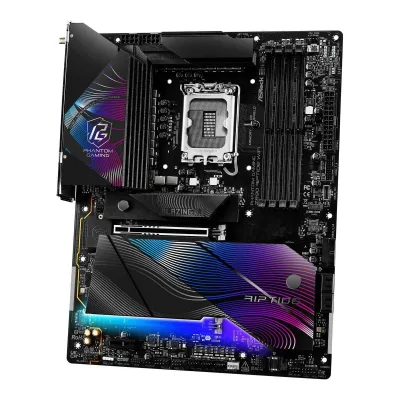
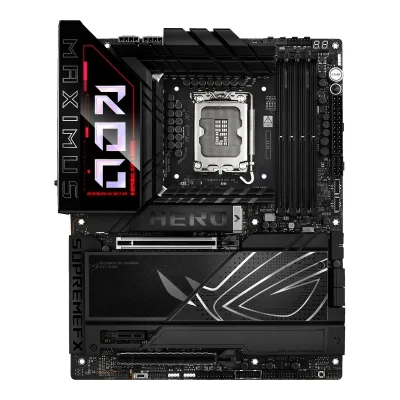
ASRock Z890 Riptide WiFi vs ASUS ROG MAXIMUS Z890 HERO
Product A: ASRock
65 of 78 known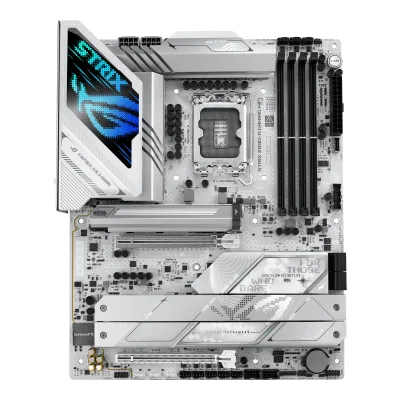 ASUS ROG STRIX Z890-A GAMING WIFI
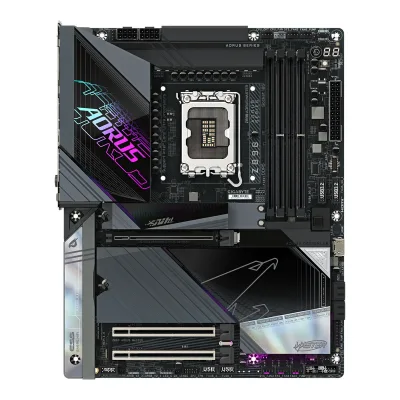 GIGABYTE Z890 AORUS MASTER
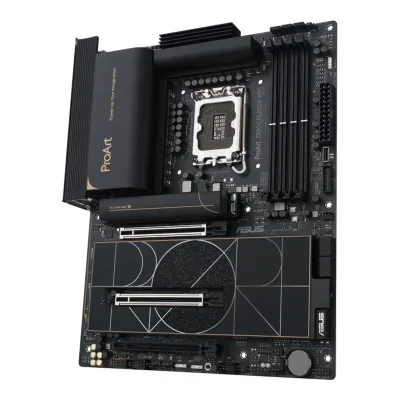 ASUS ProArt Z890-CREATOR WIFI
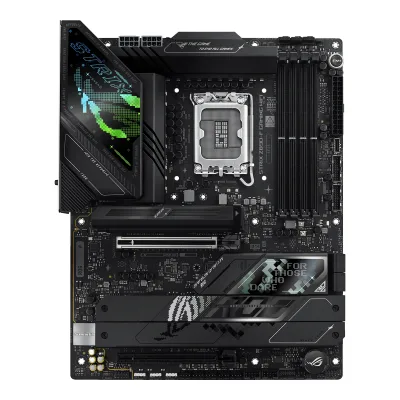 ASUS ROG STRIX Z890-F GAMING WIFI
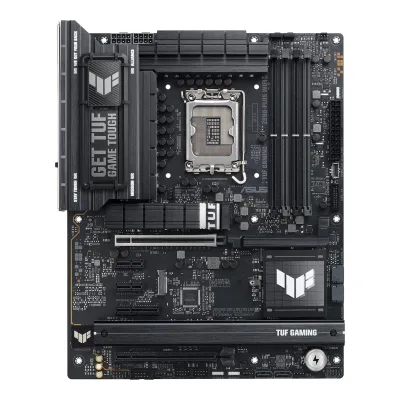 ASUS TUF GAMING Z890-PLUS WIFI
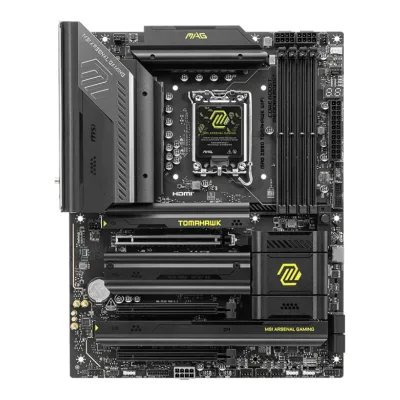 MSI MAG Z890 TOMAHAWK WIFI
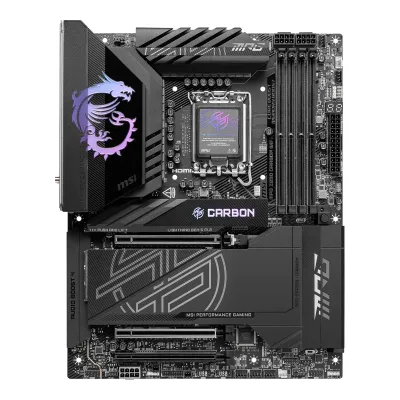 MSI MPG Z890 CARBON WIFI
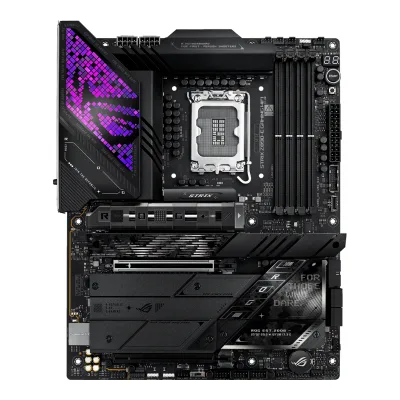 ASUS ROG STRIX Z890-E GAMING WIFI
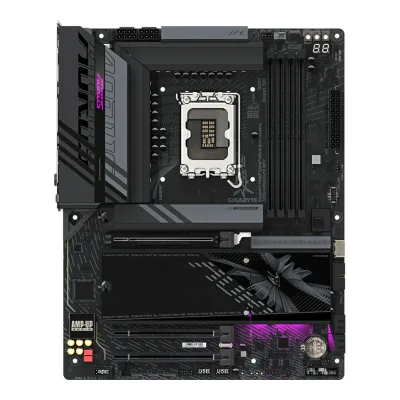 GIGABYTE Z890 AORUS ELITE WIFI7
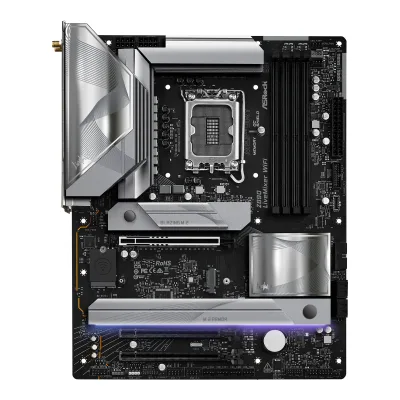 ASRock Z890 LiveMixer WiFi
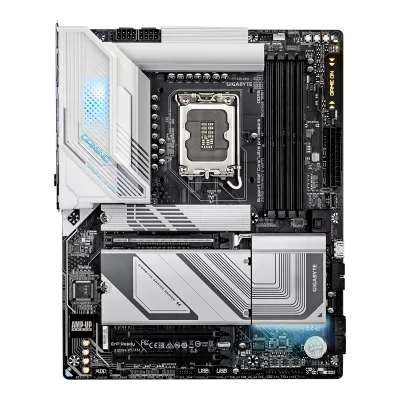 GIGABYTE Z890 GAMING X WIFI7
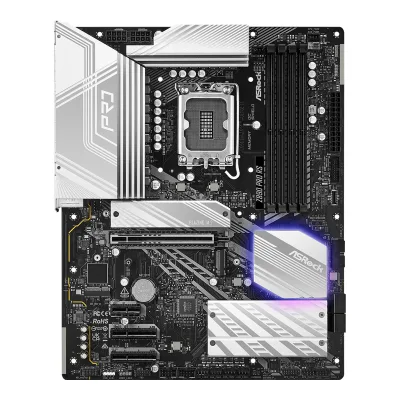 ASRock Z890 Pro RS
Change ASRock Z890 Riptide WiFi
Compare the ASUS ROG MAXIMUS Z890 HERO with
ASUS ROG STRIX Z890-A GAMING WIFIGIGABYTE Z890 AORUS MASTERASUS ProArt Z890-CREATOR WIFIASUS ROG STRIX Z890-F GAMING WIFIASUS TUF GAMING Z890-PLUS WIFIMSI MAG Z890 TOMAHAWK WIFIMSI MPG Z890 CARBON WIFIASUS ROG STRIX Z890-E GAMING WIFIGIGABYTE Z890 AORUS ELITE WIFI7ASRock Z890 LiveMixer WiFiGIGABYTE Z890 GAMING X WIFI7ASRock Z890 Pro RSProduct B: ASUS
66 of 78 knownMSI MAG Z890 TOMAHAWK WIFIGIGABYTE Z890 AORUS ELITE WIFI7ASUS TUF GAMING Z890-PLUS WIFIGIGABYTE Z890 GAMING X WIFI7ASRock Z890 LiveMixer WiFiASUS ROG STRIX Z890-A GAMING WIFIASUS ROG STRIX Z890-F GAMING WIFIASUS ProArt Z890-CREATOR WIFIMSI MPG Z890 CARBON WIFIGIGABYTE Z890 AORUS MASTERASUS ROG STRIX Z890-E GAMING WIFIASRock Z890 Pro RS
Change ASUS ROG MAXIMUS Z890 HERO
Compare the ASRock Z890 Riptide WiFi with
MSI MAG Z890 TOMAHAWK WIFIGIGABYTE Z890 AORUS ELITE WIFI7ASUS TUF GAMING Z890-PLUS WIFIGIGABYTE Z890 GAMING X WIFI7ASRock Z890 LiveMixer WiFiASUS ROG STRIX Z890-A GAMING WIFIASUS ROG STRIX Z890-F GAMING WIFIASUS ProArt Z890-CREATOR WIFIMSI MPG Z890 CARBON WIFIGIGABYTE Z890 AORUS MASTERASUS ROG STRIX Z890-E GAMING WIFIASRock Z890 Pro RS31 of 70 fields differ
- 25 different values
- 6 known for one only
- 33 the same
- 6 missing for both
Biggest differences
Each bar uses the scale of all 87 motherboards.
- PCIe 5.0 M.2 slotsA: 1B: 3ASUS is 3 times higher.
- Ethernet speedA: 2.5GbpsB: 5GbpsASUS is 2.5 Gbps higher.
- Rear USB-C portsA: 2B: 3ASUS has 1 more.
- Vcore stagesA: 18B: 22ASUS has 4 more.
- M.2 slotsA: 5B: 6ASUS has 1 more.
Size, drawn to scale
Front and side.
- AASRock: 244 × 305 mm
- BASUS: 244 × 305 mm
All 78 fields
Every value links to where we found it.
General
3 of 9 differ
Series
Model numbers
Z890 Riptide WiFi, 90-MXBPB0-A0UAYZ1Owner's manualdownload.asrock.com/Manual/Z890%20Riptide%20WiFi.pdfRead 15 October 2026Cover and specification chapter name the board Z890 Riptide WiFi. The Z890M Riptide WiFi is a separate micro ATX board.5Retailer pagescan.co.uk/products/asrock-z890-riptide-wifi-intel-z890-s-1851-ddr5-pcie-50-5x-m2-25gbe-wifi7-tb4-atxRead 15 October 2026Model number 90-MXBPB0-A0UAYZ.
ROG MAXIMUS Z890 HERO, 90MB1ID0-M0AAY0, 90MB1ID0-MVAAY0, 90MB1ID0-M0EAY01Maker product pagerog.asus.com/motherboards/rog-maximus/rog-maximus-z890-hero/specRead 14 October 2026The page's order configuration ids are 90MB1ID0-M0AAY0 (global page) and 90MB1ID0-MVAAY0 (US page). EU retailers list 90MB1ID0-M0EAY0 for the same board.10Retailer pageox.ee/en/product/2822114Read 14 October 2026OX.ee lists product code 90MB1ID0-M0EAY0.
GTIN / EAN
47104839496473Retailer pageshop.sumanet.cz/z890-riptide-wifi-asrock-mb-sc-lga1851-z890-riptide-wifi-intel-z890-4xddr5-1xhdmi-2xthunderbolt-wi-fiRead 15 October 2026GTIN (EAN) 4710483949647.5Retailer pagescan.co.uk/products/asrock-z890-riptide-wifi-intel-z890-s-1851-ddr5-pcie-50-5x-m2-25gbe-wifi7-tb4-atxRead 15 October 2026GTIN 4710483949647. Komputronik and Comfeel list the same EAN.6Retailer pagekomputronik.pl/product/931314/plyta-glowna-asrock-z890-riptide-wifi.htmlRead 15 October 2026EAN 4710483949647, manufacturer code Z890 Riptide WiFi.
197105747227, 197105747234, 47113877472239Retailer pageamazon.com/dp/B0DGWWRTPVRead 14 October 2026The Amazon US listing for ASIN B0DGWWRTPV gives UPC 197105747227 and 197105747234 and Mfr Part Number ROG MAXIMUS Z890 HERO. It does not say which part number each UPC belongs to.10Retailer pageox.ee/en/product/2822114Read 14 October 2026OX.ee lists EAN 4711387747223 for product code 90MB1ID0-M0EAY0.
Announced
Not available
Not available
Status
Predecessor
Not available
Not available
Successor
Not available
Not available
Launch price (EU)
Not available
Markets
Not available
Not available
Colours
Not available
Not available
Segment
Board revision
Not available
Not available
Platform
0 of 4 differ
CPU socket
Chipset
Supported processors
CPU overclocking
Board
1 of 5 differ
Form factor
Board dimensions
Width244Height305mm(9.6 × 12 in)3Retailer pageshop.sumanet.cz/z890-riptide-wifi-asrock-mb-sc-lga1851-z890-riptide-wifi-intel-z890-4xddr5-1xhdmi-2xthunderbolt-wi-fiRead 15 October 2026ATX Form Factor: 12.0-in x 9.6-in, 30.5 cm x 24.4 cm. Komputronik lists 244 mm wide and 305 mm high.5Retailer pagescan.co.uk/products/asrock-z890-riptide-wifi-intel-z890-s-1851-ddr5-pcie-50-5x-m2-25gbe-wifi7-tb4-atxRead 15 October 2026ATX, 305 x 244 mm.6Retailer pagekomputronik.pl/product/931314/plyta-glowna-asrock-z890-riptide-wifi.htmlRead 15 October 2026Width 244 mm and height 305 mm.
PCB layers
Not available
Back-connect design
RGB lighting on the board
Power delivery
5 of 6 differ
Power stage layout
18+1+1+1+13Retailer pageshop.sumanet.cz/z890-riptide-wifi-asrock-mb-sc-lga1851-z890-riptide-wifi-intel-z890-4xddr5-1xhdmi-2xthunderbolt-wi-fiRead 15 October 2026Copy of ASRock's text: 18+1+1+1+1 Power Phase, 80A SPS for VCore+GT+SA with Enlarged Heatsink Armor. The Z890M Riptide WiFi has 16+1+1+1+1. The FPS Review writes 18+1+1.4Retailer pagefirstshop.hu/asrock-z890-riptide-wifi-p225719Read 15 October 202618+1+1+1+1 Power Phase, 80A SPS for VCore+GT+SA with Enlarged Heatsink Armor.
CPU core (Vcore) power stages
183Retailer pageshop.sumanet.cz/z890-riptide-wifi-asrock-mb-sc-lga1851-z890-riptide-wifi-intel-z890-4xddr5-1xhdmi-2xthunderbolt-wi-fiRead 15 October 2026The same text names 18 phases with 80A SPS for VCore, GT and SA. pcinq confirms 18 core MOSFETs in 9 controller phases.8Reviewpcinq.com/asrock-z890-riptide-wifi-reviewRead 15 October 202620 (18+1+1+1+1) phases. The 18 CPU-core MOSFETs are paired so they use nine controller phases, MP87681 parts.
Vcore power stage rating
80A3Retailer pageshop.sumanet.cz/z890-riptide-wifi-asrock-mb-sc-lga1851-z890-riptide-wifi-intel-z890-4xddr5-1xhdmi-2xthunderbolt-wi-fiRead 15 October 202680A SPS for VCore+GT+SA, from ASRock's text. pcinq writes MP87681 parts supposedly rated for 80A.8Reviewpcinq.com/asrock-z890-riptide-wifi-reviewRead 15 October 2026The MP87681 parts are supposedly rated for 80A each. ASRock's text also says 80A SPS.
VRM controller
ASUS ASP24124Reviewprofesionalreview.com/2024/10/24/asus-rog-z890-maximus-hero-reviewRead 14 October 2026The main digital controller is an EPU DIGI+ ASP2412. The MOSFETs are 22 Infineon PMC41430 110 A for Vcore. Pokde.net also names an ASP2414 as a second controller. ASUS does not document either.5Reviewpokde.net/review/asus-rog-maximus-z890-hero-reviewRead 14 October 2026Spec table: PWM controller ASUS DIGI+ EPU ASP2412 and ASP2414, both marked undocumented. Vcore is Infineon PMC41430 at 110 A per power stage.
CPU power connectors
Extra slot power connector
Yes1Maker product pagerog.asus.com/motherboards/rog-maximus/rog-maximus-z890-hero/specRead 14 October 20261 x 8-pin PCIe power connector. The manual says it must be connected for 60W on the front USB 20Gbps connector and without it only 27W is supported.3Owner's manualdlcdnets.asus.com/pub/ASUS/mb/LGA1851/ROG_MAXIMUS_Z890_HERO/E25944_ROG_MAXIMUS_Z890_HERO_EM_V5_WEB.pdfRead 14 October 2026PCIE_8PIN_PWR connector supports the 60W front USB PD.
Memory
1 of 6 differ
Memory type
Memory slots
Max memory
Max memory speed (overclocked)
9,466MT/s1Owner's manualdownload.asrock.com/Manual/Z890%20Riptide%20WiFi.pdfRead 15 October 2026Page 2: DDR5 non-ECC, un-buffered memory up to 9466+(OC). Intel Core Ultra (Series 2) is the only CPU family of the board. Firstshop's copy of ASRock's text and The FPS Review say 9466. Sumanet, Scan, Arvutitark and MaxMyBuild write 9066 or 9000+, which is an older figure. The FPS Review conclusion writes 9644, which is a doubt.4Retailer pagefirstshop.hu/asrock-z890-riptide-wifi-p225719Read 15 October 2026Copy of ASRock's text: Supports DDR5 non-ECC, un-buffered memory up to 9466MHz+(OC), 1DPC 1R up to 9466+ MHz (OC), 5600 MHz natively. Intel Core Ultra (Series 2) is the only CPU family.7Reviewthefpsreview.com/2024/12/18/asrock-phantom-gaming-z890-riptide-wifi-motherboard-reviewRead 15 October 2026Features section: DDR5 up to 9466 MT/s (overclocked). The conclusion writes 9644 MT/s, which is not used.
ECC memory
CUDIMM support
Yes3Retailer pageshop.sumanet.cz/z890-riptide-wifi-asrock-mb-sc-lga1851-z890-riptide-wifi-intel-z890-4xddr5-1xhdmi-2xthunderbolt-wi-fiRead 15 October 2026Copy of ASRock's text: Supports Clocked Unbuffered DIMM (CUDIMM), with no clock driver bypass limit. The December 2024 manual does not list CUDIMM, so ASRock's newer specification text is used. Firstshop and The FPS Review say the same.4Retailer pagefirstshop.hu/asrock-z890-riptide-wifi-p225719Read 15 October 2026Supports Clocked Unbuffered DIMM (CUDIMM).7Reviewthefpsreview.com/2024/12/18/asrock-phantom-gaming-z890-riptide-wifi-motherboard-reviewRead 15 October 2026Clocked Unbuffered DIMM (CUDIMM) is also supported.
Yes1Maker product pagerog.asus.com/motherboards/rog-maximus/rog-maximus-z890-hero/specRead 14 October 2026The page and the manual list Clocked Unbuffered DIMM (CUDIMM) as supported memory, and the overview describes AEMP III for CUDIMM. The maker does not mention clock driver bypass.3Owner's manualdlcdnets.asus.com/pub/ASUS/mb/LGA1851/ROG_MAXIMUS_Z890_HERO/E25944_ROG_MAXIMUS_Z890_HERO_EM_V5_WEB.pdfRead 14 October 2026Memory configurations: you may install Non-ECC, Un-buffered, Clocked Un-buffered DIMM (CUDIMM) DDR5 DIMMs.
Expansion slots
0 of 3 differ
Expansion slots
AASRock Z890 Riptide WiFi
| Physical slot | Electrical lanes | PCIe generation | Connected to | Count |
|---|---|---|---|---|
| PCIe x16 | 16 | 5 | CPU | 1 |
| PCIe x16 | 4 | 4 | Chipset | 1 |
| PCIe x1 | 1 | 4 | Chipset | 1 |
BASUS ROG MAXIMUS Z890 HERO
| Physical slot | Electrical lanes | PCIe generation | Connected to | Count |
|---|---|---|---|---|
| PCIe x16 | 16 | 5 | CPU | 1 |
| PCIe x16 | 4 | 4 | Chipset | 1 |
| PCIe x1 | 1 | 4 | Chipset | 1 |
Source1Maker product pagerog.asus.com/motherboards/rog-maximus/rog-maximus-z890-hero/specRead 14 October 2026Core Ultra (Series 2): 1 x PCIe 5.0 x16 slot (x16 or x8/x4/x4 modes). Z890 chipset: 1 x PCIe 4.0 x16 slot (x4 mode) and 1 x PCIe 4.0 x1 slot. When M.2_3 or M.2_4 is enabled, the PCIe 5.0 slot runs x8 only.3Owner's manualdlcdnets.asus.com/pub/ASUS/mb/LGA1851/ROG_MAXIMUS_Z890_HERO/E25944_ROG_MAXIMUS_Z890_HERO_EM_V5_WEB.pdfRead 14 October 2026The specification summary matches the page.
Full-length PCIe slots
2
2
Fastest PCIe x16 slot generation
5
5
Storage
3 of 4 differ
M.2 storage slots
AASRock Z890 Riptide WiFi
| Slot | PCIe generation | PCIe lanes | Connected to | Longest drive | Takes SATA drives | Heatsink |
|---|---|---|---|---|---|---|
| M2_1 | 5 | 4 | CPU | M.2 2280 | No | Yes |
| M2_2 | 4 | 4 | CPU | M.2 2280 | No | Yes |
| M2_3 | 4 | 4 | Chipset | M.2 2280 | No | Yes |
| M2_4 | 4 | 4 | Chipset | M.2 2280 | No | Yes |
| M2_5 | 4 | 4 | Chipset | M.2 2280 | Yes | Yes |
BASUS ROG MAXIMUS Z890 HERO
| Slot | PCIe generation | PCIe lanes | Connected to | Longest drive | Takes SATA drives | Heatsink | Shares lanes with |
|---|---|---|---|---|---|---|---|
| M.2_1 | 5 | 4 | CPU | M.2 22110 | No | Yes | Not available |
| M.2_2 | 4 | 4 | CPU | M.2 2280 | No | Yes | Not available |
| M.2_3 | 5 | 4 | CPU | M.2 2280 | No | Yes | PCIEX16(G5) slot runs at x8 when M.2_3 or M.2_4 is used |
| M.2_4 | 5 | 4 | CPU | M.2 2280 | No | Yes | PCIEX16(G5) slot runs at x8 when M.2_3 or M.2_4 is used |
| M.2_5 | 4 | 4 | Chipset | M.2 2280 | No | Yes | Not available |
| M.2_6 | 4 | 4 | Chipset | M.2 2280 | No | Yes | Not available |
Source1Maker product pagerog.asus.com/motherboards/rog-maximus/rog-maximus-z890-hero/specRead 14 October 2026Up to 6 x M.2 slots. Core Ultra (Series 2): M.2_1 type 2242/2260/2280/22110 PCIe 5.0 x4, M.2_2 type 2242/2260/2280 PCIe 4.0 x4, M.2_3 and M.2_4 type 2242/2260/2280 PCIe 5.0 x4. Z890 chipset: M.2_5 and M.2_6 type 2242/2260/2280 PCIe 4.0 x4. The page lists no M.2 SATA support, so sata is false for every slot. The SlimSAS connector takes PCIe 4.0 x4 or up to 4 SATA devices through a cable sold separately and is not stored as an M.2 slot. M.2 slots from the CPU support RAID 0/1/5 only.2Maker product pagerog.asus.com/motherboards/rog-maximus/rog-maximus-z890-heroRead 14 October 2026Overview: 6 x M.2 slots, 1 x M.2 22110 PCIe 5.0 x4, 2 x M.2 2280 PCIe 5.0 x4 and 3 x M.2 2280 PCIe 4.0 x4. Heatsinks for six M.2 slots, with four backplates.3Owner's manualdlcdnets.asus.com/pub/ASUS/mb/LGA1851/ROG_MAXIMUS_Z890_HERO/E25944_ROG_MAXIMUS_Z890_HERO_EM_V5_WEB.pdfRead 14 October 2026The specification summary matches the page. The manual says M.2_3 or M.2_4 enabled makes PCIEX16(G5) run x8 only.
M.2 slots
5
6
PCIe 5.0 M.2 slots
1
3
SATA ports
Rear ports
3 of 5 differ
Rear ports
AASRock Z890 Riptide WiFi
| Type | Version | Count | Max link rate (Gbps) | Thunderbolt or USB4 | Power out (W) | DP Alt Mode |
|---|---|---|---|---|---|---|
| USB-C | USB4 | 2 | 40 | Thunderbolt 4 | 15 | Yes |
| USB-A | USB 3.2 Gen 2 | 2 | 10 | Not available | Not available | Not available |
| USB-A | USB 3.2 Gen 1 | 4 | 5 | Not available | Not available | Not available |
| USB-A | USB 2.0 | 2 | 0.48 | Not available | Not available | Not available |
| HDMI | HDMI 2.1 | 1 | Not available | Not available | Not available | Not available |
| Ethernet (RJ45) | Not available | 1 | 2.5 | Not available | Not available | Not available |
| 3.5 mm audio | Not available | 2 | Not available | Not available | Not available | Not available |
| Optical S/PDIF | Not available | 1 | Not available | Not available | Not available | Not available |
BASUS ROG MAXIMUS Z890 HERO
| Type | Version | Count | Max link rate (Gbps) | Thunderbolt or USB4 | DP Alt Mode |
|---|---|---|---|---|---|
| USB-C | USB4 | 2 | 40 | Thunderbolt 4 | Yes |
| USB-C | USB 3.2 Gen 2 | 1 | 10 | Not available | Not available |
| USB-A | USB 3.2 Gen 2 | 4 | 10 | Not available | Not available |
| USB-A | USB 3.2 Gen 1 | 4 | 5 | Not available | Not available |
| HDMI | HDMI 2.1 | 1 | Not available | Not available | Not available |
| Ethernet (RJ45) | Not available | 1 | 2.5 | Not available | Not available |
| Ethernet (RJ45) | Not available | 1 | 5 | Not available | Not available |
| 3.5 mm audio | Not available | 2 | Not available | Not available | Not available |
| Optical S/PDIF | Not available | 1 | Not available | Not available | Not available |
Rear USB ports
10
11
Rear USB-C ports
2
3
Fastest rear USB port
40Gbps
40Gbps
Thunderbolt
Yes
Yes
Internal connectors
2 of 5 differ
Internal USB headers
AASRock Z890 Riptide WiFi
| Header | Max data rate (Gbps) | Headers | Front ports served |
|---|---|---|---|
| USB-C header | 20 | 1 | 1 |
| USB 3 header (19-pin) | 5 | 2 | 4 |
| USB 2.0 header (9-pin) | 0.48 | 2 | 4 |
BASUS ROG MAXIMUS Z890 HERO
| Header | Max data rate (Gbps) | Headers | Front ports served | Power out (W) |
|---|---|---|---|---|
| USB-C header | 20 | 1 | 1 | 60 |
| USB-C header | 10 | 1 | 1 | Not available |
| USB 3 header (19-pin) | 5 | 2 | 4 | Not available |
| USB 2.0 header (9-pin) | 0.48 | 2 | 4 | Not available |
Source1Maker product pagerog.asus.com/motherboards/rog-maximus/rog-maximus-z890-hero/specRead 14 October 2026Front USB (total 10 ports): 1 x USB 20Gbps connector (Type-C with up to 60W PD/QC4+, 5/9/15/20V max 3A, PPS 3.3-21V max 3A), 1 x USB 10Gbps connector (Type-C), 2 x USB 5Gbps headers for 4 ports and 2 x USB 2.0 headers for 4 ports. The 60W needs the 8-pin PCIe power connector and is 27W without it. The Thunderbolt (USB4) header is for an add-in card and is not listed.3Owner's manualdlcdnets.asus.com/pub/ASUS/mb/LGA1851/ROG_MAXIMUS_Z890_HERO/E25944_ROG_MAXIMUS_Z890_HERO_EM_V5_WEB.pdfRead 14 October 2026Layout items 9 to 12: USB 20Gbps Type-C front panel connector (PD 3.0 up to 20V/3A 60W, only with the PCIE_8PIN_PWR connector connected, else 27W), USB 10Gbps Type-C connector, USB 5Gbps header and USB 2.0 header.6Reviewgeekawhat.com/asus-rog-maximus-z890-hero-reviewRead 14 October 2026Six front USB headers in total: two USB-C, two USB 3.0 and two USB 2.0.
Front USB-C header speed
20Gbps
20Gbps
Fan headers
81Maker product pagerog.asus.com/motherboards/rog-maximus/rog-maximus-z890-hero/specRead 14 October 20261 CPU fan, 1 CPU OPT fan, 1 AIO pump and 4 chassis fan headers, all 4-pin, plus 1 W_PUMP+ header.6Reviewgeekawhat.com/asus-rog-maximus-z890-hero-reviewRead 14 October 2026Four 4-pin PWM headers at the top (CPU_FAN, CPU_OPT, AIO_PUMP, CHA_FAN1), three more chassis headers at the bottom and the W_PUMP+ header, 8 in total.
ARGB headers
RGB headers
Networking
3 of 9 differ
Ethernet controllers
Intel I226, Realtek RTL81264Reviewprofesionalreview.com/2024/10/24/asus-rog-z890-maximus-hero-reviewRead 14 October 2026Two RJ45 interfaces: 2.5 GbE with an Intel I226-V and a Realtek RTL8126 5 Gbps. The -V suffix is dropped.5Reviewpokde.net/review/asus-rog-maximus-z890-hero-reviewRead 14 October 2026Intel I226-V 2.5GbE LAN and Realtek RTL8126 5GbE LAN.
Ethernet ports
1
2
Ethernet speed
2.5Gbps
5Gbps
Wi-Fi included
Wi-Fi standard
Wi-Fi bands
Max Wi-Fi channel width
Wi-Fi module
Intel BE2007Reviewthefpsreview.com/2024/12/18/asrock-phantom-gaming-z890-riptide-wifi-motherboard-reviewRead 15 October 2026Wireless is Wi-Fi 7 from an Intel BE200 chip on an M.2 Key E socket.8Reviewpcinq.com/asrock-z890-riptide-wifi-reviewRead 15 October 2026Intel BE200 Wi-Fi 7 / BT 5.4 combo.
Intel BE2004Reviewprofesionalreview.com/2024/10/24/asus-rog-z890-maximus-hero-reviewRead 14 October 2026The review names an Intel Wi-Fi 7 BE200 card with 320 MHz channels and up to 5.8 Gbps. ASUS does not name the module.5Reviewpokde.net/review/asus-rog-maximus-z890-hero-reviewRead 14 October 2026Intel BE200 Wi-Fi 7 (320MHz) module on an M.2 2230 card. The review says the MT7927 on the X870E Hero is a different module.
Bluetooth
Audio
2 of 2 differ
Audio codec
DAC chip
Not available
Features
5 of 7 differ
BIOS flashback
Clear CMOS button (rear)
POST code display
Yes1Maker product pagerog.asus.com/motherboards/rog-maximus/rog-maximus-z890-hero/specRead 14 October 2026ASUS Q-Code is in the Special Features list and the manual shows a Q-Code LED in the layout.3Owner's manualdlcdnets.asus.com/pub/ASUS/mb/LGA1851/ROG_MAXIMUS_Z890_HERO/E25944_ROG_MAXIMUS_Z890_HERO_EM_V5_WEB.pdfRead 14 October 2026Layout item 23 is the Q-Code LED, which gives a 2-digit error code.
Power button on the board
Dual BIOS
Not available
Pre-installed I/O shield
Yes3Retailer pageshop.sumanet.cz/z890-riptide-wifi-asrock-mb-sc-lga1851-z890-riptide-wifi-intel-z890-4xddr5-1xhdmi-2xthunderbolt-wi-fiRead 15 October 2026Copy of ASRock's feature text: Flexible Integrated I/O Shield. The manual's box list has no loose I/O shield.4Retailer pagefirstshop.hu/asrock-z890-riptide-wifi-p225719Read 15 October 2026Flexible Integrated I/O Shield.
Tool-free features
Tool-free M.2 latch, Tool-free M.2 heatsink1Owner's manualdownload.asrock.com/Manual/Z890%20Riptide%20WiFi.pdfRead 15 October 2026Sections 2.15 to 2.17: each M.2 SSD is secured by turning a nut lock clockwise, with no screw, and each M.2 heatsink is released with a button. M2_5 also uses standoffs for shorter drives. pcinq calls the heat spreaders latch-operated and tool-free.8Reviewpcinq.com/asrock-z890-riptide-wifi-reviewRead 15 October 2026Two latch-operated M.2 heat spreaders that let users install, remove or swap all five drives without a screwdriver. The upper one also has a bottom sink for PCIe 5.0 drives.
Tool-free M.2 latch, Tool-free M.2 heatsink, PCIe slot release, Push-on antenna connector1Maker product pagerog.asus.com/motherboards/rog-maximus/rog-maximus-z890-hero/specRead 14 October 2026ASUS Q-Design: M.2 Q-Latch, M.2 Q-Release, M.2 Q-Slide, Q-Release Slim (with PCIe SafeSlot) and Q-Antenna.2Maker product pagerog.asus.com/motherboards/rog-maximus/rog-maximus-z890-heroRead 14 October 2026M.2 Q-Release, M.2 Q-Slide, M.2 Q-Latch, PCIe Slot Q-Release Slim and Q-Antenna are described with images.
Measured
1 of 3 differ
VRM temperature under CPU load
Power draw idle
Not available
Not available
Power draw CPU stress
Not available
Not available
In the box
1 of 1 differ
In the box
2 x Serial ATA (SATA) data cables, 1 x ASRock WiFi 2.4/5/6 GHz antenna, 1 x ARGB splitter cable, 1 x Thermistor cable1Owner's manualdownload.asrock.com/Manual/Z890%20Riptide%20WiFi.pdfRead 15 October 2026Section 1.1: 2 SATA data cables, 1 ASRock WiFi 2.4/5/6 GHz antenna, 1 ARGB splitter cable and 1 thermistor cable. The manual marks each item Optional, which means the items depend on the package.
1 x ARGB RGB extension cable, 4 x SATA 6Gb/s cables, 1 x DDR5 fan holder, 1 x Thermal pad for M.2 22110, 1 x ASUS WiFi Q-Antenna, 1 x Q-connector, 1 x M.2 Q-Latch package, 3 x M.2 Q-Slide packages, 1 x ROG stickers, 6 x M.2 rubber packages, 1 x ROG thank you card, 1 x ROG Bottle Opener, 1 x USB drive with utilities and drivers, 1 x Quick start guide1Maker product pagerog.asus.com/motherboards/rog-maximus/rog-maximus-z890-hero/specRead 14 October 2026Accessories list on the specification page, the same as the manual's package contents.
Links
Not compared
Product page
pg.asrock.com/mb/Intel/Z890%20Riptide%20WiFi/index.asp2Maker product pagepg.asrock.com/mb/Intel/Z890%20Riptide%20WiFi/index.aspRead 15 October 2026The URL comes from the job evidence. ASRock's site returns a bot check to agents, so the page was not opened. The specification text was read from the user manual, retailer copies of ASRock's text and reviews.
Spec sheet
Not available
Manual
download.asrock.com/Manual/Z890%20Riptide%20WiFi.pdf1Owner's manualdownload.asrock.com/Manual/Z890%20Riptide%20WiFi.pdfRead 15 October 2026ASRock Z890 Riptide WiFi User Manual, 69 pages, English PDF on download.asrock.com, last modified 2024-12-16.
dlcdnets.asus.com/pub/ASUS/mb/LGA1851/ROG_MAXIMUS_Z890_HERO/E25944_ROG_MAXIMUS_Z890_HERO_EM_V5_WEB.pdf3Owner's manualdlcdnets.asus.com/pub/ASUS/mb/LGA1851/ROG_MAXIMUS_Z890_HERO/E25944_ROG_MAXIMUS_Z890_HERO_EM_V5_WEB.pdfRead 14 October 2026ASUS user guide E25944, Revised Edition V5, March 2025, from dlcdnets.asus.com.
EPREL registration number
Not available
Not available
Warranty
1 of 1 differ
Manufacturer warranty (source market)
Not available
Both are also in the API. Back to all motherboards.