Motherboards / Compare
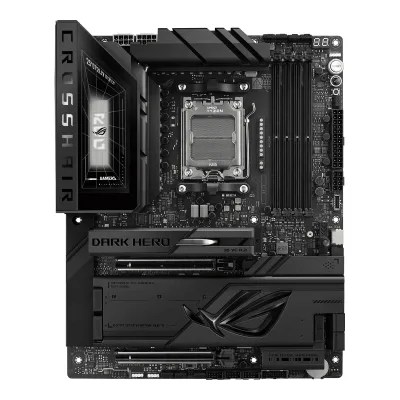
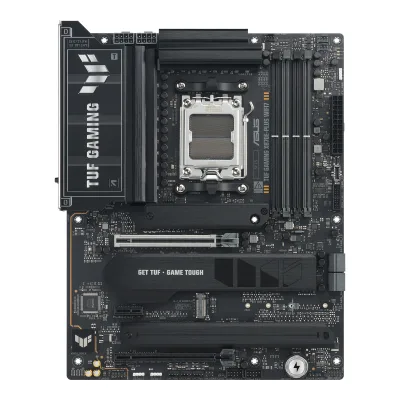
ASUS ROG Crosshair X870E Dark Hero vs ASUS TUF GAMING X870E-PLUS WIFI7
Product A: ASUS
67 of 78 known GIGABYTE X870 AORUS STEALTH ICE
 GIGABYTE X870E AORUS MASTER X3D ICE
 GIGABYTE X870E AORUS ELITE X3D
 GIGABYTE X870E AORUS PRO X3D ICE
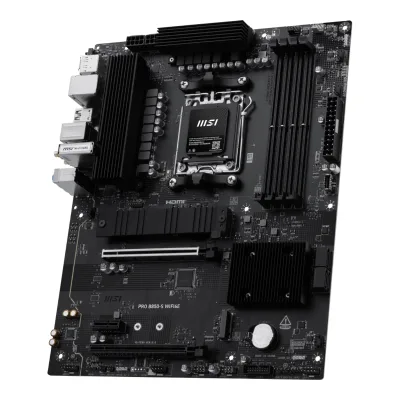 MSI PRO B850-S WIFI6E
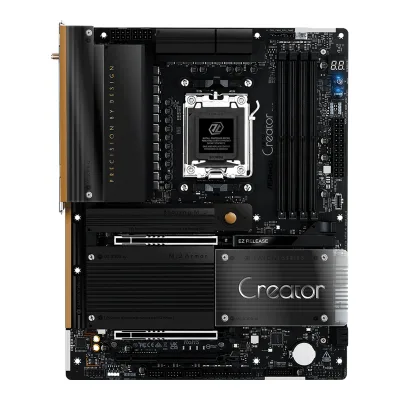 ASRock X870 Taichi Creator
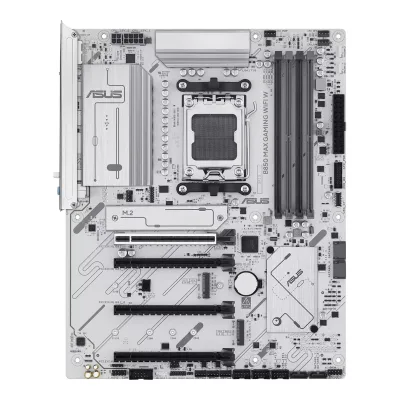 ASUS B850 MAX GAMING WIFI W
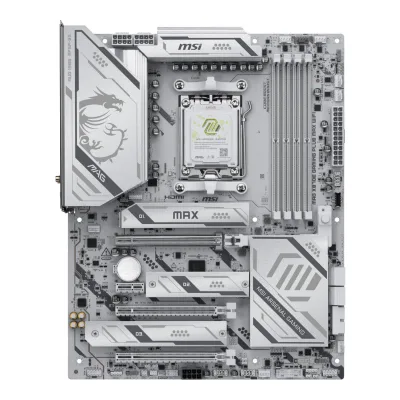 MSI MAG X870E GAMING PLUS MAX WIFI
 NZXT N9 X870E
 ASUS B650E MAX GAMING WIFI
 MSI MPG X870E CARBON MAX WIFI
 MSI MAG X870E TOMAHAWK WIFI
Change ASUS ROG Crosshair X870E Dark Hero
Compare the ASUS TUF GAMING X870E-PLUS WIFI7 with
GIGABYTE X870 AORUS STEALTH ICEGIGABYTE X870E AORUS MASTER X3D ICEGIGABYTE X870E AORUS ELITE X3DGIGABYTE X870E AORUS PRO X3D ICEMSI PRO B850-S WIFI6EASRock X870 Taichi CreatorASUS B850 MAX GAMING WIFI WMSI MAG X870E GAMING PLUS MAX WIFINZXT N9 X870EASUS B650E MAX GAMING WIFIMSI MPG X870E CARBON MAX WIFIMSI MAG X870E TOMAHAWK WIFIProduct B: ASUS
61 of 78 knownGIGABYTE X870E AORUS MASTER X3D ICEMSI MPG X870E CARBON MAX WIFI MSI MAG X870E TOMAHAWK MAX WIFIMSI MAG X870E GAMING PLUS MAX WIFIASRock X870 Taichi Creator
 ASUS ROG STRIX X870E-A GAMING WIFI7 NEO
 ASUS ROG STRIX X870E-E GAMING WIFI7 NEO
 ASUS ROG Crosshair X870E HeroGIGABYTE X870E AORUS ELITE X3DGIGABYTE X870E AORUS PRO X3D ICENZXT N9 X870EMSI PRO B850-S WIFI6E
Change ASUS TUF GAMING X870E-PLUS WIFI7
Compare the ASUS ROG Crosshair X870E Dark Hero with
GIGABYTE X870E AORUS MASTER X3D ICEMSI MPG X870E CARBON MAX WIFIMSI MAG X870E TOMAHAWK MAX WIFIMSI MAG X870E GAMING PLUS MAX WIFIASRock X870 Taichi CreatorASUS ROG STRIX X870E-A GAMING WIFI7 NEOASUS ROG STRIX X870E-E GAMING WIFI7 NEOASUS ROG Crosshair X870E HeroGIGABYTE X870E AORUS ELITE X3DGIGABYTE X870E AORUS PRO X3D ICENZXT N9 X870EMSI PRO B850-S WIFI6E32 of 70 fields differ
- 23 different values
- 9 known for one only
- 32 the same
- 6 missing for both
Biggest differences
Each bar uses the scale of all 87 motherboards.
- Ethernet speedA: 10GbpsB: 2.5GbpsROG Crosshair X870E Dark Hero is 4 times higher.
- Rear USB-C portsA: 5B: 2ROG Crosshair X870E Dark Hero has 3 more.
- M.2 slotsA: 5B: 4ROG Crosshair X870E Dark Hero has 1 more.
- Vcore stagesA: 20B: 16ROG Crosshair X870E Dark Hero has 4 more.
- Rear USB portsA: 11B: 13TUF GAMING X870E-PLUS WIFI7 has 2 more.
- Fan headersA: 8B: 7ROG Crosshair X870E Dark Hero has 1 more.
Size, drawn to scale
Front and side.
- AROG Crosshair X870E Dark Hero: 244 × 305 mm
- BTUF GAMING X870E-PLUS WIFI7: 244 × 305 mm
All 78 fields
Every value links to where we found it.
General
2 of 9 differ
Series
Model numbers
ROG CROSSHAIR X870E DARK HERO, 90MB1NT0-M0EAY01Maker product pagerog.asus.com/motherboards/rog-crosshair/rog-crosshair-x870e-dark-hero/specRead 15 October 2026The page names the model as ROG CROSSHAIR X870E DARK HERO. The part number 90MB1NT0-M0EAY0 comes from the retailer listings below.10Retailer pageasusbymacman.es/asus-rog-crosshair-x870e-dark-hero-placa-base-11567.htmlRead 15 October 2026The excerpt shows the part number 90MB1NT0-M0EAY0 for the ROG Crosshair X870E Dark Hero.11Retailer pageshop.avoira.com/asus-rog-crosshair-x870e-dark-hero-amd-x870e-socket-am5-atx-90mb1nt0-m0eay0.htmlRead 15 October 2026The URL and excerpt carry the part number 90MB1NT0-M0EAY0.
GTIN / EAN
471163639867110Retailer pageasusbymacman.es/asus-rog-crosshair-x870e-dark-hero-placa-base-11567.htmlRead 15 October 2026A web search excerpt of this page shows P/N 90MB1NT0-M0EAY0 with EAN 4711636398671. The page returns HTTP 403 to agents, so only the excerpt was read. The Avoira page below shows the same EAN and SKU. The EAN check digit is valid.11Retailer pageshop.avoira.com/asus-rog-crosshair-x870e-dark-hero-amd-x870e-socket-am5-atx-90mb1nt0-m0eay0.htmlRead 15 October 2026A web search excerpt of this page shows EAN 4711636398671 and SKU 90MB1NT0-M0EAY0. The page returns HTTP 403 to agents, so only the excerpt was read.
47116361003424Spec databaseik.imagekit.io/pimberly/65707b38e31f5a94719d7ba0/0a1fcf3c/68c4817a823de51db50f51a9/product-pdfRead 14 October 2026The data sheet lists EAN 4711636100342.5Retailer pagecustompc.com.cy/components/motherboards/amd-motherboards/asus-tuf-gaming-x870e-plus-wifi-mainboard-amd-x870-socket-am5-ddr5Read 14 October 2026The listing title has EAN 4711636100342 and model 90MB1M70-M0EAY0.
Announced
Not available
Not available
Status
Predecessor
Not available
Not available
Successor
Not available
Not available
Launch price (US)
$699.993Reviewtomshardware.com/pc-components/motherboards/asus-rog-crosshair-x870e-dark-hero-motherboard-reviewRead 15 October 2026The review names the board at $699.99. US price, excl. sales tax, from a reviewer and not a statement by ASUS. pchardware.org also gives a launch MSRP of 699.99 USD.8Spec databasepchardware.org/motherboards/rog-crosshair-x870e-dark-heroRead 15 October 2026Spec table: Launch MSRP 699.99 USD. The database lists manufacturer part number 90MB1NT0-M0VAY0 for it.
Not available
Launch price (EU)
Not available
Not available
Markets
Not available
Not available
Colours
Not available
Not available
Segment
Board revision
Not available
Not available
Platform
0 of 4 differ
CPU socket
Chipset
Supported processors
AMD Ryzen 9000 Series, AMD Ryzen 8000 Series, AMD Ryzen 7000 Series1Maker product pagerog.asus.com/motherboards/rog-crosshair/rog-crosshair-x870e-dark-hero/specRead 15 October 2026AM5 for Ryzen 9000, 8000 and 7000 Series. The page refers to the ASUS download center for the CPU support list. Read on 2026-10-15.
AMD Ryzen 9000 Series, AMD Ryzen 8000 Series, AMD Ryzen 7000 Series1Maker product pageasus.com/motherboards-components/motherboards/tuf-gaming/tuf-gaming-x870e-plus-wifi7/techspecRead 14 October 2026AM5 for Ryzen 9000, 8000 and 7000 Series. The page refers to the ASUS download center for the CPU support list. Read on 2026-10-14.
CPU overclocking
Yes2Maker product pagerog.asus.com/motherboards/rog-crosshair/rog-crosshair-x870e-dark-heroRead 15 October 2026The page describes AI Overclocking, Core Flex, Dynamic OC Switcher and an asynchronous clock generator for CPU overclocking.9Maker product pageamd.com/en/products/processors/chipsets/am5.htmlRead 15 October 2026AMD's chipset page describes the X870E chipset with robust overclocking capabilities. This is the chip maker's page and not the board maker's.
Board
1 of 5 differ
Form factor
Board dimensions
PCB layers
Back-connect design
No2Maker product pagerog.asus.com/motherboards/rog-crosshair/rog-crosshair-x870e-dark-heroRead 15 October 2026The 24-pin and CPU power connectors sit at the top and right edge of the board, as the connector lists and the Tom's Hardware walk-through show. The AIO Q-Connector is a hub for compatible AIO coolers. The board is not a back-connect design.3Reviewtomshardware.com/pc-components/motherboards/asus-rog-crosshair-x870e-dark-hero-motherboard-reviewRead 15 October 2026The walk-through places the 24-pin ATX power connector, the 8-pin PCIe connector and the fan headers on the front side of the board.
RGB lighting on the board
Yes2Maker product pagerog.asus.com/motherboards/rog-crosshair/rog-crosshair-x870e-dark-heroRead 15 October 2026The page describes Polymo Lighting II on the board with an I/O zone and addressable Gen2 headers. Tom's Hardware describes Polymo Lighting II RGBs with ROG branding on the VRM heatsinks.5Press articleguru3d.com/story/asus-crosshair-x870e-glacial-and-dark-hero-hit-retail-shelvesRead 15 October 2026The Dark Hero replaces the Glacial's LCD with an RGB-lit area with Aura Sync support.
Not available
Power delivery
4 of 6 differ
Power stage layout
20+2+22Maker product pagerog.asus.com/motherboards/rog-crosshair/rog-crosshair-x870e-dark-heroRead 15 October 2026ROG Ultimate Power Solution 20(110A)+2(110A)+2(80A) power stages: 20 Vcore, 2 SoC and 2 MISC.7Reviewtechgaming.nl/review-asus-rog-crosshair-x870e-dark-heroRead 15 October 202620x 110A for Vcore, 2x 110A for SoC and 2x 80A for Misc.
CPU core (Vcore) power stages
Vcore power stage rating
CPU power connectors
Extra slot power connector
Memory
1 of 6 differ
Memory type
Memory slots
Max memory
Max memory speed (overclocked)
ECC memory
CUDIMM support
Not available
Not available
Expansion slots
1 of 3 differ
Expansion slots
AASUS ROG Crosshair X870E Dark Hero
| Physical slot | Electrical lanes | PCIe generation | Connected to | Count |
|---|---|---|---|---|
| PCIe x16 | 16 | 5 | CPU | 1 |
| PCIe x16 | 8 | 5 | CPU | 1 |
Source1Maker product pagerog.asus.com/motherboards/rog-crosshair/rog-crosshair-x870e-dark-hero/specRead 15 October 2026Ryzen 9000 and 7000: 2 x PCIe 5.0 x16 slots (x16 or x8/x8 modes). When PCIEX16_1 runs at PCIe 5.0 x16, PCIEX16_2 runs at PCIe 3.0 x4. The bandwidth can be changed in the BIOS. With Ryzen 8000 the slots run at PCIe 4.0. Both slots connect to the CPU, per Tom's Hardware.3Reviewtomshardware.com/pc-components/motherboards/asus-rog-crosshair-x870e-dark-hero-motherboard-reviewRead 15 October 2026Both reinforced PCIe slots connect through the CPU at PCIe 5.0. The top slot runs at x16 and the bottom slot is limited to x8. When PCIEX16_1 runs at x16, the second slot runs at PCIe 3.0 x4.
BASUS TUF GAMING X870E-PLUS WIFI7
| Physical slot | Electrical lanes | PCIe generation | Connected to | Count |
|---|---|---|---|---|
| PCIe x16 | 16 | 5 | CPU | 1 |
| PCIe x16 | 4 | 4 | Chipset | 1 |
| PCIe x1 | 1 | 3 | Chipset | 1 |
Full-length PCIe slots
2
2
Fastest PCIe x16 slot generation
5
5
Storage
2 of 4 differ
M.2 storage slots
AASUS ROG Crosshair X870E Dark Hero
| Slot | PCIe generation | PCIe lanes | Connected to | Longest drive | Takes SATA drives | Heatsink | Shares lanes with |
|---|---|---|---|---|---|---|---|
| M.2_1 | 5 | 4 | CPU | M.2 22110 | No | Yes | Not available |
| M.2_2 | 5 | 4 | CPU | M.2 2280 | No | Yes | The USB4 40Gbps ports. A drive in M.2_2 makes both run at x2. Setting M.2_2 to x4 in the BIOS turns the USB4 ports off |
| M.2_3 | 4 | 4 | Chipset | M.2 2280 | No | Yes | Not available |
| M.2_4 | 4 | 4 | Chipset | M.2 2280 | No | Yes | Not available |
| M.2_5 | 4 | 2 | Chipset | M.2 2230 | No | Yes | Not available |
BASUS TUF GAMING X870E-PLUS WIFI7
| Slot | PCIe generation | PCIe lanes | Connected to | Longest drive | Takes SATA drives | Heatsink | Shares lanes with |
|---|---|---|---|---|---|---|---|
| M.2_1 | 5 | 4 | CPU | M.2 2280 | No | Yes | Not available |
| M.2_2 | 5 | 4 | CPU | M.2 22110 | No | Not available | PCIEX16(G5) slot runs at x8 when M.2_2 is used at x4. Not supported with Ryzen 8000 processors |
| M.2_3 | 4 | 4 | Chipset | M.2 2280 | No | Yes | Not available |
| M.2_4 | 4 | 4 | Chipset | M.2 2280 | No | Yes | Not available |
Source1Maker product pageasus.com/motherboards-components/motherboards/tuf-gaming/tuf-gaming-x870e-plus-wifi7/techspecRead 14 October 2026M.2_1 takes 2280, M.2_2 takes 2242/2260/2280/22110, M.2_3 and M.2_4 take 2280. M.2_1 and M.2_2 are PCIe 5.0 x4 with Ryzen 9000 and 7000. With Ryzen 8000, M.2_1 runs PCIe 4.0 x4 and M.2_2 is not supported. M.2_3 and M.2_4 are on the chipset at PCIe 4.0 x4. The page lists no M.2 SATA support, so sata is false for every slot. The overview page lists two M.2 heatsinks for three of the four slots. Reviews disagree on which slot has none, so the M.2_2 heatsink value is left out. The manual's shared bandwidth page also pairs M.2_4 with the PCIEX16(G4) slot, but its table shows no usable second configuration, so no sharing is stored for M.2_4.2Maker product pageasus.com/motherboards-components/motherboards/tuf-gaming/tuf-gaming-x870e-plus-wifi7Read 14 October 2026Cooling overview: Two M.2 Heatsinks for Three M.2 Slots.3Owner's manualgzhls.at/blob/ldb/9/d/5/4/96832f248c2aec02ee024bf5037c041eacab.pdfRead 14 October 2026The page 'Connectors with shared bandwidth': PCIEX16(G5) runs x8 with M.2_2 at x4 (default) or x16 with M.2_2 off. With Ryzen 8000, PCIEX16(G5) runs x8/x4 and M.2_2 is off.9Reviewgame2gether.de/os_hardware/das-asus-tuf-gaming-x870e-plus-wifi7-im-testRead 14 October 2026The review says all four M.2 slots have heatsinks with thermal pads. HardZone says M.2_2 has no heatsink, so M.2_2 is not stored.10Reviewhardzone.es/reviews/placas-base/asus-tuf-gaming-x870e-plus-wifi7Read 14 October 2026HardZone review of 2026-03-02: M.2_3 and M.2_4 sit under a heatsink and M.2_2 is uncovered.
M.2 slots
5
4
PCIe 5.0 M.2 slots
2
2
SATA ports
Rear ports
3 of 5 differ
Rear ports
AASUS ROG Crosshair X870E Dark Hero
| Type | Version | Count | Max link rate (Gbps) | Thunderbolt or USB4 | DP Alt Mode |
|---|---|---|---|---|---|
| USB-C | USB4 | 2 | 40 | USB4 | Yes |
| USB-C | USB 3.2 Gen 2 | 3 | 10 | Not available | Not available |
| USB-A | USB 3.2 Gen 2 | 6 | 10 | Not available | Not available |
| HDMI | HDMI 2.1 | 1 | Not available | Not available | Not available |
| Ethernet (RJ45) | Not available | 1 | 10 | Not available | Not available |
| Ethernet (RJ45) | Not available | 1 | 5 | Not available | Not available |
| 3.5 mm audio | Not available | 2 | Not available | Not available | Not available |
| Optical S/PDIF | Not available | 1 | Not available | Not available | Not available |
BASUS TUF GAMING X870E-PLUS WIFI7
| Type | Version | Count | Max link rate (Gbps) | Thunderbolt or USB4 | Power out (W) | DP Alt Mode |
|---|---|---|---|---|---|---|
| USB-C | USB4 | 2 | 40 | USB4 | 15 | Yes |
| USB-A | USB 3.2 Gen 2 | 3 | 10 | Not available | Not available | Not available |
| USB-A | USB 3.2 Gen 1 | 4 | 5 | Not available | Not available | Not available |
| USB-A | USB 2.0 | 4 | 0.48 | Not available | Not available | Not available |
| HDMI | HDMI 2.1 | 1 | Not available | Not available | Not available | Not available |
| Ethernet (RJ45) | Not available | 1 | 2.5 | Not available | Not available | Not available |
| 3.5 mm audio | Not available | 3 | Not available | Not available | Not available | Not available |
Rear USB ports
11
13
Rear USB-C ports
5
2
Fastest rear USB port
40Gbps
40Gbps
Thunderbolt
No
No
Internal connectors
2 of 5 differ
Internal USB headers
AASUS ROG Crosshair X870E Dark Hero
| Header | Max data rate (Gbps) | Headers | Front ports served | Power out (W) |
|---|---|---|---|---|
| USB-C header | 20 | 1 | 1 | 60 |
| USB-C header | 20 | 1 | 1 | 15 |
| USB 3 header (19-pin) | 5 | 2 | 4 | Not available |
| USB 2.0 header (9-pin) | 0.48 | 3 | 6 | Not available |
BASUS TUF GAMING X870E-PLUS WIFI7
| Header | Max data rate (Gbps) | Headers | Front ports served | Power out (W) |
|---|---|---|---|---|
| USB-C header | 20 | 1 | 1 | 30 |
| USB 3 header (19-pin) | 5 | 1 | 2 | Not available |
| USB 2.0 header (9-pin) | 0.48 | 2 | 4 | Not available |
Front USB-C header speed
20Gbps
20Gbps
Fan headers
81Maker product pagerog.asus.com/motherboards/rog-crosshair/rog-crosshair-x870e-dark-hero/specRead 15 October 2026CPU fan, CPU OPT fan, AIO pump, 4 chassis fan headers and 1 W_PUMP+ header, all 4-pin, make 8. The AIO Q-Connector is a combination connector and is not counted.3Reviewtomshardware.com/pc-components/motherboards/asus-rog-crosshair-x870e-dark-hero-motherboard-reviewRead 15 October 2026Spec table: 7 four-pin fan headers, 1 W_PUMP+ header and 1 AIO Q-Connector. The text says the board has eight standard 4-pin fan headers.7Reviewtechgaming.nl/review-asus-rog-crosshair-x870e-dark-heroRead 15 October 2026Text: a total of eight 4-pin fan connectors.
ARGB headers
31Maker product pagerog.asus.com/motherboards/rog-crosshair/rog-crosshair-x870e-dark-hero/specRead 15 October 20263 x Addressable Gen2 headers. Tom's Hardware writes one 6-pin header that serves two ARGB Gen2 channels plus two 3-pin headers, which is the same three channels.3Reviewtomshardware.com/pc-components/motherboards/asus-rog-crosshair-x870e-dark-hero-motherboard-reviewRead 15 October 2026Spec table: one 6-pin ARGB Gen2 header that supports 2 headers and two 3-pin ARGB Gen2 headers.
RGB headers
Networking
5 of 9 differ
Ethernet controllers
Realtek RTL8127, Realtek RTL81263Reviewtomshardware.com/pc-components/motherboards/asus-rog-crosshair-x870e-dark-hero-motherboard-reviewRead 15 October 2026Spec table: Realtek 8127 (10 GbE) and Realtek 8126 (5 GbE). The maker writes only Realtek 10Gb and 5Gb Ethernet.
Realtek RTL81256Retailer pageparadigit.ie/asus-tuf-gaming-x870e-plus-wifi7/21815261/productRead 14 October 2026LAN controller: Realtek RTL8125BG, stored as the chip family RTL8125. ASUS names only Realtek 2.5Gb Ethernet.7Spec databasethefpsreview.comRead 14 October 2026Database entry: 1x Realtek 8125 - 2.5Gbps.
Ethernet ports
2
1
Ethernet speed
10Gbps
2.5Gbps
Wi-Fi included
Wi-Fi standard
Wi-Fi bands
Max Wi-Fi channel width
Wi-Fi module
MediaTek MT79271Maker product pagerog.asus.com/motherboards/rog-crosshair/rog-crosshair-x870e-dark-hero/specRead 15 October 2026The page names the module as MediaTek MT7927.6Reviewguru3d.com/review/asus-rog-crosshair-x870e-dark-hero-reviewRead 15 October 2026Spec table: Wi-Fi 7 (MediaTek MT7927, 2x2, 2.4/5/6 GHz) with Bluetooth 5.4.
Not available
Bluetooth
Audio
2 of 2 differ
Audio codec
Realtek ALC40821Maker product pagerog.asus.com/motherboards/rog-crosshair/rog-crosshair-x870e-dark-hero/specRead 15 October 2026ROG SupremeFX 7.1 Surround Sound High Definition Audio CODEC ALC4082.6Reviewguru3d.com/review/asus-rog-crosshair-x870e-dark-hero-reviewRead 15 October 2026Spec table: ROG SupremeFX 7.1 HD Audio (ALC4082) with an ESS ES9219 QUAD DAC.
DAC chip
ESS ES92191Maker product pagerog.asus.com/motherboards/rog-crosshair/rog-crosshair-x870e-dark-hero/specRead 15 October 2026Audio features list ESS ES9219 QUAD DAC. ASUS writes no suffix letters. Tom's Hardware writes ESS 9219Q.3Reviewtomshardware.com/pc-components/motherboards/asus-rog-crosshair-x870e-dark-hero-motherboard-reviewRead 15 October 2026Text: an ESS 9219Q DAC/HPA under the black metal shroud.6Reviewguru3d.com/review/asus-rog-crosshair-x870e-dark-hero-reviewRead 15 October 2026Same table: ESS ES9219 QUAD DAC.
Not available
Features
5 of 7 differ
BIOS flashback
Yes1Maker product pagerog.asus.com/motherboards/rog-crosshair/rog-crosshair-x870e-dark-hero/specRead 15 October 20261 x BIOS FlashBack button on the back panel.5Press articleguru3d.com/story/asus-crosshair-x870e-glacial-and-dark-hero-hit-retail-shelvesRead 15 October 2026Both boards include a switch for BIOS update.
Clear CMOS button (rear)
Yes1Maker product pagerog.asus.com/motherboards/rog-crosshair/rog-crosshair-x870e-dark-hero/specRead 15 October 20261 x Clear CMOS button on the back panel.5Press articleguru3d.com/story/asus-crosshair-x870e-glacial-and-dark-hero-hit-retail-shelvesRead 15 October 2026Both boards include a switch for Clear CMOS.
POST code display
Yes1Maker product pagerog.asus.com/motherboards/rog-crosshair/rog-crosshair-x870e-dark-hero/specRead 15 October 2026ASUS Q-Design lists Q-Code. The overview page says the on-board LED panel shows 2-digit diagnostic codes.2Maker product pagerog.asus.com/motherboards/rog-crosshair/rog-crosshair-x870e-dark-heroRead 15 October 2026The page says the on-board LED panel shows 2-digit diagnostic codes (Q-Code).5Press articleguru3d.com/story/asus-crosshair-x870e-glacial-and-dark-hero-hit-retail-shelvesRead 15 October 2026Both boards include onboard debug and recovery controls such as a POST display.
Power button on the board
Yes1Maker product pagerog.asus.com/motherboards/rog-crosshair/rog-crosshair-x870e-dark-hero/specRead 15 October 2026The internal connector list has a Start button.5Press articleguru3d.com/story/asus-crosshair-x870e-glacial-and-dark-hero-hit-retail-shelvesRead 15 October 2026Both boards include a power button.
Dual BIOS
Not available
Pre-installed I/O shield
Tool-free features
Tool-free M.2 latch, Tool-free M.2 heatsink, PCIe slot release, Push-on antenna connector1Maker product pagerog.asus.com/motherboards/rog-crosshair/rog-crosshair-x870e-dark-hero/specRead 15 October 2026ASUS Q-Design: M.2 Q-Latch (tool-free SSD latch), M.2 Q-Release (removes the M.2 heatsink), M.2 Q-Slide, PCIe Slot Q-Release (with PCIe SafeSlot) and Q-Antenna (Wi-Fi antenna snaps into place).2Maker product pagerog.asus.com/motherboards/rog-crosshair/rog-crosshair-x870e-dark-heroRead 15 October 2026Q-Release for the M.2 heatsink, M.2 Q-Latch, PCIe Slot Q-Release and Q-Antenna are described and shown.
Tool-free M.2 latch, PCIe slot release, Push-on antenna connector1Maker product pageasus.com/motherboards-components/motherboards/tuf-gaming/tuf-gaming-x870e-plus-wifi7/techspecRead 14 October 2026ASUS Q-Design: M.2 Q-Latch (tool-free M.2 SSD latch), Q-Release Slim PCIe slot (the card tilts out of the slot) and Q-Antenna (the Wi-Fi antenna snaps into place). There is no M.2 heatsink release in the list.2Maker product pageasus.com/motherboards-components/motherboards/tuf-gaming/tuf-gaming-x870e-plus-wifi7Read 14 October 2026Q-Release Slim, Q-Antenna and M.2 Q-Latch are described with images.
Measured
3 of 3 differ
Power draw idle
Not available
In the box
1 of 1 differ
In the box
4 x SATA 6Gb/s cables, 1 x DDR5 fan holder, 1 x ROG assistant fan (60mm), 1 x Screw package for cooling kit, 1 x Thermal pad for M.2 22110, 1 x ASUS WiFi Q-Antenna, 1 x Q-connector, 3 x M.2 Q-Slide package, 5 x M.2 backplate rubber packages, 1 x ROG stickers, 1 x ROG VIP card, 1 x ROG Bottle Opener, 1 x Quick start guide1Maker product pagerog.asus.com/motherboards/rog-crosshair/rog-crosshair-x870e-dark-hero/specRead 15 October 2026Accessories list on the specification page.
2 x SATA 6Gb/s cables, 1 x ASUS WiFi Q-Antenna, 2 x M.2 rubber packages, 1 x Screw package for M.2 SSD, 1 x TUF GAMING sticker, 1 x Quick Start Guide1Maker product pageasus.com/motherboards-components/motherboards/tuf-gaming/tuf-gaming-x870e-plus-wifi7/techspecRead 14 October 2026Accessories list on the specification page, the same as the manual's package contents.
Links
Not compared
Product page
Spec sheet
Manual
Not available
EPREL registration number
Not available
Not available
Warranty
0 of 1 differ
Manufacturer warranty (source market)
Both are also in the API. Back to all motherboards.