Routers / Compare
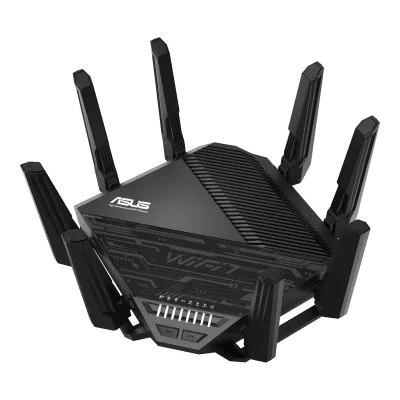
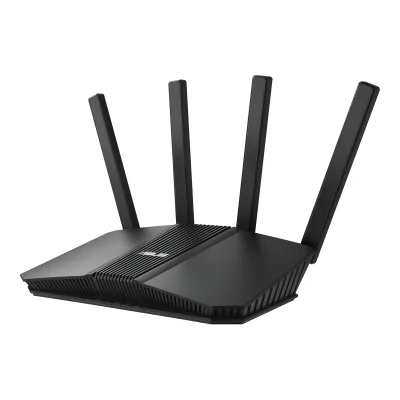
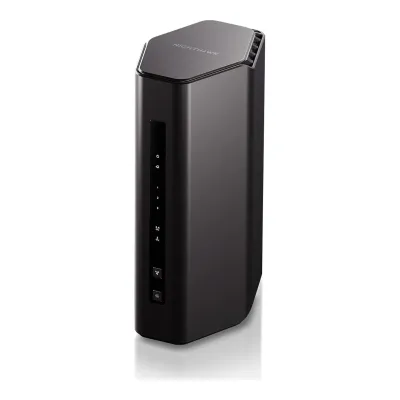
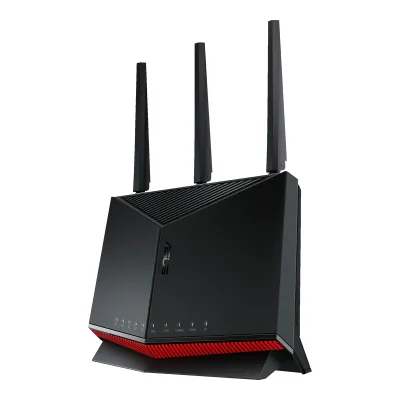
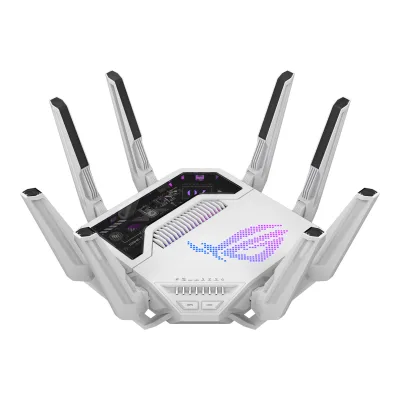
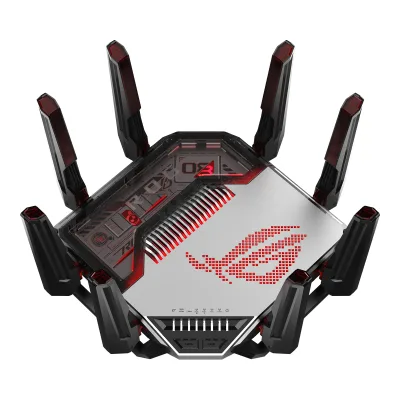
ASUS ROG Rapture GT-BE19000AI vs ASUS ROG Rapture GT-BN98 Pro
Product A: ASUS
63 of 90 known
Change ASUS ROG Rapture GT-BE19000AI
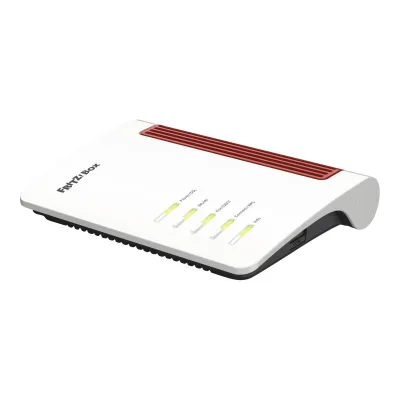
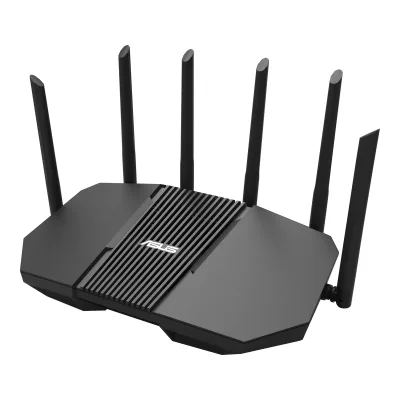
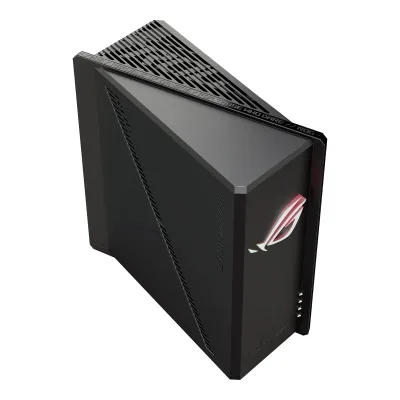
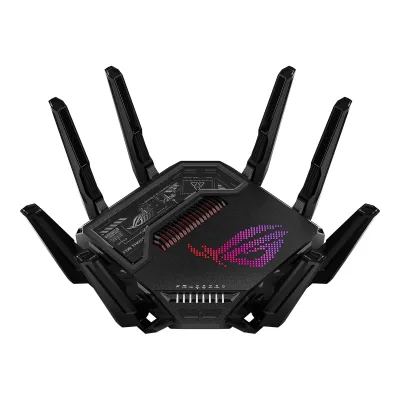
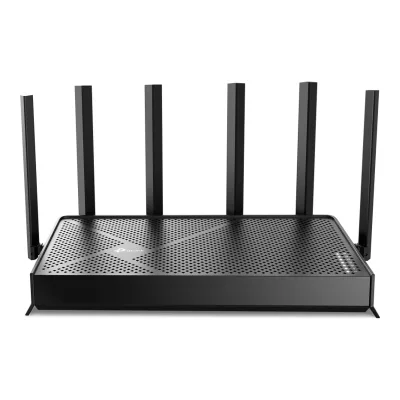
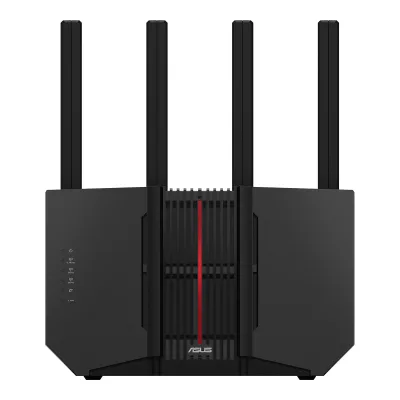
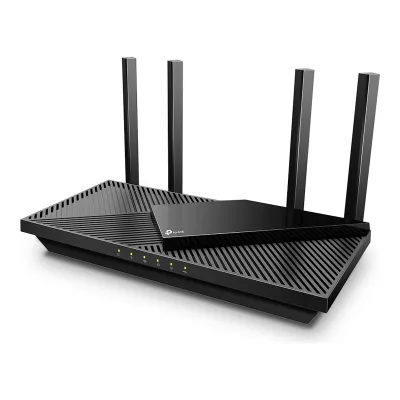
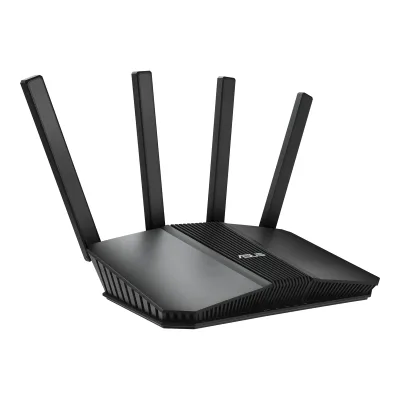
Product B: ASUS
57 of 90 known
Change ASUS ROG Rapture GT-BN98 Pro
27 of 80 fields differ
- 18 different values
- 9 known for one only
- 34 the same
- 19 missing for both
Biggest differences
Each bar uses the scale of all 62 routers.
- Link rateA: 18,669MbpsB: 30,198MbpsROG Rapture GT-BN98 Pro is 11,529 Mbps higher.
- Throughput (measured)A: 2,580MbpsB: 2,300MbpsROG Rapture GT-BE19000AI is 280 Mbps higher.
Weight
0 to 2,000 g
All 90 fields
Every value links to where we found it.
General
3 of 9 differ
Series
Model numbers
GTIN / EAN
Not available
Not available
Announced
Status
Predecessor
Not available
Not available
Successor
Not available
Not available
Launch price (US)
Launch price (EU)
Not available
Not available
Markets
Colours
Not available
Form factor
Wi-Fi
9 of 14 differ
Wi-Fi
Wi-Fi 71Maker product pagerog.asus.com/us/networking/rog-rapture-gt-be19000ai/specRead 14 October 2026
Not available
Wi-Fi speed class
Wi-Fi radios
AASUS ROG Rapture GT-BE19000AI
| Band | Wi-Fi | Streams | Max channel width (MHz) | Max link rate (Mbps) |
|---|---|---|---|---|
| 2.4 GHz | Wi-Fi 7 | 4 | 40 | 1,376 |
| 5 GHz | Wi-Fi 7 | 4 | 160 | 5,764 |
| 6 GHz | Wi-Fi 7 | 4 | 320 | 11,529 |
BASUS ROG Rapture GT-BN98 Pro
| Band | Streams | Max channel width (MHz) | Max link rate (Mbps) | Dedicated backhaul |
|---|---|---|---|---|
| 2.4 GHz | 4 | 40 | 1,376 | No |
| 5 GHz | 4 | 160 | 5,764 | No |
| 6 GHz | 4 | 320 | 11,529 | No |
| 6 GHz | 4 | 320 | 11,529 | No |
Radio bands
3
4
6 GHz band
Yes
Yes
Combined Wi-Fi link rate
18,669Mbps
30,198Mbps
Wi-Fi streams
12
16
Max Wi-Fi channel width
320MHz
320MHz
Wi-Fi features
Multi-Link Operation (MLO), 4K-QAM, OFDMA, MU-MIMO, AFC (6 GHz standard power)1Maker product pagerog.asus.com/us/networking/rog-rapture-gt-be19000ai/specRead 14 October 2026Boosts Speed row: OFDMA, 4096-QAM and 20/40/80/160/320 MHz bandwidth. MU-MIMO is in the Wireless list, with a footnote that it needs router and client support. Multi-Link Operation comes from Tom's Guide and Dong Knows Tech. AFC comes from Dong Knows Tech.5Measurementtomsguide.com/computing/routers/asus-rog-rapture-gt-be19000ai-reviewRead 14 October 2026The review names ultra-wide 320MHz channels, Multi-Link Operations and 4K QAM.6Reviewdongknows.com/asus-gt-be19000ai-reviewRead 14 October 2026MLO: Yes. AFC: Yes with firmware 3.0.0.6.102_40272 and later, so afc is stored.
Multi-Link Operation (MLO), 4K-QAM, OFDMA, MU-MIMO, Band steering, AFC (6 GHz standard power)1Maker product pagerog.asus.com/us/networking/rog-rapture-gt-bn98-pro/specRead 20 October 2026Boosts Speed row: OFDMA, 4096-QAM and 20/40/80/160/320 MHz bandwidth. MU-MIMO is in the Wireless list. The main page names a Guest Network Pro SSID for Multi-Link Operation (MLO Network). The Wi-Fi 8 features the page lists (Multi-AP coordination and others) have no option.2Maker product pagerog.asus.com/us/networking/rog-rapture-gt-bn98-proRead 20 October 2026Guest Network Pro section: dedicated SSIDs for IoT devices, kids, VPNs, gaming and Multi-Link Operation (MLO Network).3Owner's manualdlcdnets.asus.com/pub/ASUS/wireless/GT-BN98%20Pro/E28571_GT-BN98_Pro_UM_EAA_WEB.pdfRead 20 October 2026Tutorial, Wi-Fi: How to configure Smart Connect in ASUS Router. Smart Connect is band steering. HighSpeedInternet says the router separates all bands by default and Smart Connect can be selected.5Measurementtomsguide.com/computing/routers/asus-rog-rapture-gt-bn98pro-reviewRead 20 October 2026The review lists 4K QAM, 320 MHz channels and Multi-Link Operations.6Reviewhighspeedinternet.com/resources/asus-rog-rapture-gt-bn98-pro-reviewRead 20 October 2026FAQ: the router will support AFC in a firmware upgrade scheduled for mid-October 2026. The review of 2026-09-22 ran on pre-launch firmware without AFC. Whether that firmware has shipped was not checked. Smart Connect (band steering) is selectable.
External antennas
Internal antennas
Not available
Not available
Detachable antennas
Coverage of one unit (claimed)
Not available
Connected devices per unit (claimed)
Not available
Ports and modem
0 of 9 differ
Ports
AASUS ROG Rapture GT-BE19000AI
| Port | Count | Role | Max speed (Gbps) | Version |
|---|---|---|---|---|
| RJ45 | 1 | WAN or LAN | 10 | Not available |
| RJ45 | 1 | WAN or LAN | 2.5 | Not available |
| RJ45 | 1 | LAN | 10 | Not available |
| RJ45 | 3 | LAN | 2.5 | Not available |
| RJ45 | 1 | LAN | 1 | Not available |
| USB-A | 1 | Not available | 5 | USB 3.2 Gen 1 |
| USB-A | 1 | Not available | 0.48 | USB 2.0 |
Source1Maker product pagerog.asus.com/us/networking/rog-rapture-gt-be19000ai/specRead 14 October 2026I/O Ports row: 1 x 10Gbps for WAN/LAN, 1 x 2.5Gbps for WAN/LAN, 1 x 10Gbps for LAN, 3 x 2.5Gbps for LAN, 1 x RJ45 10/100/1000Mbps for LAN, 1 x USB 3.2 Gen1 and 1 x USB 2.0. The spec page does not name the USB connector. A UK retailer lists the USB 3.2 Gen 1 port as Type-A, and Type-A is assumed for the USB 2.0 port. The 5 Gbps rate for USB 3.2 Gen 1 is from Tom's Guide.5Measurementtomsguide.com/computing/routers/asus-rog-rapture-gt-be19000ai-reviewRead 14 October 2026The USB ports put a connected drive on the network at up to 5 Gbps.
BASUS ROG Rapture GT-BN98 Pro
| Port | Count | Role | Max speed (Gbps) | Version |
|---|---|---|---|---|
| RJ45 | 1 | WAN or LAN | 10 | Not available |
| RJ45 | 1 | WAN or LAN | 2.5 | Not available |
| RJ45 | 1 | LAN | 10 | Not available |
| RJ45 | 3 | LAN | 2.5 | Not available |
| RJ45 | 1 | LAN | 1 | Not available |
| USB-A | 1 | Not available | 5 | USB 3.2 Gen 1 |
| USB-A | 1 | Not available | 0.48 | USB 2.0 |
Source1Maker product pagerog.asus.com/us/networking/rog-rapture-gt-bn98-pro/specRead 20 October 2026I/O Ports row: 1 x 10Gbps for WAN/LAN, 1 x 2.5Gbps for WAN/LAN, 1 x 10Gbps for LAN, 3 x 2.5Gbps for LAN, 1 x 1Gbps for LAN, 1 x USB 3.2 Gen1, 1 x USB 2.0. USB 3.2 Gen 1 is stored as 5 Gbps and USB 2.0 as 0.48 Gbps by the field rule. The 10G LAN port is the dedicated gaming port.3Owner's manualdlcdnets.asus.com/pub/ASUS/wireless/GT-BN98%20Pro/E28571_GT-BN98_Pro_UM_EAA_WEB.pdfRead 20 October 2026Section 1.3: 10GE WAN/LAN1, 2.5GE WAN/LAN1, 2.5GE LAN2-4, 1GE LAN5, 10GE LAN6, one USB 2.0 and one USB 3.2 Gen 1 port.
Ethernet ports
7
7
Multi-gig ports
6
6
Fastest WAN port
10Gbps
10Gbps
Fastest LAN port
10Gbps
10Gbps
USB ports
2
2
SFP+ port
No
No
Built-in modem
Not available
Not available
Modem standards
Not available
Not available
Mesh
0 of 7 differ
Mesh technologies
Units per pack
Coverage of the pack (claimed)
Not available
Not available
Identical units
Not available
Not available
Satellite model
Not available
Not available
Satellite ports
Not available
Not available
Ethernet backhaul
Software
4 of 7 differ
Management
Mobile app, Web interface1Maker product pagerog.asus.com/us/networking/rog-rapture-gt-be19000ai/specRead 14 October 2026User Interface rows: WEB ASUSWRT and APP ASUS Router APP.
Mobile app, Web interface1Maker product pagerog.asus.com/us/networking/rog-rapture-gt-bn98-pro/specRead 20 October 2026User Interface row: WEB ASUSWRT and APP ASUS Router APP.2Maker product pagerog.asus.com/us/networking/rog-rapture-gt-bn98-proRead 20 October 2026The page shows the ASUSWRT interface and the ASUS Router app.3Owner's manualdlcdnets.asus.com/pub/ASUS/wireless/GT-BN98%20Pro/E28571_GT-BN98_Pro_UM_EAA_WEB.pdfRead 20 October 2026Section 2.1 sets up the router through the ASUS Router app or the web GUI at asusrouter.com.
Online account required
Not available
Operating modes
Router, Access point, Mesh node1Maker product pagerog.asus.com/us/networking/rog-rapture-gt-be19000ai/specRead 14 October 2026Operating Mode row: Router (AiMesh router), AiMesh node, Access point.
Router, Mesh node, Access point, Repeater, Media bridge1Maker product pagerog.asus.com/us/networking/rog-rapture-gt-bn98-pro/specRead 20 October 2026Operating Mode row: Router (AiMesh router), AiMesh node, Access point, Repeater, Media bridge.
Network features
Guest network, IoT network, VLAN, IPTV, Dual WAN, LAN aggregation, QoS, Parental controls, Dynamic DNS1Maker product pagerog.asus.com/us/networking/rog-rapture-gt-be19000ai/specRead 14 October 2026Guest Network (Guest Network Pro), VLAN, IPTV, Dual WAN, LAN Link Aggregation, DDNS and Parental Control rows. Traffic Control lists Adaptive QoE with a bandwidth limiter. The features page lists an IoT Network SSID and says parental controls need no subscription.2Maker product pagerog.asus.com/us/networking/rog-rapture-gt-be19000aiRead 14 October 2026Up to 5 SSIDs or VLANs for gaming, IoT and VPN. Parental control: all without subscriptions.
Guest network, IoT network, VLAN, IPTV, Dual WAN, WAN aggregation, LAN aggregation, QoS, Parental controls, Dynamic DNS1Maker product pagerog.asus.com/us/networking/rog-rapture-gt-bn98-pro/specRead 20 October 2026Guest Network row: Guest Network Pro. The main page lists an IoT Network and a Kid's Network as Guest Network Pro SSIDs. LAN rows: IPTV, LAN Link Aggregation, VLAN. WAN rows: Dual WAN, WAN Aggregation, DDNS. Traffic Control row: Adaptive QoE with a bandwidth limiter. Parental Control row: web and app filters and time scheduling. The maker's security page and HighSpeedInternet say security and parental controls need no subscription.2Maker product pagerog.asus.com/us/networking/rog-rapture-gt-bn98-proRead 20 October 2026Guest Network Pro with IoT Network and Kid's Network, VLAN controls, multi-WAN, up to 20G link aggregation, adaptive QoE and parental control.6Reviewhighspeedinternet.com/resources/asus-rog-rapture-gt-bn98-pro-reviewRead 20 October 2026Feature list: free parental controls, dual WAN with failover and load balancing, VLAN tagging, WAN aggregation up to 20 Gbps and multiple SSIDs.
VPN server
VPN client
USB applications
File server, Cellular modem1Maker product pagerog.asus.com/us/networking/rog-rapture-gt-be19000ai/specRead 14 October 2026The WAN list names a 3G / 4G LTE dongle and 4G / 5G auto mobile tethering, and the USB application list names file systems for attached drives. Tom's Guide describes a connected drive shared on the network and a phone connection as backup internet.5Measurementtomsguide.com/computing/routers/asus-rog-rapture-gt-be19000ai-reviewRead 14 October 2026The review says the USB ports share a drive on the network and can connect a mobile phone's internet connection.
File server, Media server, Printer server, Cellular modem1Maker product pagerog.asus.com/us/networking/rog-rapture-gt-bn98-pro/specRead 20 October 2026USB application rows: 4G / 5G Auto Mobile Tethering, and the WAN rows list a 3G / 4G LTE dongle. The manual names SMB, UPnP AV and FTP servers, and HighSpeedInternet names USB printer sharing.3Owner's manualdlcdnets.asus.com/pub/ASUS/wireless/GT-BN98%20Pro/E28571_GT-BN98_Pro_UM_EAA_WEB.pdfRead 20 October 2026Section 1.1: SMB server, UPnP AV server and FTP server for file sharing.6Reviewhighspeedinternet.com/resources/asus-rog-rapture-gt-bn98-pro-reviewRead 20 October 2026Feature list: USB-based media streaming and sharing, USB-based printer sharing and USB-based 4G/5G tethering.
Security
1 of 5 differ
Wi-Fi security
WPA2-Personal, WPA3-Personal, WPA2-Enterprise, WPA3-Enterprise, Enhanced Open (OWE)1Maker product pagerog.asus.com/us/networking/rog-rapture-gt-be19000ai/specRead 14 October 2026WiFi Encryption rows: WPA/WPA2/WPA3 Personal, WPA/WPA2/WPA3 Enterprise and Open System & OWE. A footnote says Enterprise is only available on a single router, not in AiMesh mode.
WPA2-Personal, WPA3-Personal, WPA2-Enterprise, WPA3-Enterprise, Enhanced Open (OWE)1Maker product pagerog.asus.com/us/networking/rog-rapture-gt-bn98-pro/specRead 20 October 2026WiFi Encryption row: WPA/WPA2/WPA3 Personal, WPA/WPA2/WPA3 Enterprise, Open System and OWE. A page footnote says WPA/WPA2/WPA3 Enterprise works on a single router and not in AiMesh mode.
Security service
Security service cost
Free2Maker product pagerog.asus.com/us/networking/rog-rapture-gt-bn98-proRead 20 October 2026Upgraded AiProtection with ad and tracker blocking. The maker's security copy names no subscription.6Reviewhighspeedinternet.com/resources/asus-rog-rapture-gt-bn98-pro-reviewRead 20 October 2026Free security tools and free parental controls. The only extra costs are optional third-party VPN and AdGuard plans.
Automatic firmware updates
Security updates until
Not available
Smart home
None of 5 known
Thread border router
Not available
Not available
Matter controller
Not available
Not available
Zigbee hub
Not available
Not available
Bluetooth
Not available
Not available
Smart home platforms
Not available
Not available
Hardware
3 of 6 differ
System on chip
Broadcom BCM4916, BCM6726 and BCM672635Measurementtomsguide.com/computing/routers/asus-rog-rapture-gt-be19000ai-reviewRead 14 October 2026Specs box: Wi-Fi chips Broadcom BCM4916, BCM6726 and BCM67263. Text: BCM6726 for 2.4 and 5GHz, BCM67263 for 6GHz and the BCM4916 with its 2.6GHz quad-core processor. The Synaptics SL1680 AI SoC is a separate system and is not stored.
Not available
CPU cores
CPU clock
RAM
Flash storage
Cooling fan
No2Maker product pagerog.asus.com/us/networking/rog-rapture-gt-be19000aiRead 14 October 2026Designed to stay cool with a thicker aluminum plate, nanocarbon layer, stand, vent and heat spreader. No fan is listed. Tom's Guide says it is passively cooled.5Measurementtomsguide.com/computing/routers/asus-rog-rapture-gt-be19000ai-reviewRead 14 October 2026Passively cooled. It does not have a fan, which is why it tends to run hot.
Power
0 of 5 differ
Power supply
Rated power input
12 V, 5 A1Maker product pagerog.asus.com/us/networking/rog-rapture-gt-bn98-pro/specRead 20 October 2026Power Supply row: DC output 12V with max 5A current. The manual says the DC power adapter output is +12V with 5A.3Owner's manualdlcdnets.asus.com/pub/ASUS/wireless/GT-BN98%20Pro/E28571_GT-BN98_Pro_UM_EAA_WEB.pdfRead 20 October 2026Section 1.3 notes: DC power adapter (DC output) +12V with 5A current.
Included adapter output
Power use (typical, claimed)
Not available
Not available
Power use (max, claimed)
Not available
Not available
Measured
5 of 6 differ
Wi-Fi throughput (measured)
AASUS ROG Rapture GT-BE19000AI
| Distance (m) | Connected to | Throughput (Mbps) |
|---|---|---|
| 4.572 | Main unit | 2,580 |
| 15.24 | Main unit | 1,006 |
| 22.86 | Main unit | 528.3 |
| 27.432 | Main unit | 49.1 |
BASUS ROG Rapture GT-BN98 Pro
| Distance (m) | Connected to | Throughput (Mbps) |
|---|---|---|
| 4.572 | Main unit | 2,300 |
| 15.24 | Main unit | 950.6 |
| 22.86 | Main unit | 799.7 |
| 27.432 | Main unit | 63.4 |
Fastest Wi-Fi throughput (measured)
2,580Mbps
2,300Mbps
Wi-Fi throughput through a wall (measured)
Not available
Not available
Range (measured)
Power use under load (measured)
Energy use per day (measured)
Not available
Dimensions and weight
1 of 4 differ
Dimensions
Not available
Not available
Dimensions with antennas
Width350.41Height220.6Depth350.41mm(13.8 × 8.7 × 13.8 in)1Maker product pagerog.asus.com/us/networking/rog-rapture-gt-be19000ai/specRead 14 October 2026Product Dimensions 350.41 x 350.41 x 220.6 mm. The page does not say how the antennas are set. Dong Knows Tech prints 358.6 x 358.6 x 222.8 mm with antennas and Tom's Guide 13.6 x 13.6 x 8.4 in, so the maker's size is stored as the size with its eight external antennas.
Width350.41Height220.6Depth350.41mm(13.8 × 8.7 × 13.8 in)1Maker product pagerog.asus.com/us/networking/rog-rapture-gt-bn98-pro/specRead 20 October 2026Product Dimensions row: 350.41*350.41*220.60, without units. Tom's Guide gives 13.8 x 13.8 x 2.7 in. for the body plus 6.1 in. for antennas pointed straight up, so the 220.6 mm height is with antennas up and is stored as the size with antennas. Dong Knows Tech prints 358.6 x 358.6 x 222.8 mm, which differs. The maker's figure is used. No body size without antennas is published.
Weight
Wall mountable
Not available
Not available
Certifications
None of 1 known
Wi-Fi Alliance certification ID
Not available
Not available
FCC ID
Not available
Not available
Other certifications
Not available
Not available
In the box
1 of 1 differ
In the box
GT-BE19000AI tri-band gaming router, RJ-45 cable, Power adapter, Quick Start Guide, Warranty card1Maker product pagerog.asus.com/us/networking/rog-rapture-gt-be19000ai/specRead 14 October 2026Package Content: GT-BE19000AI tri-band gaming router, RJ-45 cable, Power adapter, Quick Start Guide, Warranty card.
Not available
Links
Not compared
Product page
Spec sheet
Manual
Not available
EPREL registration number
Not available
Not available
Warranty
0 of 1 differ
Manufacturer warranty (source market)
Both are also in the API. Back to all routers.