CPU coolers / Compare
ASUS ROG Ryujin III 360 ARGB Extreme vs Thermalright Grand Vision 360 ARGB
Product A: ASUS
ROG Ryujin III 360 ARGB Extreme
33 of 54 known ARCTIC Liquid Freezer III Pro 360
 MSI MAG CoreLiquid A13 360
 CORSAIR NAUTILUS 360 RS ARGB
 ID-COOLING FX360 INF
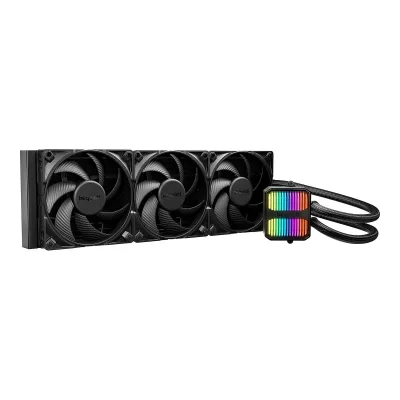 be quiet! Silent Loop 3 420mm
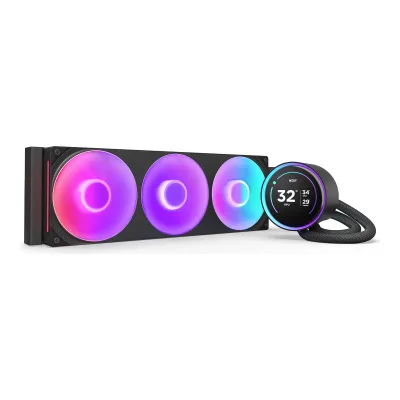 NZXT Kraken Elite 360 RGB (2024)
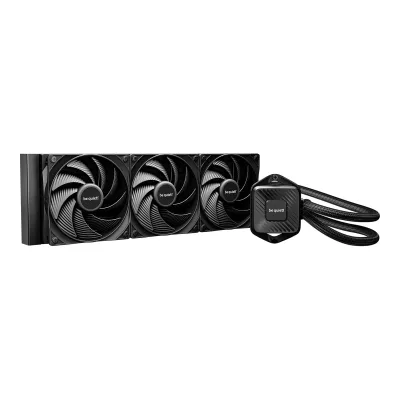 be quiet! Pure Loop 3 360mm
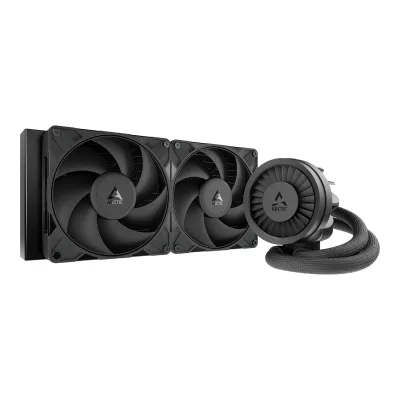 ARCTIC Liquid Freezer III Pro 280
 ARCTIC Liquid Freezer III Pro 420
 MSI MPG CoreLiquid P13 360
 NZXT Kraken Plus 280
 NZXT Kraken Plus 240
Change ASUS ROG Ryujin III 360 ARGB Extreme
Compare the Thermalright Grand Vision 360 ARGB with
ARCTIC Liquid Freezer III Pro 360MSI MAG CoreLiquid A13 360CORSAIR NAUTILUS 360 RS ARGBID-COOLING FX360 INFbe quiet! Silent Loop 3 420mmNZXT Kraken Elite 360 RGB (2024)be quiet! Pure Loop 3 360mmARCTIC Liquid Freezer III Pro 280ARCTIC Liquid Freezer III Pro 420MSI MPG CoreLiquid P13 360NZXT Kraken Plus 280NZXT Kraken Plus 240Product B: Thermalright
30 of 54 knownNZXT Kraken Elite 360 RGB (2024)CORSAIR NAUTILUS 360 RS ARGBID-COOLING FX360 INFMSI MAG CoreLiquid A13 360ARCTIC Liquid Freezer III Pro 360be quiet! Silent Loop 3 420mm ASUS ROG Ryuo IV SLC 360 ARGB
 Thermalright Wonder Vision 360 UB ARGB
 NZXT Kraken Plus 360 RGB
 CORSAIR NAUTILUS 240 RS ARGB
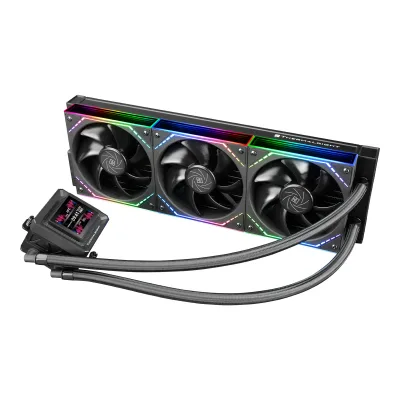 Thermalright Frozen Warframe 360 SE ARGB V2MSI MPG CoreLiquid P13 360
Change Thermalright Grand Vision 360 ARGB
Compare the ASUS ROG Ryujin III 360 ARGB Extreme with
NZXT Kraken Elite 360 RGB (2024)CORSAIR NAUTILUS 360 RS ARGBID-COOLING FX360 INFMSI MAG CoreLiquid A13 360ARCTIC Liquid Freezer III Pro 360be quiet! Silent Loop 3 420mmASUS ROG Ryuo IV SLC 360 ARGBThermalright Wonder Vision 360 UB ARGBNZXT Kraken Plus 360 RGBCORSAIR NAUTILUS 240 RS ARGBThermalright Frozen Warframe 360 SE ARGB V2MSI MPG CoreLiquid P13 36016 of 46 fields differ
- 13 different values
- 3 known for one only
- 13 the same
- 17 missing for both
All 54 fields
Every value links to where we found it.
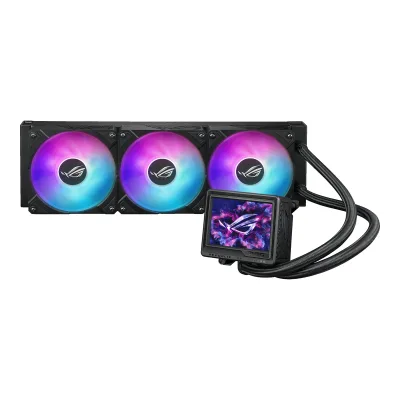
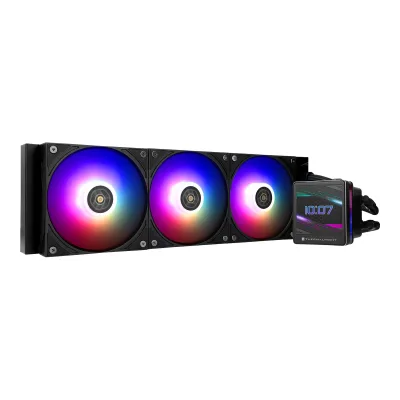
General
4 of 12 differ
Series
Model numbers
90RC0131-M0EAY0, 90RC0131-M0AAY0, 90RC0132-M0EAY05Maker product pageeshop.asus.com/us/90rc0131-m0aay0-rog-ryujin-iii-360-argb-extreme.htmlRead 15 October 2026ASUS US store: Part Number 90RC0131-M0AAY0 for the black ROG Ryujin III 360 ARGB Extreme. The EU code 90RC0131-M0EAY0 is on ASUS Switzerland and EU retailers.6Spec databasecomparateur-gamer.fr/prix/asus-ryujin-iii-360-argb-extreme-4711387715253Read 15 October 2026Black model reference 90RC0131-M0EAY0.7Spec databasecomparateur-gamer.fr/prix/asus-rog-ryujin-iii-360-argb-extreme-white-4711387789957Read 15 October 2026White Edition reference 90RC0132-M0EAY0.
GTIN / EAN
4711387715253, 47113877899576Spec databasecomparateur-gamer.fr/prix/asus-ryujin-iii-360-argb-extreme-4711387715253Read 15 October 2026EAN 4711387715253 for 90RC0131-M0EAY0. The page also copies a weight of 1.4 kg, which conflicts with Basic Tutorials' 2.0 kg, so no weight is stored.7Spec databasecomparateur-gamer.fr/prix/asus-rog-ryujin-iii-360-argb-extreme-white-4711387789957Read 15 October 2026EAN 4711387789957 for the White Edition 90RC0132-M0EAY0.
Not available
Announced
Not available
Status
Predecessor
Not available
Not available
Successor
Not available
Not available
Launch price (US)
Not available
Launch price (EU)
Not available
Not available
Markets
Not available
Not available
Colours
Black, White1Maker product pagerog.asus.com/us/cooling/cpu-liquid-coolers/rog-ryujin/rog-ryujin-iii-360-argb-extreme/specRead 15 October 2026The maker sells the black Ryujin III 360 ARGB Extreme and a White Edition with an identical spec page.7Spec databasecomparateur-gamer.fr/prix/asus-rog-ryujin-iii-360-argb-extreme-white-4711387789957Read 15 October 2026Product colour listed as white.
Black, White1Maker product pagethermalright.com/product/grand-vision-360-black-argbRead 15 October 2026Black on this page. White on the Grand Vision 360 ARGB WHITE page.2Maker product pagethermalright.com/product/grand-vision-360-white-argbRead 15 October 2026The white edition has its own page, Grand Vision 360 ARGB WHITE.9Retailer pagecomputerlounge.co.nz/products/thermalright-grand-vision-360-argb-white-360mm-lcd-aio-cpu-liquid-coolerRead 15 October 2026White edition sold with the same pump, 403 mm radiator and a TL-H12W-X28-S fan.
Cooler type
Air cooler layout
Not available
Not available
Rated TDP (claimed)
Not available
Not available
Base material
Copper1Maker product pagerog.asus.com/us/cooling/cpu-liquid-coolers/rog-ryujin/rog-ryujin-iii-360-argb-extreme/specRead 15 October 2026Block Material (CPU Plate): Copper. No plating is stated.11Reviewhardwareluxx.de/index.php/artikel/hardware/kuehlung/65033-asus-rog-ryujin-iii-360-argb-extreme-im-test-wie-wirksam-sind-die-performanceoptimierungen-der-luxus-aio-k%C3%BChlung.htmlRead 15 October 2026Copper base plate.
Thermal paste
Pre-applied1Maker product pagerog.asus.com/us/cooling/cpu-liquid-coolers/rog-ryujin/rog-ryujin-iii-360-argb-extreme/specRead 15 October 2026Package Content: 1 x CPU Liquid Cooler (pre-applied thermal compound). The list has no paste tube. Hardwareluxx also says no spare paste is in the box. MKAU received a separate ROG paste tube in the test box, which the maker does not list.2Maker product pagerog.asus.com/us/cooling/cpu-liquid-coolers/rog-ryujin/rog-ryujin-iii-360-argb-extremeRead 15 October 2026Pre-applied thermal compound is in the package list on the spec page.8Reviewbasic-tutorials.com/reviews/hardware-reviews/asus-rog-ryujin-iii-360-argb-extremeRead 15 October 2026The CPU plate is copper with pre-applied thermal compound.11Reviewhardwareluxx.de/index.php/artikel/hardware/kuehlung/65033-asus-rog-ryujin-iii-360-argb-extreme-im-test-wie-wirksam-sind-die-performanceoptimierungen-der-luxus-aio-k%C3%BChlung.htmlRead 15 October 2026Thermal paste is already on the copper base plate. No spare paste is in the box.
Included3Owner's manualdownload.thermalright.com/manuals/GRANDVISION360ARGBBLACK.pdfRead 15 October 2026Component list item E: Thermal Compound X1, drawn as a syringe. It is a separate tube. Tom's Hardware names it TF7 paste.5Reviewtomshardware.com/pc-components/liquid-cooling/thermalright-grand-vision-360-reviewRead 15 October 2026Review: included with the AIO is a small tube of Thermalright TF7 thermal paste.
Compatibility
2 of 3 differ
CPU sockets
AM5, AM4, LGA1851, LGA1700, LGA1200, LGA1156, LGA1155, LGA1151, LGA11501Maker product pagerog.asus.com/us/cooling/cpu-liquid-coolers/rog-ryujin/rog-ryujin-iii-360-argb-extreme/specRead 15 October 2026Compatibility: AMD AM5 and AM4. Intel LGA 1851, 1700, 1200 and 115x. The maker's 115x is stored as LGA1150, LGA1151, LGA1155 and LGA1156, which Pokde.Net names as supported.9Reviewpokde.net/review/asus-rog-ryujin-iii-360-argb-extreme-reviewRead 15 October 2026Specification table: Intel LGA1851/1700/1200/1151/1150/1155/1156, AMD AM5/AM4.
AM5, AM4, LGA1851, LGA1700, LGA1200, LGA1150, LGA1151, LGA1155, LGA1156, LGA2011, LGA20661Maker product pagethermalright.com/product/grand-vision-360-black-argbRead 15 October 2026Page header: Intel LGA115X/1200/1700/1851/2011/2066 and AMD AM4/AM5. LGA115X is written as LGA1150, LGA1151, LGA1155 and LGA1156. The page says 2011 with no suffix, so it is stored as LGA2011. The manual includes the LGA20XX screws in the box. Tom's Hardware lists only 1851, 1700, 1200, 115x, AM5 and AM4.3Owner's manualdownload.thermalright.com/manuals/GRANDVISION360ARGBBLACK.pdfRead 15 October 2026Installation pages show AMD AM4/AM5, Intel LGA1700/1851, LGA115X/1200 and LGA20XX with the 2011 mounting hole.5Reviewtomshardware.com/pc-components/liquid-cooling/thermalright-grand-vision-360-reviewRead 15 October 2026Specification table: Intel LGA 1851/1700/1200/115x and AMD AM5/AM4. It does not name 2011 or 2066.8Retailer pageldlc.com/en/product/PB00661511.htmlRead 15 October 2026Processor support lists AMD AM4/AM5 and Intel 1150, 1151, 1155, 1156, 1200, 1700, 1851, 2011, 2011-v3 and 2066. Only the sockets Thermalright names are stored, so 2011-v3 is not.
RAM height clearance
Not available
Not available
Offset mounting
Yes2Maker product pagerog.asus.com/us/cooling/cpu-liquid-coolers/rog-ryujin/rog-ryujin-iii-360-argb-extremeRead 15 October 2026Optimization for Intel Processors: the adjustable bracket, new pump and upgraded fans can reduce CPU temperatures by up to 7.5 percent compared with the standard ROG Ryujin III 360 ARGB, tuned to the heat zones of Intel Core Ultra (Series 2). The press release calls it a movable bracket design and an exclusive adjustable bracket that lets the cold plate fit the CPU better.4Press releasepress.asus.com/news/press-releases/rog-launches-ryujin-iii-360-argb-extreme-aio-coolerRead 15 October 2026Optimized for the heat zones of Intel Core Ultra (Series 2) via a movable bracket design. The exclusive adjustable bracket allows the cold plate to better fit the CPU.
Not available
Heatsink
None of 3 known
Heat pipes
Not available
Not available
Heat pipe diameter
Not available
Not available
Direct-contact heat pipes
Not available
Not available
Liquid cooling
3 of 7 differ
Radiator size
Radiator dimensions
Length399.5Width120Thickness30mm(15.7 × 4.7 × 1.2 in)1Maker product pagerog.asus.com/us/cooling/cpu-liquid-coolers/rog-ryujin/rog-ryujin-iii-360-argb-extreme/specRead 15 October 2026Radiator Dimension 399.5 x 120 x 30 mm. The maker gives no axis labels. 399.5 mm is the length along the three fans, 30 mm is the depth and 120 mm is the width across. Hardwareluxx gives the same size as L x W x H.11Reviewhardwareluxx.de/index.php/artikel/hardware/kuehlung/65033-asus-rog-ryujin-iii-360-argb-extreme-im-test-wie-wirksam-sind-die-performanceoptimierungen-der-luxus-aio-k%C3%BChlung.htmlRead 15 October 2026Radiator without fans 399.5 x 120 x 30 mm (L x W x H), aluminium.
Length403Width120Thickness27mm(15.9 × 4.7 × 1.1 in)1Maker product pagethermalright.com/product/grand-vision-360-black-argbRead 15 October 2026Radiator Dimensions: L403 mm x W120 mm x H27 mm. The blueprint on the page prints 403.00 +/-2.00, 120.00 +/-1.00 and 27.00 +/-1.00. Some retailers print 55 mm, which is the thickness with fans.
Radiator material
Aluminium1Maker product pagerog.asus.com/us/cooling/cpu-liquid-coolers/rog-ryujin/rog-ryujin-iii-360-argb-extreme/specRead 15 October 2026Radiator Material: Aluminum.11Reviewhardwareluxx.de/index.php/artikel/hardware/kuehlung/65033-asus-rog-ryujin-iii-360-argb-extreme-im-test-wie-wirksam-sind-die-performanceoptimierungen-der-luxus-aio-k%C3%BChlung.htmlRead 15 October 2026Aluminium radiator.
Tube length
400mm1Maker product pagerog.asus.com/us/cooling/cpu-liquid-coolers/rog-ryujin/rog-ryujin-iii-360-argb-extreme/specRead 15 October 2026Tube Length 400 mm, sleeved rubber tube.11Reviewhardwareluxx.de/index.php/artikel/hardware/kuehlung/65033-asus-rog-ryujin-iii-360-argb-extreme-im-test-wie-wirksam-sind-die-performanceoptimierungen-der-luxus-aio-k%C3%BChlung.htmlRead 15 October 2026Textile-sleeved rubber tubes, 40 cm.
400mm1Maker product pagethermalright.com/product/grand-vision-360-black-argbRead 15 October 2026The blueprint drawing on the page prints 400.00 +/-10 for the tube side view. LDLC France lists a hose length of 400 mm. The page does not label the figure as the tube length.8Retailer pageldlc.com/en/product/PB00661511.htmlRead 15 October 2026Key features: hose length 400 mm.
Max pump speed
3,600rpm8Reviewbasic-tutorials.com/reviews/hardware-reviews/asus-rog-ryujin-iii-360-argb-extremeRead 15 October 2026Technical details table for this model: pump speed 800 ~ 3600 rpm +/- 10 percent, 8th generation Asetek pump. The maker's page for the Extreme gives only the 5100 rpm VRM fan speed. MKAU Gaming also states up to 3600 RPM.10Reviewmkaugaming.com/all-review-list/rog-ryujin-iii-360-argb-extreme-aio-liquid-cooler-hardware-reviewRead 15 October 2026Review of April 1, 2025: 8th Gen Asetek pump with a 3-phase motor spinning at up to 3600 RPM.
Pump power connector
4-pin PWM fan header2Maker product pagerog.asus.com/us/cooling/cpu-liquid-coolers/rog-ryujin/rog-ryujin-iii-360-argb-extremeRead 15 October 2026Quick start guide, page 26: connect the 4-pin fan cable to a CPU_FAN, AIO_PUMP or W_PUMP+ header. Basic Tutorials says pump and VRM fan share one 4-pin PWM connection.3Owner's manualdlcdnets.asus.com/pub/ASUS/Accessory/Cooling/ROG_RYUJIN_III_360_ARGB_EXTREME/Q23915_ROG_RYUJIN_III_360_ARGB_EXTREME_QSG_WEB.pdfRead 15 October 2026Page 26: Connect the 4-pin fan cable to the 4-pin CPU_FAN, AIO_PUMP or W_PUMP+ header. Page 28 note: the AIO_PUMP and W_PUMP+ headers run the pump at full speed.8Reviewbasic-tutorials.com/reviews/hardware-reviews/asus-rog-ryujin-iii-360-argb-extremeRead 15 October 2026Pump and VRM fan are controlled through a single 4-pin PWM connection. The screen uses an internal USB 2.0 header.9Reviewpokde.net/review/asus-rog-ryujin-iii-360-argb-extreme-reviewRead 15 October 2026Two cables leave the pump unit: a 4-pin PWM for the VRM fan and pump, and USB for the display.
VRM fan
Yes1Maker product pagerog.asus.com/us/cooling/cpu-liquid-coolers/rog-ryujin/rog-ryujin-iii-360-argb-extreme/specRead 15 October 2026Embedded FAN: YES, 5100 RPM +/- 10%, 5.53 mmH2O, 21.08 CFM. It is the fan in the pump housing. It is left out of the fans table.2Maker product pagerog.asus.com/us/cooling/cpu-liquid-coolers/rog-ryujin/rog-ryujin-iii-360-argb-extremeRead 15 October 2026Embedded fan in the pump housing to cool motherboard VRMs.9Reviewpokde.net/review/asus-rog-ryujin-iii-360-argb-extreme-reviewRead 15 October 2026The VRM cooler fan spins up to 5,100 RPM.
Fans
1 of 2 differ
Included fans
AASUS ROG Ryujin III 360 ARGB Extreme
| Model | Size (mm) | Fans | Max speed (rpm) | Airflow (CFM) | Static pressure (mmH₂O) | Noise (claimed) (dB(A)) | Bearing | Connector |
|---|---|---|---|---|---|---|---|---|
| ROG MF-12S ARGB Extreme | 120 | 3 | 2,800 | 89.73 | 5.15 | 36 | Fluid dynamic (FDB) | 4-pin PWM |
Source1Maker product pagerog.asus.com/us/cooling/cpu-liquid-coolers/rog-ryujin/rog-ryujin-iii-360-argb-extreme/specRead 15 October 2026Fan section: ROG Magnetic Daisy-chainable Fan, 3 x 120 mm slots, 120 x 120 x 30 mm, 0 - 2800 RPM +/- 10%, static pressure 5.15 mmH2O, airflow 89.73 CFM, noise 36 dB(A), control mode PWM/DC. The zero RPM stop is not stored and no minimum running speed is published. The model name ROG MF-12S ARGB Extreme is from the quick start guide. The features page says the fans use fluid dynamic bearings (FDB).2Maker product pagerog.asus.com/us/cooling/cpu-liquid-coolers/rog-ryujin/rog-ryujin-iii-360-argb-extremeRead 15 October 2026Fan design section: 0-2800 RPM, 5.15 mmH2O, 89.73 CFM, 36 dB(A). Fluid dynamic bearings. Three-phase six-pole motor and nine blades. Fans are 30 mm thick and snap together magnetically.3Owner's manualdlcdnets.asus.com/pub/ASUS/Accessory/Cooling/ROG_RYUJIN_III_360_ARGB_EXTREME/Q23915_ROG_RYUJIN_III_360_ARGB_EXTREME_QSG_WEB.pdfRead 15 October 2026Fan model name ROG MF-12S ARGB EXTREME FAN.8Reviewbasic-tutorials.com/reviews/hardware-reviews/asus-rog-ryujin-iii-360-argb-extremeRead 15 October 2026Fan connection 4-pin PWM, fan designation ASUS ROG MF-12S ARGB Extreme, 36 dB(A), 152.45 m3/h, 5.15 mmH2O. The review lists the pump block as 89 x 92 x 108 mm.11Reviewhardwareluxx.de/index.php/artikel/hardware/kuehlung/65033-asus-rog-ryujin-iii-360-argb-extreme-im-test-wie-wirksam-sind-die-performanceoptimierungen-der-luxus-aio-k%C3%BChlung.htmlRead 15 October 2026Fans run 0 - 2,800 rpm +/- 10 percent, 30 mm thick and magnetically daisy-chained.
BThermalright Grand Vision 360 ARGB
| Model | Size (mm) | Fans | Max speed (rpm) | Airflow (CFM) | Static pressure (mmH₂O) | Noise (claimed) (dB(A)) | Bearing | Connector |
|---|---|---|---|---|---|---|---|---|
| TL-H12-X28-S | 120 | 3 | 2,150 | 80.45 | 2.65 | 29.4 | Fluid dynamic (FDB) | 4-pin PWM |
Source1Maker product pagethermalright.com/product/grand-vision-360-black-argbRead 15 October 2026TL-H12-X28-S SPECIFICATION: 120 x 120 x 28 mm, rated speed 2150 RPM +/-10% (MAX), noise 29.4 dBA (MAX), air flow 80.45 CFM (MAX), air pressure 2.65 mm H2O (MAX), 4 PIN PWM connector, S-FDB V2 bearing. S-FDB is stored as fluid dynamic. The page does not state the fan count. The count of 3 comes from the manual. No minimum speed is published.3Owner's manualdownload.thermalright.com/manuals/GRANDVISION360ARGBBLACK.pdfRead 15 October 2026Component list: Fan 240X2, 280X2, 360X3, 420X3. The 360 has three fans.5Reviewtomshardware.com/pc-components/liquid-cooling/thermalright-grand-vision-360-reviewRead 15 October 2026Review fan table: TL-H12-X28-S, 120 x 120 x 28 mm, up to 2150 RPM, up to 80.45 CFM, up to 2.65 mmH2O, S-FDB V2. Three fans.8Retailer pageldlc.com/en/product/PB00661511.htmlRead 15 October 2026Three TL-H12-X28-S fans listed with 2150 RPM, 80.45 CFM, 2.65 mm H2O and 29.4 dB.
Fans
3
3
Display and lighting
3 of 7 differ
RGB lighting
Yes1Maker product pagerog.asus.com/us/cooling/cpu-liquid-coolers/rog-ryujin/rog-ryujin-iii-360-argb-extreme/specRead 15 October 2026Special Features: AURA Sync Support Yes. The fans carry ARGB lighting.2Maker product pagerog.asus.com/us/cooling/cpu-liquid-coolers/rog-ryujin/rog-ryujin-iii-360-argb-extremeRead 15 October 2026ARGB fans.
Yes1Maker product pagethermalright.com/product/grand-vision-360-black-argbRead 15 October 2026The fan specification lists an ARGB Connector of 3 PIN 5V, and the product name says ARGB. Tom's Hardware lists ARGB on the fans and a diffused lighting strip on the CPU block.5Reviewtomshardware.com/pc-components/liquid-cooling/thermalright-grand-vision-360-reviewRead 15 October 2026Specification table: Lighting ARGB on fans, diffused lighting strip on CPU block.
Lighting standard
ARGB 5 V3Owner's manualdlcdnets.asus.com/pub/ASUS/Accessory/Cooling/ROG_RYUJIN_III_360_ARGB_EXTREME/Q23915_ROG_RYUJIN_III_360_ARGB_EXTREME_QSG_WEB.pdfRead 15 October 2026Page 27: the fan cable connects to a 4-1 pin ARGB header and a 4-pin fan header on the motherboard. Basic Tutorials lists the LED connection as 3-pin 5V ARGB.8Reviewbasic-tutorials.com/reviews/hardware-reviews/asus-rog-ryujin-iii-360-argb-extremeRead 15 October 2026Technical details: LED connection 3-pin 5V (ARGB), rated LED voltage 5 V, 8 addressable RGB LEDs per fan.11Reviewhardwareluxx.de/index.php/artikel/hardware/kuehlung/65033-asus-rog-ryujin-iii-360-argb-extreme-im-test-wie-wirksam-sind-die-performanceoptimierungen-der-luxus-aio-k%C3%BChlung.htmlRead 15 October 2026The fan cable ends in a PWM and an A-RGB connector.
Built-in screen
LCD3Owner's manualdownload.thermalright.com/manuals/GRANDVISION360ARGBBLACK.pdfRead 15 October 2026The cover says Customizable LCD Screen, High Performance Fan and Pump, Addressable RGB Lighting. A Grand Vision Display User Guide follows, with a rotatable waterblock panel and an LCD screen wiring page.5Reviewtomshardware.com/pc-components/liquid-cooling/thermalright-grand-vision-360-reviewRead 15 October 2026
Screen size
3.4in(8.6 cm)5Reviewtomshardware.com/pc-components/liquid-cooling/thermalright-grand-vision-360-reviewRead 15 October 2026Review: a 3.4-inch, 480x480-resolution screen. Computer Lounge, 01comp and a Japanese retailer also say 3.4 inch. LDLC France prints 3.95 inch, which cannot fit a square panel inside a 70.5 mm wide water block, so 3.4 is stored. The maker states no size.9Retailer pagecomputerlounge.co.nz/products/thermalright-grand-vision-360-argb-white-360mm-lcd-aio-cpu-liquid-coolerRead 15 October 2026Page text: 3.4 Inch LCD Screen, IPS square screen.
Screen resolution
640 × 480px2Maker product pagerog.asus.com/us/cooling/cpu-liquid-coolers/rog-ryujin/rog-ryujin-iii-360-argb-extremeRead 15 October 2026Features: the 3.5 inch LCD is increased to 640x480. The page's own section also says 480p and 60 Hz.4Press releasepress.asus.com/news/press-releases/rog-launches-ryujin-iii-360-argb-extreme-aio-coolerRead 15 October 2026Full-color 3.5-inch display with a 640x480 resolution.
480 × 480px5Reviewtomshardware.com/pc-components/liquid-cooling/thermalright-grand-vision-360-reviewRead 15 October 2026Review: 480x480. LDLC France and Computer Lounge print the same.9Retailer pagecomputerlounge.co.nz/products/thermalright-grand-vision-360-argb-white-360mm-lcd-aio-cpu-liquid-coolerRead 15 October 2026Page text: IPS LCD display with 480x480 resolution.
Software
Armoury Crate2Maker product pagerog.asus.com/us/cooling/cpu-liquid-coolers/rog-ryujin/rog-ryujin-iii-360-argb-extremeRead 15 October 2026The LCD and fan control run in ASUS Armoury Crate, with an AIDA64 Extreme subscription for live data (page notes it as coming soon). Pump and embedded fan speed control are in the maker's control software.4Press releasepress.asus.com/news/press-releases/rog-launches-ryujin-iii-360-argb-extreme-aio-coolerRead 15 October 2026The display is customized through Armoury Crate.8Reviewbasic-tutorials.com/reviews/hardware-reviews/asus-rog-ryujin-iii-360-argb-extremeRead 15 October 2026The display is configured in ASUS Armoury Crate.10Reviewmkaugaming.com/all-review-list/rog-ryujin-iii-360-argb-extreme-aio-liquid-cooler-hardware-reviewRead 15 October 2026The display is controlled through the ASUS Armoury Crate app.
TRCC4Maker product pagethermalright.com/support/downloadRead 15 October 2026TRCC Control Software, applicable to new V2 series and liquid coolers with digital displays, version V2.1.8 on the access date, with Grand Vision in its list of compatible models. Windows only. Tom's Hardware says the cooler runs without it and the software is needed to customize the display.5Reviewtomshardware.com/pc-components/liquid-cooling/thermalright-grand-vision-360-reviewRead 15 October 2026
Needs a USB header
Yes3Owner's manualdlcdnets.asus.com/pub/ASUS/Accessory/Cooling/ROG_RYUJIN_III_360_ARGB_EXTREME/Q23915_ROG_RYUJIN_III_360_ARGB_EXTREME_QSG_WEB.pdfRead 15 October 2026Page 25: Connect the 9-pin USB 2.0 cable. The screen needs the USB connection and Armoury Crate. Stored as true because software control of the shipped set needs it.8Reviewbasic-tutorials.com/reviews/hardware-reviews/asus-rog-ryujin-iii-360-argb-extremeRead 15 October 2026The display must be connected to the mainboard via the internal USB 2.0 header and the ASUS software must be installed.9Reviewpokde.net/review/asus-rog-ryujin-iii-360-argb-extreme-reviewRead 15 October 2026USB delivers data to the display.10Reviewmkaugaming.com/all-review-list/rog-ryujin-iii-360-argb-extreme-aio-liquid-cooler-hardware-reviewRead 15 October 2026The screen connects to a USB header on the motherboard.
Yes3Owner's manualdownload.thermalright.com/manuals/GRANDVISION360ARGBBLACK.pdfRead 15 October 2026Display guide step 1 and the LCD wiring page: connect the 9 pin USB cable to the 9 pin USB socket on the motherboard, and the screen power cable to a SATA socket on the power supply. The USB cable is in the box.5Reviewtomshardware.com/pc-components/liquid-cooling/thermalright-grand-vision-360-reviewRead 15 October 2026Installation step 5: to use the display, connect the USB cable to the CPU block on one end and to a USB and SATA power header on the other ends.
Measured
1 of 6 differ
Cybenetics THETA, AMD AM5
Not available
Not available
Cybenetics THETA, Intel LGA1851
Not available
Not available
Overall performance at 30 dB(A), AM5 (measured)
Not available
Not available
Overall performance at 30 dB(A), LGA1851 (measured)
Not available
Not available
Noise at 100% fan setting (Cybenetics)
Not available
Not available
Thermal tests (measured)
AASUS ROG Ryujin III 360 ARGB Extreme
| Test CPU | Load | CPU power (W) | Fan setting | Noise (dB(A)) | CPU temperature (°C) |
|---|---|---|---|---|---|
| Intel Core i5-14600K | Prime95 Small FFTs, 30 minutes, 181 W power limit, maximum CPU package temperature, pump at maximum, VRM fan stopped | 181 | 1,000 rpm | 34.4 | 77 |
| Intel Core i5-14600K | Prime95 Small FFTs, 30 minutes, 181 W power limit, maximum CPU package temperature, pump at maximum, VRM fan stopped | 181 | 100% (about 2,800 rpm) | 53.8 | 73 |
BThermalright Grand Vision 360 ARGB
| Test CPU | Load | CPU power (W) | Fan setting | Noise (dB(A)) | CPU temperature (°C) |
|---|---|---|---|---|---|
| Intel Core i7-14700K | Power limits removed | Not available | maximum | 48.9 | 88 |
| Intel Core i7-14700K | Power limits removed, average watts cooled with noise normalized | 258 | 38.9 dB(A) | 38.9 | Not available |
| Intel Core i7-14700K | Heavy gaming workload, 165 W CPU plus 275 W GPU, CPU temperature after 10 minutes | 165 | default motherboard fan curve | 42.9 | 67 |
| Intel Core Ultra 9 285K | Cinebench R23 multi-core, power limits removed | Not available | Not available | Not available | 89 |
| Intel Core Ultra 9 285K | Cinebench R23 multi-core, 253 W power limit | 253 | Not available | Not available | 76 |
| Intel Core Ultra 9 285K | 135 W CPU plus 290 W GPU | 135 | default motherboard fan curve | 40.3 | 59 |
| Intel Core Ultra 9 285K | 85 W CPU plus 290 W GPU | 85 | default motherboard fan curve | 39.3 | 50 |
Dimensions and weight
None of 4 known
Dimensions
Not available
Not available
Heatsink dimensions
Not available
Not available
Weight
Not available
Not available
Heatsink weight
Not available
Not available
In the box
1 of 1 differ
In the box
1 x Intel Metal Backplate, 2 x AMD Adapter Brackets, 4 x Plastic Collars, 1 x Fan Cable (Male) for the daisy-chained fans, 1 x Fan Cable (Female) for the daisy-chained fans, 12 x Fan Screws, 12 x Radiator Screws, 12 x Washers, 1 x ROG VIP card, 1 x ROG Sticker, 1 x Quick Start Guide1Maker product pagerog.asus.com/us/cooling/cpu-liquid-coolers/rog-ryujin/rog-ryujin-iii-360-argb-extreme/specRead 15 October 2026Package Content on the spec page: cooler with pre-applied thermal compound, 3 fans, male and female daisy-chain cables, ROG VIP card, ROG sticker, quick start guide and an accessory pack of screws and brackets. The pack is itemised from the quick start guide.3Owner's manualdlcdnets.asus.com/pub/ASUS/Accessory/Cooling/ROG_RYUJIN_III_360_ARGB_EXTREME/Q23915_ROG_RYUJIN_III_360_ARGB_EXTREME_QSG_WEB.pdfRead 15 October 2026Page 2 to 3 package contents: cooler, 3 x ROG MF-12S ARGB EXTREME fan, Intel metal backplate, 2 x AMD adapter brackets, male and female fan cable, 12 fan screws, 12 radiator screws, 12 washers and 4 plastic collars. The Intel bracket comes pre-installed on the cooler. The ROG VIP card and sticker are from the spec page.9Reviewpokde.net/review/asus-rog-ryujin-iii-360-argb-extreme-reviewRead 15 October 2026Accessories list: 12 case screws, 12 radiator screws, 12 radiator washers, 4 Intel bracket collars, an Intel bracket, a 2-part AMD bracket, pre-installed velcro tape, male and female magnetic daisy-chain cables, quick start guide, ROG sticker pack and ROG VIP card.
Fan x3, INTEL Bracket x2, INTEL 115X/1700 Backplate x1, AMD Bracket x2, Thermal Compound x1, 115X Plastic Stands x4, 1700 Plastic Stands x4, LGA20XX Screw x4, INTEL nuts x4, Fan screw x12, Radiator screw x12, USB Cable x1, Fan ARGB Splitter Cable x1, AM4 Screw x4, AM4 Plastic Stands x43Owner's manualdownload.thermalright.com/manuals/GRANDVISION360ARGBBLACK.pdfRead 15 October 2026Component list items A to O for the 360: fan x3, Intel bracket x2, Intel 115X/1700 backplate x1, AMD bracket x2, thermal compound x1, 115X and 1700 plastic stands x4 each, LGA20XX screw x4, Intel nuts x4, fan screw x12, radiator screw x12, USB cable x1, fan ARGB splitter cable x1 for the 360, AM4 screw x4 and AM4 plastic stands x4. The labels are small and were read from an image. The page is the series guide, so the 240, 280 and 420 counts differ.5Reviewtomshardware.com/pc-components/liquid-cooling/thermalright-grand-vision-360-reviewRead 15 October 2026Review contents: three 120 mm fans, 360 mm radiator and CPU block, thermal paste, LCD screen and mounting accessories. The manual gives the item list.
Links
Not compared
Product page
Spec sheet
rog.asus.com/us/cooling/cpu-liquid-coolers/rog-ryujin/rog-ryujin-iii-360-argb-extreme/spec1Maker product pagerog.asus.com/us/cooling/cpu-liquid-coolers/rog-ryujin/rog-ryujin-iii-360-argb-extreme/specRead 15 October 2026
Not available
Manual
dlcdnets.asus.com/pub/ASUS/Accessory/Cooling/ROG_RYUJIN_III_360_ARGB_EXTREME/Q23915_ROG_RYUJIN_III_360_ARGB_EXTREME_QSG_WEB.pdf3Owner's manualdlcdnets.asus.com/pub/ASUS/Accessory/Cooling/ROG_RYUJIN_III_360_ARGB_EXTREME/Q23915_ROG_RYUJIN_III_360_ARGB_EXTREME_QSG_WEB.pdfRead 15 October 2026Quick Start Guide Q23915, first edition June 2024, 36 pages in 15 languages, on the ASUS support page.
download.thermalright.com/manuals/GRANDVISION360ARGBBLACK.pdf3Owner's manualdownload.thermalright.com/manuals/GRANDVISION360ARGBBLACK.pdfRead 15 October 2026Grand Vision series user manual, REV 1.1, one long page of drawings with small English labels, read from an image. It covers the 240, 280, 360 and 420 sizes.
EPREL registration number
Not available
Not available
Warranty
1 of 1 differ
Manufacturer warranty (source market)
6years1Maker product pagerog.asus.com/us/cooling/cpu-liquid-coolers/rog-ryujin/rog-ryujin-iii-360-argb-extreme/specRead 15 October 2026Warranty row: 6 years. The page names no market.11Reviewhardwareluxx.de/index.php/artikel/hardware/kuehlung/65033-asus-rog-ryujin-iii-360-argb-extreme-im-test-wie-wirksam-sind-die-performanceoptimierungen-der-luxus-aio-k%C3%BChlung.htmlRead 15 October 2026Specification table: six years.
Both are also in the API. Back to all CPU coolers.