Motherboards / Compare
ASUS ROG STRIX X870E-A GAMING WIFI7 NEO vs GIGABYTE X870E AORUS ELITE X3D
Product A: ASUS
ROG STRIX X870E-A GAMING WIFI7 NEO
65 of 78 known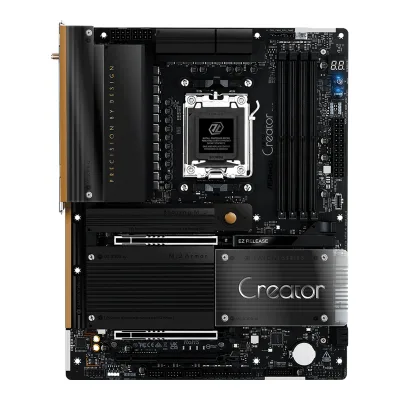 ASRock X870 Taichi Creator
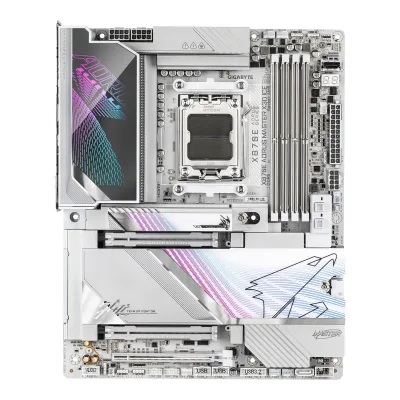 GIGABYTE X870E AORUS MASTER X3D ICE
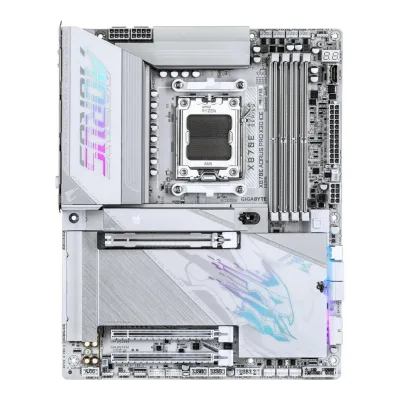 GIGABYTE X870E AORUS PRO X3D ICE
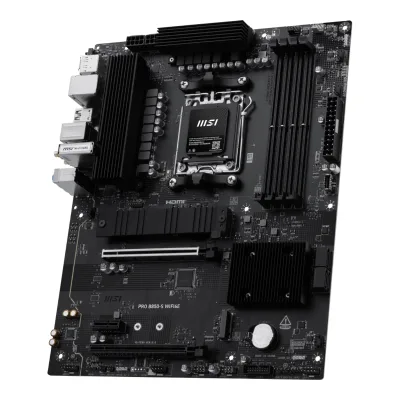 MSI PRO B850-S WIFI6E
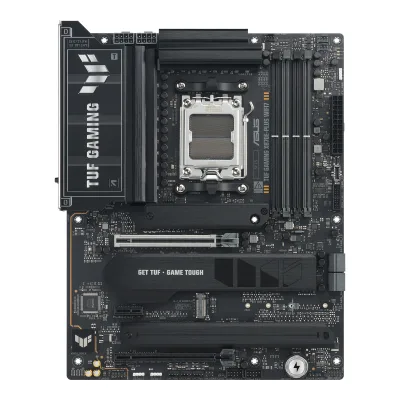 ASUS TUF GAMING X870E-PLUS WIFI7
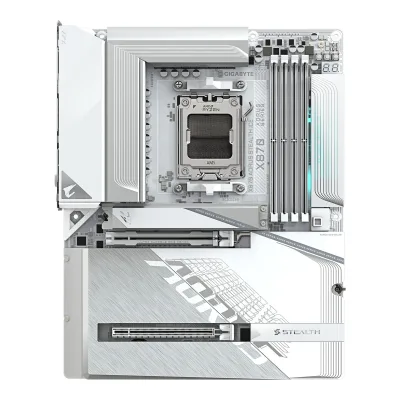 GIGABYTE X870 AORUS STEALTH ICE
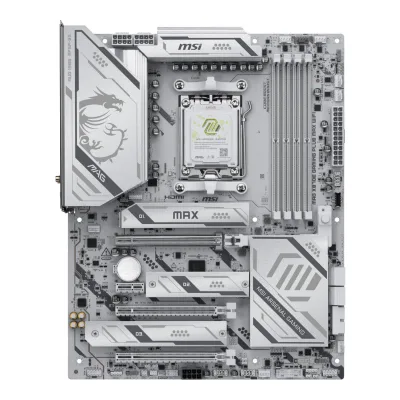 MSI MAG X870E GAMING PLUS MAX WIFI
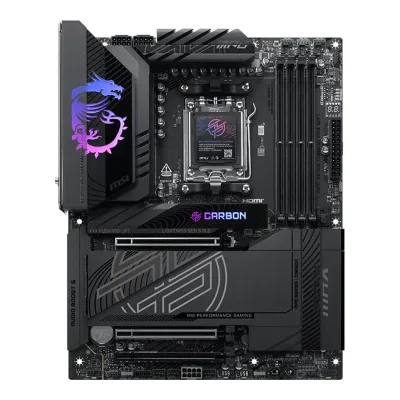 MSI MPG X870E CARBON MAX WIFI
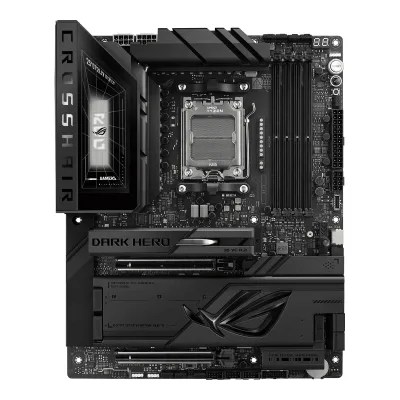 ASUS ROG Crosshair X870E Dark Hero
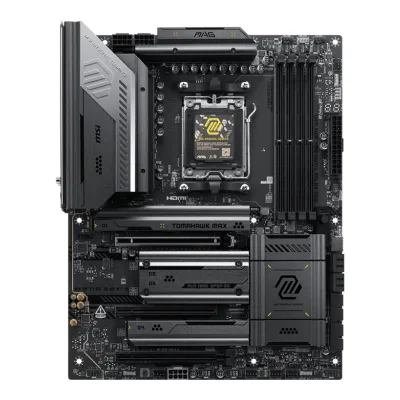 MSI MAG X870E TOMAHAWK MAX WIFI
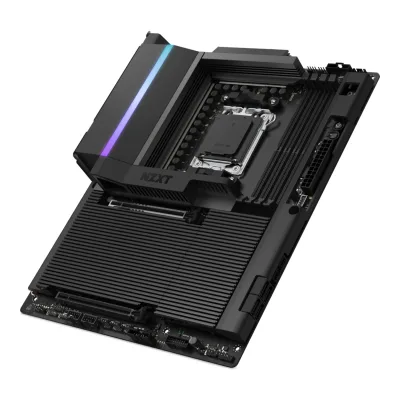 NZXT N9 X870E
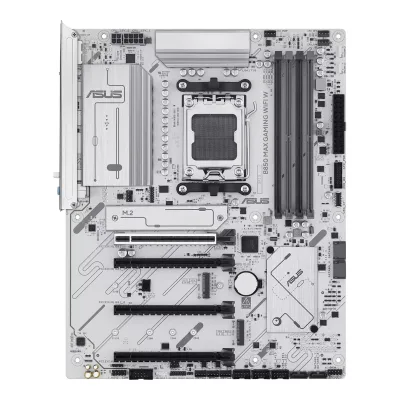 ASUS B850 MAX GAMING WIFI W
Change ASUS ROG STRIX X870E-A GAMING WIFI7 NEO
Compare the GIGABYTE X870E AORUS ELITE X3D with
ASRock X870 Taichi CreatorGIGABYTE X870E AORUS MASTER X3D ICEGIGABYTE X870E AORUS PRO X3D ICEMSI PRO B850-S WIFI6EASUS TUF GAMING X870E-PLUS WIFI7GIGABYTE X870 AORUS STEALTH ICEMSI MAG X870E GAMING PLUS MAX WIFIMSI MPG X870E CARBON MAX WIFIASUS ROG Crosshair X870E Dark HeroMSI MAG X870E TOMAHAWK MAX WIFINZXT N9 X870EASUS B850 MAX GAMING WIFI WProduct B: GIGABYTE
63 of 78 knownMSI MPG X870E CARBON MAX WIFIMSI MAG X870E TOMAHAWK MAX WIFI ASUS ROG STRIX X870E-E GAMING WIFI7 NEOASUS ROG Crosshair X870E Dark HeroMSI MAG X870E GAMING PLUS MAX WIFIASRock X870 Taichi CreatorGIGABYTE X870 AORUS STEALTH ICEGIGABYTE X870E AORUS MASTER X3D ICEGIGABYTE X870E AORUS PRO X3D ICEMSI PRO B850-S WIFI6EASUS TUF GAMING X870E-PLUS WIFI7ASUS B850 MAX GAMING WIFI W
Change GIGABYTE X870E AORUS ELITE X3D
Compare the ASUS ROG STRIX X870E-A GAMING WIFI7 NEO with
MSI MPG X870E CARBON MAX WIFIMSI MAG X870E TOMAHAWK MAX WIFIASUS ROG STRIX X870E-E GAMING WIFI7 NEOASUS ROG Crosshair X870E Dark HeroMSI MAG X870E GAMING PLUS MAX WIFIASRock X870 Taichi CreatorGIGABYTE X870 AORUS STEALTH ICEGIGABYTE X870E AORUS MASTER X3D ICEGIGABYTE X870E AORUS PRO X3D ICEMSI PRO B850-S WIFI6EASUS TUF GAMING X870E-PLUS WIFI7ASUS B850 MAX GAMING WIFI W18 of 70 fields differ
- 17 different values
- 1 known for one only
- 42 the same
- 10 missing for both
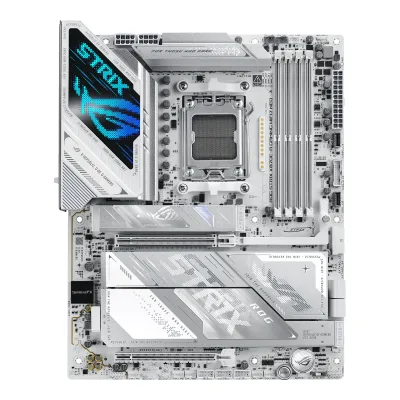
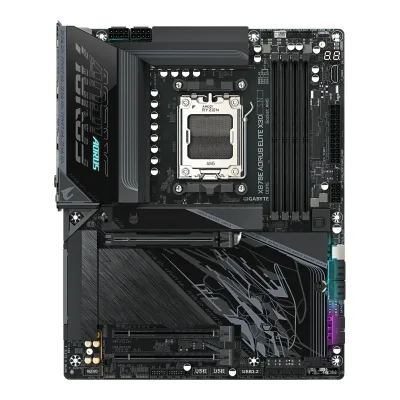
Size, drawn to scale
Front and side.
- AASUS: 244 × 305 mm
- BGIGABYTE: 244 × 305 mm
All 78 fields
Every value links to where we found it.
General
1 of 9 differ
Series
Model numbers
ROG STRIX X870E-A GAMING WIFI7 NEO, 90MB1P30-M0AAY0, 90MB1P30-M0EAY04Maker product pagerog.asus.com/us/motherboards/rog-strix/rog-strix-x870e-a-gaming-wifi7-neo/wtbRead 14 October 2026The ASUS where-to-buy page lists the order codes 90MB1P30-M0AAY0 and 90MB1P30-M0EAY0 among the board's regional codes. 90MB1P30-M0EAY0 is also the code at Scan UK. The ASUS store price on that page is $479.99. It is a current price and not stored as a launch price.10Retailer pagescan.co.uk/products/asus-rog-strix-x870e-a-gaming-neo-amd-x870e-am5-ddr5-pcie-50-4x-m2-5-gbe-wifi7-usb-40-amd-expo-atxRead 14 October 2026Scan UK lists model number 90MB1P30-M0EAY0.
GTIN / EAN
199291491618, 47116364916179Retailer pageamazon.com/dp/B0GS3JDMGDRead 14 October 2026The Amazon US listing for ASIN B0GS3JDMGD gives UPC 199291491618.10Retailer pagescan.co.uk/products/asus-rog-strix-x870e-a-gaming-neo-amd-x870e-am5-ddr5-pcie-50-4x-m2-5-gbe-wifi7-usb-40-amd-expo-atxRead 14 October 2026Scan UK lists GTIN 4711636491617.
Announced
Not available
Not available
Status
Available9Retailer pageamazon.com/dp/B0GS3JDMGDRead 14 October 2026The listing is on sale on 2026-10-14 at best sellers rank 4 in Computer Motherboards.10Retailer pagescan.co.uk/products/asus-rog-strix-x870e-a-gaming-neo-amd-x870e-am5-ddr5-pcie-50-4x-m2-5-gbe-wifi7-usb-40-amd-expo-atxRead 14 October 2026In stock on 2026-10-14.
Predecessor
Not available
Not available
Successor
Not available
Not available
Launch price (US)
Not available
Not available
Launch price (EU)
Not available
Not available
Markets
Not available
Not available
Colours
Not available
Not available
Segment
Board revision
Not available
Not available
Platform
0 of 4 differ
CPU socket
Chipset
Supported processors
AMD Ryzen 9000 Series, AMD Ryzen 8000 Series, AMD Ryzen 7000 Series1Maker product pagerog.asus.com/motherboards/rog-strix/rog-strix-x870e-a-gaming-wifi7-neo/specRead 14 October 2026AM5 for Ryzen 9000, 8000 and 7000 Series. The page refers to the ASUS download center for the CPU support list. Read on 2026-10-14.
AMD Ryzen 9000 Series, AMD Ryzen 8000 Series, AMD Ryzen 7000 Series1Owner's manualgzhls.at/blob/ldb/a/0/3/5/cc57cbc381cd6bae3ad75c6af8adbcf1b4aa.pdfRead 15 October 2026Section 2-2 (page 8): AMD Ryzen 9000, 8000 and 7000 Series. The manual refers to GIGABYTE's website for the latest CPU list. Read on 2026-10-15.
CPU overclocking
Yes2Maker product pagerog.asus.com/motherboards/rog-strix/rog-strix-x870e-a-gaming-wifi7-neoRead 14 October 2026The page describes Dynamic OC Switcher, Core Flex and an asynchronous clock generator for overclocking AMD Ryzen 9000 Series. AMD also describes the X870E platform with robust overclocking capabilities.8Maker product pageamd.com/en/products/processors/chipsets/am5.htmlRead 14 October 2026AMD describes the X870E platform with robust overclocking capabilities. This is the chip maker's page and not the board maker's.
Board
0 of 5 differ
Form factor
Board dimensions
Width244Height305mm(9.6 × 12 in)1Maker product pagerog.asus.com/motherboards/rog-strix/rog-strix-x870e-a-gaming-wifi7-neo/specRead 14 October 202612 inch x 9.6 inch (30.5 cm x 24.4 cm).3Owner's manualdlcdnets.asus.com/pub/ASUS/mb/SocketAM5/ROG_STRIX_X870E-A_GAMING_WIFI7_NEO/E27991_ROG_STRIX_X870E-A_GAMING_WIFI7_NEO_EM_V2_WEB.pdfRead 14 October 2026ATX form factor, 12 inch x 9.6 inch (30.5 cm x 24.4 cm).
PCB layers
Back-connect design
RGB lighting on the board
Yes2Spec databasegeizhals.eu/gigabyte-x870e-aorus-elite-x3d-a3592728.htmlRead 15 October 2026Lighting row: RGB, 2 zones (chipset cooler, I/O cover). Club386 and Geeknetic also see lighting on the I/O cover heatsink and the chipset area.7Reviewclub386.com/gigabyte-x870e-aorus-elite-x3d-reviewRead 15 October 2026The heatsink nearest the rear I/O has a small splash of ARGB, but the LEDs are small. The reviewer does not say whether GIGABYTE lists it.8Reviewgeeknetic.es/Review/3367/Gigabyte-X870E-AORUS-ELITE-X3D-Review.htmlRead 15 October 2026LED accents on the rear I/O cover, the chipset area and the MOSFET heatsink.
Power delivery
2 of 6 differ
Power stage layout
CPU core (Vcore) power stages
162Spec databasegeizhals.eu/gigabyte-x870e-aorus-elite-x3d-a3592728.htmlRead 15 October 2026MOSFETs VCORE row: 16 x 80A PMC41410 (SPS).4Retailer pagenetcodex.ph/product/gigabyte-x870e-aorus-elite-x3d-amd-am5-atx-motherboard-ga-x870e-a-elite-xRead 15 October 2026Shop copy: Digital Twin 16+2+2 Phases VRM Solution, 16 VCORE phases (SPS 80A).8Reviewgeeknetic.es/Review/3367/Gigabyte-X870E-AORUS-ELITE-X3D-Review.htmlRead 15 October 202620 phases in a fully digital design: 16 power phases (8 doubled), 2 for the SoC and 2 extra.
Vcore power stage rating
80A2Spec databasegeizhals.eu/gigabyte-x870e-aorus-elite-x3d-a3592728.htmlRead 15 October 2026MOSFETs VCORE row: 16 x 80A. The SoC rail also uses 2 x 80A and the 2 misc stages are 60 A.3Retailer pagejib.co.th/web/product/readProduct/82855/MAINBOARD--%E0%B9%80%E0%B8%A1%E0%B8%99%E0%B8%9A%E0%B8%AD%E0%B8%A3%E0%B9%8C%E0%B8%94--GIGABYTE-X870E-AORUS-ELITE-X3D---AMD-SOCKET-AM5-DDR5-ATXRead 15 October 2026Shop copy of GIGABYTE's text: 16 VCORE phases SPS 80A, 2 SOC phases SPS 80A and 2 MISC phases DrMOS 60A, in a Digital Twin 16+2+2 design.7Reviewclub386.com/gigabyte-x870e-aorus-elite-x3d-reviewRead 15 October 2026Spec table: VRM 16+2+2, 80A. Text: 80A Smart Power Stages across VCore and SoC.
VRM controller
CPU power connectors
Extra slot power connector
No1Maker product pagerog.asus.com/motherboards/rog-strix/rog-strix-x870e-a-gaming-wifi7-neo/specRead 14 October 2026The power related connector list is complete and has no extra slot power connector. The page never states that one is absent.3Owner's manualdlcdnets.asus.com/pub/ASUS/mb/SocketAM5/ROG_STRIX_X870E-A_GAMING_WIFI7_NEO/E27991_ROG_STRIX_X870E-A_GAMING_WIFI7_NEO_EM_V2_WEB.pdfRead 14 October 2026Power connectors section: ATX_PWR, CPU_12V_1 and CPU_12V_2 only.
Memory
2 of 6 differ
Memory type
Memory slots
Max memory
Max memory speed (overclocked)
9,000MT/s2Spec databasegeizhals.eu/gigabyte-x870e-aorus-elite-x3d-a3592728.htmlRead 15 October 2026RAM data rate row: DDR5-5200 (Ryzen 7000 and 8000G), DDR5-5600 (Ryzen 9000), max. DDR5-9000 OC.3Retailer pagejib.co.th/web/product/readProduct/82855/MAINBOARD--%E0%B9%80%E0%B8%A1%E0%B8%99%E0%B8%9A%E0%B8%AD%E0%B8%A3%E0%B9%8C%E0%B8%94--GIGABYTE-X870E-AORUS-ELITE-X3D---AMD-SOCKET-AM5-DDR5-ATXRead 15 October 2026Shop copy of GIGABYTE's memory list: 4800, 5200 and then OC speeds up to 9000 (OC) MT/s. The press release says 9000+ MT/s across the series. 9000 is stored for Ryzen 9000, the newest CPU family. The speed for two modules per channel is lower and is not stated here.9Press releaseaap.com.au/aapreleases/cision20250917ae65500Read 15 October 2026DDR5 speeds of up to 9000+ MT/s across the whole lineup.
ECC memory
No1Owner's manualgzhls.at/blob/ldb/a/0/3/5/cc57cbc381cd6bae3ad75c6af8adbcf1b4aa.pdfRead 15 October 2026Section 2-2: non-ECC un-buffered DIMM modules only. Geizhals also says no ECC support.2Spec databasegeizhals.eu/gigabyte-x870e-aorus-elite-x3d-a3592728.htmlRead 15 October 2026ECC support row: nein (no).
CUDIMM support
Not available
Not available
Expansion slots
2 of 3 differ
Expansion slots
AASUS ROG STRIX X870E-A GAMING WIFI7 NEO
| Physical slot | Electrical lanes | PCIe generation | Connected to | Count |
|---|---|---|---|---|
| PCIe x16 | 16 | 5 | CPU | 1 |
| PCIe x16 | 4 | 4 | Chipset | 1 |
Source1Maker product pagerog.asus.com/motherboards/rog-strix/rog-strix-x870e-a-gaming-wifi7-neo/specRead 14 October 2026Ryzen 9000 and 7000: 1 x PCIe 5.0 x16 slot in x16 mode. Ryzen 8700, 8600 and 8400 run it as PCIe 4.0 x8 and Ryzen 8500 and 8300 as PCIe 4.0 x4. X870E chipset: 1 x PCIe 4.0 x16 slot at x4. Stored with Ryzen 9000.3Owner's manualdlcdnets.asus.com/pub/ASUS/mb/SocketAM5/ROG_STRIX_X870E-A_GAMING_WIFI7_NEO/E27991_ROG_STRIX_X870E-A_GAMING_WIFI7_NEO_EM_V2_WEB.pdfRead 14 October 2026The layout shows PCIEX16(G5) from the CPU and PCIEX16(G4) as the only expansion slots. The bifurcation table lists PCIEX16(G5) for up to 4 x4 M.2 drives on a Hyper M.2 card and PCIEX16(G4) for 1 x4.
BGIGABYTE X870E AORUS ELITE X3D
| Physical slot | Electrical lanes | PCIe generation | Connected to | Count |
|---|---|---|---|---|
| PCIe x16 | 16 | 5 | CPU | 1 |
| PCIe x16 | 4 | 4 | Chipset | 1 |
| PCIe x16 | 2 | 3 | Chipset | 1 |
Full-length PCIe slots
2
3
Fastest PCIe x16 slot generation
5
5
Storage
1 of 4 differ
M.2 storage slots
AASUS ROG STRIX X870E-A GAMING WIFI7 NEO
| Slot | PCIe generation | PCIe lanes | Connected to | Longest drive | Takes SATA drives | Heatsink | Shares lanes with |
|---|---|---|---|---|---|---|---|
| M.2_1 | 5 | 4 | CPU | M.2 2280 | No | Yes | Not available |
| M.2_2 | 5 | 4 | CPU | M.2 22110 | No | Yes | With a drive in M.2_2, the USB4 controller and M.2_2 each run at up to x2. A BIOS setting gives M.2_2 x4 and turns off the USB4 ports |
| M.2_3 | 4 | 4 | Chipset | M.2 2280 | No | Yes | Not available |
| M.2_4 | 4 | 4 | Chipset | M.2 2280 | No | Yes | Not available |
Source1Maker product pagerog.asus.com/motherboards/rog-strix/rog-strix-x870e-a-gaming-wifi7-neo/specRead 14 October 2026Total 4 x M.2 (Key M). Ryzen 9000 and 7000: M.2_1 type 2242/2260/2280 PCIe 5.0 x4 and M.2_2 type 2280/22110 PCIe 5.0 x4. Ryzen 8700, 8600 and 8400: both slots run PCIe 4.0 x4. Ryzen 8500 and 8300: M.2_2 is not supported. X870E chipset: M.2_3 and M.2_4 type 2280 PCIe 4.0 x4. 2260 is stored as 2280. The page lists no M.2 SATA support, so sata is false for every slot. The USB4 ports and M.2_2 share bandwidth: a drive in M.2_2 puts the USB4 controller and M.2_2 at up to x2. A BIOS setting gives M.2_2 x4 and disables the USB4 ports.2Maker product pagerog.asus.com/motherboards/rog-strix/rog-strix-x870e-a-gaming-wifi7-neoRead 14 October 2026Overview: 4 x M.2 slots, 1 x 22110 PCIe 5.0 x4, 1 x 2280 PCIe 5.0 x4 and 2 x 2280 PCIe 4.0 x4. Heatsinks cover every slot (4 x M.2 heatsinks) and an integrated M.2 backplate.3Owner's manualdlcdnets.asus.com/pub/ASUS/mb/SocketAM5/ROG_STRIX_X870E-A_GAMING_WIFI7_NEO/E27991_ROG_STRIX_X870E-A_GAMING_WIFI7_NEO_EM_V2_WEB.pdfRead 14 October 2026The specification summary matches the page. The manual says the USB4 40Gbps ports and M.2_2 share the available bandwidth: with a drive in M.2_2 both run at up to x2, and the BIOS setting for x4 disables the USB4 ports.5Reviewprofesionalreview.com/2026/08/07/asus-rog-strix-x870e-a-gaming-wifi-7-neo-reviewRead 14 October 2026All 4 M.2 slots are cooled. A single heatsink covers the main slot and a shared one covers the other slots. M2_2 shares its bus with the rear USB4 ports.
BGIGABYTE X870E AORUS ELITE X3D
| Slot | PCIe generation | PCIe lanes | Connected to | Longest drive | Takes SATA drives | Heatsink | Shares lanes with |
|---|---|---|---|---|---|---|---|
| M2A_CPU | 5 | 4 | CPU | M.2 22110 | No | Yes | Not available |
| M2B_CPU | 5 | 4 | CPU | M.2 22110 | No | Yes | The USB4 ports on the ASMedia controller and M2B_CPU both run at up to x2 bandwidth when M2B_CPU is used |
| M2C_SB | 4 | 4 | Chipset | M.2 22110 | No | Yes | Not available |
| M2D_SB | 4 | 4 | Chipset | M.2 22110 | No | Yes | Not available |
M.2 slots
4
4
PCIe 5.0 M.2 slots
2
2
SATA ports
Rear ports
2 of 5 differ
Rear ports
AASUS ROG STRIX X870E-A GAMING WIFI7 NEO
| Type | Version | Count | Max link rate (Gbps) | Thunderbolt or USB4 | Power out (W) | DP Alt Mode |
|---|---|---|---|---|---|---|
| USB-C | USB4 | 2 | 40 | USB4 | Not available | Yes |
| USB-C | USB 3.2 Gen 2 | 1 | 10 | Not available | 30 | Not available |
| USB-A | USB 3.2 Gen 2 | 5 | 10 | Not available | Not available | Not available |
| USB-A | USB 3.2 Gen 1 | 4 | 5 | Not available | Not available | Not available |
| HDMI | HDMI 2.1 | 1 | Not available | Not available | Not available | Not available |
| Ethernet (RJ45) | Not available | 1 | 5 | Not available | Not available | Not available |
| 3.5 mm audio | Not available | 2 | Not available | Not available | Not available | Not available |
| Optical S/PDIF | Not available | 1 | Not available | Not available | Not available | Not available |
BGIGABYTE X870E AORUS ELITE X3D
| Type | Version | Count | Max link rate (Gbps) | Thunderbolt or USB4 | DP Alt Mode |
|---|---|---|---|---|---|
| USB-C | USB4 | 2 | 40 | USB4 | Yes |
| USB-C | USB 3.2 Gen 2 | 1 | 10 | Not available | Not available |
| USB-A | USB 3.2 Gen 2 | 5 | 10 | Not available | Not available |
| USB-A | USB 3.2 Gen 1 | 3 | 5 | Not available | Not available |
| HDMI | HDMI 2.1 | 1 | Not available | Not available | Not available |
| Ethernet (RJ45) | Not available | 1 | 5 | Not available | Not available |
| 3.5 mm audio | Not available | 2 | Not available | Not available | Not available |
| Optical S/PDIF | Not available | 1 | Not available | Not available | Not available |
Rear USB ports
12
11
Rear USB-C ports
3
3
Fastest rear USB port
40Gbps
40Gbps
Thunderbolt
No
No
Internal connectors
2 of 5 differ
Internal USB headers
AASUS ROG STRIX X870E-A GAMING WIFI7 NEO
| Header | Max data rate (Gbps) | Headers | Front ports served |
|---|---|---|---|
| USB-C header | 20 | 1 | 1 |
| USB-C header | 5 | 1 | 1 |
| USB 3 header (19-pin) | 5 | 2 | 4 |
| USB 2.0 header (9-pin) | 0.48 | 3 | 6 |
Source1Maker product pagerog.asus.com/motherboards/rog-strix/rog-strix-x870e-a-gaming-wifi7-neo/specRead 14 October 2026Front USB (total 12 ports): 1 x USB 20Gbps connector (Type-C), 1 x USB 5Gbps connector (Type-C), 2 x USB 5Gbps headers for 4 ports and 3 x USB 2.0 headers for 6 ports.3Owner's manualdlcdnets.asus.com/pub/ASUS/mb/SocketAM5/ROG_STRIX_X870E-A_GAMING_WIFI7_NEO/E27991_ROG_STRIX_X870E-A_GAMING_WIFI7_NEO_EM_V2_WEB.pdfRead 14 October 2026Layout contents: 9. USB 20Gbps Type-C front panel connector, 10. USB 5Gbps Type-C front panel connector, 11. USB 5Gbps header, 12. USB 2.0 header.
BGIGABYTE X870E AORUS ELITE X3D
| Header | Max data rate (Gbps) | Headers | Front ports served | Power out (W) |
|---|---|---|---|---|
| USB-C header | 20 | 1 | 1 | 65 |
| USB 3 header (19-pin) | 5 | 2 | 4 | Not available |
| USB 2.0 header (9-pin) | 0.48 | 2 | 4 | Not available |
Front USB-C header speed
20Gbps
20Gbps
Fan headers
81Maker product pagerog.asus.com/motherboards/rog-strix/rog-strix-x870e-a-gaming-wifi7-neo/specRead 14 October 20261 CPU fan, 1 CPU OPT fan, 1 AIO pump and 5 chassis fan headers, all 4-pin. The ASUS AIO Q-connector (AIO_POGO) is a combination connector and is not counted.3Owner's manualdlcdnets.asus.com/pub/ASUS/mb/SocketAM5/ROG_STRIX_X870E-A_GAMING_WIFI7_NEO/E27991_ROG_STRIX_X870E-A_GAMING_WIFI7_NEO_EM_V2_WEB.pdfRead 14 October 2026Fan and Pump headers table: CPU_FAN, CPU_OPT, AIO_PUMP and CHA_FAN1 to CHA_FAN5. AIO_POGO is the ASUS AIO Q-connector.5Reviewprofesionalreview.com/2026/08/07/asus-rog-strix-x870e-a-gaming-wifi-7-neo-reviewRead 14 October 20268 fan headers: 1 CPU_FAN, 1 CPU_OPT, 1 AIO_PUMP and 5 CHA_FAN, plus 1 AIO Q-Connector.
ARGB headers
RGB headers
Networking
2 of 9 differ
Ethernet controllers
Ethernet ports
1
1
Ethernet speed
5Gbps
5Gbps
Wi-Fi included
Wi-Fi standard
Wi-Fi bands
Max Wi-Fi channel width
Wi-Fi module
Qualcomm QCNCM8651Owner's manualgzhls.at/blob/ldb/a/0/3/5/cc57cbc381cd6bae3ad75c6af8adbcf1b4aa.pdfRead 15 October 2026Section 2-2: Qualcomm Wi-Fi 7 QCNCM865.3Retailer pagejib.co.th/web/product/readProduct/82855/MAINBOARD--%E0%B9%80%E0%B8%A1%E0%B8%99%E0%B8%9A%E0%B8%AD%E0%B8%A3%E0%B9%8C%E0%B8%94--GIGABYTE-X870E-AORUS-ELITE-X3D---AMD-SOCKET-AM5-DDR5-ATXRead 15 October 2026Spec table: Qualcomm Wi-Fi 7 QCNCM865, 802.11be 320MHz, Bluetooth 5.4.8Reviewgeeknetic.es/Review/3367/Gigabyte-X870E-AORUS-ELITE-X3D-Review.htmlRead 15 October 2026Qualcomm Wi-Fi 7 QCNCM865 with Bluetooth 5.4.
Bluetooth
Audio
1 of 2 differ
Audio codec
Realtek ALC12201Owner's manualgzhls.at/blob/ldb/a/0/3/5/cc57cbc381cd6bae3ad75c6af8adbcf1b4aa.pdfRead 15 October 2026Section 2-2: Realtek ALC1220 CODEC, 2/4/5.1/7.1-channel. The manual names no DAC chip.8Reviewgeeknetic.es/Review/3367/Gigabyte-X870E-AORUS-ELITE-X3D-Review.htmlRead 15 October 2026Realtek ALC1220 with no separate DAC.
DAC chip
Not available
Not available
Features
1 of 7 differ
BIOS flashback
Clear CMOS button (rear)
Yes1Owner's manualgzhls.at/blob/ldb/a/0/3/5/cc57cbc381cd6bae3ad75c6af8adbcf1b4aa.pdfRead 15 October 2026Section 2-2 and 2-6: Clear CMOS button on the back panel. The board also has a CLR_CMOS jumper.2Spec databasegeizhals.eu/gigabyte-x870e-aorus-elite-x3d-a3592728.htmlRead 15 October 2026Buttons row: Clear CMOS button (external).
POST code display
No3Owner's manualdlcdnets.asus.com/pub/ASUS/mb/SocketAM5/ROG_STRIX_X870E-A_GAMING_WIFI7_NEO/E27991_ROG_STRIX_X870E-A_GAMING_WIFI7_NEO_EM_V2_WEB.pdfRead 14 October 2026The layout contents list Q-LEDs (CPU, DRAM, VGA and boot device), a BIOS FlashBack LED and an 8-pin CPU power plug LED. No two-digit code display is listed in the specification summary or the layout. Profesional Review states there is no debug LED for BIOS codes.5Reviewprofesionalreview.com/2026/08/07/asus-rog-strix-x870e-a-gaming-wifi-7-neo-reviewRead 14 October 2026The review says the board has a boot panel of 4 LEDs but no debug LED for BIOS codes, and lists no debug LED as a con.
Yes1Owner's manualgzhls.at/blob/ldb/a/0/3/5/cc57cbc381cd6bae3ad75c6af8adbcf1b4aa.pdfRead 15 October 2026Section 1-1 layout shows DB_PORT with the note that debug code information is on the Debug LED Codes pages (section 5-2), which list two-character codes. Section 2-7 also lists four status LEDs (CPU, DRAM, VGA, BOOT). Geeknetic and Geizhals confirm a two-digit display.2Spec databasegeizhals.eu/gigabyte-x870e-aorus-elite-x3d-a3592728.htmlRead 15 October 2026Features row: Diagnostic LED (segment display) and Diagnostic LED (LED indicators).7Reviewclub386.com/gigabyte-x870e-aorus-elite-x3d-reviewRead 15 October 2026The reviewer is glad to see status LEDs and a debug code display on the board.8Reviewgeeknetic.es/Review/3367/Gigabyte-X870E-AORUS-ELITE-X3D-Review.htmlRead 15 October 2026A two-digit POST display.
Power button on the board
Yes1Maker product pagerog.asus.com/motherboards/rog-strix/rog-strix-x870e-a-gaming-wifi7-neo/specRead 14 October 2026Internal connectors, miscellaneous: 1 x Start button.3Owner's manualdlcdnets.asus.com/pub/ASUS/mb/SocketAM5/ROG_STRIX_X870E-A_GAMING_WIFI7_NEO/E27991_ROG_STRIX_X870E-A_GAMING_WIFI7_NEO_EM_V2_WEB.pdfRead 14 October 2026Layout item 19: Start button, which powers up the system.5Reviewprofesionalreview.com/2026/08/07/asus-rog-strix-x870e-a-gaming-wifi-7-neo-reviewRead 14 October 2026The review sees a single power button next to the BIOS battery at the lower right.
Yes1Owner's manualgzhls.at/blob/ldb/a/0/3/5/cc57cbc381cd6bae3ad75c6af8adbcf1b4aa.pdfRead 15 October 2026Section 2-2 and 2-6: back panel power button and reset button for use in an open case. The reset button can be remapped.2Spec databasegeizhals.eu/gigabyte-x870e-aorus-elite-x3d-a3592728.htmlRead 15 October 2026Buttons row: Power button (external) and Reset button (external).7Reviewclub386.com/gigabyte-x870e-aorus-elite-x3d-reviewRead 15 October 2026The board includes Power and Reset buttons, with Clear CMOS and Flash BIOS functions.8Reviewgeeknetic.es/Review/3367/Gigabyte-X870E-AORUS-ELITE-X3D-Review.htmlRead 15 October 2026The rear panel has a power button and a reset button, plus Clear CMOS and Q-Flash Plus buttons.
Dual BIOS
No1Maker product pagerog.asus.com/motherboards/rog-strix/rog-strix-x870e-a-gaming-wifi7-neo/specRead 14 October 2026BIOS: 64 MB (512Mb) Flash ROM, UEFI AMI BIOS. One flash ROM is stated and no dual BIOS feature is listed. The page never states that dual BIOS is absent.3Owner's manualdlcdnets.asus.com/pub/ASUS/mb/SocketAM5/ROG_STRIX_X870E-A_GAMING_WIFI7_NEO/E27991_ROG_STRIX_X870E-A_GAMING_WIFI7_NEO_EM_V2_WEB.pdfRead 14 October 2026The specification summary gives one 64 MB (512Mb) Flash ROM. The manual never states that dual BIOS is absent.
Pre-installed I/O shield
Yes2Spec databasegeizhals.eu/gigabyte-x870e-aorus-elite-x3d-a3592728.htmlRead 15 October 2026Features row: I/O-Blende integriert (I/O shield integrated).7Reviewclub386.com/gigabyte-x870e-aorus-elite-x3d-reviewRead 15 October 2026The text describes a lit rear I/O cover on the board. It does not use the words I/O shield.
Tool-free features
Tool-free M.2 latch, Tool-free M.2 heatsink, PCIe slot release, Push-on antenna connector1Maker product pagerog.asus.com/motherboards/rog-strix/rog-strix-x870e-a-gaming-wifi7-neo/specRead 14 October 2026ASUS Q-Design: M.2 Q-Latch, M.2 Q-Release, M.2 Q-Slide, PCIe Slot Q-Release and Q-Antenna.2Maker product pagerog.asus.com/motherboards/rog-strix/rog-strix-x870e-a-gaming-wifi7-neoRead 14 October 2026Q-Release lets the M.2 heatsink come off with a switch on all four slots. Q-Latch installs M.2 SSDs with one press. PCIe Slot Q-Release unlocks the card by pressing a button. Q-Antenna snaps the Wi-Fi antenna into place.
Tool-free M.2 latch, Tool-free M.2 heatsink, PCIe slot release, Push-on antenna connector1Owner's manualgzhls.at/blob/ldb/a/0/3/5/cc57cbc381cd6bae3ad75c6af8adbcf1b4aa.pdfRead 15 October 2026Section 2-5 and 2-7: PCIe EZ-Latch Plus for the graphics card slot, M.2 EZ-Latch Plus (screwless M.2 SSD clip) and M.2 EZ-Latch Click (screwless heatsink).2Spec databasegeizhals.eu/gigabyte-x870e-aorus-elite-x3d-a3592728.htmlRead 15 October 2026External connectors row: 2 x antenna connector Quick Connect, which is GIGABYTE's WIFI EZ-Plug.3Retailer pagejib.co.th/web/product/readProduct/82855/MAINBOARD--%E0%B9%80%E0%B8%A1%E0%B8%99%E0%B8%9A%E0%B8%AD%E0%B8%A3%E0%B9%8C%E0%B8%94--GIGABYTE-X870E-AORUS-ELITE-X3D---AMD-SOCKET-AM5-DDR5-ATXRead 15 October 2026Shop copy of GIGABYTE's feature list: M.2 EZ-Flex, WIFI EZ-Plug (quick Wi-Fi antenna installation) and M.2 EZ-Latch Click and Plus (tool-free M.2 slot and heatsink).9Press releaseaap.com.au/aapreleases/cision20250917ae65500Read 15 October 2026EZ-DIY features such as M.2 EZ-Flex and PCIe EZ-Latch+ Duo for tool-free installation.
Measured
1 of 3 differ
Power draw idle
Not available
Not available
Power draw CPU stress
Not available
Not available
In the box
1 of 1 differ
In the box
2 x SATA 6Gb/s cables, 1 x DDR5 fan holder, 1 x Screw package for cooling kit, 1 x ROG assistant fan (60mm), 1 x ASUS WiFi Q-Antenna, 1 x M.2 Q-Latch package, 1 x M.2 Q-Slide package, 1 x ROG key chain, 1 x ROG Strix stickers, 4 x M.2 rubbers, 1 x Quick start guide1Maker product pagerog.asus.com/motherboards/rog-strix/rog-strix-x870e-a-gaming-wifi7-neo/specRead 14 October 2026Accessories list on the specification page, the same as the manual's package contents. The Amazon US listing lists the same items.3Owner's manualdlcdnets.asus.com/pub/ASUS/mb/SocketAM5/ROG_STRIX_X870E-A_GAMING_WIFI7_NEO/E27991_ROG_STRIX_X870E-A_GAMING_WIFI7_NEO_EM_V2_WEB.pdfRead 14 October 2026Package contents list on page 14.9Retailer pageamazon.com/dp/B0GS3JDMGDRead 14 October 2026Built-In Media lists the same items as the specification page.
User's Manual, Quick Installation Guide, One antenna, Two SATA cables, One G Connector, Two packs of M.2 thick/thin rubber pads1Owner's manualgzhls.at/blob/ldb/a/0/3/5/cc57cbc381cd6bae3ad75c6af8adbcf1b4aa.pdfRead 15 October 2026Section 1-3 box contents, without the board itself. The ICE and plain boards share one list. The 'One antenna' item is as the manual writes it.
Links
Not compared
Product page
Spec sheet
rog.asus.com/motherboards/rog-strix/rog-strix-x870e-a-gaming-wifi7-neo/spec1Maker product pagerog.asus.com/motherboards/rog-strix/rog-strix-x870e-a-gaming-wifi7-neo/specRead 14 October 2026
Not available
Manual
dlcdnets.asus.com/pub/ASUS/mb/SocketAM5/ROG_STRIX_X870E-A_GAMING_WIFI7_NEO/E27991_ROG_STRIX_X870E-A_GAMING_WIFI7_NEO_EM_V2_WEB.pdf3Owner's manualdlcdnets.asus.com/pub/ASUS/mb/SocketAM5/ROG_STRIX_X870E-A_GAMING_WIFI7_NEO/E27991_ROG_STRIX_X870E-A_GAMING_WIFI7_NEO_EM_V2_WEB.pdfRead 14 October 2026ASUS user guide E27991, Revised Edition V2, March 2026, from dlcdnets.asus.com.
gzhls.at/blob/ldb/a/0/3/5/cc57cbc381cd6bae3ad75c6af8adbcf1b4aa.pdf1Owner's manualgzhls.at/blob/ldb/a/0/3/5/cc57cbc381cd6bae3ad75c6af8adbcf1b4aa.pdfRead 15 October 2026GIGABYTE User's Manual Rev. 1001 for the X870E AORUS ELITE X3D ICE (X870E A ELITE X ICE) and the X870E AORUS ELITE X3D (X870E A ELITE X), 47 pages, PDF created 2025-08-19. The file is the copy listed as a document on Geizhals. A copy with a retailer cover page is on trovaprezzi.it. gigabyte.com blocks agents, so the maker's own download page was not opened.
EPREL registration number
Not available
Not available
Warranty
0 of 1 differ
Manufacturer warranty (source market)
3years9Retailer pageamazon.com/dp/B0GS3JDMGDRead 14 October 2026Warranty Description: 3 Years (US listing).10Retailer pagescan.co.uk/products/asus-rog-strix-x870e-a-gaming-neo-amd-x870e-am5-ddr5-pcie-50-4x-m2-5-gbe-wifi7-usb-40-amd-expo-atxRead 14 October 2026Scan UK: 36 months return to base.
3years2Spec databasegeizhals.eu/gigabyte-x870e-aorus-elite-x3d-a3592728.htmlRead 15 October 2026Warranty row: 3 years.3Retailer pagejib.co.th/web/product/readProduct/82855/MAINBOARD--%E0%B9%80%E0%B8%A1%E0%B8%99%E0%B8%9A%E0%B8%AD%E0%B8%A3%E0%B9%8C%E0%B8%94--GIGABYTE-X870E-AORUS-ELITE-X3D---AMD-SOCKET-AM5-DDR5-ATXRead 15 October 2026Listing shows a 3 year warranty.5Retailer pagejimms.fi/fi/Product/Show/213340/x870e-a-elite-x/gigabyte-x870e-aorus-elite-x3d-atx-emolevyRead 15 October 2026Warranty listed as 3 years (takuuaika 3 vuotta).
Both are also in the API. Back to all motherboards.