Motherboards / Compare
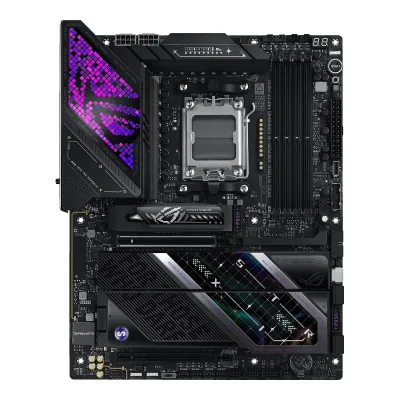
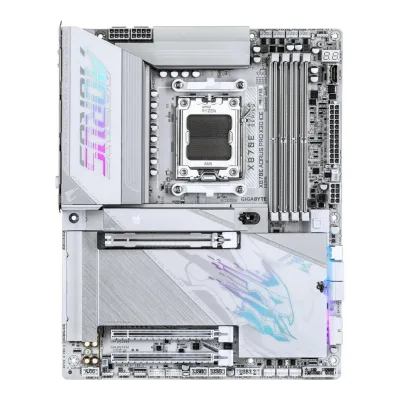
ASUS ROG STRIX X870E-E GAMING WIFI7 NEO vs GIGABYTE X870E AORUS PRO X3D ICE
Product A: ASUS
ROG STRIX X870E-E GAMING WIFI7 NEO
64 of 78 known ASRock X870 Taichi Creator
 GIGABYTE X870E AORUS MASTER X3D ICE
 GIGABYTE X870E AORUS ELITE X3D
 MSI PRO B850-S WIFI6E
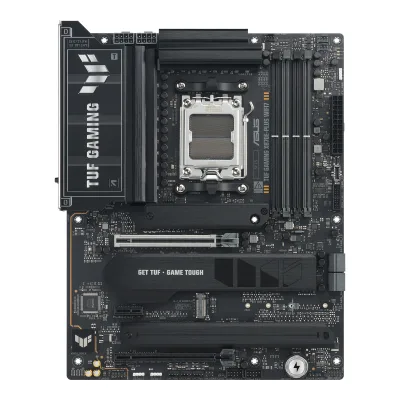 ASUS TUF GAMING X870E-PLUS WIFI7
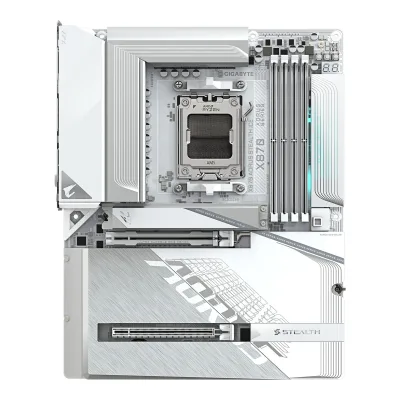 GIGABYTE X870 AORUS STEALTH ICE
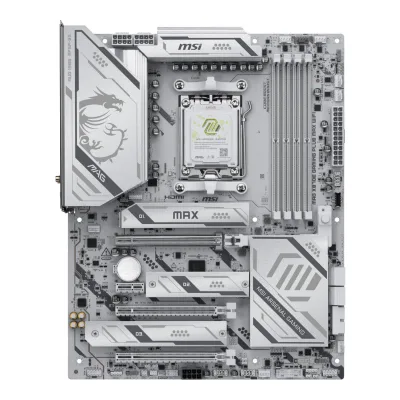 MSI MAG X870E GAMING PLUS MAX WIFI
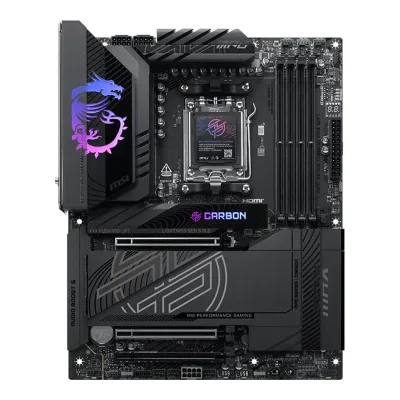 MSI MPG X870E CARBON MAX WIFI
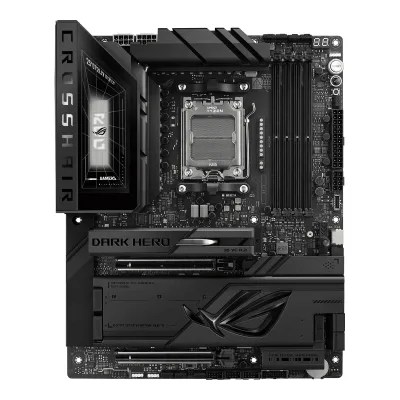 ASUS ROG Crosshair X870E Dark Hero
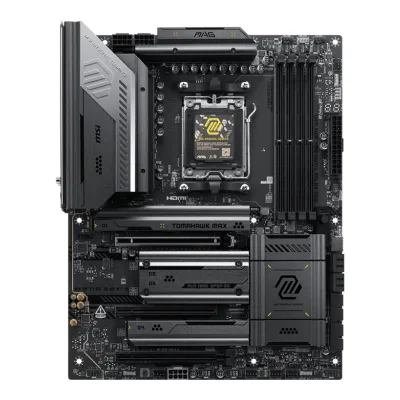 MSI MAG X870E TOMAHAWK MAX WIFI
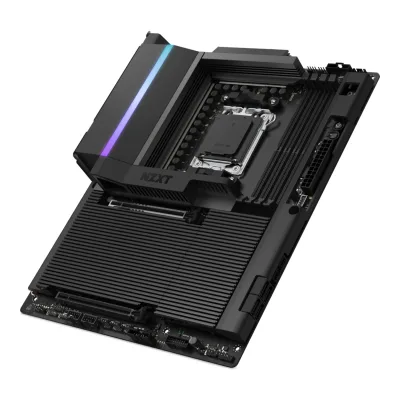 NZXT N9 X870E
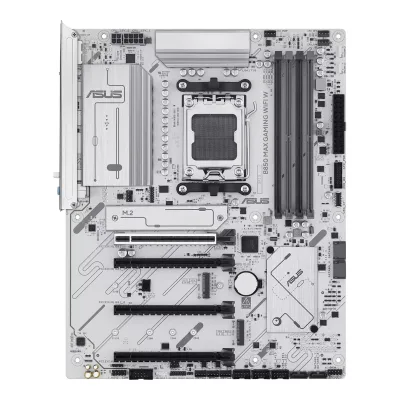 ASUS B850 MAX GAMING WIFI W
Change ASUS ROG STRIX X870E-E GAMING WIFI7 NEO
Compare the GIGABYTE X870E AORUS PRO X3D ICE with
ASRock X870 Taichi CreatorGIGABYTE X870E AORUS MASTER X3D ICEGIGABYTE X870E AORUS ELITE X3DMSI PRO B850-S WIFI6EASUS TUF GAMING X870E-PLUS WIFI7GIGABYTE X870 AORUS STEALTH ICEMSI MAG X870E GAMING PLUS MAX WIFIMSI MPG X870E CARBON MAX WIFIASUS ROG Crosshair X870E Dark HeroMSI MAG X870E TOMAHAWK MAX WIFINZXT N9 X870EASUS B850 MAX GAMING WIFI WProduct B: GIGABYTE
63 of 78 known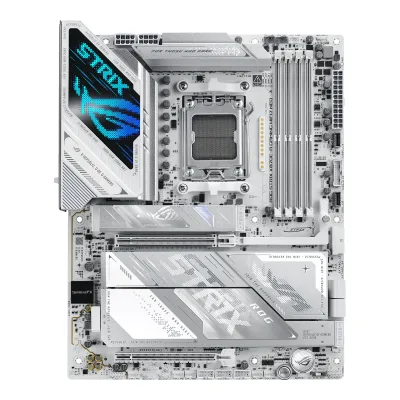 ASUS ROG STRIX X870E-A GAMING WIFI7 NEOMSI MPG X870E CARBON MAX WIFIASUS ROG Crosshair X870E Dark HeroMSI MAG X870E TOMAHAWK MAX WIFIMSI MAG X870E GAMING PLUS MAX WIFIASRock X870 Taichi CreatorGIGABYTE X870E AORUS MASTER X3D ICEGIGABYTE X870E AORUS ELITE X3DMSI PRO B850-S WIFI6EASUS TUF GAMING X870E-PLUS WIFI7GIGABYTE X870 AORUS STEALTH ICENZXT N9 X870E
Change GIGABYTE X870E AORUS PRO X3D ICE
Compare the ASUS ROG STRIX X870E-E GAMING WIFI7 NEO with
ASUS ROG STRIX X870E-A GAMING WIFI7 NEOMSI MPG X870E CARBON MAX WIFIASUS ROG Crosshair X870E Dark HeroMSI MAG X870E TOMAHAWK MAX WIFIMSI MAG X870E GAMING PLUS MAX WIFIASRock X870 Taichi CreatorGIGABYTE X870E AORUS MASTER X3D ICEGIGABYTE X870E AORUS ELITE X3DMSI PRO B850-S WIFI6EASUS TUF GAMING X870E-PLUS WIFI7GIGABYTE X870 AORUS STEALTH ICENZXT N9 X870E17 of 70 fields differ
- 15 different values
- 2 known for one only
- 43 the same
- 10 missing for both
Biggest differences
Each bar uses the scale of all 87 motherboards.
- M.2 slotsA: 5B: 4ASUS has 1 more.
Size, drawn to scale
Front and side.
- AASUS: 244 × 305 mm
- BGIGABYTE: 244 × 305 mm
All 78 fields
Every value links to where we found it.
General
1 of 9 differ
Series
Model numbers
ROG STRIX X870E-E GAMING WIFI7 NEO, 90MB1P20-M0EAY0, 90MB1P20-M0VAY01Maker product pagerog.asus.com/motherboards/rog-strix/rog-strix-x870e-e-gaming-wifi7-neo/specRead 15 October 2026The spec page names only the model. The part numbers come from EU retailers (90MB1P20-M0EAY0) and the ASUS US eShop (90MB1P20-M0VAY0).7Retailer pageeshop.asus.com/us/90mb1p20-m0vay0-rog-strix-x870e-e-gaming-wifi7-neo.htmlRead 15 October 2026Part Number 90MB1P20-M0VAY0.8Retailer pageoffice-partner.de/asus-rog-strix-x870e-e-gaming-wifi7-neo-amd-atx-mainboard-n2008302948Read 15 October 2026Manufacturer number 90MB1P20-M0EAY0.
X870E AORUS PRO X3D ICE, X870E A PRO X ICE1Owner's manualgzhls.at/blob/ldb/d/c/f/7/9ec63cd304ff9ffa46e4f9df07e3a1461ecb.pdfRead 15 October 2026Cover and Box Contents: X870E AORUS PRO X3D ICE or X870E AORUS PRO X3D. The ICE is the white edition of the same board. The retailer code X870E A PRO X ICE comes from the Geizhals offers and other retailers.2Spec databasegeizhals.de/gigabyte-x870e-aorus-pro-x3d-ice-a3592416.htmlRead 15 October 2026Offers use the code X870E A PRO X ICE.8Retailer pagecomparateur-gamer.fr/prix/gigabyte-x870e-aorus-pro-x3d-ice-4719331876487Read 15 October 2026Reference X870E A PRO X ICE.
GTIN / EAN
4711636407946, 1992914079478Retailer pageoffice-partner.de/asus-rog-strix-x870e-e-gaming-wifi7-neo-amd-atx-mainboard-n2008302948Read 15 October 2026office-partner.de lists EAN 4711636407946 for manufacturer number 90MB1P20-M0EAY0.9Spec databasebuildcores.com/products/Motherboard/ecbi9nppb/ASUS-ROG-STRIX-X870E-E-GAMING-WIFI7-NEORead 15 October 2026BuildCores lists UPC 199291407947 for the board, with release year 2026. The UPC is not tied to a part number on the page, so no variant row is made for it.
4719331876487, 8895230531648Retailer pagecomparateur-gamer.fr/prix/gigabyte-x870e-aorus-pro-x3d-ice-4719331876487Read 15 October 2026EAN 4719331876487. The page title and the alltron.ch and shopro.lt listings give the same code.9Retailer pagecomputeralliance.com.auRead 15 October 2026The page lists the UPC/GTIN 889523053164 for the X870E AORUS PRO X3D ICE.
Announced
Not available
Not available
Status
Predecessor
Not available
Not available
Successor
Not available
Not available
Launch price (US)
Not available
Not available
Launch price (EU)
Not available
Not available
Markets
Not available
Not available
Colours
Not available
Not available
Segment
Board revision
Not available
Not available
Platform
0 of 4 differ
CPU socket
Chipset
Supported processors
AMD Ryzen 9000 Series, AMD Ryzen 8000 Series, AMD Ryzen 7000 Series1Maker product pagerog.asus.com/motherboards/rog-strix/rog-strix-x870e-e-gaming-wifi7-neo/specRead 15 October 2026AMD Socket AM5 for AMD Ryzen 9000 & 8000 & 7000 Series Desktop Processors, with a link to the ASUS download center for the CPU support list. Read on 2026-10-15. Ryzen 8500 and 8300 chips do not run M.2_2.
AMD Ryzen 9000 Series, AMD Ryzen 8000 Series, AMD Ryzen 7000 Series1Owner's manualgzhls.at/blob/ldb/d/c/f/7/9ec63cd304ff9ffa46e4f9df07e3a1461ecb.pdfRead 15 October 2026Section 2-2: AMD Ryzen 9000, 8000 and 7000 Series Processors. The manual points to GIGABYTE's website for the latest CPU support list. Read on 2026-10-15. BIOS updates can add series later.
CPU overclocking
Yes2Maker product pagerog.asus.com/motherboards/rog-strix/rog-strix-x870e-e-gaming-wifi7-neoRead 15 October 2026The page describes AI Overclocking, an Asynchronous Clock that isolates the CPU base clock and AI Cache Boost. AMD's chipset page also lists the X870E with robust overclocking.10Maker product pageamd.com/en/products/processors/chipsets/am5.htmlRead 15 October 2026AMD's chipset page lists the X870E with robust overclocking capabilities. This is the chip maker's page and not the board maker's.
Board
0 of 5 differ
Form factor
Board dimensions
Width244Height305mm(9.6 × 12 in)1Maker product pagerog.asus.com/motherboards/rog-strix/rog-strix-x870e-e-gaming-wifi7-neo/specRead 15 October 202612 inch x 9.6 inch (30.5 cm x 24.4 cm).
Width244Height305mm(9.6 × 12 in)1Owner's manualgzhls.at/blob/ldb/d/c/f/7/9ec63cd304ff9ffa46e4f9df07e3a1461ecb.pdfRead 15 October 2026Section 2-2: 30.5cm x 24.4cm.3Reviewkitguru.net/components/motherboard/leo-waldock/gigabyte-x870e-aorus-pro-x3d-ice-reviewRead 15 October 2026Spec table: ATX, 305 x 244 mm.
PCB layers
83Reviewkitguru.net/components/motherboard/leo-waldock/gigabyte-x870e-aorus-pro-x3d-ice-reviewRead 15 October 2026Key features: 8-layer PCB with back-drilling.4Reviewprofesionalreview.com/2025/10/02/x870e-aorus-pro-x3d-ice-review/ampRead 15 October 20268-layer server-grade PCB with double-thickness copper.5Reviewfunkykit.com/reviews/motherboards/gigabyte-x870e-aorus-pro-x3d-ice-motherboard-reviewRead 15 October 2026Page 1: 8-layer, 2 oz copper, server-grade PCB.
Back-connect design
RGB lighting on the board
Power delivery
2 of 6 differ
Power stage layout
18+2+22Spec databasegeizhals.de/gigabyte-x870e-aorus-pro-x3d-ice-a3592416.htmlRead 15 October 2026VRM row: 18+2+2, 20 virtual CPU phases (2x9+2) and 11 real CPU phases (9+2). Geizhals reads 80 A PMC41410 power stages and the XDPE192C3B controller. Those two values match the older X870E AORUS PRO ICE and disagree with KitGuru and Profesional Review, so they are not stored.3Reviewkitguru.net/components/motherboard/leo-waldock/gigabyte-x870e-aorus-pro-x3d-ice-reviewRead 15 October 2026Spec table: 18x Vcore and 2x SoC power stages plus 2x 60A OnSemi DrMOS for the rest.4Reviewprofesionalreview.com/2025/10/02/x870e-aorus-pro-x3d-ice-review/ampRead 15 October 2026The review writes 18+2+2.5Reviewfunkykit.com/reviews/motherboards/gigabyte-x870e-aorus-pro-x3d-ice-motherboard-reviewRead 15 October 2026Page 1: the product description says 18+2+2 Twin Digital VRM Design.
CPU core (Vcore) power stages
182Spec databasegeizhals.de/gigabyte-x870e-aorus-pro-x3d-ice-a3592416.htmlRead 15 October 2026VRM row: 18x power stages for VCORE.3Reviewkitguru.net/components/motherboard/leo-waldock/gigabyte-x870e-aorus-pro-x3d-ice-reviewRead 15 October 2026Spec table: 18x Infineon PMC41430 for Vcore. The table says 110A. The maker's own figure is not available, so the rating is not stored.4Reviewprofesionalreview.com/2025/10/02/x870e-aorus-pro-x3d-ice-review/ampRead 15 October 202618 phases for Vcore as 9+9 in parallel, with Infineon PMC41430 stages, 2 for VSoC and 2 for VMisc.
Vcore power stage rating
Not available
VRM controller
Infineon XDPE192C3D3Reviewkitguru.net/components/motherboard/leo-waldock/gigabyte-x870e-aorus-pro-x3d-ice-reviewRead 15 October 2026Spec table: 12-phase Infineon XDPE192C3D controller. Profesional Review names the same chip. Geizhals writes XDPE192C3B.4Reviewprofesionalreview.com/2025/10/02/x870e-aorus-pro-x3d-ice-review/ampRead 15 October 2026Main controller Infineon XDPE192C3D, with a RT3672EE next to the socket.
CPU power connectors
Extra slot power connector
Memory
2 of 6 differ
Memory type
Memory slots
Max memory
Max memory speed (overclocked)
9,000MT/s2Spec databasegeizhals.de/gigabyte-x870e-aorus-pro-x3d-ice-a3592416.htmlRead 15 October 2026Data rate: DDR5-5200 (Ryzen 7000/8000G), DDR5-5600 (Ryzen 9000), maximum DDR5-9000 OC.3Reviewkitguru.net/components/motherboard/leo-waldock/gigabyte-x870e-aorus-pro-x3d-ice-reviewRead 15 October 2026Spec table: up to DDR5-9000 (O.C.).5Reviewfunkykit.com/reviews/motherboards/gigabyte-x870e-aorus-pro-x3d-ice-motherboard-reviewRead 15 October 2026Page 1: EXPO memory up to DDR5-9000 OC.6Retailer pageeu.computerorbit.com/products/gigabyte-x870e-aorus-pro-x3d-ice-atx-am5-motherboardRead 15 October 2026Supported memory clock of up to 9000 MHz.
ECC memory
CUDIMM support
Not available
Not available
Expansion slots
2 of 3 differ
Expansion slots
AASUS ROG STRIX X870E-E GAMING WIFI7 NEO
| Physical slot | Electrical lanes | PCIe generation | Connected to | Count |
|---|---|---|---|---|
| PCIe x16 | 16 | 5 | CPU | 1 |
| PCIe x16 | 4 | 4 | Chipset | 1 |
Source1Maker product pagerog.asus.com/motherboards/rog-strix/rog-strix-x870e-e-gaming-wifi7-neo/specRead 15 October 2026Ryzen 9000 and 7000: 1 x PCIe 5.0 x16 slot (x16 mode). Ryzen 8700, 8600 and 8400: PCIe 4.0 x8. Ryzen 8500 and 8300: PCIe 4.0 x4. AMD X870E chipset: 1 x PCIe 4.0 x16 slot (supports x4 mode). The Ryzen 9000 value is stored for the CPU slot. The chipset slot is disabled when a drive is in M.2_3.3Owner's manualdlcdnets.asus.com/pub/ASUS/mb/SocketAM5/ROG_STRIX_X870E-E_GAMING_WIFI7_NEO/E27607_ROG_STRIX_X870E-E_GAMING_WIFI7_NEO_EM_WEB.pdfRead 15 October 2026The summary lists one CPU slot and one chipset slot, PCIEX16(G4).
BGIGABYTE X870E AORUS PRO X3D ICE
| Physical slot | Electrical lanes | PCIe generation | Connected to | Count |
|---|---|---|---|---|
| PCIe x16 | 16 | 5 | CPU | 1 |
| PCIe x16 | 4 | 4 | Chipset | 1 |
| PCIe x16 | 2 | 3 | Chipset | 1 |
Full-length PCIe slots
2
3
Fastest PCIe x16 slot generation
5
5
Storage
2 of 4 differ
M.2 storage slots
AASUS ROG STRIX X870E-E GAMING WIFI7 NEO
| Slot | PCIe generation | PCIe lanes | Connected to | Longest drive | Takes SATA drives | Heatsink | Shares lanes with |
|---|---|---|---|---|---|---|---|
| M.2_1 | 5 | 4 | CPU | M.2 2280 | No | Yes | Not available |
| M.2_2 | 5 | 4 | CPU | M.2 2280 | No | Yes | The two rear USB4 40Gbps ports. Both run at x2 when a drive is in M.2_2. Setting M.2_2 to x4 in the BIOS turns the USB4 ports off. |
| M.2_3 | 4 | 4 | Chipset | M.2 2280 | No | Yes | The PCIEX16(G4) slot is disabled when a drive is in M.2_3. |
| M.2_4 | 4 | 4 | Chipset | M.2 2280 | No | Yes | Not available |
| M.2_5 | 4 | 4 | Chipset | M.2 2280 | No | Yes | Not available |
Source1Maker product pagerog.asus.com/motherboards/rog-strix/rog-strix-x870e-e-gaming-wifi7-neo/specRead 15 October 2026Ryzen 9000 and 7000: M.2_1 and M.2_2 are type 2242/2260/2280 at PCIe 5.0 x4. Ryzen 8700, 8600 and 8400 run both at PCIe 4.0 x4, and Ryzen 8500 and 8300 do not support M.2_2. X870E chipset: M.2_3, M.2_4 and M.2_5 are type 2280 at PCIe 4.0 x4. A 2260 slot is stored as 2280. No slot lists a SATA mode, so the full slot list gives sata false for all five. Footnotes: the USB4 ports on the back panel and M.2_2 share PCIe 5.0 x4 and both run at x2 when a drive is in M.2_2. M.2_2 can be set to x4 in the BIOS, which disables the USB4 ports. M.2_3 shares bandwidth with PCIEX16(G4). The overview says heatsink covers every slot, with an M.2 Combo-Sink, a backplate and M.2 heatsinks, so every slot is stored with a heatsink.2Maker product pagerog.asus.com/motherboards/rog-strix/rog-strix-x870e-e-gaming-wifi7-neoRead 15 October 2026Overview: 5 x M.2 slots, 2 x M.2 2280 at PCIe 5.0 x4 and 3 x M.2 2280 at PCIe 4.0 x4. The second PCIe 5.0 M.2 slot shares bandwidth with the USB4 ports.3Owner's manualdlcdnets.asus.com/pub/ASUS/mb/SocketAM5/ROG_STRIX_X870E-E_GAMING_WIFI7_NEO/E27607_ROG_STRIX_X870E-E_GAMING_WIFI7_NEO_EM_WEB.pdfRead 15 October 2026Specifications summary: M.2_1 to M.2_5 as on the specification page, with the M.2_2 and M.2_3 footnotes on shared bandwidth.
BGIGABYTE X870E AORUS PRO X3D ICE
| Slot | PCIe generation | PCIe lanes | Connected to | Longest drive | Takes SATA drives | Heatsink | Shares lanes with |
|---|---|---|---|---|---|---|---|
| M2A_CPU | 5 | 4 | CPU | M.2 22110 | No | Yes | Not available |
| M2B_CPU | 5 | 4 | CPU | M.2 22110 | No | Yes | The ASMedia USB4 controller. Both run at x2 when a device is in M2B_CPU |
| M2C_SB | 4 | 4 | Chipset | M.2 22110 | No | Yes | Not available |
| M2D_SB | 4 | 4 | Chipset | M.2 22110 | No | Yes | Not available |
M.2 slots
5
4
PCIe 5.0 M.2 slots
2
2
Rear ports
2 of 5 differ
Rear ports
AASUS ROG STRIX X870E-E GAMING WIFI7 NEO
| Type | Version | Count | Max link rate (Gbps) | Thunderbolt or USB4 | Power out (W) | DP Alt Mode |
|---|---|---|---|---|---|---|
| USB-C | USB4 | 2 | 40 | USB4 | Not available | Yes |
| USB-C | USB 3.2 Gen 2 | 1 | 10 | Not available | 30 | Not available |
| USB-C | USB 3.2 Gen 2 | 1 | 10 | Not available | Not available | Not available |
| USB-A | USB 3.2 Gen 2 | 9 | 10 | Not available | Not available | Not available |
| HDMI | HDMI 2.1 | 1 | Not available | Not available | Not available | Not available |
| Ethernet (RJ45) | Not available | 1 | 5 | Not available | Not available | Not available |
| 3.5 mm audio | Not available | 2 | Not available | Not available | Not available | Not available |
| Optical S/PDIF | Not available | 1 | Not available | Not available | Not available | Not available |
BGIGABYTE X870E AORUS PRO X3D ICE
| Type | Version | Count | Max link rate (Gbps) | Thunderbolt or USB4 | DP Alt Mode |
|---|---|---|---|---|---|
| USB-C | USB4 | 2 | 40 | USB4 | Yes |
| USB-C | USB 3.2 Gen 2 | 2 | 10 | Not available | Not available |
| USB-A | USB 3.2 Gen 2 | 5 | 10 | Not available | Not available |
| USB-A | USB 3.2 Gen 1 | 3 | 5 | Not available | Not available |
| HDMI | HDMI 2.1 | 1 | Not available | Not available | Not available |
| Ethernet (RJ45) | Not available | 1 | 5 | Not available | Not available |
| 3.5 mm audio | Not available | 2 | Not available | Not available | Not available |
| Optical S/PDIF | Not available | 1 | Not available | Not available | Not available |
Source1Owner's manualgzhls.at/blob/ldb/d/c/f/7/9ec63cd304ff9ffa46e4f9df07e3a1461ecb.pdfRead 15 October 2026Section 2-2 and 2-6: 2 USB4 Type-C ports (DisplayPort 1.4, 40 Gbps per Geizhals), 2 USB 3.2 Gen 2 Type-C, 5 USB 3.2 Gen 2 Type-A (red), 3 USB 3.2 Gen 1, 1 HDMI (HDMI 2.1, CPU with graphics only), 1 RJ-45 up to 5 Gbps, 2 audio jacks and 1 optical S/PDIF out. The 3 USB 3.2 Gen 1 ports are not named Type-A in the manual. All Type-C ports are listed separately, so the 3 USB 3.2 Gen 1 ports are Type-A, which Geizhals and KitGuru also state. The ports are not Thunderbolt. The reset, power, clear CMOS and Q-Flash Plus buttons and the two antenna connectors are not ports. The manual gives no USB power output for the rear ports.2Spec databasegeizhals.de/gigabyte-x870e-aorus-pro-x3d-ice-a3592416.htmlRead 15 October 20262x USB4 with DisplayPort 1.4 (40 Gb/s), 2x USB-C 10 Gb/s, 5x USB-A 10 Gb/s and 3x USB-A 5 Gb/s.
Rear USB ports
13
12
Rear USB-C ports
4
4
Fastest rear USB port
40Gbps
40Gbps
Thunderbolt
No
No
Internal connectors
2 of 5 differ
Internal USB headers
AASUS ROG STRIX X870E-E GAMING WIFI7 NEO
| Header | Max data rate (Gbps) | Headers | Front ports served |
|---|---|---|---|
| USB-C header | 20 | 2 | 2 |
| USB 3 header (19-pin) | 5 | 2 | 4 |
| USB 2.0 header (9-pin) | 0.48 | 3 | 6 |
BGIGABYTE X870E AORUS PRO X3D ICE
| Header | Max data rate (Gbps) | Headers | Front ports served | Power out (W) |
|---|---|---|---|---|
| USB-C header | 20 | 1 | 1 | 65 |
| USB 3 header (19-pin) | 5 | 2 | 4 | Not available |
| USB 2.0 header (9-pin) | 0.48 | 2 | 4 | Not available |
Front USB-C header speed
20Gbps
20Gbps
Fan headers
81Maker product pagerog.asus.com/motherboards/rog-strix/rog-strix-x870e-e-gaming-wifi7-neo/specRead 15 October 20261 x CPU Fan, 1 x CPU OPT Fan, 1 x AIO Pump and 5 x Chassis Fan headers, all 4-pin. The 1 x AIO Q-Connector carries pump and fan signals, ARGB and USB together, so it does not count.3Owner's manualdlcdnets.asus.com/pub/ASUS/mb/SocketAM5/ROG_STRIX_X870E-E_GAMING_WIFI7_NEO/E27607_ROG_STRIX_X870E-E_GAMING_WIFI7_NEO_EM_WEB.pdfRead 15 October 2026Layout contents 4 and 5: Fan and Pump headers, and the ASUS AIO Q-Connector. The manual says the Q-Connector sends the pump and fan signals, ARGB and USB from a compatible AIO cooler.
ARGB headers
RGB headers
Networking
1 of 9 differ
Ethernet controllers
Realtek RTL81264Reviewprofesionalreview.com/2025/10/02/x870e-aorus-pro-x3d-ice-review/ampRead 15 October 2026Network: Realtek RTL8126 (5 GbE).6Retailer pageeu.computerorbit.com/products/gigabyte-x870e-aorus-pro-x3d-ice-atx-am5-motherboardRead 15 October 2026LAN: Realtek RTL8126, 2.5GbE, 5GbE and GbE. The manual says only Realtek 5GbE LAN chip. Paradigit lists the same chip.
Ethernet ports
1
1
Ethernet speed
5Gbps
5Gbps
Wi-Fi included
Wi-Fi standard
Wi-Fi bands
Max Wi-Fi channel width
Wi-Fi module
MediaTek MT79271Maker product pagerog.asus.com/motherboards/rog-strix/rog-strix-x870e-e-gaming-wifi7-neo/specRead 15 October 2026The Wireless row names the module: Wi-Fi 7 (MediaTek MT7927).6Reviewprofesionalreview.com/2026/03/30/asus-rog-strix-x870e-e-gaming-wifi7-neo-reviewRead 15 October 2026The review names a MediaTek Wi-Fi 7 MT7927 (RZ738) card with 2.4, 5 and 6 GHz and 320 MHz channels, the same chip as on the ASUS page.
Qualcomm QCNCM8651Owner's manualgzhls.at/blob/ldb/d/c/f/7/9ec63cd304ff9ffa46e4f9df07e3a1461ecb.pdfRead 15 October 2026Section 2-2: Qualcomm Wi-Fi 7 QCNCM865.3Reviewkitguru.net/components/motherboard/leo-waldock/gigabyte-x870e-aorus-pro-x3d-ice-reviewRead 15 October 2026Spec table: Qualcomm QCNCM865.
Bluetooth
Audio
1 of 2 differ
Audio codec
DAC chip
Not available
Not available
Features
0 of 7 differ
BIOS flashback
Clear CMOS button (rear)
POST code display
Yes1Maker product pagerog.asus.com/motherboards/rog-strix/rog-strix-x870e-e-gaming-wifi7-neo/specRead 15 October 2026ASUS Q-Design lists Q-Code, and the manual layout lists a Q-Code LED that shows a 2-digit error code.3Owner's manualdlcdnets.asus.com/pub/ASUS/mb/SocketAM5/ROG_STRIX_X870E-E_GAMING_WIFI7_NEO/E27607_ROG_STRIX_X870E-E_GAMING_WIFI7_NEO_EM_WEB.pdfRead 15 October 2026Layout contents 21: Q-Code LED. The Q-Code LED design gives a 2-digit error code that displays the system status.
Yes1Owner's manualgzhls.at/blob/ldb/d/c/f/7/9ec63cd304ff9ffa46e4f9df07e3a1461ecb.pdfRead 15 October 2026Section 1-1 layout shows DB_PORT, with the note that debug code information is in the Debug LED Codes pages (section 5-2), which list two-digit codes. Geizhals lists a segment display and the product photo shows a two-digit display near the memory slots.2Spec databasegeizhals.de/gigabyte-x870e-aorus-pro-x3d-ice-a3592416.htmlRead 15 October 2026Features: diagnostic LED indicators and a diagnostic segment display.
Power button on the board
Yes1Maker product pagerog.asus.com/motherboards/rog-strix/rog-strix-x870e-e-gaming-wifi7-neo/specRead 15 October 2026Internal I/O Connectors: 1 x Start button. The manual says it powers up the system.3Owner's manualdlcdnets.asus.com/pub/ASUS/mb/SocketAM5/ROG_STRIX_X870E-E_GAMING_WIFI7_NEO/E27607_ROG_STRIX_X870E-E_GAMING_WIFI7_NEO_EM_WEB.pdfRead 15 October 2026Layout contents 19: Start button. Press the Start button to power up the system, or put the system into sleep or soft-off mode.
Dual BIOS
No1Maker product pagerog.asus.com/motherboards/rog-strix/rog-strix-x870e-e-gaming-wifi7-neo/specRead 15 October 2026BIOS is one 64MB (512Mb) Flash ROM, UEFI AMI BIOS. The maker's lists name no dual BIOS. Back2Gaming writes dual-image redundancy, which is the reviewer's wording.3Owner's manualdlcdnets.asus.com/pub/ASUS/mb/SocketAM5/ROG_STRIX_X870E-E_GAMING_WIFI7_NEO/E27607_ROG_STRIX_X870E-E_GAMING_WIFI7_NEO_EM_WEB.pdfRead 15 October 2026Specifications summary: 64MB (512Mb) Flash ROM, UEFI AMI BIOS. Dual BIOS is not stated.
Pre-installed I/O shield
Tool-free features
Tool-free M.2 latch, Tool-free M.2 heatsink, PCIe slot release, Push-on antenna connector1Maker product pagerog.asus.com/motherboards/rog-strix/rog-strix-x870e-e-gaming-wifi7-neo/specRead 15 October 2026ASUS Q-Design: M.2 Q-Latch, M.2 Q-Release, M.2 Q-Slide, PCIe Slot Q-Release and Q-Antenna. The overview says the Q-Release heatsink has a switch for removal without screws, the Q-Latch holds an M.2 SSD with one press and the Q-Antenna fasteners snap into place.2Maker product pagerog.asus.com/motherboards/rog-strix/rog-strix-x870e-e-gaming-wifi7-neoRead 15 October 2026The page says all five M.2 slots have Q-Release, and lists PCIe Slot Q-Release, M.2 Q-Slide, New M.2 Q-LATCH and Q-Antenna.
Tool-free M.2 latch, Tool-free M.2 heatsink, PCIe slot release, Push-on antenna connector1Owner's manualgzhls.at/blob/ldb/d/c/f/7/9ec63cd304ff9ffa46e4f9df07e3a1461ecb.pdfRead 15 October 2026Section 2-8: M.2 EZ-Latch Plus (screwless M.2 SSD clip), M.2 EZ-Latch Click (screwless heatsink) and a PCIe EZ-Latch Plus release for the graphics card slot. Geizhals lists Quick Connect antenna connectors, which is GIGABYTE's WIFI EZ-Plug.2Spec databasegeizhals.de/gigabyte-x870e-aorus-pro-x3d-ice-a3592416.htmlRead 15 October 2026Features: 4x M.2 passive heatsinks and Quick Connect antenna connectors.
Measured
1 of 3 differ
Power draw idle
Not available
Not available
Power draw CPU stress
Not available
Not available
In the box
1 of 1 differ
In the box
1 x ROG STRIX X870E-E GAMING WIFI7 NEO motherboard, 2 x SATA 6Gb/s cables, 1 x DDR5 fan holder, 1 x Screw package for cooling kit, 1 x ROG assistant fan (60mm), 1 x ASUS WiFi Q-Antenna, 1 x Cable ties package, 1 x M.2 Q-Latch package, 1 x M.2 Q-Slide package, 1 x ROG key chain, 1 x ROG Strix stickers, 1 x ROG Strix thank you card, 5 x M.2 rubber packages, 1 x Quick Start Guide1Maker product pagerog.asus.com/motherboards/rog-strix/rog-strix-x870e-e-gaming-wifi7-neo/specRead 15 October 2026Accessories list on the specification page, the same as the manual's package contents.3Owner's manualdlcdnets.asus.com/pub/ASUS/mb/SocketAM5/ROG_STRIX_X870E-E_GAMING_WIFI7_NEO/E27607_ROG_STRIX_X870E-E_GAMING_WIFI7_NEO_EM_WEB.pdfRead 15 October 2026Package contents on page 13.
User's Manual, Quick Installation Guide, One antenna, Two SATA cables, One noise detection cable, One G Connector, DDR Wind Blade, Two packs of M.2 thick/thin rubber pads1Owner's manualgzhls.at/blob/ldb/d/c/f/7/9ec63cd304ff9ffa46e4f9df07e3a1461ecb.pdfRead 15 October 2026Section 1-3. The list is for reference and the manual says the actual items depend on the package. It covers the ICE and the black model.
Links
Not compared
Product page
Spec sheet
rog.asus.com/motherboards/rog-strix/rog-strix-x870e-e-gaming-wifi7-neo/spec1Maker product pagerog.asus.com/motherboards/rog-strix/rog-strix-x870e-e-gaming-wifi7-neo/specRead 15 October 2026
Not available
Manual
dlcdnets.asus.com/pub/ASUS/mb/SocketAM5/ROG_STRIX_X870E-E_GAMING_WIFI7_NEO/E27607_ROG_STRIX_X870E-E_GAMING_WIFI7_NEO_EM_WEB.pdf3Owner's manualdlcdnets.asus.com/pub/ASUS/mb/SocketAM5/ROG_STRIX_X870E-E_GAMING_WIFI7_NEO/E27607_ROG_STRIX_X870E-E_GAMING_WIFI7_NEO_EM_WEB.pdfRead 15 October 2026ASUS user manual E27607, dated 2026-03-17 on the ASUS support page. A later regional edition is dated 2026-07-29.
gzhls.at/blob/ldb/d/c/f/7/9ec63cd304ff9ffa46e4f9df07e3a1461ecb.pdf1Owner's manualgzhls.at/blob/ldb/d/c/f/7/9ec63cd304ff9ffa46e4f9df07e3a1461ecb.pdfRead 15 October 2026GIGABYTE User's Manual Rev. 1001 for X870E AORUS PRO X3D ICE and X870E AORUS PRO X3D (48 pages), hosted by Geizhals. The PDF was created on 2025-08-22. The maker's own manual page was not readable.
EPREL registration number
Not available
Not available
Warranty
0 of 1 differ
Manufacturer warranty (source market)
Both are also in the API. Back to all motherboards.