Routers / Compare
ASUS RT-BE86U vs NETGEAR Nighthawk RS300
Product A: ASUS
60 of 90 known
Change ASUS RT-BE86U
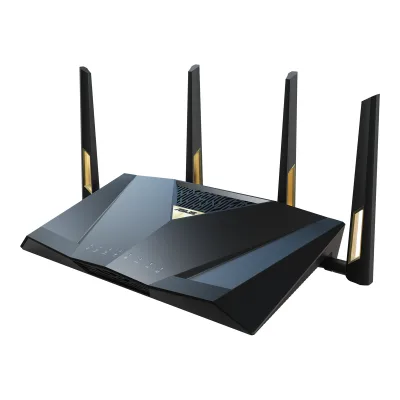
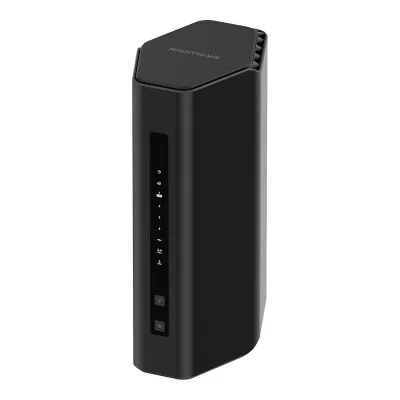
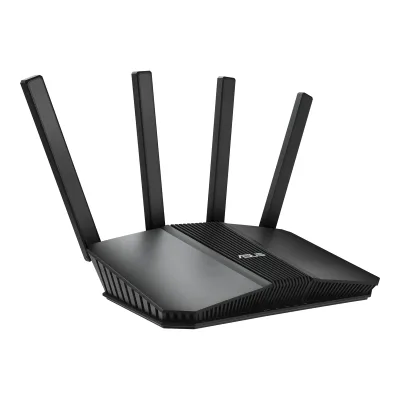
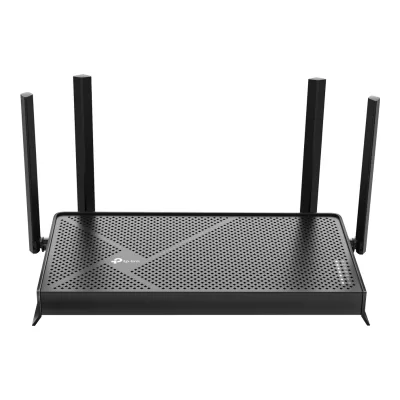
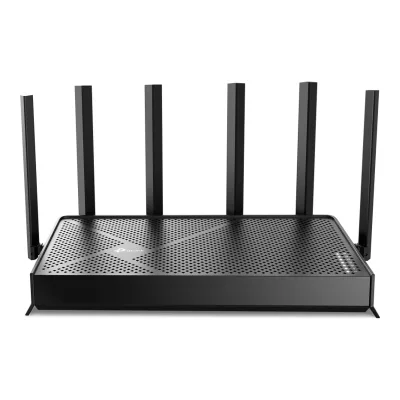
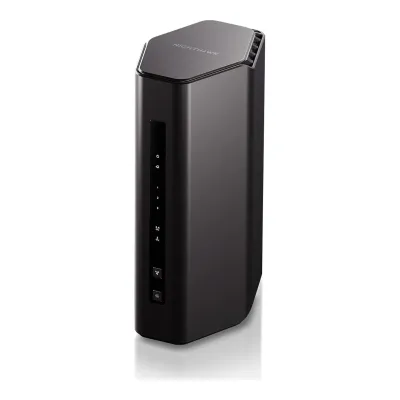
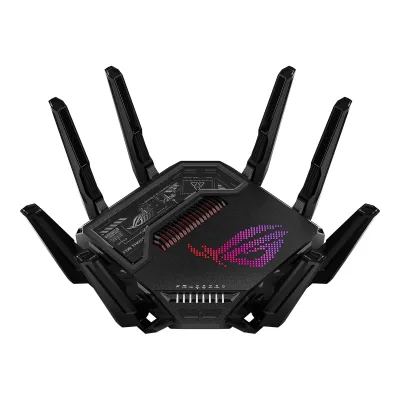
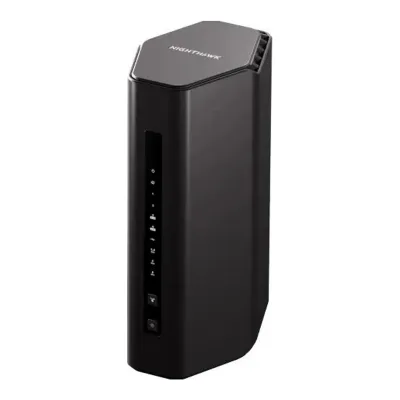
Product B: NETGEAR
57 of 90 known
Change NETGEAR Nighthawk RS300
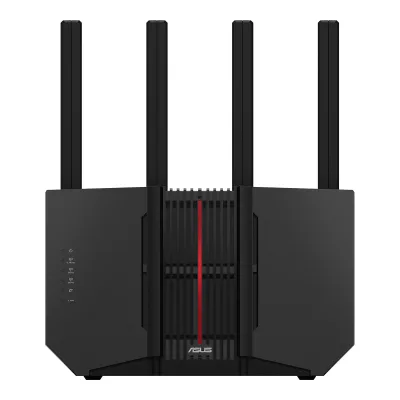
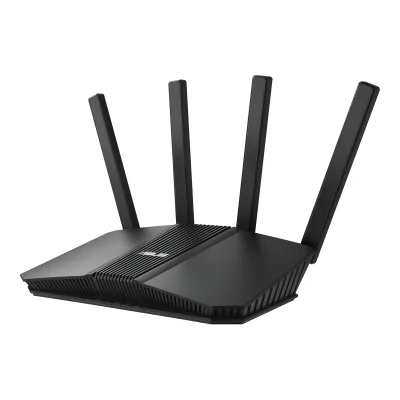
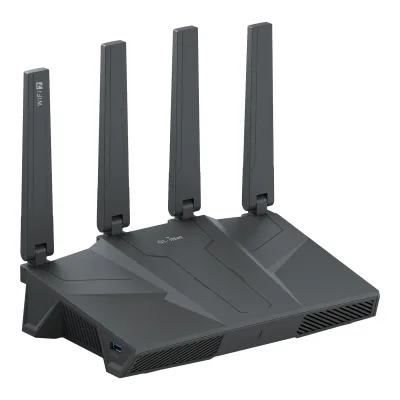
43 of 80 fields differ
- 32 different values
- 11 known for one only
- 16 the same
- 21 missing for both
Biggest differences
Each bar uses the scale of all 62 routers.
- WAN portA: 10GbpsB: 2.5GbpsASUS is 4 times higher.
- Multi-gig portsA: 5B: 3ASUS has 2 more.
- Link rateA: 6,796MbpsB: 9,334MbpsNETGEAR is 2,538 Mbps higher.
Weight
0 to 2,000 g
All 90 fields
Every value links to where we found it.
General
1 of 9 differ
Series
Not available
Model numbers
RS300, RS300-100NAS1Maker product pagenetgear.com/home/wifi/routers/rs300Read 14 October 2026The page data lists mpn RS300 and sku RS300-100NAS for the US page. The EU declaration of conformity names the same hardware Nighthawk BE9300 WiFi 7 Router, model RS300.6Maker spec sheet (PDF)downloads.netgear.com/files/DoC/204-11986-04_CE_RS300_EN-GR-FR-IT-SP-EP_29Jul25.pdfRead 14 October 2026EU declaration of conformity dated 22 Jul 2025: Product Name NIGHTHAWK BE9300 WiFi 7 Router, Model RS300. Dong Knows Tech calls the BE9300 an identical variant. The BE9300 name is kept as an alias.
GTIN / EAN
Not available
Announced
Not available
Not available
Status
Predecessor
Not available
Not available
Successor
Not available
Not available
Launch price (US)
$329.997Reviewdongknows.com/netgear-nighthawk-rs300-wi-fi-7-router-reviewRead 14 October 2026Hardware table: US Price (at launch) $329.99. TechRadar prints $329.99/£299.99/AU$649 for the same router. The US maker page now shows 299.99 USD, which is not stored. No euro launch price was found.9Reviewtechradar.com/computing/servers-network-devices/netgear-nighthawk-rs300-review-high-speed-wi-fi-7-at-a-competitive-priceRead 14 October 2026Price (as reviewed) $329.99/£299.99/AU$649, available now in the US, UK and Australia.
Launch price (EU)
Not available
Not available
Markets
Colours
Form factor
Segment
Wi-Fi
13 of 14 differ
Wi-Fi
Wi-Fi speed class
Wi-Fi radios
AASUS RT-BE86U
| Band | Wi-Fi | Streams | Max channel width (MHz) | Max link rate (Mbps) | Dedicated backhaul |
|---|---|---|---|---|---|
| 2.4 GHz | Wi-Fi 7 | 3 | 40 | 1,032 | No |
| 5 GHz | Wi-Fi 7 | 4 | 160 | 5,764 | No |
BNETGEAR Nighthawk RS300
| Band | Wi-Fi | Streams | Max channel width (MHz) | Max link rate (Mbps) | Dedicated backhaul |
|---|---|---|---|---|---|
| 2.4 GHz | Wi-Fi 7 | 2 | 40 | 688 | No |
| 5 GHz | Wi-Fi 7 | 2 | 160 | 2,882 | No |
| 6 GHz | Wi-Fi 7 | 2 | 320 | 5,764 | No |
Source2Maker spec sheet (PDF)downloads.netgear.com/files/GDC/RS300/RS300_TS.pdfRead 14 October 2026Technical Specifications: 2.4 GHz (2x2), 5 GHz (2x2) and 6 GHz (2x2), with 320 MHz channels. Widths and rates are in the manual.3Owner's manualdownloads.netgear.com/files/GDC/RS300/RS300_RS280_UM_EN.pdfRead 14 October 2026Introduction: models RS300 and BE9300 have a 2.4 GHz radio with 4096-QAM and 20/40 MHz up to 0.7 Gbps, a 5 GHz radio with 20/40/80/160 MHz up to 2.9 Gbps and a 6 GHz radio with 20/40/80/160/320 MHz up to 5.8 Gbps, as 802.11 n/ac/ax/be and ax/be radios. The maker prints the rates only rounded to 0.1 Gbps. Dong Knows Tech prints 688, 2880 and 5760 Mbps. The stored rates are the 802.11be rates for 2 streams and 4096-QAM at 40, 160 and 320 MHz, which round to every printed figure and add up to the 9.3 Gbps of the BE9300 class. The RS280 in the same manual has a slower 2.4 GHz radio and is not this model.10Reviewexpertreviews.co.uk/technology/wifi-home-networking/netgear-nighthawk-rs300-wi-fi-7-router-reviewRead 14 October 2026The review says each band uses a 2x2 antenna array, with theoretical peak speeds of 700Mbits/sec, 2.9Gbits/sec and 5.8Gbits/sec across the three radios.
Radio bands
2
3
6 GHz band
No
Yes
Combined Wi-Fi link rate
6,796Mbps
9,334Mbps
Wi-Fi streams
7
6
Max Wi-Fi channel width
160MHz
320MHz
Wi-Fi features
Multi-Link Operation (MLO), 4K-QAM, OFDMA, MU-MIMO1Maker product pageasus.com/us/networking-iot-servers/wifi-routers/asus-wifi-routers/rt-be86u/techspecRead 14 October 2026Boosts Speed: OFDMA and 4096-QAM. Wireless row: MU-MIMO. MLO comes from the product page.2Maker product pageasus.com/us/networking-iot-servers/wifi-routers/asus-wifi-routers/rt-be86uRead 14 October 2026Dual-Band MLO: Multi-Link Operation supports STR and EMLSR modes and combines 2.4 GHz and 5 GHz. The page also names 4K-QAM and 160 MHz channels.
4K-QAM, OFDMA, MU-MIMO, Band steering2Maker spec sheet (PDF)downloads.netgear.com/files/GDC/RS300/RS300_TS.pdfRead 14 October 2026MU-MIMO capable for simultaneous data streaming and uplink and downlink OFDMA. The manual adds 4096-QAM and Smart Connect.3Owner's manualdownloads.netgear.com/files/GDC/RS300/RS300_RS280_UM_EN.pdfRead 14 October 2026Introduction names 4096-QAM. Chapter 6 covers Smart Connect, which puts the 2.4, 5 and 6 GHz radios under one name and picks the fastest band, and a setting for MU-MIMO. MLO is not stored since NETGEAR's pages do not name it, see the Dong Knows Tech note.
External antennas
Internal antennas
41Maker product pagenetgear.com/home/wifi/routers/rs300Read 14 October 2026Technical details: (4) high-performance internal antennas and high-power amplifiers. KitGuru writes about 2 internal antennas for each band, six in total, which conflicts. The maker figure is used.2Maker spec sheet (PDF)downloads.netgear.com/files/GDC/RS300/RS300_TS.pdfRead 14 October 2026Antennas: (4) high-performance internal antennas and high-power amplifiers.
Detachable antennas
Yes2Maker product pageasus.com/us/networking-iot-servers/wifi-routers/asus-wifi-routers/rt-be86uRead 14 October 2026Design section: the detachable antennas can be physically repositioned.9Reviewdongknows.com/asus-rt-be86u-be6800-wi-fi-7-router-reviewRead 14 October 2026The review says the router comes with three detachable antennas that swivel half a sphere.
Coverage of one unit (claimed)
Connected devices per unit (claimed)
Not available
Ports and modem
5 of 9 differ
Ports
AASUS RT-BE86U
| Port | Count | Role | Max speed (Gbps) | Version |
|---|---|---|---|---|
| RJ45 | 1 | WAN or LAN | 10 | Not available |
| RJ45 | 1 | WAN or LAN | 2.5 | Not available |
| RJ45 | 3 | LAN | 2.5 | Not available |
| USB-A | 1 | Not available | 5 | USB 3.2 Gen 1 |
| USB-A | 1 | Not available | 0.48 | USB 2.0 |
BNETGEAR Nighthawk RS300
| Port | Count | Role | Max speed (Gbps) | Version |
|---|---|---|---|---|
| RJ45 | 1 | WAN | 2.5 | Not available |
| RJ45 | 2 | LAN | 2.5 | Not available |
| RJ45 | 2 | LAN | 1 | Not available |
| USB-A | 1 | Not available | 5 | USB 3.0 |
Source2Maker spec sheet (PDF)downloads.netgear.com/files/GDC/RS300/RS300_TS.pdfRead 14 October 2026Ports: (1) 2.5 Gbps internet port, (2) 2.5 Gbps Ethernet LAN ports, (2) 10/100/1000 Mbps Gigabit Ethernet LAN ports and (1) USB 3.0 port. USB 3.0 is stored at 5 Gbps, the standard rate that Expert Reviews also prints.10Reviewexpertreviews.co.uk/technology/wifi-home-networking/netgear-nighthawk-rs300-wi-fi-7-router-reviewRead 14 October 2026The review lists two 2.5GbE LAN connectors, two standard gigabit Ethernet ports and a single 5Gbits/sec USB connector.
Ethernet ports
5
5
Multi-gig ports
5
3
Fastest WAN port
10Gbps
2.5Gbps
Fastest LAN port
10Gbps
2.5Gbps
USB ports
2
1
SFP+ port
No
No
Built-in modem
Not available
Not available
Modem standards
Not available
Not available
Mesh
2 of 7 differ
Mesh technologies
Not available
Units per pack
Coverage of the pack (claimed)
Not available
Not available
Identical units
Not available
Not available
Satellite model
Not available
Not available
Satellite ports
Not available
Not available
Ethernet backhaul
Yes2Maker product pageasus.com/us/networking-iot-servers/wifi-routers/asus-wifi-routers/rt-be86uRead 14 October 2026The 10G WAN/LAN port unlocks 10G ethernet backhaul and the 2.5G ports 2.5G ethernet backhaul.9Reviewdongknows.com/asus-rt-be86u-be6800-wi-fi-7-router-reviewRead 14 October 2026The review says the router works best with wired backhauling in AiMesh.
Not available
Software
5 of 7 differ
Management
Mobile app, Web interface1Maker product pageasus.com/us/networking-iot-servers/wifi-routers/asus-wifi-routers/rt-be86u/techspecRead 14 October 2026User Interface: WEB ASUSWRT, APP ASUS Router APP.
Mobile app, Web interface3Owner's manualdownloads.netgear.com/files/GDC/RS300/RS300_RS280_UM_EN.pdfRead 14 October 2026Chapter 3 covers both the router web interface at routerlogin.net and the Nighthawk app.4Owner's manualdownloads.netgear.com/files/GDC/RS300/RS300_RS280_QSG_EN.pdfRead 14 October 2026The quick start guide sets up the router with the Nighthawk app and says to use the router web interface at routerlogin.net if the app install fails.
Online account required
No3Owner's manualdlcdnets.asus.com/pub/ASUS/wireless/RT-BE86U/E26582_RT-BE86U_UM_V2_EAA_WEB.pdfRead 14 October 2026Quick Internet Setup runs in the web GUI at asusrouter.com and asks for a router password, not an ASUS account.9Reviewdongknows.com/asus-rt-be86u-be6800-wi-fi-7-router-reviewRead 14 October 2026The review says ASUS routers do not require a vendor-connected or third-party login account by default.
No3Owner's manualdownloads.netgear.com/files/GDC/RS300/RS300_RS280_UM_EN.pdfRead 14 October 2026Chapter 3: the installation assistant runs in any web browser, with a link for people without a compatible smartphone. A free NETGEAR account is only needed to register the router, manage it remotely and manage subscriptions. Footnote 4 of the datasheet says the app needs a free account.7Reviewdongknows.com/netgear-nighthawk-rs300-wi-fi-7-router-reviewRead 14 October 2026The review says the app is attached to a NETGEAR login account and is required for add-on premium features, while the router has a full web user interface.
Operating modes
Router, Access point, Mesh node, Repeater, Media bridge1Maker product pageasus.com/us/networking-iot-servers/wifi-routers/asus-wifi-routers/rt-be86u/techspecRead 14 October 2026Operating Mode: Repeater Mode, Media Bridge Mode, Access Point Mode, AiMesh Node Mode and Wireless Router Mode.
Router, Access point3Owner's manualdownloads.netgear.com/files/GDC/RS300/RS300_RS280_UM_EN.pdfRead 14 October 2026Chapter 9: Set up the router as a WiFi access point, and Return the router to router mode.7Reviewdongknows.com/netgear-nighthawk-rs300-wi-fi-7-router-reviewRead 14 October 2026Hardware table: Router (default) or Access Point.
Network features
Guest network, IoT network, VLAN, IPTV, Dual WAN, WAN aggregation, LAN aggregation, QoS, Parental controls, Dynamic DNS1Maker product pageasus.com/us/networking-iot-servers/wifi-routers/asus-wifi-routers/rt-be86u/techspecRead 14 October 2026Guest Network (Support Guest Network Pro), IPTV, LAN Link Aggregation, Dual WAN, WAN Aggregation, DDNS, Parental Control, Adaptive QoS and Traditional QoS are listed. The product page adds an IoT Network and VLAN controls and says parental controls need no subscription.2Maker product pageasus.com/us/networking-iot-servers/wifi-routers/asus-wifi-routers/rt-be86uRead 14 October 2026Powerful VLAN Controls, Guest Network Pro with an IoT Network, and Advanced Parental Controls with the wording all without subscriptions.
Guest network, IoT network, VLAN, IPTV, WAN aggregation, LAN aggregation, Dynamic DNS1Maker product pagenetgear.com/home/wifi/routers/rs300Read 14 October 2026Separate WiFi Networks: Main Network, IoT Network and Guest Network. VLAN, IPTV, aggregation and Dynamic DNS come from the manual.2Maker spec sheet (PDF)downloads.netgear.com/files/GDC/RS300/RS300_TS.pdfRead 14 October 2026Create separate WiFi Networks: Main, IoT and Guest.3Owner's manualdownloads.netgear.com/files/GDC/RS300/RS300_RS280_UM_EN.pdfRead 14 October 2026Chapter 6 guest WiFi network, chapter 7 IPTV port or VLAN tag bridge, LAN port aggregation (LAN ports 1 and 2) and Internet port aggregation (the 2.5G Internet port with LAN port 4), chapter 11 Dynamic DNS. Smart parental controls are left out, since NETGEAR sells them as a subscription. Access control and keyword blocking are not named parental controls and are left out.
VPN server
WireGuard, OpenVPN, IPsec, PPTP1Maker product pageasus.com/us/networking-iot-servers/wifi-routers/asus-wifi-routers/rt-be86u/techspecRead 14 October 2026VPN: VPN Server IPSec, Open VPN, PPTP and WireGuard.
OpenVPN2Maker spec sheet (PDF)downloads.netgear.com/files/GDC/RS300/RS300_TS.pdfRead 14 October 2026Supports VPN to remotely access the home network. The manual names OpenVPN only.3Owner's manualdownloads.netgear.com/files/GDC/RS300/RS300_RS280_UM_EN.pdfRead 14 October 2026Chapter 12: Use OpenVPN to Access Your Network. No other VPN server protocol is listed.
VPN client
WireGuard, OpenVPN, L2TP, PPTP1Maker product pageasus.com/us/networking-iot-servers/wifi-routers/asus-wifi-routers/rt-be86u/techspecRead 14 October 2026VPN: VPN Client L2TP, Open VPN, PPTP and WireGuard.
Not available
USB applications
File server, Media server, Time Machine, Cellular modem1Maker product pageasus.com/us/networking-iot-servers/wifi-routers/asus-wifi-routers/rt-be86u/techspecRead 14 October 2026USB application: AiCloud, Download Master, AiDisk, Media Server, Time Machine, Samba Server and FTP Server. WAN lists a 3G / 4G LTE dongle, and the product page describes 4G / 5G mobile tethering through USB. No printer server is listed and the manual has no printer section, so it is not stored.
Security
4 of 5 differ
Wi-Fi security
WPA2-Personal, WPA3-Personal, WPA2-Enterprise, WPA3-Enterprise, Enhanced Open (OWE)1Maker product pageasus.com/us/networking-iot-servers/wifi-routers/asus-wifi-routers/rt-be86u/techspecRead 14 October 2026Security: WPA3 Personal, WPA2 Personal, WPA Personal, WPA Enterprise, WPA2 Enterprise, WPA3 Enterprise and Open System & OWE. The product page footnote says WPA/WPA2 Enterprise is only available on a single router, not under AiMesh.
WPA2-Personal, WPA3-Personal2Maker spec sheet (PDF)downloads.netgear.com/files/GDC/RS300/RS300_TS.pdfRead 14 October 2026Engineered with WPA3 encryption technology. The manual lists WPA2-Personal and WPA3-Personal, plus mixed modes.3Owner's manualdownloads.netgear.com/files/GDC/RS300/RS300_RS280_UM_EN.pdfRead 14 October 2026Chapter 6: WPA2-Personal, WPA3-Personal and mixed WPA2 plus WPA3 settings. The 6 GHz network is fixed to WPA3-Personal.
Security service
Security service cost
Automatic firmware updates
Security updates until
31 December 20286Maker product pageasus.com/support/faq/1051375Read 14 October 2026The Singapore FAQ (Cybersecurity Labelling Scheme) lists RT-BE86U with an end of support of 30 December 2027 and says extended support may follow, so the date is a minimum. The UK and Australia FAQs give a later date and are used. The US site has no statement.7Maker product pageasus.com/support/faq/1056369Read 14 October 2026The Australia FAQ (Cyber Security (Security Standards for Smart Devices) Rules 2025) lists RT-BE86U with 4 years, until 31 December 2028, and says extended support may be provided after that date. The date is a minimum and applies to Australia.8Maker product pageasus.com/support/faq/1051929Read 14 October 2026The UK FAQ (Product Security and Telecommunications Infrastructure Act) lists RT-BE86U with a product security update period of 4 years, until 31 December 2028, and says extended support may be provided after that date. The date is a minimum and applies to the UK. It matches the Australia FAQ.
Not available
Smart home
1 of 5 differ
Thread border router
Not available
Not available
Matter controller
Not available
Not available
Zigbee hub
Not available
Not available
Bluetooth
Not available
Not available
Hardware
3 of 6 differ
System on chip
Not available
Not available
CPU cores
CPU clock
RAM
2GB7Reviewdongknows.com/netgear-nighthawk-rs300-wi-fi-7-router-reviewRead 14 October 2026Hardware table: Quad-Core 2.0GHz CPU, 512MB NAND flash and 2GB RAM. TechRadar prints the same memory. NETGEAR does not publish it.9Reviewtechradar.com/computing/servers-network-devices/netgear-nighthawk-rs300-review-high-speed-wi-fi-7-at-a-competitive-priceRead 14 October 2026Specs table: Memory 2GB RAM.
Flash storage
512MB7Reviewdongknows.com/netgear-nighthawk-rs300-wi-fi-7-router-reviewRead 14 October 2026512 MB NAND flash, stored as 0.512 GB with 1000 MB per GB.9Reviewtechradar.com/computing/servers-network-devices/netgear-nighthawk-rs300-review-high-speed-wi-fi-7-at-a-competitive-priceRead 14 October 2026Specs table: Storage 512MB NAND Flash.
Cooling fan
Power
2 of 5 differ
Power supply
Rated power input
19.5 V, 2.31 A / 12 V, 5 A1Maker product pageasus.com/us/networking-iot-servers/wifi-routers/asus-wifi-routers/rt-be86u/techspecRead 14 October 2026Published as the adapter DC output: 12 V with max. 5 A current and 19.5 V with max. 2.31 A current. The manual lists the same two ratings and does not say which adapter ships in which market. Both are stored.3Owner's manualdlcdnets.asus.com/pub/ASUS/wireless/RT-BE86U/E26582_RT-BE86U_UM_V2_EAA_WEB.pdfRead 14 October 2026Section 1.3 notes: DC power adapter (DC output) +19.5V with 2.31A and +12V with 5A.
Included adapter output
Not available
Power use (typical, claimed)
Not available
Not available
Power use (max, claimed)
Not available
Not available
Measured
1 of 6 differ
Wi-Fi throughput (measured)
Not available
Not available
Fastest Wi-Fi throughput (measured)
Not available
Not available
Wi-Fi throughput through a wall (measured)
Not available
Not available
Range (measured)
Not available
Not available
Power use under load (measured)
Not available
Not available
Energy use per day (measured)
Dimensions and weight
4 of 4 differ
Dimensions
Not available
Dimensions with antennas
Not available
Weight
Certifications
0 of 1 differ
Wi-Fi Alliance certification ID
Not available
Not available
Other certifications
Not available
Not available
In the box
1 of 1 differ
In the box
RT-BE86U WiFi router, RJ-45 cable, Power adapter, Quick Start Guide, Warranty card1Maker product pageasus.com/us/networking-iot-servers/wifi-routers/asus-wifi-routers/rt-be86u/techspecRead 14 October 2026Package Content: RT-BE86U WiFi router, RJ-45 cable, power adapter, Quick Start Guide, warranty card.3Owner's manualdlcdnets.asus.com/pub/ASUS/wireless/RT-BE86U/E26582_RT-BE86U_UM_V2_EAA_WEB.pdfRead 14 October 2026Package contents: RT-BE86U Wireless Router, network cable (RJ-45), power adapter, Quick Start Guide, warranty card.
WiFi 7 Tri-Band Router (RS300), Ethernet cable, 12V/3.5A power adapter, Quick Start Guide1Maker product pagenetgear.com/home/wifi/routers/rs300Read 14 October 2026What's included: WiFi 7 Tri-Band Router (RS300), Ethernet cable, 12V/3.5A power adapter and Quick Start Guide.2Maker spec sheet (PDF)downloads.netgear.com/files/GDC/RS300/RS300_TS.pdfRead 14 October 2026Package Contents: WiFi 7 Tri-Band Router (RS300), Ethernet cable, 12V/3.5A power adapter, quick start guide.
Links
Not compared
Product page
Spec sheet
Manual
EPREL registration number
Not available
Not available
Warranty
1 of 1 differ
Manufacturer warranty (source market)
Both are also in the API. Back to all routers.