Routers / Compare
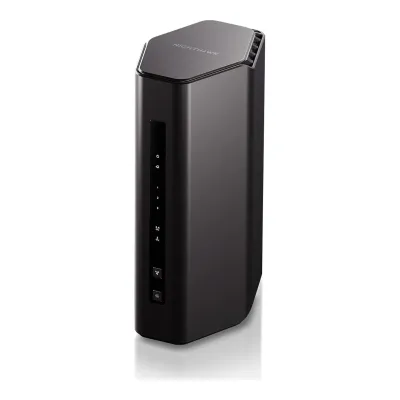
NETGEAR Nighthawk RS300 vs TP-Link Archer BE400
Product A: NETGEAR
57 of 90 known
Change NETGEAR Nighthawk RS300
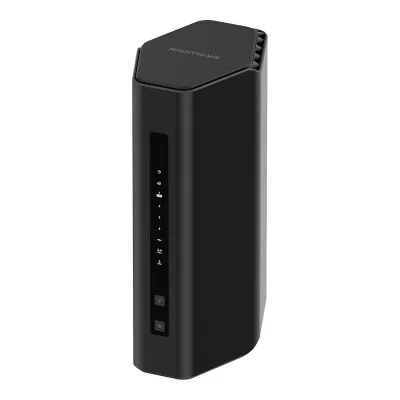
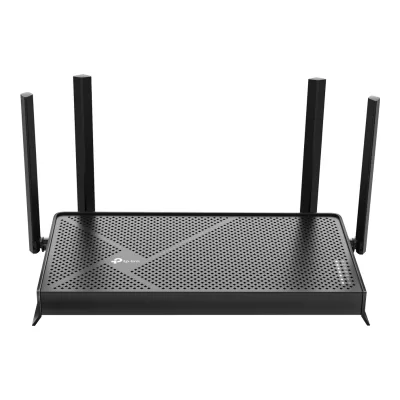
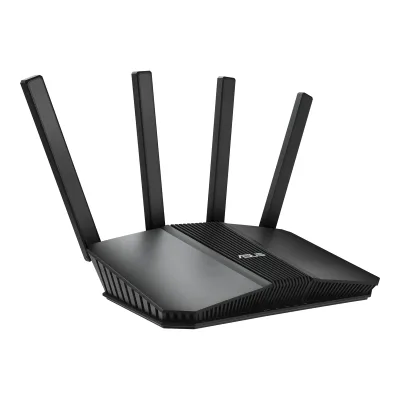
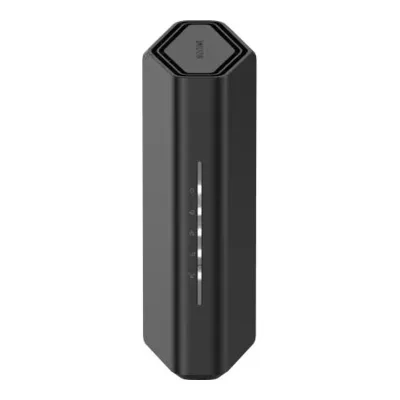
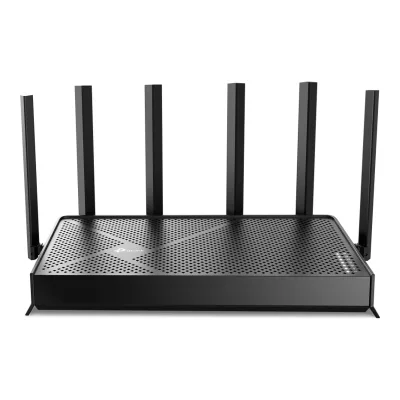
Product B: TP-Link
61 of 90 known
Change TP-Link Archer BE400
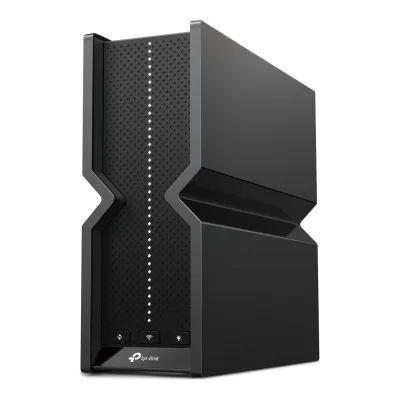
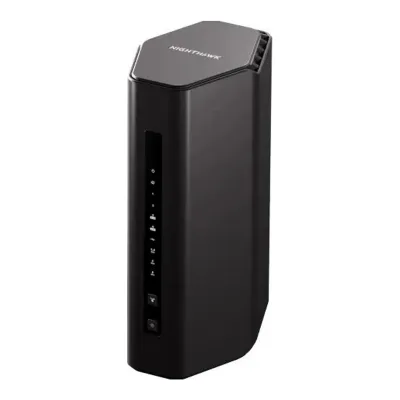
38 of 80 fields differ
- 28 different values
- 10 known for one only
- 21 the same
- 21 missing for both
Biggest differences
Each bar uses the scale of all 62 routers.
- Multi-gig portsA: 3B: 2NETGEAR has 1 more.
- Link rateA: 9,334MbpsB: 6,452MbpsNETGEAR is 2,882 Mbps higher.
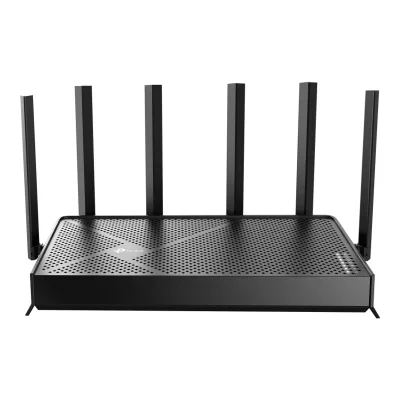
Size, drawn to scale
Front and side.
- ANETGEAR: 150 × 249 mm
- BTP-Link: 268.6 × 47.6 mm
Weight
0 to 2,000 g
All 90 fields
Every value links to where we found it.
General
2 of 9 differ
Series
Model numbers
RS300, RS300-100NAS1Maker product pagenetgear.com/home/wifi/routers/rs300Read 14 October 2026The page data lists mpn RS300 and sku RS300-100NAS for the US page. The EU declaration of conformity names the same hardware Nighthawk BE9300 WiFi 7 Router, model RS300.6Maker spec sheet (PDF)downloads.netgear.com/files/DoC/204-11986-04_CE_RS300_EN-GR-FR-IT-SP-EP_29Jul25.pdfRead 14 October 2026EU declaration of conformity dated 22 Jul 2025: Product Name NIGHTHAWK BE9300 WiFi 7 Router, Model RS300. Dong Knows Tech calls the BE9300 an identical variant. The BE9300 name is kept as an alias.
GTIN / EAN
Not available
Announced
Not available
Not available
Status
Predecessor
Not available
Not available
Successor
Not available
Not available
Launch price (US)
$329.997Reviewdongknows.com/netgear-nighthawk-rs300-wi-fi-7-router-reviewRead 14 October 2026Hardware table: US Price (at launch) $329.99. TechRadar prints $329.99/£299.99/AU$649 for the same router. The US maker page now shows 299.99 USD, which is not stored. No euro launch price was found.9Reviewtechradar.com/computing/servers-network-devices/netgear-nighthawk-rs300-review-high-speed-wi-fi-7-at-a-competitive-priceRead 14 October 2026Price (as reviewed) $329.99/£299.99/AU$649, available now in the US, UK and Australia.
Launch price (EU)
Not available
Not available
Markets
Colours
Black1Maker product pagetp-link.com/us/home-networking/wifi-router/archer-be400Read 16 October 2026The product photos on the page show a black unit. The page gives no colour name. TP-Link's Amazon listing gives Color Black.8Retailer pageamazon.com/TP-Link-Archer-Dual-Band-BE400-HomeShield/dp/B0DVBP5L6YRead 16 October 2026Item details: Color Black.
Form factor
Wi-Fi
11 of 14 differ
Wi-Fi
Wi-Fi speed class
Wi-Fi radios
ANETGEAR Nighthawk RS300
| Band | Wi-Fi | Streams | Max channel width (MHz) | Max link rate (Mbps) | Dedicated backhaul |
|---|---|---|---|---|---|
| 2.4 GHz | Wi-Fi 7 | 2 | 40 | 688 | No |
| 5 GHz | Wi-Fi 7 | 2 | 160 | 2,882 | No |
| 6 GHz | Wi-Fi 7 | 2 | 320 | 5,764 | No |
Source2Maker spec sheet (PDF)downloads.netgear.com/files/GDC/RS300/RS300_TS.pdfRead 14 October 2026Technical Specifications: 2.4 GHz (2x2), 5 GHz (2x2) and 6 GHz (2x2), with 320 MHz channels. Widths and rates are in the manual.3Owner's manualdownloads.netgear.com/files/GDC/RS300/RS300_RS280_UM_EN.pdfRead 14 October 2026Introduction: models RS300 and BE9300 have a 2.4 GHz radio with 4096-QAM and 20/40 MHz up to 0.7 Gbps, a 5 GHz radio with 20/40/80/160 MHz up to 2.9 Gbps and a 6 GHz radio with 20/40/80/160/320 MHz up to 5.8 Gbps, as 802.11 n/ac/ax/be and ax/be radios. The maker prints the rates only rounded to 0.1 Gbps. Dong Knows Tech prints 688, 2880 and 5760 Mbps. The stored rates are the 802.11be rates for 2 streams and 4096-QAM at 40, 160 and 320 MHz, which round to every printed figure and add up to the 9.3 Gbps of the BE9300 class. The RS280 in the same manual has a slower 2.4 GHz radio and is not this model.10Reviewexpertreviews.co.uk/technology/wifi-home-networking/netgear-nighthawk-rs300-wi-fi-7-router-reviewRead 14 October 2026The review says each band uses a 2x2 antenna array, with theoretical peak speeds of 700Mbits/sec, 2.9Gbits/sec and 5.8Gbits/sec across the three radios.
BTP-Link Archer BE400
| Band | Wi-Fi | Streams | Max channel width (MHz) | Max link rate (Mbps) | Dedicated backhaul |
|---|---|---|---|---|---|
| 2.4 GHz | Wi-Fi 7 | 2 | 40 | 688 | No |
| 5 GHz | Wi-Fi 7 | 4 | 160 | 5,764 | No |
Source1Maker product pagetp-link.com/us/home-networking/wifi-router/archer-be400Read 16 October 2026Page: 5 GHz 5764 Mbps (802.11be) and 2.4 GHz 688 Mbps (802.11be), with the 4 Streams label. The page prints no channel widths. The datasheet's sensitivity table lists EHT160 as the widest 5 GHz channel and EHT40 as the widest 2.4 GHz channel. 5764 Mbps is 4 streams at 160 MHz and 688 Mbps is 2 streams at 40 MHz. Dong Knows Tech and Blacktubi print 4x4 on 5 GHz and 2x2 on 2.4 GHz, and TP-Link's Amazon listing says 6 streams, so the streams sum to the maker's 6. The page's 4 Streams label is read as the 5 GHz radio.2Maker spec sheet (PDF)tp-link.com/us/document/28676Read 16 October 2026Standards: 802.11be/ax/ac/n/a on 5 GHz and 802.11be/ax/n/g/b on 2.4 GHz. Speeds: 5764 Mbps (5 GHz) + 688 Mbps (2.4 GHz). The sensitivity table gives 11be EHT160 MCS13 on 5 GHz and EHT40 MCS13 on 2.4 GHz as the widest channels.9Reviewdongknows.com/tp-link-archer-be6500-wi-fi-7-router-reviewRead 16 October 2026Hardware table: 2.4 GHz 2x2 BE up to 688 Mbps (20/40 MHz) and 5 GHz 4x4 BE up to 5760 Mbps (20/40/80/160 MHz), no 6 GHz. The maker's 5764 Mbps is stored.10Reviewblacktubi.com/review/tp-link-archer-be400Read 16 October 2026Spec table: 2.4 GHz Wi-Fi 7 up to 688 Mbps (40 MHz 2x2) and 5 GHz Wi-Fi 7 up to 5764 Mbps (160 MHz 4x4).
Radio bands
3
2
6 GHz band
Yes
No
Combined Wi-Fi link rate
9,334Mbps
6,452Mbps
Wi-Fi streams
6
6
Max Wi-Fi channel width
320MHz
160MHz
Wi-Fi features
4K-QAM, OFDMA, MU-MIMO, Band steering2Maker spec sheet (PDF)downloads.netgear.com/files/GDC/RS300/RS300_TS.pdfRead 14 October 2026MU-MIMO capable for simultaneous data streaming and uplink and downlink OFDMA. The manual adds 4096-QAM and Smart Connect.3Owner's manualdownloads.netgear.com/files/GDC/RS300/RS300_RS280_UM_EN.pdfRead 14 October 2026Introduction names 4096-QAM. Chapter 6 covers Smart Connect, which puts the 2.4, 5 and 6 GHz radios under one name and picks the fastest band, and a setting for MU-MIMO. MLO is not stored since NETGEAR's pages do not name it, see the Dong Knows Tech note.
Multi-Link Operation (MLO), Multi-RU, 4K-QAM, OFDMA, MU-MIMO, Beamforming, Band steering1Maker product pagetp-link.com/us/home-networking/wifi-router/archer-be400Read 16 October 2026Page lists Multi-Link Operation (MLO), 4K-QAM, Multi-RUs, MU-MIMO, OFDMA and Beamforming. The datasheet adds Smart Connect, stored as band_steering. The maker names no TWT or preamble puncturing for this model.2Maker spec sheet (PDF)tp-link.com/us/document/28676Read 16 October 2026Wi-Fi 7 features: Multi-Link Operation (MLO), 4K-QAM and Multi-RUs. Smart Connect intelligently assigns each device to the best Wi-Fi band.
External antennas
Internal antennas
41Maker product pagenetgear.com/home/wifi/routers/rs300Read 14 October 2026Technical details: (4) high-performance internal antennas and high-power amplifiers. KitGuru writes about 2 internal antennas for each band, six in total, which conflicts. The maker figure is used.2Maker spec sheet (PDF)downloads.netgear.com/files/GDC/RS300/RS300_TS.pdfRead 14 October 2026Antennas: (4) high-performance internal antennas and high-power amplifiers.
Not available
Detachable antennas
Coverage of one unit (claimed)
Ports and modem
2 of 9 differ
Ports
ANETGEAR Nighthawk RS300
| Port | Count | Role | Max speed (Gbps) | Version |
|---|---|---|---|---|
| RJ45 | 1 | WAN | 2.5 | Not available |
| RJ45 | 2 | LAN | 2.5 | Not available |
| RJ45 | 2 | LAN | 1 | Not available |
| USB-A | 1 | Not available | 5 | USB 3.0 |
Source2Maker spec sheet (PDF)downloads.netgear.com/files/GDC/RS300/RS300_TS.pdfRead 14 October 2026Ports: (1) 2.5 Gbps internet port, (2) 2.5 Gbps Ethernet LAN ports, (2) 10/100/1000 Mbps Gigabit Ethernet LAN ports and (1) USB 3.0 port. USB 3.0 is stored at 5 Gbps, the standard rate that Expert Reviews also prints.10Reviewexpertreviews.co.uk/technology/wifi-home-networking/netgear-nighthawk-rs300-wi-fi-7-router-reviewRead 14 October 2026The review lists two 2.5GbE LAN connectors, two standard gigabit Ethernet ports and a single 5Gbits/sec USB connector.
BTP-Link Archer BE400
| Port | Count | Role | Max speed (Gbps) | Version |
|---|---|---|---|---|
| RJ45 | 1 | WAN | 2.5 | Not available |
| RJ45 | 1 | LAN | 2.5 | Not available |
| RJ45 | 3 | LAN | 1 | Not available |
| USB-A | 1 | Not available | 5 | USB 3.0 |
Ethernet ports
5
5
Multi-gig ports
3
2
Fastest WAN port
2.5Gbps
2.5Gbps
Fastest LAN port
2.5Gbps
2.5Gbps
USB ports
1
1
SFP+ port
No
No
Built-in modem
Not available
Not available
Modem standards
Not available
Not available
Mesh
2 of 7 differ
Mesh technologies
Not available
Units per pack
Coverage of the pack (claimed)
Not available
Not available
Identical units
Not available
Not available
Satellite model
Not available
Not available
Satellite ports
Not available
Not available
Software
4 of 7 differ
Management
Mobile app, Web interface3Owner's manualdownloads.netgear.com/files/GDC/RS300/RS300_RS280_UM_EN.pdfRead 14 October 2026Chapter 3 covers both the router web interface at routerlogin.net and the Nighthawk app.4Owner's manualdownloads.netgear.com/files/GDC/RS300/RS300_RS280_QSG_EN.pdfRead 14 October 2026The quick start guide sets up the router with the Nighthawk app and says to use the router web interface at routerlogin.net if the app install fails.
Online account required
No3Owner's manualdownloads.netgear.com/files/GDC/RS300/RS300_RS280_UM_EN.pdfRead 14 October 2026Chapter 3: the installation assistant runs in any web browser, with a link for people without a compatible smartphone. A free NETGEAR account is only needed to register the router, manage it remotely and manage subscriptions. Footnote 4 of the datasheet says the app needs a free account.7Reviewdongknows.com/netgear-nighthawk-rs300-wi-fi-7-router-reviewRead 14 October 2026The review says the app is attached to a NETGEAR login account and is required for add-on premium features, while the router has a full web user interface.
Operating modes
Router, Access point3Owner's manualdownloads.netgear.com/files/GDC/RS300/RS300_RS280_UM_EN.pdfRead 14 October 2026Chapter 9: Set up the router as a WiFi access point, and Return the router to router mode.7Reviewdongknows.com/netgear-nighthawk-rs300-wi-fi-7-router-reviewRead 14 October 2026Hardware table: Router (default) or Access Point.
Router, Access point1Maker product pagetp-link.com/us/home-networking/wifi-router/archer-be400Read 16 October 2026Wireless mode: Router Mode and Access Point Mode.3Owner's manualtp-link.com/us/document/111858Read 16 October 2026Set Up the Router as an Access Point: Advanced > System > Operation Mode > Access Point Mode.
Network features
Guest network, IoT network, VLAN, IPTV, WAN aggregation, LAN aggregation, Dynamic DNS1Maker product pagenetgear.com/home/wifi/routers/rs300Read 14 October 2026Separate WiFi Networks: Main Network, IoT Network and Guest Network. VLAN, IPTV, aggregation and Dynamic DNS come from the manual.2Maker spec sheet (PDF)downloads.netgear.com/files/GDC/RS300/RS300_TS.pdfRead 14 October 2026Create separate WiFi Networks: Main, IoT and Guest.3Owner's manualdownloads.netgear.com/files/GDC/RS300/RS300_RS280_UM_EN.pdfRead 14 October 2026Chapter 6 guest WiFi network, chapter 7 IPTV port or VLAN tag bridge, LAN port aggregation (LAN ports 1 and 2) and Internet port aggregation (the 2.5G Internet port with LAN port 4), chapter 11 Dynamic DNS. Smart parental controls are left out, since NETGEAR sells them as a subscription. Access control and keyword blocking are not named parental controls and are left out.
Guest network, IoT network, IPTV, QoS, Parental controls, Dynamic DNS1Maker product pagetp-link.com/us/home-networking/wifi-router/archer-be400Read 16 October 2026Page lists IoT Network, a 5 GHz and a 2.4 GHz guest network, IPTV (IGMP Proxy, IGMP Snooping, Bridge, Tag VLAN), QoS by Device, HomeShield Parental Controls with Bedtime, Off Time and Pause the Internet, and DDNS (TP-Link, NO-IP, DynDNS). Tag VLAN is part of the IPTV settings, so VLAN is not stored. The page lists no link aggregation, dual WAN or WAN aggregation.3Owner's manualtp-link.com/us/document/111858Read 16 October 2026The HomeShield chapter lets the web page create a parental control profile with Bed Time and Pause, and set QoS priority. The IPTV/VLAN chapter and the DDNS chapter match the product page.
VPN server
OpenVPN2Maker spec sheet (PDF)downloads.netgear.com/files/GDC/RS300/RS300_TS.pdfRead 14 October 2026Supports VPN to remotely access the home network. The manual names OpenVPN only.3Owner's manualdownloads.netgear.com/files/GDC/RS300/RS300_RS280_UM_EN.pdfRead 14 October 2026Chapter 12: Use OpenVPN to Access Your Network. No other VPN server protocol is listed.
VPN client
Not available
USB applications
File server, Media server, Time Machine1Maker product pagetp-link.com/us/home-networking/wifi-router/archer-be400Read 16 October 20261x USB 3.0. Supported functions: FTP Server, Media Server, Samba Server. Time Machine comes from Blacktubi and the web user guide.3Owner's manualtp-link.com/us/document/111858Read 16 October 2026USB Settings chapter: access the USB storage device locally and remotely, media sharing and Time Machine. The guide says some models do not support Time Machine.10Reviewblacktubi.com/review/tp-link-archer-be400Read 16 October 2026Feature table: Samba, FTP, DLNA and Time Machine supported. Printer sharing is not.
Security
4 of 5 differ
Wi-Fi security
WPA2-Personal, WPA3-Personal2Maker spec sheet (PDF)downloads.netgear.com/files/GDC/RS300/RS300_TS.pdfRead 14 October 2026Engineered with WPA3 encryption technology. The manual lists WPA2-Personal and WPA3-Personal, plus mixed modes.3Owner's manualdownloads.netgear.com/files/GDC/RS300/RS300_RS280_UM_EN.pdfRead 14 October 2026Chapter 6: WPA2-Personal, WPA3-Personal and mixed WPA2 plus WPA3 settings. The 6 GHz network is fixed to WPA3-Personal.
WPA2-Personal, WPA3-Personal, WPA2-Enterprise1Maker product pagetp-link.com/us/home-networking/wifi-router/archer-be400Read 16 October 2026WiFi Encryption: WPA, WPA2, WPA3 and WPA/WPA2-Enterprise (802.1x). The Wi-Fi Alliance CSV has no entry for this model, so Enhanced Open is not stored.2Maker spec sheet (PDF)tp-link.com/us/document/28676Read 16 October 2026Wi-Fi encryption: WPA, WPA2, WPA3, WPA/WPA2-Enterprise (802.1x).
Security service
Security service cost
Automatic firmware updates
Smart home
1 of 5 differ
Thread border router
Not available
Not available
Matter controller
Not available
Not available
Zigbee hub
Not available
Not available
Bluetooth
Not available
Not available
Smart home platforms
Not available
Hardware
3 of 6 differ
System on chip
Not available
Not available
CPU cores
CPU clock
RAM
2GB7Reviewdongknows.com/netgear-nighthawk-rs300-wi-fi-7-router-reviewRead 14 October 2026Hardware table: Quad-Core 2.0GHz CPU, 512MB NAND flash and 2GB RAM. TechRadar prints the same memory. NETGEAR does not publish it.9Reviewtechradar.com/computing/servers-network-devices/netgear-nighthawk-rs300-review-high-speed-wi-fi-7-at-a-competitive-priceRead 14 October 2026Specs table: Memory 2GB RAM.
Flash storage
512MB7Reviewdongknows.com/netgear-nighthawk-rs300-wi-fi-7-router-reviewRead 14 October 2026512 MB NAND flash, stored as 0.512 GB with 1000 MB per GB.9Reviewtechradar.com/computing/servers-network-devices/netgear-nighthawk-rs300-review-high-speed-wi-fi-7-at-a-competitive-priceRead 14 October 2026Specs table: Storage 512MB NAND Flash.
Power
2 of 5 differ
Power supply
External DC adapter1Maker product pagenetgear.com/home/wifi/routers/rs300Read 14 October 2026The router takes a DC connector from the 12V/3.5A power adapter in the box.
External DC adapter1Maker product pagetp-link.com/us/home-networking/wifi-router/archer-be400Read 16 October 2026The Product and Installation Guide says the router connects to a power socket via the provided power adapter.4Owner's manualtp-link.com/us/document/125344Read 16 October 2026Power Port: for connecting the router to a power socket via the provided power adapter.
Rated power input
Included adapter output
42W1Maker product pagenetgear.com/home/wifi/routers/rs300Read 14 October 202612 V times 3.5 A is 42 W.
30W4Owner's manualtp-link.com/us/document/125344Read 16 October 2026The FCC statement names the I.T.E. power supply NBS30D120250VU. Dong Knows Tech prints its output as 12 V and 2.5 A, which is 30 W.9Reviewdongknows.com/tp-link-archer-be6500-wi-fi-7-router-reviewRead 16 October 2026Hardware table: power adapter input 100 to 240 V, output 12 V and 2.5 A. 12 V x 2.5 A is 30 W.
Power use (typical, claimed)
Not available
Not available
Power use (max, claimed)
Not available
Not available
Measured
1 of 6 differ
Wi-Fi throughput (measured)
Not available
Not available
Fastest Wi-Fi throughput (measured)
Not available
Not available
Wi-Fi throughput through a wall (measured)
Not available
Not available
Range (measured)
Not available
Not available
Power use under load (measured)
Not available
Not available
Energy use per day (measured)
Not available
Dimensions and weight
3 of 4 differ
Dimensions
Width150Height249Depth101.6mm(5.9 × 9.8 × 4 in)1Maker product pagenetgear.com/home/wifi/routers/rs300Read 14 October 2026Technical details: height 249 mm, width 150 mm, depth 101.6 mm. The router stands upright and the antennas are internal.
Width268.6Height47.6Depth153mm(10.6 × 1.9 × 6 in)2Maker spec sheet (PDF)tp-link.com/us/document/28676Read 16 October 2026Dimensions: 10.6 x 6.0 x 1.9 in (268.6 x 153.0 x 47.6 mm). The datasheet names no axes. Expert Reviews gives a 269 x 153 mm footprint and Staples Canada prints 10.6 L x 6.0 W x 1.9 D in, so the unit is 268.6 mm wide, 153.0 mm deep and 47.6 mm high with the antennas folded. This is the unit lying flat.12Reviewexpertreviews.co.uk/technology/wifi-home-networking/tp-link-archer-be400-reviewRead 16 October 2026Spec list: footprint 269 x 153 mm. This fixes the width and depth of the maker's three figures. The review gives no weight and no CPU.13Retailer pagestaples.ca/products/3177900-en-tp-link-archer-be6500-dual-band-gigabit-wi-fi-7-routerRead 16 October 2026Spec table for the Archer BE6500 (model number ARCHER BE6500): 10.6 L x 6.0 W x 1.9 D in, the same size as the maker's. It lists weight 1.36 lb and coverage up to 2400 sq ft, and 1x 2.5 Gbps LAN and 3x 1 Gbps LAN ports with 1 WAN port.
Dimensions with antennas
Not available
Not available
Weight
Wall mountable
Not available
Certifications
1 of 1 differ
Wi-Fi Alliance certification ID
Not available
Not available
FCC ID
Not available
In the box
1 of 1 differ
In the box
WiFi 7 Tri-Band Router (RS300), Ethernet cable, 12V/3.5A power adapter, Quick Start Guide1Maker product pagenetgear.com/home/wifi/routers/rs300Read 14 October 2026What's included: WiFi 7 Tri-Band Router (RS300), Ethernet cable, 12V/3.5A power adapter and Quick Start Guide.2Maker spec sheet (PDF)downloads.netgear.com/files/GDC/RS300/RS300_TS.pdfRead 14 October 2026Package Contents: WiFi 7 Tri-Band Router (RS300), Ethernet cable, 12V/3.5A power adapter, quick start guide.
Wi-Fi 7 Router Archer BE400, Power Adapter, RJ45 Ethernet Cable, Quick Installation Guide2Maker spec sheet (PDF)tp-link.com/us/document/28676Read 16 October 2026Package contents: Wi-Fi 7 Router Archer BE400, Power Adapter, RJ45 Ethernet Cable, Quick Installation Guide.
Links
Not compared
Product page
Spec sheet
Manual
EPREL registration number
Not available
Not available
Warranty
1 of 1 differ
Manufacturer warranty (source market)
2years6Maker product pagetp-link.com/us/support/replacement-warrantyRead 16 October 2026US warranty page: products purchased on or after 9/1/2023, Wi-Fi Router, 2 years. TP-Link's Amazon listing says 2 Year Manufacturer.8Retailer pageamazon.com/TP-Link-Archer-Dual-Band-BE400-HomeShield/dp/B0DVBP5L6YRead 16 October 2026
Both are also in the API. Back to all routers.