Motherboards / Compare
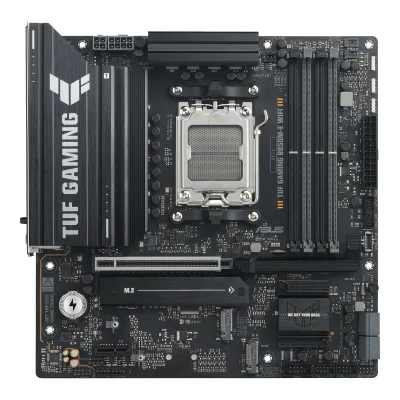
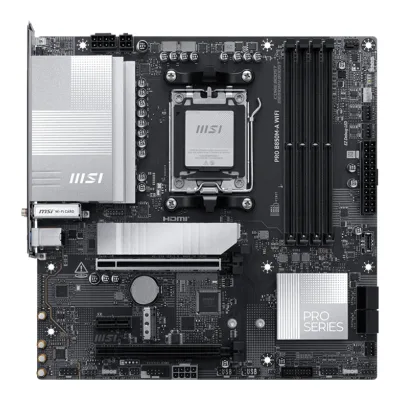
ASUS TUF GAMING B850M-E WIFI vs MSI PRO B850M-A WIFI
Product A: ASUS
59 of 78 known ASUS ROG STRIX B850-G GAMING WIFI
 GIGABYTE B850M EAGLE WIFI6E
 ASRock B850M-X R2.0
 MSI MAG B850M MORTAR WIFI
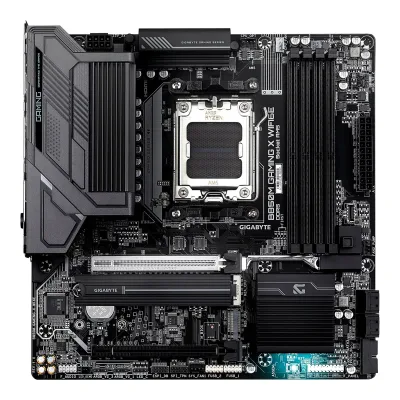 GIGABYTE B850M GAMING X WIFI6E
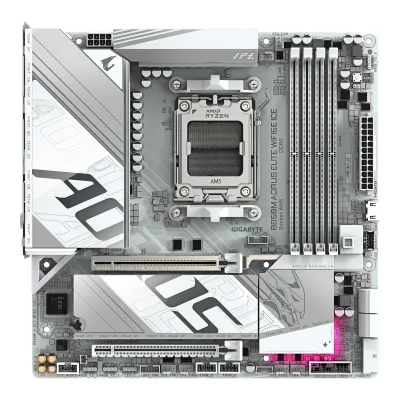 GIGABYTE B850M AORUS ELITE WIFI6E ICE
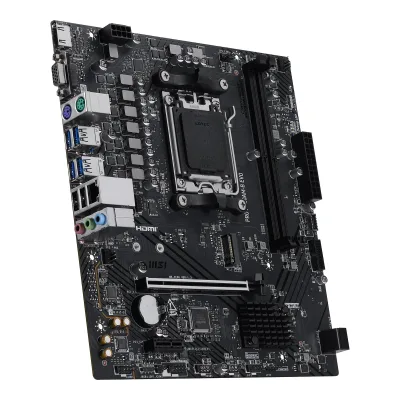 MSI PRO A620AM-B EVO
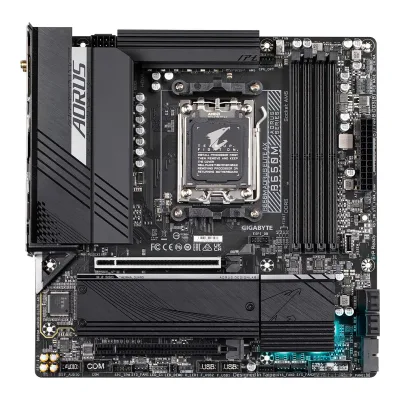 GIGABYTE B650M AORUS ELITE AX
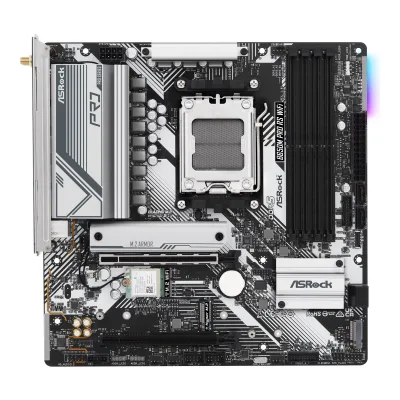 ASRock B650M Pro RS WiFi
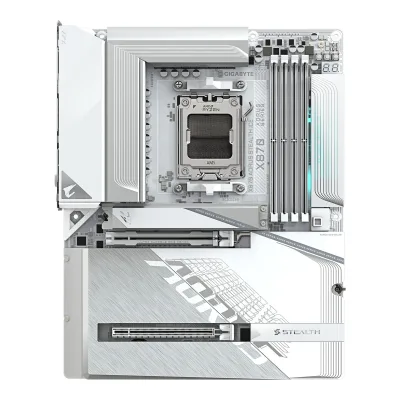 GIGABYTE X870 AORUS STEALTH ICE
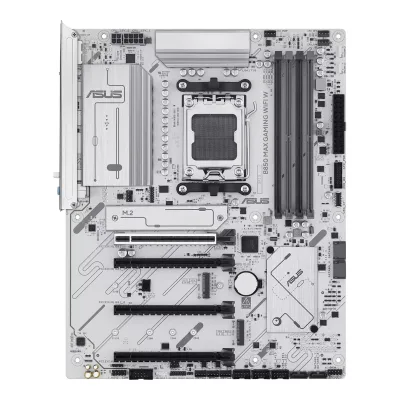 ASUS B850 MAX GAMING WIFI W
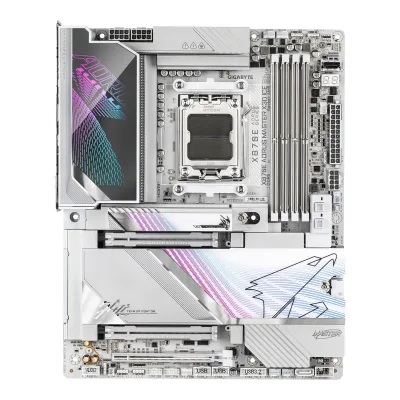 GIGABYTE X870E AORUS MASTER X3D ICE
Change ASUS TUF GAMING B850M-E WIFI
Compare the MSI PRO B850M-A WIFI with
ASUS ROG STRIX B850-G GAMING WIFIGIGABYTE B850M EAGLE WIFI6EASRock B850M-X R2.0MSI MAG B850M MORTAR WIFIGIGABYTE B850M GAMING X WIFI6EGIGABYTE B850M AORUS ELITE WIFI6E ICEMSI PRO A620AM-B EVOGIGABYTE B650M AORUS ELITE AXASRock B650M Pro RS WiFiGIGABYTE X870 AORUS STEALTH ICEASUS B850 MAX GAMING WIFI WGIGABYTE X870E AORUS MASTER X3D ICEProduct B: MSI
63 of 78 knownMSI MAG B850M MORTAR WIFIASRock B850M-X R2.0ASUS ROG STRIX B850-G GAMING WIFIGIGABYTE B850M EAGLE WIFI6EGIGABYTE B850M GAMING X WIFI6EGIGABYTE B850M AORUS ELITE WIFI6E ICEMSI PRO A620AM-B EVOGIGABYTE B650M AORUS ELITE AXASRock B650M Pro RS WiFi NZXT N9 X870E
 ASUS B650E MAX GAMING WIFIASUS B850 MAX GAMING WIFI W
Change MSI PRO B850M-A WIFI
Compare the ASUS TUF GAMING B850M-E WIFI with
MSI MAG B850M MORTAR WIFIASRock B850M-X R2.0ASUS ROG STRIX B850-G GAMING WIFIGIGABYTE B850M EAGLE WIFI6EGIGABYTE B850M GAMING X WIFI6EGIGABYTE B850M AORUS ELITE WIFI6E ICEMSI PRO A620AM-B EVOGIGABYTE B650M AORUS ELITE AXASRock B650M Pro RS WiFiNZXT N9 X870EASUS B650E MAX GAMING WIFIASUS B850 MAX GAMING WIFI W31 of 70 fields differ
- 23 different values
- 8 known for one only
- 29 the same
- 10 missing for both
Biggest differences
Each bar uses the scale of all 87 motherboards.
- Ethernet speedA: 2.5GbpsB: 5GbpsMSI is 2.5 Gbps higher.
- Rear USB-C portsA: 1B: 2MSI has 1 more.
- M.2 slotsA: 3B: 2ASUS has 1 more.
Size, drawn to scale
Front and side.
- AASUS: 244 × 244 mm
- BMSI: 244 × 244 mm
All 78 fields
Every value links to where we found it.
General
3 of 9 differ
Series
Model numbers
TUF GAMING B850M-E WIFI, 90MB1LS0-M0EAY0, 90MB1LS0-MUVAY0, 90MB1LS0-MVAAY04Maker product pageasus.com/us/motherboards-components/motherboards/tuf-gaming/tuf-gaming-b850m-e-wifi/where-to-buyRead 14 October 2026ASUS US where-to-buy page lists TUF GAMING B850M-E WIFI (90MB1LS0-MUVAY0) and TUF GAMING B850M-E WIFI (90MB1LS0-MVAAY0). European retailers list 90MB1LS0-M0EAY0. The page does not say how the three codes differ.6Retailer pageshop.sumillion.com/asus-tuf-gaming-b850m-e-wifi-amd-b850-socket-am5-micro-atx-90mb1ls0-m0eay0.htmlRead 14 October 2026Part number 90MB1LS0-M0EAY0 in the title.
GTIN / EAN
47116360684996Retailer pageshop.sumillion.com/asus-tuf-gaming-b850m-e-wifi-amd-b850-socket-am5-micro-atx-90mb1ls0-m0eay0.htmlRead 14 October 2026Sumillion lists EAN 4711636068499 for 90MB1LS0-M0EAY0. comparateur-gamer.fr lists the same EAN and part number.7Retailer pagecomparateur-gamer.fr/prix/asus-tuf-gaming-b850m-e-wifi-4711636068499Read 14 October 2026Price comparison page for EAN 4711636068499 and reference 90MB1LS0-M0EAY0.
Announced
Not available
Status
Available8Spec databasegeizhals.de/msi-pro-b850m-a-wifi-a3383558.htmlRead 14 October 2026Listed with offers on geizhals.eu on 2026-10-14. The base page showed no offers in one snapshot. BuildCores shows it in stock at Newegg and Walmart.9Spec databasebuildcores.com/products/Motherboard/ys4ci1k5t/MSI-PRO-B850M-A-WIFIRead 14 October 2026Shows Newegg at 168.99 USD and Walmart at 172.99 USD in stock on 2026-10-14.
Predecessor
Not available
Not available
Successor
Not available
Not available
Launch price (US)
Not available
Not available
Launch price (EU)
Not available
Not available
Markets
Not available
Not available
Colours
Not available
Not available
Segment
Board revision
Not available
Not available
Platform
0 of 4 differ
CPU socket
Chipset
Supported processors
AMD Ryzen 9000 Series, AMD Ryzen 8000 Series, AMD Ryzen 7000 Series1Maker product pageasus.com/motherboards-components/motherboards/tuf-gaming/tuf-gaming-b850m-e-wifi/techspecRead 14 October 2026AM5 for Ryzen 9000, 8000 and 7000 Series. The page refers to the ASUS download center for the CPU support list. Read on 2026-10-14.
AMD Ryzen 9000 Series, AMD Ryzen 8000 Series, AMD Ryzen 7000 Series1Owner's manualstatic.buildcores.com/part-attachments/6ca91b70-bec1-4089-823a-42e63ffd6950_PROB850M-AWIFI_PROB850M-A_English.pdfRead 14 October 2026Specifications, CPU row: AMD Ryzen 9000/8000/7000 Series Desktop Processors, socket AM5. The manual points to msi.com for the newest support list. Read on 2026-10-14.
CPU overclocking
Yes2Maker product pageasus.com/motherboards-components/motherboards/tuf-gaming/tuf-gaming-b850m-e-wifiRead 14 October 2026The page describes Dynamic OC Switcher, which switches between a manual overclock and Precision Boost Overdrive, and Core Flex for CPU power and thermal limits. AMD's chipset page also lists CPU overclocking for B850.10Maker product pageamd.com/en/products/processors/chipsets/am5.htmlRead 14 October 2026AMD's chipset page lists enhanced overclocking capabilities for B850 and Ryzen processor overclocking enabled. This is the chip maker's page, not the board maker's.
Board
2 of 5 differ
Form factor
Board dimensions
Width244Height244mm(9.6 × 9.6 in)1Maker product pageasus.com/motherboards-components/motherboards/tuf-gaming/tuf-gaming-b850m-e-wifi/techspecRead 14 October 2026micro-ATX form factor, 9.6 inch x 9.6 inch (24.4 cm x 24.4 cm).
Width244Height244mm(9.6 × 9.6 in)1Owner's manualstatic.buildcores.com/part-attachments/6ca91b70-bec1-4089-823a-42e63ffd6950_PROB850M-AWIFI_PROB850M-A_English.pdfRead 14 October 2026Specifications: 244 mm x 244 mm. Guru3D, Netcodex and the MSI Taiwan store give 243.84 mm, the exact conversion of 9.6 in.
PCB layers
63Maker product pagemy-store.msi.com/products/msi-pro-b850m-a-wifi-matx-motherboardRead 14 October 2026Product details: 6-layer PCB made by 2oz thickened copper and server-grade level material.4Maker product pagetw-store.msi.com/products/pro-b850m-a-wifiRead 14 October 2026The Chinese text says a 6-layer server-grade PCB with 2oz copper. One search result summary of MSI's global page mentioned 8 layers, which no maker page or document confirmed.6Press articleclub386.com/msi-launches-mid-and-entry-motherboards-for-amds-am5-platformRead 14 October 2026Six-layer PCB.
Back-connect design
RGB lighting on the board
Not available
No1Owner's manualstatic.buildcores.com/part-attachments/6ca91b70-bec1-4089-823a-42e63ffd6950_PROB850M-AWIFI_PROB850M-A_English.pdfRead 14 October 2026Specifications, LED Features: 4x EZ Debug LED, 1x EZ Memory Detection LED and the RGB and ARGB headers. The list names no lighting on the board itself. BuildCores shows Lighting: None.9Spec databasebuildcores.com/products/Motherboard/ys4ci1k5t/MSI-PRO-B850M-A-WIFIRead 14 October 2026Lighting: none listed. The headers are for external devices.
Power delivery
3 of 6 differ
Power stage layout
8+2+13Maker product pagemy-store.msi.com/products/msi-pro-b850m-a-wifi-matx-motherboardRead 14 October 2026Product details: Direct 8+2+1 Power System 60A SPS, 8+4-pin CPU power connectors.4Maker product pagetw-store.msi.com/products/pro-b850m-a-wifiRead 14 October 2026Text names an 8+2+1 Duet Rail power system with dual 8+4-pin CPU power connectors.6Press articleclub386.com/msi-launches-mid-and-entry-motherboards-for-amds-am5-platformRead 14 October 2026MSI's launch text through Club386: 8+2+1 phases rated at 60A.7Press articleguru3d.com/story/msi-pro-b850ma-wifi-microatx-motherboard-with-wifi-7-and-5-gigabit-lanRead 14 October 20268+2+1 phase design with 60A smart power stages.10Spec databasemaxmybuild.com/motherboards/msi-pro-b850m-a-wifiRead 14 October 20268+2+1 power stage layout, 60A SPS.
CPU core (Vcore) power stages
Vcore power stage rating
60A3Maker product pagemy-store.msi.com/products/msi-pro-b850m-a-wifi-matx-motherboardRead 14 October 2026Direct 8+2+1 Power System 60A SPS.6Press articleclub386.com/msi-launches-mid-and-entry-motherboards-for-amds-am5-platformRead 14 October 20268+2+1 phases rated at 60A.7Press articleguru3d.com/story/msi-pro-b850ma-wifi-microatx-motherboard-with-wifi-7-and-5-gigabit-lanRead 14 October 202660A smart power stages.
VRM controller
Not available
CPU power connectors
8+4 pin1Maker product pageasus.com/motherboards-components/motherboards/tuf-gaming/tuf-gaming-b850m-e-wifi/techspecRead 14 October 2026Internal connectors: 1 x 8-pin +12V CPU power connector, 1 x 4-pin +12V CPU power connector and the 24-pin main power connector. The manual says to connect the 8-pin plug, or both the 8-pin and 4-pin plugs.3Owner's manualdlcdnets.asus.com/pub/ASUS/mb/SocketAM5/TUF_GAMING_B850M-E_WIFI/E26935_TUF_GAMING_B850M-E_WIFI_EM_V2_WEB.pdfRead 14 October 2026Layout: CPU_12V_1 and CPU_12V_2. Caution: connect the 8-pin power plug, or both the 8-pin and 4-pin plugs.
8+4 pin1Owner's manualstatic.buildcores.com/part-attachments/6ca91b70-bec1-4089-823a-42e63ffd6950_PROB850M-AWIFI_PROB850M-A_English.pdfRead 14 October 2026Specifications, Power Connectors: 1x 24-pin ATX, 1x 8-pin +12V, 1x 4-pin +12V and 1x 8-pin PCIe power connector.3Maker product pagemy-store.msi.com/products/msi-pro-b850m-a-wifi-matx-motherboardRead 14 October 20268+4-pin CPU power connectors.
Extra slot power connector
Memory
3 of 6 differ
Memory type
Memory slots
Max memory
Max memory speed (overclocked)
ECC memory
Expansion slots
2 of 3 differ
Expansion slots
AASUS TUF GAMING B850M-E WIFI
| Physical slot | Electrical lanes | PCIe generation | Connected to | Count |
|---|---|---|---|---|
| PCIe x16 | 16 | 5 | CPU | 1 |
| PCIe x1 | 1 | 4 | Chipset | 1 |
Source1Maker product pageasus.com/motherboards-components/motherboards/tuf-gaming/tuf-gaming-b850m-e-wifi/techspecRead 14 October 2026Ryzen 9000 and 7000: 1 x PCIe 5.0 x16 slot. Ryzen 8000: 1 x PCIe 4.0 x16 slot at x8 or x4. B850 chipset: 1 x PCIe 4.0 x1 slot. The manual calls the slots PCIEX16(G5) and PCIEX1(G4).3Owner's manualdlcdnets.asus.com/pub/ASUS/mb/SocketAM5/TUF_GAMING_B850M-E_WIFI/E26935_TUF_GAMING_B850M-E_WIFI_EM_V2_WEB.pdfRead 14 October 2026Layout and expansion slot section: one PCIe x16 slot PCIEX16(G5) and one PCIe x1 slot PCIEX1(G4).
BMSI PRO B850M-A WIFI
| Physical slot | Electrical lanes | PCIe generation | Connected to | Count |
|---|---|---|---|---|
| PCIe x16 | 16 | 5 | CPU | 1 |
| PCIe x16 | 4 | 4 | Chipset | 1 |
| PCIe x1 | 1 | 3 | Chipset | 1 |
Full-length PCIe slots
1
2
Fastest PCIe x16 slot generation
5
5
Storage
2 of 4 differ
M.2 storage slots
AASUS TUF GAMING B850M-E WIFI
| Slot | PCIe generation | PCIe lanes | Connected to | Longest drive | Takes SATA drives |
|---|---|---|---|---|---|
| M.2_1 | 5 | 4 | CPU | M.2 2280 | No |
| M.2_2 | 4 | 4 | CPU | M.2 2280 | No |
| M.2_3 | 4 | 4 | Chipset | M.2 2280 | No |
Source1Maker product pageasus.com/motherboards-components/motherboards/tuf-gaming/tuf-gaming-b850m-e-wifi/techspecRead 14 October 2026Key M slots. Ryzen 9000 and 7000: M.2_1 is type 2280 at PCIe 5.0 x4 and M.2_2 is type 2280 at PCIe 4.0 x4. Ryzen 8000: M.2_1 runs PCIe 4.0 x4 and M.2_2 runs PCIe 4.0 x4 or x2. B850 chipset: M.2_3 is type 2242/2260/2280 at PCIe 4.0 x4, stored as 2280. Heatsinks per slot are not stored. The page lists only PCIe modes for the slots, so sata is false. The specification list and the layout name one M.2 heatsink, while the overview page text says all three M.2 slots have dedicated heatsinks, so the maker's pages conflict.3Owner's manualdlcdnets.asus.com/pub/ASUS/mb/SocketAM5/TUF_GAMING_B850M-E_WIFI/E26935_TUF_GAMING_B850M-E_WIFI_EM_V2_WEB.pdfRead 14 October 2026Chapter 1 item 6 lists the M.2 types and PCIe modes per CPU family. M.2_1, M.2_2 and M.2_3 are installed with the M.2 Q-Latch. The M.2 steps say to follow the heatsink steps only if the slot comes with a heatsink.
BMSI PRO B850M-A WIFI
| Slot | PCIe generation | PCIe lanes | Connected to | Longest drive | Takes SATA drives | Heatsink |
|---|---|---|---|---|---|---|
| M2_1 | 5 | 4 | CPU | M.2 2280 | No | Yes |
| M2_2 | 4 | 4 | CPU | M.2 2280 | No | No |
Source1Owner's manualstatic.buildcores.com/part-attachments/6ca91b70-bec1-4089-823a-42e63ffd6950_PROB850M-AWIFI_PROB850M-A_English.pdfRead 14 October 2026Specifications and pages 33 to 37, Ryzen 9000 values. M2_1 is from the CPU, up to PCIe 5.0 x4 (PCIe 4.0 x4 with Ryzen 8000), 2260 and 2280 drives, under the screwless EZ M.2 Shield Frozr II heatsink. M2_2 is from the CPU, up to PCIe 4.0 x4 (PCIe 4.0 x2 with Ryzen 8500 and 8300), 2260 and 2280 drives. The M2_2 install steps show a clip and no heatsink. MaxMyBuild and Geizhals agree that only one M.2 slot has a heatsink. No slot lists an M.2 SATA mode, so sata is false. The Wi-Fi module sits in a separate M.2 Key-E slot.10Spec databasemaxmybuild.com/motherboards/msi-pro-b850m-a-wifiRead 14 October 2026M.2 heatsinks: slot 1 only.
M.2 slots
3
2
PCIe 5.0 M.2 slots
1
1
SATA ports
Rear ports
2 of 5 differ
Rear ports
AASUS TUF GAMING B850M-E WIFI
| Type | Version | Count | Max link rate (Gbps) |
|---|---|---|---|
| USB-C | USB 3.2 Gen 2 | 1 | 10 |
| USB-A | USB 3.2 Gen 2 | 1 | 10 |
| USB-A | USB 3.2 Gen 1 | 2 | 5 |
| USB-A | USB 2.0 | 4 | 0.48 |
| DisplayPort | DisplayPort 1.4 | 2 | Not available |
| HDMI | HDMI 2.1 | 1 | Not available |
| Ethernet (RJ45) | Not available | 1 | 2.5 |
| 3.5 mm audio | Not available | 3 | Not available |
| PS/2 | Not available | 1 | Not available |
BMSI PRO B850M-A WIFI
| Type | Version | Count | Max link rate (Gbps) |
|---|---|---|---|
| USB-C | USB 3.2 Gen 2 | 2 | 10 |
| USB-A | USB 3.2 Gen 2 | 3 | 10 |
| USB-A | USB 3.2 Gen 1 | 3 | 5 |
| HDMI | HDMI 2.1 | 1 | Not available |
| DisplayPort | DisplayPort 1.4 | 1 | Not available |
| Ethernet (RJ45) | Not available | 1 | 5 |
| 3.5 mm audio | Not available | 3 | Not available |
Rear USB ports
8
8
Rear USB-C ports
1
2
Fastest rear USB port
10Gbps
10Gbps
Thunderbolt
Not available
Not available
Internal connectors
3 of 5 differ
Internal USB headers
AASUS TUF GAMING B850M-E WIFI
| Header | Max data rate (Gbps) | Headers | Front ports served |
|---|---|---|---|
| USB-C header | 5 | 1 | 1 |
| USB 3 header (19-pin) | 5 | 1 | 2 |
| USB 2.0 header (9-pin) | 0.48 | 2 | 4 |
BMSI PRO B850M-A WIFI
| Header | Max data rate (Gbps) | Headers | Front ports served |
|---|---|---|---|
| USB-C header | 10 | 1 | 1 |
| USB 3 header (19-pin) | 5 | 1 | 2 |
| USB 2.0 header (9-pin) | 0.48 | 2 | 4 |
Front USB-C header speed
5Gbps
10Gbps
Fan headers
51Maker product pageasus.com/motherboards-components/motherboards/tuf-gaming/tuf-gaming-b850m-e-wifi/techspecRead 14 October 20261 CPU fan, 1 CPU OPT fan, 1 AIO pump and 2 chassis fan headers, all 4-pin.3Owner's manualdlcdnets.asus.com/pub/ASUS/mb/SocketAM5/TUF_GAMING_B850M-E_WIFI/E26935_TUF_GAMING_B850M-E_WIFI_EM_V2_WEB.pdfRead 14 October 2026Table of fan and pump headers: CPU_FAN, CPU_OPT, CHA_FAN1, CHA_FAN2 and AIO_PUMP, 1 A each.
ARGB headers
RGB headers
Networking
6 of 9 differ
Ethernet controllers
Ethernet ports
1
1
Ethernet speed
2.5Gbps
5Gbps
Wi-Fi included
Wi-Fi standard
Wi-Fi bands
Max Wi-Fi channel width
Not available
Wi-Fi module
Not available
Bluetooth
Audio
1 of 2 differ
Audio codec
Not available
DAC chip
Not available
Not available
Features
3 of 7 differ
BIOS flashback
Clear CMOS button (rear)
No1Maker product pageasus.com/motherboards-components/motherboards/tuf-gaming/tuf-gaming-b850m-e-wifi/techspecRead 14 October 2026The back panel list has only the BIOS FlashBack button. Clear CMOS is a header on the board.3Owner's manualdlcdnets.asus.com/pub/ASUS/mb/SocketAM5/TUF_GAMING_B850M-E_WIFI/E26935_TUF_GAMING_B850M-E_WIFI_EM_V2_WEB.pdfRead 14 October 2026Layout item 13: Clear CMOS header (CLRTC). The rear panel has the BIOS FlashBack button only.
POST code display
No1Maker product pageasus.com/motherboards-components/motherboards/tuf-gaming/tuf-gaming-b850m-e-wifi/techspecRead 14 October 2026Q-Design lists Q-LED with four status LEDs (CPU, DRAM, VGA, boot device). No Q-Code display is listed.3Owner's manualdlcdnets.asus.com/pub/ASUS/mb/SocketAM5/TUF_GAMING_B850M-E_WIFI/E26935_TUF_GAMING_B850M-E_WIFI_EM_V2_WEB.pdfRead 14 October 2026Layout item 17: Q-LEDs (CPU, DRAM, VGA and boot device). No two-digit display on the layout.
Power button on the board
No1Maker product pageasus.com/motherboards-components/motherboards/tuf-gaming/tuf-gaming-b850m-e-wifi/techspecRead 14 October 2026The internal connector list names a front panel system header and no power or start button on the board.3Owner's manualdlcdnets.asus.com/pub/ASUS/mb/SocketAM5/TUF_GAMING_B850M-E_WIFI/E26935_TUF_GAMING_B850M-E_WIFI_EM_V2_WEB.pdfRead 14 October 2026The layout lists the F_PANEL header with a PWR_BTN pin for a chassis button and no power or start button on the board.
Not available
Dual BIOS
No1Maker product pageasus.com/motherboards-components/motherboards/tuf-gaming/tuf-gaming-b850m-e-wifi/techspecRead 14 October 2026BIOS is a single 256 Mb flash ROM. Dual BIOS is not stated.3Owner's manualdlcdnets.asus.com/pub/ASUS/mb/SocketAM5/TUF_GAMING_B850M-E_WIFI/E26935_TUF_GAMING_B850M-E_WIFI_EM_V2_WEB.pdfRead 14 October 2026Specifications summary: 256 Mb Flash ROM, UEFI AMI BIOS. Dual BIOS is not stated.
Pre-installed I/O shield
Tool-free features
Tool-free M.2 latch, PCIe slot release, Push-on antenna connector1Maker product pageasus.com/motherboards-components/motherboards/tuf-gaming/tuf-gaming-b850m-e-wifi/techspecRead 14 October 2026ASUS Q-Design: M.2 Q-Latch, PCIe Slot Q-Release and Q-Antenna.2Maker product pageasus.com/motherboards-components/motherboards/tuf-gaming/tuf-gaming-b850m-e-wifiRead 14 October 2026PCIe Slot Q-Release lever, Q-Antenna snap-in Wi-Fi antenna and M.2 Q-Latch are described on the page.3Owner's manualdlcdnets.asus.com/pub/ASUS/mb/SocketAM5/TUF_GAMING_B850M-E_WIFI/E26935_TUF_GAMING_B850M-E_WIFI_EM_V2_WEB.pdfRead 14 October 2026M.2 Q-Latch secures M.2 modules in the installation steps. The ASUS WiFi Q-Antenna chapter describes the snap-in antenna.
Tool-free M.2 latch, Tool-free M.2 heatsink, PCIe slot release1Owner's manualstatic.buildcores.com/part-attachments/6ca91b70-bec1-4089-823a-42e63ffd6950_PROB850M-AWIFI_PROB850M-A_English.pdfRead 14 October 2026Special Features, EZ DIY: EZ M.2 Shield Frozr II (screwless M2_1 heatsink, pages 34 to 36), EZ M.2 Clip II (locks the SSD without a screw) and EZ PCIe Clip II (release for the graphics card). The Wi-Fi antenna cables are screwed on (page 26), so antenna_connector is not stored.
Measured
None of 3 known
VRM temperature under CPU load
Not available
Not available
Power draw idle
Not available
Not available
Power draw CPU stress
Not available
Not available
In the box
1 of 1 differ
In the box
2 x SATA 6Gb/s cables, 1 x ASUS WiFi Q-Antenna, 1 x TUF Gaming sticker, 1 x M.2 rubber package, 1 x Screw package for M.2 SSD, 1 x Quick start guide1Maker product pageasus.com/motherboards-components/motherboards/tuf-gaming/tuf-gaming-b850m-e-wifi/techspecRead 14 October 2026Accessories list on the specification page, the same as the manual's package contents.3Owner's manualdlcdnets.asus.com/pub/ASUS/mb/SocketAM5/TUF_GAMING_B850M-E_WIFI/E26935_TUF_GAMING_B850M-E_WIFI_EM_V2_WEB.pdfRead 14 October 2026Package contents list on page 8.
1x Motherboard, 1x Quick installation guide, 1x European Union Regulatory Notices, 1x SATA cable, 1 x 1 to 2 EZ Conn-Cable (V1), 1x EZ Wi-Fi Antenna, 2x EZ M.2 Clip II, 1x EZ M.2 Clip II Remover1Owner's manualstatic.buildcores.com/part-attachments/6ca91b70-bec1-4089-823a-42e63ffd6950_PROB850M-AWIFI_PROB850M-A_English.pdfRead 14 October 2026Package Contents, page 22.
Links
Not compared
Product page
www.asus.com/motherboards-components/motherboards/tuf-gaming/tuf-gaming-b850m-e-wifi2Maker product pageasus.com/motherboards-components/motherboards/tuf-gaming/tuf-gaming-b850m-e-wifiRead 14 October 2026
www.msi.com/Motherboard/PRO-B850M-A-WIFI5Maker product pagemsi.com/Motherboard/PRO-B850M-A-WIFIRead 14 October 2026The URL comes from the job evidence and search results. msi.com blocks agents, so the page was not opened. Specifications were read from the user guide, the datasheet and MSI's regional stores.
Spec sheet
Manual
dlcdnets.asus.com/pub/ASUS/mb/SocketAM5/TUF_GAMING_B850M-E_WIFI/E26935_TUF_GAMING_B850M-E_WIFI_EM_V2_WEB.pdf3Owner's manualdlcdnets.asus.com/pub/ASUS/mb/SocketAM5/TUF_GAMING_B850M-E_WIFI/E26935_TUF_GAMING_B850M-E_WIFI_EM_V2_WEB.pdfRead 14 October 2026ASUS user's manual E26935, English edition, revision V2, 2025-08-11 on the ASUS support site.
static.buildcores.com/part-attachments/6ca91b70-bec1-4089-823a-42e63ffd6950_PROB850M-AWIFI_PROB850M-A_English.pdf1Owner's manualstatic.buildcores.com/part-attachments/6ca91b70-bec1-4089-823a-42e63ffd6950_PROB850M-AWIFI_PROB850M-A_English.pdfRead 14 October 2026MSI User Guide for PRO B850M-A WIFI (66 pages), hosted by buildcores.com. msi.com blocks agents, so the maker's own copy was not opened.
EPREL registration number
Not available
Not available
Warranty
0 of 1 differ
Manufacturer warranty (source market)
Both are also in the API. Back to all motherboards.