Monitors / Compare
ASUS TUF Gaming VG27AQM5A vs Dell Alienware AW2725DM
Product A: ASUS
89 of 172 known
Change ASUS TUF Gaming VG27AQM5A
Compare the Dell Alienware AW2725DM with
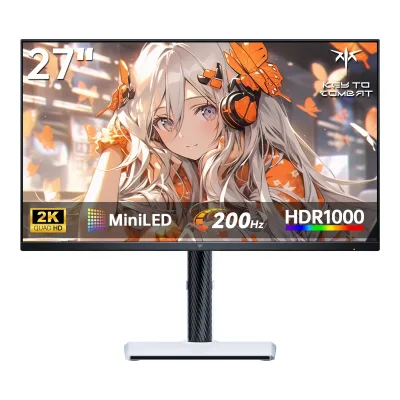
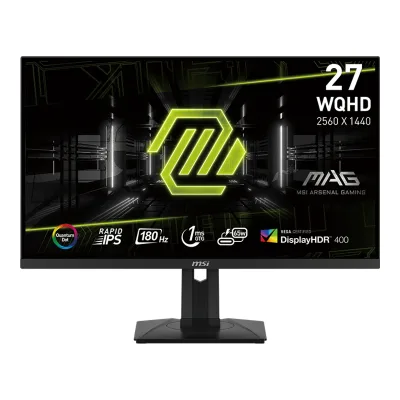
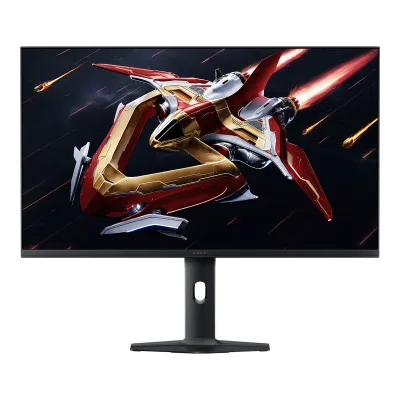
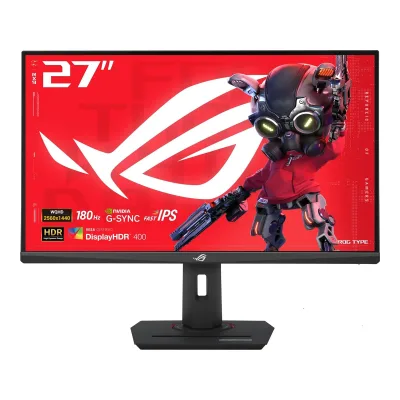
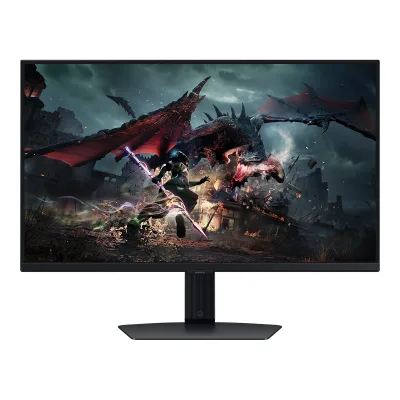
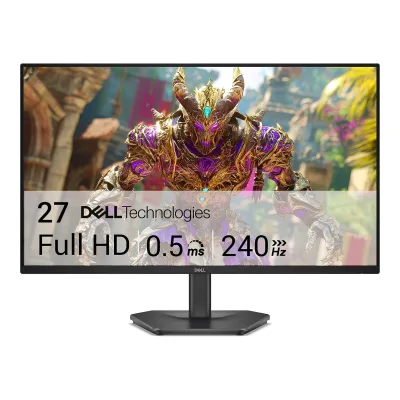
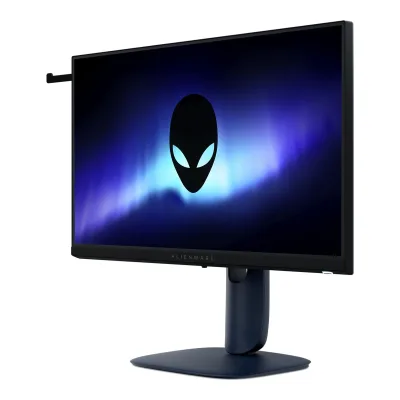
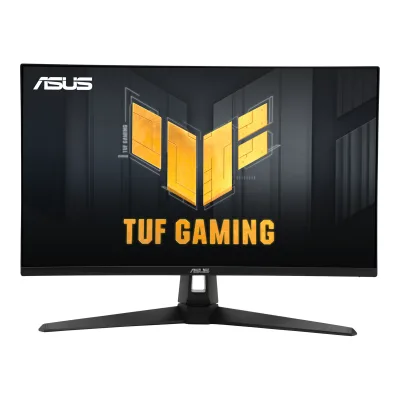
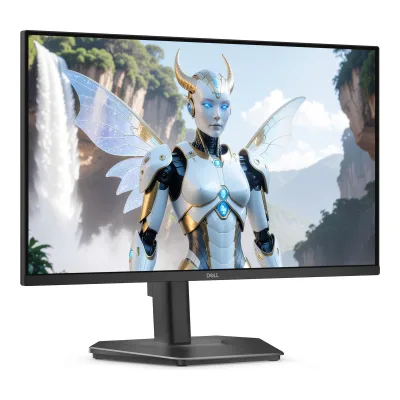
Product B: Dell
96 of 172 known
Change Dell Alienware AW2725DM
Compare the ASUS TUF Gaming VG27AQM5A with
67 of 164 fields differ
- 42 different values
- 25 known for one only
- 33 the same
- 64 missing for both
Biggest differences
Each bar uses the scale of all 179 monitors.
- Response timeLower is betterA: 0.3msB: 1msASUS is 0.7 ms lower.
- Refresh rateA: 300HzB: 180HzASUS is 120 Hz higher.
- Standby powerLower is betterA: 0.5WB: 0.3WDell is 0.2 W lower.
- Brightness (typical, SDR)A: 300nitsB: 400nitsDell is 100 nits higher.
- ContrastA: 1,300:1B: 1,000:1ASUS is 1.3 times higher.
- Power use HDR (EU label)Lower is betterA: 45WB: 36WDell is 9 W lower.
Refresh rate per resolution
The best rate over any port. Bars run from 0 to 1200 Hz.
2560 × 1440Native for both
A300Hz
B180Hz
Size, drawn to scale
Front and side. Solid lines show the stand at its lowest. Dashed lines show it at its highest.
- AASUS: 614.8 × 366.5 mm
- BDell: 613 × 363.7 mm
Weight
0 to 15 kg
Weight with stand
A4.6kg
B6.57kg
Weight without stand
A3.6kg
B4.23kg
Box weight
A6.4kg
B9.82kg
All 172 fields
Every value links to where we found it.
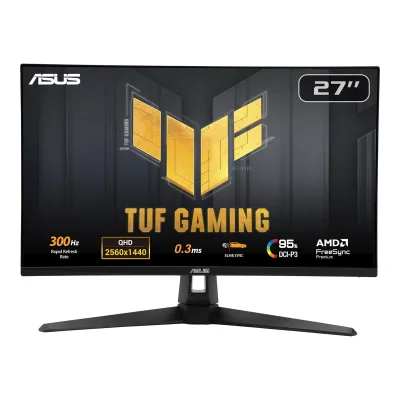
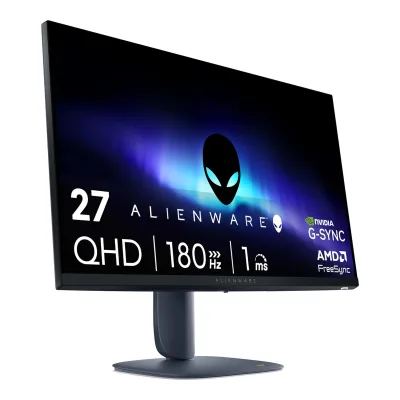
General
4 of 8 differ
Series
Model numbers
VG27AQM5A, 90LM0BG0-B019B2, 90LM0BG0-B019C1, 90LM0BG0-B019714Owner's manualdlcdnets.asus.com/pub/ASUS/LCD%20Monitors/VG27AQM5A/ASUS_VG27AQM5A-English.pdfRead 23 October 2026Section 3.2 Model VG27AQM5A. The part numbers come from the ASUS eShop pages.9Maker product pageeshop.asus.com/us/90lm0bg0-b019b2-tuf-gaming-vg27aqm5a.htmlRead 23 October 2026ASUS eShop US lists Product Name VG27AQM5A with Part Number 90LM0BG0-B019B2.10Maker product pageeshop.asus.com/ca-en/90lm0bg0-b019c1-tuf-gaming-vg27aqm5a.htmlRead 23 October 2026ASUS eShop Canada lists Product Name VG27AQM5A with Part Number 90LM0BG0-B019C1.11Maker product pagewebshop.asus.com/ch-en/90LM0BG0-B01971/TUF-Gaming-VG27AQM5ARead 23 October 2026ASUS webshop Switzerland lists TUF Gaming VG27AQM5A with part number 90LM0BG0-B01971. MediaMarkt Netherlands lists the same code. The code 90LM0BG0-B019B1 was not found in any source and is not stored.
AW2725DM, AW2725DMc, 210-BPKY, 210-BQWQ, 6R0H21Owner's manualgzhls.at/blob/ldb/c/7/8/7/6f1cf3c9c25bac93eb9bc32ac4630ae655d2.pdfRead 16 October 2026Cover: model AW2725DM, regulatory model AW2725DMc. The part numbers 210-BPKY and 210-BQWQ and the code 6R0H2 come from the retail sources below.6Retailer pageamazon.com/dp/B0F146MYKDRead 16 October 2026Amazon US item details: model number 6R0H2, model name Alienware 27 Gaming Monitor - AW2725DM.7Spec databasepreisvergleich.heise.de/dell-alienware-27-gaming-monitor-aw2725dm-210-bpky-a3475057.htmlRead 16 October 2026Heise price comparison: Dell Alienware 27 Gaming Monitor AW2725DM, part number 210-BPKY. Retailers in that listing also use 210-BQWQ and GAME-AW2725DM.8Spec databaselcd-compare.com/moniteur-ALIAW2725DM-ALIENWARE-AW2725DM.htmRead 16 October 2026LCD-Compare: ALIENWARE AW2725DM (210-BQWQ).9Spec databasebuildcores.com/products/Monitor/gnig353g0/Alienware-27-Gaming-Monitor-AW2725DMRead 16 October 2026BuildCores: part number 210-BPKY.
GTIN / EAN
884116492764, 53971849627186Retailer pageamazon.com/dp/B0F146MYKDRead 16 October 2026Amazon US ASIN B0F146MYKD, Alienware 27 Gaming Monitor - AW2725DM: UPC 884116492764. BuildCores lists the same UPC. The EAN 5397184962718 is from the sources below.8Spec databaselcd-compare.com/moniteur-ALIAW2725DM-ALIENWARE-AW2725DM.htmRead 16 October 2026LCD-Compare reference: 210-BQWQ (EAN 5397184962718) and UPC 0884116492764. Two EU retailers list the same EAN with 210-BQWQ.9Spec databasebuildcores.com/products/Monitor/gnig353g0/Alienware-27-Gaming-Monitor-AW2725DMRead 16 October 2026BuildCores: UPC 884116492764, EAN 0884116492764 for part number 210-BPKY.
Announced
Not available
Not available
Status
Available5Press releasethefpsreview.com/2025/03/05/alienware-announces-six-new-gaming-monitors-and-the-launch-of-the-aw2725q-a-27-4k-qd-oled-monitor-with-166-ppi-pixel-density-record-highest-pixels-per-inch-in-any-oled-or-qd-oled-monitorRead 16 October 2026Announcement lists the AW2725DM as available from 6 March 2025 and retailers still sell it.6Retailer pageamazon.com/dp/B0F146MYKDRead 16 October 2026On sale on Amazon US and in EU shops.7Spec databasepreisvergleich.heise.de/dell-alienware-27-gaming-monitor-aw2725dm-210-bpky-a3475057.htmlRead 16 October 2026Heise lists the monitor from 22 April 2025 with offers from German shops.
Predecessor
Not available
Not available
Successor
Not available
Not available
Launch price (EU)
Not available
Not available
Markets
Not available
US, EU2EU energy label (EPREL)eprel.ec.europa.eu/fiches/electronicdisplays/Fiche_2167459_EN.pdfRead 16 October 2026EU and EEA market availability from the registry. The US comes from the Amazon US listing and the Dell announcement.6Retailer pageamazon.com/dp/B0F146MYKDRead 16 October 2026Amazon US sells the monitor in the United States.
Colours
Interstellar Indigo6Retailer pageamazon.com/dp/B0F146MYKDRead 16 October 2026Amazon US lists the colour as Black, but the product photos and Best Buy US show a dark blue finish that Best Buy names Interstellar Indigo. The Best Buy name is stored.10Retailer pagebestbuy.com/product/alienware-aw2725dm-27-ips-led-qhd-180hz-1ms-freesync-and-g-sync-compatible-gaming-monitor-with-hdr-hdmi-displayport-interstellar-indigo/J3K4L636PRRead 16 October 2026The Best Buy US product title names the colour Interstellar Indigo. The page did not load for scripted access, so the title was read from search results. Notebookcheck's launch coverage uses the same name.
Segment
Display
3 of 12 differ
Screen size
Viewable screen diagonal
Not available
Native resolution
Aspect ratio
Pixel density
108.8ppi
108.8ppi
Pixel pitch
Active display area
Curved
Not available
Curvature radius
Not available
Not available
Screen surface
Anti-reflection coating
Touchscreen
Not available
Not available
Panel
6 of 31 differ
Panel type
Panel type (as published)
Fast IPS1Owner's manualgzhls.at/blob/ldb/c/7/8/7/6f1cf3c9c25bac93eb9bc32ac4630ae655d2.pdfRead 16 October 2026Table 5 calls the panel technology In-Plane Switching (IPS). Dell's Amazon US text calls it Fast IPS, which is the name stored.6Retailer pageamazon.com/dp/B0F146MYKDRead 16 October 2026Amazon US title: Fast IPS.
Backlight
Not available
Not available
Local dimming
Not available
Not available
Dimming zones
Not available
Not available
Panel maker
Not available
Not available
Panel part number
Not available
Not available
Panel generation
Not available
Not available
Subpixel layout
Not available
Not available
Colour depth
Colour depth method
Not available
Displayable colours
sRGB coverage
Not available
Not available
DCI-P3 coverage
Adobe RGB coverage
Not available
Not available
Rec. 2020 coverage
Not available
Not available
NTSC coverage
Not available
Not available
Factory calibrated
Not available
Not available
Claimed Delta E
Not available
Not available
Paper calibration report in box
Not available
Not available
Hardware calibration support
Not available
Not available
Static contrast ratio
Brightness (typical, SDR)
Brightness (maker minimum)
Not available
Not available
Peak brightness (HDR)
Not available
Not available
HDR peak test window
Not available
Not available
Full-screen brightness
Not available
Not available
HDR formats
HDR certification
None1Maker product pageasus.com/us/displays-desktops/monitors/tuf-gaming/tuf-gaming-vg27aqm5a/techspecRead 23 October 2026The certificate list names G-SYNC Compatible, AMD FreeSync Premium, VESA AdaptiveSync Display 300Hz and two TUV marks, with no DisplayHDR level. The VESA DisplayHDR list does not contain the model.7Certification listdisplayhdr.org/certified-productsRead 23 October 2026VESA certified DisplayHDR list checked in all tiers. It holds ASUS VG27AQML5A and VG27AQL5A families but no VG27AQM5A entry. Stored as none because the maker lists only HDR10.
DisplayHDR 4001Owner's manualgzhls.at/blob/ldb/c/7/8/7/6f1cf3c9c25bac93eb9bc32ac4630ae655d2.pdfRead 16 October 2026Table 5 and features list: VESA DisplayHDR 400. The Smart HDR menu entry says DisplayHDR 400 is compliant with the DisplayHDR True Black standard. That wording looks copied from an OLED model. Amazon US and Heise both say DisplayHDR 400, so the LCD tier is stored.6Retailer pageamazon.com/dp/B0F146MYKDRead 16 October 2026Dell brand image on Amazon US shows the VESA Certified DisplayHDR 400 logo.7Spec databasepreisvergleich.heise.de/dell-alienware-27-gaming-monitor-aw2725dm-210-bpky-a3475057.htmlRead 16 October 2026Heise: DisplayHDR 400, VESA certified.
Viewing angle (horizontal)
Refresh rate and motion
14 of 22 differ
Refresh rate per resolution and port
AASUS TUF Gaming VG27AQM5A
| Resolution | HDMI 2.1 | DisplayPort 1.4 |
|---|---|---|
| 2560 × 1440Native | 300Hz | 300Hz |
Source1Maker product pageasus.com/us/displays-desktops/monitors/tuf-gaming/tuf-gaming-vg27aqm5a/techspecRead 23 October 2026Refresh Rate (Max) 300 Hz. Digital Signal Frequency lists HDMI and DP at 48 to 300 Hz (V). The manual's supported timing list shows 2560 x 1440 at 300 Hz on both HDMI and DP. DisplayPort is 1.4 (HBR3) and HDMI is 2.1 (FRL). Bit depth, chroma and DSC conditions are not published, so none are stored. Lower-resolution timing rows are not stored.4Owner's manualdlcdnets.asus.com/pub/ASUS/LCD%20Monitors/VG27AQM5A/ASUS_VG27AQM5A-English.pdfRead 23 October 2026Section 3.5 Supported timing list: 2560 x 1440 at 300 Hz appears for both HDMI and DP. The OSD also offers a DisplayPort 1.2 or 1.4 stream setting and a DSC support toggle.
BDell Alienware AW2725DM
| Resolution | HDMI 2.1 TMDS | DisplayPort 1.4 |
|---|---|---|
| 2560 × 1440Native | 144Hz10-bit | 180Hz |
Max refresh rate
300Hz
180Hz
Max refresh rate at native resolution
300Hz
180Hz
Max refresh rate over DisplayPort
300Hz
180Hz
Max refresh rate over HDMI
300Hz
144Hz
Max refresh rate over USB-C
Not available
Not available
Max refresh rate at 10-bit
Not available
144Hz
Native refresh rate
Overclocked refresh rate
Not available
Not available
Dual mode
Not available
Not available
Minimum fixed refresh rate
Not available
Not available
Adaptive sync technologies
VESA AdaptiveSync Display, FreeSync Premium, G-SYNC Compatible1Maker product pageasus.com/us/displays-desktops/monitors/tuf-gaming/tuf-gaming-vg27aqm5a/techspecRead 23 October 2026VRR Technology Yes (Adaptive-Sync). Certificate list names G-SYNC Compatible, AMD FreeSync Premium and VESA AdaptiveSync Display 300Hz.
VESA AdaptiveSync Display, FreeSync, G-SYNC Compatible, HDMI VRR1Owner's manualgzhls.at/blob/ldb/c/7/8/7/6f1cf3c9c25bac93eb9bc32ac4630ae655d2.pdfRead 16 October 2026Features list: VESA AdaptiveSync Display certification, NVIDIA G-SYNC Compatible Certified (AW2725DM only) and support for AMD FreeSync Technology. Table 5 lists VRR on the HDMI ports as specified in HDMI 2.1. No FreeSync tier is named. Table 6 gives 48 to 180 Hz (DisplayPort) and 48 to 144 Hz (HDMI) as general vertical scan ranges. They are not stated as VRR ranges, so no VRR range is stored.6Retailer pageamazon.com/dp/B0F146MYKDRead 16 October 2026Amazon US title and brand images: G-SYNC, FreeSync and VESA AdaptiveSync.
VRR range per port
AASUS TUF Gaming VG27AQM5A
| Input | Min (Hz) | Max (Hz) |
|---|---|---|
| DisplayPort | 48 | 300 |
| HDMI | 48 | 300 |
BDell Alienware AW2725DM
Not availableLow framerate compensation
Not available
Not available
Response time (maker GtG claim)
0.3ms1Maker product pageasus.com/us/displays-desktops/monitors/tuf-gaming/tuf-gaming-vg27aqm5a/techspecRead 23 October 2026Response Time 1 ms (GTG), 0.3 ms (min.). The 0.3 ms minimum is stored as the fastest claim. The manual lists 0.3 ms GTG as its typical response time.4Owner's manualdlcdnets.asus.com/pub/ASUS/LCD%20Monitors/VG27AQM5A/ASUS_VG27AQM5A-English.pdfRead 23 October 2026Section 3.2 Response time (typ.) 0.3 ms GTG.
Response time (maker MPRT claim)
Not available
Not available
Overdrive settings
Variable OD Level 0, Variable OD Level 1, Variable OD Level 2, Variable OD Level 3, Variable OD Level 4, Variable OD Level 54Owner's manualdlcdnets.asus.com/pub/ASUS/LCD%20Monitors/VG27AQM5A/ASUS_VG27AQM5A-English.pdfRead 23 October 2026Section 3.1.2: Variable OD, Level 0 to Level 5.
Motion blur reduction
Not available
Blur-reduction technology
Not available
Blur reduction works with VRR
Not available
Flicker-free (claimed)
Black frame insertion
Not available
Not available
Measured
None of 12 known
Input lag at maximum refresh rate
Not available
Not available
Input lag at 60 Hz
Not available
Not available
Average response time (measured)
Not available
Not available
Overshoot (measured)
Not available
Not available
Contrast ratio (measured)
Not available
Not available
SDR brightness (measured)
Not available
Not available
HDR brightness in a real scene (measured)
Not available
Not available
PWM flicker frequency (measured)
Not available
Not available
VRR range (measured)
Not available
Not available
Colour accuracy (measured Delta E)
Not available
Not available
Gray uniformity (measured)
Not available
Not available
Reflections (measured)
Not available
Not available
Connectivity
9 of 19 differ
Video inputs
AASUS TUF Gaming VG27AQM5A
| Type | Version | Count | HDCP |
|---|---|---|---|
| DisplayPort | 1.4 | 1 | 2.2 |
| HDMI | 2.1 | 2 | 2.2 |
BDell Alienware AW2725DM
| Type | Version | Count | HDCP |
|---|---|---|---|
| DisplayPort | 1.4 | 1 | 2.3 |
| HDMI | 2.1 TMDS | 2 | 2.3 |
HDMI ports
2
2
DisplayPort ports
1
1
Highest HDMI version
2.1
2.1 TMDS
Highest DisplayPort version
1.4
1.4
HDMI features
Not available
USB-C video (DP Alt Mode)
No1Maker product pageasus.com/us/displays-desktops/monitors/tuf-gaming/tuf-gaming-vg27aqm5a/techspecRead 23 October 2026The only USB-C port is listed as a Service Port. It is not a video input. The manual's input list holds DisplayPort, HDMI-1 and HDMI-2 only.4Owner's manualdlcdnets.asus.com/pub/ASUS/LCD%20Monitors/VG27AQM5A/ASUS_VG27AQM5A-English.pdfRead 23 October 2026Section 1.3.2: the USB type-C port is a service port for firmware upgrades. It does not carry video.
USB-C power delivered
Not available
Not available
Thunderbolt
Not available
Not available
USB upstream ports
AASUS TUF Gaming VG27AQM5A
Not availableBDell Alienware AW2725DM
| Connector | USB version | Count |
|---|---|---|
| USB-B | 5Gbps | 1 |
USB downstream hub ports
AASUS TUF Gaming VG27AQM5A
Not availableBDell Alienware AW2725DM
| Connector | USB version | Count |
|---|---|---|
| USB-A | 5Gbps | 2 |
KVM switch
Not available
Not available
Daisy chain (MST)
Not available
Ethernet
3.5 mm headphone output
3.5 mm microphone input
Optical out
Picture in picture
Not available
Smart features
None of 4 known
Smart platform
Not available
Not available
Wi-Fi
Not available
Not available
Bluetooth
Not available
Not available
Remote control
Not available
Not available
Audio and camera
5 of 5 differ
Speakers
Yes1Maker product pageasus.com/us/displays-desktops/monitors/tuf-gaming/tuf-gaming-vg27aqm5a/techspecRead 23 October 2026Audio, Speaker: Yes (2Wx2).4Owner's manualdlcdnets.asus.com/pub/ASUS/LCD%20Monitors/VG27AQM5A/ASUS_VG27AQM5A-English.pdfRead 23 October 2026Section 3.2 Speaker (built-in) 2 W x 2 Stereo, RMS.
No1Owner's manualgzhls.at/blob/ldb/c/7/8/7/6f1cf3c9c25bac93eb9bc32ac4630ae655d2.pdfRead 16 October 2026The parts tables list no speaker. Heise lists speakers as N/A.7Spec databasepreisvergleich.heise.de/dell-alienware-27-gaming-monitor-aw2725dm-210-bpky-a3475057.htmlRead 16 October 2026Heise: speakers N/A.
Number of speakers
Not available
Speaker power per channel
2W1Maker product pageasus.com/us/displays-desktops/monitors/tuf-gaming/tuf-gaming-vg27aqm5a/techspecRead 23 October 2026Speaker Yes (2Wx2), 2 W per speaker.4Owner's manualdlcdnets.asus.com/pub/ASUS/LCD%20Monitors/VG27AQM5A/ASUS_VG27AQM5A-English.pdfRead 23 October 2026Section 3.2 Speaker (built-in) 2 W x 2 Stereo, RMS.
Not available
Webcam
Not available
Ergonomics and controls
8 of 15 differ
Stand height adjustment
0mm1Maker product pageasus.com/us/displays-desktops/monitors/tuf-gaming/tuf-gaming-vg27aqm5a/techspecRead 23 October 2026Height Adjustment: No. Stored as 0 mm.4Owner's manualdlcdnets.asus.com/pub/ASUS/LCD%20Monitors/VG27AQM5A/ASUS_VG27AQM5A-English.pdfRead 23 October 2026Section 3.2 Height adjustment: No. Stored as 0 mm.
Tilt
Forward5°Backward21°1Owner's manualgzhls.at/blob/ldb/c/7/8/7/6f1cf3c9c25bac93eb9bc32ac4630ae655d2.pdfRead 16 October 2026Table 5: tilt -5 to +21 degrees. Stored as 5 forward and 21 backward.4Maker spec sheet (PDF)gzhls.at/blob/ldb/7/f/c/7/37b80c7b1a222ccf24625e9505b858d3bfeb.pdfRead 16 October 2026Outline drawing tilt marks: 5 and 21 degrees.
Swivel
Left20°Right20°1Owner's manualgzhls.at/blob/ldb/c/7/8/7/6f1cf3c9c25bac93eb9bc32ac4630ae655d2.pdfRead 16 October 2026Table 5: swivel -20 to +20 degrees for the AW2725DM.4Maker spec sheet (PDF)gzhls.at/blob/ldb/7/f/c/7/37b80c7b1a222ccf24625e9505b858d3bfeb.pdfRead 16 October 2026Outline drawing: swivel 20 degrees to each side.
Pivot
Counterclockwise0°Clockwise0°1Maker product pageasus.com/us/displays-desktops/monitors/tuf-gaming/tuf-gaming-vg27aqm5a/techspecRead 23 October 2026The manual lists Pivot: No. Stored as 0 and 0. The overview page's pivot figure belongs to a shared template for other models.4Owner's manualdlcdnets.asus.com/pub/ASUS/LCD%20Monitors/VG27AQM5A/ASUS_VG27AQM5A-English.pdfRead 23 October 2026Section 3.2 Pivot: No. Stored as 0 and 0.
Counterclockwise90°Clockwise90°1Owner's manualgzhls.at/blob/ldb/c/7/8/7/6f1cf3c9c25bac93eb9bc32ac4630ae655d2.pdfRead 16 October 2026Table 5: pivot -90 to +90 degrees for the AW2725DM. A note in the same table warns against portrait use and inverse (180 degree) landscape mounting. It sits beside the AW3225DM column, which has no pivot. The pivot values are stored as published.4Maker spec sheet (PDF)gzhls.at/blob/ldb/7/f/c/7/37b80c7b1a222ccf24625e9505b858d3bfeb.pdfRead 16 October 2026Outline drawing: pivot 90 degrees in both directions.
Removable stand
VESA mount
100 x 1001Owner's manualgzhls.at/blob/ldb/c/7/8/7/6f1cf3c9c25bac93eb9bc32ac4630ae655d2.pdfRead 16 October 2026Table 3: VESA mounting holes (4), 100 mm x 100 mm, behind the VESA cover. M4 x 10 mm screws.4Maker spec sheet (PDF)gzhls.at/blob/ldb/7/f/c/7/37b80c7b1a222ccf24625e9505b858d3bfeb.pdfRead 16 October 2026Outline drawing: 100.00 mm hole spacing, 4x M4x10.
VESA adapter needed
Not available
Not available
Security lock slot
On-screen menu controls
Desktop software
DisplayWidget Center1Maker product pageasus.com/us/displays-desktops/monitors/tuf-gaming/tuf-gaming-vg27aqm5a/techspecRead 23 October 2026DisplayWidget: Yes, DisplayWidget Center.
Alienware Command Center (AWCC)1Owner's manualgzhls.at/blob/ldb/c/7/8/7/6f1cf3c9c25bac93eb9bc32ac4630ae655d2.pdfRead 16 October 2026Table 5: Alienware Command Center (AWCC) Yes. The Using AlienFX function chapter describes it.7Spec databasepreisvergleich.heise.de/dell-alienware-27-gaming-monitor-aw2725dm-210-bpky-a3475057.htmlRead 16 October 2026Heise lists joystick control. The guide and Amazon US name the Alienware Command Center.
User firmware updates
Yes3Maker product pageasus.com/us/displays-desktops/monitors/tuf-gaming/tuf-gaming-vg27aqm5aRead 23 October 2026DisplayWidget Center lists a Firmware Update Notification. The manual describes a USB-C service port for the user to upgrade the monitor firmware.4Owner's manualdlcdnets.asus.com/pub/ASUS/LCD%20Monitors/VG27AQM5A/ASUS_VG27AQM5A-English.pdfRead 23 October 2026Sections 1.3.2 and 2.5: the service port connects the monitor to a PC with a USB type-C cable to upgrade its firmware.
Not available
Ambient light sensor
Not available
Not available
Presence sensor
Not available
RGB lighting
Not available
Not available
Gaming menu features
GamePlus, FPS Counter, Crosshair, Dynamic Crosshair, Timer, Stopwatch, Display Alignment, GameVisual, Shadow Boost, Dynamic Shadow Boost, AI Visual, GameFast Input4Owner's manualdlcdnets.asus.com/pub/ASUS/LCD%20Monitors/VG27AQM5A/ASUS_VG27AQM5A-English.pdfRead 23 October 2026Sections 1.3.3, 1.3.4 and 3.1.2: GamePlus (FPS counter, crosshair, timer, stopwatch, display alignment), GameVisual and Shadow Boost. Dynamic Crosshair appears in the GamePlus menu. Dynamic Shadow Boost, AI Visual and GameFast Input come from the maker page.
Timer, Frame Rate, Display Alignment, Dark Stabilizer, Console Mode, AlienVision1Owner's manualgzhls.at/blob/ldb/c/7/8/7/6f1cf3c9c25bac93eb9bc32ac4630ae655d2.pdfRead 16 October 2026OSD Game menu: Game Enhance Mode (Timer, Frame Rate, Display Alignment), Dark Stabilizer (0 to 3), Console Mode (HDMI only) and AlienVision.
OLED care
None of 3 known
OLED care
Not available
Not available
Burn-in covered by warranty
Not available
Not available
Burn-in warranty length
Not available
Not available
Dimensions and weight
7 of 7 differ
Dimensions with stand
Width614.84Height (lowest)455.01Height (highest)455.01Depth213.81mm(24.2 × 17.9 × 8.4 in)1Maker product pageasus.com/us/displays-desktops/monitors/tuf-gaming/tuf-gaming-vg27aqm5a/techspecRead 23 October 2026The page gives 61.50 x 45.50 x 21.40 cm. The manual's outline drawing gives the exact millimetres. The stand has no height adjustment, so the minimum and maximum heights are equal.4Owner's manualdlcdnets.asus.com/pub/ASUS/LCD%20Monitors/VG27AQM5A/ASUS_VG27AQM5A-English.pdfRead 23 October 2026Section 3.3 outline drawing: 614.84 wide, 455.01 high and 213.81 deep, which match the 61.5 x 45.5 x 21.4 cm of section 3.2.
Width613Height (lowest)409.46Height (highest)519.46Depth206mm(24.1 × 16.1 to 20.5 × 8.1 in)1Owner's manualgzhls.at/blob/ldb/c/7/8/7/6f1cf3c9c25bac93eb9bc32ac4630ae655d2.pdfRead 16 October 2026Table 14 with stand: height 409.46 mm compressed and 519.46 mm extended, width 613 mm, depth 206 mm.4Maker spec sheet (PDF)gzhls.at/blob/ldb/7/f/c/7/37b80c7b1a222ccf24625e9505b858d3bfeb.pdfRead 16 October 2026Dell AW2725DM outline dimension drawing, nominal: 613.00 mm wide, 409.46 mm and 519.46 mm high with stand, 206.00 mm deep. This matches Table 14 of the user guide.
Dimensions without stand
Width614.84Height366.52Depth53.95mm(24.2 × 14.4 × 2.1 in)1Maker product pageasus.com/us/displays-desktops/monitors/tuf-gaming/tuf-gaming-vg27aqm5a/techspecRead 23 October 2026The page gives 61.50 x 36.70 x 5.40 cm. The manual's outline drawing gives the exact millimetres.4Owner's manualdlcdnets.asus.com/pub/ASUS/LCD%20Monitors/VG27AQM5A/ASUS_VG27AQM5A-English.pdfRead 23 October 2026Section 3.3 outline drawing: 614.84 wide, 366.52 high and 53.95 deep, which match the 61.5 x 36.7 x 5.4 cm of section 3.2.
Width613Height363.72Depth67.19mm(24.1 × 14.3 × 2.6 in)1Owner's manualgzhls.at/blob/ldb/c/7/8/7/6f1cf3c9c25bac93eb9bc32ac4630ae655d2.pdfRead 16 October 2026Table 14 without stand: height 363.72 mm, width 613 mm, depth 67.19 mm.4Maker spec sheet (PDF)gzhls.at/blob/ldb/7/f/c/7/37b80c7b1a222ccf24625e9505b858d3bfeb.pdfRead 16 October 2026Outline drawing: 613.00 mm wide, 363.72 mm high and 67.19 mm deep without stand.
Stand footprint
Not available
Width240Depth206mm(9.4 × 8.1 in)1Owner's manualgzhls.at/blob/ldb/c/7/8/7/6f1cf3c9c25bac93eb9bc32ac4630ae655d2.pdfRead 16 October 2026Table 14 stand dimensions: width 240 mm and depth 206 mm.4Maker spec sheet (PDF)gzhls.at/blob/ldb/7/f/c/7/37b80c7b1a222ccf24625e9505b858d3bfeb.pdfRead 16 October 2026Outline drawing: stand base 240.00 mm wide and 206.00 mm deep.
Weight with stand
4.6kg(10.1 lb)1Maker product pageasus.com/us/displays-desktops/monitors/tuf-gaming/tuf-gaming-vg27aqm5a/techspecRead 23 October 2026Net Weight 4.6 kg, an estimate that varies by region.4Owner's manualdlcdnets.asus.com/pub/ASUS/LCD%20Monitors/VG27AQM5A/ASUS_VG27AQM5A-English.pdfRead 23 October 2026Section 3.2 Net weight (incl. stand) 4.6 kg.
Weight without stand
3.6kg(7.9 lb)1Maker product pageasus.com/us/displays-desktops/monitors/tuf-gaming/tuf-gaming-vg27aqm5a/techspecRead 23 October 2026Net Weight without Stand 3.6 kg, an estimate that varies by region.4Owner's manualdlcdnets.asus.com/pub/ASUS/LCD%20Monitors/VG27AQM5A/ASUS_VG27AQM5A-English.pdfRead 23 October 2026Section 3.2 Net weight (without stand) 3.6 kg.
Box dimensions
Width686Height475Depth160mm(27 × 18.7 × 6.3 in)1Maker product pageasus.com/us/displays-desktops/monitors/tuf-gaming/tuf-gaming-vg27aqm5a/techspecRead 23 October 2026Box Dimension 68.60 x 47.50 x 16.00 cm (W x H x D).4Owner's manualdlcdnets.asus.com/pub/ASUS/LCD%20Monitors/VG27AQM5A/ASUS_VG27AQM5A-English.pdfRead 23 October 2026Section 3.2 Box dimension 68.6 x 47.5 x 16.0 cm (W x H x D).
Not available
Box weight
6.4kg(14.1 lb)1Maker product pageasus.com/us/displays-desktops/monitors/tuf-gaming/tuf-gaming-vg27aqm5a/techspecRead 23 October 2026Gross Weight 6.4 kg.4Owner's manualdlcdnets.asus.com/pub/ASUS/LCD%20Monitors/VG27AQM5A/ASUS_VG27AQM5A-English.pdfRead 23 October 2026Section 3.2 Gross Weight (Esti.) 6.4 kg.
Power
6 of 13 differ
Power supply
Internal1Owner's manualgzhls.at/blob/ldb/c/7/8/7/6f1cf3c9c25bac93eb9bc32ac4630ae655d2.pdfRead 16 October 2026The guide connects the power cable directly to the monitor. The EU registry says internal power supply.2EU energy label (EPREL)eprel.ec.europa.eu/fiches/electronicdisplays/Fiche_2167459_EN.pdfRead 16 October 2026Power supply type: Internal.
Adapter rating
Not available
Not available
Input voltage
Power use (typical)
Not available
Not available
Power use (max)
Not available
Power use SDR (EU label)
Power use HDR (EU label)
Standby power
0.3W1Owner's manualgzhls.at/blob/ldb/c/7/8/7/6f1cf3c9c25bac93eb9bc32ac4630ae655d2.pdfRead 16 October 2026Table 13: 0.3 W standby as defined in EU 2019/2021 and 2019/2013. The features list says below 0.5 W.2EU energy label (EPREL)eprel.ec.europa.eu/fiches/electronicdisplays/Fiche_2167459_EN.pdfRead 16 October 2026Product information sheet: standby 0.3 W.
Off-mode power
0.3W1Owner's manualgzhls.at/blob/ldb/c/7/8/7/6f1cf3c9c25bac93eb9bc32ac4630ae655d2.pdfRead 16 October 2026Table 13: 0.3 W off mode as defined in EU 2019/2021 and 2019/2013.2EU energy label (EPREL)eprel.ec.europa.eu/fiches/electronicdisplays/Fiche_2167459_EN.pdfRead 16 October 2026Product information sheet: off mode 0.3 W.
EU energy class SDR
EU energy class HDR
Energy per 1000 h SDR
Energy per 1000 h HDR
Certifications
3 of 9 differ
VESA ClearMR
Not available
Not available
VESA AdaptiveSync Display
180Hz1Owner's manualgzhls.at/blob/ldb/c/7/8/7/6f1cf3c9c25bac93eb9bc32ac4630ae655d2.pdfRead 16 October 2026The guide names VESA AdaptiveSync Display certification without a number. The number 180 is from the VESA AdaptiveSync Display 180 logo in Dell's brand content on Amazon US and from LCD-Compare.6Retailer pageamazon.com/dp/B0F146MYKDRead 16 October 2026Dell brand image on Amazon US shows the VESA Certified AdaptiveSync Display 180 logo next to G-SYNC and AMD FreeSync.8Spec databaselcd-compare.com/moniteur-ALIAW2725DM-ALIENWARE-AW2725DM.htmRead 16 October 2026LCD-Compare: VESA certification AdaptiveSync Display 180.
TÜV certifications
Low blue light
ENERGY STAR
Not available
Not available
TCO Certified
Not available
Not available
EPEAT
Not available
Not available
Colour certifications
Not available
Not available
Other certifications
Not available
Not available
In the box
2 of 2 differ
In the box
LCD Monitor, Monitor Base, Monitor Arm, Quick Start Guide, Warranty Card, Power Cord, DisplayPort cable, L-shaped Screwdriver1Maker product pageasus.com/us/displays-desktops/monitors/tuf-gaming/tuf-gaming-vg27aqm5a/techspecRead 23 October 2026Accessories (varies by region): warranty card, quick start guide, power cord, L-shaped screwdriver, DisplayPort cable. The monitor, base and arm come from the manual's package contents.4Owner's manualdlcdnets.asus.com/pub/ASUS/LCD%20Monitors/VG27AQM5A/ASUS_VG27AQM5A-English.pdfRead 23 October 2026Section 1.2 package contents: LCD monitor, monitor base, monitor arm, quick start guide, warranty card, power cord, DisplayPort cable. The L-shaped screwdriver comes from the maker page.
Monitor, Stand riser, Stand base, DisplayPort to DisplayPort 1.4 cable (1.80 m), HDMI 2.1 TMDS cable (1.80 m), USB 5Gbps Type-A to Type-B cable (1.80 m), Power cable (varies by country or region), Safety, Environmental, and Regulatory Information, Alienware Sticker, QR Card1Owner's manualgzhls.at/blob/ldb/c/7/8/7/6f1cf3c9c25bac93eb9bc32ac4630ae655d2.pdfRead 16 October 2026Table 1: display, stand riser, stand base, DisplayPort to DisplayPort 1.4 cable (1.80 m), HDMI 2.1 TMDS cable (1.80 m), USB 5Gbps Type-A to Type-B cable (1.80 m), power cable (varies by country or region), safety and regulatory information, Alienware sticker and QR card.6Retailer pageamazon.com/dp/B0F146MYKDRead 16 October 2026Amazon US included components agree with the guide: DisplayPort 1.4 cable, HDMI cable, monitor, power cable, quick setup guide, safety information, stand and USB Type-A to Type-B cable.
Cables included
AASUS TUF Gaming VG27AQM5A
| Type |
|---|
| Power cord |
| DisplayPort cable |
BDell Alienware AW2725DM
| Type | Count |
|---|---|
| DisplayPort to DisplayPort 1.4 cable (1.80 m) | 1 |
| HDMI 2.1 TMDS cable (1.80 m) | 1 |
| USB 5Gbps Type-A to Type-B cable (1.80 m) | 1 |
| Power cable | Not available |
Warranty
0 of 2 differ
Manufacturer warranty (source market)
3years2EU energy label (EPREL)eprel.ec.europa.eu/fiches/electronicdisplays/Fiche_2167459_EN.pdfRead 16 October 2026Minimum duration of the general guarantee offered by the supplier: 3 years. This is the EU value. The Amazon US page also lists a 3-year advanced exchange warranty.6Retailer pageamazon.com/dp/B0F146MYKDRead 16 October 2026Amazon US: 3-Years Advanced Exchange Service.
Dead pixel policy
Not available
Not available
Links
Not compared
Product page
www.asus.com/us/displays-desktops/monitors/tuf-gaming/tuf-gaming-vg27aqm5a3Maker product pageasus.com/us/displays-desktops/monitors/tuf-gaming/tuf-gaming-vg27aqm5aRead 23 October 2026
Not available
Spec sheet
www.asus.com/us/displays-desktops/monitors/tuf-gaming/tuf-gaming-vg27aqm5a/techspec1Maker product pageasus.com/us/displays-desktops/monitors/tuf-gaming/tuf-gaming-vg27aqm5a/techspecRead 23 October 2026
Not available
Manual
dlcdnets.asus.com/pub/ASUS/LCD%20Monitors/VG27AQM5A/ASUS_VG27AQM5A-English.pdf4Owner's manualdlcdnets.asus.com/pub/ASUS/LCD%20Monitors/VG27AQM5A/ASUS_VG27AQM5A-English.pdfRead 23 October 2026ASUS TUF Gaming VG27AQM5A Series user guide, First Edition February 2025, 28 pages. Listed on the maker's support page with a release date of 2026-10-02.
gzhls.at/blob/ldb/c/7/8/7/6f1cf3c9c25bac93eb9bc32ac4630ae655d2.pdf1Owner's manualgzhls.at/blob/ldb/c/7/8/7/6f1cf3c9c25bac93eb9bc32ac4630ae655d2.pdfRead 16 October 2026Alienware 27 Gaming Monitor AW2725DM and Alienware 32 Gaming Monitor AW3225DM User's Guide, March 2025, Rev. A00, regulatory model AW2725DMc/AW3225DMc. English edition mirrored by Geizhals. The two sizes share one guide, so only the AW2725DM column is used. The AW3225DM is a different, curved VA monitor.
EPREL registration number
Both are also in the API. Back to all monitors.