Motherboards / Compare
ASUS TUF GAMING Z890-PLUS WIFI vs MSI MPG Z890 CARBON WIFI
Product A: ASUS
67 of 78 known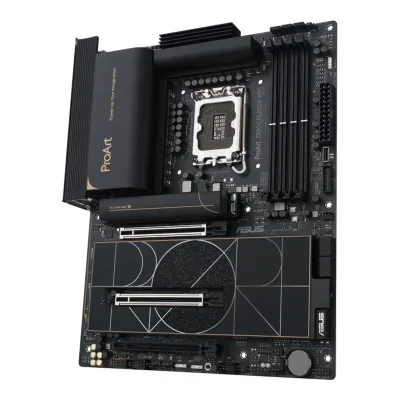 ASUS ProArt Z890-CREATOR WIFI
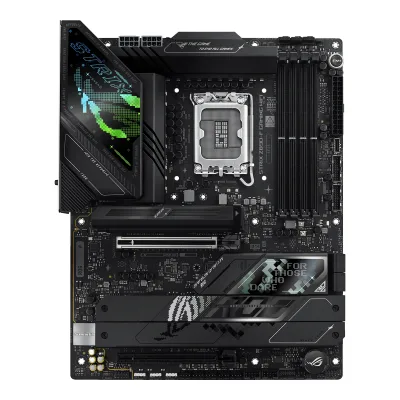 ASUS ROG STRIX Z890-F GAMING WIFI
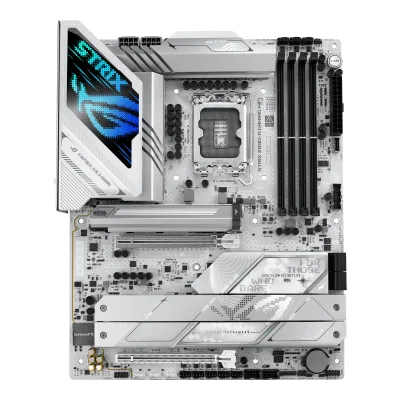 ASUS ROG STRIX Z890-A GAMING WIFI
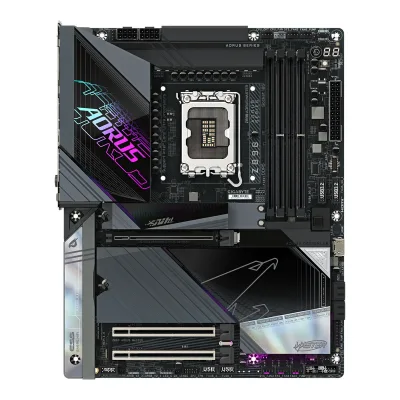 GIGABYTE Z890 AORUS MASTER
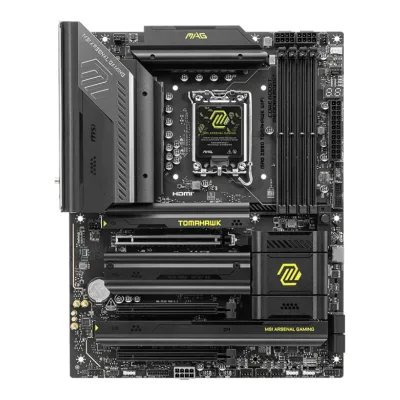 MSI MAG Z890 TOMAHAWK WIFI
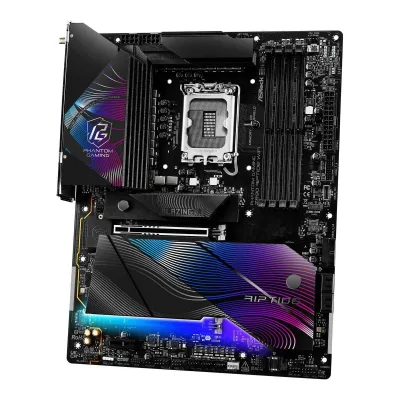 ASRock Z890 Riptide WiFi
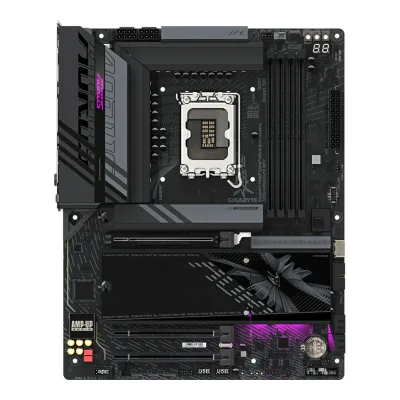 GIGABYTE Z890 AORUS ELITE WIFI7
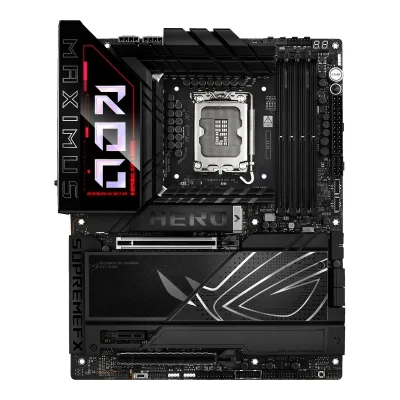 ASUS ROG MAXIMUS Z890 HERO
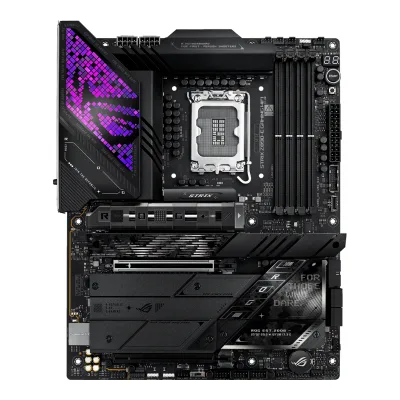 ASUS ROG STRIX Z890-E GAMING WIFI
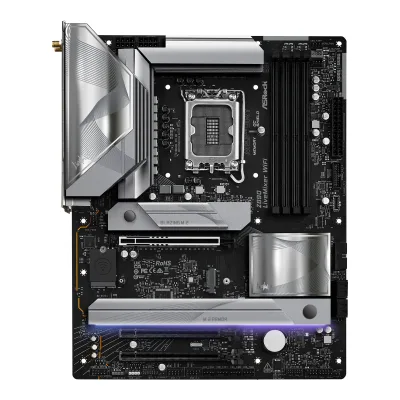 ASRock Z890 LiveMixer WiFi
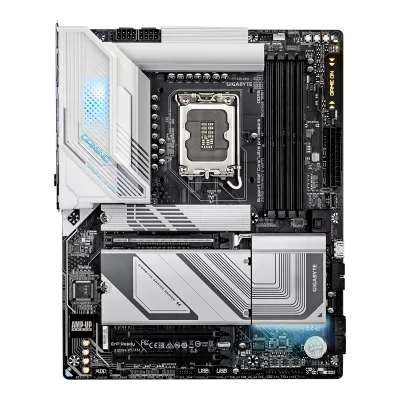 GIGABYTE Z890 GAMING X WIFI7
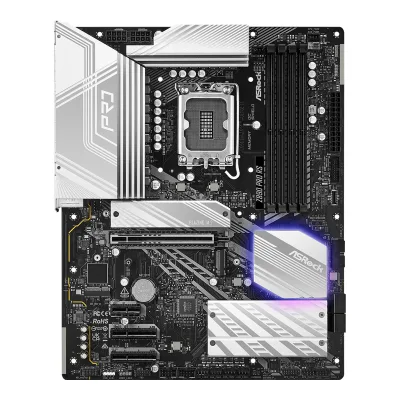 ASRock Z890 Pro RS
Change ASUS TUF GAMING Z890-PLUS WIFI
Compare the MSI MPG Z890 CARBON WIFI with
ASUS ProArt Z890-CREATOR WIFIASUS ROG STRIX Z890-F GAMING WIFIASUS ROG STRIX Z890-A GAMING WIFIGIGABYTE Z890 AORUS MASTERMSI MAG Z890 TOMAHAWK WIFIASRock Z890 Riptide WiFiGIGABYTE Z890 AORUS ELITE WIFI7ASUS ROG MAXIMUS Z890 HEROASUS ROG STRIX Z890-E GAMING WIFIASRock Z890 LiveMixer WiFiGIGABYTE Z890 GAMING X WIFI7ASRock Z890 Pro RSProduct B: MSI
67 of 78 knownMSI MAG Z890 TOMAHAWK WIFIASRock Z890 Riptide WiFiGIGABYTE Z890 AORUS ELITE WIFI7ASUS ROG STRIX Z890-A GAMING WIFIGIGABYTE Z890 GAMING X WIFI7ASUS ProArt Z890-CREATOR WIFIASUS ROG STRIX Z890-F GAMING WIFIASRock Z890 LiveMixer WiFiGIGABYTE Z890 AORUS MASTERASUS ROG MAXIMUS Z890 HEROASUS ROG STRIX Z890-E GAMING WIFIASRock Z890 Pro RS
Change MSI MPG Z890 CARBON WIFI
Compare the ASUS TUF GAMING Z890-PLUS WIFI with
MSI MAG Z890 TOMAHAWK WIFIASRock Z890 Riptide WiFiGIGABYTE Z890 AORUS ELITE WIFI7ASUS ROG STRIX Z890-A GAMING WIFIGIGABYTE Z890 GAMING X WIFI7ASUS ProArt Z890-CREATOR WIFIASUS ROG STRIX Z890-F GAMING WIFIASRock Z890 LiveMixer WiFiGIGABYTE Z890 AORUS MASTERASUS ROG MAXIMUS Z890 HEROASUS ROG STRIX Z890-E GAMING WIFIASRock Z890 Pro RS28 of 70 fields differ
- 26 different values
- 2 known for one only
- 35 the same
- 7 missing for both
Biggest differences
Each bar uses the scale of all 87 motherboards.
- Ethernet speedA: 2.5GbpsB: 5GbpsMSI is 2.5 Gbps higher.
- Rear USB portsA: 8B: 13MSI has 5 more.
- Rear USB-C portsA: 2B: 3MSI has 1 more.
- M.2 slotsA: 4B: 5MSI has 1 more.
- Vcore stagesA: 16B: 20MSI has 4 more.
Size, drawn to scale
Front and side.
- AASUS: 244 × 305 mm
- BMSI: 244 × 305 mm
All 78 fields
Every value links to where we found it.
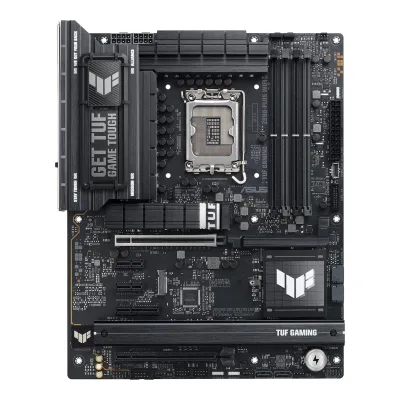
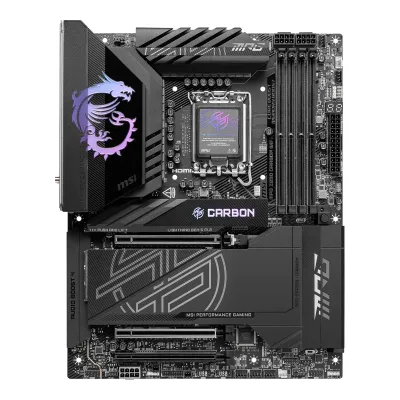
General
3 of 9 differ
Series
Model numbers
TUF GAMING Z890-PLUS WIFI, 90MB1IQ0-M0EAY0, 90MB1IQ0-MVAAY01Maker product pageasus.com/us/motherboards-components/motherboards/tuf-gaming/tuf-gaming-z890-plus-wifi/techspecRead 16 October 2026The ASUS spec page names the model TUF GAMING Z890-PLUS WIFI. Part number 90MB1IQ0-M0EAY0 is from octo24 and Amazon, 90MB1IQ0-MVAAY0 is from ASUS eShop US.12Retailer pageamazon.com/dp/B0DGWNVCHLRead 16 October 2026Mfr Part Number TUF GAMING Z890-PLUS WIFI. Another Amazon listing (ASIN B0DJDFKV2J) gives part number 90MB1IQ0-M0EAY0.13Retailer pageocto24.com/en/ASUS-90MB1IQ0-M0EAY0-ASUS-TUF-GAMING-Z890-PLUS-WIFI-Intel::790156.htmlRead 16 October 2026Product no. 90MB1IQ0-M0EAY0 for TUF GAMING Z890-PLUS WIFI. LDLC lists the same part number.14Retailer pageeshop.asus.com/us/90mb1iq0-mvaay0-tuf-gaming-z890-plus-wifi.htmlRead 16 October 2026ASUS eShop US part number 90MB1IQ0-MVAAY0.
MPG Z890 CARBON WIFI, 911-7E17-001, 911-7E17-006, 7E17-001R2Maker product pagede-store.msi.com/products/mpg-z890-carbon-wifiRead 14 October 2026MSI's German e-shop lists SKU 911-7E17-001.3Maker product pagees-store.msi.com/products/msi-mpg-z890-carbon-wifi-placas-baseRead 14 October 2026MSI's Spanish e-shop lists SKU 911-7E17-006.5Retailer pagescan.co.uk/products/msi-mpg-z890-carbon-wifi-intel-z890-s-1851-ddr5-pcie-50-5x-m2-5plus25gbe-lan-wifi-7-bt-usb-3Read 14 October 2026Scan UK lists model number MPG Z890 CARBON WIFI.9Spec databasebuildcores.com/products/Motherboard/8lbzxz3ej/MSI-MPG-Z890-CARBON-WIFIRead 14 October 2026Part numbers listed: MPG Z890 CARBON WIFI, 7E17-001R and 911-7E17-001.10Retailer pageamazon.com/dp/B0DJPTRFN6Read 14 October 2026Mfr Part Number: MPG Z890 CARBON WIFI.
GTIN / EAN
4711387763926, 19710576392012Retailer pageamazon.com/dp/B0DGWNVCHLRead 16 October 2026Amazon US listing for ASIN B0DGWNVCHL gives UPC 197105763920 and Mfr Part Number TUF GAMING Z890-PLUS WIFI. The EAN 4711387763926 is from octo24 for part number 90MB1IQ0-M0EAY0.13Retailer pageocto24.com/en/ASUS-90MB1IQ0-M0EAY0-ASUS-TUF-GAMING-Z890-PLUS-WIFI-Intel::790156.htmlRead 16 October 2026Product no. 90MB1IQ0-M0EAY0, GTIN/EAN 4711387763926.
824142384343, 47113772607942Maker product pagede-store.msi.com/products/mpg-z890-carbon-wifiRead 14 October 2026The e-shop barcode is EAN 4711377260794.3Maker product pagees-store.msi.com/products/msi-mpg-z890-carbon-wifi-placas-baseRead 14 October 2026The e-shop barcode is EAN 4711377260794, the same as in Germany.5Retailer pagescan.co.uk/products/msi-mpg-z890-carbon-wifi-intel-z890-s-1851-ddr5-pcie-50-5x-m2-5plus25gbe-lan-wifi-7-bt-usb-3Read 14 October 2026Scan UK lists GTIN 4711377260794.9Spec databasebuildcores.com/products/Motherboard/8lbzxz3ej/MSI-MPG-Z890-CARBON-WIFIRead 14 October 2026BuildCores lists UPC 824142384343 and EAN 4711377260794.10Retailer pageamazon.com/dp/B0DJPTRFN6Read 14 October 2026The Amazon US listing for ASIN B0DJPTRFN6 gives UPC 824142384343.
Announced
Not available
Status
Available5Retailer pagescan.co.uk/products/msi-mpg-z890-carbon-wifi-intel-z890-s-1851-ddr5-pcie-50-5x-m2-5plus25gbe-lan-wifi-7-bt-usb-3Read 14 October 2026In stock on 2026-10-14.10Retailer pageamazon.com/dp/B0DJPTRFN6Read 14 October 2026The listing is on sale on 2026-10-14 at best sellers rank 217 in Computer Motherboards.
Predecessor
Not available
Not available
Successor
Not available
Not available
Launch price (US)
$499.996Reviewtech4gamers.com/msi-mpg-z890-carbon-wifi-reviewRead 14 October 2026The review states a USD 499.99 MSRP. US prices exclude sales tax. Wccftech also lists 499.99 USD.7Reviewwccftech.com/review/msi-mpg-z890-carbon-wifi-motherboard-review/4Read 14 October 2026Product Info lists 499.99 USD.
Launch price (EU)
Not available
Not available
Markets
Not available
Not available
Colours
Not available
Not available
Segment
Board revision
Not available
Not available
Platform
0 of 4 differ
CPU socket
Chipset
Supported processors
Intel Core Ultra (Series 2)1Owner's manualtrovaprezzi.it/manuali/msi_mpg_z890_carbon_wifi.pdfRead 14 October 2026Specifications: Intel Core Ultra Processors (Series 2), processor socket LGA1851. The manual says to go to msi.com for the newest support status. Read on 2026-10-14.2Maker product pagede-store.msi.com/products/mpg-z890-carbon-wifiRead 14 October 2026Supports Intel Core Ultra Processors (Series 2) LGA 1851.
CPU overclocking
Board
0 of 5 differ
Form factor
Board dimensions
PCB layers
82Maker product pagede-store.msi.com/products/mpg-z890-carbon-wifiRead 14 October 2026German feature text: 8-Lagen-PCB aus 2 Unzen dickem Kupfer und Material in Server-Qualitaet. That is an 8-layer PCB of 2 oz thick copper and server grade material.3Maker product pagees-store.msi.com/products/msi-mpg-z890-carbon-wifi-placas-baseRead 14 October 2026Spanish feature text: PCB de 8 capas hecho con cobre de 2oz espesado y material de nivel grado servidor.6Reviewtech4gamers.com/msi-mpg-z890-carbon-wifi-reviewRead 14 October 20268-layer server grade PCB with 2 oz copper.
Back-connect design
No2Maker product pageasus.com/us/motherboards-components/motherboards/tuf-gaming/tuf-gaming-z890-plus-wifiRead 16 October 2026The ASUS spec lists the usual 24-pin, 8-pin and system panel connectors and the manual layout shows them at the usual board edges. No back-connect design is named.3Owner's manualdlcdnets.asus.com/pub/ASUS/mb/LGA1851/TUF_GAMING_Z890-PLUS_WIFI/E24160_TUF_GAMING_Z890-PLUS_WIFI_EM_WEB.pdfRead 16 October 2026The layout in chapter 1 shows the usual front-side power, fan and USB connectors. The board is not a back-connect design.
RGB lighting on the board
Yes1Owner's manualtrovaprezzi.it/manuali/msi_mpg_z890_carbon_wifi.pdfRead 14 October 2026LED Features list Mystic Light onboard LEDs: the Smart button toggles Mystic Light on all onboard LEDs and LED_SW1 EZ LED Control switches the onboard LEDs.5Retailer pagescan.co.uk/products/msi-mpg-z890-carbon-wifi-intel-z890-s-1851-ddr5-pcie-50-5x-m2-5plus25gbe-lan-wifi-7-bt-usb-3Read 14 October 2026Copy of MSI's text: a carbon black colour scheme and sleek patterns illuminated by Mystic Light.6Reviewtech4gamers.com/msi-mpg-z890-carbon-wifi-reviewRead 14 October 2026Pros list dual RGB zones.
Power delivery
5 of 6 differ
Power stage layout
20+1+1+12Maker product pagede-store.msi.com/products/mpg-z890-carbon-wifiRead 14 October 2026German feature text: Direkte 20+1+1+1-Phasen-Stromversorgung, with dual 8-pin CPU power connectors.5Retailer pagescan.co.uk/products/msi-mpg-z890-carbon-wifi-intel-z890-s-1851-ddr5-pcie-50-5x-m2-5plus25gbe-lan-wifi-7-bt-usb-3Read 14 October 2026Copy of MSI's feature text: Direct 20+1+1+1 power design.
CPU core (Vcore) power stages
202Maker product pagede-store.msi.com/products/mpg-z890-carbon-wifiRead 14 October 2026The German text names 20 phases of the direct 20+1+1+1 design. Tech4Gamers and Profesional Review count 20 Vcore power stages.6Reviewtech4gamers.com/msi-mpg-z890-carbon-wifi-reviewRead 14 October 202620+1+1+1 VRM with 20 Vcore power stages.
Vcore power stage rating
VRM controller
Renesas RAA2291316Reviewtech4gamers.com/msi-mpg-z890-carbon-wifi-reviewRead 14 October 2026The PWM controller is a Renesas RAA-229131-W310AKX with Renesas R2209004-HBD power stages. Profesional Review also names the RAA229131. MSI does not name the controller in the sources read. The suffix is dropped.8Reviewprofesionalreview.com/2024/12/03/msi-mpg-z890-carbon-wifi-reviewRead 14 October 2026A Renesas RAA 229131 drives the main VRM and a RAA 229134 the other rails, with 20 Renesas R2209004 110 A MOSFETs for the core. Stored as Renesas RAA229131.
CPU power connectors
8+8 pin1Maker product pageasus.com/us/motherboards-components/motherboards/tuf-gaming/tuf-gaming-z890-plus-wifi/techspecRead 16 October 2026Power related list: 1 x 24-pin main power and 2 x 8-pin +12V CPU power connectors.2Maker product pageasus.com/us/motherboards-components/motherboards/tuf-gaming/tuf-gaming-z890-plus-wifiRead 16 October 2026ProCool power connectors: proprietary 8+8 pin connectors.
Extra slot power connector
Memory
1 of 6 differ
Memory type
Memory slots
Max memory
Max memory speed (overclocked)
9,200MT/s2Maker product pagede-store.msi.com/products/mpg-z890-carbon-wifiRead 14 October 2026Memory support 9200 - 6400 (OC) MT/s. Max overclocking frequency: 1DPC 1R up to 9200+ MT/s, 1DPC 2R up to 7200+ MT/s, 2DPC 1R up to 4800+ MT/s and 2DPC 2R up to 4800+ MT/s. The 1DPC 1R figure is stored for Core Ultra (Series 2), the only CPU family of the board.7Reviewwccftech.com/review/msi-mpg-z890-carbon-wifi-motherboard-review/4Read 14 October 2026The max DDR5 speed chart lists 9200 MT/s for this board.
ECC memory
CUDIMM support
Yes1Owner's manualtrovaprezzi.it/manuali/msi_mpg_z890_carbon_wifi.pdfRead 14 October 2026Memory: supports CUDIMM. The manual states no clock driver bypass limit. Support and POR boot frequency vary by CPU.2Maker product pagede-store.msi.com/products/mpg-z890-carbon-wifiRead 14 October 2026Supports CUDIMM.
Expansion slots
2 of 3 differ
Expansion slots
AASUS TUF GAMING Z890-PLUS WIFI
| Physical slot | Electrical lanes | PCIe generation | Connected to | Count |
|---|---|---|---|---|
| PCIe x16 | 16 | 5 | CPU | 1 |
| PCIe x16 | 4 | 4 | Chipset | 1 |
| PCIe x4 | 4 | 4 | Chipset | 1 |
| PCIe x1 | 1 | 4 | Chipset | 2 |
BMSI MPG Z890 CARBON WIFI
| Physical slot | Electrical lanes | PCIe generation | Connected to | Count |
|---|---|---|---|---|
| PCIe x16 | 16 | 5 | CPU | 1 |
| PCIe x16 | 8 | 5 | CPU | 1 |
| PCIe x16 | 4 | 4 | Chipset | 1 |
Source1Owner's manualtrovaprezzi.it/manuali/msi_mpg_z890_carbon_wifi.pdfRead 14 October 20263 x PCIe x16 slots. PCI_E1 from the CPU, up to PCIe 5.0 x16 with BIOS adjustment to x8+x4+x4. PCI_E2 from the CPU, up to PCIe 5.0 x8 with BIOS adjustment to x4+x4. PCI_E3 from the Z890 chipset, up to PCIe 4.0 x4. The footnotes of the table are not in the extracted text, so lane sharing between PCI_E1 and PCI_E2 is not stored.2Maker product pagede-store.msi.com/products/mpg-z890-carbon-wifiRead 14 October 2026PCI_E1 PCIe 5.0 up to x16 from the CPU, PCI_E2 PCIe 5.0 up to x8 from the CPU and PCI_E3 PCIe 4.0 up to x4 from the chipset.
Full-length PCIe slots
2
3
Fastest PCIe x16 slot generation
5
5
Storage
2 of 4 differ
M.2 storage slots
AASUS TUF GAMING Z890-PLUS WIFI
| Slot | PCIe generation | PCIe lanes | Connected to | Longest drive | Takes SATA drives | Heatsink |
|---|---|---|---|---|---|---|
| M.2_1 | 5 | 4 | CPU | M.2 2280 | No | Yes |
| M.2_2 | 4 | 4 | CPU | M.2 2280 | No | No |
| M.2_3 | 4 | 4 | Chipset | M.2 22110 | No | Yes |
| M.2_4 | 4 | 4 | Chipset | M.2 2280 | Yes | Yes |
Source1Maker product pageasus.com/us/motherboards-components/motherboards/tuf-gaming/tuf-gaming-z890-plus-wifi/techspecRead 16 October 2026Total 4 x M.2 slots (Key M). Series 2 CPU: M.2_1 type 2242/2260/2280 PCIe 5.0 x4 and M.2_2 type 2280 PCIe 4.0 x4. Z890 chipset: M.2_3 type 2280/22110 PCIe 4.0 x4 and M.2_4 type 2242/2260/2280 PCIe 4.0 x4 and SATA modes. Only M.2_4 lists a SATA mode. The page lists no lane sharing between M.2 slots and other ports. Heatsinks are noted under the overview page and the reviews.2Maker product pageasus.com/us/motherboards-components/motherboards/tuf-gaming/tuf-gaming-z890-plus-wifiRead 16 October 2026Overview: 4 M.2 slots, and Two M.2 Heatsinks for Three M.2 Slots. The Amazon product photo shows M.2_1 under its own TUF heatsink, M.2_3 and M.2_4 under the long lower heatsink and M.2_2 as an open slot, so M.2_2 is stored with no heatsink. Mezha and FPS Review also describe one cooler for M.2_1 and a common plate for M.2_3 and M.2_4.5Reviewmezha.ua/en/reviews/asus-tuf-gaming-z890-plus-wifi-motherboard-review-getting-to-know-intel-core-ultra-5-245kRead 16 October 2026M.2_1 has a large cooler with a complex profile. M.2_3 and M.2_4 share a solid aluminium plate. For M.2_2 the review says it either needs no extra cooling or has its own block, so the Amazon product photo decides.6Reviewthefpsreview.com/2025/02/11/asus-tuf-gaming-z890-plus-wifi-motherboard-reviewRead 16 October 2026M.2_1 has a cooler with the TUF logo and the M.2 Q-Release system. M.2_3 and M.2_4 sit under the lower M.2 cooler. The review does not say whether M.2_2 has a heatsink.12Retailer pageamazon.com/dp/B0DGWNVCHLRead 16 October 2026The gallery top-view photo of the board shows M.2_1 under its own TUF heatsink, M.2_3 and M.2_4 under the long lower heatsink and M.2_2 as an open slot with no heatsink.
BMSI MPG Z890 CARBON WIFI
| Slot | PCIe generation | PCIe lanes | Connected to | Longest drive | Takes SATA drives | Heatsink |
|---|---|---|---|---|---|---|
| M2_1 | 5 | 4 | CPU | M.2 2280 | No | Yes |
| M2_2 | 4 | 4 | CPU | M.2 2280 | No | Yes |
| M2_3 | 4 | 4 | Chipset | M.2 2280 | No | Yes |
| M2_4 | 4 | 4 | Chipset | M.2 22110 | No | Yes |
| M2_5 | 4 | 4 | Chipset | M.2 2280 | Yes | Yes |
Source1Owner's manualtrovaprezzi.it/manuali/msi_mpg_z890_carbon_wifi.pdfRead 14 October 20265 x M.2 Key M slots. M2_1 from the CPU, up to PCIe 5.0 x4, 2260/2280. M2_2 from the CPU, up to PCIe 4.0 x4, 2260/2280. M2_3 from the Z890 chipset, up to PCIe 4.0 x4, 2260/2280. M2_4 from the Z890 chipset, up to PCIe 4.0 x4, 2260/2280/22110. M2_5 from the Z890 chipset, up to PCIe 4.0 x4 and up to SATA 6Gb/s, 2260/2280. 2260 is stored as 2280. The installation steps for M2_1 and for M2_2 to M2_5 all use a Screwless M.2 Shield Frozr heatsink, so every slot has a heatsink. The manual does not say what the SATA mode of M2_5 turns off. M2_1 to M2_4 list no SATA mode, so sata is false for them.2Maker product pagede-store.msi.com/products/mpg-z890-carbon-wifiRead 14 October 20265x M.2. M.2_1 from the CPU up to PCIe 5.0 x4, 2280/2260. M.2_2 from the CPU up to PCIe 4.0 x4, 2280/2260. M.2_3 from the chipset up to PCIe 4.0 x4, 2280/2260. M.2_4 from the chipset up to PCIe 4.0 x4, 22110/2280/2260. M.2_5 from the chipset up to PCIe 4.0 x4 or SATA mode, 2280/2260.
M.2 slots
4
5
PCIe 5.0 M.2 slots
1
1
SATA ports
Rear ports
3 of 5 differ
Rear ports
AASUS TUF GAMING Z890-PLUS WIFI
| Type | Version | Count | Max link rate (Gbps) | Thunderbolt or USB4 | DP Alt Mode |
|---|---|---|---|---|---|
| USB-C | USB4 | 1 | 40 | Thunderbolt 4 | Yes |
| USB-C | USB 3.2 Gen 2x2 | 1 | 20 | Not available | Yes |
| USB-A | USB 3.2 Gen 2 | 3 | 10 | Not available | Not available |
| USB-A | USB 3.2 Gen 1 | 3 | 5 | Not available | Not available |
| HDMI | HDMI 2.1 | 1 | Not available | Not available | Not available |
| DisplayPort | DisplayPort 1.4 | 1 | Not available | Not available | Not available |
| Ethernet (RJ45) | Not available | 1 | 2.5 | Not available | Not available |
| 3.5 mm audio | Not available | 5 | Not available | Not available | Not available |
| Optical S/PDIF | Not available | 1 | Not available | Not available | Not available |
Source1Maker product pageasus.com/us/motherboards-components/motherboards/tuf-gaming/tuf-gaming-z890-plus-wifi/techspecRead 16 October 2026Back panel: 1 x Thunderbolt 4 USB Type-C, 1 x USB 20Gbps (Type-C with DP Alt mode), 3 x USB 10Gbps (Type-A), 3 x USB 5Gbps (Type-A), 1 x DisplayPort (max. 4K@60Hz as specified in DisplayPort 1.4), 1 x HDMI (4K@60Hz as specified in HDMI 2.1), 1 x Wi-Fi module, 1 x Intel 2.5Gb Ethernet port, 5 x audio jacks, 1 x optical S/PDIF out and 1 x BIOS FlashBack button. The Thunderbolt 4 port is written USB4 at 40 Gbps. The footnote USB Type-C power delivery output: max. 5V/3A ends the USB list and names no port, so no port power is stored.2Maker product pageasus.com/us/motherboards-components/motherboards/tuf-gaming/tuf-gaming-z890-plus-wifiRead 16 October 2026Connectivity section: each Thunderbolt 4 port delivers up to 40Gbps of bi-directional bandwidth. The overview lists the same rear ports as the spec page: Thunderbolt 4, 1 x USB 20Gbps with DP Alt mode, 3 x USB 10Gbps and 3 x USB 5Gbps, DisplayPort, HDMI, Intel 2.5Gb Ethernet, 5 audio jacks and an optical S/PDIF out.
BMSI MPG Z890 CARBON WIFI
| Type | Version | Count | Max link rate (Gbps) | Thunderbolt or USB4 | Power out (W) | DP Alt Mode |
|---|---|---|---|---|---|---|
| USB-C | USB4 | 2 | 40 | Thunderbolt 4 | 15 | Yes |
| USB-C | USB 3.2 Gen 2 | 1 | 10 | Not available | Not available | Not available |
| USB-A | USB 3.2 Gen 2 | 10 | 10 | Not available | Not available | Not available |
| HDMI | HDMI 2.1 | 1 | Not available | Not available | Not available | Not available |
| Ethernet (RJ45) | Not available | 1 | 5 | Not available | Not available | Not available |
| Ethernet (RJ45) | Not available | 1 | 2.5 | Not available | Not available | Not available |
| 3.5 mm audio | Not available | 2 | Not available | Not available | Not available | Not available |
| Optical S/PDIF | Not available | 1 | Not available | Not available | Not available | Not available |
Source1Owner's manualtrovaprezzi.it/manuali/msi_mpg_z890_carbon_wifi.pdfRead 14 October 2026Back panel: 2 Thunderbolt 4 USB-C ports from the CPU with DisplayPort over USB Type-C, 1 USB 10Gbps Type-C, 2 USB 10Gbps Type-A from the Z890 chipset and 8 USB 10Gbps Type-A from an RTS5420 hub (10 Type-A in total), 1 HDMI, 1 2.5Gbps LAN and 1 5Gbps LAN (RJ45), 2 audio jacks, 1 optical S/PDIF out, 2 Wi-Fi antenna connectors and the Flash BIOS, Clear CMOS and Smart buttons. Thunderbolt 4 is stored as USB4 at 40 Gbps with tb_usb4 thunderbolt_4, as on the other boards. The USB-C 10Gbps port has no stated DP Alt Mode.2Maker product pagede-store.msi.com/products/mpg-z890-carbon-wifiRead 14 October 2026USB: 10x USB 10Gbps Type A (rear) and 1x USB 10Gbps Type C (rear). Thunderbolt: 2x Thunderbolt 4 ports (rear) with up to 40Gbps with Thunderbolt devices, up to 20Gbps with USB4 devices and up to 5V/3A, 15W power charging. The e-shop says DisplayPort 1.4 with HBR3 over USB Type-C and the manual says DisplayPort 2.1. Only DP Alt Mode is stored.
Rear USB ports
8
13
Rear USB-C ports
2
3
Fastest rear USB port
40Gbps
40Gbps
Thunderbolt
Yes
Yes
Internal connectors
2 of 5 differ
Internal USB headers
AASUS TUF GAMING Z890-PLUS WIFI
| Header | Max data rate (Gbps) | Headers | Front ports served |
|---|---|---|---|
| USB-C header | 20 | 1 | 1 |
| USB 3 header (19-pin) | 5 | 1 | 2 |
| USB 2.0 header (9-pin) | 0.48 | 2 | 4 |
BMSI MPG Z890 CARBON WIFI
| Header | Max data rate (Gbps) | Headers | Front ports served | Power out (W) |
|---|---|---|---|---|
| USB-C header | 20 | 1 | 1 | 27 |
| USB 3 header (19-pin) | 5 | 2 | 4 | Not available |
| USB 2.0 header (9-pin) | 0.48 | 2 | 4 | Not available |
Front USB-C header speed
20Gbps
20Gbps
Fan headers
71Owner's manualtrovaprezzi.it/manuali/msi_mpg_z890_carbon_wifi.pdfRead 14 October 2026Fan connectors: 1 CPU fan, 1 water-pump/system fan and 5 system fans, all 4-pin. The EZ Conn-Header V2 (JAF_2) is a combination connector and the 3-pin water flow connector is a sensor, so neither is counted.6Reviewtech4gamers.com/msi-mpg-z890-carbon-wifi-reviewRead 14 October 20261x CPU Fan, 1x Combo Fan and 5x System Fan.
ARGB headers
RGB headers
Networking
5 of 9 differ
Ethernet controllers
Intel I2268Revieweinfoldtech.com/2026/01/asus-tuf-gaming-z890-plus-wifi-reviewRead 16 October 2026The spec table lists 1x Intel i226-V Ethernet 2.5Gbps. The suffix letter is dropped. The page also names an Intel S3243L12 in its component text, so Station-Drivers is used as a second source. The same review lists an Intel BE200 Wi-Fi module, which conflicts with the MediaTek MT7925 of ASUS support, Mezha and FPS Review and is not stored. It also lists an 8 layer PCB.9Spec databasestation-drivers.com/index.php/en-us/bios-news/12-asus-bios-drivers/343-intel-z890-serie-800/4406-tuf-gaming-z890-plus-wifiRead 16 October 2026The driver page for this board lists the network chip as Intel I226-V (2.5Gb). It lists the wireless chip only as Intel BE2xx Wi-Fi 7, which conflicts with the MediaTek MT7925 of ASUS support and two reviews and is not stored.10Maker product pageasus.com/motherboards-components/motherboards/tuf-gaming/tuf-gaming-z890-plus-wifi/helpdesk_downloadRead 16 October 2026ASUS support download page: Intel I225/I226 LAN driver. The I226 family fits the Intel 2.5Gb Ethernet on the spec page. The I226-V name is from Einfoldtech and Station-Drivers.
Intel Killer E5000, Intel I2261Owner's manualtrovaprezzi.it/manuali/msi_mpg_z890_carbon_wifi.pdfRead 14 October 2026LAN: 1 x Intel Killer E5000B 5Gbps LAN controller and 1 x Intel I226V 2.5Gbps LAN controller. The suffix letters are dropped.2Maker product pagede-store.msi.com/products/mpg-z890-carbon-wifiRead 14 October 20261x Intel Killer E5000B 5G LAN and 1x Intel I226V 2.5G LAN.
Ethernet ports
1
2
Ethernet speed
2.5Gbps
5Gbps
Wi-Fi included
Wi-Fi standard
Wi-Fi bands
Max Wi-Fi channel width
Wi-Fi module
MediaTek MT79255Reviewmezha.ua/en/reviews/asus-tuf-gaming-z890-plus-wifi-motherboard-review-getting-to-know-intel-core-ultra-5-245kRead 16 October 2026Spec table: 1x Wi-Fi 7 (MediaTek MT7925, 802.11be, Bluetooth 5.4). ASUS does not name the module on its spec page.6Reviewthefpsreview.com/2025/02/11/asus-tuf-gaming-z890-plus-wifi-motherboard-reviewRead 16 October 2026Spec table: Wi-Fi 7 from a MediaTek MT7925.10Maker product pageasus.com/motherboards-components/motherboards/tuf-gaming/tuf-gaming-z890-plus-wifi/helpdesk_downloadRead 16 October 2026ASUS support download page for this board: the Wi-Fi and Bluetooth drivers are MediaTek MT7925/7927 WiFi and Bluetooth drivers and no Intel Wi-Fi driver is offered. The driver names cover MT7925 and MT7927, so the module name is taken from Mezha and FPS Review.
Bluetooth
5.41Owner's manualtrovaprezzi.it/manuali/msi_mpg_z890_carbon_wifi.pdfRead 14 October 2026Supports Bluetooth 5.4. The manual says the version may be updated and refers to the Wi-Fi chipset vendor.2Maker product pagede-store.msi.com/products/mpg-z890-carbon-wifiRead 14 October 2026Supports Bluetooth 5.4.
Audio
0 of 2 differ
Audio codec
Realtek ALC1220P1Owner's manualtrovaprezzi.it/manuali/msi_mpg_z890_carbon_wifi.pdfRead 14 October 2026Audio: Realtek ALC1220P codec, 7.1-channel High Definition Audio.2Maker product pagede-store.msi.com/products/mpg-z890-carbon-wifiRead 14 October 2026Realtek ALC1220P Codec, 7.1-channel USB High Definition Audio, S/PDIF output.
DAC chip
Not available
Not available
Features
3 of 7 differ
BIOS flashback
Clear CMOS button (rear)
No1Maker product pageasus.com/us/motherboards-components/motherboards/tuf-gaming/tuf-gaming-z890-plus-wifi/techspecRead 16 October 2026The back panel list has a BIOS FlashBack button and no Clear CMOS button. Clear CMOS is a header on the board.3Owner's manualdlcdnets.asus.com/pub/ASUS/mb/LGA1851/TUF_GAMING_Z890-PLUS_WIFI/E24160_TUF_GAMING_Z890-PLUS_WIFI_EM_WEB.pdfRead 16 October 2026Layout item 13 is a Clear CMOS header, and the rear panel connectors list no button.
POST code display
No1Maker product pageasus.com/us/motherboards-components/motherboards/tuf-gaming/tuf-gaming-z890-plus-wifi/techspecRead 16 October 2026The Special Features list ASUS Q-LED (CPU, DRAM, VGA and boot device). No two-digit display is listed.3Owner's manualdlcdnets.asus.com/pub/ASUS/mb/LGA1851/TUF_GAMING_Z890-PLUS_WIFI/E24160_TUF_GAMING_Z890-PLUS_WIFI_EM_WEB.pdfRead 16 October 2026The layout contents list Q-LEDs and a BIOS FlashBack LED. No two-digit display is listed. The manual never states that it is absent.
Yes1Owner's manualtrovaprezzi.it/manuali/msi_mpg_z890_carbon_wifi.pdfRead 14 October 2026LED Features: 1 x EZ Digi-Debug LED, which shows progress and error codes during and after POST with a Debug Code LED table. 4 x EZ Debug LED (CPU, DRAM, GPU, boot device) come on top.6Reviewtech4gamers.com/msi-mpg-z890-carbon-wifi-reviewRead 14 October 2026The debug code LED panel sits on the top right of the board and can also show temperatures.
Power button on the board
No1Maker product pageasus.com/us/motherboards-components/motherboards/tuf-gaming/tuf-gaming-z890-plus-wifi/techspecRead 16 October 2026The internal connector list and the special features list name no power or start button on the board.3Owner's manualdlcdnets.asus.com/pub/ASUS/mb/LGA1851/TUF_GAMING_Z890-PLUS_WIFI/E24160_TUF_GAMING_Z890-PLUS_WIFI_EM_WEB.pdfRead 16 October 2026Layout contents list only a PWR_BTN header for a case button. No power or start button is listed on the board.
Dual BIOS
Not available
Pre-installed I/O shield
Tool-free features
Tool-free M.2 latch, Tool-free M.2 heatsink, PCIe slot release, Push-on antenna connector1Maker product pageasus.com/us/motherboards-components/motherboards/tuf-gaming/tuf-gaming-z890-plus-wifi/techspecRead 16 October 2026ASUS Q-Design: M.2 Q-Latch, M.2 Q-Release, M.2 Q-Slide, PCIe Slot Q-Release and Q-Antenna. The overview page says M.2 Q-Release is a switch that removes the M.2 heatsink without screws.2Maker product pageasus.com/us/motherboards-components/motherboards/tuf-gaming/tuf-gaming-z890-plus-wifiRead 16 October 2026Easy PC DIY: PCIe Slot Q-Release is a physical button on the first PCIe slot, M.2 Q-Release is a switch that removes the M.2 heatsink without screws, M.2 Q-Latch holds a drive without screws and Q-Antenna snaps the Wi-Fi antenna on.
Tool-free M.2 latch, Tool-free M.2 heatsink, PCIe slot release, Push-on antenna connector1Owner's manualtrovaprezzi.it/manuali/msi_mpg_z890_carbon_wifi.pdfRead 14 October 2026EZ DIY: EZ M.2 Clip II, EZ M.2 Shield Frozr II (screwless heatsink with an end button), EZ PCIe Release and EZ Antenna.
Measured
1 of 3 differ
VRM temperature under CPU load
Power draw idle
Not available
Not available
Power draw CPU stress
Not available
Not available
In the box
1 of 1 differ
In the box
2 x SATA 6Gb/s cables, 1 x ASUS WiFi Q-Antenna, 1 x M.2 Q-Slide package, 2 x M.2 rubber packages, 1 x Screw package for M.2 SSD, 1 x TUF GAMING sticker, 1 x TUF GAMING removable nameplate, 1 x Quick start guide1Maker product pageasus.com/us/motherboards-components/motherboards/tuf-gaming/tuf-gaming-z890-plus-wifi/techspecRead 16 October 2026Accessories list on the specification page, the same as the manual's package contents.
Quick installation guide, European Union regulatory notices, USB drive, 2 x SATA cables, 1 x 1 to 2 RGB extension cable, 1 x ARGB extension cable, 1 x EZ Front panel cable, 1 x 1 to 3 EZ Conn-Cable (V2), 1 x EZ Wi-Fi Antenna, 1 x Cable sticker, 1 x EZ M.2 Clip II, 1 x EZ M.2 Clip II Remover1Owner's manualtrovaprezzi.it/manuali/msi_mpg_z890_carbon_wifi.pdfRead 14 October 2026Package Contents list on page 21.
Links
Not compared
Product page
Spec sheet
www.asus.com/us/motherboards-components/motherboards/tuf-gaming/tuf-gaming-z890-plus-wifi/techspec1Maker product pageasus.com/us/motherboards-components/motherboards/tuf-gaming/tuf-gaming-z890-plus-wifi/techspecRead 16 October 2026
storage-asset.msi.com/specSheet/de/mb/MPG%20Z890%20CARBON%20WIFI.pdf2Maker product pagede-store.msi.com/products/mpg-z890-carbon-wifiRead 14 October 2026The e-shop links the specification sheet PDF at storage-asset.msi.com. The PDF was not opened. The e-shop text carries the same specification table.
Manual
dlcdnets.asus.com/pub/ASUS/mb/LGA1851/TUF_GAMING_Z890-PLUS_WIFI/E24160_TUF_GAMING_Z890-PLUS_WIFI_EM_WEB.pdf3Owner's manualdlcdnets.asus.com/pub/ASUS/mb/LGA1851/TUF_GAMING_Z890-PLUS_WIFI/E24160_TUF_GAMING_Z890-PLUS_WIFI_EM_WEB.pdfRead 16 October 2026ASUS user manual E24160, First Edition, September 2024, from dlcdnets.asus.com. It lists max. 192GB of memory, while the newer product page lists 256GB.
www.trovaprezzi.it/manuali/msi_mpg_z890_carbon_wifi.pdf1Owner's manualtrovaprezzi.it/manuali/msi_mpg_z890_carbon_wifi.pdfRead 14 October 2026MSI MPG Z890 CARBON WIFI User Guide, hosted by trovaprezzi.it. The PDF was created in November 2024. msi.com blocks agents, so the maker's own download page was not read.
EPREL registration number
Not available
Not available
Warranty
0 of 1 differ
Manufacturer warranty (source market)
Both are also in the API. Back to all motherboards.