Laptops / Compare
ASUS Zenbook A14 UX3407QA (Snapdragon X Plus) vs Framework Laptop 13 (AMD Ryzen AI 300 Series, Ryzen AI 9 HX 370)
Product A: ASUS
Zenbook A14 UX3407QA (Snapdragon X Plus)
79 of 179 known Apple MacBook Air 13-inch (M4, 2025)
 Lenovo Chromebook Plus 14 Gen 10 (83MY0000US)
 Microsoft Surface Laptop 13-inch (1st Edition, 2025)
 HONOR MagicBook Pro 14 (2025)
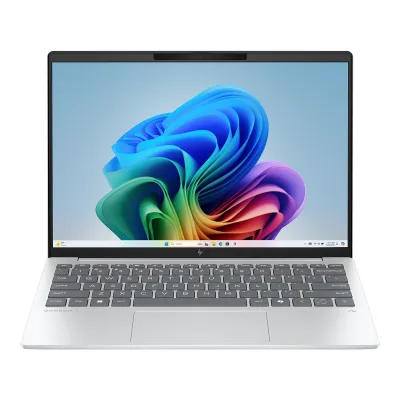 HP OmniBook 7 Aero 13-bg1000nx (Ryzen AI 7 350)
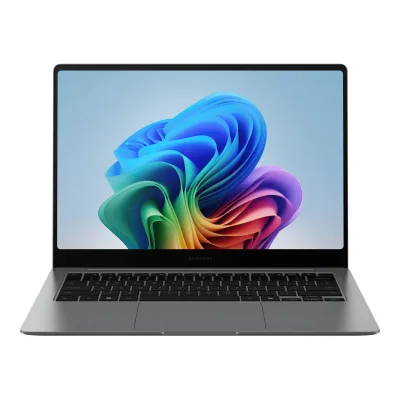 Samsung Galaxy Book5 Pro 14 (Core Ultra 7 256V)
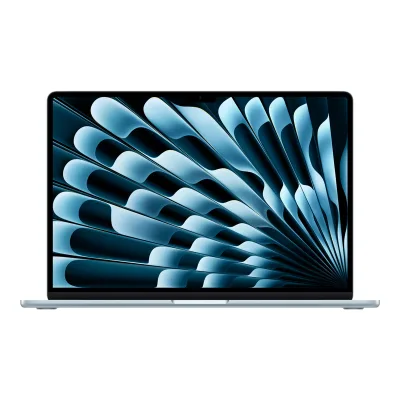 Apple MacBook Air 15-inch (M4, 2025)
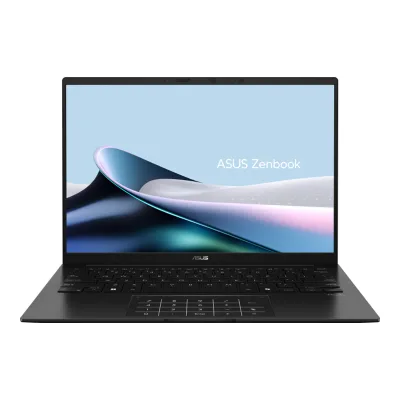 ASUS Zenbook 14 UM3406KA
 ASUS Zenbook S 14 (2024) UX5406SA-BH71T-CB
 Dell XPS 13 9350 (2024) Core Ultra 5 226V
 Acer Swift Go 14 AI SFG14-01-X006
 Apple MacBook Air 13-inch (M5, 2026)
Change ASUS Zenbook A14 UX3407QA (Snapdragon X Plus)
Compare the Framework Laptop 13 (AMD Ryzen AI 300 Series, Ryzen AI 9 HX 370) with
Apple MacBook Air 13-inch (M4, 2025)Lenovo Chromebook Plus 14 Gen 10 (83MY0000US)Microsoft Surface Laptop 13-inch (1st Edition, 2025)HONOR MagicBook Pro 14 (2025)HP OmniBook 7 Aero 13-bg1000nx (Ryzen AI 7 350)Samsung Galaxy Book5 Pro 14 (Core Ultra 7 256V)Apple MacBook Air 15-inch (M4, 2025)ASUS Zenbook 14 UM3406KAASUS Zenbook S 14 (2024) UX5406SA-BH71T-CBDell XPS 13 9350 (2024) Core Ultra 5 226VAcer Swift Go 14 AI SFG14-01-X006Apple MacBook Air 13-inch (M5, 2026)Product B: Framework
Laptop 13 (AMD Ryzen AI 300 Series, Ryzen AI 9 HX 370)
69 of 179 knownApple MacBook Air 13-inch (M4, 2025)Microsoft Surface Laptop 13-inch (1st Edition, 2025)Apple MacBook Air 15-inch (M4, 2025)Acer Swift Go 14 AI SFG14-01-X006 Microsoft Surface Laptop 13.8-inch (7th Edition, X Plus)Apple MacBook Air 13-inch (M5, 2026)HP OmniBook 7 Aero 13-bg1000nx (Ryzen AI 7 350)
 Apple MacBook Air 13-inch (M3, 2024)Samsung Galaxy Book5 Pro 14 (Core Ultra 7 256V)ASUS Zenbook S 14 (2024) UX5406SA-BH71T-CBHONOR MagicBook Pro 14 (2025)Lenovo Chromebook Plus 14 Gen 10 (83MY0000US)
Change Framework Laptop 13 (AMD Ryzen AI 300 Series, Ryzen AI 9 HX 370)
Compare the ASUS Zenbook A14 UX3407QA (Snapdragon X Plus) with
Apple MacBook Air 13-inch (M4, 2025)Microsoft Surface Laptop 13-inch (1st Edition, 2025)Apple MacBook Air 15-inch (M4, 2025)Acer Swift Go 14 AI SFG14-01-X006Microsoft Surface Laptop 13.8-inch (7th Edition, X Plus)Apple MacBook Air 13-inch (M5, 2026)HP OmniBook 7 Aero 13-bg1000nx (Ryzen AI 7 350)Apple MacBook Air 13-inch (M3, 2024)Samsung Galaxy Book5 Pro 14 (Core Ultra 7 256V)ASUS Zenbook S 14 (2024) UX5406SA-BH71T-CBHONOR MagicBook Pro 14 (2025)Lenovo Chromebook Plus 14 Gen 10 (83MY0000US)79 of 171 fields differ
- 36 different values
- 43 known for one only
- 12 the same
- 80 missing for both
Biggest differences
Each bar uses the scale of all 220 laptops.
- Brightness (SDR, claimed)A: 400nitsB: 500nitsFramework is 100 nits higher.
- BatteryA: 70WhB: 61WhASUS is 9 Wh higher.
Weight
0 to 3 kg
Weight (published)
A1.09kg
B1.3kg
All 179 fields
Every value links to where we found it.
General
5 of 9 differ
Series
Model numbers
Not available
GTIN / EAN
Not available
Announced
Status
Predecessor
Not available
Not available
Successor
ASUS Zenbook A14 UX3407NA (Snapdragon X2 Elite)12Reviewnotebookcheck.net/Asus-debuts-refreshed-Zenbook-A14-with-Snapdragon-X2-Elite-and-multi-day-battery.1196164.0.htmlRead 23 October 2026Notebookcheck calls the 2026 Zenbook A14 with Snapdragon X2 Elite a refresh of the previous-gen Zenbook A14 and names the earlier model its predecessor.
Not available
Launch price (US)
Not available
Launch price (EU)
Not available
Not available
Colours
Zabriskie Beige1Maker product pageasus.com/us/laptops/for-home/zenbook/asus-zenbook-a14-ux3407/techspecRead 15 October 2026Zabriskie Beige only in this column.4Press releaseprnewswire.com/news-releases/asus-announces-new-zenbook-a14-and-zenbook-s14-configurations-exclusively-available-at-best-buy-in-the-united-states-302408659.htmlRead 15 October 2026
Not available
Segment
Form factor
Clamshell7Owner's manualdlcdnets.asus.com/pub/ASUS/nb/UX3407RA/0409_E23881_UX3407_A.pdfRead 15 October 2026The manual describes a Notebook PC with a display panel and a keyboard.11Reviewitpro.com/hardware/laptops/asus-zenbook-a14-ux3407-review-one-incredibly-light-copilot-pcRead 15 October 2026Review of the line describes a single hinge that opens with one hand. The unit tested had the X1-26-100 chip, so none of its numbers are used.
Chassis
5 of 6 differ
Dimensions
Width310.7Depth213.9Thickness (min)13.4Thickness (max)15.9mm(12.2 × 8.4 × 0.5 to 0.6 in)1Maker product pageasus.com/us/laptops/for-home/zenbook/asus-zenbook-a14-ux3407/techspecRead 15 October 202631.07 x 21.39 x 1.34 ~ 1.59 cm. Front 13.4 mm and rear 15.9 mm thickness agree with the hinta.fi record.
Width296.63Depth228.98Thickness (max)15.85mm(11.7 × 9 × 0.6 in)1Maker product pageframe.work/laptop13Read 15 October 2026Page says 15.85mm x 296.63mm x 228.98mm. The single thickness is stored as the maximum thickness. Tom's Hardware measures 11.68 x 9.01 x 0.62 inches, which matches.
Weight (published)
1.09kg(2.4 lb)1Maker product pageasus.com/us/laptops/for-home/zenbook/asus-zenbook-a14-ux3407/techspecRead 15 October 20261.09 kg (2.40 lbs) in this column. The ASUS press release for UX3407QA-X1P512 also says 2.40 lbs. The first UX3407QA column and the global ASUS page give 0.98 kg for the other configuration, so the 0.98 kg quoted in reviews of other units is not used.4Press releaseprnewswire.com/news-releases/asus-announces-new-zenbook-a14-and-zenbook-s14-configurations-exclusively-available-at-best-buy-in-the-united-states-302408659.htmlRead 15 October 20262.40 lbs for UX3407QA-X1P512.
Lid material
Bottom material
Max hinge angle
Not available
Not available
Display
13 of 25 differ
Screen size
14in(35.6 cm)1Maker product pageasus.com/us/laptops/for-home/zenbook/asus-zenbook-a14-ux3407/techspecRead 15 October 202614.0-inch display on the global page. The US column text says WUXGA 16:10 OLED.2Maker product pageasus.com/laptops/for-home/zenbook/asus-zenbook-a14-ux3407/techspecRead 15 October 202614.0-inch.
Native resolution
Pixel density
161.7ppi
256.4ppi
Panel type
Backlight
Not available
Not available
Dimming zones
Not available
Not available
Panel part number
Not available
Not available
Screen surface
Glossy8Spec databasehinta.fi/5973610/asus-zenbook-a14-ux3407qa-x1p512/tuotetiedotRead 15 October 2026Display surface glossy (Kiilto). XDA's spec list for its review unit says Glossy display, and Laptops Explained says glossy for the same CPU, RAM and SSD. The ASUS global page marks only the RA model as anti-glare.9Reviewxda-developers.com/asus-zenbook-a14-reviewRead 15 October 2026The spec list of the reviewed Best Buy X Plus unit says Glossy display.10Reviewlaptopsexplained.com/asus-zenbook-a14-ux3407qa-reviewRead 15 October 2026Review of UX3407QA-QD105W (Australia) with Snapdragon X Plus X1P-42-100, 16 GB and 512 GB: glossy finish.
Touchscreen
Not available
Stylus
Not available
Not available
Refresh rate modes
AASUS Zenbook A14 UX3407QA (Snapdragon X Plus)
| Width (px) | Height (px) | Maximum operating refresh (Hz) |
|---|---|---|
| 1920 | 1200 | 60 |
BFramework Laptop 13 (AMD Ryzen AI 300 Series, Ryzen AI 9 HX 370)
| Width (px) | Height (px) | Maximum operating refresh (Hz) |
|---|---|---|
| 2880 | 1920 | 120 |
Max refresh rate
60Hz
120Hz
Adaptive sync
Not available
Not available
Gray-to-gray response time (claimed)
Not available
Not available
Native panel colour depth
Not available
Not available
Brightness (SDR, claimed)
400nits2Maker product pageasus.com/laptops/for-home/zenbook/asus-zenbook-a14-ux3407/techspecRead 15 October 2026Global page, WUXGA OLED option of the UX3407QA column: 400 nits, 600 nits HDR peak brightness, VESA CERTIFIED DisplayHDR True Black 600. That page does not pair its display options with processors, so the exact SKU values come from the hinta.fi record for UX3407QA-X1P512 (400 and 600 nits, True Black 600) and the spec list in XDA's review of the Best Buy X Plus unit. The US page text for this column leaves the nits out.8Spec databasehinta.fi/5973610/asus-zenbook-a14-ux3407qa-x1p512/tuotetiedotRead 15 October 2026Display brightness 400 cd/m2 and maximum brightness 600 cd/m2 (HDR).10Reviewlaptopsexplained.com/asus-zenbook-a14-ux3407qa-reviewRead 15 October 2026Same unit: 400 nits standard brightness, up to 600 nits peak in HDR mode.
Peak brightness (SDR outdoors, claimed)
Not available
Not available
Sustained brightness (HDR, claimed)
Not available
Not available
Peak brightness (HDR, claimed)
600nits2Maker product pageasus.com/laptops/for-home/zenbook/asus-zenbook-a14-ux3407/techspecRead 15 October 2026600 nits HDR peak. The window size is not stated.8Spec databasehinta.fi/5973610/asus-zenbook-a14-ux3407qa-x1p512/tuotetiedotRead 15 October 2026600 cd/m2 maximum brightness. The record lists HDR support.9Reviewxda-developers.com/asus-zenbook-a14-reviewRead 15 October 2026Review states 600 nits peak brightness for the X Plus unit.
Not available
sRGB coverage (claimed)
Not available
DCI-P3 coverage (claimed)
100%1Maker product pageasus.com/us/laptops/for-home/zenbook/asus-zenbook-a14-ux3407/techspecRead 15 October 2026100% DCI-P3 color gamut. Coverage or volume is not stated.9Reviewxda-developers.com/asus-zenbook-a14-reviewRead 15 October 2026The spec list copied in the review names 100% DCI-P3 color gamut.
Not available
Adobe RGB coverage (claimed)
Not available
Not available
HDR certification
DisplayHDR True Black 6002Maker product pageasus.com/laptops/for-home/zenbook/asus-zenbook-a14-ux3407/techspecRead 15 October 2026VESA CERTIFIED Display HDR True Black 600.8Spec databasehinta.fi/5973610/asus-zenbook-a14-ux3407qa-x1p512/tuotetiedotRead 15 October 2026DisplayHDR True Black 600 in the record.9Reviewxda-developers.com/asus-zenbook-a14-reviewRead 15 October 2026The spec list copied in the review names VESA CERTIFIED Display HDR True Black 600.
Not available
Factory calibrated
Not available
Not available
Second display
Not available
Not available
Processor
10 of 14 differ
Processor
Processor brand
Core configuration
AASUS Zenbook A14 UX3407QA (Snapdragon X Plus)
| Count | Core | Max clock (GHz) |
|---|---|---|
| 8 | Qualcomm Oryon | 3.4 |
BFramework Laptop 13 (AMD Ryzen AI 300 Series, Ryzen AI 9 HX 370)
| Core type | Count | Core | Base clock (GHz) | Max clock (GHz) |
|---|---|---|---|---|
| Zen 5 | 4 | Zen 5 | 2 | 5.1 |
| Zen 5c | 8 | Zen 5c | 2 | 3.3 |
CPU cores
8
12
Cores labelled performance
Not available
0
Cores labelled efficiency
Not available
0
Threads
81Maker product pageasus.com/us/laptops/for-home/zenbook/asus-zenbook-a14-ux3407/techspecRead 15 October 20266Maker spec sheet (PDF)qualcomm.com/content/dam/qcomm-martech/dm-assets/images/company/news-media/media-center/press-kits/ifa-2024/documents/SnapdragonXPlus8-coreProductBrief.pdfRead 15 October 2026ASUS lists 8 threads for the 8 cores.
Max boost clock
3.4GHz
5.1GHz
L3 cache
Not available
Process
Sustained CPU power (configured)
Not available
Not available
Peak CPU power (configured)
Not available
Not available
Combined CPU and GPU power
Not available
Not available
NPU performance
Graphics
1 of 9 differ
Discrete GPU
GPU
Not available
Not available
GPU brand
Not available
Not available
VRAM
Not available
Not available
Max GPU power (TGP)
Not available
Not available
Dynamic Boost
Not available
Not available
GPU boost clock
Not available
Not available
GPU switching
Not available
Not available
Integrated GPU
Memory
7 of 9 differ
Installed RAM
Not available
RAM type
RAM speed
Not available
Memory channels
Not available
Not available
RAM upgrade
Memory slots
AASUS Zenbook A14 UX3407QA (Snapdragon X Plus)
Not availableBFramework Laptop 13 (AMD Ryzen AI 300 Series, Ryzen AI 9 HX 370)
| Slot | Count |
|---|---|
| SO-DIMM | 2 |
Source3Press releaseframe.work/blog/introducing-the-framework-laptop-13-powered-by-amd-ryzen-ai-300-seriesRead 15 October 2026Post says two DDR5-5600 slots, upgradeable to 96GB. The Quick Start Guide names the sockets Channel 0 and Channel 1. SO-DIMM form is stated by the Framework memory options and by Tom's Hardware, which installed two SO-DIMMs. No module is installed in the DIY Edition by default, so occupancy is not stored.4Owner's manualguides.frame.work/Guide/Framework+Laptop+13+(AMD+Ryzen%E2%84%A2+AI+300+Series)+DIY+Edition+Quick+Start+Guide/404Read 15 October 2026Guide says modules go into sockets labelled Channel 0 and Channel 1. A single module belongs in Channel 0.
RAM slots
Not available
2
Free RAM slots
Not available
Not available
Maximum supported RAM
96GB1Maker product pageframe.work/laptop13Read 15 October 2026Page says up to 96GB DDR5-5600. The launch blog says upgradeable to 96GB. AMD lists 256 GB as the processor maximum, which is not the laptop maximum.3Press releaseframe.work/blog/introducing-the-framework-laptop-13-powered-by-amd-ryzen-ai-300-seriesRead 15 October 2026
Storage
5 of 7 differ
Installed storage
Not available
Storage type
Not available
Installed drive PCIe generation
Not available
Storage slots
AASUS Zenbook A14 UX3407QA (Snapdragon X Plus)
| Form factor | Interface | PCIe generation | PCIe lanes | Count | Occupied |
|---|---|---|---|---|---|
| M.2 2280 | PCIe NVMe | 4 | 4 | 1 | Yes |
BFramework Laptop 13 (AMD Ryzen AI 300 Series, Ryzen AI 9 HX 370)
| Form factor | Interface | PCIe generation | Count |
|---|---|---|---|
| M.2 2280 | PCIe NVMe | 4 | 1 |
Source1Maker product pageframe.work/laptop13Read 15 October 2026Storage row says choose up to 8TB WD_BLACK NVMe SSDs or bring your own. No drive is included by default.3Press releaseframe.work/blog/introducing-the-framework-laptop-13-powered-by-amd-ryzen-ai-300-seriesRead 15 October 2026Post says one PCIe 4 M.2 2280 slot, upgradeable to 8TB. The lane count is not stated.4Owner's manualguides.frame.work/Guide/Framework+Laptop+13+(AMD+Ryzen%E2%84%A2+AI+300+Series)+DIY+Edition+Quick+Start+Guide/404Read 15 October 2026Guide shows one SSD slot, secured by one T5 fastener.
M.2 slots
1
1
Free storage slots
0
Not available
Maximum slot PCIe generation
4
4
Ports
3 of 7 differ
Ports
AASUS Zenbook A14 UX3407QA (Snapdragon X Plus)
| Type | Version | Count | Side | Maximum data rate (Gbps) | Thunderbolt or USB4 | DP Alt Mode |
|---|---|---|---|---|---|---|
| USB-C | USB4 | 2 | Left | 40 | USB4 | Yes |
| HDMI | HDMI 2.1 TMDS | 1 | Left | Not available | Not available | Not available |
| 3.5 mm audio | Not available | 1 | Left | Not available | Not available | Not available |
| USB-A | USB 3.2 Gen 2 | 1 | Right | 10 | Not available | Not available |
Source1Maker product pageasus.com/us/laptops/for-home/zenbook/asus-zenbook-a14-ux3407/techspecRead 15 October 20262x USB4 Gen 3 Type-C with display and power delivery (up to 40 Gbps), 1x USB 3.2 Gen 2 Type-A, 1x 3.5 mm combo audio jack, 1x HDMI 2.1 TMDS. Sides are from the e-manual. No charging input per port is published, so none is stored.7Owner's manualdlcdnets.asus.com/pub/ASUS/nb/UX3407RA/0409_E23881_UX3407_A.pdfRead 15 October 2026Right view: one USB 3.2 Gen 2 port. Left view: HDMI output port, USB4 / Power Delivery combo ports and the headphone / headset / microphone jack. Charging uses 20 V sources rated 3.25 A or 4.5 A.
BFramework Laptop 13 (AMD Ryzen AI 300 Series, Ryzen AI 9 HX 370)
| Type | Version | Count | Side | Maximum data rate (Gbps) | Thunderbolt or USB4 | DP Alt Mode |
|---|---|---|---|---|---|---|
| USB-C | USB4 expansion card slot | 1 | Left | 40 | USB4 | Yes |
| USB-C | USB4 expansion card slot | 1 | Right | 40 | USB4 | Yes |
| USB-C | USB 3.2 expansion card slot with DisplayPort | 1 | Left | Not available | Not available | Yes |
| USB-C | USB 3.2 expansion card slot with DisplayPort | 1 | Right | Not available | Not available | Yes |
| 3.5 mm audio | Not available | 1 | Not available | Not available | Not available | Not available |
Source1Maker product pageframe.work/laptop13Read 15 October 2026Page lists four user-selectable Expansion Card slots and the 3.5 mm combo headphone jack. No port is built in apart from the jack. The slot types are counted as ports like on the Framework Laptop 16 entry, although a buyer may fill them with HDMI, USB-A, storage or card reader cards. Per-card choices are not stored. The side of the headphone jack is not published.3Press releaseframe.work/blog/introducing-the-framework-laptop-13-powered-by-amd-ryzen-ai-300-seriesRead 15 October 2026Post says four Expansion Card slots. The rear two support USB4. The front two support USB 3.2 plus DisplayPort, for up to four simultaneous display outputs. One rear and one front slot sit on each side.4Owner's manualguides.frame.work/Guide/Framework+Laptop+13+(AMD+Ryzen%E2%84%A2+AI+300+Series)+DIY+Edition+Quick+Start+Guide/404Read 15 October 2026Guide lists four bays. Upper left and upper right with the keyboard facing up: USB 4 and DP 2.0 UHBR20. Lower left: USB 3.2 and DP 1.4 HBR3. Lower right: DP 2.0 UHBR10. Any bay can charge over USB-C.5Maker product pageamd.com/en/products/processors/laptop/ryzen/ai-300-series/amd-ryzen-ai-9-hx-370.htmlRead 15 October 2026Native USB 4 (40Gbps) is listed for the processor, which gives the 40 Gbps of the USB4 expansion card slots.
USB-C ports
2
4
Thunderbolt
No
No
Highest HDMI version
HDMI 2.1 TMDS
Not available
Card reader
No
No
Ethernet speed
Not available
Not available
Maximum USB-C charging input
Not available
Not available
Wireless
5 of 5 differ
Wi-Fi
Wi-Fi bands
Not available
Wi-Fi module
Not available
AMD RZ717 Wi-Fi 71Maker product pageframe.work/laptop13Read 15 October 2026Connectivity row says AMD RZ717 Wi-Fi 7. The page names no Bluetooth version. Sources disagree on 5.3 and 5.4, so no version is stored.3Press releaseframe.work/blog/introducing-the-framework-laptop-13-powered-by-amd-ryzen-ai-300-seriesRead 15 October 2026
Bluetooth
Not available
Keyboard and touchpad
3 of 8 differ
Keyboard layouts
Not available
Not available
Key switches
Not available
Not available
Keyboard backlight
Numpad
Not available
Key travel
Pointing stick
Not available
Not available
Touchpad size
Not available
Not available
Camera and audio
6 of 7 differ
Webcam
IR face login
Not available
Webcam privacy
Not available
Electronic kill switch1Maker product pageframe.work/laptop13Read 15 October 2026Camera and microphone rows say hardware privacy switch. Framework says these switches electrically disconnect the camera or microphones, which is a kill switch and not a sliding shutter.9Maker product pageframe.work/blog/1080p-webcamRead 15 October 2026Framework post on the first-generation 1080p webcam says that with the switch off, the camera or microphones are electrically disconnected. The current OV08X camera in this model is a later module with the same switch design per the spec page.
Built-in speaker drivers
Total speaker power
Not available
Audio features
Smart Amp Technology1Maker product pageasus.com/us/laptops/for-home/zenbook/asus-zenbook-a14-ux3407/techspecRead 15 October 2026Smart Amp Technology, built-in speaker, built-in array microphone.
Not available
Battery and power
3 of 5 differ
Battery energy
Claimed battery life
AASUS Zenbook A14 UX3407QA (Snapdragon X Plus)
| Use case | Hours (h) |
|---|---|
| Video playback | 32 |
BFramework Laptop 13 (AMD Ryzen AI 300 Series, Ryzen AI 9 HX 370)
Not availableAdapter rated output
Laptop charging connector
Charge 0 to 50 % (claimed)
Not available
Not available
Cooling
2 of 4 differ
Fans
Not available
11Maker product pageframe.work/laptop13Read 15 October 2026Thermals row lists one 65 x 5.5 mm cooling fan, a single 10 mm heat pipe and Honeywell PTM7958 phase-change material. Tom's Hardware also says single cooling fan.6Measurementtomshardware.com/laptops/ultrabooks-ultraportables/framework-laptop-13-amd-ryzen-ai-300-series-reviewRead 15 October 2026Review says the laptop has a single cooling fan.
Vapor chamber
Not available
Not available
Liquid metal
Not available
Not available
Power modes
AASUS Zenbook A14 UX3407QA (Snapdragon X Plus)
Not availableBFramework Laptop 13 (AMD Ryzen AI 300 Series, Ryzen AI 9 HX 370)
| Name | CPU power (W) |
|---|---|
| Performance | 30 |
| Balanced | 25 |
| Efficiency | 15 |
Security
1 of 4 differ
Fingerprint
Not available
Power button1Maker product pageframe.work/laptop13Read 15 October 2026Page lists Fingerprint Reader (2nd Gen). The Framework deep-dive says the reader is built into the power button.8Maker product pageframe.work/blog/framework-laptop-deep-divethe-touchpad-and-fingerprintRead 15 October 2026Framework deep-dive says it built a Windows Hello-compatible fingerprint reader into the power button. The post dates from the first Laptop 13 and the AI 300 spec lists the 2nd Gen reader.
TPM
Not available
Not available
Remote management
Not available
Not available
Security lock slot
Not available
Not available
Software
2 of 3 differ
Operating system
OS family
Security updates until
Not available
Not available
Measured display
None of 12 known
Brightness (measured, centre)
Not available
Not available
Brightness (measured, average)
Not available
Not available
Contrast ratio (measured)
Not available
Not available
HDR peak brightness (measured)
Not available
Not available
sRGB coverage (measured)
Not available
Not available
DCI-P3 coverage (measured)
Not available
Not available
Colour accuracy (measured Delta E)
Not available
Not available
PWM flicker found
Not available
Not available
PWM frequency (measured)
Not available
Not available
PWM at or below brightness
Not available
Not available
Response black to white (measured)
Not available
Not available
Response grey to grey (measured)
Not available
Not available
Measured performance
None of 8 known
Cinebench 2024 single-core
Not available
Not available
Cinebench 2024 multi-core
Not available
Not available
Geekbench 6 single-core
Not available
Not available
Geekbench 6 multi-core
Not available
Not available
3DMark Time Spy graphics
Not available
Not available
3DMark Steel Nomad
Not available
Not available
SSD sequential read (measured)
Not available
Not available
Game frame rates
Not available
Not available
Measured noise and temperature
2 of 9 differ
Fan noise per mode
Not available
Not available
Max fan noise
Not available
Not available
Fan noise while gaming
Not available
Not available
Bottom surface under load
Not available
Palm rest under load
Not available
Not available
CPU temperature in stress test
Not available
Not available
CPU clock in stress test
Not available
Not available
GPU temperature while gaming
Not available
Not available
Measured battery and power
1 of 10 differ
Battery runtime per test
AASUS Zenbook A14 UX3407QA (Snapdragon X Plus)
| Test | Power mode | Hours (h) |
|---|---|---|
| Productivity | Balanced | 12 |
BFramework Laptop 13 (AMD Ryzen AI 300 Series, Ryzen AI 9 HX 370)
| Test | Brightness (nits) | Hours (h) |
|---|---|---|
| Mixed use | 150 | 9.18 |
Wi-Fi browsing runtime
Not available
Not available
Video runtime
Not available
Not available
Full charge time (measured)
Not available
Not available
Power draw idle
Not available
Not available
Power draw gaming
Not available
Not available
Power draw max
Not available
Not available
Sustained CPU power (measured)
Not available
Not available
GPU power while gaming (measured)
Not available
Not available
Weight (measured)
Not available
Not available
Certifications
3 of 6 differ
Intel Evo
Not available
Not available
Copilot+ PC
Not available
Colour certifications
Not available
Not available
ENERGY STAR
Not available
EPEAT
Not available
Not available
Other certifications
TÜV Rheinland-certified, SGS Eye Care Display, REACH, RoHS1Maker product pageasus.com/us/laptops/for-home/zenbook/asus-zenbook-a14-ux3407/techspecRead 15 October 2026TÜV Rheinland-certified and SGS Eye Care Display from the display row. REACH and RoHS from the ecolabels row.
Not available
In the box
1 of 2 differ
In the box
Not available
Not available
Warranty
1 of 2 differ
Manufacturer warranty (source market)
Not available
Warranty service
Not available
Not available
Links
Not compared
Product page
www.asus.com/us/laptops/for-home/zenbook/asus-zenbook-a14-ux34073Maker product pageasus.com/us/laptops/for-home/zenbook/asus-zenbook-a14-ux3407Read 15 October 2026ASUS US product page of the Zenbook A14 (UX3407) line. It now leads with the Snapdragon X2 Elite models.
frame.work/products/laptop13-diy-amd-ai3002Maker product pageframe.work/products/laptop13-diy-amd-ai300Read 15 October 2026DIY Edition (AMD Ryzen AI 300 Series) configurator. It offers Ryzen AI 5 340, Ryzen AI 7 350 and Ryzen AI 9 HX 370, 2.2K and 2.8K displays, DDR5-5600 SO-DIMMs and PCIe 4.0 M.2 2280 drives.
Spec sheet
www.asus.com/us/laptops/for-home/zenbook/asus-zenbook-a14-ux3407/techspec1Maker product pageasus.com/us/laptops/for-home/zenbook/asus-zenbook-a14-ux3407/techspecRead 15 October 2026ASUS US tech spec page. It has five columns. This product is the second UX3407QA column: Snapdragon X Plus X1P 42 100, 16 GB LPDDR5X, 512 GB SSD, Zabriskie Beige only, 65 W adapter, Wi-Fi 6E, Bluetooth 5.3, 1.09 kg. The first UX3407QA column is the Snapdragon X X1 26 100 model and is another product (UX3407QA-PS76 and similar). The RA and NA columns are other products.
Manual
dlcdnets.asus.com/pub/ASUS/nb/UX3407RA/0409_E23881_UX3407_A.pdf7Owner's manualdlcdnets.asus.com/pub/ASUS/nb/UX3407RA/0409_E23881_UX3407_A.pdfRead 15 October 2026E-manual E23881, First Edition, December 2024. It covers the Zenbook A14 UX3407 series.
guides.frame.work/Guide/Framework+Laptop+13+(AMD+Ryzen%E2%84%A2+AI+300+Series)+DIY+Edition+Quick+Start+Guide/4044Owner's manualguides.frame.work/Guide/Framework+Laptop+13+(AMD+Ryzen%E2%84%A2+AI+300+Series)+DIY+Edition+Quick+Start+Guide/404Read 15 October 2026Framework Laptop 13 (AMD Ryzen AI 300 Series) DIY Edition Quick Start Guide.
EPREL registration number
Not available
Not available
Both are also in the API. Back to all laptops.