CPU coolers / Compare
CORSAIR iCUE LINK TITAN II 360 RX LCD vs NZXT Kraken Plus 280
Product A: CORSAIR
37 of 54 known NZXT Kraken Plus 240
 be quiet! Silent Loop 3 420mm
 MSI MPG CoreLiquid P13 360
 Phanteks Glacier One 360M25-LCD
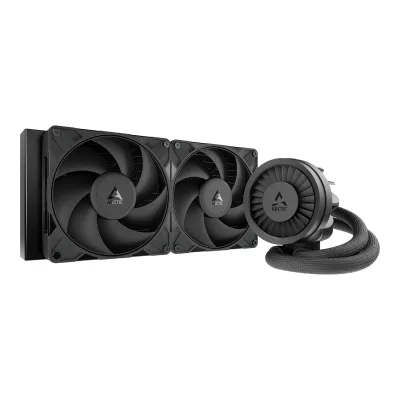 ARCTIC Liquid Freezer III Pro 280
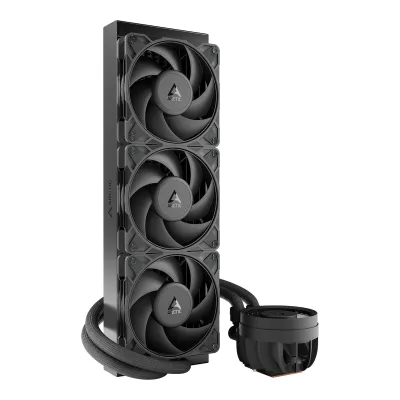 ARCTIC Liquid Freezer III Pro 360
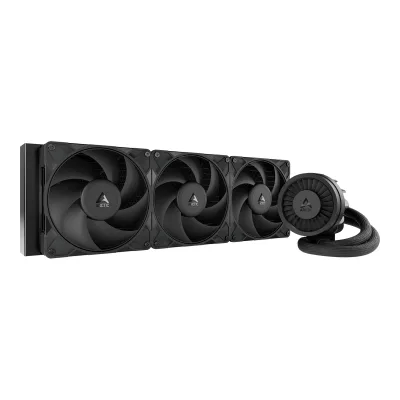 ARCTIC Liquid Freezer III Pro 420
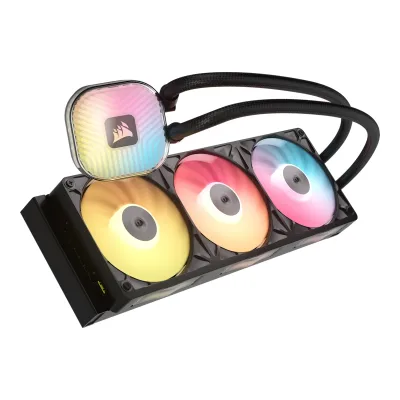 CORSAIR iCUE LINK TITAN II 360 RX RGB
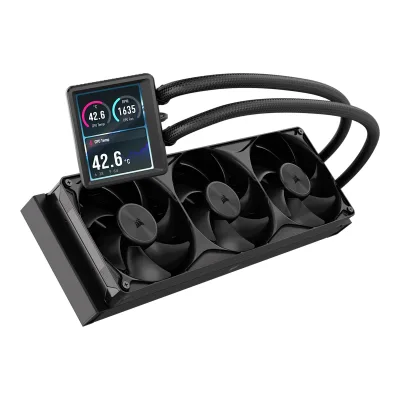 CORSAIR NAUTILUS II 360 RS LCD
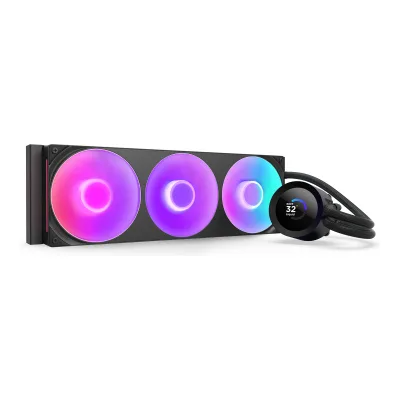 NZXT Kraken Plus 360 RGB
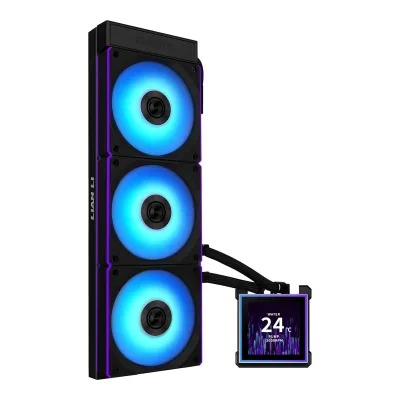 Lian Li HydroShift II LCD-S 360 CL
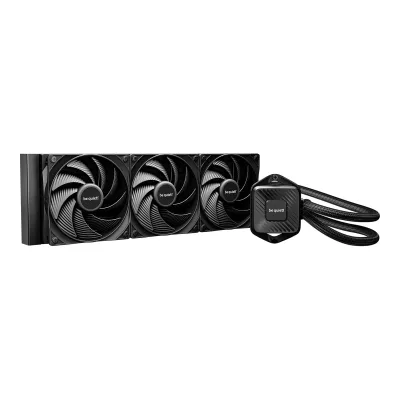 be quiet! Pure Loop 3 360mm
Change CORSAIR iCUE LINK TITAN II 360 RX LCD
Compare the NZXT Kraken Plus 280 with
NZXT Kraken Plus 240be quiet! Silent Loop 3 420mmMSI MPG CoreLiquid P13 360Phanteks Glacier One 360M25-LCDARCTIC Liquid Freezer III Pro 280ARCTIC Liquid Freezer III Pro 360ARCTIC Liquid Freezer III Pro 420CORSAIR iCUE LINK TITAN II 360 RX RGBCORSAIR NAUTILUS II 360 RS LCDNZXT Kraken Plus 360 RGBLian Li HydroShift II LCD-S 360 CLbe quiet! Pure Loop 3 360mmProduct B: NZXT
31 of 54 known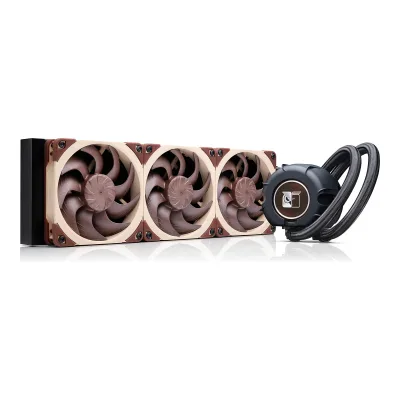 Noctua NL-LC1-36CORSAIR iCUE LINK TITAN II 360 RX RGBCORSAIR NAUTILUS II 360 RS LCDMSI MPG CoreLiquid P13 360
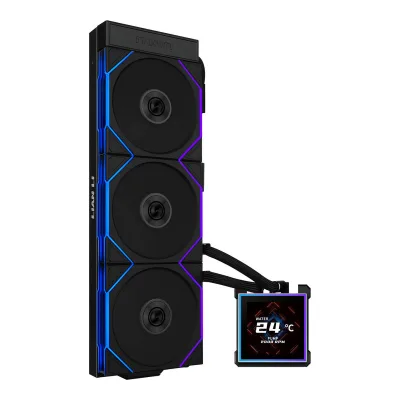 Lian Li HydroShift II LCD-S 360 TLPhanteks Glacier One 360M25-LCD
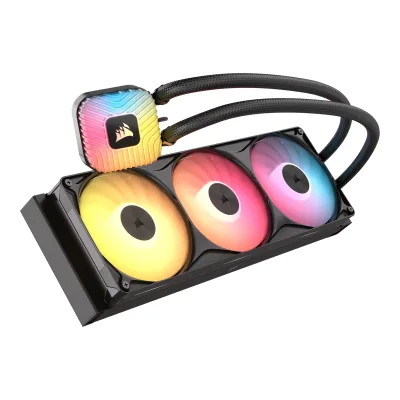 CORSAIR NAUTILUS II 360 RS ARGB
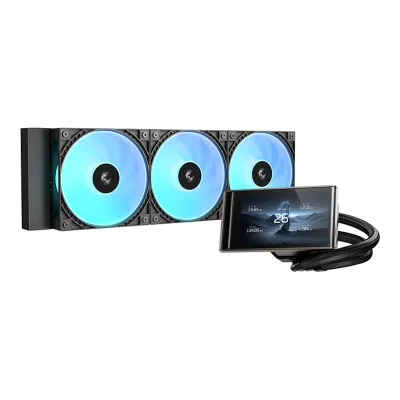 DeepCool LT360 VISION ARGBLian Li HydroShift II LCD-S 360 CLNZXT Kraken Plus 360 RGB
 Thermaltake TH360 V3 Ultra ARGB Syncbe quiet! Silent Loop 3 420mm
Change NZXT Kraken Plus 280
Compare the CORSAIR iCUE LINK TITAN II 360 RX LCD with
Noctua NL-LC1-36CORSAIR iCUE LINK TITAN II 360 RX RGBCORSAIR NAUTILUS II 360 RS LCDMSI MPG CoreLiquid P13 360Lian Li HydroShift II LCD-S 360 TLPhanteks Glacier One 360M25-LCDCORSAIR NAUTILUS II 360 RS ARGBDeepCool LT360 VISION ARGBLian Li HydroShift II LCD-S 360 CLNZXT Kraken Plus 360 RGBThermaltake TH360 V3 Ultra ARGB Syncbe quiet! Silent Loop 3 420mm26 of 46 fields differ
- 18 different values
- 8 known for one only
- 8 the same
- 12 missing for both
Biggest differences
Each bar uses the scale of all 66 CPU coolers.
- Radiator sizeA: 360mmB: 280mmCORSAIR is 80 mm higher.
All 54 fields
Every value links to where we found it.
General
6 of 12 differ
Series
Model numbers
GTIN / EAN
0840440424758, 08404404247658Retailer pagescan.co.uk/products/corsair-icue-link-titan-ii-360-rx-lcd-cooler-black-1x-360mm-rx360-ii-fan-5-lcd-display-aluminium-copRead 15 October 2026Black CW-9061045-WW: GTIN 840440424758, stored as the 13 digit 0840440424758. AWD-IT lists the same EAN.9Retailer pagescan.co.uk/products/corsair-icue-link-titan-ii-360-rx-lcd-cooler-white-1x-360mm-rx360-ii-fan-5-lcd-display-aluminium-copRead 15 October 2026White CW-9061046-WW: EAN 0840440424765.
Announced
Not available
Status
Available1Maker product pagecorsair.com/us/en/p/cpu-coolers/cw-9061045-ww/icue-link-titan-ii-360-rx-lcd-aio-liquid-cpu-cooler-cw-9061045-wwRead 15 October 2026In Stock with a New badge on the access date. The price shown was $239.99.5Press releasecorsair.com/newsroom/press-release/corsair-expands-the-icue-link-ecosystem-with-quieter-higher-performance-aios-and-fansRead 15 October 2026Launched on August 25, 2026 and on sale.
Available1Maker product pagenzxt.com/products/kraken-plus-280Read 15 October 2026On sale on nzxt.com at $159.99 on the access date.5Press articlehardcoregamer.com/nzxt-launches-four-new-pc-componentsRead 15 October 2026The article says the components are available now. nzxt.com still lists the 280 at the same price.
Predecessor
Not available
Not available
Successor
Not available
Not available
Launch price (US)
$159.991Maker product pagenzxt.com/products/kraken-plus-280Read 15 October 2026The page price is $159.99. The same price is in the May 2025 launch article. US prices exclude tax.5Press articlehardcoregamer.com/nzxt-launches-four-new-pc-componentsRead 15 October 2026Kraken Plus 280 $159.99. US prices exclude tax.
Launch price (EU)
Markets
Not available
US, EU5Press articlehardcoregamer.com/nzxt-launches-four-new-pc-componentsRead 15 October 2026USD pricing for the US.6Press articlegeektopia.es/es/technology/2025/05/21/noticias/nzxt-anuncia-la-serie-kraken-plus-de-refrigeraciones-liquidas.htmlRead 15 October 2026EUR pricing next to the USD pricing of the US launch.
Colours
Black, White1Maker product pagecorsair.com/us/en/p/cpu-coolers/cw-9061045-ww/icue-link-titan-ii-360-rx-lcd-aio-liquid-cpu-cooler-cw-9061045-wwRead 15 October 2026Colour selector: Black and White.5Press releasecorsair.com/newsroom/press-release/corsair-expands-the-icue-link-ecosystem-with-quieter-higher-performance-aios-and-fansRead 15 October 2026The TITAN II Series coolers are available in Black or White.
Cooler type
Air cooler layout
Not available
Not available
Rated TDP (claimed)
Not available
Not available
Base material
Copper1Maker product pagecorsair.com/us/en/p/cpu-coolers/cw-9061045-ww/icue-link-titan-ii-360-rx-lcd-aio-liquid-cpu-cooler-cw-9061045-wwRead 15 October 2026Tech specs: cold plate material copper. The page describes a redesigned convex cold plate and names no plating.3Maker product pagecorsair.com/us/en/explorer/diy-builder/cpu-coolers/icue-link-titan-ii-rx-vs-titan-whats-newRead 15 October 2026The cold plate is a thinner copper cold plate with a convex shape.
Thermal paste
Pre-applied1Maker product pagecorsair.com/us/en/p/cpu-coolers/cw-9061045-ww/icue-link-titan-ii-360-rx-lcd-aio-liquid-cpu-cooler-cw-9061045-wwRead 15 October 2026Pre-applied CORSAIR XTM70 thermal paste on the cold plate.5Press releasecorsair.com/newsroom/press-release/corsair-expands-the-icue-link-ecosystem-with-quieter-higher-performance-aios-and-fansRead 15 October 2026Pre-applied CORSAIR XTM70 thermal paste.
Pre-applied1Maker product pagenzxt.com/products/kraken-plus-280Read 15 October 2026Overview: pre-applied thermal paste.9Reviewginjfo.com/dossiers/tests-materiel/composants/refroidissement/watercooling-aio/test-kraken-plus-280-de-nzxt-20260916Read 15 October 2026Thermal paste is pre-applied on the copper base.
Compatibility
1 of 3 differ
CPU sockets
AM5, AM4, LGA1954, LGA1851, LGA17001Maker product pagecorsair.com/us/en/p/cpu-coolers/cw-9061045-ww/icue-link-titan-ii-360-rx-lcd-aio-liquid-cpu-cooler-cw-9061045-wwRead 15 October 2026Tech specs list Intel 1851, Intel 1700, AMD AM5 and AMD AM4. LGA1954 comes from Corsair's TITAN II comparison article and from the Cybenetics report.2Owner's manualcorsair.com/us/en/explorer/diy-builder/cpu-coolers/icue-link-titan-ii-360-rx-lcdRead 15 October 2026Installation steps cover AMD AM5 and AM4 and Intel LGA 1851 and 1700 with one Intel bracket set.4Maker product pagecorsair.com/us/en/explorer/diy-builder/cpu-coolers/corsair-titan-ii-vs-nautilus-ii-aios-whats-the-differenceRead 15 October 2026Table last updated September 17, 2026, for the TITAN II 360 RX RGB: AM5, AM4 and Intel 1954, 1851 and 1700. The text says the TITAN II family adds support for LGA 1954. The box has only the LGA 1851 / 1700 mounting set, so no extra kit is listed for LGA1954. The LCD model is not in the table. The Cybenetics report lists LGA1954 for the Titan II 360 LCD.6Measurementcybenetics.com/evaluations/coolers/131Read 15 October 2026Technical specifications: Intel processors support LGA1954/1851/1700, AMD AM5 and AM4.
AM5, AM4, LGA1851, LGA1700, LGA1200, LGA1156, LGA1155, LGA1151, LGA11501Maker product pagenzxt.com/products/kraken-plus-280Read 15 October 2026Tech specs: Intel LGA 1851, 1700, 1200 and 115X, AMD AM5 and AM4. 115X is stored as LGA1150, LGA1151, LGA1155 and LGA1156 by the plan rule. The FAQ says mounting hardware for all of them is in the box.3Owner's manualcdn-g.nzxt.com/dl/Kraken%20Plus_Manual_240919_V2-WEB.pdfRead 15 October 2026Component list: Intel 1851/1700 and 1200/115X standoffs, AMD AM5/AM4 retention bracket and standoffs.
RAM height clearance
Not available
Not available
Offset mounting
Not available
Not available
Heatsink
None of 3 known
Heat pipes
Not available
Not available
Heat pipe diameter
Not available
Not available
Direct-contact heat pipes
Not available
Not available
Liquid cooling
6 of 7 differ
Radiator size
Radiator dimensions
Length394Width120Thickness27mm(15.5 × 4.7 × 1.1 in)7Reviewprofesionalreview.com/2026/09/24/corsair-titan-ii-360-rx-lcd-reviewRead 15 October 2026Review of 2026-09-24: radiator 360 mm, 394 mm long, 120 mm wide, 27 mm thick. Scan lists 394 x 27 x 120 mm. Corsair's article for the RGB model gives 394 x 120 x 27 mm.8Retailer pagescan.co.uk/products/corsair-icue-link-titan-ii-360-rx-lcd-cooler-black-1x-360mm-rx360-ii-fan-5-lcd-display-aluminium-copRead 15 October 2026Radiator dimensions 394 x 27 x 120 mm (W x H x D).
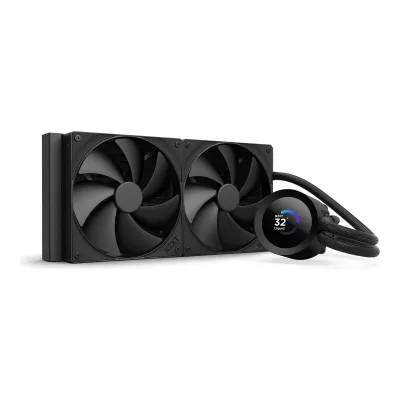
Length321Width140Thickness27mm(12.6 × 5.5 × 1.1 in)1Maker product pagenzxt.com/products/kraken-plus-280Read 15 October 2026Tech specs: radiator 321 x 140 x 27 mm (12.6 x 5.5 x 1.1 in), aluminum. Length runs along the two fans, so 321 is the length, 140 the width and 27 the thickness. The FAQ adds 25 mm of fan thickness.7Reviewhardwareand.co/dossiers/refroidissement/nzxt-sort-ses-kraken-plus-le-280-est-en-test-sur-h-coRead 15 October 2026Aluminium radiator of 321 mm length, 140 mm width and 27 mm thickness.
Radiator material
Tube length
400mm1Maker product pagenzxt.com/products/kraken-plus-280Read 15 October 2026Tech specs: tubing length 400 mm, CIIR rubber with nylon braided sleeve. Both tubes are given one length.7Reviewhardwareand.co/dossiers/refroidissement/nzxt-sort-ses-kraken-plus-le-280-est-en-test-sur-h-coRead 15 October 2026Review text: 400 mm of sheathed tubes.
Max pump speed
2,800rpm1Maker product pagenzxt.com/products/kraken-plus-280Read 15 October 2026NZXT Turbine pump, motor speed 1,200 - 2,800 +/-300 RPM, 12 V DC 0.3 A. The rated top of 2,800 is stored.4Maker product pagenzxt.com/blogs/news/nzxt-kraken-aio-coolers-explained-elite-plus-and-coreRead 15 October 2026Kraken Plus pump 1,200 to 2,800 RPM, adjustable.7Reviewhardwareand.co/dossiers/refroidissement/nzxt-sort-ses-kraken-plus-le-280-est-en-test-sur-h-coRead 15 October 2026NZXT Turbine pump running between 1200 and 2800 rpm.9Reviewginjfo.com/dossiers/tests-materiel/composants/refroidissement/watercooling-aio/test-kraken-plus-280-de-nzxt-20260916Read 15 October 2026The pump speed is adjustable from 1200 to 2800 rpm.
Pump power connector
SATA power3Owner's manualcdn-g.nzxt.com/dl/Kraken%20Plus_Manual_240919_V2-WEB.pdfRead 15 October 2026Hardware introduction lists the breakout cable set with an 18-pin connector, a 3-pin pump connector, an 8-pin female connector, a pump SATA power connector and a USB connector. Powering the pump: the pump SATA power connector goes to a PSU SATA power connector, and the 3-pin pump connector goes to the CPU_FAN or AIO_PUMP header. A note says the fan-fail warning may need disabling if CPU_FAN is unused, so the 3-pin plug carries the pump speed signal. GinjFo also says a SATA connector is needed for power. The pump is powered through SATA, so sata_power is the closest option.9Reviewginjfo.com/dossiers/tests-materiel/composants/refroidissement/watercooling-aio/test-kraken-plus-280-de-nzxt-20260916Read 15 October 2026A SATA connector is needed for power and a USB 2.0 header for CAM.
VRM fan
Yes3Maker product pagecorsair.com/us/en/explorer/diy-builder/cpu-coolers/icue-link-titan-ii-rx-vs-titan-whats-newRead 15 October 2026Table of the TITAN II LCD: VRM/M.2 cooling is a 70 mm fan. The press release says the VRM fan is part of the LCD module. Profesional Review measured it as an 80 mm fan from 600 to 3000 RPM, so the size is not stored.5Press releasecorsair.com/newsroom/press-release/corsair-expands-the-icue-link-ecosystem-with-quieter-higher-performance-aios-and-fansRead 15 October 2026The LCD module also incorporates an integrated VRM fan that helps cool the motherboard components around the CPU socket.
Not available
Fans
2 of 2 differ
Included fans
ACORSAIR iCUE LINK TITAN II 360 RX LCD
| Model | Size (mm) | Fans | Min speed (rpm) | Max speed (rpm) | Airflow (CFM) | Static pressure (mmH₂O) | Noise (claimed) (dB(A)) | Bearing | Connector |
|---|---|---|---|---|---|---|---|---|---|
| iCUE LINK RX360 II RGB Unified Frame | 120 | 3 | 400 | 2,100 | 64.7 | 3.57 | 32.8 | Magnetic dome | Proprietary |
Source1Maker product pagecorsair.com/us/en/p/cpu-coolers/cw-9061045-ww/icue-link-titan-ii-360-rx-lcd-aio-liquid-cpu-cooler-cw-9061045-wwRead 15 October 2026Tech specs: fan speed 400 - 2100 RPM +/-10%, fan airflow 14.1-64.7 CFM, static pressure 0.21 - 3.57 mm-H2O, noise 10 - 32.8 dBA. The top of each range is stored. The fan model name is the iCUE LINK RX360 II RGB unified frame named in the quick start guide. Corsair's fan table for the same RX II family lists the same airflow, pressure and noise for the single RX120 II and the three-fan RX360 II, so the figures are per fan. Magnetic Dome bearing is from the fan guide and the Titan II comparison article.2Owner's manualcorsair.com/us/en/explorer/diy-builder/cpu-coolers/icue-link-titan-ii-360-rx-lcdRead 15 October 2026The fans are the iCUE LINK RX360 II RGB unified frame. Power rating 12 Vdc, maximum 1.39 A, typical 0.8 A.4Maker product pagecorsair.com/us/en/explorer/diy-builder/cpu-coolers/corsair-titan-ii-vs-nautilus-ii-aios-whats-the-differenceRead 15 October 2026Both fan families use Magnetic Dome bearings.
BNZXT Kraken Plus 280
| Model | Size (mm) | Fans | Min speed (rpm) | Max speed (rpm) | Airflow (CFM) | Static pressure (mmH₂O) | Noise (claimed) (dB(A)) | Bearing | Connector |
|---|---|---|---|---|---|---|---|---|---|
| F140P Static Pressure Fan | 140 | 2 | 500 | 1,700 | 93.2 | 4.45 | 30 | Fluid dynamic (FDB) | 4-pin PWM |
Source1Maker product pagenzxt.com/products/kraken-plus-280Read 15 October 2026Included fan specs for the F140P Static Pressure Fan: 2 individual fans, 140 x 140 x 25 mm, 500 - 1,700 +/-170 RPM, 93.2 CFM, 4.45 mmH2O, 30.0 dBA, fluid dynamic bearing, 4-pin PWM, 0.23 A at 12 V. The FAQ says each fan is rated 30.00 dBA at full speed. Zero RPM Mode stops the fans at low loads.3Owner's manualcdn-g.nzxt.com/dl/Kraken%20Plus_Manual_240919_V2-WEB.pdfRead 15 October 2026The F Series static pressure fan has a 4-pin PWM fan cable. The fan splitter cable has an 8-pin male plug for the breakout cable and 4-pin PWM headers for the fans.7Reviewhardwareand.co/dossiers/refroidissement/nzxt-sort-ses-kraken-plus-le-280-est-en-test-sur-h-coRead 15 October 2026Two F140P fans running between 500 and 1700 rpm, 158.3 m3/h (93.2 CFM) and 4.45 mmH2O.
Fans
3
2
Display and lighting
5 of 7 differ
RGB lighting
Yes1Maker product pagecorsair.com/us/en/p/cpu-coolers/cw-9061045-ww/icue-link-titan-ii-360-rx-lcd-aio-liquid-cpu-cooler-cw-9061045-wwRead 15 October 202652 RGB LEDs in the pump housing and RGB lighting on the fans (Corsair press release and Scan).5Press releasecorsair.com/newsroom/press-release/corsair-expands-the-icue-link-ecosystem-with-quieter-higher-performance-aios-and-fansRead 15 October 202652 individually addressable RGB LEDs in the pump housing.
No1Maker product pagenzxt.com/products/kraken-plus-280Read 15 October 2026The F140P fan spec lists LED quantity 0. The overview sentence about RGB fans is shared text from the RGB models and is not followed.4Maker product pagenzxt.com/blogs/news/nzxt-kraken-aio-coolers-explained-elite-plus-and-coreRead 15 October 2026Lineup table: RGB on the fans only for Kraken Plus RGB. The non-RGB 240, 280 and 360 have no RGB fans.
Lighting standard
Proprietary2Owner's manualcorsair.com/us/en/explorer/diy-builder/cpu-coolers/icue-link-titan-ii-360-rx-lcdRead 15 October 2026Lighting is set through iCUE LINK and iCUE software. No 3-pin or 5 V ARGB cable is in the box.4Maker product pagecorsair.com/us/en/explorer/diy-builder/cpu-coolers/corsair-titan-ii-vs-nautilus-ii-aios-whats-the-differenceRead 15 October 2026Every TITAN II component connects through iCUE LINK into the iCUE LINK System Hub, not through separate PWM and ARGB headers.
Not available
Built-in screen
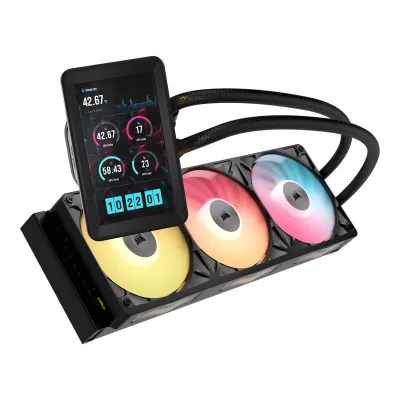
LCD1Maker product pagecorsair.com/us/en/p/cpu-coolers/cw-9061045-ww/icue-link-titan-ii-360-rx-lcd-aio-liquid-cpu-cooler-cw-9061045-wwRead 15 October 2026Overview: a 5 inch IPS LCD screen.5Press releasecorsair.com/newsroom/press-release/corsair-expands-the-icue-link-ecosystem-with-quieter-higher-performance-aios-and-fansRead 15 October 2026A 5 inch IPS LCD panel.
LCD1Maker product pagenzxt.com/products/kraken-plus-280Read 15 October 2026Display: transmissive TFT, 262K colours, 30 Hz, 300 cd/m2, software-adjustable orientation.4Maker product pagenzxt.com/blogs/news/nzxt-kraken-aio-coolers-explained-elite-plus-and-coreRead 15 October 2026Kraken Plus has a square 1.54-inch TFT LCD, 240 x 240, 30 Hz.
Screen size
5in(12.7 cm)1Maker product pagecorsair.com/us/en/p/cpu-coolers/cw-9061045-ww/icue-link-titan-ii-360-rx-lcd-aio-liquid-cpu-cooler-cw-9061045-wwRead 15 October 2026Overview: 5 inch IPS LCD screen.3Maker product pagecorsair.com/us/en/explorer/diy-builder/cpu-coolers/icue-link-titan-ii-rx-vs-titan-whats-newRead 15 October 2026Table: screen size 5 inch.5Press releasecorsair.com/newsroom/press-release/corsair-expands-the-icue-link-ecosystem-with-quieter-higher-performance-aios-and-fansRead 15 October 20265 inch IPS LCD panel.
Screen resolution
720 × 1280px1Maker product pagecorsair.com/us/en/p/cpu-coolers/cw-9061045-ww/icue-link-titan-ii-360-rx-lcd-aio-liquid-cpu-cooler-cw-9061045-wwRead 15 October 2026Overview: 720x1280 native resolution, 500 cd/m2 brightness, 24-bit colour. Stored as width 720 and height 1280, as Corsair prints it.3Maker product pagecorsair.com/us/en/explorer/diy-builder/cpu-coolers/icue-link-titan-ii-rx-vs-titan-whats-newRead 15 October 2026Table: 720x1280 at 60 Hz, 500 cd/m2, 52 RGB LEDs, DisplayPort connection.5Press releasecorsair.com/newsroom/press-release/corsair-expands-the-icue-link-ecosystem-with-quieter-higher-performance-aios-and-fansRead 15 October 2026Native 720x1280, 500 cd/m2, 24-bit colour, 60 Hz.
Software
Corsair iCUE1Maker product pagecorsair.com/us/en/p/cpu-coolers/cw-9061045-ww/icue-link-titan-ii-360-rx-lcd-aio-liquid-cpu-cooler-cw-9061045-wwRead 15 October 2026Controlled with CORSAIR iCUE software.2Owner's manualcorsair.com/us/en/explorer/diy-builder/cpu-coolers/icue-link-titan-ii-360-rx-lcdRead 15 October 2026Requires iCUE 5.37 or higher and System Hub firmware 3.11.646 or higher.
Needs a USB header
Yes3Owner's manualcdn-g.nzxt.com/dl/Kraken%20Plus_Manual_240919_V2-WEB.pdfRead 15 October 2026Powering the pump and fans: connect the USB connector to an available USB 2.0 internal header on the motherboard.9Reviewginjfo.com/dossiers/tests-materiel/composants/refroidissement/watercooling-aio/test-kraken-plus-280-de-nzxt-20260916Read 15 October 2026A USB 2.0 motherboard header is needed for customisation through CAM.
Measured
4 of 6 differ
Cybenetics THETA, Intel LGA1851
Not available
Not available
Overall performance at 30 dB(A), AM5 (measured)
Not available
Overall performance at 30 dB(A), LGA1851 (measured)
Not available
Not available
Noise at 100% fan setting (Cybenetics)
Not available
Thermal tests (measured)
ACORSAIR iCUE LINK TITAN II 360 RX LCD
| Test CPU | Load | Fan setting | CPU temperature (°C) |
|---|---|---|---|
| AMD Ryzen 7 9800X3D | 24 hour stress test, stock settings (PPT 142 W in the setup list and 155 W in the result text) | Balanced profile, about 1200 rpm | 81 |
| AMD Ryzen 7 9800X3D | 24 hour stress test, ECO 105 W mode with a PPT limit of 125 W | Balanced profile, about 1200 rpm | 77 |
| AMD Ryzen 7 9800X3D | 24 hour stress test, ECO 65 W mode with a PPT limit of 83 W | Balanced profile, about 1200 rpm | 55 |
BNZXT Kraken Plus 280
| Test CPU | Load | CPU power (W) | Fan setting | Noise (dB(A)) | CPU temperature (°C) | Above ambient (°C) |
|---|---|---|---|---|---|---|
| Intel Core i7-14700K | OCCT 12.1.18 CPU-only, 30 min pass, max temperature of the pass, CPU set to the 65 W profile, LGA1700 | 65 | PWM | 32 | Not available | 18.2 |
| Intel Core i7-14700K | OCCT 12.1.18 CPU-only, 30 min pass, max temperature of the pass, CPU set to the 65 W profile, LGA1700 | 65 | 100% | 44 | Not available | 14.3 |
| Intel Core i7-14700K | OCCT 12.1.18 CPU-only, 30 min pass, max temperature of the pass, CPU set to the 65 W profile, LGA1700 | 65 | 50% | 33.2 | Not available | 14.9 |
| Intel Core i7-14700K | OCCT 12.1.18 CPU-only, 30 min pass, max temperature of the pass, CPU set to the 181 W profile, LGA1700 | 181 | PWM | 35.3 | Not available | 37.1 |
| Intel Core i7-14700K | OCCT 12.1.18 CPU-only, 30 min pass, max temperature of the pass, CPU set to the 181 W profile, LGA1700 | 181 | 100% | 44 | Not available | 35.7 |
| Intel Core i7-14700K | OCCT 12.1.18 CPU-only, 30 min pass, max temperature of the pass, CPU set to the 181 W profile, LGA1700 | 181 | 50% | 33.2 | Not available | 37.9 |
| Intel Core i7-14700K | OCCT 12.1.18 CPU-only, 30 min pass, max temperature of the pass, CPU set to the 253 W profile, LGA1700 | 253 | PWM | 38.5 | Not available | 53.7 |
| Intel Core i7-14700K | OCCT 12.1.18 CPU-only, 30 min pass, max temperature of the pass, CPU set to the 253 W profile, LGA1700 | 253 | 100% | 44 | Not available | 50.8 |
| Intel Core i7-14700K | OCCT 12.1.18 CPU-only, 30 min pass, max temperature of the pass, CPU set to the 253 W profile, LGA1700 | 253 | 50% | 33.2 | Not available | 53.9 |
| Intel Core i9-13900K | Open bench, package power held at 330 W, cooler at full potential, temperature read with Intel XTU, the CPU throttled | 330 | 100% | Not available | 100 | Not available |
| Intel Core i9-13900K | Open bench, fans and pump raised in 10% steps to maximum, noise read with a sound meter 25 cm in front of the radiator | Not available | 100% | 52.6 | Not available | Not available |
Source8Measurementhardwareand.co/dossiers/refroidissement/nzxt-sort-ses-kraken-plus-le-280-est-en-test-sur-h-coRead 15 October 2026Hardware & Co, review of 24 May 2025. Platform LGA1700 with a Core i7-14700K on an Asus TUF Z790-BTF Wifi, Corsair Vengeance 6200 MT/s, RTX 3070 at 0 rpm, Noctua NT-H2 paste, Windows 11, OCCT 12.1.18 CPU-only, Open Hardware Monitor 0.9.6 and Core Temp 1.18.1. The CPU was set to 65, 181 and 253 W. Each cooler ran in PWM mode, at 100% and at 50%. After a 30 minute pass the highest temperature of the pass is shown as Delta T, the difference to the ambient air. The ambient value, the case or open bench and the PWM curve are not stated. Fan speed and noise were logged during the three runs, with a sound meter 50 cm from the cooler. The noise unit is printed as dB and the weighting is not stated, so the values are stored as dB(A). The 100% and 50% noise figures are one value per setting in the chart, so they repeat in every power row. The text gives 38.5 dB for the 253 W PWM run and 44 dB at 100%.9Reviewginjfo.com/dossiers/tests-materiel/composants/refroidissement/watercooling-aio/test-kraken-plus-280-de-nzxt-20260916Read 15 October 2026GinjFo, review of 16 September 2026. Core i9-13900K on an ASUS ROG Maximus Z790 Hero, open air, temperature from Intel XTU. Package power was held at set values up to 330 W with every cooler at full potential. The Kraken Plus 280 covers the CPU up to 280 W. At 330 W the CPU hit thermal throttling and the temperature reached 100 C. The chart values are not in the text. Noise was read with a sound meter 25 cm in front of the radiator while fans and pump rose in 10% steps. It ranges from 32.1 to 52.6 dBA, and passes 52 dBA at full speed. The pump alone at full speed is 39 dBA, which is not stored.
Dimensions and weight
1 of 4 differ
Dimensions
Not available
Not available
Heatsink dimensions
Not available
Not available
Weight
2,000g(4.4 lb)1Maker product pagecorsair.com/us/en/p/cpu-coolers/cw-9061045-ww/icue-link-titan-ii-360-rx-lcd-aio-liquid-cpu-cooler-cw-9061045-wwRead 15 October 2026Tech specs: weight 2kg, stored as 2000 g. Cybenetics also lists 2000 g. Scan lists 1600 g, which is not followed.6Measurementcybenetics.com/evaluations/coolers/131Read 15 October 2026Technical specifications: weight 2000g.
Not available
Heatsink weight
Not available
Not available
In the box
1 of 1 differ
In the box
1x Intel LGA 1851 / 1700 Mounting Bracket Set, 1x Intel LGA 1851 / 1700 Backplate, 1x AMD AM5 / AM4 Mounting Bracket Set ( Pre-installed ), 12x Long Fan Screws, 12x Radiator Screws, 1x iCUE LINK RX360 II RGB, 1x iCUE LINK System Hub, 2x Double-sided Adhesive Tape, 1x 500mm USB Type-C to USB 2.0 Cable, 1x 800mm Tach Cable, 1x 250mm iCUE LINK Cable With Dual 90° Connectors, 1x 600mm iCUE LINK Cable With Dual 90° Connectors, 1x 600mm iCUE LINK Cable With Straight / 90° Connectors, 1x iCUE LINK 5′′ LCD Screen Module, 1x PCIe Slot Cover2Owner's manualcorsair.com/us/en/explorer/diy-builder/cpu-coolers/icue-link-titan-ii-360-rx-lcdRead 15 October 2026Included hardware of the quick start guide, copied as printed. It lists the LCD module and a PCIe slot cover that the RGB model does not have.
Kraken Plus 280 x1, Intel Backplate x1, Intel Retention Bracket (pre-installed) x1, Intel Socket 1851/1700 Standoff x4, Intel Socket 1200/115X Standoff x4, AMD AM5/AM4 Retention Bracket x1, AMD Socket AM5/AM4 Standoff x4, Thumbscrew x4, Long Screws (30mm UNC 6-32) x16, Short Screws (5mm UNC 6-32) x8, Washer x8, F Series Static Pressure Fan x2, Breakout Cable Set x1, Fan Splitter Cable x13Owner's manualcdn-g.nzxt.com/dl/Kraken%20Plus_Manual_240919_V2-WEB.pdfRead 15 October 2026Component list of the Kraken Plus 240 / 280 / 360 poster manual, with the 280 quantities: 16 long screws, 8 short screws, 8 washers and 2 fans. Names are copied as printed.
Links
Not compared
Product page
Spec sheet
Not available
Not available
Manual
www.corsair.com/us/en/explorer/diy-builder/cpu-coolers/icue-link-titan-ii-360-rx-lcd2Owner's manualcorsair.com/us/en/explorer/diy-builder/cpu-coolers/icue-link-titan-ii-360-rx-lcdRead 15 October 2026
cdn-g.nzxt.com/dl/Kraken%20Plus_Manual_240919_V2-WEB.pdf3Owner's manualcdn-g.nzxt.com/dl/Kraken%20Plus_Manual_240919_V2-WEB.pdfRead 15 October 2026Kraken Plus manual for the 240, 280 and 360, a two-page poster. The component list header reads Kraken Plus 240 / 280 / 360. The poster is drawings and small text (read with OCR).
EPREL registration number
Not available
Not available
Warranty
0 of 1 differ
Manufacturer warranty (source market)
6years1Maker product pagecorsair.com/us/en/p/cpu-coolers/cw-9061045-ww/icue-link-titan-ii-360-rx-lcd-aio-liquid-cpu-cooler-cw-9061045-wwRead 15 October 2026Six-year warranty banner. The page names no market.2Owner's manualcorsair.com/us/en/explorer/diy-builder/cpu-coolers/icue-link-titan-ii-360-rx-lcdRead 15 October 2026All CORSAIR iCUE LINK coolers have a 6-year warranty.5Press releasecorsair.com/newsroom/press-release/corsair-expands-the-icue-link-ecosystem-with-quieter-higher-performance-aios-and-fansRead 15 October 2026The TITAN II coolers carry a six-year warranty.
Both are also in the API. Back to all CPU coolers.