Microphones / Compare
FIFINE AmpliGame A8 vs JLab Epic Talk USB Microphone
Product A: FIFINE
29 of 61 known
Change FIFINE AmpliGame A8
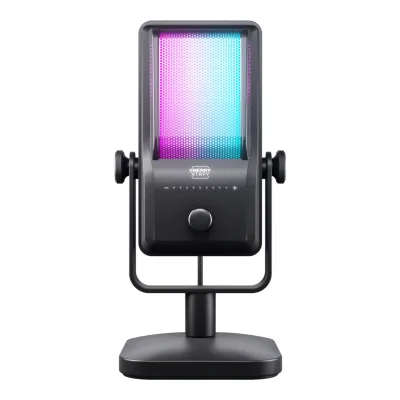
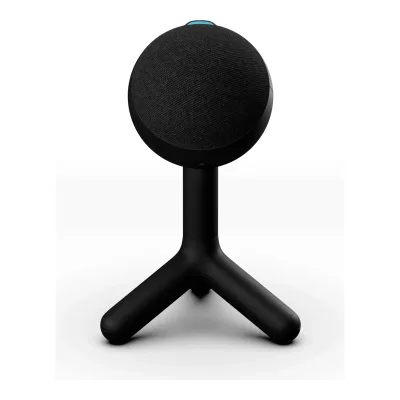
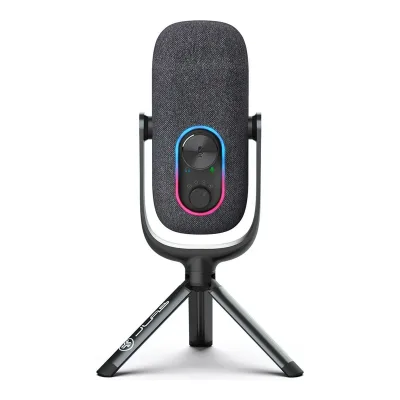
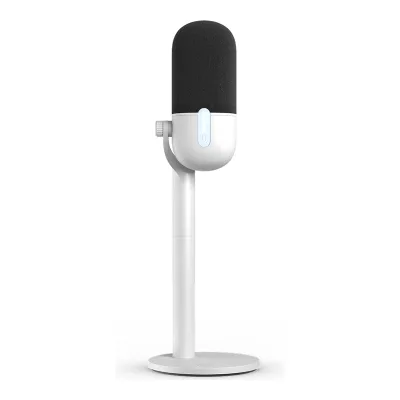
Product B: JLab
33 of 61 known
Change JLab Epic Talk USB Microphone
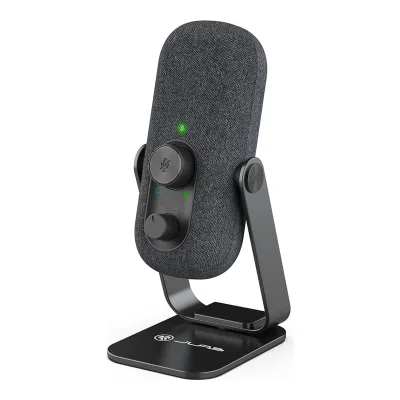
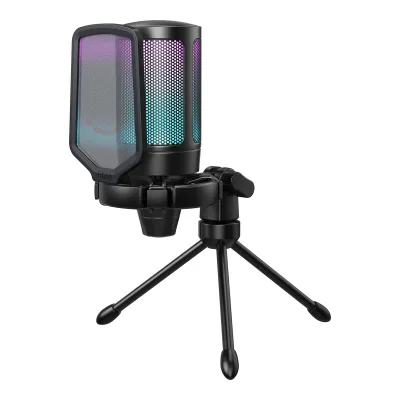
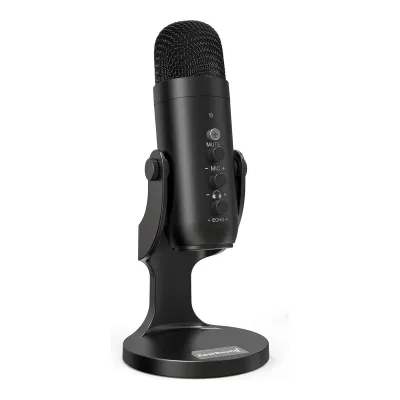
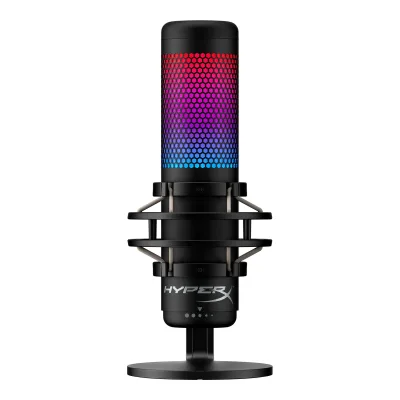
24 of 53 fields differ
- 7 different values
- 17 known for one only
- 11 the same
- 18 missing for both
All 61 fields
Every value links to where we found it.
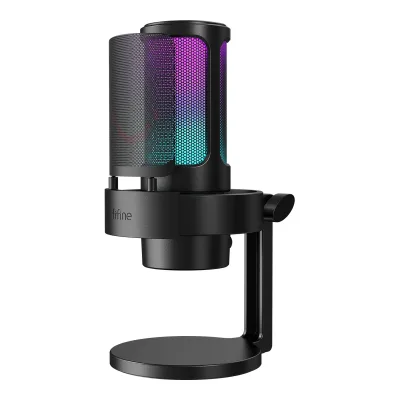
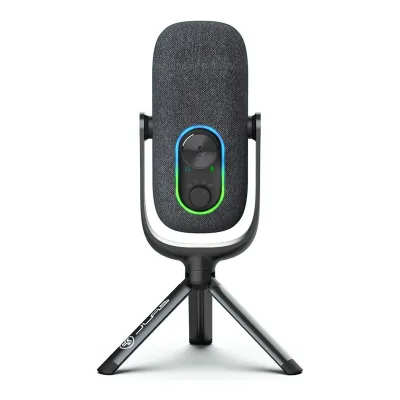
General
3 of 8 differ
Series
Not available
Model numbers
A8, ABCD2210A8A, ABCD2214A8W, ABCD2213A8P2Maker product pagefifinemicrophone.com/products/fifine-ampligame-a8-microphone.jsRead 15 October 2026Maker store SKUs of the Base Stand (A8) option: Black ABCD2210A8A, White ABCD2214A8W, Pink ABCD2213A8P. The page also sells the Boom Arm Bundle (A8T) with SKUs ABCD2502A8T, ABCD2503A8TW and ABCD2504A8TP. That bundle is another kit with a boom arm and is not stored.4Owner's manualhelp.fifinedesign.com/en/articles/13221331-fifine-a8-microphone-user-manual-troubleshootingRead 15 October 2026Specification page 19: Model Number A8.5Retailer pageamazon.com/dp/B09YLM3FNCRead 15 October 2026Item details: model number A8, manufacturer part number ABCD2210A8A for Black.7Retailer pageamazon.com/dp/B0B14ZN97FRead 15 October 2026Item details: model number A8W, manufacturer part number ABCD2214A8W for White.8Retailer pageamazon.com/dp/B0B14Q6FBHRead 15 October 2026Item details: model number A8P, manufacturer part number ABCD2213A8P for Pink.
MEPICTALKRBLK4, MEPICTALKRWHT41Maker product pagejlab.com/products/epic-talk-usb-microphone-blackRead 15 October 2026Shopify product data of the page: SKU MEPICTALKRBLK4 for Black. The White page has SKU MEPICTALKRWHT4.2Maker product pagejlab.com/products/epic-talk-usb-microphone-white.jsonRead 15 October 2026Shopify product data: SKU MEPICTALKRWHT4.
GTIN / EAN
659252937437, 850035565438, 8500355654452Maker product pagefifinemicrophone.com/products/fifine-ampligame-a8-microphone.jsRead 15 October 2026Store barcode of the Black base stand option: 659252937437. The White and Pink options have no barcode in the store. Their UPCs come from the FIFINE listings on Amazon. All three check digits are valid. Amazon prints three UPCs on the Black listing (850035565476, 850035565407 and 850035565308) without saying which belongs to which kit, so they are not stored.7Retailer pageamazon.com/dp/B0B14ZN97FRead 15 October 2026Item details of the White FIFINE listing: UPC 850035565438. The check digit is valid.8Retailer pageamazon.com/dp/B0B14Q6FBHRead 15 October 2026Item details of the Pink FIFINE listing: UPC 850035565445. The check digit is valid.
0812887017572, 08128870195901Maker product pagejlab.com/products/epic-talk-usb-microphone-blackRead 15 October 2026Product data barcode 812887017572 for Black, written as a 13-digit GTIN with a leading zero as for the JBuds Talk file. The check digit is valid. Target prints the same UPC.2Maker product pagejlab.com/products/epic-talk-usb-microphone-white.jsonRead 15 October 2026Product data barcode 812887019590 for White, written as a 13-digit GTIN with a leading zero. The check digit is valid.
Announced
Not available
Not available
Status
Available1Maker product pagefifinemicrophone.com/products/fifine-ampligame-a8-microphoneRead 15 October 2026The page sells the Black Base Stand (A8) option at 43.99 USD with an Add to cart button. All six options are in stock in the store feed.2Maker product pagefifinemicrophone.com/products/fifine-ampligame-a8-microphone.jsRead 15 October 2026Store feed: product available, all six variants available.
Predecessor
Not available
Not available
Successor
Not available
Not available
Launch price (US)
Not available
Launch price (EU)
Not available
Not available
Markets
Not available
Not available
Colours
Black, White, Pink1Maker product pagefifinemicrophone.com/products/fifine-ampligame-a8-microphoneRead 15 October 2026Color options: Black, White and Pink. Type options: Base Stand (A8) and Boom Arm Bundle (A8T). Only the base stand kit is stored, see the .json source.2Maker product pagefifinemicrophone.com/products/fifine-ampligame-a8-microphone.jsRead 15 October 2026Options: Black, White and Pink for the Base Stand (A8).
Black, White1Maker product pagejlab.com/products/epic-talk-usb-microphone-blackRead 15 October 2026Black and White are separate JLab pages with the same specification.2Maker product pagejlab.com/products/epic-talk-usb-microphone-white.jsonRead 15 October 2026The page is the White edition. Specs, weight and price match the Black page.
Microphone type
Condenser1Maker product pagefifinemicrophone.com/products/fifine-ampligame-a8-microphoneRead 15 October 2026Specifications table: Element Condenser.4Owner's manualhelp.fifinedesign.com/en/articles/13221331-fifine-a8-microphone-user-manual-troubleshootingRead 15 October 2026Specification page 19: Element Condenser.
Capsule and pickup
3 of 4 differ
Capsule size
Not available
Capsules
Polar patterns
Cardioid1Maker product pagefifinemicrophone.com/products/fifine-ampligame-a8-microphoneRead 15 October 2026Specifications table: Polar Pattern Cardioid. The text calls it a unidirectional (cardioid) pickup pattern.3Maker product pageweb.archive.org/web/20251111220900/https://fifinemicrophone.com/products/fifine-ampligame-a8-microphoneRead 15 October 2026Same table: Polar Pattern Cardioid.4Owner's manualhelp.fifinedesign.com/en/articles/13221331-fifine-a8-microphone-user-manual-troubleshootingRead 15 October 2026Specification page 19: Polar Pattern Cardioid.9Reviewsypnotix.com/reviews/fifine-a8-microphone-reviewRead 15 October 2026The A8 has a cardioid pickup pattern.
Cardioid, Omnidirectional, Bidirectional, Stereo1Maker product pagejlab.com/products/epic-talk-usb-microphone-blackRead 15 October 2026Spec table: Direction Types Omnidirectional, Cardiod, Bi-directional, Stereo. Four selectable patterns.3Maker product pagehelp.jlab.com/pages/epic-talk-tech-specsRead 15 October 2026Polar Patterns: Cardioid, Omnidirectional, Stereo, and Bidirectional.4Owner's manualhelp.jlab.com/cdn/shop/files/en_Epic_Talk_Microphone_Manual.pdfRead 15 October 2026Controls page: recording setting dial with Cardioid, Omni, Bidirectional and Stereo.
Address type
Sound specs
1 of 10 differ
Frequency response
Min50 HzMax20 kHz1Maker product pagefifinemicrophone.com/products/fifine-ampligame-a8-microphoneRead 15 October 2026Specifications table: Frequency Range 50Hz-20KHz. No tolerance is printed. The table also prints Sensitivity -40±3dBV next to Output USB. The unit has no reference level and no USB output is named for it, so sensitivity is left out. The manual prints -40±3dB.3Maker product pageweb.archive.org/web/20251111220900/https://fifinemicrophone.com/products/fifine-ampligame-a8-microphoneRead 15 October 2026Same table: Frequency Response 50Hz-20kHz. The same table also prints Sensitivity -40±3dB and a shipping weight of 1.0 kg, which is not a product weight.4Owner's manualhelp.fifinedesign.com/en/articles/13221331-fifine-a8-microphone-user-manual-troubleshootingRead 15 October 2026Specification page 19: Frequency Response 50Hz-20KHz.
Min50 HzMax20 kHz1Maker product pagejlab.com/products/epic-talk-usb-microphone-blackRead 15 October 2026Spec table and description: 50Hz~20KHz. JLab's support Tech Specs article prints 20Hz - 20kHz, see the support source. The product page values are stored because the page is the one updated in 2024 and Target also lists 50 Hz to 20 kHz.3Maker product pagehelp.jlab.com/pages/epic-talk-tech-specsRead 15 October 2026Frequency Response: 20Hz - 20kHz. This conflicts with the 50Hz~20KHz of the product page spec table. The same text appeared on the 2022 pre-order page. The product page value is stored.
Sensitivity (analog)
Not available
Not available
Sensitivity (digital)
Not available
Not available
Max SPL
Not available
Max SPL distortion limit
Not available
Not available
Self-noise
Not available
Not available
Digital noise floor
Not available
Not available
Signal-to-noise ratio
Not available
Not available
Dynamic range
Not available
Not available
Output impedance
Not available
Not available
Connectivity
1 of 7 differ
Outputs
USB1Maker product pagefifinemicrophone.com/products/fifine-ampligame-a8-microphoneRead 15 October 2026Specifications table: Output USB. The page says plug-and-play USB.4Owner's manualhelp.fifinedesign.com/en/articles/13221331-fifine-a8-microphone-user-manual-troubleshootingRead 15 October 2026Specification page 19: Output USB. Product description item 7: USB C Port connects the mic to a computer or game console.
USB1Maker product pagejlab.com/products/epic-talk-usb-microphone-blackRead 15 October 2026Connectivity: USB-A to 90-degree USB-C cable. The only output is USB, with no XLR or wireless link.4Owner's manualhelp.jlab.com/cdn/shop/files/en_Epic_Talk_Microphone_Manual.pdfRead 15 October 2026Setup page: connect to the USB input of a PC or Mac. The back view shows only a USB-C port and a headphone jack.
Inputs for other sources
Not available
Not available
USB and XLR at once
Not available
Not available
USB port
USB-C3Maker product pageweb.archive.org/web/20251111220900/https://fifinemicrophone.com/products/fifine-ampligame-a8-microphoneRead 15 October 2026Same row: USB Type-C at the microphone end.4Owner's manualhelp.fifinedesign.com/en/articles/13221331-fifine-a8-microphone-user-manual-troubleshootingRead 15 October 2026Product description, item 7: USB C Port.9Reviewsypnotix.com/reviews/fifine-a8-microphone-reviewRead 15 October 2026The USB-C port plugs into a computing device.
USB-C1Maker product pagejlab.com/products/epic-talk-usb-microphone-blackRead 15 October 2026Description: included USB-A to 90-degree USB-C cable. The manual drawing labels the rear port USB-C power input.4Owner's manualhelp.jlab.com/cdn/shop/files/en_Epic_Talk_Microphone_Manual.pdfRead 15 October 2026Controls page back view: USB-C power input.
Cable host plug
USB-A3Maker product pageweb.archive.org/web/20251111220900/https://fifinemicrophone.com/products/fifine-ampligame-a8-microphoneRead 15 October 2026Archived maker page of 2025-11-11, specifications: Output Connection USB Type-C (mic end) to type-A 2.0 (computer end). The current page no longer prints this row. The manual drawing also shows a USB-A head on the computer end.4Owner's manualhelp.fifinedesign.com/en/articles/13221331-fifine-a8-microphone-user-manual-troubleshootingRead 15 October 2026Guidance for use, page 3: plug the USB-A connector of the cable into the USB port of the computer or the PS4 or PS5. Product description item 14: USB cable (6.5ft), USB-A/C to USB-C.5Retailer pageamazon.com/dp/B09YLM3FNCRead 15 October 2026Special feature: 6.6ft detachable USB-C to USB-A/C cable. The maker's own page of 2025-11-12 says USB Type-C (mic end) to type-A 2.0 (computer end).
Cable length
2m4Owner's manualhelp.fifinedesign.com/en/articles/13221331-fifine-a8-microphone-user-manual-troubleshootingRead 15 October 2026What's in the box and the cable drawing: 6.5ft (2m) USB Cable. The drawing shows a USB-C plug at the microphone end and a USB-A head at the computer end.5Retailer pageamazon.com/dp/B09YLM3FNCRead 15 October 2026Special feature: 6.6ft detachable USB-C to USB-A/C cable. The manual prints 6.5ft (2m).6Retailer pageweb.archive.org/web/20220930130544/https://www.amazon.com/dp/B09YLM3FNCRead 15 October 2026The 6.5ft USB cable puts some distance between you and fan noise.
Not available
Phantom power
Not available
Not available
Digital audio
3 of 3 differ
Max bit depth
Not available
Max sample rate
Not available
Monitoring
0 of 2 differ
Headphone output
Yes1Maker product pagefifinemicrophone.com/products/fifine-ampligame-a8-microphoneRead 15 October 2026Integrated 3.5mm headphone jack with zero-latency feedback.4Owner's manualhelp.fifinedesign.com/en/articles/13221331-fifine-a8-microphone-user-manual-troubleshootingRead 15 October 2026Product description, item 6: Headphone Jack, 1/8 inch (3.5 mm) stereo jack for monitoring your voice in real time.9Reviewsypnotix.com/reviews/fifine-a8-microphone-reviewRead 15 October 2026The headphone jack is on the bottom of the mic, next to the USB-C port.
Yes1Maker product pagejlab.com/products/epic-talk-usb-microphone-blackRead 15 October 2026Spec table: 3.5mm Input Yes. The description calls it a 3.5mm headphone input on the mic body for monitoring.4Owner's manualhelp.jlab.com/cdn/shop/files/en_Epic_Talk_Microphone_Manual.pdfRead 15 October 2026Controls page back view: headphone aux jack.
Zero-latency monitoring
Yes1Maker product pagefifinemicrophone.com/products/fifine-ampligame-a8-microphoneRead 15 October 2026The 3.5mm headphone jack provides zero-latency feedback, allowing you to hear what the microphone captures.4Owner's manualhelp.fifinedesign.com/en/articles/13221331-fifine-a8-microphone-user-manual-troubleshootingRead 15 October 2026Headphone jack operation, page 8: when the mic is on, you hear your voice at once, with no need to log in to any recording software. The headphone jack monitors the voice in real time.
Controls and processing
1 of 2 differ
Onboard controls
Gain, Mute1Maker product pagefifinemicrophone.com/products/fifine-ampligame-a8-microphoneRead 15 October 2026On-body gain knob and a one-touch mute button. The RGB button changes lighting only.4Owner's manualhelp.fifinedesign.com/en/articles/13221331-fifine-a8-microphone-user-manual-troubleshootingRead 15 October 2026Product description: item 4 mute button and LED indicator (tap to mute, green means active and red means muted), item 5 microphone gain control. The RGB button, item 3, only changes the lighting.9Reviewsypnotix.com/reviews/fifine-a8-microphone-reviewRead 15 October 2026A small gain knob hidden under the suspension mounting ring and a touch-sensitive mute button with a green or red LED.
Gain, Headphone volume, Mute, Polar pattern1Maker product pagejlab.com/products/epic-talk-usb-microphone-blackRead 15 October 2026Description: physical controls for gain, mute and headphone monitoring, and a dial on the microphone body for the four patterns. Spec table: Gain Control Yes, Quick Mute Yes.4Owner's manualhelp.jlab.com/cdn/shop/files/en_Epic_Talk_Microphone_Manual.pdfRead 15 October 2026Controls page: volume/gain wheel (press and hold to switch volume and gain), mute on/off by a quick press, recording setting dial for the patterns. The LED indicator shows volume, gain and mute. The wheel also sets the headphone playback level, because the Windows and Mac steps select the microphone as the playback device.
Onboard processing
Not available
Not available
Mounting and accessories
3 of 4 differ
Mount threads
Not available
5/8 inch, 1/4 inch1Maker product pagejlab.com/products/epic-talk-usb-microphone-blackRead 15 October 2026Description names the swivel mount adapter at 5/8 inch. The manual and the support tech specs add 1/4 inch.3Maker product pagehelp.jlab.com/pages/epic-talk-tech-specsRead 15 October 2026Includes the microphone with 5/8 inch and 1/4 inch inputs for swivel mounting.4Owner's manualhelp.jlab.com/cdn/shop/files/en_Epic_Talk_Microphone_Manual.pdfRead 15 October 2026Assembly page: 5/8 inch and 1/4 inch assembly with a 1/4 inch inset.
Shock mount
Included1Maker product pagefifinemicrophone.com/products/fifine-ampligame-a8-microphoneRead 15 October 2026The suspended internal shock mount isolates the capsule from desk bumps and typing impacts. The manual lists a separate Shock Mount item in the box list, so the fitted ring mount is stored as included.4Owner's manualhelp.fifinedesign.com/en/articles/13221331-fifine-a8-microphone-user-manual-troubleshootingRead 15 October 2026Box list: Microphone with Based Stand, Shock Mount and Pop Filter. Product description item 9: Shock Mount isolates the mic from unintentional rumbles and bumps. The mount is a ring around the capsule that is fitted on the stand.6Retailer pageweb.archive.org/web/20220930130544/https://www.amazon.com/dp/B09YLM3FNCRead 15 October 2026The shock mount is formed with the mic and reduces vibrations from gaming or setting your hand down on the desk.
Not available
Pop filter
External screen1Maker product pagefifinemicrophone.com/products/fifine-ampligame-a8-microphoneRead 15 October 2026The page calls it a built-in, high-density metal pop filter. The manual and the box list name it as a separate Pop Filter part, and reviewers call it detachable, so it is stored as an external screen.4Owner's manualhelp.fifinedesign.com/en/articles/13221331-fifine-a8-microphone-user-manual-troubleshootingRead 15 October 2026Box list names a Pop Filter. Product description item 8: Pop Filter filters out the harsh p, t and b sounds. The drawing shows it as a separate screen.6Retailer pageweb.archive.org/web/20220930130544/https://www.amazon.com/dp/B09YLM3FNCRead 15 October 2026Made of metal, the stylish black pop filter blocks blasting from entering your mic.9Reviewsypnotix.com/reviews/fifine-a8-microphone-reviewRead 15 October 2026The pop filter is detachable and cut from a sheet of metal.
Not available
Desk stand included
Yes1Maker product pagefifinemicrophone.com/products/fifine-ampligame-a8-microphoneRead 15 October 2026Its weighted stand provides stable, anti-slip placement on any surface. The Base Stand (A8) option is the stored kit.4Owner's manualhelp.fifinedesign.com/en/articles/13221331-fifine-a8-microphone-user-manual-troubleshootingRead 15 October 2026Box list: Microphone with Based Stand. Product description item 10: Mic Stand, used to hold the mic.
Yes1Maker product pagejlab.com/products/epic-talk-usb-microphone-blackRead 15 October 2026The In the Box picture lists a Microphone Stand and shows a tripod. The spec table lists Mic Stand under What's In The Box.3Maker product pagehelp.jlab.com/pages/epic-talk-tech-specsRead 15 October 2026Includes list and the weight with stand and tripod position dimension show an included stand.4Owner's manualhelp.jlab.com/cdn/shop/files/en_Epic_Talk_Microphone_Manual.pdfRead 15 October 2026Assembly page shows the tripod base fitted to the microphone.
Design and build
1 of 3 differ
Housing material
ABS plastic and metal5Retailer pageamazon.com/dp/B09YLM3FNCRead 15 October 2026Item details, enclosure material: Acrylonitrile Butadiene Styrene, Metal. Stored as ABS plastic and metal, as for the A6V.
Not available
RGB lighting
Yes1Maker product pagefifinemicrophone.com/products/fifine-ampligame-a8-microphoneRead 15 October 2026Three programmable lighting modes and nine RGB colors, with a dedicated control button.4Owner's manualhelp.fifinedesign.com/en/articles/13221331-fifine-a8-microphone-user-manual-troubleshootingRead 15 October 2026Product description: RGB lighting with dynamic multi-color gradient, single-color breathing, static two-tone color and static single color effects. Item 3 is the RGB button.9Reviewsypnotix.com/reviews/fifine-a8-microphone-reviewRead 15 October 2026A back button toggles the RGB colours, with three modes that cycle from static to dynamic to gradient.
Yes1Maker product pagejlab.com/products/epic-talk-usb-microphone-blackRead 15 October 2026Spec table: Customizable LED Yes. The manual lists 11 LED interface modes including color fade, color wipe and rainbow.4Owner's manualhelp.jlab.com/cdn/shop/files/en_Epic_Talk_Microphone_Manual.pdfRead 15 October 2026LED interface list: 1 color fade, 2 color wipe, 3 rainbow, 4 blue, 5 purple, 6 green, 7 cyan, 8 yellow, 9 orange, 10 pink, 11 white. A rear button turns the interface on and off and switches it.
Lighting zones
Not available
Not available
Software
None of 2 known
Software
Not available
Not available
User firmware updates
Not available
Not available
Compatibility
2 of 2 differ
Works with
Windows, macOS1Maker product pagefifinemicrophone.com/products/fifine-ampligame-a8-microphoneRead 15 October 2026FAQ 4: works with a MacBook. The manual's computer set-up covers Apple Mac OS and Windows.4Owner's manualhelp.fifinedesign.com/en/articles/13221331-fifine-a8-microphone-user-manual-troubleshootingRead 15 October 2026Computer set up, pages 9 to 16: instructions for Apple Mac OS and Windows.
Windows, macOS, Linux3Maker product pagehelp.jlab.com/pages/epic-talk-tech-specsRead 15 October 2026System connection: Windows 7, 8, 10 and Mac 10.10 or higher. The manual adds Linux.4Owner's manualhelp.jlab.com/cdn/shop/files/en_Epic_Talk_Microphone_Manual.pdfRead 15 October 2026Tips: works with almost any recording software on macOS, Windows or Linux. It will not work through most tablets or phones because of their power limits, so no mobile system is stored.
Consoles
PlayStation1Maker product pagefifinemicrophone.com/products/fifine-ampligame-a8-microphoneRead 15 October 2026FAQ 3: NOT compatible with Xbox, but works with PS4/PS5, PC and laptop.4Owner's manualhelp.fifinedesign.com/en/articles/13221331-fifine-a8-microphone-user-manual-troubleshootingRead 15 October 2026Guidance for use, page 3: plug the cable into a computer or a PS4 or PS5. Product description item 7: game console (except Xbox).
Not available
Dimensions and weight
3 of 3 differ
Microphone weight
Not available
266.5g(9.4 oz)1Maker product pagejlab.com/products/epic-talk-usb-microphone-blackRead 15 October 2026Spec table: Product Weight (Total, g) 266.5. The support Tech Specs article calls this the microphone body weight.3Maker product pagehelp.jlab.com/pages/epic-talk-tech-specsRead 15 October 2026Weight (Microphone Body): 266.5gr.
Certifications
1 of 1 differ
Other certifications
Not available
In the box
1 of 1 differ
In the box
Microphone with Based Stand, Shock Mount and Pop Filter, Pivot Mount with Screw Adapter, 6.5ft(2m) USB Cable, User's Manual4Owner's manualhelp.fifinedesign.com/en/articles/13221331-fifine-a8-microphone-user-manual-troubleshootingRead 15 October 2026What's in the box, page 1, as printed: 1X Microphone with Based Stand, Shock Mount and Pop Filter, 1X Pivot Mount with Screw Adapter, 1X 6.5ft(2m) USB Cable, 1X User's Manual.5Retailer pageamazon.com/dp/B09YLM3FNCRead 15 October 2026Included components: 6.6ft detachable USB-C to USB-A/C cable, desktop stand, gaming microphone with shock mount, pop filter, pivot mount, user's manual. This matches the manual's box list. The cable length is printed as 6.5 ft or 6.6 ft, both about 2 m.
Epic Talk USB Microphone, Microphone Stand, USB-A to USB-C Cable1Maker product pagejlab.com/products/epic-talk-usb-microphone-blackRead 15 October 2026The In the Box picture lists Epic Talk USB Microphone, Microphone Stand and USB-A to USB-C Cable. The text lists a cable of 10ft while the spec table prints a cable length of 5 ft, so the cable length is not stored.
Links
Not compared
Product page
Spec sheet
Not available
Manual
help.fifinedesign.com/en/articles/13221331-fifine-a8-microphone-user-manual-troubleshooting4Owner's manualhelp.fifinedesign.com/en/articles/13221331-fifine-a8-microphone-user-manual-troubleshootingRead 15 October 2026FIFINE help center article for the A8 with the attached FIFINE A8 Microphone User Manual PDF (AS Version 25-V12, created 2025-02). The PDF is one image page. The maker's store links the same manual as V14 of 2025-06-03 on Google Drive, which would not download.
EPREL registration number
Not available
Not available
Warranty
1 of 1 differ
Manufacturer warranty (source market)
Both are also in the API. Back to all microphones.