Microphones / Compare
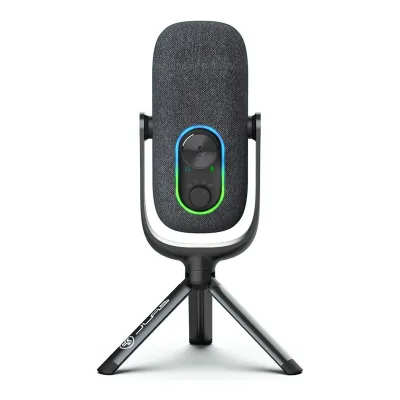
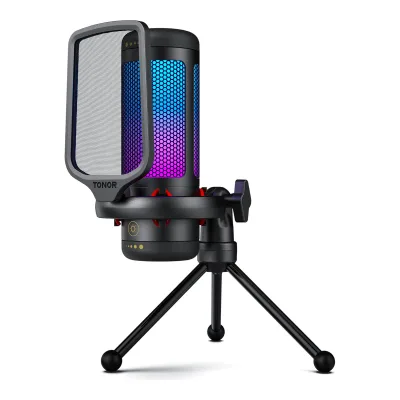
JLab Epic Talk USB Microphone vs TONOR TC310
Product A: JLab
33 of 61 known
Change JLab Epic Talk USB Microphone
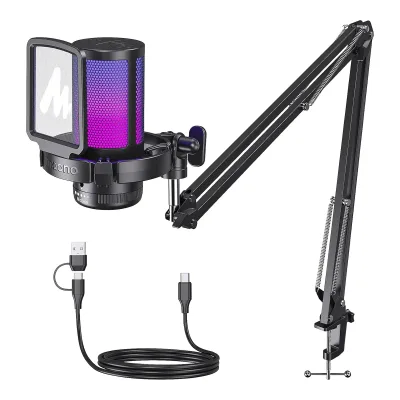
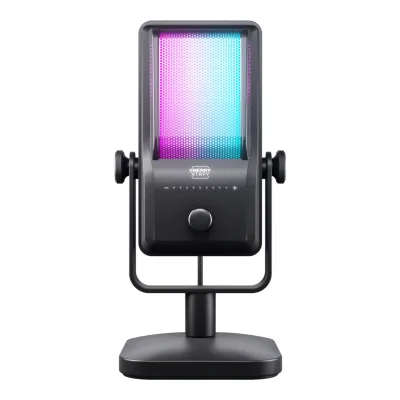
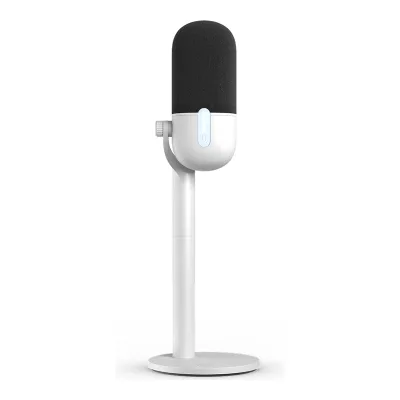
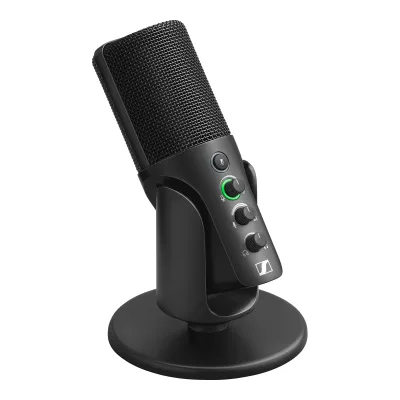
Product B: TONOR
30 of 61 known
Change TONOR TC310
Compare the JLab Epic Talk USB Microphone with
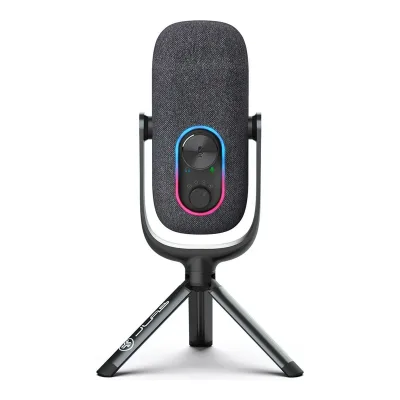
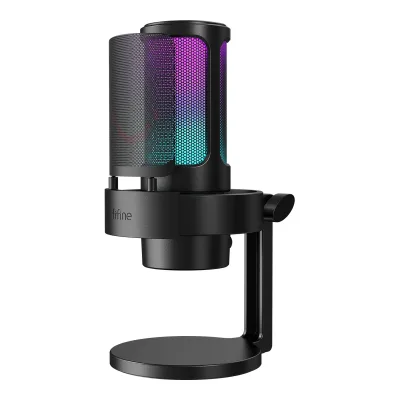
25 of 53 fields differ
- 8 different values
- 17 known for one only
- 11 the same
- 17 missing for both
Biggest differences
Each bar uses the scale of all 69 microphones.
- Sample rateA: 192kHzB: 96kHzJLab is 96 kHz higher.
All 61 fields
Every value links to where we found it.
General
2 of 8 differ
Series
Not available
Not available
Model numbers
MEPICTALKRBLK4, MEPICTALKRWHT41Maker product pagejlab.com/products/epic-talk-usb-microphone-blackRead 15 October 2026Shopify product data of the page: SKU MEPICTALKRBLK4 for Black. The White page has SKU MEPICTALKRWHT4.2Maker product pagejlab.com/products/epic-talk-usb-microphone-white.jsonRead 15 October 2026Shopify product data: SKU MEPICTALKRWHT4.
23001.01BL.V1, 23001.02BL.V11Maker product pagetonormic.com/products/tc310-rgb-usb-gaming-microphoneRead 14 October 2026SKU 23001.01BL.V1 on the TC310 store page. The TC310+ boom arm kit page lists SKU 23001.02BL.V1.4Maker product pagetonormic.com/products/tonor-tc310-rgb-condenser-mic-with-boom-armRead 14 October 2026TONOR TC310+ RGB Condenser Mic With Boom Arm, SKU 23001.02BL.V1.
GTIN / EAN
0812887017572, 08128870195901Maker product pagejlab.com/products/epic-talk-usb-microphone-blackRead 15 October 2026Product data barcode 812887017572 for Black, written as a 13-digit GTIN with a leading zero as for the JBuds Talk file. The check digit is valid. Target prints the same UPC.2Maker product pagejlab.com/products/epic-talk-usb-microphone-white.jsonRead 15 October 2026Product data barcode 812887019590 for White, written as a 13-digit GTIN with a leading zero. The check digit is valid.
Not available
Announced
Not available
Not available
Status
Predecessor
Not available
Not available
Successor
Not available
Not available
Launch price (US)
Not available
Launch price (EU)
Not available
Not available
Markets
Not available
Not available
Colours
Black, White1Maker product pagejlab.com/products/epic-talk-usb-microphone-blackRead 15 October 2026Black and White are separate JLab pages with the same specification.2Maker product pagejlab.com/products/epic-talk-usb-microphone-white.jsonRead 15 October 2026The page is the White edition. Specs, weight and price match the Black page.
Microphone type
Capsule and pickup
3 of 4 differ
Capsule size
16mm1Maker product pagejlab.com/products/epic-talk-usb-microphone-blackRead 15 October 2026Spec table: Mic Size (3) 16 mm.3Maker product pagehelp.jlab.com/pages/epic-talk-tech-specsRead 15 October 2026Capsules: 3 x 16mm condenser capsules.
14mm1Maker product pagetonormic.com/products/tc310-rgb-usb-gaming-microphoneRead 14 October 2026Gallery image text on the store page reads 14mm Large Diaphragm. The same image is in the Amazon gallery.3Retailer pageamazon.com/dp/B0BTCXQQ6MRead 14 October 2026Gallery image 2 reads 14mm Large Diaphragm.
Capsules
31Maker product pagejlab.com/products/epic-talk-usb-microphone-blackRead 15 October 2026Spec table: Total Microphone(s) 3 Condensers.3Maker product pagehelp.jlab.com/pages/epic-talk-tech-specsRead 15 October 2026Condensers: 3. Capsules: 3 x 16mm condenser capsules.
Not available
Polar patterns
Cardioid, Omnidirectional, Bidirectional, Stereo1Maker product pagejlab.com/products/epic-talk-usb-microphone-blackRead 15 October 2026Spec table: Direction Types Omnidirectional, Cardiod, Bi-directional, Stereo. Four selectable patterns.3Maker product pagehelp.jlab.com/pages/epic-talk-tech-specsRead 15 October 2026Polar Patterns: Cardioid, Omnidirectional, Stereo, and Bidirectional.4Owner's manualhelp.jlab.com/cdn/shop/files/en_Epic_Talk_Microphone_Manual.pdfRead 15 October 2026Controls page: recording setting dial with Cardioid, Omni, Bidirectional and Stereo.
Address type
Sound specs
2 of 10 differ
Frequency response
Min50 HzMax20 kHz1Maker product pagejlab.com/products/epic-talk-usb-microphone-blackRead 15 October 2026Spec table and description: 50Hz~20KHz. JLab's support Tech Specs article prints 20Hz - 20kHz, see the support source. The product page values are stored because the page is the one updated in 2024 and Target also lists 50 Hz to 20 kHz.3Maker product pagehelp.jlab.com/pages/epic-talk-tech-specsRead 15 October 2026Frequency Response: 20Hz - 20kHz. This conflicts with the 50Hz~20KHz of the product page spec table. The same text appeared on the 2022 pre-order page. The product page value is stored.
Sensitivity (analog)
Not available
Not available
Sensitivity (digital)
Not available
Not available
Max SPL
120dB SPL1Maker product pagejlab.com/products/epic-talk-usb-microphone-blackRead 15 October 2026Spec table: Max SPL 120 dB. No distortion limit is stated.3Maker product pagehelp.jlab.com/pages/epic-talk-tech-specsRead 15 October 2026Max SPL: 120DB.
Not available
Max SPL distortion limit
Not available
Not available
Self-noise
Not available
Not available
Digital noise floor
Not available
Not available
Signal-to-noise ratio
Not available
Dynamic range
Not available
Not available
Output impedance
Not available
Not available
Connectivity
1 of 7 differ
Outputs
USB1Maker product pagejlab.com/products/epic-talk-usb-microphone-blackRead 15 October 2026Connectivity: USB-A to 90-degree USB-C cable. The only output is USB, with no XLR or wireless link.4Owner's manualhelp.jlab.com/cdn/shop/files/en_Epic_Talk_Microphone_Manual.pdfRead 15 October 2026Setup page: connect to the USB input of a PC or Mac. The back view shows only a USB-C port and a headphone jack.
Inputs for other sources
Not available
Not available
USB and XLR at once
Not available
Not available
USB port
USB-C1Maker product pagejlab.com/products/epic-talk-usb-microphone-blackRead 15 October 2026Description: included USB-A to 90-degree USB-C cable. The manual drawing labels the rear port USB-C power input.4Owner's manualhelp.jlab.com/cdn/shop/files/en_Epic_Talk_Microphone_Manual.pdfRead 15 October 2026Controls page back view: USB-C power input.
Cable host plug
USB-A2Owner's manualm.media-amazon.com/images/I/B1gEs5B1tzL.pdfRead 14 October 2026The cable drawing on page 2 shows a Type-C plug at the microphone and a USB-A plug at the other end. Amazon lists the connector as USB Type-A.3Retailer pageamazon.com/dp/B0BTCXQQ6MRead 14 October 2026Connectivity Technology: USB Connector Type USB Type-A.
Cable length
Not available
Phantom power
Not available
Not available
Digital audio
1 of 3 differ
Max bit depth
Max sample rate
32-bit float recording
Monitoring
2 of 2 differ
Headphone output
Yes1Maker product pagejlab.com/products/epic-talk-usb-microphone-blackRead 15 October 2026Spec table: 3.5mm Input Yes. The description calls it a 3.5mm headphone input on the mic body for monitoring.4Owner's manualhelp.jlab.com/cdn/shop/files/en_Epic_Talk_Microphone_Manual.pdfRead 15 October 2026Controls page back view: headphone aux jack.
Not available
Controls and processing
2 of 2 differ
Onboard controls
Gain, Headphone volume, Mute, Polar pattern1Maker product pagejlab.com/products/epic-talk-usb-microphone-blackRead 15 October 2026Description: physical controls for gain, mute and headphone monitoring, and a dial on the microphone body for the four patterns. Spec table: Gain Control Yes, Quick Mute Yes.4Owner's manualhelp.jlab.com/cdn/shop/files/en_Epic_Talk_Microphone_Manual.pdfRead 15 October 2026Controls page: volume/gain wheel (press and hold to switch volume and gain), mute on/off by a quick press, recording setting dial for the patterns. The LED indicator shows volume, gain and mute. The wheel also sets the headphone playback level, because the Windows and Mac steps select the microphone as the playback device.
Gain, Mute1Maker product pagetonormic.com/products/tc310-rgb-usb-gaming-microphoneRead 14 October 2026Tap the mic top to mute. Rotate the top to adjust gain and volume. The bottom knob sets light brightness and a touch sensor sets the light mode, which are not stored.2Owner's manualm.media-amazon.com/images/I/B1gEs5B1tzL.pdfRead 14 October 2026Tap-to-mute with LED status indicator. Rotate the top volume knob C to adjust the gain level of the microphone (page 3).
Onboard processing
Not available
Noise reduction1Maker product pagetonormic.com/products/tc310-rgb-usb-gaming-microphoneRead 14 October 2026A gallery image reads Latest Noise Reduction Technology with a before and after plot, and Amazon lists Noise Cancellation as a special feature. No source says how it works or whether it is DSP in the microphone. Stored as the maker's noise reduction claim.3Retailer pageamazon.com/dp/B0BTCXQQ6MRead 14 October 2026Special Feature list includes Noise Cancellation. A gallery image reads Latest Noise Reduction Technology.
Mounting and accessories
3 of 4 differ
Mount threads
5/8 inch, 1/4 inch1Maker product pagejlab.com/products/epic-talk-usb-microphone-blackRead 15 October 2026Description names the swivel mount adapter at 5/8 inch. The manual and the support tech specs add 1/4 inch.3Maker product pagehelp.jlab.com/pages/epic-talk-tech-specsRead 15 October 2026Includes the microphone with 5/8 inch and 1/4 inch inputs for swivel mounting.4Owner's manualhelp.jlab.com/cdn/shop/files/en_Epic_Talk_Microphone_Manual.pdfRead 15 October 2026Assembly page: 5/8 inch and 1/4 inch assembly with a 1/4 inch inset.
Shock mount
Not available
Included1Maker product pagetonormic.com/products/tc310-rgb-usb-gaming-microphoneRead 14 October 2026Store text: Upgraded Shock Mount, equipped with rubber bands that have strong elasticity.3Retailer pageamazon.com/dp/B0BTCXQQ6MRead 14 October 2026Gallery text: the shock mount has rubber bands that give anti-vibration.
Pop filter
Not available
External screen2Owner's manualm.media-amazon.com/images/I/B1gEs5B1tzL.pdfRead 14 October 2026Parts list item A is a pop filter, shown as a separate screen on the front of the microphone (page 2).3Retailer pageamazon.com/dp/B0BTCXQQ6MRead 14 October 2026Gallery text: effective pop filter that prevents air flow noise.
Desk stand included
Yes1Maker product pagejlab.com/products/epic-talk-usb-microphone-blackRead 15 October 2026The In the Box picture lists a Microphone Stand and shows a tripod. The spec table lists Mic Stand under What's In The Box.3Maker product pagehelp.jlab.com/pages/epic-talk-tech-specsRead 15 October 2026Includes list and the weight with stand and tripod position dimension show an included stand.4Owner's manualhelp.jlab.com/cdn/shop/files/en_Epic_Talk_Microphone_Manual.pdfRead 15 October 2026Assembly page shows the tripod base fitted to the microphone.
Yes3Retailer pageamazon.com/dp/B0BTCXQQ6MRead 14 October 2026The set name is TC310 with Desktop Stand and the main image shows a tripod desk stand under the microphone.4Maker product pagetonormic.com/products/tonor-tc310-rgb-condenser-mic-with-boom-armRead 14 October 2026The store and Amazon images of the boom arm kit show the boom arm and the USB cable and no tripod. No page says the tripod is absent.
Design and build
1 of 3 differ
Housing material
Not available
RGB lighting
Yes1Maker product pagejlab.com/products/epic-talk-usb-microphone-blackRead 15 October 2026Spec table: Customizable LED Yes. The manual lists 11 LED interface modes including color fade, color wipe and rainbow.4Owner's manualhelp.jlab.com/cdn/shop/files/en_Epic_Talk_Microphone_Manual.pdfRead 15 October 2026LED interface list: 1 color fade, 2 color wipe, 3 rainbow, 4 blue, 5 purple, 6 green, 7 cyan, 8 yellow, 9 orange, 10 pink, 11 white. A rear button turns the interface on and off and switches it.
Lighting zones
Not available
Not available
Software
None of 2 known
Software
Not available
Not available
User firmware updates
Not available
Not available
Compatibility
2 of 2 differ
Works with
Windows, macOS, Linux3Maker product pagehelp.jlab.com/pages/epic-talk-tech-specsRead 15 October 2026System connection: Windows 7, 8, 10 and Mac 10.10 or higher. The manual adds Linux.4Owner's manualhelp.jlab.com/cdn/shop/files/en_Epic_Talk_Microphone_Manual.pdfRead 15 October 2026Tips: works with almost any recording software on macOS, Windows or Linux. It will not work through most tablets or phones because of their power limits, so no mobile system is stored.
Windows, macOS1Maker product pagetonormic.com/products/tc310-rgb-usb-gaming-microphoneRead 14 October 2026Store text says connect the mic via USB to Mac or Windows PC. The manual has Windows 7 to 11 and macOS setup steps.2Owner's manualm.media-amazon.com/images/I/B1gEs5B1tzL.pdfRead 14 October 2026Setup steps for Windows 7, 8, 10 and 11 and for macOS (pages 7 to 12).
Consoles
Not available
PlayStation1Maker product pagetonormic.com/products/tc310-rgb-usb-gaming-microphoneRead 14 October 2026A gallery image shows PC, Laptop and PS4/5 under Plug and Play and says XBOX is NOT Compatible. No Switch statement.3Retailer pageamazon.com/dp/B0BTCXQQ6MRead 14 October 2026Feature text says compatible with PS4/5, not compatible with Xbox.
Dimensions and weight
3 of 3 differ
Microphone weight
266.5g(9.4 oz)1Maker product pagejlab.com/products/epic-talk-usb-microphone-blackRead 15 October 2026Spec table: Product Weight (Total, g) 266.5. The support Tech Specs article calls this the microphone body weight.3Maker product pagehelp.jlab.com/pages/epic-talk-tech-specsRead 15 October 2026Weight (Microphone Body): 266.5gr.
Not available
Certifications
1 of 1 differ
Other certifications
Not available
In the box
1 of 1 differ
In the box
Epic Talk USB Microphone, Microphone Stand, USB-A to USB-C Cable1Maker product pagejlab.com/products/epic-talk-usb-microphone-blackRead 15 October 2026The In the Box picture lists Epic Talk USB Microphone, Microphone Stand and USB-A to USB-C Cable. The text lists a cable of 10ft while the spec table prints a cable length of 5 ft, so the cable length is not stored.
Microphone, Pop filter, Mic stand, Shockmount, USB cable, Manual3Retailer pageamazon.com/dp/B0BTCXQQ6MRead 14 October 2026What's in the box: Microphone x 1, Pop filter x 1, Mic stand x 1, Shockmount x 1, USB cable x 1, Manual x 1 (TC310 with Desktop Stand).4Maker product pagetonormic.com/products/tonor-tc310-rgb-condenser-mic-with-boom-armRead 14 October 2026The kit comes with a boom mounting kit and the clamp fits tables up to 2.36 inches thick. The gallery calls it Sturdy Boom Arm Stand. The Amazon boom arm set lists the same box text as the tripod set, with Mic stand x 1, so Mic stand is the boom arm there.5Retailer pageamazon.com/dp/B0CCV74CL7Read 14 October 2026TC310+ with Boom Arm on Amazon US: Microphone x 1, Pop filter x 1, Mic stand x 1, Shockmount x 1, USB cable x 1, Manual x 1.
Links
Not compared
Product page
Spec sheet
help.jlab.com/pages/epic-talk-tech-specs3Maker product pagehelp.jlab.com/pages/epic-talk-tech-specsRead 15 October 2026JLab support article Epic Talk - Tech Specs, the maker's spec list for this model.
Not available
Manual
help.jlab.com/cdn/shop/files/en_Epic_Talk_Microphone_Manual.pdf4Owner's manualhelp.jlab.com/cdn/shop/files/en_Epic_Talk_Microphone_Manual.pdfRead 15 October 2026JLab three-page Epic Talk USB Microphone manual.
m.media-amazon.com/images/I/B1gEs5B1tzL.pdf2Owner's manualm.media-amazon.com/images/I/B1gEs5B1tzL.pdfRead 14 October 2026TC310 USB Condenser Mic Kit user manual, 12 pages, linked as the User Manual (PDF) on the Amazon US listing. The text is an image, read by OCR and by eye. Page 4 has the English specification.
EPREL registration number
Not available
Not available
Warranty
1 of 1 differ
Manufacturer warranty (source market)
2years1Maker product pagejlab.com/products/epic-talk-usb-microphone-blackRead 15 October 2026Description and shipping box: JLab 2-year limited warranty.3Maker product pagehelp.jlab.com/pages/epic-talk-tech-specsRead 15 October 2026General: 2 year warranty.
Not available
Both are also in the API. Back to all microphones.