Desktop PCs / Compare
iBUYPOWER RDY Element 9 Pro R08 vs MINISFORUM AtomMan G1 Pro
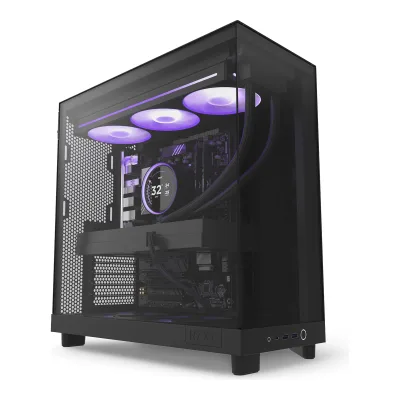
Product A: iBUYPOWER
72 of 160 known
Change iBUYPOWER RDY Element 9 Pro R08
Compare the MINISFORUM AtomMan G1 Pro with
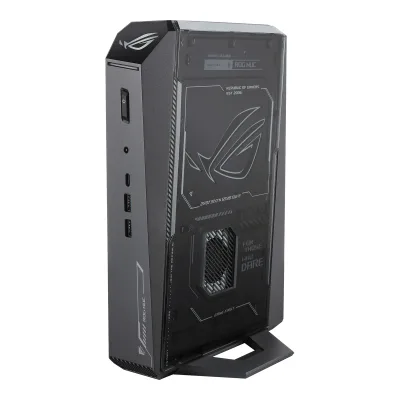
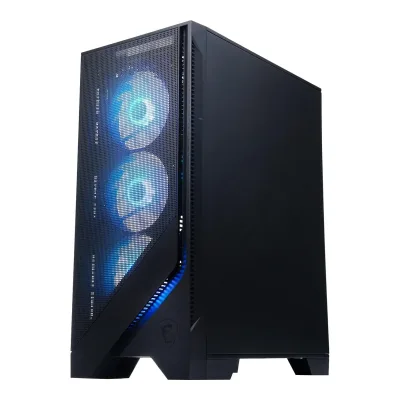
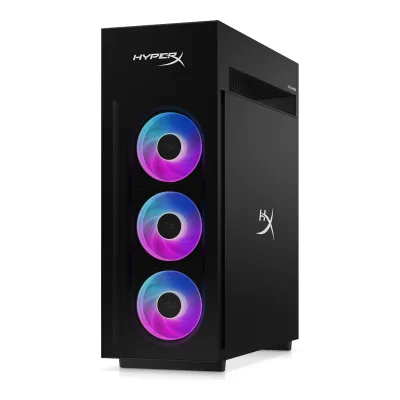
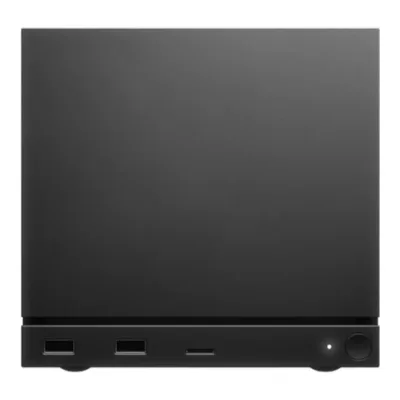
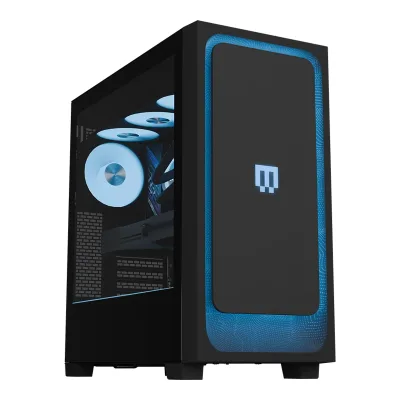
Product B: MINISFORUM
87 of 160 known
Change MINISFORUM AtomMan G1 Pro
Compare the iBUYPOWER RDY Element 9 Pro R08 with
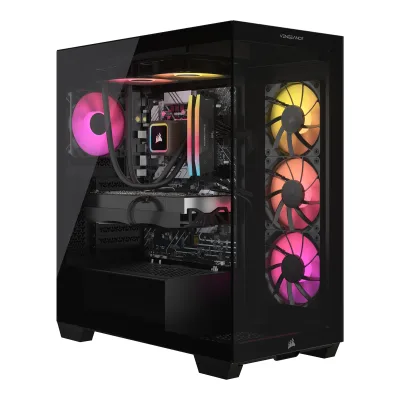
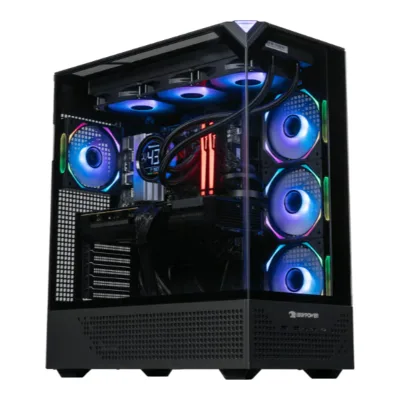
86 of 152 fields differ
- 44 different values
- 42 known for one only
- 13 the same
- 53 missing for both
Biggest differences
Each bar uses the scale of all 76 desktop PCs.
- Rear USB portsA: 9B: 3iBUYPOWER is 3 times higher.
- Power supplyA: 850WB: 350WiBUYPOWER is 500 W higher.
- CPU coresA: 8B: 16MINISFORUM has 8 more.
- Graphics memoryA: 16GBB: 8GBiBUYPOWER is 8 GB higher.
- User-facing USB portsA: 3B: 2iBUYPOWER has 1 more.
Size, drawn to scale
Front and side.
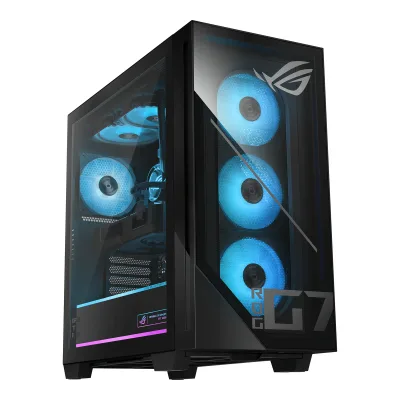
- AiBUYPOWER: 230 × 507 mm
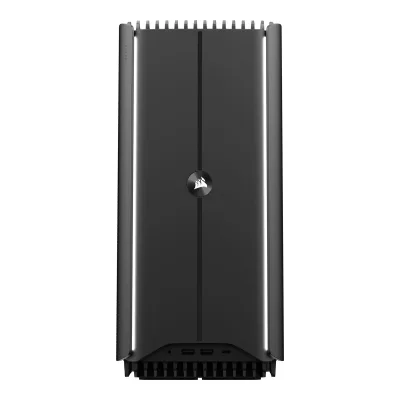
- BMINISFORUM: 57 × 315 mm
All 160 fields
Every value links to where we found it.
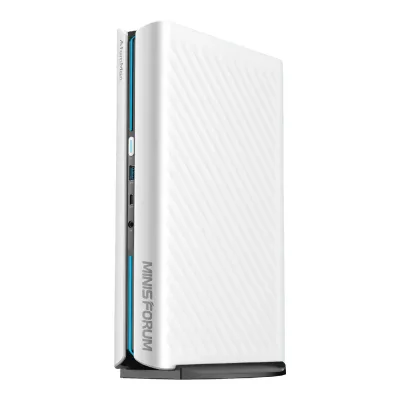
General
6 of 9 differ
Series
GTIN / EAN
Not available
Not available
Status
Predecessor
Not available
Not available
Successor
Not available
Not available
Launch price (EU)
Not available
Not available
Markets
Not available
Colours
Segment
Form factor
Case
8 of 10 differ
Case dimensions
Width57Height315Depth215mm(2.2 × 12.4 × 8.5 in)1Maker product pagestore.minisforum.com/products/minisforum-g1-pro-gaming-pcRead 15 October 2026Spec table 215*57*315mm. Width 57 and depth 215 are the shorter sides and height 315 is the tall edge of the upright tower, as StarryHope and Tom's Guide describe the upright unit. Maker does not say whether the vertical stand is included.
Case volume
Not available
Weight
Not available
Case model
iBUYPOWER Element 9 PRO Gaming Case1Maker product pageibuypower.com/store/rdy-element-9-pro-r08Read 15 October 2026
Not available
Case materials
Not available
Side panel
Not available
Front panel
Not available
Not available
Tool-less side panel
Not available
No3Owner's manualpc-file.s3.us-west-1.amazonaws.com/G1+Pro/user+manual/%E7%94%B5%E5%AD%90%E6%A1%A3%E8%AF%B4%E6%98%8E%E4%B9%A6+F1WAA++(%E8%AE%A4%E8%AF%81-%E8%8B%B1+V1.0)+2025.11.25.pdfRead 15 October 2026Installation Guide step 1: use a tool to unscrew the 2 screws on the bottom of the left panel, then slide it. Memory access also needs 5 fan assembly screws removed.8Reviewtomsguide.com/computing/desktop-computers/mini-pcs/minisforum-g1-pro-reviewRead 15 October 2026After removing the vertical stand and two screws on the base, the vented side panel slides off.
Dust filters
Not available
Not available
Display
None of 6 known
Screen size
Not available
Not available
Native resolution
Not available
Not available
Panel type
Not available
Not available
Max refresh rate
Not available
Not available
Touchscreen
Not available
Not available
Brightness (SDR, claimed)
Not available
Not available
Motherboard
8 of 9 differ
Motherboard
ASUS B650EM MAX Gaming1Maker product pageibuypower.com/store/rdy-element-9-pro-r08Read 15 October 2026
Not available
Chipset
AMD B6504Maker product pageasus.com/motherboards-components/motherboards/all-series/b650em-max-gaming-wifi/techspecRead 15 October 2026ASUS B650EM MAX GAMING WIFI: AMD B650 chipset. The iBUYPOWER page names the board ASUS B650EM MAX Gaming with no WIFI suffix. The rear USB counts match the ASUS board (1 Type-C and 8 Type-A), so it is treated as this board.8Reviewpcgamer.com/hardware/gaming-pcs/ibuypower-rdy-element-9-pro-r07-reviewRead 15 October 2026Review of the R07: the board is the Asus B650EM Max Gaming. It has 5 USB 2.0 ports, 4 USB 3.0 ports and one Type-C, which matches the ASUS B650EM MAX GAMING WIFI spec page used here. This supports the board identity only. The R07 review's parts and measured results are not stored for the R08.
Not available
Motherboard form factor
Not available
CPU socket
AM54Maker product pageasus.com/motherboards-components/motherboards/all-series/b650em-max-gaming-wifi/techspecRead 15 October 2026AM5. The AMD page for the Ryzen 7 7800X3D also lists AM5.5Maker product pageamd.com/en/products/processors/desktops/ryzen/7000-series/amd-ryzen-7-7800x3d.htmlRead 15 October 2026
Expansion slots
AiBUYPOWER RDY Element 9 Pro R08
| Mechanical slot type | Electrical lanes | PCIe generation | Count | Occupied |
|---|---|---|---|---|
| PCIe x16 | 16 | 5 | 1 | Yes |
| PCIe x16 | 1 | 4 | 3 | No |
BMINISFORUM AtomMan G1 Pro
| Mechanical slot type | Electrical lanes | PCIe generation | Count | Occupied |
|---|---|---|---|---|
| PCIe x16 | 16 | 4 | 1 | Yes |
PCIe x16 slots
4
1
Free expansion slots
3
0
Fan headers
Not available
Overclocking in BIOS
Not available
Not available
Processor
12 of 16 differ
Processor
Processor brand
Processor codename
Core configuration
AiBUYPOWER RDY Element 9 Pro R08
| Core type | Count | Core | Base clock (GHz) | Max core turbo clock (GHz) |
|---|---|---|---|---|
| Performance | 8 | Zen 4 | 4.2 | 5 |
BMINISFORUM AtomMan G1 Pro
| Core type | Count | Core | Base clock (GHz) | Max core turbo clock (GHz) |
|---|---|---|---|---|
| Performance | 16 | Zen 4 | 2.5 | 5.4 |
CPU cores
8
16
Performance cores
8
16
Efficiency cores
0
0
Threads
Max core turbo clock
5GHz
5.4GHz
L3 cache
CPU core process node
CPU base power (chip rating)
Peak CPU power (configured)
Not available
Unlocked multiplier
Not available
NPU performance
Not available
Not available
Integrated GPU
Cooling
6 of 6 differ
CPU cooler
CPU cooler model
iBUYPOWER 360mm Addressable RGB Liquid Cooling System1Maker product pageibuypower.com/store/rdy-element-9-pro-r08Read 15 October 2026
Radiator size
Not available
Radiator position
Not available
Case fans
AiBUYPOWER RDY Element 9 Pro R08
| Position | Size (mm) | Fan rotors | On radiator | RGB |
|---|---|---|---|---|
| Side | 120 | 3 | No | Yes |
| Rear | 120 | 1 | No | Yes |
| Top | 120 | 3 | Yes | Yes |
BMINISFORUM AtomMan G1 Pro
Not availableNumber of case fans
7
Not available
Graphics
8 of 11 differ
Discrete GPU
GPU
GPU brand
Graphics card
Not available
GIGABYTE GV-N5060OC-8GL3Owner's manualpc-file.s3.us-west-1.amazonaws.com/G1+Pro/user+manual/%E7%94%B5%E5%AD%90%E6%A1%A3%E8%AF%B4%E6%98%8E%E4%B9%A6+F1WAA++(%E8%AE%A4%E8%AF%81-%E8%8B%B1+V1.0)+2025.11.25.pdfRead 15 October 2026FAQ 3: G1 Pro features the RTX5060 low-profile GPU, GIGABYTE GV-N5060OC-8GL. Only that card is supported as a replacement.9Measurementpcgamer.com/hardware/gaming-pcs/atomman-g1-pro-reviewRead 15 October 2026Spec table: Gigabyte RTX 5060 OC Low Profile 8G, which matches the maker manual's GV-N5060OC-8GL.
VRAM
VRAM type
GPU board power
Not available
GPU boost clock
Not available
Not available
Graphics card thickness
Not available
Not available
GPU power connector
Not available
1 x 8-pin PCIe10Reviewstarryhope.com/minipcs/models/minisforum-atomman-g1-proRead 15 October 2026Swappable low-profile dual-slot GPU with an 8-pin PCIe connector fed by the internal 350W PSU. Club386 confirms the retail Gigabyte card uses an 8-pin connector.11Press articleclub386.com/gigabytes-low-profile-rtx-5060-is-ideal-for-a-dell-or-hp-pc-upgradeRead 15 October 2026The article refers to the card's 8-pin power connector and a Molex to 8-pin adapter.
Memory
6 of 11 differ
RAM
RAM type
Configured RAM speed
5,200MT/s1Maker product pagestore.minisforum.com/products/minisforum-g1-pro-gaming-pcRead 15 October 2026Maker lists dual-channel DDR5 5200MHz SO-DIMM and up to 5200 MHz. Liliputing states the shipped kit is DDR5-5200. Guru3D wrote DDR5-5600. AMD lists DDR5-5200 as the 8945HX maximum.6Press articleliliputing.com/minisforum-atomman-g1-pro-mini-gaming-pc-with-rtx-5060-graphics-coming-in-january-2026Read 15 October 2026Article says the only configuration has 32GB of DDR5-5200 memory and a 1TB PCIe 4.0 x4 SSD.
Rated kit speed
Not available
Not available
Memory kit
Not available
Not available
RAM upgrade
Memory slots
AiBUYPOWER RDY Element 9 Pro R08
| Slot | Count | Occupied | Module size (GB) |
|---|---|---|---|
| DIMM | 2 | Yes | 16 |
| DIMM | 2 | No | Not available |
BMINISFORUM AtomMan G1 Pro
| Slot | Count | Occupied | Module size (GB) |
|---|---|---|---|
| SO-DIMM | 1 | Yes | 32 |
| SO-DIMM | 1 | No | Not available |
Source7Reviewnoobfeed.com/articles/minisforum-g1-pro-ryzen-9-rtx-5060Read 15 October 2026The tested unit has a single DIMM, so it runs 32GB in single-channel mode. Two RAM slots sit under the CPU cooler.8Reviewtomsguide.com/computing/desktop-computers/mini-pcs/minisforum-g1-pro-reviewRead 15 October 2026Opened review unit: a single 32GB DDR5 stick under the CPU cooler and a second free slot beside it. PC Gamer's spec table says 32 GB of dual-channel DDR5, so some units may ship with two modules. Three reviewers (Tom's Guide, NoobFeed, StarryHope citing ETA Prime, Robtech and Britec09) report one module. The maker does not state the module layout.10Reviewstarryhope.com/minipcs/models/minisforum-atomman-g1-proRead 15 October 2026Ships as one 32GB stick, second SODIMM slot open, as raised by ETA Prime, Robtech and Britec09.
RAM slots
4
2
Free RAM slots
2
1
Max RAM for this CPU and GPU
Not available
Storage
7 of 7 differ
Storage
2TB
1TB
Installed drives
AiBUYPOWER RDY Element 9 Pro R08
| Capacity (GB) | Type | PCIe generation |
|---|---|---|
| 2,000 | NVMe SSD | 4 |
BMINISFORUM AtomMan G1 Pro
| Capacity (GB) | Type | PCIe generation | Drive |
|---|---|---|---|
| 1,000 | NVMe SSD | 4 | Kingston OM8TAP41024K1-A00 |
Source1Maker product pagestore.minisforum.com/products/minisforum-g1-pro-gaming-pcRead 15 October 2026Maker overview: configure with up to 1TB of SSD. The stored drive row is the shipped 1TB drive. Drive model and PCIe generation come from the PC Gamer review and the maker's slot table.2Maker product pageminisforum.uk/products/minisforum-atomman-g1-proRead 15 October 2026UK spec table: optional SKU capacity 512 GB or 1 TB. The 1 TB SKU is the reference build.9Measurementpcgamer.com/hardware/gaming-pcs/atomman-g1-pro-reviewRead 15 October 2026Review opened the unit: 1 TB PCIe 4.0 SSD, Kingston OM8TAP41024K1-A00 with Kioxia 162-layer BiCS6 QLC NAND, in one of two M.2 slots.
Storage slots and bays
AiBUYPOWER RDY Element 9 Pro R08
| Form factor | Interface | PCIe generation | PCIe lanes | Count | Occupied |
|---|---|---|---|---|---|
| M.2 2280 | PCIe NVMe | 5 | 4 | 1 | Not available |
| M.2 2280 | PCIe NVMe | 4 | 4 | 1 | Not available |
| M.2 2280 | PCIe NVMe | 4 | 2 | 1 | Not available |
| 3.5-inch bay | SATA | Not available | Not available | 2 | No |
| 2.5-inch bay | SATA | Not available | Not available | 2 | No |
Source3Spec databasebuildcores.com/products/PCCase/ew6qceabz/iBuypower-Element-9-PRO-ATX-Mid-Tower-White-Tempered-Glass-Side-PanelRead 15 October 2026Case bays: 2 x 3.5 inch and 2 x 2.5 inch. They are stored as free because the system lists only one 2 TB M.2 drive. The M.2 slots are from the ASUS board page. The page does not say which slot holds the installed drive, so no M.2 slot is marked occupied.4Maker product pageasus.com/motherboards-components/motherboards/all-series/b650em-max-gaming-wifi/techspecRead 15 October 20263 x M.2 Key M slots: M.2_1 type 2280 at PCIe 5.0 x4, M.2_2 type 2242/2260/2280 at PCIe 4.0 x4, M.2_3 type 2242/2260/2280 at PCIe 4.0 x2, with Ryzen 7000. Stored as one 2280 slot each.8Reviewpcgamer.com/hardware/gaming-pcs/ibuypower-rdy-element-9-pro-r07-reviewRead 15 October 2026Review of the R07: three M.2 slots on the board, two on the front and one on the back, and the top slot is rated at PCIe 5.0. Only one was occupied in the R07.
BMINISFORUM AtomMan G1 Pro
| Form factor | Interface | PCIe generation | PCIe lanes | Count | Occupied |
|---|---|---|---|---|---|
| M.2 2280 | PCIe NVMe | 4 | 4 | 1 | Yes |
| M.2 2280 | PCIe NVMe | 4 | 4 | 1 | No |
Source1Maker product pagestore.minisforum.com/products/minisforum-g1-pro-gaming-pcRead 15 October 2026Maker: two M.2 2230/2280 NVMe slots, PCIe 4.0 x4. One 1TB SSD is installed in the reference build (PC Gamer, Tom's Guide). Stored once as 2280 per the schema rule for several supported lengths.6Press articleliliputing.com/minisforum-atomman-g1-pro-mini-gaming-pc-with-rtx-5060-graphics-coming-in-january-2026Read 15 October 2026
M.2 slots
3
2
Free M.2 slots
Not available
1
Free drive bays
4
0
Fastest storage-slot PCIe generation
5
4
Power supply
3 of 7 differ
PSU rated output
PSU form factor
Not available
Not available
PSU efficiency
Not available
Modular cables
Not available
PSU model
Not available
Not available
ATX version
Not available
Not available
Native 12V-2x6 cable
Not available
Not available
Ports
6 of 9 differ
User-facing I/O position
User-facing ports
AiBUYPOWER RDY Element 9 Pro R08
| Type | Version | Count | Max stated link rate (Gbps) |
|---|---|---|---|
| USB-A | USB 3.2 Gen 1 | 2 | 5 |
| USB-C | USB 3.2 Gen 2 | 1 | 10 |
| 3.5 mm audio | Not available | 1 | Not available |
BMINISFORUM AtomMan G1 Pro
| Type | Version | Count | Max stated link rate (Gbps) |
|---|---|---|---|
| USB-A | USB 3.2 Gen 2 | 1 | 10 |
| USB-C | USB 3.2 Gen 2, data only | 1 | 10 |
| 3.5 mm audio | 3.5 mm combo jack | 1 | Not available |
Source1Maker product pagestore.minisforum.com/products/minisforum-g1-pro-gaming-pcRead 15 October 2026Spec table Front: power button, 3.5mm combo jack, USB-A USB3.2 Gen2 x1 and USB-C USB3.2 Gen2 x1 data only. Early press release text claims USB4 40Gbps. The spec table, the manual and StarryHope say USB 3.2 Gen 2 data only, so the press release wording is not used. Tom's Guide says both USB-C ports can output video. The maker says data only, so the maker value is stored.2Maker product pageminisforum.uk/products/minisforum-atomman-g1-proRead 15 October 2026UK spec table: USB3.2 Gen 2 Type-A and Type-C (data only) on the front.
Rear ports
AiBUYPOWER RDY Element 9 Pro R08
| Type | Version | Count | Max stated link rate (Gbps) | Connected to |
|---|---|---|---|---|
| USB-A | USB 3.2 Gen 2 | 1 | 10 | Motherboard |
| USB-C | USB 3.2 Gen 2 | 1 | 10 | Motherboard |
| USB-A | USB 3.2 Gen 1 | 2 | 5 | Motherboard |
| USB-A | USB 2.0 | 5 | 0.48 | Motherboard |
| Ethernet (RJ45) | Gigabit Ethernet | 1 | 1 | Motherboard |
Source1Maker product pageibuypower.com/store/rdy-element-9-pro-r08Read 15 October 2026The page gives the board's back panel USB as 1 Type-C and 8 Type-A. The USB versions and the Ethernet port are from the ASUS spec page. Graphics-card outputs are not stored because the page does not name the card's board.4Maker product pageasus.com/motherboards-components/motherboards/all-series/b650em-max-gaming-wifi/techspecRead 15 October 2026Back panel: 2 x USB 10Gbps (1 Type-A and 1 Type-C), 2 x USB 5Gbps Type-A, 5 x USB 2.0 Type-A, 1 x Realtek 1Gb Ethernet, 3 audio jacks, 1 DisplayPort, 1 HDMI. The motherboard video ports and audio jacks are not stored because it is not stated whether the ports are used with a graphics card installed. ASUS lists Wi-Fi 6, not Wi-Fi 6E, so no Wi-Fi version is stored.
BMINISFORUM AtomMan G1 Pro
| Type | Version | Count | Max stated link rate (Gbps) | DP Alt Mode | Connected to |
|---|---|---|---|---|---|
| USB-A | USB 3.2 Gen 2 | 2 | 10 | Not available | Motherboard |
| USB-C | USB 3.2 Gen 2, data only | 1 | 10 | No | Motherboard |
| HDMI | HDMI 2.1 | 1 | Not available | Not available | Motherboard |
| HDMI | HDMI 2.1 | 1 | Not available | Not available | Graphics card |
| DisplayPort | DP 2.1b | 2 | Not available | Not available | Graphics card |
| DisplayPort | DP 1.4a | 1 | Not available | Not available | Graphics card |
| Ethernet (RJ45) | 5GbE | 1 | 5 | Not available | Motherboard |
| AC power input | Not available | 1 | Not available | Not available | Not available |
Source1Maker product pagestore.minisforum.com/products/minisforum-g1-pro-gaming-pcRead 15 October 2026Spec table Rear: RJ45 5G x1 RTL8126, USB-A USB3.2 Gen2 x2, USB-C data only x1, HDMI 2.1 x2 (1 on-board, 1 on GPU), DP 2.1b x2 and DP 1.4a x1 on GPU. The maker's UK page says each USB 3.2 Gen 2 port is 10 Gbps. AC power input with a rear PSU switch is described in the manual. Reset hole and power switch are not ports.2Maker product pageminisforum.uk/products/minisforum-atomman-g1-proRead 15 October 2026UK spec table: 2 x USB3.2 Gen 2 Type-A, 1 x USB3.2 Gen 2 Type-C (data only), 5GbE RJ45 RTL8126, HDMI 2.1 x2, DP 1.4a x1 and DP 2.1b x2 on the RTX 5060 edition.
User-facing USB ports
3
2
User-facing USB-C ports
1
1
Rear USB ports
9
3
Thunderbolt
Not available
Not available
Ethernet speed
1Gbps
5Gbps
Discrete GPU output ports
0
Not available
Wireless
4 of 6 differ
Wi-Fi
Not available
Wi-Fi bands
Not available
Not available
Wi-Fi module
Not available
Wi-Fi antenna
Not available
Not available
Bluetooth
Not available
Ethernet controller
Not available
Camera and audio
None of 5 known
Webcam
Not available
Not available
Built-in speaker drivers
Not available
Not available
Total speaker power
Not available
Not available
Microphones
Not available
Not available
Audio features
Not available
Not available
Lighting
2 of 4 differ
RGB lighting
Yes1Maker product pagestore.minisforum.com/products/minisforum-g1-pro-gaming-pcRead 15 October 20263Owner's manualpc-file.s3.us-west-1.amazonaws.com/G1+Pro/user+manual/%E7%94%B5%E5%AD%90%E6%A1%A3%E8%AF%B4%E6%98%8E%E4%B9%A6+F1WAA++(%E8%AE%A4%E8%AF%81-%E8%8B%B1+V1.0)+2025.11.25.pdfRead 15 October 2026Manual item 05: RGB light strip on the front, controlled by the control center software or turned off.
Lit parts
Lighting standard
Not available
Not available
Lighting software
Not available
Control Center1Maker product pagestore.minisforum.com/products/minisforum-g1-pro-gaming-pcRead 15 October 20263Owner's manualpc-file.s3.us-west-1.amazonaws.com/G1+Pro/user+manual/%E7%94%B5%E5%AD%90%E6%A1%A3%E8%AF%B4%E6%98%8E%E4%B9%A6+F1WAA++(%E8%AE%A4%E8%AF%81-%E8%8B%B1+V1.0)+2025.11.25.pdfRead 15 October 2026RGB lighting control is part of the exclusive control center software.
Software
2 of 3 differ
Operating system
OS family
Control software
Not available
Control Center1Maker product pagestore.minisforum.com/products/minisforum-g1-pro-gaming-pcRead 15 October 2026Maker names an exclusive Control Center for mode switching, RGB and system monitoring.3Owner's manualpc-file.s3.us-west-1.amazonaws.com/G1+Pro/user+manual/%E7%94%B5%E5%AD%90%E6%A1%A3%E8%AF%B4%E6%98%8E%E4%B9%A6+F1WAA++(%E8%AE%A4%E8%AF%81-%E8%8B%B1+V1.0)+2025.11.25.pdfRead 15 October 2026Exclusive control center software: performance mode switch between office, game and beast, system monitoring and RGB control.
Upgradeability
2 of 4 differ
Proprietary parts
Not available
Not available
Max graphics card length
Not available
Max CPU cooler height
165mm2Maker product pageibuypower.com/gear-store/pc-cases/ibuypower-element-9-pro-gaming-case-%5B+free-ibuypower-mk9-pro-keyboard%5D-whiteRead 15 October 2026CPU cooler height up to 165 mm.3Spec databasebuildcores.com/products/PCCase/ew6qceabz/iBuypower-Element-9-PRO-ATX-Mid-Tower-White-Tempered-Glass-Side-PanelRead 15 October 2026Max CPU cooler 165 mm, same as the maker's case listing.
Not available
Warranty kept after upgrade
Not available
Not available
Measured performance
3 of 8 differ
Cinebench 2024 single-core
Not available
Cinebench 2024 multi-core
Not available
Geekbench single-core
Not available
Not available
Geekbench multi-core
Not available
Not available
3DMark Time Spy graphics
Not available
Not available
3DMark Steel Nomad
Not available
Not available
SSD sequential read (measured)
Not available
Not available
Game frame rates
AiBUYPOWER RDY Element 9 Pro R08
Not availableBMINISFORUM AtomMan G1 Pro
| Game | Width (px) | Height (px) | Preset | Upscaling | Ray tracing | Average FPS | 1 % low FPS |
|---|---|---|---|---|---|---|---|
| Avatar: Frontiers of Pandora | 2560 | 1440 | Ultra | Not available | Not available | 44 | 38 |
| Cyberpunk 2077 | 2560 | 1440 | RT Medium | Off | Yes | 32 | 26 |
| Cyberpunk 2077 | 2560 | 1440 | RT Medium | DLSS Quality, frame generation x2 (CNN model) | Yes | 86 | 69 |
| Baldur's Gate 3 | 2560 | 1440 | Ultra | Not available | Not available | 59 | 42 |
| Black Myth: Wukong | 2560 | 1440 | Very High | Off | Not available | 26 | 20 |
| Black Myth: Wukong | 2560 | 1440 | Very High | DLSS (setting not stated) | Not available | 37 | 33 |
| Metro Exodus Enhanced Edition | 2560 | 1440 | Ultra | Not available | Not available | 52 | 36 |
Measured noise and temperature
None of 6 known
Fan noise per load
Not available
Not available
Highest measured fan noise
Not available
Not available
Measured fan noise at idle
Not available
Not available
CPU temperature in stress test
Not available
Not available
CPU clock in stress test
Not available
Not available
GPU temperature while gaming
Not available
Not available
Measured power
None of 6 known
Power draw idle
Not available
Not available
Power draw gaming
Not available
Not available
Power draw max
Not available
Not available
Power draw sleep or off
Not available
Not available
Sustained CPU power (measured)
Not available
Not available
GPU power while gaming (measured)
Not available
Not available
Certifications
None of 5 known
ENERGY STAR
Not available
Not available
EPEAT
Not available
Not available
Copilot+ PC
Not available
Not available
Typical annual energy consumption (TEC)
Not available
Not available
Other certifications
Not available
Not available
In the box
2 of 2 differ
In the box
Not available
G1 Pro, Power Cord, HDMI Cable, SSD Heatsink, Base Component, User Manual2Maker product pageminisforum.uk/products/minisforum-atomman-g1-proRead 15 October 2026UK Packing List: G1 Pro, Power Cord, HDMI Cable, SSD Heatsink, Base Component, User Manual. NoobFeed and Tom's Guide confirm HDMI cable, power cable, extra M.2 heatsink and vertical stand. The manual says accessories vary by model or area.3Owner's manualpc-file.s3.us-west-1.amazonaws.com/G1+Pro/user+manual/%E7%94%B5%E5%AD%90%E6%A1%A3%E8%AF%B4%E6%98%8E%E4%B9%A6+F1WAA++(%E8%AE%A4%E8%AF%81-%E8%8B%B1+V1.0)+2025.11.25.pdfRead 15 October 2026Package Contents: mini PC, power cord, HDMI cable, SSD heatsink, base component, user manual. Items vary by model or area.
Included extras
Keyboard, Mouse1Maker product pageibuypower.com/store/rdy-element-9-pro-r08Read 15 October 2026An RGB gaming keyboard and an optical mouse are listed.
Vertical stand2Maker product pageminisforum.uk/products/minisforum-atomman-g1-proRead 15 October 2026The Base Component is the vertical stand that screws onto the unit (maker manual, Tom's Guide).3Owner's manualpc-file.s3.us-west-1.amazonaws.com/G1+Pro/user+manual/%E7%94%B5%E5%AD%90%E6%A1%A3%E8%AF%B4%E6%98%8E%E4%B9%A6+F1WAA++(%E8%AE%A4%E8%AF%81-%E8%8B%B1+V1.0)+2025.11.25.pdfRead 15 October 2026Package contents show a Base component. Tom's Guide describes it as a vertical stand held by a thumbscrew.8Reviewtomsguide.com/computing/desktop-computers/mini-pcs/minisforum-g1-pro-reviewRead 15 October 2026A vertical stand comes in the box and screws onto the bottom with a thumb screw.
Warranty
1 of 2 differ
Manufacturer warranty (source market)
Warranty service
Not available
Not available
Links
Not compared
Product page
Not available
Spec sheet
Not available
Not available
Manual
Not available
pc-file.s3.us-west-1.amazonaws.com/G1+Pro/user+manual/%E7%94%B5%E5%AD%90%E6%A1%A3%E8%AF%B4%E6%98%8E%E4%B9%A6+F1WAA++(%E8%AE%A4%E8%AF%81-%E8%8B%B1+V1.0)+2025.11.25.pdf3Owner's manualpc-file.s3.us-west-1.amazonaws.com/G1+Pro/user+manual/%E7%94%B5%E5%AD%90%E6%A1%A3%E8%AF%B4%E6%98%8E%E4%B9%A6+F1WAA++(%E8%AE%A4%E8%AF%81-%E8%8B%B1+V1.0)+2025.11.25.pdfRead 15 October 2026
EPREL registration number
Not available
Not available
Both are also in the API. Back to all desktop PCs.