Monitors / Compare
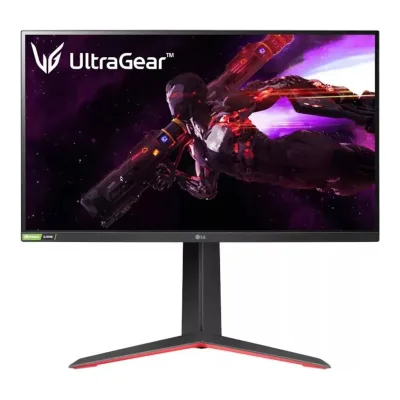
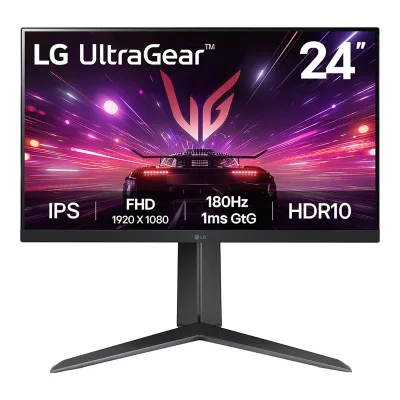
LG UltraGear 27GP950 vs LG UltraGear 27GR83Q-B
Product A: LG
102 of 172 known
Change LG UltraGear 27GP950
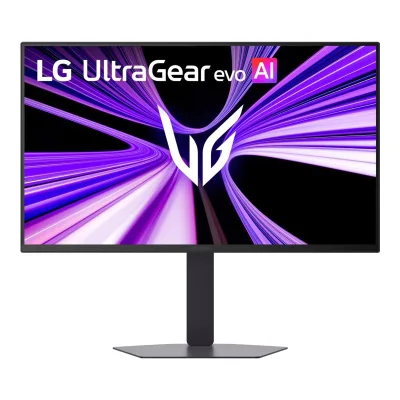
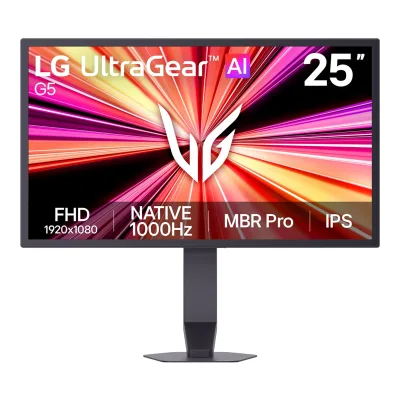
Product B: LG
86 of 172 known
Change LG UltraGear 27GR83Q-B
58 of 164 fields differ
- 38 different values
- 20 known for one only
- 41 the same
- 65 missing for both
Biggest differences
Each bar uses the scale of all 179 monitors.
- Power use HDR (EU label)Lower is betterA: 86WB: 44.6WUltraGear 27GR83Q-B is 41.4 W lower.
- Power use (max)Lower is betterA: 95WB: 55WUltraGear 27GR83Q-B is 40 W lower.
- Refresh rateA: 160HzB: 240HzUltraGear 27GR83Q-B is 80 Hz higher.
- Pixel densityA: 163.2ppiB: 108.8ppiUltraGear 27GP950 is 54.4 ppi higher.
- Power use (typical)Lower is betterA: 65WB: 50WUltraGear 27GR83Q-B is 15 W lower.
- Power use SDR (EU label)Lower is betterA: 31.6WB: 25.7WUltraGear 27GR83Q-B is 5.9 W lower.
Refresh rate per resolution
The best rate over any port. Bars run from 0 to 1200 Hz.
3840 × 2160Native for A
A160Hz
BNot listed
2560 × 1440Native for B
ANot listed
B240Hz
Size, drawn to scale
Front and side. Solid lines show the stand at its lowest. Dashed lines show it at its highest.
- AUltraGear 27GP950: 609.2 × 352.9 mm
- BUltraGear 27GR83Q-B: 613.5 × 371.6 mm
Weight
0 to 15 kg
Weight with stand
A7.9kg
B6.2kg
Weight without stand
A5.7kg
B4.3kg
Box weight
A11.5kg
B8.6kg
All 172 fields
Every value links to where we found it.
General
1 of 8 differ
Series
Model numbers
GTIN / EAN
Announced
Not available
Not available
Status
Not available
Not available
Predecessor
Not available
Not available
Successor
Not available
Not available
Launch price (US)
$499.9911Reviewpcworld.com/article/2067236/lg-ultragear-27gr38q-b-review.htmlRead 11 October 2026Review lists $499.99 MSRP, with $399.99 typical retail. KitGuru reported $499 at launch. US price.12Press articlekitguru.net/peripherals/monitors/joao-silva/lg-unveils-three-new-lg-ultragear-gaming-monitorsRead 11 October 202631 August 2023 launch article: the GR83Q-B goes for $499. US price. The $499.99 MSRP is in the PCWorld review.
Launch price (EU)
Not available
Not available
Markets
Not available
Not available
Colours
Not available
Not available
Display
3 of 12 differ
Screen size
Viewable screen diagonal
Not available
Not available
Native resolution
Aspect ratio
Pixel density
163.2ppi
108.8ppi
Pixel pitch
Active display area
Not available
Not available
Curved
Curvature radius
Not available
Not available
Screen surface
Matte1Maker product pagelg.com/us/monitors/lg-27gp950-b-gaming-monitorRead 5 October 2026Own Anti-Glare treatment. Public RTINGS August 2025 correction expressly Matte. No quantitative reflection value inferred.6Reviewrtings.com/monitor/reviews/lg/27gp950-bRead 5 October 2026Free public August 11, 2025 changelog explicitly changed older Semi-Gloss wording to Matte after reassessing light interaction. Own anti-glare source agrees. Locked measurement tables not accessed.
Anti-reflection coating
Not available
Not available
Touchscreen
Not available
Not available
Panel
6 of 31 differ
Panel type
Panel type (as published)
Backlight
Dimming zones
Not available
Not available
Panel maker
Not available
Not available
Panel part number
Not available
Not available
Panel generation
Not available
Not available
Subpixel layout
Not available
Not available
Colour depth
Colour depth method
Not available
Displayable colours
sRGB coverage
Not available
Not available
DCI-P3 coverage
Adobe RGB coverage
Not available
Not available
Rec. 2020 coverage
Not available
Not available
NTSC coverage
Not available
Not available
Factory calibrated
Claimed Delta E
Not available
Not available
Paper calibration report in box
Not available
Not available
Hardware calibration support
Yes1Maker product pagelg.com/us/monitors/lg-27gp950-b-gaming-monitorRead 5 October 2026Own H/W Calibration (True Color Pro) Yes. Actual manual Calibration 1/2 monitor slots and first-hand DDay calibration into monitor memory distinguish it from ordinary computer ICC profiles. LUT size/bit depth unreported.3Owner's manualgscs-b2c.lge.com/downloadFileRead 5 October 2026Own page 23 Calibration 1/2 stores last and preceding monitor calibration and requires LG Calibration Studio. Actual first-hand DDay writes into those monitor memory banks, unlike computer ICC-only calibration. HDR calibration not supported by that reviewed version.7Reviewdday.it/redazione/43339/test-lg-ultragear-gaming-nano-ips-27gp950-e-davvero-la-scelta-giusta-per-le-consoleRead 5 October 2026Exact actual test with LG Calibration Studio stores colour calibration in monitor Calibration 1 memory bank and previous result in Calibration 2. Specific connected input only and SDR calibration only in tested version, not GPU ICC-only calibration. LUT dimensionality/precision unstated.8Owner's manualgscs-b2c.lge.com/downloadFileRead 5 October 2026Original current exact model support LG Calibration Studio guide, English page 2 Windows/page 4 Mac explicitly hardware calibration using external compatible colour sensor and USB data connection. Own model manual confirms support. No software installed.9Maker product pagelg.com/us/support/help-library/how-to-calibrate-your-monitor-using-lg-calibration-studio-CT10000030-20155410023763Read 5 October 2026Official LG help defines supported hardware calibration as colour-sensor adjustment of monitor internal settings, separate from computer display settings. Own 27GP950 H/W Calibration Yes and Calibration Studio/manual slots establish exact model applicability. Not a generic claim that all LG monitors support it.
Static contrast ratio
Brightness (typical, SDR)
400nits3Maker product pagelg.com/be_fr/moniteurs/moniteurs-gaming-ultragear/27gr83q-bRead 11 October 2026Luminosite (Typ.) 400 cd/m2. The Spanish, Greek, Bulgarian and Israeli LG pages also say 400. The Canadian and Brazilian LG pages say 500, so the maker pages disagree.10Retailer pagenewegg.com/lg-27gr83q-b-27-qhd-240-hz-ultragear-ips-black/p/N82E16824026379Read 11 October 2026Listing copies LG US data: Brightness (Typ.) 400 cd/m2.
Brightness (maker minimum)
320nits3Maker product pagelg.com/be_fr/moniteurs/moniteurs-gaming-ultragear/27gr83q-bRead 11 October 2026Luminosite (Min.) 320 cd/m2. The Spanish and Israeli LG pages say the same.10Retailer pagenewegg.com/lg-27gr83q-b-27-qhd-240-hz-ultragear-ips-black/p/N82E16824026379Read 11 October 2026Listing: (Min.) 320 cd/m2.
Peak brightness (HDR)
Not available
Not available
HDR peak test window
Not available
Not available
Full-screen brightness
Not available
Not available
HDR formats
HDR certification
Viewing angle (horizontal)
Refresh rate and motion
11 of 22 differ
Refresh rate per resolution and port
ALG UltraGear 27GP950
| Resolution | HDMI 2.1 | DisplayPort 1.4 |
|---|---|---|
| 3840 × 2160Native | 144Hz10-bit, 4:4:4 | 160Hz10-bit, DSC |
Source3Owner's manualgscs-b2c.lge.com/downloadFileRead 5 October 2026Own page 37 explicit maximum native 4K 160 DP/Overclock On and 4K 144 HDMI. DP requires menu 1.4(DSC), DSC-capable GPU and Overclock On per page 34. Original sheet separately scopes 10-bit 160 DSC On to DP. HDMI page 31 visual table explicitly 8/10-bit RGB 4:4:4 at 4K 144, and own menu On(144 Hz) is required rather than On(120 Hz). Firmware update required for earlier units. Unknown HDMI DSC and DP per-mode chroma omitted. Page 39 has a typo 3480 x 2160 on 160 timing, so explicit maximum 3840 is retained. Lower preset entries alone are not maxima, no lower-mode ceilings guessed. Separate HDMI 8-bit and 10-bit rows reflect both columns explicitly spanning native 144 Hz RGB 4:4:4. Both require HDMI ULTRA HD Deep Color On(144 Hz). Other ambiguous chroma/rate combinations remain unexpanded.4Maker spec sheet (PDF)lgitproductportal.co.uk/wp-content/uploads/2021/09/27GP950-B.pdfRead 5 October 2026Original visually checked page 1 DP maximum row explicitly 4K 10-bit 160 Hz with Overclock/DSC On and separate 4K 8-bit 120 Hz with DSC Off. Unknown chroma omitted for both DP rows. Unqualified 10-bit 95 Hz line does not explicitly scope DSC Off, so that condition is not inferred. Original HDMI 120 Hz ceiling is earlier firmware, current own manual 144 Hz table is used instead. No HDMI compression claim is in this DP row.
BLG UltraGear 27GR83Q-B
| Resolution | HDMI 2.1 | DisplayPort 1.4 |
|---|---|---|
| 2560 × 1440Native | 240Hz | 240HzDSC |
Max refresh rate
160Hz
240Hz
Max refresh rate at native resolution
160Hz
240Hz
Max refresh rate over DisplayPort
160Hz
240Hz
Max refresh rate over HDMI
144Hz
240Hz
Max refresh rate over USB-C
Not available
Not available
Max refresh rate at 10-bit
160Hz
Not available
Native refresh rate
Overclocked refresh rate
Not available
Dual mode
Not available
Not available
Minimum fixed refresh rate
Not available
Not available
Adaptive sync technologies
G-SYNC Compatible, FreeSync Premium Pro, Adaptive-Sync, HDMI VRR, VESA AdaptiveSync Display1Maker product pagelg.com/us/monitors/lg-27gp950-b-gaming-monitorRead 5 October 2026Own NVIDIA G-SYNC Compatible and AMD FreeSync Premium Pro. Manual plain DP Adaptive-Sync, not native G-SYNC module from generic G-Sync Yes row. Later named VESA and HDMI protocols mapped separately.7Reviewdday.it/redazione/43339/test-lg-ultragear-gaming-nano-ips-27gp950-e-davvero-la-scelta-giusta-per-le-consoleRead 5 October 2026Exact own 2022 review says LG confirmed VRR as defined by HDMI 2.1 and verifies PS5 use. This identifies HDMI-VRR protocol rather than inferring it from FreeSync alone. Generic G-Sync reference not a native-module certification.12Press releaselgcorp.com/media/release/24835Read 5 October 2026Original LG May 23, 2022 release specifically 27GP950 and 27GP850 achieved named VESA AdaptiveSync Display certification. Supplement to protocols and other certs, not generic Adaptive-Sync inference.
FreeSync Premium, G-SYNC Compatible, Adaptive-Sync, HDMI VRR1Maker product pagelg.com/ca_en/monitors/gaming/27gr83q-bRead 11 October 2026Features list AMD FreeSync Premium, G-SYNC Compatible and VRR. The manual names DisplayPort Adaptive-Sync and HDMI Variable Refresh Rate as the supported interfaces.4Owner's manualgscs-b2c.lge.com/downloadFileRead 11 October 2026Supported Interface: DisplayPort (Adaptive-Sync), HDMI (Variable Refresh Rate). A graphic card with NVIDIA G-SYNC or AMD FreeSync is needed.
VRR range per port
Not available
Not available
Low framerate compensation
Response time (maker GtG claim)
Response time (maker MPRT claim)
Not available
Not available
Overdrive settings
Motion blur reduction
Not available
Blur-reduction technology
Not available
Not available
Blur reduction works with VRR
Not available
Not available
Flicker-free (claimed)
Black frame insertion
Not available
Not available
Measured
2 of 12 differ
Input lag at maximum refresh rate
Not available
Not available
Input lag at 60 Hz
Not available
Not available
Average response time (measured)
Not available
Not available
Overshoot (measured)
Not available
Not available
SDR brightness (measured)
HDR brightness in a real scene (measured)
Not available
Not available
PWM flicker frequency (measured)
Not available
Not available
VRR range (measured)
Not available
Not available
Colour accuracy (measured Delta E)
Not available
Not available
Gray uniformity (measured)
Not available
Not available
Reflections (measured)
Not available
Not available
Connectivity
8 of 19 differ
Video inputs
ALG UltraGear 27GP950
| Type | Version | Count | DSC | HDCP |
|---|---|---|---|---|
| HDMI | 2.1 | 2 | Not available | 2.2 |
| DisplayPort | 1.4 | 1 | Yes | 2.2 |
BLG UltraGear 27GR83Q-B
| Type | Version | Count | DSC |
|---|---|---|---|
| DisplayPort | 1.4 | 1 | Yes |
| HDMI | 2.1 | 2 | Not available |
Source1Maker product pagelg.com/ca_en/monitors/gaming/27gr83q-bRead 11 October 2026Connectivity table lists DisplayPort 1ea and HDMI 2ea. The accessory table names HDMI ver 2.1. The UK page names DP version 1.4 (DSC).2Maker product pagelg.com/uk/monitors/gaming/27gr83q-bRead 11 October 2026DP Version 1.4 (DSC).4Owner's manualgscs-b2c.lge.com/downloadFileRead 11 October 2026DisplayPort 240 Hz timing is listed as input compatibility version 1.4 (DSC).
HDMI ports
2
2
DisplayPort ports
1
1
Highest HDMI version
2.1
2.1
Highest DisplayPort version
1.4
1.4
HDMI features
USB-C video (DP Alt Mode)
USB-C power delivered
Not available
Not available
Thunderbolt
Not available
Not available
USB upstream ports
ALG UltraGear 27GP950
| Connector | USB version | Count |
|---|---|---|
| USB-B | 3.0 | 1 |
BLG UltraGear 27GR83Q-B
| Connector | USB version | Count |
|---|---|---|
| USB-B | 3.0 | 1 |
USB downstream hub ports
ALG UltraGear 27GP950
| Connector | USB version | Count |
|---|---|---|
| USB-A | 3.0 | 2 |
BLG UltraGear 27GR83Q-B
| Connector | USB version | Count |
|---|---|---|
| USB-A | 3.0 | 2 |
Daisy chain (MST)
Not available
Ethernet
Not available
3.5 mm headphone output
3.5 mm microphone input
Optical out
Not available
Picture in picture
Not available
Smart features
None of 4 known
Smart platform
Not available
Not available
Wi-Fi
Not available
Not available
Bluetooth
Not available
Not available
Remote control
Not available
Not available
Audio and camera
2 of 5 differ
Speakers
Number of speakers
Not available
Not available
Speaker power per channel
Not available
Not available
Ergonomics and controls
8 of 15 differ
Stand height adjustment
Tilt
Pivot
Removable stand
Not available
VESA mount
VESA adapter needed
Not available
Security lock slot
On-screen menu controls
Joystick, Software2Maker product pagelg.com/us/support/product/lg-27GP950-BRead 5 October 2026Own model OnScreen Control supports Monitor Setting and picture-mode menu controls, not only Screen Split layout. Physical joystick independently manual. UltraGear Control Center decorative lighting does not prove desktop picture control by itself.3Owner's manualgscs-b2c.lge.com/downloadFileRead 5 October 2026Own page 6 joystick operation and page 19 actual menu. Lighting wheel changes rear illumination, not a separate confirmed display-menu controller. OnScreen Control desktop picture settings independently own support.
Desktop software
LG OnScreen Control (LG Screen Manager), LG Calibration Studio1Maker product pagelg.com/ca_en/monitors/gaming/27gr83q-bRead 11 October 2026OnScreen Control (LG Screen Manager) is listed. LG Calibration Studio is named in the manual.
Ambient light sensor
Not available
Not available
Presence sensor
Not available
Not available
RGB lighting
Not available
Gaming menu features
Black Stabilizer, Dynamic Action Sync, Crosshair, FPS Counter, User Define Key1Maker product pagelg.com/us/monitors/lg-27gp950-b-gaming-monitorRead 5 October 2026Own named actual display/game controls. FPS Counter is received input frame rate per manual, not game-engine internal FPS.
Black Stabilizer, Dynamic Action Sync, Crosshair, FPS Counter1Maker product pagelg.com/ca_en/monitors/gaming/27gr83q-bRead 11 October 2026Names as listed in the feature table.
OLED care
None of 3 known
OLED care
Not available
Not available
Burn-in covered by warranty
Not available
Not available
Burn-in warranty length
Not available
Not available
Dimensions and weight
6 of 7 differ
Dimensions with stand
Width609.2Height (lowest)464.7Height (highest)574.7Depth291.2mm(24 × 18.3 to 22.6 × 11.5 in)4Maker spec sheet (PDF)lgitproductportal.co.uk/wp-content/uploads/2021/09/27GP950-B.pdfRead 5 October 2026Original page 2 explicitly Up 574.7 and Down 464.7 endpoints with 609.2 width 291.2 depth. Not computed from travel. Same maker Swedish page corroborates.
Width613.5Height (lowest)467.7Height (highest)577.7Depth253.7mm(24.2 × 18.4 to 22.7 × 10 in)1Maker product pagelg.com/ca_en/monitors/gaming/27gr83q-bRead 11 October 2026613.5 x 577.7 x 253.7 (UP) and 613.5 x 467.7 x 253.7 (DOWN).
Dimensions without stand
Width609.2Height352.9Depth54.3mm(24 × 13.9 × 2.1 in)3Owner's manualgscs-b2c.lge.com/downloadFileRead 5 October 2026Own page 38 metric body. Direct measurements, not converted rounded U.S. inches.
Width613.5Height371.6Depth51.3mm(24.2 × 14.6 × 2 in)1Maker product pagelg.com/ca_en/monitors/gaming/27gr83q-bRead 11 October 2026613.5 x 371.6 x 51.3.
Stand footprint
Not available
Not available
Weight with stand
Weight without stand
Box dimensions
Width735Height200Depth522mm(28.9 × 7.9 × 20.6 in)4Maker spec sheet (PDF)lgitproductportal.co.uk/wp-content/uploads/2021/09/27GP950-B.pdfRead 5 October 2026Original page 2 package W x H x D metric. Flat-packed orientation retained.
Width691Height184Depth498mm(27.2 × 7.2 × 19.6 in)1Maker product pagelg.com/ca_en/monitors/gaming/27gr83q-bRead 11 October 2026Dimension in Shipping (W x H x D) 691 x 184 x 498.
Box weight
Power
8 of 13 differ
Power supply
Adapter rating
Input voltage
Power use (typical)
50W1Maker product pagelg.com/ca_en/monitors/gaming/27gr83q-bRead 11 October 2026Power Consumption (Typ.) 50W. The manual states the same 50 W typical.4Owner's manualgscs-b2c.lge.com/downloadFileRead 11 October 2026On mode 50 W (Typical), measured with the LGE test standard: full white pattern at maximum resolution.
Power use (max)
Power use SDR (EU label)
25.7W5Maker spec sheet (PDF)lg.com/uk/lgecs.downloadFile.ldwfRead 11 October 2026EU Product Information Sheet row 4, on mode SDR 25.7 W, class F. The sheet lists model identifier 27GR83Q and refresh rate 60 Hz.6EU energy label (EPREL)eprel.ec.europa.eu/fiches/electronicdisplays/Fiche_1559054_EN.pdfRead 11 October 2026EPREL on mode power demand SDR 25.7 W, class F, at the default 60 Hz.
Power use HDR (EU label)
Standby power
Off-mode power
EU energy class SDR
EU energy class HDR
Energy per 1000 h SDR
Certifications
1 of 9 differ
VESA ClearMR
Not available
Not available
VESA AdaptiveSync Display
Not available
Not available
TÜV certifications
Not available
Not available
Low blue light
Not available
ENERGY STAR
Not available
Not available
TCO Certified
Not available
Not available
EPEAT
Not available
Not available
Colour certifications
Not available
Not available
Other certifications
Not available
Not available
In the box
2 of 2 differ
In the box
Monitor, Stand, AC/DC adapter, Power cord, HDMI cable, DisplayPort cable, USB-A to USB-B 3.0 cable, Mouse holder1Maker product pagelg.com/us/monitors/lg-27gp950-b-gaming-monitorRead 5 October 2026Own U.S. accessories plus actual manual stand/power assembly. Paper calibration report, remote and VESA adapter inclusion unproved.
HDMI cable (ver 2.1), AC/DC adapter, DisplayPort cable, Power cord (depends on country), USB A-to-B cable1Maker product pagelg.com/ca_en/monitors/gaming/27gr83q-bRead 11 October 2026Accessory table: HDMI (ver 2.1), Adapter, Display Port, Power Cord (depends on country), USB A to B.
Cables included
ALG UltraGear 27GP950
| Type |
|---|
| HDMI cable |
| DisplayPort cable |
| USB-A to USB-B 3.0 cable |
BLG UltraGear 27GR83Q-B
| Type |
|---|
| HDMI |
| DisplayPort |
| USB A-to-B |
Warranty
0 of 2 differ
Manufacturer warranty (source market)
1year5Maker spec sheet (PDF)lg.com/uk/lgecs.downloadFile.ldwfRead 11 October 2026Minimum duration of the general guarantee offered by the supplier is 1 year in this EU sheet. Other markets can differ.6EU energy label (EPREL)eprel.ec.europa.eu/fiches/electronicdisplays/Fiche_1559054_EN.pdfRead 11 October 2026EPREL minimum duration of the general guarantee offered by the supplier is 1 year.
Dead pixel policy
Not available
Not available
Links
Not compared
Product page
Spec sheet
lgitproductportal.co.uk/wp-content/uploads/2021/09/27GP950-B.pdf4Maker spec sheet (PDF)lgitproductportal.co.uk/wp-content/uploads/2021/09/27GP950-B.pdfRead 5 October 2026Original LG IT Product Portal two-page 27GP950-B maker sheet. Visually checked column alignment. HDMI maximum is 120 in this 2021 sheet, while multiline DP row separately gives 95/120/144/160 conditions. Updated 2022 own manual supersedes HDMI ceiling. Regional EAN/bundle excluded.
Not available
Manual
Both are also in the API. Back to all monitors.