Mice / Compare
Apple Magic Mouse (USB-C) vs Razer Basilisk V3 35K
Product A: Apple
56 of 154 known
Change Apple Magic Mouse (USB-C)
Compare the Razer Basilisk V3 35K with
Product B: Razer
74 of 154 known Microsoft Surface Mouse (2nd Edition)
 Logitech MX Master 4
 Logitech Signature Comfort Plus M850 L
 Logitech MX Master 3S
 Logitech Signature M650 Wireless Mouse
 Logitech Signature M550 Wireless Mouse
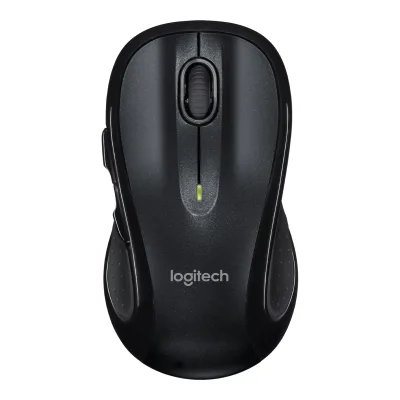 Logitech M510 Wireless Mouse
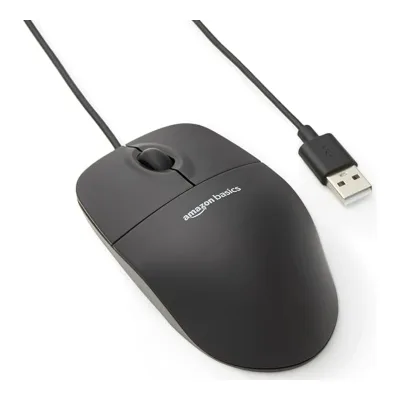 Amazon Basics 3-Button USB Wired Mouse
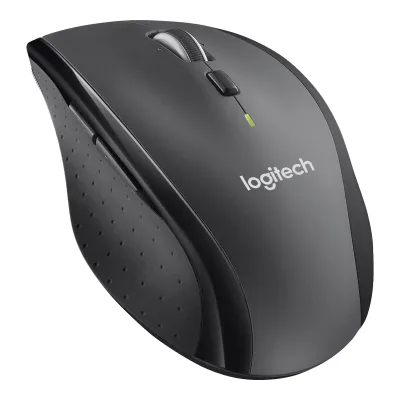 Logitech M705 Marathon Wireless Mouse
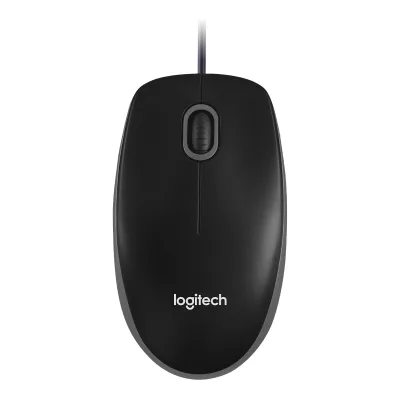 Logitech B100 Optical USB Mouse
 Logitech G309 LIGHTSPEED
 SteelSeries Rival 3 Wireless Gen 2
Change Razer Basilisk V3 35K
Compare the Apple Magic Mouse (USB-C) with
Microsoft Surface Mouse (2nd Edition)Logitech MX Master 4Logitech Signature Comfort Plus M850 LLogitech MX Master 3SLogitech Signature M650 Wireless MouseLogitech Signature M550 Wireless MouseLogitech M510 Wireless MouseAmazon Basics 3-Button USB Wired MouseLogitech M705 Marathon Wireless MouseLogitech B100 Optical USB MouseLogitech G309 LIGHTSPEEDSteelSeries Rival 3 Wireless Gen 281 of 146 fields differ
- 27 different values
- 54 known for one only
- 7 the same
- 58 missing for both
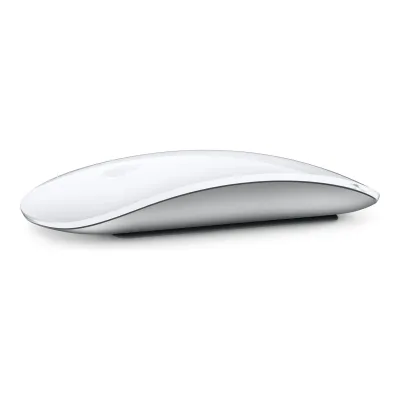
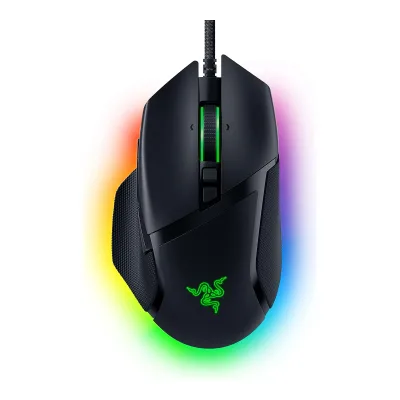
Size, drawn to scale
Front and side.
- AApple: 57.1 × 21.6 mm
- BRazer: 75.4 × 42.5 mm
Weight
0 to 300 g
Mouse weight (claimed)
A99g
B101g
All 154 fields
Every value links to where we found it.
General
7 of 9 differ
Series
Model numbers
A3204, MXK53AM/A, MXK63AM/A, MXK53Z/A, MXK63Z/A2Maker product pageapple.com/shop/product/MXK53AM/A/magic-mouse-white-multi-touch-surfaceRead 6 October 2026US Apple Store part number MXK53AM/A for Magic Mouse (USB-C) - White Multi-Touch Surface.3Maker product pageapple.com/shop/product/MXK63AM/A/magic-mouse-black-multi-touch-surfaceRead 6 October 2026US Apple Store part number MXK63AM/A for Magic Mouse (USB-C) - Black Multi-Touch Surface.10Spec databaseifixit.com/Device/Magic_Mouse_2Read 10 October 2026iFixit device page: Lightning port (A1657), USB-C port (A3204). Apple's own pages read here do not print the A number.17Spec databasegeizhals.at/apple-magic-mouse-usb-c-v181917.htmlRead 21 October 2026Geizhals lists MXK53Z/A for the white and MXK63Z/A for the black Magic Mouse (USB-C).18Retailer pagewebshop.itm8.com/apple-magic-mouse-wh-int/cat-p/c/p1005062122Read 21 October 2026Distributor listing prints part number MXK53Z/A.
GTIN / EAN
0195949655883, 019594965596815Retailer pagebarcodesinc.com/apple/part-mxk53am-a.htmRead 7 October 2026Exact part MXK53AM/A, white USB-C mouse. Retailer lists GTIN 0195949655883. This GTIN belongs only to the white US row.18Retailer pagewebshop.itm8.com/apple-magic-mouse-wh-int/cat-p/c/p1005062122Read 21 October 2026Distributor listing for MXK53Z/A (white, international) gives EAN 0195949655968. A Sports Direct listing shows the same number. The US white part has 0195949655883.
Not available
Announced
Status
Predecessor
Not available
Not available
Successor
Not available
Not available
Launch price (US)
Launch price (EU)
Markets
US, DE2Maker product pageapple.com/shop/product/MXK53AM/A/magic-mouse-white-multi-touch-surfaceRead 6 October 2026US Apple Store offers the product with Add to Bag on 2026-10-06.8Press releaseapple.com/de/newsroom/2024/10/apples-new-mac-mini-is-more-mighty-more-mini-and-built-for-apple-intelligenceRead 6 October 2026German press release says the new USB-C accessories are available on apple.com/de/store.
Colours
White Multi-Touch Surface, Black Multi-Touch Surface1Maker product pagesupport.apple.com/en-us/121931Read 21 October 20262Maker product pageapple.com/shop/product/MXK53AM/A/magic-mouse-white-multi-touch-surfaceRead 6 October 20263Maker product pageapple.com/shop/product/MXK63AM/A/magic-mouse-black-multi-touch-surfaceRead 6 October 2026
Segment
Mouse type
Shape
4 of 14 differ
Body shape
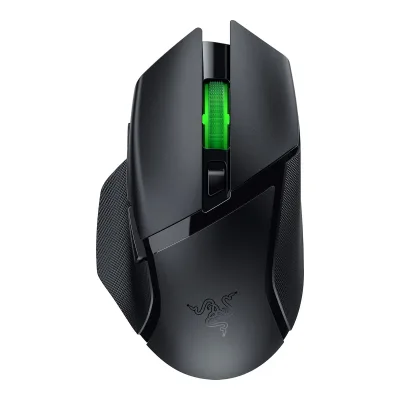
Asymmetric, right-handed1Maker product pagerazer.com/gaming-mice/razer-basilisk-v3-35kRead 11 October 2026
Maker size class
Not available
Not available
Recommended grips
Not available
Not available
Recommended hand size
Not available
Not available
Hump position
Thumb rest
Not available
Ring or pinky finger rest
Not available
Upper shell
Not available
Not available
Swappable parts
Not available
Not available
Adjustable weight
Not available
Not available
Maximum added weight
Not available
Not available
Vertical angle
Not available
Not available
Trackball diameter
Not available
Not available
Trackball position
Not available
Not available
Dimensions and weight
2 of 5 differ
Mouse body dimensions
Length113.5Maximum width57.1Maximum height21.6mm(4.5 × 2.2 × 0.9 in)1Maker product pagesupport.apple.com/en-us/121931Read 21 October 2026Size and Weight: Height 2.16 cm, Width 5.71 cm, Depth 11.35 cm. Depth is stored as front-to-rear length. Metric values are copied, rounded inch values are not converted.
Length130Maximum width75.4Maximum height42.5mm(5.1 × 3 × 1.7 in)1Maker product pagerazer.com/gaming-mice/razer-basilisk-v3-35kRead 11 October 2026Product page spec list: length 130.0, width 75.1, height 42.5 mm. The master guide states 75.4 mm width, which is stored. Tom's Hardware also lists 75.4 mm for the sibling Pro model.3Owner's manualmanualslib.tech/guide/1013012/razer-basilisk-v3-35k-manual.htmlRead 11 October 2026ManualsLib copy of the Razer Basilisk V3 35K master guide, technical specifications: approximate size 130.0 x 75.4 x 42.5 mm. The product page lists width 75.1 mm. The manual is preferred over the product page.
Grip width
Not available
Not available
Mouse weight (claimed)
Box dimensions
Not available
Not available
Packed weight
Not available
Not available
Sensor
16 of 20 differ
Marketed sensor name
Not available
Focus Pro 35K Optical Sensor Gen-21Maker product pagerazer.com/gaming-mice/razer-basilisk-v3-35kRead 11 October 2026
Published sensor brand
Not available
Physical sensor part number
Not available
Not available
Sensor type
Maximum configurable DPI
Not available
Minimum configurable DPI
Not available
DPI adjustment step
Not available
Maximum DPI stages
Not available
52Owner's manualdl.razerzone.com/master-guides/RazerSynapse3/BASILISKV3-00000203-en.pdfRead 11 October 2026Performance section: you can create up to 5 sensitivity stages.3Owner's manualmanualslib.tech/guide/1013012/razer-basilisk-v3-35k-manual.htmlRead 11 October 2026Synapse section: up to 5 sensitivity stages.
Default DPI presets
Not available
400, 800, 1,600, 3,200, 6,400DPI2Owner's manualdl.razerzone.com/master-guides/RazerSynapse3/BASILISKV3-00000203-en.pdfRead 11 October 2026Page 2: the DPI stages are 400, 800, 1600 (default), 3200 and 6400.3Owner's manualmanualslib.tech/guide/1013012/razer-basilisk-v3-35k-manual.htmlRead 11 October 2026Guide: the DPI stages are 400, 800, 1600 (default), 3200 and 6400. The 1600 default is the stage active out of the box.
Separate X and Y DPI
Not available
Yes2Owner's manualdl.razerzone.com/master-guides/RazerSynapse3/BASILISKV3-00000203-en.pdfRead 11 October 2026Performance section: the Enable X-Y function can be turned on for each stage.3Owner's manualmanualslib.tech/guide/1013012/razer-basilisk-v3-35k-manual.htmlRead 11 October 2026Synapse section: each stage can enable the Enable X-Y function.
Tracking speed (claimed)
Not available
Tracking acceleration (claimed)
Not available
Lift-off distance settings
Not available
Not available
Separate lift and landing distance
Not available
Yes1Maker product pagerazer.com/gaming-mice/razer-basilisk-v3-35kRead 11 October 2026Sensor table: asymmetric cut-off, up to 26 steps. Millimetre values are not stated.3Owner's manualmanualslib.tech/guide/1013012/razer-basilisk-v3-35k-manual.htmlRead 11 October 2026Calibration subtab: Enable Asymmetric Cut-Off sets separate lift-off and landing distances.
Surface calibration
Not available
Yes1Maker product pagerazer.com/gaming-mice/razer-basilisk-v3-35kRead 11 October 2026Sensor table: Smart Tracking (Low / Med / High).3Owner's manualmanualslib.tech/guide/1013012/razer-basilisk-v3-35k-manual.htmlRead 11 October 2026Calibration subtab: optimize the sensor to any surface, with Smart Tracking.
Motion Sync
Not available
Angle snapping
Not available
Not available
Ripple control
Not available
Not available
Tracks on glass
Not available
Sensor position
Performance
3 of 8 differ
Documented polling rates by connection
AApple Magic Mouse (USB-C)
Not availableBRazer Basilisk V3 35K
| Data connection | Polling rate (Hz) |
|---|---|
| USB (wired) | 125 |
| USB (wired) | 500 |
| USB (wired) | 1,000 |
Source2Owner's manualdl.razerzone.com/master-guides/RazerSynapse3/BASILISKV3-00000203-en.pdfRead 11 October 2026Performance screenshot offers polling rate buttons 125, 500 and 1000 Hz. The mouse is wired only, so the rates apply to the wired connection.5Spec databaseeloshapes.com/mouse/compareRead 11 October 2026Database lists a polling rate of 1000 Hz. TechGearLab also reports 1000 Hz.6Reviewtechgearlab.com/reviews/cool-gadgets/gaming-mouse/razer-basilisk-v3-35kRead 11 October 2026Review measured a steady 1000 Hz polling rate that never dipped below 1000 Hz.
Max polling rate
Not available
1,000Hz
Polling rate (wired)
Not available
1,000Hz
Polling rate (2.4 GHz)
Not available
Not available
Polling rate (Bluetooth)
Not available
Not available
Claimed click latency
Not available
Not available
Adjustable debounce
Not available
Not available
Minimum debounce
Not available
Not available
Measured
1 of 7 differ
Latency per connection (measured)
Not available
Not available
DPI deviation (measured)
Not available
Not available
Lift-off distance (measured)
Not available
Not available
Main click force (measured)
Not available
Not available
Weight (measured)
Not available
Battery life (measured)
Not available
Not available
Hand size fit
Not available
Not available
Switches
6 of 11 differ
Main switch type
Not available
Published main-switch brand
Not available
Main switch model
Not available
Optical Mouse Switches Gen-31Maker product pagerazer.com/gaming-mice/razer-basilisk-v3-35kRead 11 October 2026
Main switch rated life
Not available
Hot-swap main switches
Not available
Not available
Adjustable click actuation
Not available
Not available
Separate main buttons
Not available
Not available
Side switch model
Not available
Not available
Middle click switch
Not available
Not available
Scroll encoder type
Not available
Scroll encoder
Not available
Razer HyperScroll Tilt Wheel5Spec databaseeloshapes.com/mouse/compareRead 11 October 2026Database name: Razer HyperScroll Tilt Wheel.
Buttons and scroll wheel
10 of 13 differ
Physical button inputs
Not available
112Owner's manualdl.razerzone.com/master-guides/RazerSynapse3/BASILISKV3-00000203-en.pdfRead 11 October 2026Page 2 layout: left, right, wheel (click and two tilts), scroll mode button, DPI cycle button, multi-function trigger, mouse buttons 4 and 5 and the profile button. Counted as 11.3Owner's manualmanualslib.tech/guide/1013012/razer-basilisk-v3-35k-manual.htmlRead 11 October 2026Guide device layout lists left, right, wheel (click and tilt both ways), scroll mode button, DPI cycle button, multi-function trigger, mouse buttons 4 and 5 and the profile button. Counted as 11 physical inputs.
Programmable buttons
Not available
111Maker product pagerazer.com/gaming-mice/razer-basilisk-v3-35kRead 11 October 2026Spec list and FAQ: 11 programmable buttons. The page also advertises 13 controls, which include scroll up and down.3Owner's manualmanualslib.tech/guide/1013012/razer-basilisk-v3-35k-manual.htmlRead 11 October 2026Guide: 11 programmable buttons.
Side buttons
Side buttons on
Not available
DPI button
DPI button position
Not available
Not available
Profile button
Yes1Maker product pagerazer.com/gaming-mice/razer-basilisk-v3-35kRead 11 October 2026FAQ: the button on the bottom toggles the onboard profiles by default and is remappable in Synapse 4.2Owner's manualdl.razerzone.com/master-guides/RazerSynapse3/BASILISKV3-00000203-en.pdfRead 11 October 2026Page 2 lists a profile button (M) and a profile indicator (L).3Owner's manualmanualslib.tech/guide/1013012/razer-basilisk-v3-35k-manual.htmlRead 11 October 2026Guide lists a profile button and a profile indicator.
Dedicated DPI-shift button
Not available
Dedicated gesture button
Not available
Scroll wheel
Not available
Notched, Free spin, Tilt1Maker product pagerazer.com/gaming-mice/razer-basilisk-v3-35kRead 11 October 2026
Scroll mode switch
None12Reviewcultofmac.com/reviews/apple-magic-mouse-reviewRead 21 October 2026States there is no scroll wheel or scroll ball. Scrolling uses the capacitive multi-touch surface, so there is no wheel mode switch.16Owner's manualcdsassets.apple.com/live/6GJYWVAV/user/locale/en-gb/magic-mouse-usb-c-ug.pdfRead 21 October 2026Page 2: the Multi-Touch surface is used to click, tap, slide or swipe. The guide lists no scroll wheel and no wheel mode.
Automatic1Maker product pagerazer.com/gaming-mice/razer-basilisk-v3-35kRead 11 October 2026Tactile and free-spin modes are electronically actuated. Smart-Reel auto-switches by scroll speed.3Owner's manualmanualslib.tech/guide/1013012/razer-basilisk-v3-35k-manual.htmlRead 11 October 2026Guide shows a scroll mode button and a Smart-Reel option that switches Free-Spinning and Tactile Cycling automatically.
Separate thumb wheel
Scroll wheel material
Not available
Not available
Build
5 of 6 differ
Shell material
Plastic, polymer unspecified5Spec databaseeloshapes.com/mouse/compareRead 11 October 2026Database material: plastic.
Surface finish
Glossy12Reviewcultofmac.com/reviews/apple-magic-mouse-reviewRead 21 October 2026Design section: black USB-C review unit has a glossy mirror-like finish. White finish is corroborated by the exact USB-C PCMag review.13Reviewtech.yahoo.com/computing/articles/apple-magic-mouse-usb-c-140000357.htmlRead 21 October 2026Exact USB-C PCMag review independently checked for both white and black glossy exteriors. Public indexed text was readable. Direct article fetch returned 403.
Not available
Installed feet material
Feet shape
Not available
Feet thickness
Not available
Not available
Cable
3 of 5 differ
Cable
Cable length
Not available
Not available
Detachable cable
Port on mouse
Connectivity
5 of 13 differ
Connections
Bluetooth1Maker product pagesupport.apple.com/en-us/121931Read 21 October 2026Connections and Expansion lists Bluetooth and Wireless. The USB-C cable is for pairing and charging, see the setup and charging articles.5Maker product pagesupport.apple.com/en-us/119917Read 6 October 2026Set up article: Magic Mouse works wirelessly via Bluetooth. The USB connection recharges the battery and pairs with the Mac. Unplug the device for wireless use.
Wireless technology
Bluetooth1Maker product pagesupport.apple.com/en-us/121931Read 21 October 2026Connections and Expansion: Bluetooth. No version number is given.16Owner's manualcdsassets.apple.com/live/6GJYWVAV/user/locale/en-gb/magic-mouse-usb-c-ug.pdfRead 21 October 2026Page 1: uses Bluetooth technology to connect wirelessly to your Mac.
Not available
Bluetooth
Not available
Not available
Saved Bluetooth pairing slots
Not available
Not available
Switchable host devices
Not available
Device switching
Not available
Not available
Receiver host connector
Not available
Receiver storage in mouse
Not available
Not available
Receiver extender included
Not available
Not available
Receiver pairing shared
Not available
Not available
Wireless range
Not available
Not available
Basic mouse OS support
Not available
Consoles
Not available
Not available
Battery
7 of 17 differ
Battery type
Li-ion10Spec databaseifixit.com/Device/Magic_Mouse_2Read 10 October 2026Background: Magic Mouse 2 is Apple's first mouse with an internal lithium-ion battery. The page covers both A1657 (Lightning) and A3204 (USB-C) and says the October 2024 update replaces the Lightning port with USB-C. It gives no capacity for A3204, so none is stored.16Owner's manualcdsassets.apple.com/live/6GJYWVAV/user/locale/en-gb/magic-mouse-usb-c-ug.pdfRead 21 October 2026Page 4: the lithium-ion battery in your Magic Mouse should be serviced or recycled by Apple or an authorized service provider.
Not available
Disposable battery count
Not available
Not available
Battery capacity
Not available
Not available
User-replaceable battery
No4Maker product pagesupport.apple.com/en-us/102292Read 6 October 2026Apple calls it the built-in battery and contrasts it with earlier models with removable batteries. No user replacement procedure is documented.16Owner's manualcdsassets.apple.com/live/6GJYWVAV/user/locale/en-gb/magic-mouse-usb-c-ug.pdfRead 21 October 2026Page 4: contains no user-serviceable parts, and the battery should be serviced by Apple or an authorized provider.
Not available
Battery life by mode (claimed)
Not available
Not available
Battery life (up to)
Not available
Not available
Battery life (normal use)
Not available
Longest battery life
Not available
Not available
Battery life at 1000 Hz
Not available
Not available
Battery life on Bluetooth
Not available
Not available
Charging port
Not available
Full charge time
Not available
Not available
Quick charge
Not available
Not available
Use while charging
Not available
Charging system compatibility
Not available
Not available
Charging dock included
Not available
Battery indicator
Not available
Lighting
3 of 4 differ
Decorative RGB lighting
Not available
Decorative lighting zones
Not available
Lighting sync
Not available
DPI indicator
Not available
Not available
Software
6 of 9 differ
Software
Configuration software platforms
Onboard memory
Not available
Onboard profiles
Not available
51Maker product pagerazer.com/gaming-mice/razer-basilisk-v3-35kRead 11 October 2026Spec list: on-board memory with 5 profiles.3Owner's manualmanualslib.tech/guide/1013012/razer-basilisk-v3-35k-manual.htmlRead 11 October 2026Guide: up to 5 profiles stored on the mouse, usable on systems without the app.
Macros
Not available
Macros stored onboard
Not available
Not available
Button remapping
Per-app profiles
Not available
User firmware updates
Not available
Not available
In the box
2 of 4 differ
In the box
Magic Mouse, USB-C Charge Cable1Maker product pagesupport.apple.com/en-us/121931Read 21 October 2026What's in the Box: Magic Mouse, USB-C Charge Cable.
Razer Basilisk V3 35K, Important Product Information Guide1Maker product pagerazer.com/gaming-mice/razer-basilisk-v3-35kRead 11 October 2026Spec list box contents: the mouse and the Important Product Information Guide.
Cables included
AApple Magic Mouse (USB-C)
| Type | Cable count |
|---|---|
| USB-C Charge Cable | 1 |
BRazer Basilisk V3 35K
| Type | Cable count |
|---|---|
| Fixed Razer Speedflex cable | 1 |
Extra skates included
Links
Not compared
Product page
Spec sheet
support.apple.com/en-us/1219311Maker product pagesupport.apple.com/en-us/121931Read 21 October 2026Apple Support page Magic Mouse (USB-C) - Tech Specs. Year introduced 2024.
Not available
Manual
cdsassets.apple.com/live/6GJYWVAV/user/locale/en-gb/magic-mouse-usb-c-ug.pdf16Owner's manualcdsassets.apple.com/live/6GJYWVAV/user/locale/en-gb/magic-mouse-usb-c-ug.pdfRead 21 October 2026Magic Mouse (USB-C) User Guide, English (UK), linked from Apple Support page support.apple.com/en-gb/docs/accessories/pp195.
dl.razerzone.com/master-guides/RazerSynapse3/BASILISKV3-00000203-en.pdf2Owner's manualdl.razerzone.com/master-guides/RazerSynapse3/BASILISKV3-00000203-en.pdfRead 11 October 2026Official English Razer master guide for the Basilisk V3 35K, Synapse 3 edition, 33 pages. Its text layer is unreadable, so it was read through page images. It has no technical specification table.
EPREL registration number
Not available
Not available
Warranty
1 of 1 differ
Manufacturer warranty (source market)