Monitors / Compare
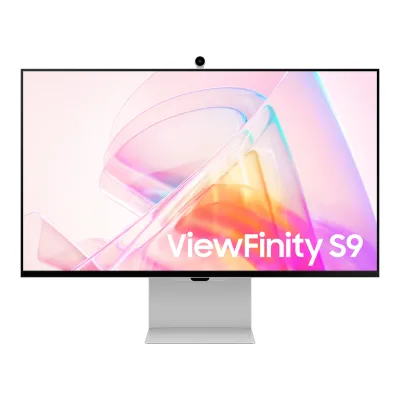
Apple Studio Display (2022) vs Samsung ViewFinity S9 S90PC
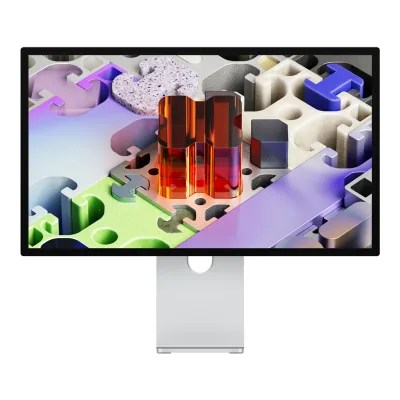
Product A: Apple
71 of 172 known
Change Apple Studio Display (2022)
Compare the Samsung ViewFinity S9 S90PC with
Product B: Samsung
96 of 172 known
Change Samsung ViewFinity S9 S90PC
Compare the Apple Studio Display (2022) with
78 of 164 fields differ
- 26 different values
- 52 known for one only
- 27 the same
- 59 missing for both
Biggest differences
Each bar uses the scale of all 179 monitors.
- Power use SDR (EU label)Lower is betterA: 21.2WB: 26.1WApple is 4.9 W lower.
Refresh rate per resolution
The best rate over any port. Bars run from 0 to 1200 Hz.
5120 × 2880Native for both
A60Hz
B60Hz
Size, drawn to scale
Front and side, on their stands.
- AApple: 623 × 362 mm
- BSamsung: 611.4 × 364.1 mm
We have no stand height for Samsung, so it is drawn without its stand.
Weight
0 to 15 kg
Weight with stand
A6.3kg
B7.4kg
Weight without stand
A5.5kg
B4.7kg
All 172 fields
Every value links to where we found it.
General
5 of 8 differ
Series
Model numbers
GTIN / EAN
Not available
Not available
Announced
Not available
Predecessor
Not available
Not available
Successor
Apple Studio Display (2026)13Press article9to5mac.com/2026/03/03/apple-launches-new-generation-of-studio-displayRead 23 October 20269to5Mac says the new Studio Display is a straight replacement for the previous-generation model.
Not available
Launch price (US)
Launch price (EU)
Not available
Markets
Not available
Not available
Colours
Segment
Display
6 of 12 differ
Screen size
Viewable screen diagonal
Not available
Native resolution
Aspect ratio
Pixel density
217.6ppi
217.6ppi
Pixel pitch
Not available
Active display area
Not available
Curvature radius
Not available
Not available
Screen surface
Anti-reflection coating
Touchscreen
Not available
Not available
Panel
14 of 31 differ
Panel type
Panel type (as published)
Not available
Backlight
Not available
Not available
Local dimming
Not available
Dimming zones
Not available
Not available
Panel maker
Not available
Not available
Panel part number
Not available
Not available
Panel generation
Not available
Not available
Subpixel layout
Not available
Not available
Colour depth
Displayable colours
DCI-P3 coverage
Not available
99%1Maker product pagesamsung.com/us/monitors/flat/27-viewfinity-s9-5k-monitor-with-thunderbolt-4-matte-display-and-smart-features-sku-ls27c900panxzaRead 5 October 2026Exact U.S. model data. Own typical maker DCI coverage, expressly DCI-P3 in own release. CIE 1976 explicitly identified in own July 17 release footnote 1.6Press releasenews.samsung.com/us/samsung-viewfinity-s9-an-astounding-new-5k-monitorRead 5 October 2026Own July 17 release DCI-P3 99% claim footnote 1 explicitly colour representation calculated in CIE 1976. Not reviewer measured gamut.
Adobe RGB coverage
Not available
Not available
Rec. 2020 coverage
Not available
Not available
NTSC coverage
Not available
Not available
Factory calibrated
Not available
Yes1Maker product pagesamsung.com/us/monitors/flat/27-viewfinity-s9-5k-monitor-with-thunderbolt-4-matte-display-and-smart-features-sku-ls27c900panxzaRead 5 October 2026Exact U.S. model data. Own Factory Tuning Yes, with own release explicitly sRGB factory calibration before shipment.6Press releasenews.samsung.com/us/samsung-viewfinity-s9-an-astounding-new-5k-monitorRead 5 October 2026Own sRGB factory calibration completed before shipment. Smartphone Smart Calibration is separately supported, but internal hardware LUT writes are not expressly established here, so hardware_calibration remains omitted.
Paper calibration report in box
Not available
Not available
Hardware calibration support
Not available
Not available
Static contrast ratio
Not available
Brightness (typical, SDR)
Brightness (maker minimum)
Not available
Peak brightness (HDR)
Not available
Not available
HDR peak test window
Not available
Not available
Full-screen brightness
Not available
Not available
HDR formats
Not available
HDR108Reviewparkablogs.com/content/samsung-viewfinity-s9-monitor-designer-reviewRead 5 October 2026Exact own-model first-hand review explicitly HDR10. No other HDR format or certification inferred.9Reviewchip.de/test/samsung-viewfinity-s9-s27c902pau-im-test_323411Read 5 October 2026Exact own-model first-hand review explicitly HDR10. No other HDR format or certification inferred.
HDR certification
Not available
Viewing angle (horizontal)
Not available
Refresh rate and motion
4 of 22 differ
Refresh rate per resolution and port
AApple Studio Display (2022)
| Resolution | Thunderbolt 3 |
|---|---|
| 5120 × 2880Native | 60Hz |
BSamsung ViewFinity S9 S90PC
| Resolution | DisplayPort 1.4 | Thunderbolt 4 |
|---|---|---|
| 5120 × 2880Native | 60Hz | 60Hz |
Max refresh rate
60Hz
60Hz
Max refresh rate at native resolution
60Hz
60Hz
Max refresh rate over DisplayPort
Not available
60Hz
Max refresh rate over HDMI
Not available
Not available
Max refresh rate over USB-C
60Hz
60Hz
Max refresh rate at 10-bit
Not available
Not available
Native refresh rate
Overclocked refresh rate
Not available
Not available
Dual mode
Not available
Not available
Minimum fixed refresh rate
Not available
Not available
Adaptive sync technologies
Not available
Not available
VRR range per port
Not available
Not available
Low framerate compensation
Not available
Not available
Response time (maker GtG claim)
Not available
Response time (maker MPRT claim)
Not available
Not available
Overdrive settings
Not available
Not available
Motion blur reduction
Not available
Not available
Blur-reduction technology
Not available
Not available
Blur reduction works with VRR
Not available
Not available
Flicker-free (claimed)
Not available
Black frame insertion
Not available
Not available
Measured
4 of 12 differ
Input lag at maximum refresh rate
Not available
Not available
Input lag at 60 Hz
Not available
Average response time (measured)
Not available
Not available
Overshoot (measured)
Not available
Not available
Contrast ratio (measured)
SDR brightness (measured)
HDR brightness in a real scene (measured)
Not available
Not available
PWM flicker frequency (measured)
Not available
Not available
VRR range (measured)
Not available
Not available
Colour accuracy (measured Delta E)
Not available
Gray uniformity (measured)
Not available
Not available
Reflections (measured)
Not available
Not available
Connectivity
9 of 19 differ
Video inputs
AApple Studio Display (2022)
| Type | Version | Count |
|---|---|---|
| Thunderbolt | 3 | 1 |
BSamsung ViewFinity S9 S90PC
| Type | Version | Count | Max bandwidth (Gbps) | HDCP |
|---|---|---|---|---|
| Thunderbolt | 4 | 1 | 40 | 2.2 |
| Mini DisplayPort | 1.4 | 1 | Not available | 2.2 |
Source1Maker product pagesamsung.com/us/monitors/flat/27-viewfinity-s9-5k-monitor-with-thunderbolt-4-matte-display-and-smart-features-sku-ls27c900panxzaRead 5 October 2026Own one Thunderbolt 4 and one Mini DP, each HDCP 2.2. Physical Mini DP uses DisplayPort protocol, with 1.4 explicitly in CHIP exact review. Thunderbolt raw 40 Gbps separately own manual. Thunderbolt USB-C fallback shares the same physical socket, not an additional input. Three other USB-C sockets are downstream data/charging only. Unknown DSC omitted. Parka miniDP version 2.2 conflicts with actual 1.4 and appears confused with HDCP 2.2, so is excluded.9Reviewchip.de/test/samsung-viewfinity-s9-s27c902pau-im-test_323411Read 5 October 2026Exact S27C902PAU first-hand review directly lists Mini DisplayPort 1.4. Core matches manufacturer S90PC manual. Not Parka mistaken Mini DP 2.2 or an inferred DP version from resolution.
HDMI ports
0
0
DisplayPort ports
0
1
Highest HDMI version
Not available
Not available
Highest DisplayPort version
Not available
1.4
HDMI features
Not available
Not available
USB-C video (DP Alt Mode)
Not available
USB-C power delivered
Thunderbolt
Not available
USB upstream ports
AApple Studio Display (2022)
Not availableBSamsung ViewFinity S9 S90PC
| Connector | Count |
|---|---|
| USB-C | 1 |
USB downstream hub ports
AApple Studio Display (2022)
| Connector | USB version | Count |
|---|---|---|
| USB-C | 10 Gbps | 3 |
BSamsung ViewFinity S9 S90PC
| Connector | USB version | Count |
|---|---|---|
| USB-C | 3.0 | 3 |
Daisy chain (MST)
Ethernet
3.5 mm headphone output
3.5 mm microphone input
Optical out
Picture in picture
Not available
Not available
Picture by picture
Not available
Not available
Smart features
4 of 4 differ
Smart platform
Not available
Bluetooth
Not available
Audio and camera
2 of 5 differ
Speakers
Number of speakers
Speaker power per channel
Not available
Webcam
Microphone
Ergonomics and controls
8 of 15 differ
Stand height adjustment
Tilt
Swivel
Not available
Pivot
Not available
Removable stand
VESA mount
VESA adapter needed
Not available
Not available
Security lock slot
Not available
Not available
On-screen menu controls
Not available
Buttons, Remote, Software2Owner's manualorg.downloadcenter.samsung.com/downloadfile/ContentsFile.aspxRead 5 October 2026Own page 20 Controller button opens Home/Settings/Return/Source control menu. Included remote operates display menus and settings. Rocker/directional controller not a confirmed separate joystick. Layout-only Easy Setting Box excluded.6Press releasenews.samsung.com/us/samsung-viewfinity-s9-an-astounding-new-5k-monitorRead 5 October 2026Own exact U.S. release SmartThings phone controls luminance, gamma, colour temperature and colour space. Mobile software operates display settings. Desktop control software remains unproved and control_software is omitted.10Owner's manualorg.downloadcenter.samsung.com/downloadfile/ContentsFile.aspxRead 5 October 2026Exact same-SKU current e-manual printed page 85 mobile SmartThings virtual remote includes four directional keys. Software control here is mobile app display/menu control, not a proved desktop application.
Desktop software
Not available
Not available
User firmware updates
Ambient light sensor
Presence sensor
Not available
RGB lighting
Not available
Not available
Gaming menu features
Not available
Virtual Aim Point, Game Bar, Super Ultrawide GameView, Game Mode1Maker product pagesamsung.com/us/monitors/flat/27-viewfinity-s9-5k-monitor-with-thunderbolt-4-matte-display-and-smart-features-sku-ls27c900panxzaRead 5 October 2026Exact U.S. model data. Own exact named functions. Gaming Hub is streaming service, not a native refresh or VRR technology. Model-generic e-manual options not automatically inherited.
OLED care
None of 3 known
OLED care
Not available
Not available
Burn-in covered by warranty
Not available
Not available
Burn-in warranty length
Not available
Not available
Dimensions and weight
6 of 7 differ
Dimensions with stand
Width623Height (lowest)478Height (highest)478Depth168mm(24.5 × 18.8 × 6.6 in)1Maker product pagesupport.apple.com/en-us/111890Read 10 October 2026Studio Display with tilt-adjustable stand: width 24.5 in (62.3 cm), height 18.8 in (47.8 cm), depth 6.6 in (16.8 cm). The stand has no height travel, so lowest and highest height are the same.
Dimensions without stand
Width623Height362Depth31mm(24.5 × 14.3 × 1.2 in)1Maker product pagesupport.apple.com/en-us/111890Read 10 October 2026Studio Display with VESA mount adapter: width 24.5 in (62.3 cm), height 14.3 in (36.2 cm), depth 1.2 in (3.1 cm). The stand is built in and cannot be removed, so this configuration with the adapter attached is the closest published body size.
Width611.4Height364.1Depth27.1mm(24.1 × 14.3 × 1.1 in)3Maker product pagesamsung.com/ca/monitors/high-resolution/viewfinity-s9-27-inch-ls27c900panxzaRead 5 October 2026Exact same North American SKU metric body, matches original manufacturer sheet. Includes body, not removable stand. Camera inclusion in these body dimensions unstated.
Stand footprint
Not available
Not available
Weight with stand
Weight without stand
Box dimensions
Not available
Power
9 of 13 differ
Power supply
Adapter rating
Not available
Not available
Input voltage
Power use SDR (EU label)
Power use HDR (EU label)
Not available
Standby power
Off-mode power
Not available
Not available
EU energy class SDR
EU energy class HDR
Not available
Energy per 1000 h SDR
Certifications
4 of 9 differ
VESA ClearMR
Not available
Not available
VESA AdaptiveSync Display
Not available
Not available
TÜV certifications
Not available
Not available
Low blue light
Not available
ENERGY STAR
Not available
TCO Certified
Not available
Not available
Colour certifications
Not available
Not available
Other certifications
Not available
Pantone Validated, UL Glare Free, TÜV Eye Care1Maker product pagesamsung.com/us/monitors/flat/27-viewfinity-s9-5k-monitor-with-thunderbolt-4-matte-display-and-smart-features-sku-ls27c900panxzaRead 5 October 2026Exact U.S. model data. Own explicit compliance rows. No unproved VESA DisplayHDR certification inferred from HDR Yes.4Maker spec sheet (PDF)images.samsung.com/is/content/samsung/assets/de/display/pdf/Datenblatt_Business_Monitor_LS27C902PAUXEN.pdfRead 5 October 2026Original page 3 explicitly TÜV Eye Care, UL Glare Free and Pantone Validated. Certificate IDs not stated.
In the box
2 of 2 differ
In the box
Studio Display, Thunderbolt cable (1 m)1Maker product pagesupport.apple.com/en-us/111890Read 10 October 2026In the Box: Studio Display and Thunderbolt cable (1 m). The power cable is attached and not listed.
Monitor, Stand, AC/DC adapter, Power cable, Thunderbolt 4 cable, Remote control, 4K SlimFit camera, Pogo adapter3Maker product pagesamsung.com/ca/monitors/high-resolution/viewfinity-s9-27-inch-ls27c900panxzaRead 5 October 2026Exact same SKU accessory rows, own U.S. accessories and own manual stand/camera/power assembly. Camera detachable. Paper calibration report and regional Mini DP cable inclusion unproved.
Cables included
AApple Studio Display (2022)
| Type | Count |
|---|---|
| Thunderbolt cable (1 m) | 1 |
BSamsung ViewFinity S9 S90PC
| Type |
|---|
| Power cable |
| Thunderbolt 4 cable |
Warranty
1 of 2 differ
Manufacturer warranty (source market)
Not available
Dead pixel policy
Not available
Not available
Links
Not compared
Product page
Not available
www.samsung.com/us/monitors/flat/27-viewfinity-s9-5k-monitor-with-thunderbolt-4-matte-display-and-smart-features-sku-ls27c900panxza1Maker product pagesamsung.com/us/monitors/flat/27-viewfinity-s9-5k-monitor-with-thunderbolt-4-matte-display-and-smart-features-sku-ls27c900panxzaRead 5 October 2026Exact U.S. model data. Exact U.S. LS27C900PANXZA, bridge group 572688. 49-inch S95UF and other ViewFinity S9 families excluded.
Spec sheet
images.samsung.com/is/content/samsung/assets/de/display/pdf/Datenblatt_Business_Monitor_LS27C902PAUXEN.pdf4Maker spec sheet (PDF)images.samsung.com/is/content/samsung/assets/de/display/pdf/Datenblatt_Business_Monitor_LS27C902PAUXEN.pdfRead 5 October 2026Original current Samsung three-page S27C902PAU/LS27C902PAUXEN sheet, January 30, 2026. Matching own S27C90 core hardware. Regional GTIN, two-year warranty and bundle are excluded. Contradictory Lautsprecher Nein ignored against its own Speaker Ja and exact U.S./Canada speakers.
Manual
support.apple.com/guide/studio-display/take-a-tour-studio-display-apd90cb5b744/2023/mac/142Owner's manualsupport.apple.com/guide/studio-display/take-a-tour-studio-display-apd90cb5b744/2023/mac/14Read 10 October 2026Apple Studio Display user guide for the 2023 macOS 14 edition, which describes the Thunderbolt 3 model.
org.downloadcenter.samsung.com/downloadfile/ContentsFile.aspx2Owner's manualorg.downloadcenter.samsung.com/downloadfile/ContentsFile.aspxRead 5 October 2026Own U.S. original English ZIP, August 19, 2023, revision 2306130. Shared M5/M7/M8/S9 cover. Only applicable S27C90/S9 rows used. No HDMI or 65 W charging inherited from M7/M8.
Both are also in the API. Back to all monitors.