Motherboards / Compare
ASRock B860 Pro-A WiFi vs ASUS TUF GAMING B860-PLUS WIFI
Product A: ASRock
59 of 78 known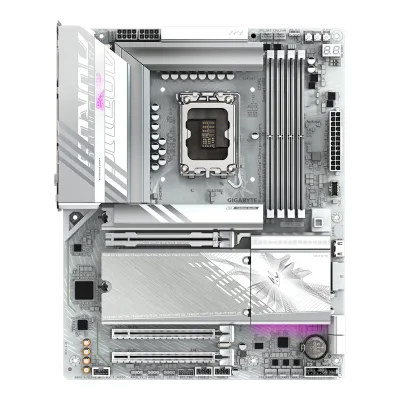 GIGABYTE B860 AORUS ELITE WIFI7 ICE
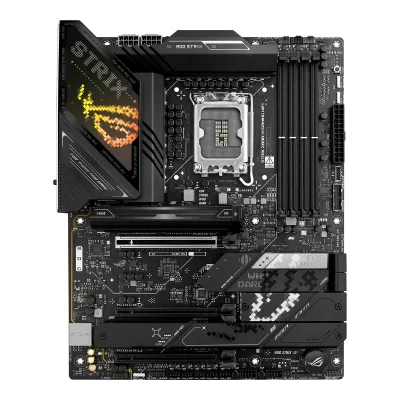 ASUS ROG STRIX Z890-H GAMING WIFI
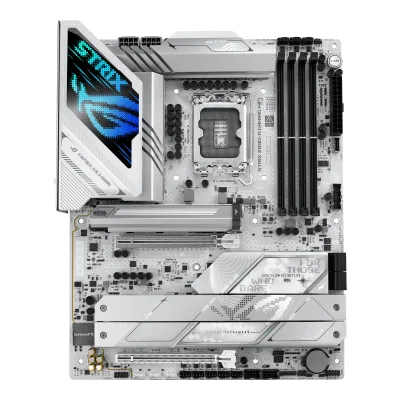 ASUS ROG STRIX Z890-A GAMING WIFI
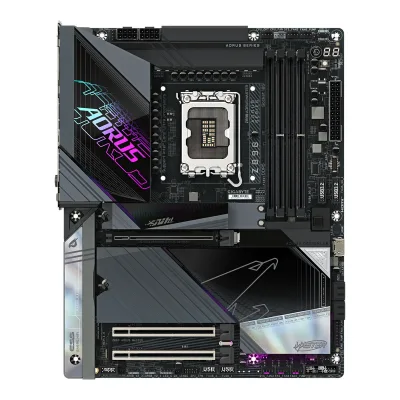 GIGABYTE Z890 AORUS MASTER
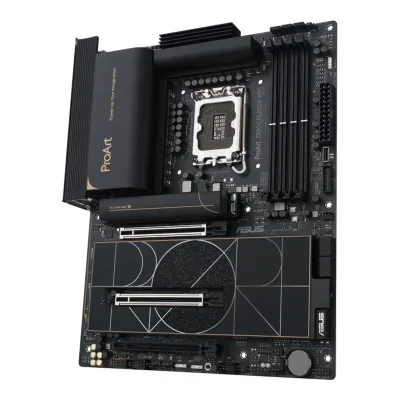 ASUS ProArt Z890-CREATOR WIFI
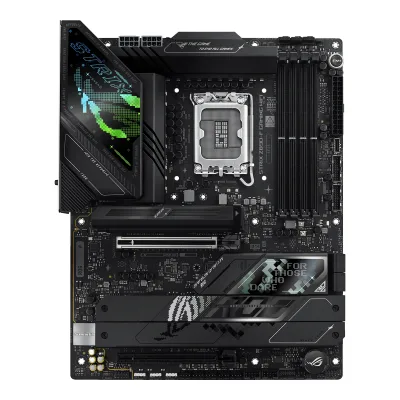 ASUS ROG STRIX Z890-F GAMING WIFI
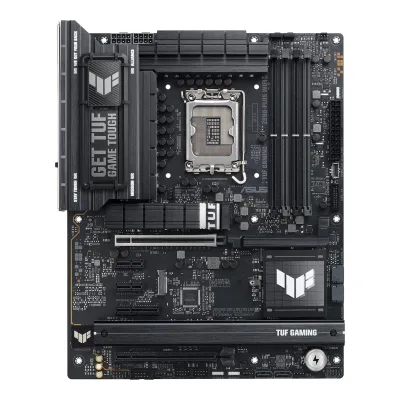 ASUS TUF GAMING Z890-PLUS WIFI
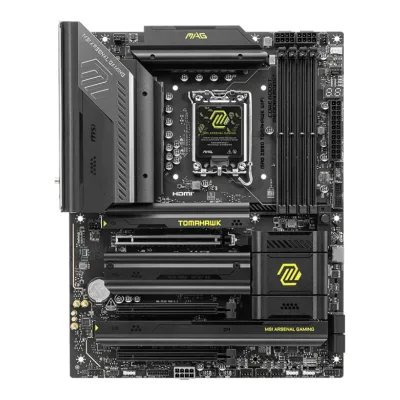 MSI MAG Z890 TOMAHAWK WIFI
 MSI MPG Z890 CARBON WIFI
 ASUS ROG MAXIMUS Z890 HERO
 ASUS ROG STRIX Z890-E GAMING WIFI
 ASRock Z890 Riptide WiFi
Change ASRock B860 Pro-A WiFi
Compare the ASUS TUF GAMING B860-PLUS WIFI with
GIGABYTE B860 AORUS ELITE WIFI7 ICEASUS ROG STRIX Z890-H GAMING WIFIASUS ROG STRIX Z890-A GAMING WIFIGIGABYTE Z890 AORUS MASTERASUS ProArt Z890-CREATOR WIFIASUS ROG STRIX Z890-F GAMING WIFIASUS TUF GAMING Z890-PLUS WIFIMSI MAG Z890 TOMAHAWK WIFIMSI MPG Z890 CARBON WIFIASUS ROG MAXIMUS Z890 HEROASUS ROG STRIX Z890-E GAMING WIFIASRock Z890 Riptide WiFiProduct B: ASUS
63 of 78 knownGIGABYTE B860 AORUS ELITE WIFI7 ICEASUS ROG STRIX Z890-H GAMING WIFIASUS ROG STRIX Z890-A GAMING WIFIGIGABYTE Z890 AORUS MASTERASUS ProArt Z890-CREATOR WIFIASUS ROG STRIX Z890-F GAMING WIFIASUS TUF GAMING Z890-PLUS WIFIMSI MAG Z890 TOMAHAWK WIFIMSI MPG Z890 CARBON WIFIASUS ROG MAXIMUS Z890 HEROASUS ROG STRIX Z890-E GAMING WIFIASRock Z890 Riptide WiFi
Change ASUS TUF GAMING B860-PLUS WIFI
Compare the ASRock B860 Pro-A WiFi with
GIGABYTE B860 AORUS ELITE WIFI7 ICEASUS ROG STRIX Z890-H GAMING WIFIASUS ROG STRIX Z890-A GAMING WIFIGIGABYTE Z890 AORUS MASTERASUS ProArt Z890-CREATOR WIFIASUS ROG STRIX Z890-F GAMING WIFIASUS TUF GAMING Z890-PLUS WIFIMSI MAG Z890 TOMAHAWK WIFIMSI MPG Z890 CARBON WIFIASUS ROG MAXIMUS Z890 HEROASUS ROG STRIX Z890-E GAMING WIFIASRock Z890 Riptide WiFi24 of 70 fields differ
- 16 different values
- 8 known for one only
- 36 the same
- 10 missing for both
Biggest differences
Each bar uses the scale of all 87 motherboards.
- Vcore stagesA: 10B: 12ASUS has 2 more.
- Rear USB portsA: 9B: 8ASRock has 1 more.
Size, drawn to scale
Front and side.
- AASRock: 244 × 305 mm
- BASUS: 244 × 305 mm
All 78 fields
Every value links to where we found it.
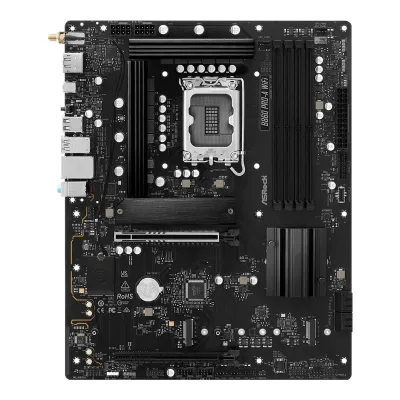
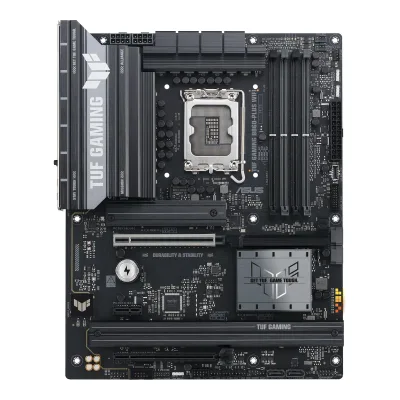
General
3 of 9 differ
Series
Model numbers
B860 Pro-A WiFi, 90-MXBRL0-A0UAYZ1Owner's manualdownload.asrock.com/Manual/B860%20Pro-A%20WiFi.pdfRead 15 October 2026Manual cover: B860 Pro-A WiFi. The part number 90-MXBRL0-A0UAYZ comes from the Paradigit and hinta.fi listings.4Spec databasehinta.fi/5130022/asrock-b860-pro-a-wifi/tuotetiedotRead 15 October 2026Manufacturer codes 90-MXBRL-A0UAYZ and 90-MXBRL0-A0UAYZ. The code with the 0 matches Paradigit and Geizhals.7Retailer pageparadigit.ie/asrock-b860-pro-a-wifi/21862542/productRead 15 October 2026Product number manufacturer 90-MXBRL0-A0UAYZ.
TUF GAMING B860-PLUS WIFI, 90MB1JL0-M0AAY0, 90MB1JL0-MVAAY0, 90MB1JL0-M0EAY01Maker product pageasus.com/us/motherboards-components/motherboards/tuf-gaming/tuf-gaming-b860-plus-wifi/techspecRead 15 October 2026The ASUS spec page names the model TUF GAMING B860-PLUS WIFI. ASUS eShop US lists part number 90MB1JL0-MVAAY0 and ASUS eShop Canada lists 90MB1JL0-M0AAY0. Amazon and UK retailers list 90MB1JL0-M0EAY0.9Retailer pageamazon.com/dp/B0DPMT7BS3Read 15 October 2026The listing gives Mfr Part Number 90MB1JL0-M0EAY0.10Retailer pageeshop.asus.com/us/90mb1jl0-mvaay0-tuf-gaming-b860-plus-wifi.htmlRead 15 October 2026ASUS eShop US part number 90MB1JL0-MVAAY0.11Retailer pageeshop.asus.com/ca-en/90mb1jl0-m0aay0-tuf-gaming-b860-plus-wifi.htmlRead 15 October 2026ASUS eShop Canada part number 90MB1JL0-M0AAY0.
GTIN / EAN
47115814902534Spec databasehinta.fi/5130022/asrock-b860-pro-a-wifi/tuotetiedotRead 15 October 2026The product data lists GTIN/EAN 4711581490253 for the B860 Pro-A WiFi. Komputronik gives the same EAN.5Retailer pagekomputronik.pl/product/954947/plyta-glowna-asrock-b860-pro-a-wifi.htmlRead 15 October 2026The listing gives EAN 4711581490253 and the producer code B860 Pro-A WiFi.
197105815148, 47113878151448Retailer pageamazon.com/dp/B0DFPNHCMXRead 15 October 2026The Amazon US listing for ASIN B0DFPNHCMX gives UPC 197105815148 and Mfr Part Number TUF GAMING B860-PLUS WIFI.9Retailer pageamazon.com/dp/B0DPMT7BS3Read 15 October 2026Amazon US listing for part number 90MB1JL0-M0EAY0 gives GTIN 04711387815144. UK retailers such as Teqex also list EAN 4711387815144.
Announced
Not available
Status
Predecessor
Not available
Not available
Successor
Not available
Not available
Launch price (US)
Not available
Not available
Launch price (EU)
Not available
Not available
Markets
Not available
Not available
Colours
Not available
Not available
Segment
Board revision
Not available
Not available
Platform
0 of 4 differ
CPU socket
Chipset
Supported processors
Intel Core Ultra (Series 2)1Owner's manualdownload.asrock.com/Manual/B860%20Pro-A%20WiFi.pdfRead 15 October 2026Section 1.2 CPU row: Supports Intel Core Ultra Processors (Series 2) (LGA1851). Paradigit's Icecat copy also says Series 1, which the maker does not. LGA1851 is a Series 2 socket. Read on 2026-10-15.2Retailer pagedirectcomputers.co.uk/collections/intel-motherboards/products/asrock-b860-pro-a-wifi-intel-1851-socket-motherboard-atx-4x-ddr5-slots-3x-m-2-sockets-2x-usb-c-port-2-5gbe-lan-wi-fi-6e-1x-displayport-1x-hdmi-portRead 15 October 2026The copy of the maker's spec reads Supports Intel Core Ultra Processors (Series 2) (LGA1851).
CPU overclocking
No8Reviewmedcom.id/teknologi/review/GNl1M9Bb-asrock-b860-pro-a-wifi-ekonomis-untuk-intel-arrow-lakeRead 15 October 2026The review lists no CPU overclocking as a minus point.9Press articlepugetsystems.com/labs/articles/z890-vs-b860-vs-h810Read 15 October 2026The chipset table lists Overclocking for B860 as RAM only, and the text says the B860 chipset only supports memory overclocking. This is the chipset maker's feature as Puget reports it. It is not a board spec.
Board
2 of 5 differ
Form factor
Board dimensions
PCB layers
Not available
62Maker product pageasus.com/us/motherboards-components/motherboards/tuf-gaming/tuf-gaming-b860-plus-wifiRead 15 October 2026Overview page: Six Layered PCB design.5Reviewmezha.ua/en/reviews/asus-tuf-gaming-b860-plus-wifi-motherboard-review-balancing-on-the-edgeRead 15 October 2026The review says the board uses a 6-layer PCB.
Back-connect design
No2Maker product pageasus.com/us/motherboards-components/motherboards/tuf-gaming/tuf-gaming-b860-plus-wifiRead 15 October 2026The ASUS spec lists the usual 24-pin, 8-pin and system panel connectors and the manual layout shows them at the usual board edges. No back-connect or BTF design is named.3Owner's manualdlcdnets.asus.com/pub/ASUS/mb/LGA1851/TUF_GAMING_B860-PLUS_WIFI/E25087_TUF_GAMING_B860-PLUS_WIFI_EM_WEB.pdfRead 15 October 2026The layout in chapter 1 shows the usual front-side power, fan and USB connectors. The board is not a back-connect design.
Power delivery
4 of 6 differ
Power stage layout
10+1+1+1+12Retailer pagedirectcomputers.co.uk/collections/intel-motherboards/products/asrock-b860-pro-a-wifi-intel-1851-socket-motherboard-atx-4x-ddr5-slots-3x-m-2-sockets-2x-usb-c-port-2-5gbe-lan-wi-fi-6e-1x-displayport-1x-hdmi-portRead 15 October 2026The page copies the maker's Key Features: 10+1+1+1+1 Power Phase, Dr.MOS for VCore+GT+SA. The maker's overview heading says 10 + 1 + 1 Power Phase Design + Dr.MOS. The first number is the same.8Reviewmedcom.id/teknologi/review/GNl1M9Bb-asrock-b860-pro-a-wifi-ekonomis-untuk-intel-arrow-lakeRead 15 October 2026The review says 10+1+1+1+1 with Dr.MOS for VCore, GT and SA.
12+1+2+12Maker product pageasus.com/us/motherboards-components/motherboards/tuf-gaming/tuf-gaming-b860-plus-wifiRead 15 October 202612(80A) + 1(80A) + 2(80A) + 1(80A) power stages: 12 VCCCORE, 1 VCCGT, 2 VCCSA and 1 VNNAON. Mezha writes the same layout as 12+1+2+1.5Reviewmezha.ua/en/reviews/asus-tuf-gaming-b860-plus-wifi-motherboard-review-balancing-on-the-edgeRead 15 October 2026The review says 16-phase circuit (12+1+2+1) with DrMOS stages rated up to 80A.
CPU core (Vcore) power stages
Vcore power stage rating
Not available
VRM controller
Not available
CPU power connectors
8+8 pin1Owner's manualdownload.asrock.com/Manual/B860%20Pro-A%20WiFi.pdfRead 15 October 2026Section 1.2 Connector row: 2 x 8 pin 12V Power Connectors (Hi-Density Power Connector).8Reviewmedcom.id/teknologi/review/GNl1M9Bb-asrock-b860-pro-a-wifi-ekonomis-untuk-intel-arrow-lakeRead 15 October 2026The review says dual 8-pin EPS 12V Hi-Density connectors.
8+8 pin1Maker product pageasus.com/us/motherboards-components/motherboards/tuf-gaming/tuf-gaming-b860-plus-wifi/techspecRead 15 October 2026Power related list: 1 x 24-pin main power and 2 x 8-pin +12V CPU power connectors.2Maker product pageasus.com/us/motherboards-components/motherboards/tuf-gaming/tuf-gaming-b860-plus-wifiRead 15 October 2026ProCool power connectors: proprietary 8+8 pin connectors.
Extra slot power connector
Memory
0 of 6 differ
Memory type
Memory slots
Max memory
Max memory speed (overclocked)
8,666MT/s1Owner's manualdownload.asrock.com/Manual/B860%20Pro-A%20WiFi.pdfRead 15 October 2026Section 1.2 Memory row: non-ECC, un-buffered memory up to 8666+(OC). Intel Core Ultra (Series 2) is the only CPU family of the board. The maker's page copy on Direct Computers gives 8666+ MHz (OC) for one single-rank module per channel (1DPC 1R) and 6800+ for 1DPC 2R. So 8666 is stored.2Retailer pagedirectcomputers.co.uk/collections/intel-motherboards/products/asrock-b860-pro-a-wifi-intel-1851-socket-motherboard-atx-4x-ddr5-slots-3x-m-2-sockets-2x-usb-c-port-2-5gbe-lan-wi-fi-6e-1x-displayport-1x-hdmi-portRead 15 October 2026The copy of the maker's memory table reads 1DPC 1R up to 8666+ MHz (OC), 5600 MHz natively. The listing's overview says up to 8666+ (OC).
ECC memory
CUDIMM support
Yes1Owner's manualdownload.asrock.com/Manual/B860%20Pro-A%20WiFi.pdfRead 15 October 2026Section 1.2 Memory row: Supports Clocked Unbuffered DIMM (CUDIMM). The text does not mention a clock driver bypass mode.2Retailer pagedirectcomputers.co.uk/collections/intel-motherboards/products/asrock-b860-pro-a-wifi-intel-1851-socket-motherboard-atx-4x-ddr5-slots-3x-m-2-sockets-2x-usb-c-port-2-5gbe-lan-wi-fi-6e-1x-displayport-1x-hdmi-portRead 15 October 2026The copy of the maker's spec reads Supports Clocked Unbuffered DIMM (CUDIMM).
Yes1Maker product pageasus.com/us/motherboards-components/motherboards/tuf-gaming/tuf-gaming-b860-plus-wifi/techspecRead 15 October 2026Clocked Unbuffered DIMM (CUDIMM) is in the supported memory line with no bypass limit. ASUS also lists AEMP III, which tunes the CUDIMM clock driver. Chip.pl ran Kingston CUDIMM 8800 at 8533 MT/s on the board.6Reviewchip.pl/2025/03/asus-tuf-gaming-b860-plus-wifi-test-recenzja-opiniaRead 15 October 2026Kingston CUDIMM 8800 MHz CL42 2 x 24 GB ran stable at 8533 MHz in Gear 2 on this board.
Expansion slots
1 of 3 differ
Expansion slots
AASRock B860 Pro-A WiFi
| Physical slot | Electrical lanes | PCIe generation | Connected to | Count |
|---|---|---|---|---|
| PCIe x16 | 16 | 5 | CPU | 1 |
| PCIe x16 | 4 | 4 | Chipset | 1 |
BASUS TUF GAMING B860-PLUS WIFI
| Physical slot | Electrical lanes | PCIe generation | Connected to | Count |
|---|---|---|---|---|
| PCIe x16 | 16 | 5 | CPU | 1 |
| PCIe x16 | 4 | 4 | Chipset | 1 |
| PCIe x1 | 1 | 4 | Chipset | 1 |
Full-length PCIe slots
2
2
Fastest PCIe x16 slot generation
5
5
Storage
1 of 4 differ
M.2 storage slots
AASRock B860 Pro-A WiFi
| Slot | PCIe generation | PCIe lanes | Connected to | Longest drive | Takes SATA drives | Heatsink |
|---|---|---|---|---|---|---|
| M2_1 | 5 | 4 | CPU | M.2 2280 | No | Yes |
| M2_2 | 4 | 4 | Chipset | M.2 2280 | No | No |
| M2_3 | 4 | 4 | Chipset | M.2 2280 | No | No |
Source1Owner's manualdownload.asrock.com/Manual/B860%20Pro-A%20WiFi.pdfRead 15 October 2026Section 1.2 Storage row: M2_1 (Blazing M.2, CPU) takes 2280 at PCIe Gen5x4. M2_2 (Hyper M.2, chipset) takes 2230/2242/2260/2280 at PCIe Gen4x4. M2_3 (Hyper M.2, chipset) takes 2280 at PCIe Gen4x4. The full list names no SATA mode for the slots. The section 2.17 install guide shows a heatsink to remove on M2_1. Sections 2.18 and 2.19 show none. The manual states no lane sharing.8Reviewmedcom.id/teknologi/review/GNl1M9Bb-asrock-b860-pro-a-wifi-ekonomis-untuk-intel-arrow-lakeRead 15 October 2026Review of 2026-06-11: the bundled M.2 heatsink is only on the main slot. The other two M.2 slots have none.10Spec databasemaxmybuild.com/motherboards/asrock-b860-pro-a-wifiRead 15 October 2026Lists a heatsink on slot 1 only, with 1 PCIe 5.0 x4 and 2 PCIe 4.0 x4 M.2 slots.
BASUS TUF GAMING B860-PLUS WIFI
| Slot | PCIe generation | PCIe lanes | Connected to | Longest drive | Takes SATA drives | Heatsink |
|---|---|---|---|---|---|---|
| M.2_1 | 5 | 4 | CPU | M.2 2280 | No | Yes |
| M.2_2 | 4 | 4 | Chipset | M.2 22110 | No | Yes |
| M.2_3 | 4 | 4 | Chipset | M.2 2280 | No | Yes |
Source1Maker product pageasus.com/us/motherboards-components/motherboards/tuf-gaming/tuf-gaming-b860-plus-wifi/techspecRead 15 October 2026Total 3 x M.2 slots (Key M). Series 2 CPU: M.2_1 type 2280 PCIe 5.0 x4. B860 chipset: M.2_2 type 2280/22110 PCIe 4.0 x4 and M.2_3 type 2242/2260/2280 PCIe 4.0 x4. No slot lists a SATA mode. The page lists no lane sharing between M.2 slots and other slots. The overview says Two M.2 Heatsinks for Three M.2 Slots.2Maker product pageasus.com/us/motherboards-components/motherboards/tuf-gaming/tuf-gaming-b860-plus-wifiRead 15 October 2026Overview: 1 x M.2 2280 PCIe 5.0 x4, 1 x M.2 2280/22110 PCIe 4.0 x4 and 1 x M.2 2242/2260/2280 PCIe 4.0 x4, with two M.2 heatsinks for the three slots.3Owner's manualdlcdnets.asus.com/pub/ASUS/mb/LGA1851/TUF_GAMING_B860-PLUS_WIFI/E25087_TUF_GAMING_B860-PLUS_WIFI_EM_WEB.pdfRead 15 October 2026Chapter 1 item 6 matches the specification page. Chapter 1.5 shows heatsinks over the M.2 slots, held by screws.5Reviewmezha.ua/en/reviews/asus-tuf-gaming-b860-plus-wifi-motherboard-review-balancing-on-the-edgeRead 15 October 2026M.2_1 has its own heatsink above the PCIe x16 slot. The two other M.2 connectors are hidden under a long radiator plate. All three slots take drives with a PCIe interface.6Reviewchip.pl/2025/03/asus-tuf-gaming-b860-plus-wifi-test-recenzja-opiniaRead 15 October 2026Every M.2 slot sits under a heatsink. The heatsinks use normal screws and the drives are mounted tool-free. ASUS lists no lane sharing between the M.2 slots.8Retailer pageamazon.com/dp/B0DFPNHCMXRead 15 October 2026The main product photo shows the board labels M.2_1 PCIE 5.0 X4, M.2_2 PCIE 4.0 X4 and M.2_3 PCIE 4.0 X4, each with SATA marked X.
M.2 slots
3
3
PCIe 5.0 M.2 slots
1
1
SATA ports
Rear ports
2 of 5 differ
Rear ports
AASRock B860 Pro-A WiFi
| Type | Version | Count | Max link rate (Gbps) | DP Alt Mode |
|---|---|---|---|---|
| DisplayPort | DisplayPort 1.4 | 1 | Not available | Not available |
| HDMI | HDMI 2.1 | 1 | Not available | Not available |
| USB-C | USB 3.2 Gen 2x2 | 1 | 20 | No |
| USB-A | USB 3.2 Gen 1 | 6 | 5 | Not available |
| USB-A | USB 2.0 | 2 | 0.48 | Not available |
| Ethernet (RJ45) | Not available | 1 | 2.5 | Not available |
| 3.5 mm audio | Not available | 3 | Not available | Not available |
BASUS TUF GAMING B860-PLUS WIFI
| Type | Version | Count | Max link rate (Gbps) | DP Alt Mode |
|---|---|---|---|---|
| USB-C | USB 3.2 Gen 2x2 | 1 | 20 | Yes |
| USB-A | USB 3.2 Gen 2 | 2 | 10 | Not available |
| USB-A | USB 3.2 Gen 1 | 3 | 5 | Not available |
| USB-A | USB 2.0 | 2 | 0.48 | Not available |
| HDMI | HDMI 2.1 | 1 | Not available | Not available |
| DisplayPort | DisplayPort 1.4 | 1 | Not available | Not available |
| Ethernet (RJ45) | Not available | 1 | 2.5 | Not available |
| 3.5 mm audio | Not available | 5 | Not available | Not available |
| Optical S/PDIF | Not available | 1 | Not available | Not available |
Rear USB ports
9
8
Rear USB-C ports
1
1
Fastest rear USB port
20Gbps
20Gbps
Thunderbolt
Not available
Not available
Internal connectors
3 of 5 differ
Internal USB headers
AASRock B860 Pro-A WiFi
| Header | Max data rate (Gbps) | Headers | Front ports served |
|---|---|---|---|
| USB-C header | 5 | 1 | 1 |
| USB 3 header (19-pin) | 5 | 1 | 2 |
| USB 2.0 header (9-pin) | 0.48 | 2 | 4 |
BASUS TUF GAMING B860-PLUS WIFI
| Header | Max data rate (Gbps) | Headers | Front ports served |
|---|---|---|---|
| USB-C header | 10 | 1 | 1 |
| USB 3 header (19-pin) | 5 | 1 | 2 |
| USB 2.0 header (9-pin) | 0.48 | 1 | 2 |
Front USB-C header speed
5Gbps
10Gbps
Fan headers
71Owner's manualdownload.asrock.com/Manual/B860%20Pro-A%20WiFi.pdfRead 15 October 2026Section 1.2 Connector row: 2 CPU fan connectors, 4 chassis fan connectors and 1 AIO pump fan connector.3Spec databasegeizhals.at/asrock-b860-pro-a-wifi-90-mxbrl-a0uayz-a3389994.htmlRead 15 October 2026Cooling row: 2x CPU fan, 1x AIO pump and 4x fan, all 4-pin PWM.10Spec databasemaxmybuild.com/motherboards/asrock-b860-pro-a-wifiRead 15 October 2026Lists 7 fan headers.
ARGB headers
RGB headers
11Owner's manualdownload.asrock.com/Manual/B860%20Pro-A%20WiFi.pdfRead 15 October 2026Section 1.2 Connector row: 1 x RGB LED Header (up to 12V/3A).3Spec databasegeizhals.at/asrock-b860-pro-a-wifi-90-mxbrl-a0uayz-a3389994.htmlRead 15 October 2026Lighting row: 1x 4-pin RGB.
01Maker product pageasus.com/us/motherboards-components/motherboards/tuf-gaming/tuf-gaming-b860-plus-wifi/techspecRead 15 October 2026The internal connector list names 3 x Addressable Gen 2 headers and no 4-pin RGB header.6Reviewchip.pl/2025/03/asus-tuf-gaming-b860-plus-wifi-test-recenzja-opiniaRead 15 October 2026The reviewer writes three ARGB headers and no RGB header.
Networking
4 of 9 differ
Ethernet controllers
Realtek RTL81251Owner's manualdownload.asrock.com/Manual/B860%20Pro-A%20WiFi.pdfRead 15 October 2026Section 1.2 LAN row: Dragon RTL8125BG, 2.5 Gigabit LAN. The suffix letters are left out.3Spec databasegeizhals.at/asrock-b860-pro-a-wifi-90-mxbrl-a0uayz-a3389994.htmlRead 15 October 2026Network row: Realtek RTL8125BG (2.5 Gb/s).7Retailer pageparadigit.ie/asrock-b860-pro-a-wifi/21862542/productRead 15 October 2026LAN controller: Dragon RTL8125BG.
Realtek RTL81255Reviewmezha.ua/en/reviews/asus-tuf-gaming-b860-plus-wifi-motherboard-review-balancing-on-the-edgeRead 15 October 2026The spec table lists a 2.5 GbE LAN from Realtek. The chip is not named. Chip.pl names the RTL8125D.6Reviewchip.pl/2025/03/asus-tuf-gaming-b860-plus-wifi-test-recenzja-opiniaRead 15 October 2026The review names a Realtek RTL8125D 2.5 Gb wired chip. The D suffix is dropped.
Ethernet ports
1
1
Ethernet speed
2.5Gbps
2.5Gbps
Wi-Fi included
Wi-Fi standard
Wi-Fi bands
Max Wi-Fi channel width
Not available
Wi-Fi module
Not available
MediaTek MT79255Reviewmezha.ua/en/reviews/asus-tuf-gaming-b860-plus-wifi-motherboard-review-balancing-on-the-edgeRead 15 October 2026The spec table lists Wi-Fi 7 (MediaTek MT7925, 802.11be, Bluetooth 5.4). ASUS does not name the module.6Reviewchip.pl/2025/03/asus-tuf-gaming-b860-plus-wifi-test-recenzja-opiniaRead 15 October 2026The review names Wi-Fi 7 MediaTek MT7925 with Bluetooth 5.4.
Bluetooth
Audio
0 of 2 differ
Audio codec
Realtek ALC8971Owner's manualdownload.asrock.com/Manual/B860%20Pro-A%20WiFi.pdfRead 15 October 2026Section 1.2 Audio row: 7.1 CH HD Audio (Realtek ALC897 Audio Codec).3Spec databasegeizhals.at/asrock-b860-pro-a-wifi-90-mxbrl-a0uayz-a3389994.htmlRead 15 October 2026Audio row: Realtek ALC897.7Retailer pageparadigit.ie/asrock-b860-pro-a-wifi/21862542/productRead 15 October 2026The spec table (an Icecat copy) lists Audio chip: Realtek ALC897.
Realtek ALC8975Reviewmezha.ua/en/reviews/asus-tuf-gaming-b860-plus-wifi-motherboard-review-balancing-on-the-edgeRead 15 October 2026The spec table lists a Realtek ALC897 codec. ASUS writes only Realtek 7.1 Surround Sound High Definition Audio CODEC. Chip.pl also names the ALC897.6Reviewchip.pl/2025/03/asus-tuf-gaming-b860-plus-wifi-test-recenzja-opiniaRead 15 October 2026The review names Realtek ALC897.
DAC chip
Not available
Not available
Features
3 of 7 differ
BIOS flashback
Clear CMOS button (rear)
No1Maker product pageasus.com/us/motherboards-components/motherboards/tuf-gaming/tuf-gaming-b860-plus-wifi/techspecRead 15 October 2026The back panel list has a BIOS FlashBack button and no Clear CMOS button. Clear CMOS is a header on the board.3Owner's manualdlcdnets.asus.com/pub/ASUS/mb/LGA1851/TUF_GAMING_B860-PLUS_WIFI/E25087_TUF_GAMING_B860-PLUS_WIFI_EM_WEB.pdfRead 15 October 2026Layout item 13 is a Clear CMOS header, and the rear panel connectors list no button.
POST code display
No1Owner's manualdownload.asrock.com/Manual/B860%20Pro-A%20WiFi.pdfRead 15 October 2026Section 2.14: the Post Status Checker is four LEDs for CPU, DRAM, VGA and BOOT, and not a two-digit display.10Spec databasemaxmybuild.com/motherboards/asrock-b860-pro-a-wifiRead 15 October 2026Diagnostics: Debug LEDs, not a two-digit display.
No1Maker product pageasus.com/us/motherboards-components/motherboards/tuf-gaming/tuf-gaming-b860-plus-wifi/techspecRead 15 October 2026The Special Features list ASUS Q-LED (CPU, DRAM, VGA and boot device). No two-digit display is listed.3Owner's manualdlcdnets.asus.com/pub/ASUS/mb/LGA1851/TUF_GAMING_B860-PLUS_WIFI/E25087_TUF_GAMING_B860-PLUS_WIFI_EM_WEB.pdfRead 15 October 2026The layout contents list Q-LEDs and a BIOS FlashBack LED. No two-digit display is listed. The manual never states that it is absent.6Reviewchip.pl/2025/03/asus-tuf-gaming-b860-plus-wifi-test-recenzja-opiniaRead 15 October 2026The reviewer writes that the board has no buttons and no POST code display, only status LEDs and a CMOS reset header.
Power button on the board
No1Maker product pageasus.com/us/motherboards-components/motherboards/tuf-gaming/tuf-gaming-b860-plus-wifi/techspecRead 15 October 2026The internal connector list and the special features list name no power or start button on the board.3Owner's manualdlcdnets.asus.com/pub/ASUS/mb/LGA1851/TUF_GAMING_B860-PLUS_WIFI/E25087_TUF_GAMING_B860-PLUS_WIFI_EM_WEB.pdfRead 15 October 2026Layout contents list only a PWR_BTN header for a case button. No power or start button is listed on the board.6Reviewchip.pl/2025/03/asus-tuf-gaming-b860-plus-wifi-test-recenzja-opiniaRead 15 October 2026The reviewer writes that the board has no buttons.
Dual BIOS
Not available
Pre-installed I/O shield
No1Owner's manualdownload.asrock.com/Manual/B860%20Pro-A%20WiFi.pdfRead 15 October 2026Section 1.1 package contents list 1 x I/O Shield and section 2.5 explains installing it.8Reviewmedcom.id/teknologi/review/GNl1M9Bb-asrock-b860-pro-a-wifi-ekonomis-untuk-intel-arrow-lakeRead 15 October 2026The review lists a separate I/O shield as a minus point.
Tool-free features
Tool-free M.2 latch, PCIe slot release, Push-on antenna connector1Maker product pageasus.com/us/motherboards-components/motherboards/tuf-gaming/tuf-gaming-b860-plus-wifi/techspecRead 15 October 2026ASUS Q-Design: M.2 Q-Latch, PCIe Slot Q-Release and Q-Antenna. The M.2 heatsinks use screws, as Chip.pl and Mezha say.
Measured
None of 3 known
VRM temperature under CPU load
Not available
Not available
Power draw idle
Not available
Not available
Power draw CPU stress
Not available
Not available
In the box
1 of 1 differ
In the box
I/O Shield, 2 x Serial ATA (SATA) Data Cables, 2 x ASRock WiFi 2.4/5/6 GHz Antennas1Owner's manualdownload.asrock.com/Manual/B860%20Pro-A%20WiFi.pdfRead 15 October 2026Section 1.1 package contents. The SATA cables and antennas are marked Optional in the manual. The one M.2 screw is for the B860 Pro-A only.2Retailer pagedirectcomputers.co.uk/collections/intel-motherboards/products/asrock-b860-pro-a-wifi-intel-1851-socket-motherboard-atx-4x-ddr5-slots-3x-m-2-sockets-2x-usb-c-port-2-5gbe-lan-wi-fi-6e-1x-displayport-1x-hdmi-portRead 15 October 2026Accessories: 1 x I/O Shield, 2 x SATA Data Cables and 2 x ASRock WiFi 2.4/5/6 GHz Antennas.
2 x SATA 6Gb/s cables, 1 x ASUS WiFi Q-Antenna, 2 x M.2 rubber packages, 1 x Screw package for M.2 SSD, 1 x TUF GAMING sticker, 1 x Quick start guide1Maker product pageasus.com/us/motherboards-components/motherboards/tuf-gaming/tuf-gaming-b860-plus-wifi/techspecRead 15 October 2026Accessories list on the specification page, the same as the manual's package contents.
Links
Not compared
Product page
Spec sheet
Manual
download.asrock.com/Manual/B860%20Pro-A%20WiFi.pdf1Owner's manualdownload.asrock.com/Manual/B860%20Pro-A%20WiFi.pdfRead 15 October 2026ASRock manual for the B860 Pro-A WiFi and the B860 Pro-A, Version 1.0, published December 2024, 70 pages. Items marked for the B860 Pro-A WiFi are used.
dlcdnets.asus.com/pub/ASUS/mb/LGA1851/TUF_GAMING_B860-PLUS_WIFI/E25087_TUF_GAMING_B860-PLUS_WIFI_EM_WEB.pdf3Owner's manualdlcdnets.asus.com/pub/ASUS/mb/LGA1851/TUF_GAMING_B860-PLUS_WIFI/E25087_TUF_GAMING_B860-PLUS_WIFI_EM_WEB.pdfRead 15 October 2026ASUS user manual E25087, First Edition, December 2024, from dlcdnets.asus.com.
EPREL registration number
Not available
Not available
Warranty
0 of 1 differ
Manufacturer warranty (source market)
Both are also in the API. Back to all motherboards.