Motherboards / Compare
ASRock B860 Pro-A WiFi vs MSI Z890 GAMING PLUS WIFI6E
Product A: ASRock
59 of 78 known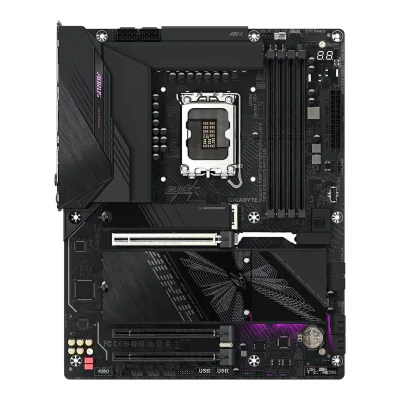 GIGABYTE Z890 AORUS ELITE WIFI7 PLUS
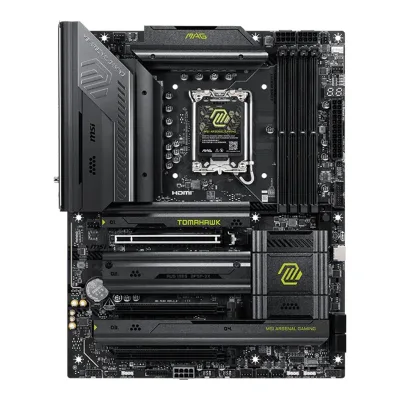 MSI MAG Z890 TOMAHAWK WIFI II
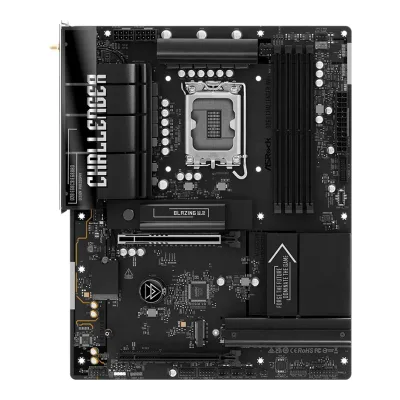 ASRock B860 Challenger WiFi
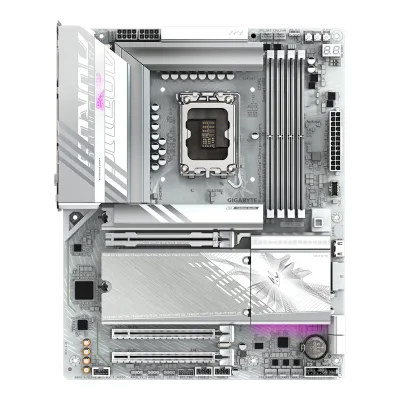 GIGABYTE B860 AORUS ELITE WIFI7 ICE
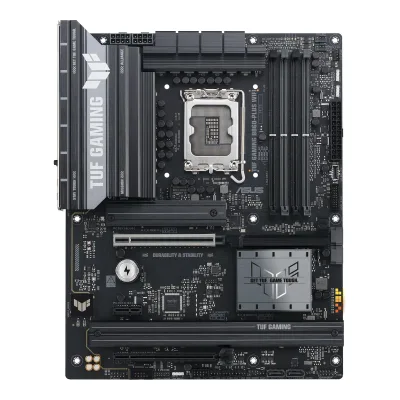 ASUS TUF GAMING B860-PLUS WIFI
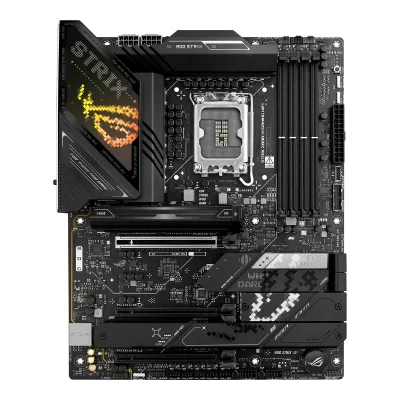 ASUS ROG STRIX Z890-H GAMING WIFI
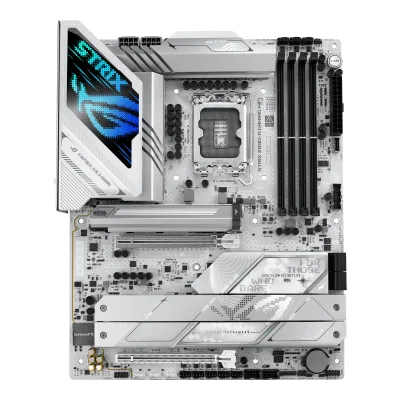 ASUS ROG STRIX Z890-A GAMING WIFI
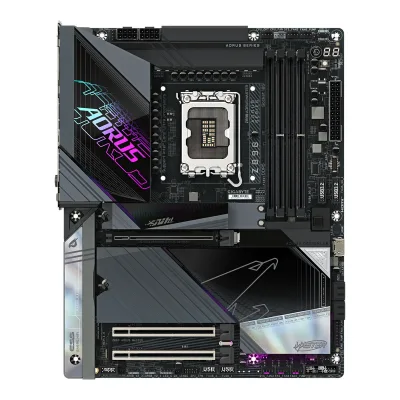 GIGABYTE Z890 AORUS MASTER
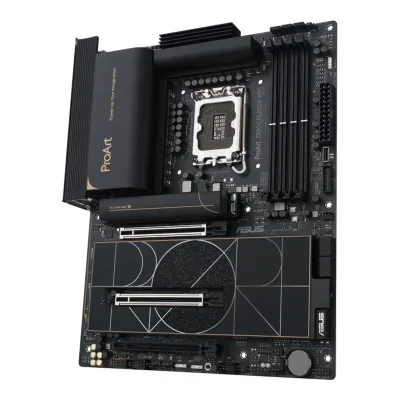 ASUS ProArt Z890-CREATOR WIFI
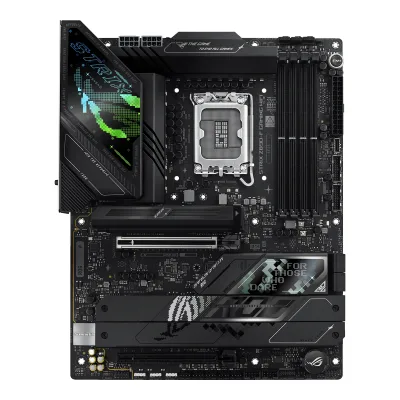 ASUS ROG STRIX Z890-F GAMING WIFI
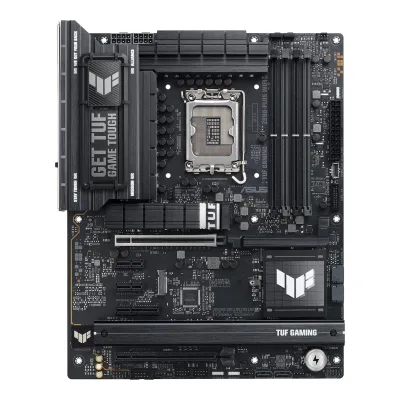 ASUS TUF GAMING Z890-PLUS WIFI
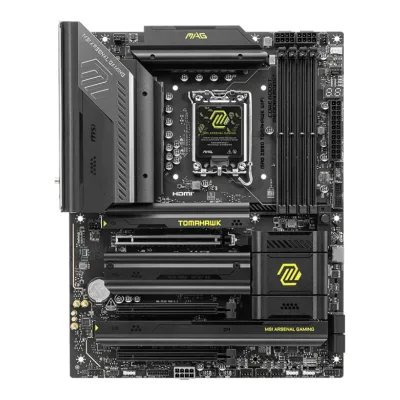 MSI MAG Z890 TOMAHAWK WIFI
Change ASRock B860 Pro-A WiFi
Compare the MSI Z890 GAMING PLUS WIFI6E with
GIGABYTE Z890 AORUS ELITE WIFI7 PLUSMSI MAG Z890 TOMAHAWK WIFI IIASRock B860 Challenger WiFiGIGABYTE B860 AORUS ELITE WIFI7 ICEASUS TUF GAMING B860-PLUS WIFIASUS ROG STRIX Z890-H GAMING WIFIASUS ROG STRIX Z890-A GAMING WIFIGIGABYTE Z890 AORUS MASTERASUS ProArt Z890-CREATOR WIFIASUS ROG STRIX Z890-F GAMING WIFIASUS TUF GAMING Z890-PLUS WIFIMSI MAG Z890 TOMAHAWK WIFIProduct B: MSI
63 of 78 knownGIGABYTE B860 AORUS ELITE WIFI7 ICEASUS TUF GAMING B860-PLUS WIFIASUS ROG STRIX Z890-H GAMING WIFIASUS ROG STRIX Z890-A GAMING WIFIGIGABYTE Z890 AORUS MASTERASUS ProArt Z890-CREATOR WIFIASUS ROG STRIX Z890-F GAMING WIFIASUS TUF GAMING Z890-PLUS WIFIMSI MAG Z890 TOMAHAWK WIFI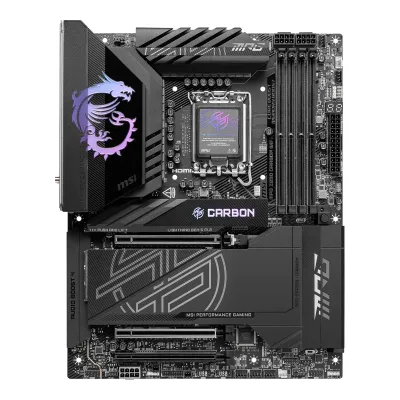 MSI MPG Z890 CARBON WIFI
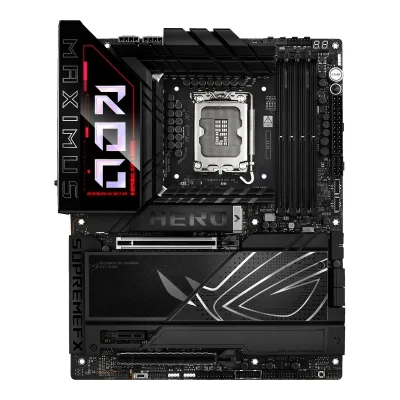 ASUS ROG MAXIMUS Z890 HERO
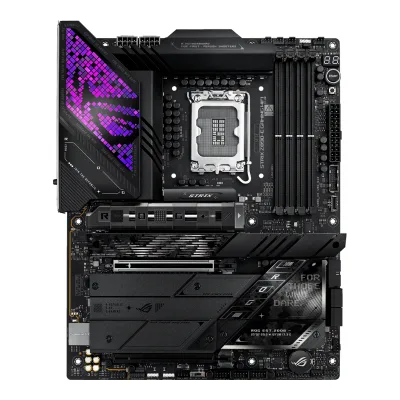 ASUS ROG STRIX Z890-E GAMING WIFI
Change MSI Z890 GAMING PLUS WIFI6E
Compare the ASRock B860 Pro-A WiFi with
GIGABYTE B860 AORUS ELITE WIFI7 ICEASUS TUF GAMING B860-PLUS WIFIASUS ROG STRIX Z890-H GAMING WIFIASUS ROG STRIX Z890-A GAMING WIFIGIGABYTE Z890 AORUS MASTERASUS ProArt Z890-CREATOR WIFIASUS ROG STRIX Z890-F GAMING WIFIASUS TUF GAMING Z890-PLUS WIFIMSI MAG Z890 TOMAHAWK WIFIMSI MPG Z890 CARBON WIFIASUS ROG MAXIMUS Z890 HEROASUS ROG STRIX Z890-E GAMING WIFI28 of 70 fields differ
- 22 different values
- 6 known for one only
- 31 the same
- 11 missing for both
Biggest differences
Each bar uses the scale of all 87 motherboards.
- Ethernet speedA: 2.5GbpsB: 5GbpsMSI is 2.5 Gbps higher.
- Vcore stagesA: 10B: 14MSI has 4 more.
- M.2 slotsA: 3B: 4MSI has 1 more.
- Rear USB portsA: 9B: 8ASRock has 1 more.
Size, drawn to scale
Front and side.
- AASRock: 244 × 305 mm
- BMSI: 244 × 305 mm
All 78 fields
Every value links to where we found it.
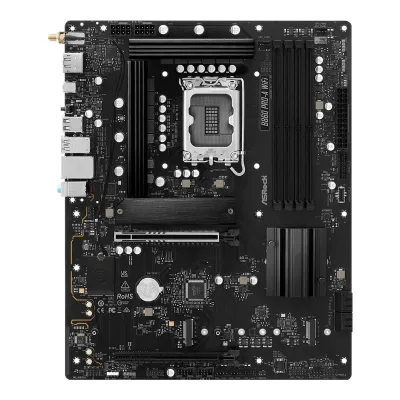
General
2 of 9 differ
Series
Model numbers
B860 Pro-A WiFi, 90-MXBRL0-A0UAYZ1Owner's manualdownload.asrock.com/Manual/B860%20Pro-A%20WiFi.pdfRead 15 October 2026Manual cover: B860 Pro-A WiFi. The part number 90-MXBRL0-A0UAYZ comes from the Paradigit and hinta.fi listings.4Spec databasehinta.fi/5130022/asrock-b860-pro-a-wifi/tuotetiedotRead 15 October 2026Manufacturer codes 90-MXBRL-A0UAYZ and 90-MXBRL0-A0UAYZ. The code with the 0 matches Paradigit and Geizhals.7Retailer pageparadigit.ie/asrock-b860-pro-a-wifi/21862542/productRead 15 October 2026Product number manufacturer 90-MXBRL0-A0UAYZ.
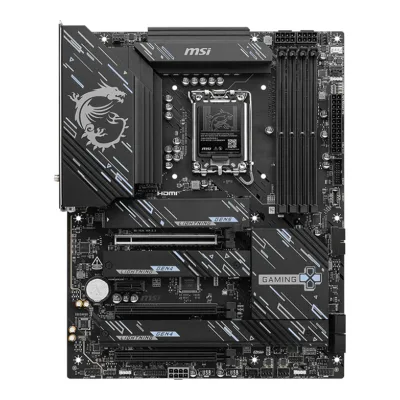
Z890 GAMING PLUS WIFI6E, 911-7E34-0203Maker product pagees-store.msi.com/products/z890-gaming-plus-wifi6e-placas-baseRead 15 October 2026MSI Spanish store order code 911-7E34-020 (SKU in the store feed) for Z890 GAMING PLUS WIFI6E. The French store has the same code.4Maker product pagefr-store.msi.com/products/z890-gaming-plus-wifi6e-motherboardRead 15 October 2026MSI French store lists SKU 911-7E34-020.
GTIN / EAN
47115814902534Spec databasehinta.fi/5130022/asrock-b860-pro-a-wifi/tuotetiedotRead 15 October 2026The product data lists GTIN/EAN 4711581490253 for the B860 Pro-A WiFi. Komputronik gives the same EAN.5Retailer pagekomputronik.pl/product/954947/plyta-glowna-asrock-b860-pro-a-wifi.htmlRead 15 October 2026The listing gives EAN 4711581490253 and the producer code B860 Pro-A WiFi.
Announced
Not available
Not available
Status
Available3Maker product pagees-store.msi.com/products/z890-gaming-plus-wifi6e-placas-baseRead 15 October 2026The product is listed and available at 264.90 EUR on 2026-10-15. The store page was created on 2026-06-01.4Maker product pagefr-store.msi.com/products/z890-gaming-plus-wifi6e-motherboardRead 15 October 2026Listed and available at 292.90 EUR on 2026-10-15. The store page was created on 2026-06-23.9Spec databasebuildcores.com/products/Motherboard/fp1jaofrr/MSI-Z890-GAMING-PLUS-WIFI6ERead 15 October 2026Shows Amazon at 189.99 USD in stock on 2026-10-15. The page's release year 2024 is wrong and is not used.
Predecessor
Not available
Not available
Successor
Not available
Not available
Launch price (US)
Not available
Not available
Launch price (EU)
Not available
Not available
Markets
Not available
Not available
Colours
Not available
Not available
Segment
Board revision
Not available
Not available
Platform
2 of 4 differ
CPU socket
Chipset
Supported processors
Intel Core Ultra (Series 2)1Owner's manualdownload.asrock.com/Manual/B860%20Pro-A%20WiFi.pdfRead 15 October 2026Section 1.2 CPU row: Supports Intel Core Ultra Processors (Series 2) (LGA1851). Paradigit's Icecat copy also says Series 1, which the maker does not. LGA1851 is a Series 2 socket. Read on 2026-10-15.2Retailer pagedirectcomputers.co.uk/collections/intel-motherboards/products/asrock-b860-pro-a-wifi-intel-1851-socket-motherboard-atx-4x-ddr5-slots-3x-m-2-sockets-2x-usb-c-port-2-5gbe-lan-wi-fi-6e-1x-displayport-1x-hdmi-portRead 15 October 2026The copy of the maker's spec reads Supports Intel Core Ultra Processors (Series 2) (LGA1851).
CPU overclocking
No8Reviewmedcom.id/teknologi/review/GNl1M9Bb-asrock-b860-pro-a-wifi-ekonomis-untuk-intel-arrow-lakeRead 15 October 2026The review lists no CPU overclocking as a minus point.9Press articlepugetsystems.com/labs/articles/z890-vs-b860-vs-h810Read 15 October 2026The chipset table lists Overclocking for B860 as RAM only, and the text says the B860 chipset only supports memory overclocking. This is the chipset maker's feature as Puget reports it. It is not a board spec.
Yes1Owner's manualdownload-2.msi.com/archive/mnu_exe/mb/Z890GAMINGPLUSWIFI6E_English.pdfRead 15 October 2026Page 28 (CPU socket chapter): this motherboard is designed to support overclocking. The Special Features list names Core Boost. Intel's Z890 chipset page lists Supports Overclocking: IA, BCLK, Memory.11Maker product pageintel.com/content/www/us/en/products/sku/237777/intel-z890-chipset/specifications.htmlRead 15 October 2026Intel's Z890 chipset page lists Supports Overclocking: IA, BCLK, Memory. This is the chip maker's page, not the board maker's.
Board
2 of 5 differ
Form factor
Board dimensions
Width244Height305mm(9.6 × 12 in)1Owner's manualdownload-2.msi.com/archive/mnu_exe/mb/Z890GAMINGPLUSWIFI6E_English.pdfRead 15 October 2026Specifications: 244 mm x 305 mm. MSI's Spanish store gives PCB info ATX 243.84mm x 304.8mm, the exact conversion of 9.6 x 12 in. The maker's whole-millimetre figure is stored.3Maker product pagees-store.msi.com/products/z890-gaming-plus-wifi6e-placas-baseRead 15 October 2026PCB Info: ATX 243.84mmx304.8mm.
PCB layers
Not available
63Maker product pagees-store.msi.com/products/z890-gaming-plus-wifi6e-placas-baseRead 15 October 2026Features: 6-layer PCB made with 2 oz thick copper and server-grade materials.4Maker product pagefr-store.msi.com/products/z890-gaming-plus-wifi6e-motherboardRead 15 October 2026Key features: server-grade PCB with 6 layers of 2 oz copper.6Reviewthefpsreview.com/2026/06/22/msi-z890-gaming-plus-wifi6e-motherboard-review/2Read 15 October 2026Page 2: the PCB is 6-layered with inlaid copper.8Press articleguru3d.com/story/msi-z890-gaming-plus-wifi-6e-supports-ddr59200-and-5gb-ethernetRead 15 October 2026Story: a six-layer server-grade PCB with two-ounce copper.
Back-connect design
RGB lighting on the board
Not available
No1Owner's manualdownload-2.msi.com/archive/mnu_exe/mb/Z890GAMINGPLUSWIFI6E_English.pdfRead 15 October 2026Specifications, LED Features: 1x 4-pin RGB LED connector, 3x ARGB connectors and 4x EZ Debug LEDs. No lighting on the board is listed. The FPS Review says there are no RGBs on the board, and BuildCores shows Lighting: None.6Reviewthefpsreview.com/2026/06/22/msi-z890-gaming-plus-wifi6e-motherboard-review/2Read 15 October 2026Page 2: there are no RGBs, but plenty of ARGB headers.9Spec databasebuildcores.com/products/Motherboard/fp1jaofrr/MSI-Z890-GAMING-PLUS-WIFI6ERead 15 October 2026Lighting: None.
Power delivery
5 of 6 differ
Power stage layout
10+1+1+1+12Retailer pagedirectcomputers.co.uk/collections/intel-motherboards/products/asrock-b860-pro-a-wifi-intel-1851-socket-motherboard-atx-4x-ddr5-slots-3x-m-2-sockets-2x-usb-c-port-2-5gbe-lan-wi-fi-6e-1x-displayport-1x-hdmi-portRead 15 October 2026The page copies the maker's Key Features: 10+1+1+1+1 Power Phase, Dr.MOS for VCore+GT+SA. The maker's overview heading says 10 + 1 + 1 Power Phase Design + Dr.MOS. The first number is the same.8Reviewmedcom.id/teknologi/review/GNl1M9Bb-asrock-b860-pro-a-wifi-ekonomis-untuk-intel-arrow-lakeRead 15 October 2026The review says 10+1+1+1+1 with Dr.MOS for VCore, GT and SA.
14+1+1+13Maker product pagees-store.msi.com/products/z890-gaming-plus-wifi6e-placas-baseRead 15 October 2026Features: Duet Rail power system of 14+1+1+1 phases with 55 A DrMOS and dual 8-pin CPU power connectors.5Press releasetechno-edge.net/release/prtimes2/20260925/24691.htmlRead 15 October 2026Features: a 14-phase, 55A Dr.MOS power circuit.6Reviewthefpsreview.com/2026/06/22/msi-z890-gaming-plus-wifi6e-motherboard-review/2Read 15 October 2026Page 2: MSI states the board has 14+1+1+1 power phase support.8Press articleguru3d.com/story/msi-z890-gaming-plus-wifi-6e-supports-ddr59200-and-5gb-ethernetRead 15 October 2026Story of 2026-09-25 (source GDM): a 14+1+1+1-phase Duet Rail power design based on 55A DrMOS components.10Spec databasemaxmybuild.com/motherboards/msi-z890-gaming-plus-wifi6eRead 15 October 2026Power and VRM: phase config 2x7+1+1+1, which is 14 Vcore stages in the Duet Rail layout.
CPU core (Vcore) power stages
Vcore power stage rating
Not available
55A3Maker product pagees-store.msi.com/products/z890-gaming-plus-wifi6e-placas-baseRead 15 October 2026Features: 55 A DrMOS.6Reviewthefpsreview.com/2026/06/22/msi-z890-gaming-plus-wifi6e-motherboard-review/2Read 15 October 2026Page 2: VCore power is 55Amps DrMOS.8Press articleguru3d.com/story/msi-z890-gaming-plus-wifi-6e-supports-ddr59200-and-5gb-ethernetRead 15 October 2026Story: 55A DrMOS components.10Spec databasemaxmybuild.com/motherboards/msi-z890-gaming-plus-wifi6eRead 15 October 2026Power and VRM: 55A DrMOS.
VRM controller
Not available
CPU power connectors
8+8 pin1Owner's manualdownload.asrock.com/Manual/B860%20Pro-A%20WiFi.pdfRead 15 October 2026Section 1.2 Connector row: 2 x 8 pin 12V Power Connectors (Hi-Density Power Connector).8Reviewmedcom.id/teknologi/review/GNl1M9Bb-asrock-b860-pro-a-wifi-ekonomis-untuk-intel-arrow-lakeRead 15 October 2026The review says dual 8-pin EPS 12V Hi-Density connectors.
Extra slot power connector
Memory
1 of 6 differ
Memory type
Memory slots
Max memory
Max memory speed (overclocked)
8,666MT/s1Owner's manualdownload.asrock.com/Manual/B860%20Pro-A%20WiFi.pdfRead 15 October 2026Section 1.2 Memory row: non-ECC, un-buffered memory up to 8666+(OC). Intel Core Ultra (Series 2) is the only CPU family of the board. The maker's page copy on Direct Computers gives 8666+ MHz (OC) for one single-rank module per channel (1DPC 1R) and 6800+ for 1DPC 2R. So 8666 is stored.2Retailer pagedirectcomputers.co.uk/collections/intel-motherboards/products/asrock-b860-pro-a-wifi-intel-1851-socket-motherboard-atx-4x-ddr5-slots-3x-m-2-sockets-2x-usb-c-port-2-5gbe-lan-wi-fi-6e-1x-displayport-1x-hdmi-portRead 15 October 2026The copy of the maker's memory table reads 1DPC 1R up to 8666+ MHz (OC), 5600 MHz natively. The listing's overview says up to 8666+ (OC).
9,200MT/s2Maker spec sheet (PDF)storage-asset.msi.com/datasheet/mb/us/Z890-GAMING-PLUS-WIFI6E.pdfRead 15 October 2026Memory Support: 4 DIMMs, Dual Channel DDR5-9200+ MT/s (OC). MSI's Spanish store lists 1DPC 1R up to 9200+, 1DPC 2R up to 7200+, 2DPC 1R up to 6400+ and 2DPC 2R up to 5600+ for Core Ultra (Series 2).3Maker product pagees-store.msi.com/products/z890-gaming-plus-wifi6e-placas-baseRead 15 October 2026Memory table: DDR5 9200 to 6400 (OC) MT/s. Max overclocking: 1DPC 1R up to 9200+, 1DPC 2R up to 7200+, 2DPC 1R up to 6400+, 2DPC 2R up to 5600+ MT/s, for Core Ultra (Series 2).8Press articleguru3d.com/story/msi-z890-gaming-plus-wifi-6e-supports-ddr59200-and-5gb-ethernetRead 15 October 2026Story: overclocked speeds reaching DDR5-9200, depending on the CPU memory controller, the DIMMs, the BIOS and the module count.
ECC memory
CUDIMM support
Yes1Owner's manualdownload.asrock.com/Manual/B860%20Pro-A%20WiFi.pdfRead 15 October 2026Section 1.2 Memory row: Supports Clocked Unbuffered DIMM (CUDIMM). The text does not mention a clock driver bypass mode.2Retailer pagedirectcomputers.co.uk/collections/intel-motherboards/products/asrock-b860-pro-a-wifi-intel-1851-socket-motherboard-atx-4x-ddr5-slots-3x-m-2-sockets-2x-usb-c-port-2-5gbe-lan-wi-fi-6e-1x-displayport-1x-hdmi-portRead 15 October 2026The copy of the maker's spec reads Supports Clocked Unbuffered DIMM (CUDIMM).
Yes1Owner's manualdownload-2.msi.com/archive/mnu_exe/mb/Z890GAMINGPLUSWIFI6E_English.pdfRead 15 October 2026Specifications, Memory: supports CUDIMM, with no bypass-mode limit. The FPS Review says the board supports CU-DIMMs and ran Kingston CU-DIMMs at 8400 MT/s.3Maker product pagees-store.msi.com/products/z890-gaming-plus-wifi6e-placas-baseRead 15 October 2026Memory: supports CUDIMM, with no bypass-mode limit.6Reviewthefpsreview.com/2026/06/22/msi-z890-gaming-plus-wifi6e-motherboard-review/2Read 15 October 2026Page 2 and conclusion: the board supports DDR5 CU-DIMMs, and the Kingston CU-DIMMs ran at 8400 MT/s without an issue.
Expansion slots
2 of 3 differ
Expansion slots
AASRock B860 Pro-A WiFi
| Physical slot | Electrical lanes | PCIe generation | Connected to | Count |
|---|---|---|---|---|
| PCIe x16 | 16 | 5 | CPU | 1 |
| PCIe x16 | 4 | 4 | Chipset | 1 |
BMSI Z890 GAMING PLUS WIFI6E
| Physical slot | Electrical lanes | PCIe generation | Connected to | Count |
|---|---|---|---|---|
| PCIe x16 | 16 | 5 | CPU | 1 |
| PCIe x16 | 4 | 4 | Chipset | 2 |
| PCIe x1 | 1 | 4 | Chipset | 1 |
Source1Owner's manualdownload-2.msi.com/archive/mnu_exe/mb/Z890GAMINGPLUSWIFI6E_English.pdfRead 15 October 2026Specifications: 3x PCIe x16 slots and 1x PCIe x1 slot. PCI_E1 is PCIe 5.0 x16 from the CPU, with BIOS adjustment to x8+x8 or x8+x4+x4. PCI_E3 and PCI_E4 are full-length slots at PCIe 4.0 x4 from the Z890 chipset. PCI_E2 is the x1 slot, PCIe 4.0 x1 from the chipset. The MSI datasheets say the x1 slot is PCIe 3.0 x1, which conflicts with the manual, MSI's store page, Guru3D and the FPS Review. The manual is used.3Maker product pagees-store.msi.com/products/z890-gaming-plus-wifi6e-placas-baseRead 15 October 2026Slots: 3x PCI-E x16 and 1x PCI-E x1. PCI_E1 PCIe 5.0 up to x16 from the CPU, PCI_E2 PCIe 4.0 up to x1, PCI_E3 and PCI_E4 PCIe 4.0 up to x4, all from the chipset.6Reviewthefpsreview.com/2026/06/22/msi-z890-gaming-plus-wifi6e-motherboard-review/2Read 15 October 2026Page 2: one reinforced PCIe Gen5 x16, two full-sized PCIe Gen4 x4 slots and one half-size Gen4 x1 slot, all but the first from the chipset.8Press articleguru3d.com/story/msi-z890-gaming-plus-wifi-6e-supports-ddr59200-and-5gb-ethernetRead 15 October 2026Story: one PCIe 5.0 x16 slot, two full-length PCIe 4.0 x4 slots and one PCIe 4.0 x1 slot.
Full-length PCIe slots
2
3
Fastest PCIe x16 slot generation
5
5
Storage
2 of 4 differ
M.2 storage slots
AASRock B860 Pro-A WiFi
| Slot | PCIe generation | PCIe lanes | Connected to | Longest drive | Takes SATA drives | Heatsink |
|---|---|---|---|---|---|---|
| M2_1 | 5 | 4 | CPU | M.2 2280 | No | Yes |
| M2_2 | 4 | 4 | Chipset | M.2 2280 | No | No |
| M2_3 | 4 | 4 | Chipset | M.2 2280 | No | No |
Source1Owner's manualdownload.asrock.com/Manual/B860%20Pro-A%20WiFi.pdfRead 15 October 2026Section 1.2 Storage row: M2_1 (Blazing M.2, CPU) takes 2280 at PCIe Gen5x4. M2_2 (Hyper M.2, chipset) takes 2230/2242/2260/2280 at PCIe Gen4x4. M2_3 (Hyper M.2, chipset) takes 2280 at PCIe Gen4x4. The full list names no SATA mode for the slots. The section 2.17 install guide shows a heatsink to remove on M2_1. Sections 2.18 and 2.19 show none. The manual states no lane sharing.8Reviewmedcom.id/teknologi/review/GNl1M9Bb-asrock-b860-pro-a-wifi-ekonomis-untuk-intel-arrow-lakeRead 15 October 2026Review of 2026-06-11: the bundled M.2 heatsink is only on the main slot. The other two M.2 slots have none.10Spec databasemaxmybuild.com/motherboards/asrock-b860-pro-a-wifiRead 15 October 2026Lists a heatsink on slot 1 only, with 1 PCIe 5.0 x4 and 2 PCIe 4.0 x4 M.2 slots.
BMSI Z890 GAMING PLUS WIFI6E
| Slot | PCIe generation | PCIe lanes | Connected to | Longest drive | Takes SATA drives | Heatsink |
|---|---|---|---|---|---|---|
| M2_1 | 5 | 4 | CPU | M.2 2280 | No | Yes |
| M2_2 | 4 | 4 | CPU | M.2 22110 | No | Yes |
| M2_3 | 4 | 4 | Chipset | M.2 2280 | No | Yes |
| M2_4 | 4 | 4 | Chipset | M.2 2280 | Yes | Yes |
Source1Owner's manualdownload-2.msi.com/archive/mnu_exe/mb/Z890GAMINGPLUSWIFI6E_English.pdfRead 15 October 2026Specifications and pages 32 to 37. M2_1 is from the CPU, up to PCIe 5.0 x4, 2260/2280. M2_2 is from the CPU, up to PCIe 4.0 x4, 2260/2280/22110. M2_3 is from the Z890 chipset, up to PCIe 4.0 x4, 2242/2260/2280. M2_4 is from the chipset, up to PCIe 4.0 x4, also up to SATA 6Gb/s, 2242/2260/2280. MSI's store page and the FPS Review call M2_2 a chipset slot, which conflicts with the manual. The manual is used. The install steps show an M.2 Shield Frozr heatsink on each slot (M2_1 screwless, M2_2 to M2_4 screwed) and the FPS Review says M2_3 and M2_4 sit under one long heatsink. The Wi-Fi module sits in a separate M.2 Key-E slot. No lane sharing is stated.3Maker product pagees-store.msi.com/products/z890-gaming-plus-wifi6e-placas-baseRead 15 October 2026Storage table: M.2_1 from the CPU, PCIe 5.0 x4, 2280/2260. M.2_2 listed as from the chipset (the manual says CPU), PCIe 4.0 x4, 22110/2280/2260. M.2_3 PCIe 4.0 x4, 2280/2260/2242. M.2_4 PCIe 4.0 x4 or SATA mode, 2280/2260/2242.6Reviewthefpsreview.com/2026/06/22/msi-z890-gaming-plus-wifi6e-motherboard-review/2Read 15 October 2026Page 2: the primary M.2 is Gen5 x4 from the CPU. M.2_2, 3 and 4 are Gen4 x4, which the reviewer says come from the chipset (the manual says M2_2 is from the CPU). All native heatsinks have thermal pads. Slot 2 has its own heatsink and slots 3 and 4 share one long heatsink.10Spec databasemaxmybuild.com/motherboards/msi-z890-gaming-plus-wifi6eRead 15 October 2026M.2 heatsinks: all slots. Layout 1x PCIe 5.0 x4 and 3x PCIe 4.0 x4.
M.2 slots
3
4
PCIe 5.0 M.2 slots
1
1
SATA ports
41Owner's manualdownload-2.msi.com/archive/mnu_exe/mb/Z890GAMINGPLUSWIFI6E_English.pdfRead 15 October 2026Specifications: 4x SATA 6Gb/s ports from the Z890 chipset.2Maker spec sheet (PDF)storage-asset.msi.com/datasheet/mb/us/Z890-GAMING-PLUS-WIFI6E.pdfRead 15 October 2026Storage: 4x SATA 6Gbps ports.
Rear ports
3 of 5 differ
Rear ports
AASRock B860 Pro-A WiFi
| Type | Version | Count | Max link rate (Gbps) | DP Alt Mode |
|---|---|---|---|---|
| DisplayPort | DisplayPort 1.4 | 1 | Not available | Not available |
| HDMI | HDMI 2.1 | 1 | Not available | Not available |
| USB-C | USB 3.2 Gen 2x2 | 1 | 20 | No |
| USB-A | USB 3.2 Gen 1 | 6 | 5 | Not available |
| USB-A | USB 2.0 | 2 | 0.48 | Not available |
| Ethernet (RJ45) | Not available | 1 | 2.5 | Not available |
| 3.5 mm audio | Not available | 3 | Not available | Not available |
BMSI Z890 GAMING PLUS WIFI6E
| Type | Version | Count | Max link rate (Gbps) |
|---|---|---|---|
| USB-C | USB 3.2 Gen 2 | 1 | 10 |
| USB-A | USB 3.2 Gen 2 | 1 | 10 |
| USB-A | USB 3.2 Gen 1 | 2 | 5 |
| USB-A | USB 2.0 | 4 | 0.48 |
| HDMI | HDMI 2.1 | 1 | Not available |
| DisplayPort | DisplayPort 1.4 | 1 | Not available |
| Ethernet (RJ45) | Not available | 1 | 5 |
| 3.5 mm audio | Not available | 3 | Not available |
| PS/2 | Not available | 1 | Not available |
Source1Owner's manualdownload-2.msi.com/archive/mnu_exe/mb/Z890GAMINGPLUSWIFI6E_English.pdfRead 15 October 2026Specifications, Back Panel Connectors and page 22: 1x DisplayPort 1.4, 1x HDMI 2.1, 1x PS/2, 1x 5G LAN (RJ45), 4x USB 2.0 Type-A, 2x USB 5Gbps Type-A, 1x USB 10Gbps Type-A, 1x USB 10Gbps Type-C, 2x Wi-Fi antenna connectors, 3x audio jacks (line-in, line-out, mic-in) and the Flash BIOS button. The display ports work only with a processor that has integrated graphics, 4K 60Hz. MSI's speed names are stored as USB-IF names: 5Gbps as Gen 1 and 10Gbps as Gen 2. The manual gives no USB power output or DisplayPort alt mode.6Reviewthefpsreview.com/2026/06/22/msi-z890-gaming-plus-wifi6e-motherboard-review/2Read 15 October 2026Page 2: 4 USB-A 2.0, 2 USB-A 5Gb/s, 1 USB-A 10Gb/s, 1 USB-C 10Gb/s, a PS/2 port, a 5G RJ-45, DisplayPort, HDMI and three 3.5 mm analog audio jacks.
Rear USB ports
9
8
Rear USB-C ports
1
1
Fastest rear USB port
20Gbps
10Gbps
Thunderbolt
Not available
Not available
Internal connectors
2 of 5 differ
Internal USB headers
AASRock B860 Pro-A WiFi
| Header | Max data rate (Gbps) | Headers | Front ports served |
|---|---|---|---|
| USB-C header | 5 | 1 | 1 |
| USB 3 header (19-pin) | 5 | 1 | 2 |
| USB 2.0 header (9-pin) | 0.48 | 2 | 4 |
BMSI Z890 GAMING PLUS WIFI6E
| Header | Max data rate (Gbps) | Headers | Front ports served |
|---|---|---|---|
| USB-C header | 20 | 1 | 1 |
| USB 3 header (19-pin) | 5 | 2 | 4 |
| USB 2.0 header (9-pin) | 0.48 | 2 | 4 |
Front USB-C header speed
5Gbps
20Gbps
Fan headers
71Owner's manualdownload.asrock.com/Manual/B860%20Pro-A%20WiFi.pdfRead 15 October 2026Section 1.2 Connector row: 2 CPU fan connectors, 4 chassis fan connectors and 1 AIO pump fan connector.3Spec databasegeizhals.at/asrock-b860-pro-a-wifi-90-mxbrl-a0uayz-a3389994.htmlRead 15 October 2026Cooling row: 2x CPU fan, 1x AIO pump and 4x fan, all 4-pin PWM.10Spec databasemaxmybuild.com/motherboards/asrock-b860-pro-a-wifiRead 15 October 2026Lists 7 fan headers.
ARGB headers
Networking
3 of 9 differ
Ethernet controllers
Realtek RTL81251Owner's manualdownload.asrock.com/Manual/B860%20Pro-A%20WiFi.pdfRead 15 October 2026Section 1.2 LAN row: Dragon RTL8125BG, 2.5 Gigabit LAN. The suffix letters are left out.3Spec databasegeizhals.at/asrock-b860-pro-a-wifi-90-mxbrl-a0uayz-a3389994.htmlRead 15 October 2026Network row: Realtek RTL8125BG (2.5 Gb/s).7Retailer pageparadigit.ie/asrock-b860-pro-a-wifi/21862542/productRead 15 October 2026LAN controller: Dragon RTL8125BG.
Intel Killer E50001Owner's manualdownload-2.msi.com/archive/mnu_exe/mb/Z890GAMINGPLUSWIFI6E_English.pdfRead 15 October 2026Specifications, LAN: 1x Intel Killer E5000B 5Gbps LAN controller. The suffix B is left out. MSI's store page writes Intel Killer E5000, and BuildCores lists a Realtek 8125D 2.5 Gb/s entry that conflicts with every maker source.3Maker product pagees-store.msi.com/products/z890-gaming-plus-wifi6e-placas-baseRead 15 October 2026LAN: Intel Killer E5000 5Gbps LAN.
Ethernet ports
1
1
Ethernet speed
2.5Gbps
5Gbps
Wi-Fi included
Wi-Fi standard
Wi-Fi 6E1Owner's manualdownload-2.msi.com/archive/mnu_exe/mb/Z890GAMINGPLUSWIFI6E_English.pdfRead 15 October 2026Specifications: Wi-Fi 6E, 802.11 a/b/g/n/ac/ax.2Maker spec sheet (PDF)storage-asset.msi.com/datasheet/mb/us/Z890-GAMING-PLUS-WIFI6E.pdfRead 15 October 2026Wireless/BT: Wi-Fi 6E solution, Bluetooth 5.3.
Wi-Fi bands
Max Wi-Fi channel width
Not available
Wi-Fi module
Not available
Not available
Bluetooth
5.31Owner's manualdownload-2.msi.com/archive/mnu_exe/mb/Z890GAMINGPLUSWIFI6E_English.pdfRead 15 October 2026Specifications: Bluetooth 5.3, FIPS, FISMA. MSI says the version may be updated by the Wi-Fi chip vendor.2Maker spec sheet (PDF)storage-asset.msi.com/datasheet/mb/us/Z890-GAMING-PLUS-WIFI6E.pdfRead 15 October 2026Wireless/BT: Wi-Fi 6E solution, Bluetooth 5.3.
Audio
0 of 2 differ
Audio codec
Realtek ALC8971Owner's manualdownload.asrock.com/Manual/B860%20Pro-A%20WiFi.pdfRead 15 October 2026Section 1.2 Audio row: 7.1 CH HD Audio (Realtek ALC897 Audio Codec).3Spec databasegeizhals.at/asrock-b860-pro-a-wifi-90-mxbrl-a0uayz-a3389994.htmlRead 15 October 2026Audio row: Realtek ALC897.7Retailer pageparadigit.ie/asrock-b860-pro-a-wifi/21862542/productRead 15 October 2026The spec table (an Icecat copy) lists Audio chip: Realtek ALC897.
Realtek ALC8971Owner's manualdownload-2.msi.com/archive/mnu_exe/mb/Z890GAMINGPLUSWIFI6E_English.pdfRead 15 October 2026Specifications: Realtek ALC897 codec, 7.1-channel High Definition Audio.6Reviewthefpsreview.com/2026/06/22/msi-z890-gaming-plus-wifi6e-motherboard-review/2Read 15 October 2026Page 2: Audio is Realtek ALC897 and 7.1 capable.
DAC chip
Not available
Not available
Features
2 of 7 differ
BIOS flashback
Clear CMOS button (rear)
No1Owner's manualdownload-2.msi.com/archive/mnu_exe/mb/Z890GAMINGPLUSWIFI6E_English.pdfRead 15 October 2026Specifications: the only reset listed is 1x Clear CMOS jumper. The back panel list has a Flash BIOS button and no Clear CMOS button. BuildCores shows Clear CMOS Button: No.9Spec databasebuildcores.com/products/Motherboard/fp1jaofrr/MSI-Z890-GAMING-PLUS-WIFI6ERead 15 October 2026Clear CMOS Button: No.
POST code display
No1Owner's manualdownload.asrock.com/Manual/B860%20Pro-A%20WiFi.pdfRead 15 October 2026Section 2.14: the Post Status Checker is four LEDs for CPU, DRAM, VGA and BOOT, and not a two-digit display.10Spec databasemaxmybuild.com/motherboards/asrock-b860-pro-a-wifiRead 15 October 2026Diagnostics: Debug LEDs, not a two-digit display.
No1Owner's manualdownload-2.msi.com/archive/mnu_exe/mb/Z890GAMINGPLUSWIFI6E_English.pdfRead 15 October 2026Specifications, LED Features: 4x EZ Debug LEDs. They are single status LEDs and no two-digit display is listed. The FPS Review says there is no digital debug LED on board.6Reviewthefpsreview.com/2026/06/22/msi-z890-gaming-plus-wifi6e-motherboard-review/2Read 15 October 2026Page 2: no power button or debug digital LED on board.
Power button on the board
No1Owner's manualdownload-2.msi.com/archive/mnu_exe/mb/Z890GAMINGPLUSWIFI6E_English.pdfRead 15 October 2026The specifications and the overview list no power or start button on the board. The FPS Review says there is no power button on board.6Reviewthefpsreview.com/2026/06/22/msi-z890-gaming-plus-wifi6e-motherboard-review/2Read 15 October 2026Page 2: no power button or debug digital LED on board.
Dual BIOS
Pre-installed I/O shield
No1Owner's manualdownload.asrock.com/Manual/B860%20Pro-A%20WiFi.pdfRead 15 October 2026Section 1.1 package contents list 1 x I/O Shield and section 2.5 explains installing it.8Reviewmedcom.id/teknologi/review/GNl1M9Bb-asrock-b860-pro-a-wifi-ekonomis-untuk-intel-arrow-lakeRead 15 October 2026The review lists a separate I/O shield as a minus point.
Tool-free features
Tool-free M.2 latch, Tool-free M.2 heatsink, PCIe slot release, Push-on antenna connector1Owner's manualdownload-2.msi.com/archive/mnu_exe/mb/Z890GAMINGPLUSWIFI6E_English.pdfRead 15 October 2026Special Features, EZ DIY: EZ M.2 Shield Frozr II (screwless on M2_1, pages 33 to 34), EZ PCIe Clip II and EZ Antenna. The M.2 install steps (pages 34 and 36) say to rotate the EZ M.2 Clip to secure the SSD. The heatsinks on M2_2 to M2_4 use screws. The manual says to connect the antenna cables tight, and the MSI Japan press release says the EZ Wi-Fi antenna mounts by simply plugging it in, and Guru3D calls it push-on.3Maker product pagees-store.msi.com/products/z890-gaming-plus-wifi6e-placas-baseRead 15 October 2026Key features: EZ DIY with EZ M.2 Shield Frozr II, EZ PCIe Clip II and EZ Antenna.5Press releasetechno-edge.net/release/prtimes2/20260925/24691.htmlRead 15 October 2026Features: the EZ Wi-Fi antenna attaches by plugging it in, EZ M.2 CLIP II and EZ M.2 Shield Frozr II let a finger remove an M.2 SSD, and the PCIe clip is 21 mm taller than the previous generation for easy graphics card removal.6Reviewthefpsreview.com/2026/06/22/msi-z890-gaming-plus-wifi6e-motherboard-review/2Read 15 October 2026Page 2 and 5: the primary M.2 heatsink is tool-free, the others use screws, all slots use a rotary clasp, and the EZ PCIe Clip II has an enlarged clasp that makes the GPU easier to release.8Press articleguru3d.com/story/msi-z890-gaming-plus-wifi-6e-supports-ddr59200-and-5gb-ethernetRead 15 October 2026Story: EZ M.2 Clip II and EZ M.2 Shield Frozr II, and an EZ Wi-Fi antenna with a push-on attachment.
Measured
1 of 3 differ
Power draw idle
Not available
Not available
Power draw CPU stress
Not available
Not available
In the box
1 of 1 differ
In the box
I/O Shield, 2 x Serial ATA (SATA) Data Cables, 2 x ASRock WiFi 2.4/5/6 GHz Antennas1Owner's manualdownload.asrock.com/Manual/B860%20Pro-A%20WiFi.pdfRead 15 October 2026Section 1.1 package contents. The SATA cables and antennas are marked Optional in the manual. The one M.2 screw is for the B860 Pro-A only.2Retailer pagedirectcomputers.co.uk/collections/intel-motherboards/products/asrock-b860-pro-a-wifi-intel-1851-socket-motherboard-atx-4x-ddr5-slots-3x-m-2-sockets-2x-usb-c-port-2-5gbe-lan-wi-fi-6e-1x-displayport-1x-hdmi-portRead 15 October 2026Accessories: 1 x I/O Shield, 2 x SATA Data Cables and 2 x ASRock WiFi 2.4/5/6 GHz Antennas.
Quick installation guide, European Union Regulatory Notices, 2 x SATA cables, 1 to 2 EZ Conn-Cable (V1), EZ Wi-Fi Antenna, 2 x M.2 Screw and Standoff Sets1Owner's manualdownload-2.msi.com/archive/mnu_exe/mb/Z890GAMINGPLUSWIFI6E_English.pdfRead 15 October 2026Package Contents, page 21: motherboard, quick installation guide, EU regulatory notices, 2 SATA cables, 1 to 2 EZ Conn-Cable (V1), EZ Wi-Fi antenna and 2 M.2 screw and standoff sets. The FPS Review lists two SATA cables, an EZ-Conn cable, two NVMe hold-down screws, stickers and two booklets.
Links
Not compared
Product page
Spec sheet
www.asrock.com/MB/Intel/B860%20Pro-A%20WiFi/Specification/index.asp11Maker product pageasrock.com/MB/Intel/B860%20Pro-A%20WiFi/index.aspRead 15 October 2026The maker's specification tab at the same address. It was not opened. The Direct Computers copy and the manual state the same specifications.
storage-asset.msi.com/datasheet/mb/us/Z890-GAMING-PLUS-WIFI6E.pdf2Maker spec sheet (PDF)storage-asset.msi.com/datasheet/mb/us/Z890-GAMING-PLUS-WIFI6E.pdfRead 15 October 2026One-page MSI datasheet for Z890 GAMING PLUS WIFI6E, US version, generated 2026-05-22, on MSI's datasheet server. Its first generation date in the other regional versions is 2026-04-16 (India).
Manual
download.asrock.com/Manual/B860%20Pro-A%20WiFi.pdf1Owner's manualdownload.asrock.com/Manual/B860%20Pro-A%20WiFi.pdfRead 15 October 2026ASRock manual for the B860 Pro-A WiFi and the B860 Pro-A, Version 1.0, published December 2024, 70 pages. Items marked for the B860 Pro-A WiFi are used.
download-2.msi.com/archive/mnu_exe/mb/Z890GAMINGPLUSWIFI6E_English.pdf1Owner's manualdownload-2.msi.com/archive/mnu_exe/mb/Z890GAMINGPLUSWIFI6E_English.pdfRead 15 October 2026MSI User Guide for Z890 GAMING PLUS WIFI6E (68 pages), on MSI's download server. Revision history: Version 1.0, 2026/03, first release. Version 1.1, 2026/07, Regulatory Notices update. A copy hosted by buildcores.com is the same file.
EPREL registration number
Not available
Not available
Warranty
0 of 1 differ
Manufacturer warranty (source market)
3years5Press releasetechno-edge.net/release/prtimes2/20260925/24691.htmlRead 15 October 2026MSI Japan press release of 2026-09-25 (copy on techno-edge.net): a long 3-year warranty. Sales in Japan start 2026-10-02 at 45,980 JPY including tax, a regional date later than the global launch.6Reviewthefpsreview.com/2026/06/22/msi-z890-gaming-plus-wifi6e-motherboard-review/2Read 15 October 2026Page 1: offered on the MSI US store for $199 and carries a three-year warranty.
Both are also in the API. Back to all motherboards.